Introduction
Issue tracking tools are systems used to log, assign, prioritize, and monitor “issues” across a workflow—where an issue can be a bug, task, incident, service request, change request, or internal follow-up depending on your process. They matter more than ever because teams now work across more apps, services, and teams, so a single missed handoff or unclear owner can turn a small problem into a delayed release, a customer escalation, or repeated rework. A good issue tracker creates one shared source of truth: what’s happening, who owns it, what’s blocked, and what comes next.
Real-world use cases:
- Engineering: track bugs, tech debt, and release blockers through triage to resolution.
- Product: manage discovery and delivery work items with consistent priorities and outcomes.
- IT and ops: handle incidents, access requests, and changes with SLAs and approvals.
- Customer support: escalate customer-reported issues into engineering with full context.
- Compliance-driven teams: maintain audit trails and controlled access for sensitive issues.
What buyers should evaluate (common criteria):
- Workflow flexibility (issue types, states, automation, approvals)
- Intake quality (templates, required fields, attachments, forms)
- Search, filters, and saved views for fast triage
- Ownership models (assignees, groups/queues, watchers, escalation)
- Reporting (aging, SLA, cycle time, backlog health, reopen rate)
- Permissions and visibility controls (restricted issues, auditability)
- Integrations (source control, CI/CD, chat, monitoring, support desk)
- API and extensibility (webhooks, custom apps, data export)
- Scalability across multiple teams and projects
- Total operational overhead (admin effort, governance, cost model)
Best for: software teams, product orgs, and IT operations teams that need repeatable intake and triage, clear ownership, and measurable throughput across many issue types.
Not ideal for: very small teams with low issue volume and no need for reporting, SLAs, or permissions. In those cases, a lightweight board or repo issue list may work until complexity increases.
Key Trends in Issue Tracking Tools (Modern and Next)
- AI-assisted triage: summarizing long reports, suggesting categories, and identifying possible duplicates (varies by vendor and maturity).
- Automation becoming standard: routing rules, SLA timers, escalation, and status transitions based on events.
- “Closer to work” tracking: tighter connections to source control, builds, deployments, and incident alerts to reduce context switching.
- Stronger governance expectations: role-based access control, audit logs, and controlled visibility for sensitive issues.
- More structured intake: templates, required fields, and forms to reduce missing reproduction steps and vague requests.
- Interoperability as a baseline: reliable APIs, webhooks, and integrations to move issues across tools without copy-paste.
- Multi-team scaling: shared taxonomies (component, service, severity) and portfolio-level reporting across squads.
- Blended dev and ops workflows: teams want one system that supports both delivery work and operational issues, or at least clean handoffs between them.
- Outcome-focused reporting: beyond counting issues, teams measure cycle time, repeat incidents, customer impact, and bottlenecks.
How We Selected These Tools (Methodology)
- Chose tools with strong adoption and credibility across engineering, product, and IT operations.
- Balanced the list across categories: enterprise workflow engines, developer-first issue trackers, and lightweight boards.
- Prioritized tools that can handle more than just bugs (requests, tasks, incidents) without breaking the workflow.
- Looked for practical triage features: templates, filters, bulk actions, and notification controls.
- Considered integration patterns with modern stacks (repos, CI/CD, chat, monitoring, support).
- Considered security posture signals (permissions, audit trails, identity features) without assuming certifications.
- Avoided guessing ratings, certifications, or pricing; used “Not publicly stated” or “Varies / N/A” where unclear.
- Kept the list to exactly 10 tools and used the same 10 consistently in all tables.
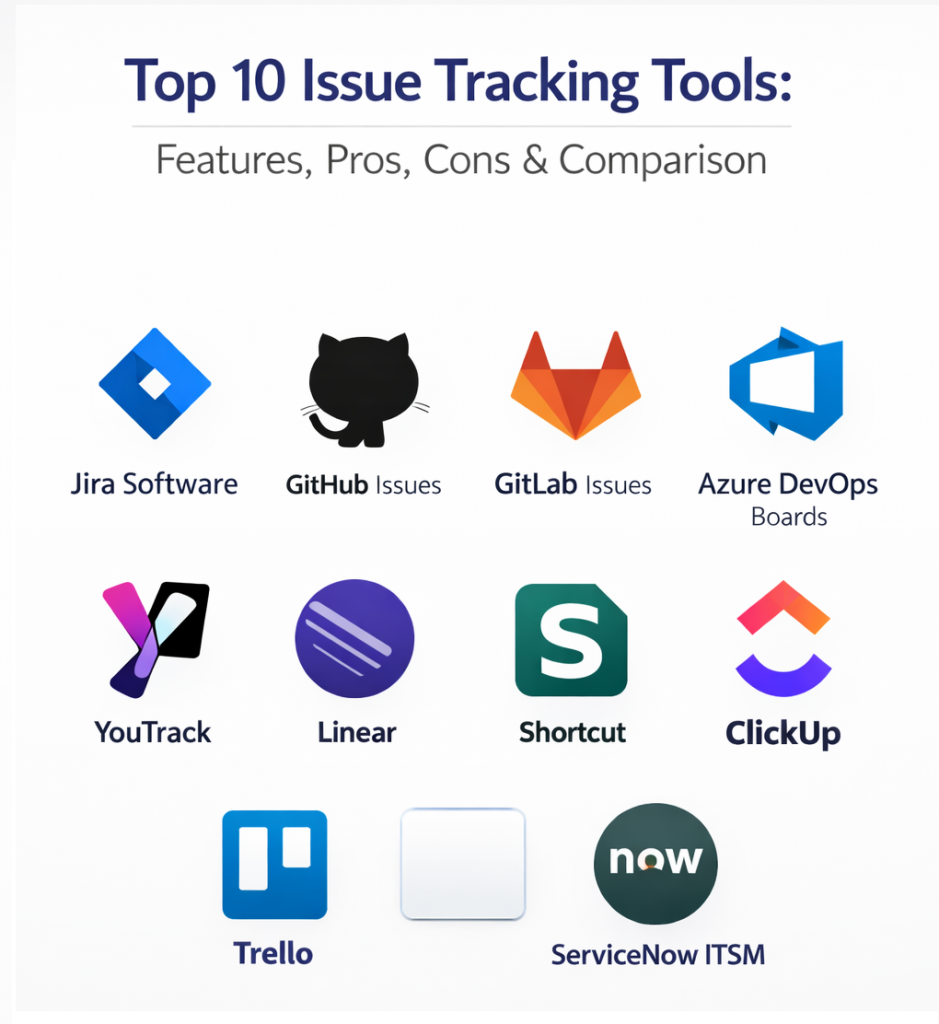
Top 10 Issue Tracking Tools
1 — Jira Software
Jira Software is a highly configurable issue tracking platform built for structured workflows, automation, and reporting. It’s best for teams that need governance, cross-team visibility, and standardized processes across projects.
Key Features
- Custom issue types and workflows (Varies / N/A).
- Automation rules for routing, transitions, and notifications (Varies / N/A).
- Advanced search and saved filters for triage at scale (Varies / N/A).
- Dashboards and reporting for backlog health and throughput (Varies / N/A).
- Linking, dependencies, and structured relationships between issues (Varies / N/A).
- Permission models suitable for multi-team environments (Varies / N/A).
Pros
- Strong fit for mature triage processes and complex workflows.
- Scales well across teams when you standardize templates and fields.
Cons
- Can become heavy without governance and admin discipline.
- Configuration complexity can slow teams if workflows sprawl (Varies / N/A).
Platforms / Deployment
- Web
- Cloud / Self-hosted (Varies / N/A)
Security & Compliance
Not publicly stated.
Integrations & Ecosystem
Jira is often used as a “workflow hub” that connects planning to execution and operational signals.
- Source control and pull request linkage patterns (Varies / N/A)
- CI/CD and release traceability patterns (Varies / N/A)
- Chat notifications and escalation workflows (Varies / N/A)
- APIs and webhooks for custom automation (Varies / N/A)
- Extension marketplace (Varies / N/A)
Support & Community
Strong documentation and a large ecosystem are typical; support tiers vary by plan (Varies / Not publicly stated).
2 — GitHub Issues
GitHub Issues is a lightweight issue tracker designed for repo-first teams. It’s best when you want issues tightly connected to pull requests, code review, and developer discussions.
Key Features
- Issue intake with labels, assignees, and milestones (Varies / N/A).
- Templates for consistent issue reporting (Varies / N/A).
- Project-style planning views (Varies / N/A).
- Threaded discussion and collaboration in the same context as code (Varies / N/A).
- Notifications and subscriptions for watch-based workflows (Varies / N/A).
- Lightweight linking between related issues and work (Varies / N/A).
Pros
- Low friction for developers; issues live where the code lives.
- Great for transparency and collaboration within engineering teams.
Cons
- Portfolio-level reporting can be harder without strict conventions.
- Advanced governance features may be limited compared to enterprise trackers (Varies / N/A).
Platforms / Deployment
- Web
- Cloud
Security & Compliance
Not publicly stated.
Integrations & Ecosystem
GitHub Issues typically integrates through developer tooling and automation.
- APIs and webhooks for routing and status updates (Varies / N/A)
- CI workflows updating issues (Varies / N/A)
- ChatOps notifications (Varies / N/A)
- Marketplace apps and extensions (Varies / N/A)
Support & Community
Documentation and community support are generally strong; formal support varies by plan (Varies / Not publicly stated).
3 — GitLab Issues
GitLab Issues is built for teams using GitLab as an integrated DevOps platform. It’s best when you want planning, issues, and delivery signals in a single system.
Key Features
- Issues linked to merge requests and pipeline activity (Varies / N/A).
- Labels, milestones, and planning structures (Varies / N/A).
- Project and group-level organization for multi-team workflows (Varies / N/A).
- Permissions aligned to GitLab access models (Varies / N/A).
- Templates and standards for consistent intake (Varies / N/A).
- Reporting and visibility views (Varies / N/A).
Pros
- Reduced context switching for GitLab-centered organizations.
- Strong fit for “single platform” governance approaches.
Cons
- Less attractive if your repos and CI/CD live elsewhere.
- Feature depth varies by edition and configuration (Varies / N/A).
Platforms / Deployment
- Web
- Cloud / Self-hosted (Varies / N/A)
Security & Compliance
Not publicly stated.
Integrations & Ecosystem
GitLab Issues shines when tied to GitLab delivery workflows, and can integrate outward as needed.
- Pipeline-driven automation patterns (Varies / N/A)
- APIs/webhooks (Varies / N/A)
- Alerts and incident handoff patterns (Varies / N/A)
- Export patterns for analytics (Varies / N/A)
Support & Community
Documentation is typically available; support tiers vary by plan and deployment (Varies / Not publicly stated).
4 — Azure DevOps Boards
Azure DevOps Boards is a work item tracking system often used for issues, bugs, and delivery planning in Microsoft-aligned environments. It’s best for teams that want issues tied to delivery execution and enterprise governance.
Key Features
- Work item types including issues and bugs with configurable workflows (Varies / N/A).
- Backlogs, boards, and sprint planning views (Varies / N/A).
- Custom fields for severity, area, iteration, and environment (Varies / N/A).
- Permissions and team/project organization (Varies / N/A).
- Dashboards and reporting (Varies / N/A).
- Traceability patterns with pipelines and releases (Varies / N/A).
Pros
- Strong fit for structured delivery planning tied to engineering execution.
- Works well when your org standardizes on Azure DevOps processes.
Cons
- Best value often comes from broader suite usage, not just Boards.
- Integrations may feel less natural in non-Microsoft-centered stacks (Varies / N/A).
Platforms / Deployment
- Web
- Cloud / Self-hosted (Varies / N/A)
Security & Compliance
Not publicly stated.
Integrations & Ecosystem
Azure DevOps Boards is commonly paired with pipelines, test tooling, and identity systems.
- Pipeline and build traceability patterns (Varies / N/A)
- APIs/webhooks for automation (Varies / N/A)
- Chat and notification integrations (Varies / N/A)
- Reporting exports (Varies / N/A)
Support & Community
Documentation is typically available; enterprise support depends on licensing and agreements (Varies / Not publicly stated).
5 — YouTrack
YouTrack is an issue tracker known for flexible workflows and strong search-driven triage. It’s best for teams that want customization and speed without excessive overhead.
Key Features
- Custom fields and workflows for multiple issue types (Varies / N/A).
- Powerful search/query patterns for triage and reporting (Varies / N/A).
- Agile planning views and backlog organization (Varies / N/A).
- Templates and required fields for consistent intake (Varies / N/A).
- Notifications and automation/workflow rules (Varies / N/A).
- Dashboards and reports (Varies / N/A).
Pros
- Strong day-to-day usability for teams that triage frequently.
- Flexible enough to support both bugs and broader work items.
Cons
- Requires taxonomy discipline to keep reports meaningful.
- Compliance details and certifications are not always clear publicly (Not publicly stated).
Platforms / Deployment
- Web
- Cloud / Self-hosted (Varies / N/A)
Security & Compliance
Not publicly stated.
Integrations & Ecosystem
YouTrack typically fits alongside repos, CI/CD, and chat to create a smooth issue lifecycle.
- API-based automation (Varies / N/A)
- Repo and CI linking patterns (Varies / N/A)
- Chat notifications (Varies / N/A)
- Data export for reporting (Varies / N/A)
Support & Community
Documentation is generally available; support tiers vary by plan and deployment (Varies / Not publicly stated).
6 — Linear
Linear is a modern issue tracking tool designed for speed and clean workflows. It’s best for product engineering teams that want minimal friction and fast triage.
Key Features
- Streamlined issue creation and triage (Varies / N/A).
- Projects, labels, and cycle-style planning (Varies / N/A).
- Fast navigation and keyboard-first patterns (Varies / N/A).
- Team-based workflows and views (Varies / N/A).
- Automations and integration-driven updates (Varies / N/A).
- Reporting views for throughput and planning (Varies / N/A).
Pros
- Excellent daily usability for high-velocity teams.
- Low overhead helps keep the tracker clean and current.
Cons
- Complex enterprise governance needs may require heavier systems.
- Deep customization requirements may not fit its simplicity-first approach (Varies / N/A).
Platforms / Deployment
- Web / Windows / macOS / iOS (Varies / N/A)
- Cloud
Security & Compliance
Not publicly stated.
Integrations & Ecosystem
Linear is commonly integrated with repo workflows and team communication tools.
- Source control integrations (Varies / N/A)
- Chat notifications (Varies / N/A)
- APIs/webhooks (Varies / N/A)
- Reporting exports (Varies / N/A)
Support & Community
Documentation is typically straightforward; support tiers vary by plan (Varies / Not publicly stated).
7 — Shortcut
Shortcut is an issue and project tracking tool used to manage stories, bugs, and planning. It’s best for teams that want a practical workflow bridging product planning and engineering execution.
Key Features
- Issues and stories with workflow states (Varies / N/A).
- Iterations/sprints and backlog organization (Varies / N/A).
- Collaboration around requirements and acceptance criteria (Varies / N/A).
- Integrations for developer workflows (Varies / N/A).
- Templates and standardized intake (Varies / N/A).
- Reporting views for delivery visibility (Varies / N/A).
Pros
- Good middle ground between lightweight trackers and enterprise-heavy tools.
- Works well for cross-functional product and engineering coordination.
Cons
- Portfolio governance and compliance needs may require validation.
- Some teams may want more customization than the default model provides (Varies / N/A).
Platforms / Deployment
- Web
- Cloud
Security & Compliance
Not publicly stated.
Integrations & Ecosystem
Shortcut typically connects to repo tools, chat, and documentation to keep handoffs smooth.
- Source control and CI patterns (Varies / N/A)
- Chat notifications (Varies / N/A)
- APIs/webhooks (Varies / N/A)
- Export patterns (Varies / N/A)
Support & Community
Varies / Not publicly stated.
8 — ClickUp
ClickUp is a work management platform that many teams use as an issue tracker for tasks, bugs, and requests. It’s best when you want issues tightly connected to execution, ownership, and cross-team visibility.
Key Features
- Custom statuses and workflows for different issue types (Varies / N/A).
- Custom fields for severity, customer, impact, and SLA markers (Varies / N/A).
- Views for triage and planning (lists, boards, dashboards) (Varies / N/A).
- Collaboration via comments, mentions, and docs (Varies / N/A).
- Automations for routing and reminders (Varies / N/A).
- Reporting and dashboards (Varies / N/A).
Pros
- Flexible for mixed issue types across engineering and non-engineering teams.
- Good for turning issues into executable work without switching tools.
Cons
- Requires clear conventions so issues don’t blend into general tasks.
- Deep developer integrations may be lighter than dev-first tools (Varies / N/A).
Platforms / Deployment
- Web / Windows / macOS / iOS / Android (Varies / N/A)
- Cloud
Security & Compliance
Not publicly stated.
Integrations & Ecosystem
ClickUp often acts as the “execution layer,” integrating with communication and engineering tools.
- Chat and notification integrations (Varies / N/A)
- Source control and dev tool integrations (Varies / N/A)
- APIs and automation (Varies / N/A)
- Export patterns (Varies / N/A)
Support & Community
Varies / Not publicly stated.
9 — Trello
Trello is a visual board-based tool often used for lightweight issue tracking. It’s best for small teams or cross-functional groups that want simple workflows and quick setup.
Key Features
- Kanban-style boards for issue flow visibility (Varies / N/A).
- Labels, checklists, and due dates for lightweight governance (Varies / N/A).
- Simple intake via cards and templates (Varies / N/A).
- Automation patterns for routine moves and reminders (Varies / N/A).
- Easy sharing for stakeholders (Varies / N/A).
- Integrations to connect to common work tools (Varies / N/A).
Pros
- Very easy adoption and low overhead.
- Great for teams that need clarity without heavy process.
Cons
- Portfolio reporting and complex permissions can be limited.
- Large-scale triage can become messy without strict conventions (Varies / N/A).
Platforms / Deployment
- Web / Windows / macOS / iOS / Android (Varies / N/A)
- Cloud
Security & Compliance
Not publicly stated.
Integrations & Ecosystem
Trello is frequently extended via integrations and automation to fit team workflows.
- Automation for recurring workflows (Varies / N/A)
- Integrations with chat and documentation tools (Varies / N/A)
- APIs and connectors (Varies / N/A)
- Export patterns (Varies / N/A)
Support & Community
Varies / Not publicly stated.
10 — ServiceNow ITSM
ServiceNow ITSM is designed for IT service and operational issue tracking, including incidents, service requests, changes, and problems. It’s best for enterprises that need SLAs, approvals, audit trails, and structured governance for operational work.
Key Features
- Incident and request tracking with queue-based ownership (Varies / N/A).
- SLA timers, escalation rules, and approvals (Varies / N/A).
- Strong auditability and process governance patterns (Varies / N/A).
- Knowledge and problem management alignment (Varies / N/A).
- Integrations with monitoring, identity, and service tooling (Varies / N/A).
- Reporting for operational performance and compliance evidence (Varies / N/A).
Pros
- Strong for operational issue tracking with SLAs and approvals.
- Scales well across large enterprises with structured processes.
Cons
- Usually heavier than product engineering teams need for pure software issues.
- Implementation effort can be significant and requires process ownership (Varies / N/A).
Platforms / Deployment
- Web (Varies / N/A)
- Cloud (Varies / N/A)
Security & Compliance
Not publicly stated.
Integrations & Ecosystem
ServiceNow often becomes the operational “system of record,” integrating across IT and security tooling.
- Monitoring and alerting integrations (Varies / N/A)
- Identity and access workflows (Varies / N/A)
- APIs and workflow automation (Varies / N/A)
- Reporting exports (Varies / N/A)
Support & Community
Varies / Not publicly stated.
Comparison Table (Top 10)
| Tool Name | Best For | Platform(s) Supported | Deployment (Cloud/Self-hosted/Hybrid) | Standout Feature | Public Rating |
|---|---|---|---|---|---|
| Jira Software | Enterprise workflows and governance | Web | Cloud / Self-hosted (Varies / N/A) | Highly configurable workflows and automation | N/A |
| GitHub Issues | Repo-first teams | Web | Cloud | Issues tightly aligned with code workflows | N/A |
| GitLab Issues | GitLab-centered DevOps orgs | Web | Cloud / Self-hosted (Varies / N/A) | Planning linked to CI/CD and merge requests | N/A |
| Azure DevOps Boards | Microsoft-aligned delivery teams | Web | Cloud / Self-hosted (Varies / N/A) | Work items tied to delivery execution | N/A |
| YouTrack | Fast triage with flexibility | Web | Cloud / Self-hosted (Varies / N/A) | Search-driven tracking and customization | N/A |
| Linear | High-velocity product engineering | Web / Desktop / Mobile (Varies / N/A) | Cloud | Speed and low-friction workflows | N/A |
| Shortcut | Product and engineering coordination | Web | Cloud | Practical planning-to-execution workflow | N/A |
| ClickUp | Mixed issue types across teams | Web / Desktop / Mobile (Varies / N/A) | Cloud | Work management plus issue tracking | N/A |
| Trello | Lightweight issue workflows | Web / Desktop / Mobile (Varies / N/A) | Cloud | Simple Kanban boards with quick setup | N/A |
| ServiceNow ITSM | Operational issues with SLAs | Web (Varies / N/A) | Cloud (Varies / N/A) | SLA-driven IT service workflows | N/A |
Evaluation and Scoring of Issue Tracking Tools
Scoring model notes:
- Each criterion is scored on a 1–10 scale.
- Weighted Total is calculated using the weights below.
- Scores are comparative guidance for shortlisting, not a guaranteed ranking for every team.
Weights:
- Core features – 25%
- Ease of use – 15%
- Integrations & ecosystem – 15%
- Security & compliance – 10%
- Performance & reliability – 10%
- Support & community – 10%
- Price / value – 15%
| Tool Name | Core (25%) | Ease (15%) | Integrations (15%) | Security (10%) | Performance (10%) | Support (10%) | Value (15%) | Weighted Total (0–10) |
|---|---|---|---|---|---|---|---|---|
| Jira Software | 9 | 7 | 9 | 7 | 8 | 8 | 6 | 7.85 |
| GitHub Issues | 7 | 9 | 8 | 7 | 8 | 8 | 8 | 7.85 |
| GitLab Issues | 8 | 7 | 8 | 7 | 8 | 7 | 7 | 7.45 |
| Azure DevOps Boards | 8 | 7 | 8 | 7 | 8 | 7 | 6 | 7.20 |
| YouTrack | 8 | 8 | 7 | 7 | 8 | 7 | 7 | 7.55 |
| Linear | 7 | 9 | 7 | 6 | 8 | 7 | 7 | 7.40 |
| Shortcut | 7 | 8 | 7 | 6 | 8 | 6 | 7 | 7.05 |
| ClickUp | 7 | 8 | 7 | 6 | 7 | 7 | 7 | 7.10 |
| Trello | 5 | 9 | 6 | 6 | 7 | 7 | 8 | 6.85 |
| ServiceNow ITSM | 9 | 5 | 8 | 8 | 8 | 7 | 4 | 7.10 |
How to interpret the scores:
- If you need deep governance, weigh Core and Security more heavily than Ease.
- If adoption is your biggest risk, weigh Ease and Integrations more heavily than Core depth.
- If you have strict operational SLAs, Security and Reporting depth can matter more than UI speed.
- Always validate with a pilot using real issues, real users, and real integrations.
Which Issue Tracking Tool Is Right for You?
Solo / Freelancer
Pick something that stays close to your daily work and avoids admin overhead. GitHub Issues or Trello are often enough when you have low volume and need simple visibility.
SMB
SMBs usually need a balance: fast triage, enough structure to keep things clean, and integrations that connect issues to delivery. Linear, YouTrack, GitHub Issues, GitLab Issues, and ClickUp can all work well depending on whether your workflow is developer-first or cross-functional.
Mid-Market
Mid-market teams typically need standard templates, consistent prioritization rules, and reporting across multiple teams. Jira Software and Azure DevOps Boards are common fits when governance and cross-team visibility matter; YouTrack and Shortcut can be strong alternatives if you want structure without heavy administration.
Enterprise
Enterprises usually prioritize governance, controlled visibility, auditability, and integrations across many systems. Jira Software, Azure DevOps Boards, and ServiceNow ITSM can fit well, but you should expect a formal operating model: admin ownership, taxonomy standards, and documented workflows.
Budget vs Premium
If budget is tight, prefer tools that minimize operational overhead and reduce tool sprawl. Premium platforms tend to pay off when they reduce coordination cost, enforce governance, and support automation and reporting at scale.
Feature Depth vs Ease of Use
Workflow-heavy tools can model complex processes, but they require governance to stay usable. Lightweight tools increase adoption, but you must compensate with conventions: templates, severity definitions, and consistent tagging.
Integrations & Scalability
If issues come from many sources (monitoring alerts, support, QA, customer reports), integration depth matters as much as UI. Validate how issues flow end-to-end: intake → triage → dev work → verification → customer update, and ensure reporting works across teams.
Security & Compliance Needs
If you track sensitive items (security vulnerabilities, customer data issues, regulated workflows), prioritize strong permissions, audit trails, and restricted visibility. If certifications or compliance claims are unclear, treat them as Not publicly stated and verify during procurement.
Frequently Asked Questions (FAQs)
1) How is issue tracking different from bug tracking?
Bug tracking is a subset of issue tracking: all bugs are issues, but issues can also be tasks, requests, incidents, or changes depending on your workflow.
2) What should every issue template include?
A clear title, expected vs actual, steps to reproduce (if applicable), environment, impact, priority/severity, and evidence (screenshots, logs). Make fields required for your most common issue types.
3) How do we prevent the backlog from becoming a graveyard?
Assign a triage owner, set a weekly cadence, define “stale” rules, and close or merge duplicates aggressively. Your goal is a trusted queue, not a complete history of every thought.
4) What’s the best way to set priorities?
Use a consistent model: impact, urgency, frequency, customer segment affected, and effort to fix. Document what each priority means so teams stop debating labels and start fixing.
5) How do we route issues to the right owner faster?
Use components/areas, ownership rules, and automation. Even simple rules like “component equals billing goes to team A” reduce triage time dramatically.
6) Should product, engineering, and support share one issue tracker?
Often yes, but only if you separate issue types, fields, and workflows cleanly. If you mix everything without structure, the tracker becomes noisy and people stop trusting it.
7) What integrations are most valuable?
Source control for traceability, CI/CD for build and deploy context, chat for notifications, monitoring for incident capture, and support systems for customer escalation. Prioritize the integrations that reduce manual copy-paste.
8) How do we measure issue tracking success?
Measure time-to-triage, cycle time, reopen rate, escaped defects, backlog aging, and SLA compliance where applicable. Focus on outcomes and bottlenecks, not just counts.
9) How hard is it to migrate to a new issue tracker?
The hard part is mapping fields and keeping history meaningful. Plan the migration, define your new taxonomy first, and run a pilot team before moving everyone.
10) What’s a good lightweight alternative to a full issue tracker?
If volume is low, use a simple board or repo issue list plus a strict template and a weekly triage ritual. The process matters more than the tool at small scale.
Conclusion
Issue tracking tools are only as effective as the workflow around them: intake discipline, clear ownership, consistent prioritization, and measurable outcomes. The best tool depends on your context—repo-first engineering teams often prefer developer-centric trackers, while multi-team organizations benefit from workflow-heavy governance, and operational IT teams need SLA-driven systems. Next step: shortlist two or three tools from this list, run a small pilot with real issues and integrations, validate permissions and reporting, then standardize templates and taxonomy before scaling.

Best Cardiac Hospitals Near You
Discover top heart hospitals, cardiology centers & cardiac care services by city.
Advanced Heart Care • Trusted Hospitals • Expert Teams
View Best Hospitals