Introduction
IT helpdesk chatbots have evolved from simple keyword-matching scripts into sophisticated, AI-driven colleagues capable of resolving complex technical issues without human intervention. These digital assistants serve as the first line of defense for internal employees and external customers, providing instant support for password resets, software installations, and hardware troubleshooting. In the modern workspace, where speed and efficiency are paramount, a chatbot is no longer a luxury but a critical component of a scalable support strategy. By leveraging natural language processing, these tools understand intent, execute workflows, and significantly reduce the ticket volume reaching human agents.
When evaluating a chatbot for your IT infrastructure, the focus must be on more than just the chat interface. A truly effective solution requires deep integration into your existing service management tools and the ability to perform automated actions across your software stack. Buyers should look for platforms that offer high accuracy in intent recognition, ease of maintenance, and the ability to transition seamlessly to a human agent when a situation becomes too complex. As we move further into an era of automated operations, the goal is to shift from reactive troubleshooting to a self-service model that empowers users to solve their own problems instantly.
Best for: Enterprise IT departments, managed service providers, and mid-sized companies looking to reduce support overhead, improve mean time to resolution, and provide 24/7 technical assistance.
Not ideal for: Very small teams with low ticket volume where personal touch is preferred, or organizations with highly non-standard, physical-only hardware issues that cannot be diagnosed digitally.
Key Trends in IT Helpdesk Chatbots
- Generative AI Integration: Chatbots are moving beyond predefined scripts to use large language models that can summarize knowledge base articles and provide conversational answers.
- Proactive Issue Detection: Modern systems analyze device telemetry to identify a failing laptop battery or slow software before the user even realizes there is a problem.
- Autonomous Remediation: Instead of just telling a user how to fix an issue, chatbots are increasingly granted permission to execute the fix directly, such as clearing a cache or restarting a service.
- Multimodal Interaction: The shift toward voice-to-text and screen-sharing capabilities within the chat interface allows for a more dynamic and helpful support experience.
- Hyper-Personalization: Chatbots now recognize a user’s specific hardware, software permissions, and past ticket history to provide context-aware solutions immediately.
- No-Code Workflow Builders: IT managers can now design complex support flows using visual drag-and-drop interfaces rather than writing custom code.
- Seamless Human Handoff: Sophisticated sentiment analysis identifies when a user is frustrated and automatically alerts a high-level engineer to step in.
- Language Agility: Instant translation capabilities allow global organizations to provide high-quality IT support in dozens of languages using a single bot instance.
How We Selected These Tools
- Integration Capabilities: We prioritized bots that connect natively with major service desks and identity management platforms.
- Natural Language Accuracy: Only tools with proven records in understanding complex technical jargon and user intent were included.
- Automation Depth: We looked for platforms that can actually perform tasks, not just provide links to documentation.
- User Experience: The ease of use for the end employee and the administrative burden for the IT team were heavily weighted.
- Scalability: The selection includes tools that can handle thousands of simultaneous users and complex global deployments.
- Security Standards: We evaluated the platforms based on their ability to handle sensitive corporate data and user credentials securely.
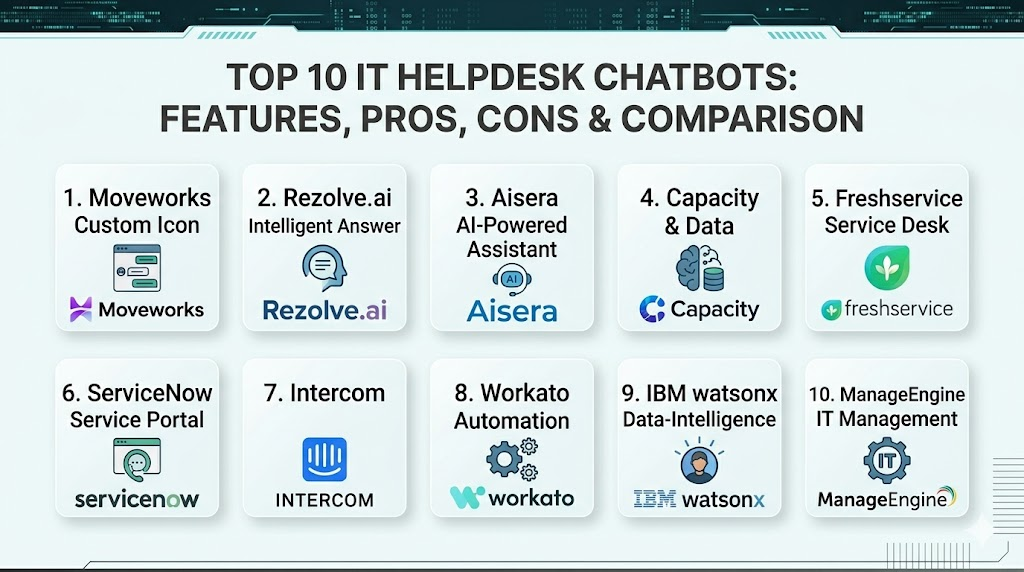
Top 10 IT Helpdesk Chatbots
1. Moveworks
Moveworks is an AI platform built specifically for the enterprise, focusing on large-scale automation of IT, HR, and finance requests. It uses advanced machine learning to resolve tickets end-to-end without any manual configuration or scriptwriting from the IT team.
Key Features
- Autonomous resolution of common IT issues like password resets and group access.
- Natural language understanding that identifies technical intent across multiple languages.
- Proactive communication to update users on ticket status and pending actions.
- Deep integration with enterprise knowledge bases to provide instant answers.
- Automated provisioning of software and hardware based on user requests.
Pros
- Requires very little manual setup compared to traditional logic-based bots.
- Exceptional at understanding messy, real-world human language.
Cons
- High entry price point makes it a challenge for smaller organizations.
- Can feel like a “black box” because the AI handles much of the logic.
Platforms / Deployment
Web / Windows / macOS / Mobile
Cloud
Security & Compliance
Enterprise identity management and end-to-end encryption.
Not publicly stated.
Integrations & Ecosystem
It connects deeply with major service management platforms and communication tools like Slack and Microsoft Teams. It also bridges the gap to identity providers and cloud productivity suites.
Support & Community
Provides dedicated account management and a robust customer success program for enterprise clients.
2. Rezolve.ai
This tool is designed to live inside Microsoft Teams, turning the chat app into a fully functional IT service desk. It emphasizes a “knowledge-first” approach, ensuring users get the right information the first time they ask.
Key Features
- Native integration within the Microsoft Teams and Slack interfaces.
- Visual workflow creator for designing custom IT support journeys.
- Automated ticket creation and routing if the bot cannot solve the issue.
- Built-in live chat for seamless transition to human agents.
- Desktop automation for performing tasks directly on the user’s machine.
Pros
- Excellent user adoption because it lives where employees already work.
- Very fast deployment times for organizations already on Microsoft 365.
Cons
- Most effective only within the Microsoft ecosystem.
- Some advanced automation features require additional configuration.
Platforms / Deployment
Web / Teams / Slack
Cloud
Security & Compliance
Standard secure authentication and data handling protocols.
Not publicly stated.
Integrations & Ecosystem
Primarily focused on the Microsoft 365 stack but connects to major external service desks for ticket management.
Support & Community
Active professional support and a growing library of documentation for administrators.
3. Aisera
Aisera provides a high-end AIOps and service management platform that uses unsupervised learning to improve its performance over time. It aims to automate the entire service experience for both IT and customer service.
Key Features
- Unsupervised NLU that learns from past tickets and knowledge base articles.
- Predictive analytics to identify potential system outages before they occur.
- Conversational AI that handles complex, multi-step troubleshooting.
- Multi-channel support across web, mobile, and social platforms.
- Specialized workflows for software asset management and onboarding.
Pros
- Powerful self-learning capabilities that reduce administrative overhead.
- Scalable across different departments beyond just the IT helpdesk.
Cons
- Complexity of the platform can lead to a longer initial setup phase.
- Pricing is geared toward large-scale enterprise deployments.
Platforms / Deployment
Web / Mobile / Desktop
Cloud / Hybrid
Security & Compliance
Robust enterprise security features and data isolation.
Not publicly stated.
Integrations & Ecosystem
Extensive integrations with virtually every major enterprise software provider and cloud infrastructure service.
Support & Community
Enterprise-grade support with dedicated technical account managers for high-tier clients.
4. Capacity
Capacity is an AI-powered support automation platform that connects your entire tech stack to answer questions and automate repetitive tasks. It uses a specialized “low-code” approach to make automation accessible to non-technical managers.
Key Features
- All-in-one helpdesk, chatbot, and knowledge base platform.
- Cloud drive for storing and retrieving technical documentation via chat.
- Guided conversations that walk users through complex setups.
- Automated task management to follow up on unresolved user issues.
- Developer-friendly API for building custom internal integrations.
Pros
- Very flexible and can be customized for unique business processes.
- Consolidates multiple support tools into a single interface.
Cons
- Requires a bit more manual “teaching” than fully autonomous bots.
- The interface can be dense for first-time administrators.
Platforms / Deployment
Web / Mobile
Cloud
Security & Compliance
Secure data encryption and SOC 2 type infrastructure.
Not publicly stated.
Integrations & Ecosystem
Strong library of connectors for popular productivity and project management tools.
Support & Community
Provides comprehensive onboarding and a dedicated support portal for all users.
5. Freshservice Freddy AI
Part of the Freshworks ecosystem, Freddy AI is an intelligent assistant that helps both users and agents. It focuses on deflecting simple tickets and assisting agents with smart suggestions during complex sessions.
Key Features
- Virtual agent for 24/7 automated support on web and mobile.
- Agent assist features that suggest solutions based on similar past tickets.
- Automated ticket categorization and prioritization using machine learning.
- Sentiment analysis to gauge user frustration in real-time.
- Predictive modeling for identifying potential bottlenecks in the service desk.
Pros
- Extremely easy to set up for existing Freshservice users.
- Clean, modern interface that requires very little training.
Cons
- Advanced AI features often require higher-tier subscription plans.
- Customization options are slightly more limited than “pure-play” AI platforms.
Platforms / Deployment
Web / iOS / Android
Cloud
Security & Compliance
Standard identity management and secure data residency options.
Not publicly stated.
Integrations & Ecosystem
Perfectly integrated with the Freshworks suite and common business applications.
Support & Community
Extensive online documentation and a very active user community.
6. ServiceNow Virtual Agent
As a leader in IT Service Management, ServiceNow’s chatbot is a powerful, deeply integrated tool designed for large enterprises. It leverages the massive amount of data already present in the ServiceNow platform.
Key Features
- Natural Language Understanding tailored for complex enterprise jargon.
- Pre-built conversation templates for the most common IT and HR requests.
- Dynamic translation for supporting global workforces.
- Integration with the ServiceNow workflow engine for end-to-end automation.
- Rich media support including images, videos, and interactive forms in chat.
Pros
- Unbeatable power if your organization is already built on ServiceNow.
- Handles complex, multi-departmental workflows better than almost anyone.
Cons
- Can be prohibitively expensive for companies not already using the platform.
- Setup and maintenance usually require specialized ServiceNow developers.
Platforms / Deployment
Web / Teams / Slack / Mobile
Cloud / Hybrid
Security & Compliance
World-class enterprise security and extensive compliance certifications.
Not publicly stated.
Integrations & Ecosystem
Unlimited integration potential within the ServiceNow ecosystem and via the IntegrationHub.
Support & Community
Massive professional ecosystem with thousands of certified partners and developers.
7. Intercom for IT
While traditionally a customer support tool, Intercom has developed powerful internal helpdesk capabilities. It focuses on a modern, “messenger-first” experience that feels like using a consumer app.
Key Features
- Fin AI bot that summarizes help articles to provide natural answers.
- Interactive “apps” within the chat for tasks like booking appointments.
- Automated resolution paths based on user attributes and data.
- Unified inbox for managing chat, email, and social support.
- Visual builder for creating sophisticated bot branching logic.
Pros
- The best-looking and most modern user interface in the category.
- Very easy for users to pick up without any formal introduction.
Cons
- Pricing can escalate quickly based on the number of “resolutions.”
- Not as deeply focused on back-end IT infrastructure as specialized tools.
Platforms / Deployment
Web / iOS / Android
Cloud
Security & Compliance
Secure identity verification and data encryption.
Not publicly stated.
Integrations & Ecosystem
Excellent API and a large marketplace of third-party apps and connectors.
Support & Community
Very strong online resources and a modern support experience.
8. Workato (Workbot)
Workbot is an enterprise platform that allows you to build sophisticated bots that interact across 1,000+ apps. It is less of a standalone “bot” and more of an orchestration engine for IT support.
Key Features
- Ability to build custom bots for Slack, Teams, or web.
- Trigger-based automations that execute across multiple software platforms.
- High-security framework for handling sensitive data movements.
- Low-code interface for building complex business logic.
- Real-time monitoring of all automated support tasks.
Pros
- Infinite flexibility to build exactly the bot your organization needs.
- Exceptional for organizations with highly non-standard IT processes.
Cons
- Requires a more technical “architect” mindset to set up properly.
- Not a “ready-to-use” chatbot out of the box.
Platforms / Deployment
Slack / Teams / Web
Cloud
Security & Compliance
Top-tier enterprise security and data privacy controls.
Not publicly stated.
Integrations & Ecosystem
The largest library of connectors in the industry, spanning every major SaaS tool.
Support & Community
Professional support and an extensive library of automation “recipes.”
9. IBM Labs (watsonx Assistant)
IBM’s offering is a sophisticated, highly customizable AI assistant that can be deployed on-premises or in the cloud. It is designed for high-security environments and complex technical queries.
Key Features
- Industry-leading natural language processing and intent recognition.
- Ability to deploy in air-gapped or highly regulated environments.
- Advanced search capabilities that crawl technical manuals and PDFs.
- Seamless transition between automated chat and human agents.
- Comprehensive analytics to track bot performance and user satisfaction.
Pros
- Excellent for highly regulated industries like banking or government.
- Very high degree of control over how data is processed and stored.
Cons
- Can be slower to deploy due to its high level of sophistication.
- The interface feels more “corporate” and less “friendly” than modern rivals.
Platforms / Deployment
Web / Mobile / Voice
Cloud / On-Premise / Hybrid
Security & Compliance
Deep security features and support for high-level regulatory compliance.
Not publicly stated.
Integrations & Ecosystem
Strong integrations with IBM’s broader AI and data portfolio and major ITSM tools.
Support & Community
Extensive global support network and deep technical documentation.
10. ManageEngine Zia
Zia is the AI assistant for the ManageEngine ecosystem. It provides a simple but effective way for users of ServiceDesk Plus to automate their support requests.
Key Features
- Voice and text-based interaction for ticket creation and status checks.
- Automated solution suggestions for end-users and helpdesk agents.
- Sentiment analysis to identify unhappy users.
- Built-in predictions for ticket volume and potential SLA violations.
- Simple setup with pre-defined IT support skills.
Pros
- Great value for organizations already using ManageEngine products.
- Simple and straightforward to manage for small IT teams.
Cons
- Limited features if you are not using the broader ManageEngine suite.
- The AI is not as “conversational” as some of the high-end competitors.
Platforms / Deployment
Web / Mobile
Cloud / On-Premise
Security & Compliance
Standard identity protection and data security within the Zoho/ManageEngine stack.
Not publicly stated.
Integrations & Ecosystem
Strongest within its own suite, but offers APIs for external connections.
Support & Community
Good documentation and a reliable professional support team.
Comparison Table
| Tool Name | Best For | Platform(s) Supported | Deployment | Standout Feature | Public Rating |
| 1. Moveworks | Large Enterprise | Win, macOS, Mobile | Cloud | Autonomous Resolution | N/A |
| 2. Rezolve.ai | Teams/Slack Users | Web, Teams, Slack | Cloud | Desktop Automation | N/A |
| 3. Aisera | Predictive IT | Web, Mobile, Desktop | Hybrid | Unsupervised Learning | N/A |
| 4. Capacity | Knowledge Base | Web, Mobile | Cloud | Low-Code Workflow | N/A |
| 5. Freshservice | SMB/Mid-Market | Web, iOS, Android | Cloud | Agent Assistance | N/A |
| 6. ServiceNow | Global Enterprise | Win, macOS, Mobile | Hybrid | End-to-End Workflow | N/A |
| 7. Intercom | Modern UX | Web, iOS, Android | Cloud | Messenger Experience | N/A |
| 8. Workato | Custom Orchestration | Slack, Teams, Web | Cloud | Multi-App Automation | N/A |
| 9. IBM watsonx | High Security | Web, Mobile, Voice | Hybrid | Air-Gapped Support | N/A |
| 10. ManageEngine | Existing Customers | Web, Mobile | Hybrid | Simple Voice Skills | N/A |
Evaluation & Scoring
| Tool Name | Core (25%) | Ease (15%) | Integrations (15%) | Security (10%) | Perf (10%) | Support (10%) | Value (15%) | Total |
| 1. Moveworks | 10 | 5 | 9 | 9 | 10 | 8 | 6 | 8.20 |
| 2. Rezolve.ai | 8 | 9 | 8 | 7 | 8 | 7 | 9 | 8.10 |
| 3. Aisera | 9 | 6 | 9 | 8 | 9 | 8 | 7 | 8.05 |
| 4. Capacity | 8 | 7 | 8 | 8 | 8 | 8 | 8 | 7.85 |
| 5. Freshservice | 7 | 9 | 8 | 8 | 8 | 9 | 9 | 8.15 |
| 6. ServiceNow | 10 | 4 | 10 | 10 | 9 | 9 | 4 | 7.95 |
| 7. Intercom | 7 | 10 | 9 | 8 | 8 | 8 | 7 | 8.15 |
| 8. Workato | 9 | 4 | 10 | 9 | 9 | 8 | 7 | 7.80 |
| 9. IBM watsonx | 10 | 3 | 8 | 10 | 9 | 8 | 6 | 7.60 |
| 10. ManageEngine | 6 | 8 | 7 | 8 | 7 | 8 | 9 | 7.40 |
The scoring here indicates that the “best” tool depends heavily on your existing environment. For instance, ServiceNow scores a perfect 10 in core features and integration, but its score is balanced out by the difficulty of setup and high cost. On the other hand, tools like Rezolve.ai and Intercom score exceptionally high in ease of use, making them more attractive for organizations that want to see immediate user adoption without a long technical implementation.
Which IT Helpdesk Chatbot Is Right for You?
Solo / Freelancer
For individuals or very small consulting shops, a dedicated enterprise bot is likely overkill. A simple automated FAQ tool or the basic AI features built into your existing email or project management software is usually sufficient.
SMB
Smaller businesses should look for tools that are easy to deploy and live where their employees already spend their time. Tools like Freshservice and Intercom offer the best balance of professional features and low setup time.
Mid-Market
Growing companies with a few hundred employees will benefit from more structured automation. Rezolve.ai or Capacity provide the right amount of workflow customization without requiring a massive budget or specialized developers.
Enterprise
At the highest level, the choice is usually between Moveworks for autonomous AI-driven support or ServiceNow for deep, platform-wide integration. These organizations require high security and the ability to handle global support needs.
Budget vs Premium
If budget is the primary concern, ManageEngine or the basic tiers of Freshservice offer solid value. For those willing to pay a premium for high-end AI that “just works” with minimal oversight, Moveworks is the industry leader.
Feature Depth vs Ease of Use
If you want to customize every single interaction and build complex branching logic, Workato or IBM provide the most depth. If you want a tool that your team can start using today with no training, Intercom is the best choice.
Integrations & Scalability
ServiceNow and Moveworks are built to scale to hundreds of thousands of users and integrate with hundreds of enterprise systems. Organizations with a complex “spaghetti” of legacy systems should prioritize these robust connectors.
Security & Compliance Needs
For government, finance, or healthcare organizations, IBM watsonx Assistant or ServiceNow provide the necessary certifications and the ability to deploy in highly controlled environments to protect sensitive data.
Frequently Asked Questions (FAQs)
1. How do IT chatbots handle password resets securely?
Chatbots typically verify a user’s identity through multi-factor authentication or by checking against an existing identity provider like Okta or Azure AD before executing the reset.
2. Can a chatbot really replace a human IT agent?
While they can’t replace high-level problem solving, they can deflect up to 40% to 60% of routine tickets, allowing human agents to focus on complex projects and critical infrastructure.
3. What happens if the chatbot doesn’t understand the user?
Most professional tools have a built-in handoff feature that either creates a ticket automatically or transfers the user to a live human agent with the full chat transcript included.
4. How long does it take to implement an IT chatbot?
A simple bot can be running in a few days, but a deeply integrated enterprise solution with custom workflows typically takes 3 to 6 months to fully refine.
5. Do these bots work in multiple languages?
Yes, most top-tier bots either use built-in translation or have multi-language models that can understand and reply to users in dozens of different languages.
6. Can a chatbot help with hardware issues?
While it can’t fix a broken screen, it can run diagnostics, check warranty status, and automatically trigger the process for a hardware replacement or repair.
7. How do I measure the success of an IT chatbot?
The most common metrics are the deflection rate (tickets solved by the bot), the mean time to resolution, and the user satisfaction score after a chat session.
8. Are these bots expensive for small companies?
There is a wide range of pricing. Some tools cost a few hundred dollars a month, while enterprise platforms can cost several thousands of dollars annually.
9. Can the chatbot access my company’s private knowledge base?
Yes, professional bots are designed to securely crawl your internal wikis, PDFs, and documentation to provide answers that are specific to your company’s policies.
10. Is coding knowledge required to manage the bot?
Most modern platforms use low-code or no-code visual builders, meaning an IT manager can adjust the bot’s logic without being a software developer.
Conclusion
Implementing an IT helpdesk chatbot is a transformative step toward a more efficient and responsive technical support environment. By automating routine tasks and providing instant answers, these tools not only save significant costs but also improve the overall employee experience by eliminating long wait times. The current market offers a wide variety of solutions, from deeply integrated enterprise platforms to nimble, user-friendly assistants that live within your communication apps. Success lies in choosing a tool that aligns with your organization’s technical maturity, security requirements, and budget while remaining committed to continuous improvement based on user feedback.

Best Cardiac Hospitals Near You
Discover top heart hospitals, cardiology centers & cardiac care services by city.
Advanced Heart Care • Trusted Hospitals • Expert Teams
View Best Hospitals