Introduction
Key Management Systems, often called KMS, help organizations create, store, rotate, and control access to encryption keys used to protect data. While encryption protects information, KMS makes sure keys are handled safely, consistently, and auditable across applications, databases, storage, backups, and communications. Without strong key management, even strong encryption can fail due to lost keys, weak access controls, or unclear ownership.
Real world use cases include controlling encryption keys for cloud storage and databases, managing keys for application level encryption, enforcing key rotation policies, using hardware backed keys for high assurance workloads, managing signing keys for software releases, and centralizing audit logs for cryptographic events. When selecting a KMS, buyers should evaluate key lifecycle controls, access governance, audit logging, integration breadth, performance, support for hardware security modules, multi environment coverage, operational simplicity, recovery options, and policy enforcement.
Best for
Security teams, DevOps teams, platform engineering teams, and compliance teams that need centralized control of encryption keys across cloud, on premises, and hybrid environments.
Not ideal for
Very small teams with minimal encryption needs, teams that only need basic local encryption without shared key control, or environments where keys are fully managed and controlled by a single platform with no need for centralized governance.
Key Trends in Key Management Systems
- More adoption of customer managed keys to meet privacy and regulatory expectations
- Increased use of envelope encryption patterns for scalability and cost control
- More policy driven access controls with stronger separation of duties
- Wider use of hardware backed keys through HSM integrations for high assurance
- Greater automation for key rotation and certificate lifecycle management
- More multi cloud and hybrid key governance to reduce platform lock in risk
- Increased focus on centralized audit evidence for compliance and investigations
- Stronger integration with identity systems and privileged access workflows
- More support for application level encryption services and data tokenization patterns
- Improved monitoring for key usage anomalies and operational misconfigurations
How We Selected These Tools (Methodology)
- Included widely recognized KMS and key management platforms used in cloud and enterprise environments
- Balanced cloud native managed KMS with enterprise key management tools
- Considered integration breadth with storage, databases, apps, and DevOps workflows
- Prioritized strong lifecycle controls, rotation policies, and audit visibility
- Looked for practical deployment options across cloud, self hosted, and hybrid setups
- Considered operational maturity and suitability for different organization sizes
- Avoided claiming certifications or public ratings that are not clearly known
- Selected tools that remain relevant across modern security and compliance programs
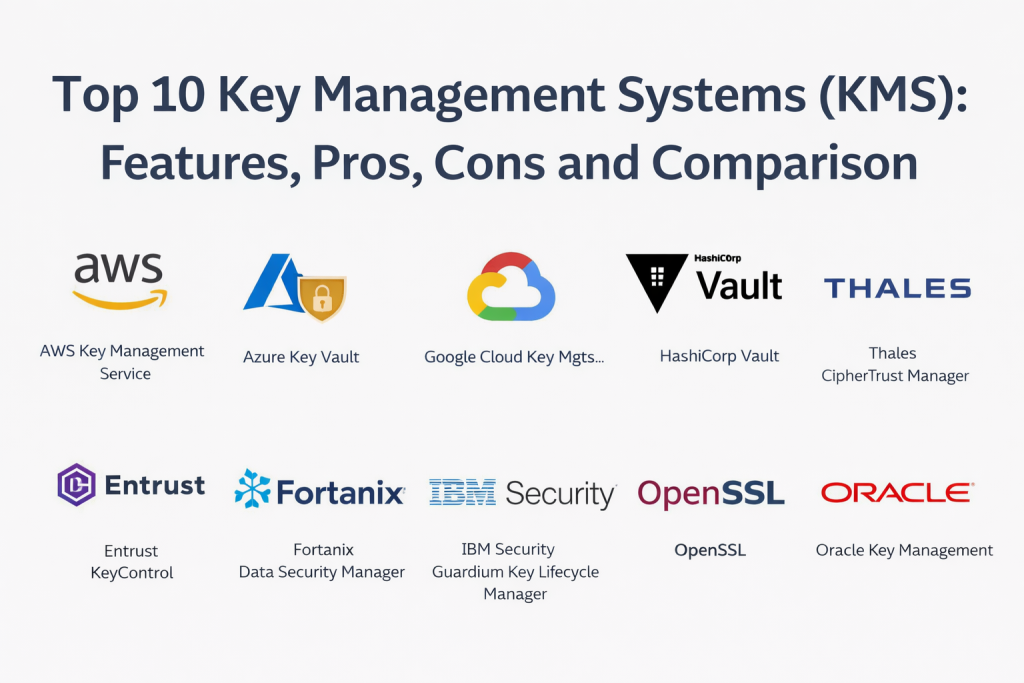
Top 10 Key Management Systems
1 — AWS Key Management Service
Managed key management service used to create and control encryption keys for cloud services and applications in AWS. Commonly used to enforce customer controlled keys for storage, databases, and app encryption patterns.
Key Features
- Centralized managed keys with policy driven control
- Integration with many AWS storage and database services
- Key rotation and lifecycle management capabilities
- Access control through AWS identity policies
- Audit logging for key usage events
- Supports envelope encryption patterns for applications
- Helps standardize encryption governance across AWS workloads
Pros
- Easy adoption for AWS based environments
- Strong integration across AWS services
- Lower operational overhead than self managed systems
Cons
- Best value within AWS ecosystem
- Cross cloud governance requires extra architecture
- Advanced designs need careful policy planning
Platforms and Deployment
Web, Cloud
Security and Compliance
IAM based access control and logging are standard expectations; certifications: Not publicly stated.
Integrations and Ecosystem
Typically integrated with cloud storage, databases, compute services, and application encryption workflows. Keys often support customer managed encryption policies and auditing across workloads.
- Integrations with storage and database encryption
- APIs for application level key usage
- Identity policy integration for key permissions
- Logs feeding into monitoring and audit pipelines
Support and Community
Documentation is widely used. Support depends on cloud support plan: Varies / Not publicly stated.
2 — Azure Key Vault
Managed key and secret platform used to store keys, secrets, and certificates in Azure. Often used to centralize key governance and enable customer controlled keys for Azure services.
Key Features
- Central key, secret, and certificate storage
- Access policies and role based administration
- Key rotation and lifecycle controls
- Integration with Azure storage and databases
- Audit logs for access and key operations
- APIs for application encryption workflows
- Helps reduce secret sprawl across teams
Pros
- Strong fit for Azure workloads
- Central governance for keys and secrets
- Reduces risk of hard coded secrets
Cons
- Most valuable inside Azure ecosystem
- Multi cloud strategies need extra integration work
- Governance design is critical for consistent use
Platforms and Deployment
Web, Cloud
Security and Compliance
Access controls and audit logging expected; certifications: Not publicly stated.
Integrations and Ecosystem
Often connected with Azure services for customer managed keys, and used by applications through APIs for signing, encryption, and secrets retrieval.
- Integration across Azure data and compute services
- APIs for key usage and secrets access
- Identity integration for authorization and controls
- Monitoring integration into security operations workflows
Support and Community
Documentation is extensive. Support depends on agreements: Varies / Not publicly stated.
3 — Google Cloud Key Management Service
Managed KMS for Google Cloud that provides centralized key creation, policy controls, and audit visibility. Commonly used to manage keys for storage, databases, and custom workloads.
Key Features
- Central key creation and management
- IAM based access control policies
- Audit logging for key usage and access
- Integration with Google Cloud data services
- Key rotation and lifecycle management features
- Support for envelope encryption patterns
- Helps enforce consistent key governance
Pros
- Strong integration with Google Cloud services
- Clear audit visibility through IAM and logging
- Lower ops burden compared to self managed KMS
Cons
- Primarily targeted for Google Cloud workloads
- Cross environment coverage needs extra planning
- Governance depends on policy maturity and ownership
Platforms and Deployment
Web, Cloud
Security and Compliance
IAM controls and logging expected; certifications: Not publicly stated.
Integrations and Ecosystem
Commonly used with cloud storage, databases, and apps that call KMS APIs for encryption keys and signing operations.
- Integrations with Google Cloud data services
- APIs for custom application encryption
- IAM policies for key governance
- Logs integrated into monitoring and security workflows
Support and Community
Support depends on cloud support plan. Documentation is broad: Varies / Not publicly stated.
4 — HashiCorp Vault
A centralized platform for secrets and encryption services, often used as an internal KMS layer across cloud and on premises systems. It supports encryption workflows, dynamic secrets, and fine grained policy control.
Key Features
- Centralized secret storage and access control
- Encryption services for applications and workflows
- Key creation and lifecycle controls
- Dynamic secrets for databases and cloud services
- Audit logs for access and cryptographic events
- Integration with identity providers and auth methods
- API driven automation for DevOps environments
Pros
- Strong for multi environment secrets and key workflows
- Flexible policy control and automation capabilities
- Works well with modern app and platform stacks
Cons
- Operational complexity can be high without ownership
- Policy mistakes can create security gaps
- Scaling and HA require careful design
Platforms and Deployment
Windows, macOS, Linux, Cloud, Self hosted, Hybrid
Security and Compliance
Encryption and audit logs are core; certifications: Not publicly stated.
Integrations and Ecosystem
Vault is often the central service for secrets, encryption, and key workflows, integrated into CI pipelines, Kubernetes, and internal apps.
- API integration for encryption and secret retrieval
- Works with Kubernetes, CI, and cloud identity systems
- Integrations with databases and messaging systems
- Exports logs into monitoring and audit systems
Support and Community
Strong community usage. Enterprise support tiers: Varies / Not publicly stated.
5 — Thales CipherTrust Manager
Enterprise key management platform used to centralize key control, enforce policies, and support governance across databases, storage, cloud services, and applications.
Key Features
- Centralized enterprise key management
- Key lifecycle and rotation enforcement
- Policy based access and admin roles
- Support for hybrid and multi environment coverage
- Integration with encryption layers across systems
- Audit logging and compliance reporting workflows
- Support for hardware backed key architectures
Pros
- Strong governance and centralized control for enterprises
- Helps unify key policies across many platforms
- Good fit for regulated environments
Cons
- Typically heavier to deploy than cloud native KMS
- Requires strong governance and operational ownership
- Cost and packaging can vary by needs
Platforms and Deployment
Windows, Linux, Cloud, Self hosted, Hybrid
Security and Compliance
RBAC and audit controls expected; certifications: Not publicly stated.
Integrations and Ecosystem
Often used to unify key governance for databases, storage, encryption products, and backup systems while exporting audit evidence to security operations.
- Integrations with enterprise encryption and storage systems
- Supports HSM aligned architectures depending on setup
- Connects to identity systems for admin governance
- Logs into SIEM and audit reporting pipelines
Support and Community
Enterprise support model. Implementation services: Varies / Not publicly stated.
6 — Entrust KeyControl
Key management platform focused on centralized key lifecycle controls and governance across multiple environments. Often used to support separation of duties and consistent key handling.
Key Features
- Centralized key storage and policy enforcement
- Rotation and lifecycle management capabilities
- Admin role separation and governance controls
- Integration with encryption systems and applications
- Audit logging for key operations and access
- Multi environment coverage for hybrid programs
- Supports structured operational workflows
Pros
- Useful for enterprise key governance programs
- Helps standardize lifecycle and access controls
- Fits regulated operational requirements
Cons
- Implementation complexity varies by environment
- Integration effort depends on systems in scope
- Feature depth depends on selected modules
Platforms and Deployment
Windows, Linux, Cloud, Self hosted, Hybrid
Security and Compliance
Audit logs and admin controls expected; certifications: Not publicly stated.
Integrations and Ecosystem
Typically integrated with encryption layers and applications to enforce central key policy and improve audit visibility.
- Integrations with databases, storage, and encryption tools
- Works with enterprise identity and admin governance
- Exports audit logs to monitoring and reporting systems
- Supports hybrid key management strategies
Support and Community
Enterprise oriented support model: Varies / Not publicly stated.
7 — Fortanix Data Security Manager
Key management and data security platform designed for centralized key control and security operations. Often used for hybrid environments and organizations that need strong policy and governance capabilities.
Key Features
- Centralized key management and policy control
- Key lifecycle management with rotation options
- Integration with applications and encryption systems
- Governance focused access control and audit logs
- Supports hybrid and multi environment use cases
- Helps standardize cryptographic operations
- Monitoring oriented visibility into key usage
Pros
- Good fit for centralized governance in hybrid environments
- Helps standardize key operations across teams
- Useful for organizations building mature key programs
Cons
- Requires careful integration planning
- Some capabilities depend on selected modules
- Operational ownership is needed for consistent results
Platforms and Deployment
Windows, Linux, Cloud, Self hosted, Hybrid
Security and Compliance
Expected controls include RBAC, encryption, audit logs; certifications: Not publicly stated.
Integrations and Ecosystem
Often integrates with enterprise applications, data platforms, and encryption layers, acting as the control plane for keys and cryptographic policy.
- APIs for application encryption and key usage
- Integrations with storage and database encryption tools
- Identity integration for admin and app access control
- Audit exports into security monitoring workflows
Support and Community
Support tiers vary by contract. Documentation: Varies / Not publicly stated.
8 — IBM Security Guardium Key Lifecycle Manager
Enterprise key management solution used to manage encryption keys across environments with lifecycle control and governance. Often used by organizations that want structured administration and audit readiness.
Key Features
- Centralized key management with lifecycle controls
- Policy driven key access and administration
- Rotation and governance workflows
- Audit logs for key access and changes
- Integrations for enterprise encryption environments
- Supports hybrid architectures depending on setup
- Reporting support for compliance requirements
Pros
- Strong for structured enterprise governance
- Helps centralize keys across multiple platforms
- Useful for audit evidence and controls
Cons
- Enterprise deployment can be complex
- Feature depth depends on environment and integration scope
- Requires governance maturity for best outcomes
Platforms and Deployment
Windows, Linux, Cloud, Self hosted, Hybrid
Security and Compliance
Enterprise controls expected; certifications: Not publicly stated.
Integrations and Ecosystem
Often integrated into enterprise encryption programs that cover databases, file systems, and backup environments, with audit exports into security operations.
- Integration with encryption products and data systems
- Works with governance and admin controls
- Exports logs into SIEM and reporting pipelines
- Supports hybrid deployments based on architecture
Support and Community
Enterprise support model. Exact details: Varies / Not publicly stated.
9 — OpenSSL
Cryptographic toolkit used to generate keys, manage certificates, and perform encryption operations. Often used for application security, certificate management workflows, and cryptographic utilities.
Key Features
- Key generation and cryptographic operations
- Certificate creation and management utilities
- Supports common encryption algorithms and protocols
- Useful for building secure communication workflows
- Helps automate certificate and key lifecycle scripts
- Broad platform compatibility
- Common foundation for many security tools
Pros
- Highly flexible and widely used cryptographic toolkit
- Strong for automation and low level key operations
- Works across many environments and pipelines
Cons
- Not a centralized enterprise KMS by itself
- Requires strong knowledge to avoid misconfiguration
- Governance and audit controls must be built around it
Platforms and Deployment
Windows, macOS, Linux, Self hosted
Security and Compliance
Cryptographic functions are core; certifications: Not publicly stated.
Integrations and Ecosystem
OpenSSL is commonly used inside DevOps pipelines, application tooling, and certificate workflows. It fits best when you need scripted key operations rather than centralized policy enforcement.
- Used in CI pipelines for certificate operations
- Supports automation scripts and secure communications setup
- Often paired with centralized KMS for key storage
- Integrates into system administration workflows
Support and Community
Large community and broad documentation availability. Enterprise support: Varies / Not publicly stated.
10 — Oracle Key Management
Key management capability used to manage encryption keys in Oracle centered environments. Often used to support encryption and key governance for Oracle workloads and enterprise architectures.
Key Features
- Key storage and management for Oracle environments
- Policy driven controls for key usage
- Integration with Oracle services and encryption features
- Rotation and lifecycle management capabilities
- Audit visibility for key operations
- Supports governance workflows for controlled environments
- Helps standardize encryption key handling for Oracle stacks
Pros
- Strong fit for Oracle based enterprise environments
- Integrates with Oracle services and data platforms
- Supports centralized governance for key usage
Cons
- Best value within Oracle ecosystem
- Cross platform coverage requires additional tooling
- Scope and features depend on Oracle services in use
Platforms and Deployment
Web, Cloud
Security and Compliance
Access control and logging are expected; certifications: Not publicly stated.
Integrations and Ecosystem
Typically integrated with Oracle services, databases, and storage encryption features, with governance controls aligned to enterprise key programs.
- Integrations with Oracle data and compute services
- Works with Oracle encryption features
- Audit event visibility into monitoring pipelines
- Supports policy based admin controls
Support and Community
Support depends on Oracle support agreements: Varies / Not publicly stated.
Comparison Table
| Tool Name | Best For | Platform(s) Supported | Deployment | Standout Feature | Public Rating |
|---|---|---|---|---|---|
| AWS Key Management Service | Key control for AWS workloads | Web | Cloud | Deep integration with AWS storage and database services | N/A |
| Azure Key Vault | Key and secret governance in Azure | Web | Cloud | Central keys, secrets, and certificates in Azure | N/A |
| Google Cloud Key Management Service | Key governance for Google Cloud | Web | Cloud | IAM driven policies with strong audit visibility | N/A |
| HashiCorp Vault | Multi environment secrets and key workflows | Windows, macOS, Linux | Cloud, Self hosted, Hybrid | Central encryption services and dynamic secrets | N/A |
| Thales CipherTrust Manager | Enterprise wide key governance | Windows, Linux | Cloud, Self hosted, Hybrid | Central policy and keys across many platforms | N/A |
| Entrust KeyControl | Lifecycle and governance for keys | Windows, Linux | Cloud, Self hosted, Hybrid | Separation of duties and key policy enforcement | N/A |
| Fortanix Data Security Manager | Hybrid governance and key control | Windows, Linux | Cloud, Self hosted, Hybrid | Centralized policy control and key visibility | N/A |
| IBM Security Guardium Key Lifecycle Manager | Structured enterprise key governance | Windows, Linux | Cloud, Self hosted, Hybrid | Lifecycle controls with enterprise reporting | N/A |
| OpenSSL | Cryptographic utilities and automation | Windows, macOS, Linux | Self hosted | Flexible toolkit for key and certificate operations | N/A |
| Oracle Key Management | Key control for Oracle ecosystems | Web | Cloud | Oracle aligned key management for enterprise stacks | N/A |
Evaluation and Scoring of Key Management Systems
The scores below compare tools across common KMS buying criteria. A higher weighted total suggests a stronger overall balance, but the best option depends on whether you need cloud native key control, multi cloud governance, application encryption services, or enterprise wide policy enforcement. Use the table to shortlist options, then validate key lifecycle workflows, rotation, access reviews, and recovery processes through a pilot. Scoring is comparative and should be interpreted alongside your real operational needs.
Weights used: Core 25 percent, Ease 15 percent, Integrations 15 percent, Security 10 percent, Performance 10 percent, Support 10 percent, Value 15 percent.
| Tool Name | Core (25%) | Ease (15%) | Integrations (15%) | Security (10%) | Performance (10%) | Support (10%) | Value (15%) | Weighted Total |
|---|---|---|---|---|---|---|---|---|
| AWS Key Management Service | 9 | 9 | 9 | 8 | 8 | 7 | 8 | 8.60 |
| Azure Key Vault | 9 | 9 | 9 | 8 | 8 | 7 | 8 | 8.60 |
| Google Cloud Key Management Service | 8 | 9 | 8 | 8 | 8 | 7 | 8 | 8.20 |
| HashiCorp Vault | 9 | 7 | 9 | 8 | 8 | 7 | 7 | 8.05 |
| Thales CipherTrust Manager | 9 | 6 | 8 | 8 | 8 | 7 | 6 | 7.60 |
| Entrust KeyControl | 8 | 6 | 7 | 8 | 7 | 7 | 6 | 7.15 |
| Fortanix Data Security Manager | 8 | 6 | 8 | 8 | 7 | 7 | 6 | 7.35 |
| IBM Security Guardium Key Lifecycle Manager | 8 | 6 | 7 | 8 | 7 | 7 | 6 | 7.15 |
| OpenSSL | 6 | 5 | 6 | 7 | 7 | 6 | 9 | 6.35 |
| Oracle Key Management | 7 | 7 | 7 | 8 | 7 | 7 | 6 | 7.00 |
Which Key Management System Is Right for You
Solo / Freelancer
If you are working alone, you likely do not need a full enterprise KMS. OpenSSL can help with key and certificate workflows, but it requires careful handling and strong discipline. If you run workloads in a single cloud, using that cloud’s KMS is usually the simplest approach because it reduces operational overhead and still provides policy control and audit logs.
SMB
For SMBs, cloud native KMS tools are often the most practical choice because they are easier to manage and integrate directly into storage and database services. AWS Key Management Service, Azure Key Vault, and Google Cloud Key Management Service are strong baselines depending on your cloud. HashiCorp Vault becomes valuable when you have multiple applications, multiple environments, or a need to centralize secrets management beyond one cloud.
Mid Market
Mid market teams often need more governance and consistent key policies across multiple platforms. HashiCorp Vault can centralize key workflows and secrets handling across environments. If your environment is hybrid, enterprise key management platforms like Thales CipherTrust Manager or Fortanix Data Security Manager can help unify governance and strengthen separation of duties.
Enterprise
Enterprises typically require strict governance, separation of duties, centralized reporting, and coverage across a wide range of platforms. Thales CipherTrust Manager and Entrust KeyControl align well with enterprise key governance programs. IBM Security Guardium Key Lifecycle Manager can fit when structured lifecycle controls and reporting are required. Cloud KMS tools still matter, but many enterprises layer enterprise governance on top to avoid fragmented policies.
Budget vs Premium
Budget focused teams usually start with cloud native KMS and strong IAM policies. Premium programs justify enterprise KMS platforms when compliance requirements, audit scrutiny, and cross environment complexity are high. In many cases, the premium value comes from centralized governance, reporting, and separation of duties, not from stronger algorithms.
Feature Depth vs Ease of Use
If you want ease of use, cloud KMS tools are usually best because they are managed services with consistent integrations. If you need feature depth like centralized governance across multiple clouds and on premises systems, enterprise platforms provide more control but require operational ownership and clear policies.
Integrations and Scalability
Integration quality determines whether KMS becomes a smooth foundation or an operational bottleneck. Cloud KMS tools integrate deeply within their platforms. HashiCorp Vault is strong when you need a consistent API across many environments and want to integrate into CI and application workflows. Enterprise KMS platforms can scale governance across many systems, but integration planning is essential.
Security and Compliance Needs
Strong KMS security depends on access controls, key ownership, rotation, audit evidence, and recovery procedures. The biggest risks often come from over broad permissions, poor separation of duties, and weak key rotation processes. For strict compliance, make sure you can prove who accessed keys, why access happened, and how keys are rotated and protected.
Frequently Asked Questions
1. What does a Key Management System do?
A KMS creates, stores, rotates, and controls access to encryption keys. It also provides audit logs so you can prove how keys are used and who accessed them.
2. Why is key management more important than the encryption algorithm?
Most breaches happen due to poor access control, lost keys, and weak governance, not because the algorithm is weak. Strong key handling makes encryption meaningful in real operations.
3. What is envelope encryption and why is it common?
Envelope encryption encrypts data using a data key and then encrypts that data key using a master key. It scales well and supports centralized control and rotation.
4. Should we use cloud native KMS or a self hosted solution?
Cloud native KMS is simpler for cloud workloads and reduces operational burden. Self hosted or enterprise KMS can be better when you need multi cloud coverage, strict separation of duties, or hybrid governance.
5. How often should we rotate encryption keys?
Rotation policies depend on your risk profile and compliance requirements. The best approach is to automate rotation where possible and ensure applications can handle key versioning safely.
6. What are common mistakes during KMS rollout?
Common mistakes include overly broad permissions, no separation of duties, missing audit review processes, unclear key ownership, and lack of tested recovery procedures.
7. Can KMS help with signing keys for software releases?
Yes. Many teams use KMS to protect signing keys and control who can sign artifacts. This improves integrity and reduces the risk of compromised release pipelines.
8. What is the role of hardware security modules in key management?
HSMs provide hardware backed key protection and can reduce key extraction risks. Many KMS tools integrate with HSMs for high assurance workloads.
9. What should we log and monitor in KMS usage?
Monitor key access events, unusual usage patterns, policy changes, failed access attempts, and high risk operations. Logging is also critical for compliance and investigations.
10. How should we choose the right KMS for our organization?
Start by defining where keys are used, who needs access, and what compliance requires. Then shortlist tools, pilot key rotation and access workflows, validate integrations, and confirm audit and recovery readiness.
Conclusion
Key Management Systems are the foundation of any serious encryption program because they determine who can use keys, how keys are rotated, and how cryptographic operations are audited. Cloud native KMS tools are often the simplest choice for teams running primarily in one cloud, since they integrate tightly with storage and database services and reduce operational overhead. As environments become hybrid or multi cloud, teams often need a centralized system that standardizes policy, separation of duties, and reporting across platforms. Enterprise KMS platforms can provide stronger governance and visibility, but they require clear ownership and disciplined operations. A practical next step is to shortlist two or three options, pilot key rotation and access workflows, validate integrations, and test recovery procedures before rolling out broadly.

Best Cardiac Hospitals Near You
Discover top heart hospitals, cardiology centers & cardiac care services by city.
Advanced Heart Care • Trusted Hospitals • Expert Teams
View Best Hospitals