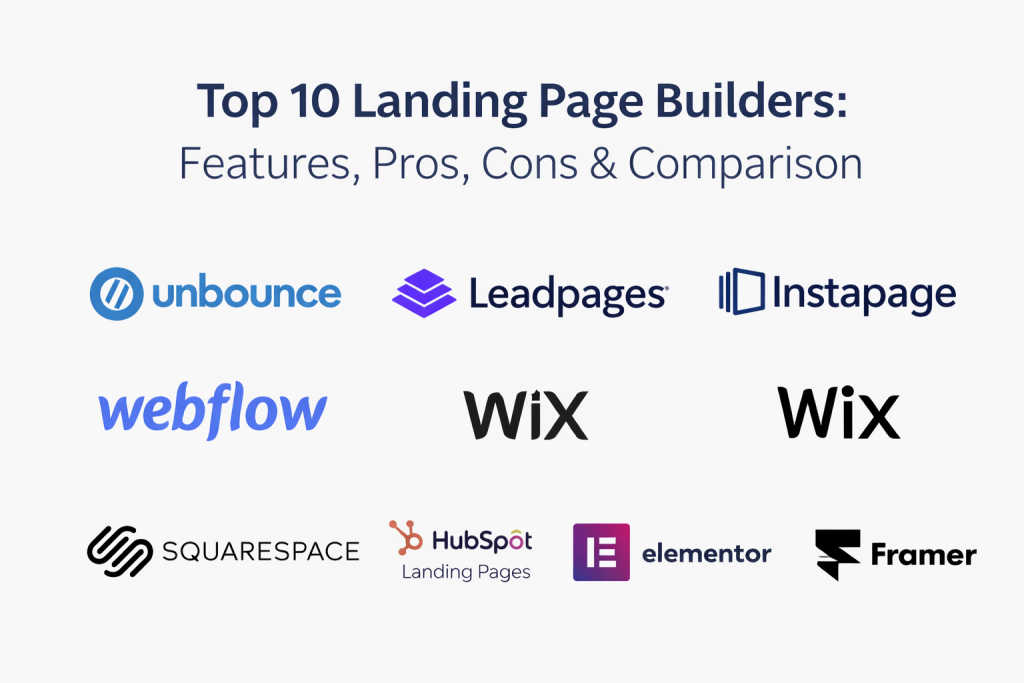
Introduction
Landing page builders are tools that help you create focused web pages designed to convert visitors into leads, signups, or customers. Instead of relying on developers for every change, teams can publish, test, and improve pages quickly using visual editors, templates, and conversion elements.
They matter now because marketing and growth teams need faster iteration, cleaner measurement, and reliable integration with the rest of the revenue stack. When paid traffic is expensive and attention is short, even small improvements in message match, page speed, and form design can lift results.
Common real-world use cases include:
- Launching paid ad campaigns with dedicated pages for each offer
- Capturing leads for webinars, demos, newsletters, and gated content
- Building product waitlists and early access signup flows
- Running experiments to improve conversion rates across channels
- Creating event registration pages with tracking and automation
What buyers should evaluate before choosing a tool:
- Page building speed and editor quality (visual control, responsiveness)
- Template quality and flexibility (brand consistency, customization depth)
- Testing and experimentation (A B testing, variants, analytics)
- Performance (page speed, uptime, optimization features)
- Integrations (CRM, email, ads, analytics, automation tools)
- Forms and lead routing (validation, enrichment, notifications)
- Collaboration and approvals (roles, comments, version control)
- Security expectations (SSO, access controls, audit logs)
- Scalability (multiple workspaces, governance, reuse of components)
- Total cost and value (plans, limits, add-ons, long-term fit)
Best for: performance marketers, growth teams, founders, and product teams who need to publish pages fast, connect them to CRM and analytics, and iterate based on conversion data. This also works well for agencies managing multiple clients and for teams that run frequent campaigns.
Not ideal for: teams that only need a simple website with a few static pages, or teams that already have a strong engineering workflow for landing pages and prefer custom code and deep design systems. In those cases, a general website builder or an in-house component library may be a better fit.
Key Trends in Landing Page Builders
- AI assistance for copy, layout suggestions, and variant generation, with guardrails for brand tone
- More built-in experimentation: simple tests for SMB users and advanced testing for mature teams
- Higher expectations for performance: lighter scripts, image optimization, and better mobile rendering
- Deeper integration patterns: tighter connections with CRM, marketing automation, and analytics pipelines
- Better collaboration: comments, approvals, reusable sections, and multi-workspace governance
- More personalization: dynamic content by audience, source, or lifecycle stage
- Privacy and consent handling becoming more central in form and tracking flows
- Stronger focus on interoperability: clean exports, APIs, and integration marketplaces
- Pricing shifting toward usage (visitors, conversions, workspaces) rather than just feature tiers
- Templates becoming more industry-specific, not just generic layouts
How We Selected These Tools
- Market adoption and mindshare among marketers, agencies, and product teams
- Feature completeness for building, publishing, and iterating landing pages
- Signals of reliability and performance based on product maturity and common usage patterns
- Security posture signals such as access controls, workspace governance, and enterprise readiness
- Integration breadth with common CRM, analytics, email, and automation tools
- Fit across segments: solo users, SMB, mid-market, and enterprise teams
- Strength of templates, design flexibility, and responsive controls
- Practical workflow support: collaboration, approvals, reusable assets, and team permissions
- Value considerations: what users get for typical pricing levels and plan limits
Top 10 Landing Page Builders
1 — Unbounce
Unbounce focuses on fast landing page creation with conversion-first templates, testing, and tools aimed at performance marketing teams. It is commonly chosen when teams want campaign speed without losing optimization options.
Key Features
- Visual drag-and-drop builder with responsive controls
- Landing page templates oriented toward conversion goals
- Built-in A B testing and variant management
- Dynamic text replacement for ad-to-page message match
- Popups and sticky bars for lead capture
- Form builder and lead routing options
Pros
- Strong focus on conversion workflows and testing
- Good balance of speed and control for marketers
- Useful tools for paid traffic alignment
Cons
- Some advanced needs can push users into higher plans
- Deep design system workflows may feel limited for designers
- Enterprise governance details vary by plan
Platforms / Deployment
Web, Cloud
Security and Compliance
Not publicly stated
Integrations and Ecosystem
Unbounce typically fits into marketing stacks through common connections to analytics, email platforms, and CRMs. Teams often use it with ad platforms, tracking tools, and automation for lead follow-up.
- CRM and marketing automation integrations (varies by stack)
- Analytics and tag management integrations (varies by stack)
- Webhooks and API options (varies / not publicly stated)
- Common ad tracking and attribution setups (varies by implementation)
Support and Community
Documentation is generally oriented toward marketers. Support tiers vary by plan. Community strength is moderate and often centered around marketing use cases.
2 — Leadpages
Leadpages is designed for simple, fast landing page creation with templates and conversion elements. It suits small teams and solo operators who want to launch quickly without heavy setup.
Key Features
- Template library for common lead and sales flows
- Visual editor with mobile responsiveness
- Built-in forms and lead capture elements
- Popups and alert bars for conversion boosting
- Simple publishing workflow with hosting included
- Basic analytics and optimization options (varies by plan)
Pros
- Very approachable for non-technical users
- Fast setup with ready templates
- Strong value focus for many SMB cases
Cons
- Advanced experimentation needs can be limiting
- Design flexibility may feel constrained for brand-heavy teams
- Complex multi-team workflows may not fit well
Platforms / Deployment
Web, Cloud
Security and Compliance
Not publicly stated
Integrations and Ecosystem
Leadpages often connects to email providers, CRMs, and basic analytics tools, making it a practical choice for lead capture pipelines.
- Email marketing integrations (varies by stack)
- CRM integrations (varies by stack)
- Analytics integrations (varies by implementation)
- Zapier style connectivity (varies / not publicly stated)
Support and Community
Typically strong onboarding for beginners, with help resources and support that varies by plan. Community is SMB-focused.
3 — Instapage
Instapage is commonly used by teams running high-volume paid campaigns who want collaboration, testing, and structured workflows. It aims to support repeatable production of campaign pages with consistent quality.
Key Features
- Visual editor with reusable blocks and sections
- Collaboration features such as comments and approvals (varies by plan)
- Experimentation tools for optimization (varies by plan)
- Personalization options for audience or ad groups (varies / not publicly stated)
- Publishing and hosting workflow for fast launches
- Integrations for analytics and marketing stacks (varies by plan)
Pros
- Strong for campaign workflows and collaboration
- Good for structured, repeatable landing page production
- Often fits paid acquisition teams well
Cons
- Can be costly for smaller teams depending on needs
- Some features depend heavily on plan tier
- Overkill for simple lead capture pages
Platforms / Deployment
Web, Cloud
Security and Compliance
Not publicly stated
Integrations and Ecosystem
Instapage is usually deployed as part of a paid acquisition and analytics stack with CRM and automation downstream.
- Analytics and measurement integrations (varies)
- CRM and marketing automation integrations (varies)
- Ad platform connections and tracking patterns (varies)
- APIs and webhooks (varies / not publicly stated)
Support and Community
Support is typically business-focused with documentation aimed at marketing operations. Community is smaller than general website builders but active in performance marketing circles.
4 — Webflow
Webflow is a visual website platform that offers strong design control and publishing workflows. It works well when teams want landing pages that match a higher-end brand system and need flexible layouts.
Key Features
- Advanced visual design controls and responsive layout tools
- CMS features for managing structured content (varies by plan)
- Reusable components and style systems
- Hosting and publishing with performance controls (varies)
- Forms and basic interactions for conversion flows
- Collaboration workflows for teams (varies by plan)
Pros
- Excellent design flexibility for pixel-precise pages
- Strong option for branded landing page systems
- Useful for teams combining marketing pages with broader site content
Cons
- Learning curve can be higher for non-designers
- Dedicated experimentation features may require add-ons or external tools
- Some advanced governance is plan-dependent
Platforms / Deployment
Web, Cloud
Security and Compliance
Not publicly stated
Integrations and Ecosystem
Webflow commonly integrates with analytics, automation, and CMS-adjacent workflows. It can act as both a landing page tool and a full web platform.
- Analytics and tag management integrations (varies)
- Automation and CRM connections (varies by stack)
- CMS and content workflows (native + integrations, varies)
- APIs and developer options (varies / not publicly stated)
Support and Community
Large community, many tutorials, and a broad ecosystem of designers and agencies. Support levels vary by plan.
5 — Wix
Wix is a widely used site builder that also supports landing pages. It is best when users want an all-in-one approach with templates, hosting, and a simple editor.
Key Features
- Template-based landing page creation with visual editing
- Built-in hosting and domain management (varies)
- Forms, basic automation, and lead capture tools (varies by plan)
- App marketplace for extensions (varies)
- Basic SEO and performance settings (varies)
- E-commerce options for sales pages (varies by plan)
Pros
- Very easy for beginners to publish quickly
- Big template library and app ecosystem
- Good value for small businesses needing more than landing pages
Cons
- Deep experimentation and advanced optimization can be limited
- Brand-exact design systems can be harder to maintain at scale
- Enterprise governance needs may not fit well
Platforms / Deployment
Web, Cloud
Security and Compliance
Not publicly stated
Integrations and Ecosystem
Wix offers an app marketplace and common marketing integrations, which works well for SMB stacks.
- CRM and email integrations (varies)
- Analytics integrations (varies)
- App marketplace extensions (varies)
- Automation options (varies / not publicly stated)
Support and Community
Large global community and broad help content. Support varies by plan tier.
6 — Squarespace
Squarespace is known for polished templates and simple publishing. It can be a strong fit for landing pages where brand presentation and simplicity matter most.
Key Features
- High-quality templates and style controls
- Visual editing with consistent design patterns
- Built-in hosting and publishing workflow
- Forms and basic marketing features (varies by plan)
- E-commerce options for product landing pages (varies)
- Basic analytics and reporting (varies)
Pros
- Great for clean, brand-forward pages with minimal effort
- Smooth publishing and maintenance experience
- Good fit for creators and small businesses
Cons
- Advanced conversion optimization features may be limited
- Heavy personalization and testing often require external tooling
- Complex multi-team workflows are less common
Platforms / Deployment
Web, Cloud
Security and Compliance
Not publicly stated
Integrations and Ecosystem
Squarespace typically connects to common marketing services but is less “stack-heavy” than some dedicated landing page platforms.
- Email and marketing integrations (varies)
- Analytics connections (varies)
- Commerce extensions (varies)
- Scheduling and creator tools (varies / not publicly stated)
Support and Community
Strong documentation and a large user community. Support tiers vary by plan.
7 — HubSpot Landing Pages
HubSpot landing pages are tightly connected to HubSpot CRM and marketing automation. They work best when you want landing pages, forms, and lifecycle automation in one system.
Key Features
- Landing page editor connected to CRM contact records
- Forms with lead capture and routing into CRM
- Email nurturing and automation workflows (varies by plan)
- Reporting tied to campaigns and lifecycle stages (varies)
- Personalization based on CRM properties (varies / not publicly stated)
- Collaboration and governance options (varies by plan)
Pros
- Excellent for full funnel workflows in one platform
- Strong integration between forms, CRM, and automation
- Reporting can be more coherent because data is unified
Cons
- Best value is realized when you already use HubSpot
- Can be expensive if you only need landing pages
- Design flexibility may not match specialized design tools
Platforms / Deployment
Web, Cloud
Security and Compliance
Not publicly stated
Integrations and Ecosystem
HubSpot is built to integrate across sales, marketing, and service stacks, with many integrations available depending on plan and ecosystem.
- CRM native workflows (core strength)
- Marketing automation and email (native, varies by plan)
- Analytics and ads connections (varies)
- Integration marketplace options (varies / not publicly stated)
Support and Community
Large community, extensive documentation, and structured onboarding resources. Support levels vary by plan.
8 — Elementor
Elementor is a visual page builder for WordPress that many teams use to build landing pages on their own sites. It is a practical option when you want landing pages inside your existing WordPress environment.
Key Features
- Drag-and-drop page building inside WordPress
- Theme and layout controls for consistent branding
- Template library and reusable blocks
- Form builder and marketing widgets (varies by plan)
- Performance and asset optimization options (varies)
- Large ecosystem of add-ons and plugins
Pros
- Strong flexibility when you want pages on your own site
- Huge ecosystem and many integrations via WordPress plugins
- Good value for teams already committed to WordPress
Cons
- Quality depends on hosting, theme, and plugin choices
- Performance can degrade with heavy plugins or poor setup
- Governance for large teams may require extra discipline
Platforms / Deployment
Web, Self-hosted (WordPress), Hybrid (varies by hosting)
Security and Compliance
Not publicly stated
Integrations and Ecosystem
Elementor benefits from the WordPress plugin ecosystem, which means many integrations are possible but consistency can vary by setup.
- CRM and email plugins (varies widely)
- Analytics plugins and tag management (varies)
- Form integrations and webhooks (varies)
- E-commerce options through site stack (varies)
Support and Community
Very large community, many tutorials, and broad third-party support. Official support and tiers vary by plan.
9 — Carrd
Carrd is a lightweight builder for simple one-page sites and landing pages. It is popular for quick launches, waitlists, and straightforward lead capture pages.
Key Features
- Very fast one-page builder and publishing workflow
- Clean templates optimized for simplicity
- Forms and basic integrations (varies by plan)
- Custom domains and basic branding controls (varies)
- Lightweight pages that can load quickly (varies by setup)
- Embed blocks for adding external widgets (varies)
Pros
- Excellent for speed, simplicity, and low overhead
- Great value for simple use cases
- Easy for non-technical users
Cons
- Not built for complex multi-page experiences
- Advanced testing and personalization are limited
- Enterprise governance is not a core focus
Platforms / Deployment
Web, Cloud
Security and Compliance
Not publicly stated
Integrations and Ecosystem
Carrd supports practical integrations for simple lead capture and can embed external tools when needed.
- Form integrations (varies)
- Email and automation connections (varies)
- Embed support for external widgets (varies)
- API options (varies / not publicly stated)
Support and Community
Support is typically straightforward with a user community that shares templates and patterns. Depth of enterprise support is limited.
10 — Framer
Framer blends design and publishing in a modern workflow aimed at high-quality visuals and fast iteration. It is often chosen by teams that care about design polish and want quick publishing.
Key Features
- Visual building with strong design control
- Responsive layout tools for modern landing pages
- Template and component approach (varies by workflow)
- Hosting and publishing workflow (varies)
- Collaboration features for teams (varies by plan)
- Embeds and integrations for marketing stacks (varies)
Pros
- Great for design-forward landing pages
- Quick iteration and publishing experience
- Good option for startups and product teams
Cons
- Some advanced marketing features may require external tools
- Governance and deep enterprise workflows may be limited
- Learning curve depends on design expectations
Platforms / Deployment
Web, Cloud
Security and Compliance
Not publicly stated
Integrations and Ecosystem
Framer typically works alongside analytics, forms, and automation tools through integrations and embeds.
- Analytics integrations (varies)
- Form and automation connections (varies)
- Embed based extensibility (varies)
- API options (varies / not publicly stated)
Support and Community
Community is design-oriented and growing. Support and onboarding vary by plan.
Comparison Table
| Tool Name | Best For | Platform(s) Supported | Deployment | Standout Feature | Public Rating |
|---|---|---|---|---|---|
| Unbounce | Performance marketing and testing | Web | Cloud | Dynamic text replacement and testing | N/A |
| Leadpages | SMB lead capture pages | Web | Cloud | Quick templates and easy publishing | N/A |
| Instapage | Paid campaign teams and collaboration | Web | Cloud | Structured collaboration and workflows | N/A |
| Webflow | Brand-level design control | Web | Cloud | Advanced design system control | N/A |
| Wix | All-in-one SMB web plus landing pages | Web | Cloud | App marketplace and easy editor | N/A |
| Squarespace | Polished, simple brand pages | Web | Cloud | Template quality and consistency | N/A |
| HubSpot Landing Pages | CRM-connected funnels | Web | Cloud | Native CRM and automation connection | N/A |
| Elementor | WordPress-based landing pages | Web | Self-hosted / Hybrid | WordPress ecosystem flexibility | N/A |
| Carrd | Simple one-page landing pages | Web | Cloud | Lightweight, fast one-page builds | N/A |
| Framer | Design-forward modern pages | Web | Cloud | Modern design workflow and publishing | N/A |
Evaluation and Scoring of Landing Page Builders
Scoring model notes:
- Scores are comparative and meant to help shortlist, not declare a universal winner.
- A higher score means a stronger fit for that criterion across common scenarios.
- Your best choice depends on workflow, team size, stack integrations, and governance needs.
- If security, compliance, or enterprise controls are critical, validate requirements directly during your evaluation.
Weights used:
- Core features 25 percent
- Ease of use 15 percent
- Integrations and ecosystem 15 percent
- Security and compliance 10 percent
- Performance and reliability 10 percent
- Support and community 10 percent
- Price and value 15 percent
| Tool Name | Core (25%) | Ease (15%) | Integrations (15%) | Security (10%) | Performance (10%) | Support (10%) | Value (15%) | Weighted Total (0–10) |
|---|---|---|---|---|---|---|---|---|
| Unbounce | 9 | 8 | 8 | 7 | 8 | 8 | 7 | 8.00 |
| Leadpages | 8 | 9 | 7 | 6 | 7 | 7 | 9 | 7.75 |
| Instapage | 9 | 7 | 8 | 8 | 8 | 7 | 6 | 7.70 |
| Webflow | 8 | 7 | 8 | 7 | 8 | 7 | 7 | 7.50 |
| Wix | 7 | 9 | 7 | 6 | 7 | 7 | 9 | 7.50 |
| Squarespace | 7 | 8 | 6 | 6 | 7 | 7 | 8 | 7.05 |
| HubSpot Landing Pages | 8 | 8 | 9 | 8 | 8 | 8 | 6 | 7.85 |
| Elementor | 8 | 7 | 7 | 6 | 7 | 7 | 8 | 7.30 |
| Carrd | 6 | 9 | 5 | 5 | 7 | 6 | 10 | 6.90 |
| Framer | 7 | 8 | 6 | 6 | 7 | 6 | 7 | 6.80 |
Which Landing Page Builder Is Right for You
Solo / Freelancer
Choose a tool that minimizes setup time and keeps costs predictable.
- If you want the fastest simple pages: Carrd is often the easiest path.
- If you want easy templates with more marketing widgets: Leadpages is a strong option.
- If you also need a broader site: Wix or Squarespace can cover more than landing pages.
SMB
SMBs usually need speed, templates, and integrations without complex governance.
- If you run steady lead gen: Leadpages or Unbounce are practical choices.
- If you want an all-in-one web presence: Wix or Squarespace works well.
- If your CRM is already HubSpot: HubSpot Landing Pages can reduce tool sprawl.
Mid-Market
Mid-market teams often care about collaboration, reuse, and stronger stack connections.
- If you run lots of paid campaigns: Instapage or Unbounce can fit better.
- If brand control and design systems matter: Webflow is a strong contender.
- If you have a WordPress site and want control in-house: Elementor can scale with the right governance.
Enterprise
Enterprise teams need governance, collaboration, approvals, and consistent measurement.
- If your funnel is CRM-driven and cross-team: HubSpot Landing Pages can simplify data and lifecycle reporting.
- If performance marketing runs at high volume: Instapage or Unbounce can support structured workflows.
- If design and web ops are centralized: Webflow can help maintain brand and component reuse.
Budget vs Premium
- Budget-friendly, quick wins: Carrd, Wix, Squarespace, Elementor (depending on hosting)
- Premium for optimization workflows: Unbounce, Instapage
- Value depends heavily on how much you will test, how much traffic you run, and how many workspaces you need.
Feature Depth vs Ease of Use
- Highest ease for quick publishing: Leadpages, Wix, Squarespace, Carrd
- More depth with a learning curve: Webflow, Elementor
- Depth focused on conversion workflows: Unbounce, Instapage
- Balanced, design-forward workflow: Framer
Integrations and Scalability
- Best when your marketing stack is unified: HubSpot Landing Pages
- Strong general marketing stack fit: Unbounce, Instapage
- Strong ecosystem via platform extensions: Wix, WordPress with Elementor
- Practical for lightweight stacks: Carrd, Squarespace
Security and Compliance Needs
If your team requires SSO, strict roles, audit logs, or specific compliance certifications, treat those as validation items during a pilot. Many tools have plan-based differences, and public detail is not always clear. Create a checklist, request documentation, and confirm admin controls before committing.
Frequently Asked Questions
Q1. What pricing models are common for landing page builders
Most tools price by feature tier, traffic limits, published pages, or workspaces. Some add costs for experimentation, personalization, or advanced collaboration.
Q2. How long does onboarding usually take
For template-based tools, teams can publish the same day. More advanced platforms with design systems, governance, and integrations can take longer depending on approvals and tracking setup.
Q3. What are the most common mistakes teams make
Common mistakes include weak message match with ads, too many form fields, slow pages due to heavy assets, and missing measurement setup for conversions and attribution.
Q4. Do these tools support A B testing
Some tools have built-in testing, while others rely on external experimentation tools. Always confirm whether testing is included in your plan and how results are measured.
Q5. How should I think about performance and page speed
Focus on template weight, image optimization, script management, and mobile rendering. Also review how the tool handles hosting, caching, and third-party scripts.
Q6. What integrations matter most for lead generation
At minimum, you want CRM or email capture, analytics, and ad tracking. For mature teams, consider automation workflows, attribution, enrichment, and data sync reliability.
Q7. Can I migrate pages if I switch tools later
Migration ranges from easy to painful depending on how custom your pages are. Keep content and assets organized, document tracking tags, and maintain a clear list of reusable components.
Q8. Are landing page builders secure enough for business use
Many are suitable for typical lead capture, but the right level depends on your data sensitivity and governance needs. Validate roles, access controls, and any compliance requirements during evaluation.
Q9. Should I use a dedicated landing page tool or a website builder
Use a dedicated tool if you run frequent campaigns, tests, and optimization. Use a website builder if you mainly need a simple presence with occasional landing pages.
Q10. What is a practical way to choose the best tool for my team
Shortlist two or three based on your workflow, build a pilot page, connect it to your CRM and analytics, then test collaboration, performance, and reporting before committing.
Conclusion
Landing page builders vary from lightweight one-page tools to enterprise-ready platforms built for collaboration and optimization. The best choice depends on how often you launch campaigns, how much design control you need, and how tightly you want pages connected to CRM and analytics. A practical next step is to shortlist two or three tools, build the same landing page in each, and run a small pilot that validates integrations, page speed, workflow fit, and governance requirements. Landing page builders help you launch high-converting pages fast, test improvements, and connect leads into your marketing and sales stack. The best choice depends on your team size, design needs, and how serious you are about testing, speed, and integrations.

Best Cardiac Hospitals Near You
Discover top heart hospitals, cardiology centers & cardiac care services by city.
Advanced Heart Care • Trusted Hospitals • Expert Teams
View Best Hospitals