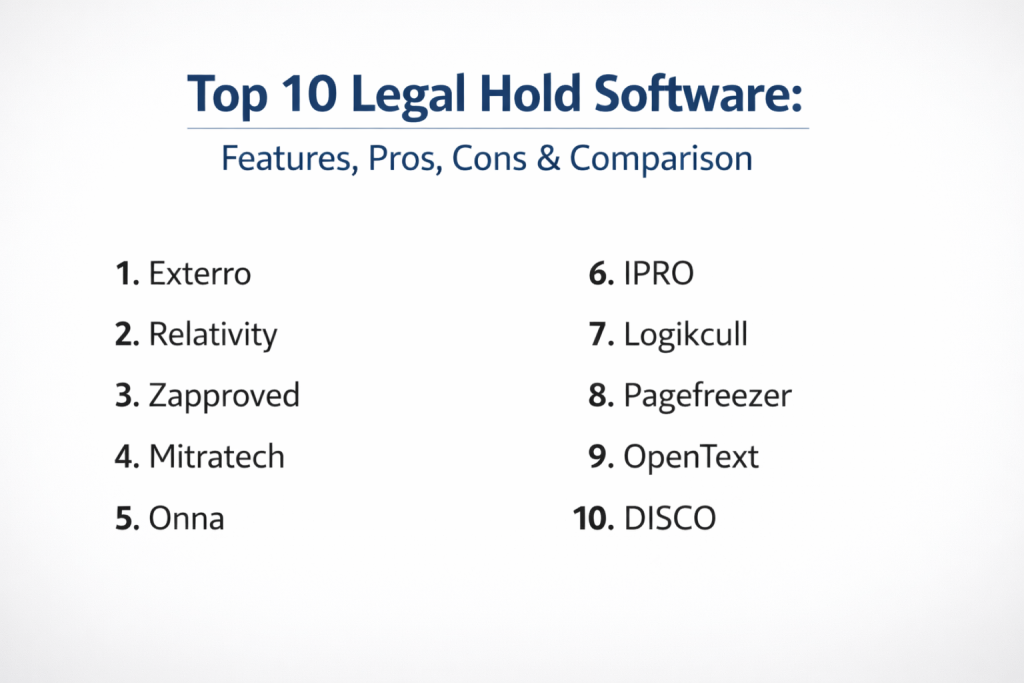
Introduction
Legal hold software is a critical component of the modern eDiscovery and litigation readiness ecosystem, designed to automate the process of preserving relevant data when litigation is anticipated. These platforms replace the outdated and risky method of manual spreadsheets and email chains with a defensible, audited workflow for issuing, tracking, and managing litigation hold notices. In the current regulatory environment, the ability to demonstrate a rigorous and consistent preservation process is vital for avoiding spoliation sanctions and ensuring that potentially relevant information—ranging from emails and chat logs to cloud-stored documents—is protected from routine deletion.
As corporate data environments become more fragmented across various SaaS applications and remote collaboration tools, the importance of automated legal hold management has escalated. Modern software does more than just send notices; it integrates directly with IT systems to place “in-place” holds on data, preventing users from purging records even if they attempt to do so. For legal teams, the evaluation of these tools centers on the ease of use for custodians, the robustness of the audit trail, and the depth of integration with existing enterprise resource planning and communication platforms.
Best for: Corporate legal departments, law firms, and compliance officers who need to manage high volumes of litigation or complex preservation requirements across global teams.
Not ideal for: Small businesses with extremely low litigation profiles or organizations where a single, centralized physical filing system still dictates their records management.
Key Trends in Legal Hold Software
- In-Place Preservation: The industry has moved toward “silent” holds where data is locked within the host application (like Office 365 or Slack) without requiring data duplication or movement.
- Collaboration Tool Integration: Modern platforms now offer specialized connectors for ephemeral messaging apps and project management tools, ensuring that chat history is preserved as effectively as email.
- Custodian Self-Service Portals: To reduce the burden on legal teams, custodians can now view all their active holds, review relevant documents, and confirm compliance through centralized web portals.
- AI-Powered Scoping: Artificial intelligence is being utilized to analyze matter details and suggest relevant custodians or data sources, reducing the risk of over-preservation or missing key individuals.
- Automated Data Lifecycle Sync: Integration with records management systems ensures that when a legal hold is lifted, the data automatically reverts to its standard retention and disposal schedule.
- Advanced Audit Defensibility: Real-time dashboards now track every interaction—from the moment a notice is sent to the final release—providing a courtroom-ready report of all preservation efforts.
How We Selected These Tools (Methodology)
- Defensibility Signals: We prioritized software that provides a transparent and immutable audit trail capable of withstanding intense judicial scrutiny.
- Integration Depth: Evaluation focused on how well the tools connect with standard enterprise suites like Microsoft 365, Google Workspace, and Slack.
- Custodian Experience: A major factor was the simplicity of the interface for the employees receiving the holds, as higher response rates lead to better compliance.
- Scalability: We looked for platforms that can handle everything from a single internal investigation to massive, multi-district litigation involving thousands of custodians.
- Reporting Capabilities: The ability for legal teams to generate high-level status reports and “overdue” reminders automatically was a key selection criterion.
- Security Posture: Preference was given to tools that offer enterprise-grade encryption, multi-factor authentication, and robust role-based access controls.
Top 10 Legal Hold Software Tools
1. Exterro Legal Hold
Exterro is a long-standing leader in the space, offering a highly automated and scalable solution that is part of their broader EDRM (Electronic Discovery Reference Model) suite. It is built for large enterprises that need to manage a high volume of holds with minimal manual intervention.
Key Features
- Automated custodian tracking via HR system integration.
- Built-in reminder and escalation workflows for non-responsive users.
- One-click “In-Place” preservation for common enterprise applications.
- Comprehensive dashboard for global visibility into all active matters.
- Seamless hand-off to data collection and review modules.
Pros
- Extremely robust audit trails that are widely accepted in courts.
- Highly customizable notice templates and workflow automation.
Cons
- Can be complex to set up for smaller organizations.
- The interface can feel heavy due to the massive feature set.
Platforms / Deployment
- Windows / macOS / Web-based
- Cloud / On-Premise / Hybrid
Security & Compliance
- SOC 2 Type II, ISO 27001, and HIPAA compliant.
- Advanced encryption for data at rest and in transit.
Integrations & Ecosystem
Built to sit at the center of the corporate legal technology stack.
- Microsoft 365
- Slack
- Workday
- Oracle
Support & Community
Industry-leading professional services and a dedicated “Exterro University” for user training and certification.
2. Relativity Legal Hold
Relativity is perhaps the most recognized name in eDiscovery. Their Legal Hold module is designed to streamline the preservation process and transition smoothly into the industry-standard Relativity review platform.
Key Features
- Direct integration with the RelativityOne cloud environment.
- Automated custodian communication tracking.
- Mobile-responsive interface for custodian acknowledgments.
- Portal for custodians to track their own obligations.
- Detailed reporting on custodian responsiveness and matter status.
Pros
- Unrivaled integration with the world’s most popular review platform.
- Very intuitive for legal teams already familiar with the Relativity ecosystem.
Cons
- Often requires the broader Relativity environment to be fully effective.
- Pricing is typically geared toward larger matters and enterprise budgets.
Platforms / Deployment
- Web-based / Windows / macOS
- Cloud-native (RelativityOne)
Security & Compliance
- FedRAMP, SOC 2, and rigorous international security certifications.
- Granular role-based access controls.
Integrations & Ecosystem
Strongest within the Relativity ecosystem but connects well to external sources.
- Microsoft 365
- Google Workspace
- Box
- Slack
Support & Community
Massive global user base and a highly active community of certified administrators.
3. Zapproved (by CloudNine)
Zapproved, recently merged with CloudNine, is famous for its Z-Discovery platform, which was built specifically with a “corporate-first” mindset to make legal holds as simple as possible.
Key Features
- Exceptionally clean and easy-to-use interface for legal teams.
- Automated custodian surveys to help identify relevant data.
- Integration with HR systems to monitor employee departures.
- Standardized, defensible workflows that reduce human error.
- Proactive alerting for “silent” preservation failures.
Pros
- One of the shortest learning curves in the industry.
- Focused specifically on the needs of in-house legal departments.
Cons
- Fewer “heavyweight” forensic features than some end-to-end suites.
- Some advanced reporting requires higher-tier licensing.
Platforms / Deployment
- Web-based
- Cloud-native
Security & Compliance
- SOC 2 Type II and GDPR compliant.
- Strong focus on cloud data security and isolation.
Integrations & Ecosystem
Focuses on the most common corporate productivity tools.
- Microsoft 365
- Slack
- Google Workspace
- Workday
Support & Community
Highly regarded customer success teams and a strong focus on user education.
4. Mitratech (HoldTrack)
Mitratech offers HoldTrack as part of its extensive legal operations suite. It is designed to work alongside matter management and spend management tools, providing a unified view of legal operations.
Key Features
- Deep integration with Mitratech TeamConnect matter management.
- Automated reminders and escalation paths for custodians.
- Comprehensive audit logging for all preservation activities.
- Multi-language support for global organizations.
- Integration with enterprise HR systems for automated custodian updates.
Pros
- Excellent for organizations looking for an all-in-one legal ops platform.
- Highly scalable for massive global enterprises.
Cons
- Interface can feel dated compared to newer cloud-native competitors.
- Best value is only realized when using the full Mitratech suite.
Platforms / Deployment
- Windows / Web-based
- Cloud / On-Premise
Security & Compliance
- Enterprise-grade security standards.
- Not publicly stated for specific hardware certifications.
Integrations & Ecosystem
Strongly tied to the Mitratech and TeamConnect product lines.
- Microsoft Office
- SAP
- Oracle
- Salesforce
Support & Community
Established professional services with experience in large-scale corporate deployments.
5. Onna
Onna is a modern “knowledge integration” platform that has gained massive traction for its ability to manage legal holds across fragmented SaaS environments like Slack, Zoom, and Jira.
Key Features
- Real-time indexing of cloud data for instant preservation.
- Specialized connectors for modern collaboration tools (Slack, Teams, etc.).
- “Hold in Place” capabilities that prevent data deletion at the source.
- Unified search across all held data sources.
- Visual dashboards for tracking matter-wide preservation status.
Pros
- The best tool for companies that rely heavily on modern SaaS apps.
- Fast, modern interface with powerful search functionality.
Cons
- Primarily cloud-focused; less robust for legacy on-premise systems.
- Can be expensive if managing a very large number of data connectors.
Platforms / Deployment
- Web-based
- Cloud-native / Hybrid
Security & Compliance
- SOC 2 Type II and GDPR compliant.
- Encryption at rest and in transit for all indexed data.
Integrations & Ecosystem
Unrivaled connections to the modern SaaS world.
- Slack
- Zoom
- Jira
- Confluence
- Google Workspace
Support & Community
Active developer community and responsive technical support for complex integrations.
6. IPRO (by Reveal)
IPRO, now a Reveal company, offers a legal hold solution that emphasizes simplicity and the ability to scale from small cases to the largest enterprise matters.
Key Features
- Automated custodian notices and tracking.
- Integration with the broader Reveal-IPRO eDiscovery suite.
- Web-based portal for easy custodian acknowledgment.
- Real-time reporting on matter and custodian status.
- Automated release workflows when holds are lifted.
Pros
- Very straightforward deployment and user training.
- Strong value proposition for mid-to-large organizations.
Cons
- Transitioning between legacy IPRO and new Reveal versions can be confusing.
- Some integrations are less mature than those of competitors.
Platforms / Deployment
- Windows / Web-based
- Cloud / On-Premise
Security & Compliance
- Standard enterprise security protocols.
- SOC 2 compliance.
Integrations & Ecosystem
Strongest when paired with Reveal’s AI-powered review tools.
- Microsoft 365
- Google Workspace
- Box
Support & Community
Good technical support and a growing community under the Reveal brand.
7. Logikcull
Logikcull is known for its “Instant Discovery” philosophy. Their legal hold tool is built for speed, allowing legal teams to issue holds and begin preservation in minutes without technical assistance.
Key Features
- One-click legal hold issuance and tracking.
- Automated reminders and acknowledgment logging.
- Simple, flat-fee pricing models.
- Direct integration with cloud sources for “instant” preservation.
- Built-in audit trail for all custodian interactions.
Pros
- Perhaps the easiest tool to pick up and use immediately.
- Transparent pricing that is accessible for smaller legal teams.
Cons
- Lacks some of the deep workflow customization of Exterro.
- Less focused on legacy, on-premise data sources.
Platforms / Deployment
- Web-based
- Cloud-native
Security & Compliance
- SOC 2 Type II and HIPAA compliant.
- Hosted on secure, encrypted cloud infrastructure.
Integrations & Ecosystem
Focused on the most common cloud platforms.
- Microsoft 365
- Google Workspace
- Slack
- Box
Support & Community
Excellent online chat support and a very high customer satisfaction rating.
8. Pagefreezer
Pagefreezer specializes in the preservation of non-traditional data sources like social media, enterprise collaboration platforms, and websites, making it an essential specialized legal hold tool.
Key Features
- Automated archiving of social media and website content.
- Specialized holds for Slack, Workplace from Meta, and Microsoft Teams.
- Evidentiary-quality capture (digital signatures and timestamps).
- Unified dashboard for managing social and web holds.
- Simple export to major eDiscovery review platforms.
Pros
- Best-in-class for capturing “dynamic” web and social content.
- Simplifies a historically difficult part of the preservation process.
Cons
- Specialized tool; usually used alongside a general legal hold tool.
- Not designed for traditional email or server-side file preservation.
Platforms / Deployment
- Web-based
- Cloud-native
Security & Compliance
- SOC 2 and GDPR compliant.
- Data integrity is protected via digital signatures.
Integrations & Ecosystem
Integrates with the major review tools for downstream processing.
- Relativity
- Exterro
- Microsoft Teams
- Salesforce
Support & Community
Strong expertise in the legal requirements for web and social media evidence.
9. OpenText (Legal Hold)
OpenText provides a high-end, enterprise-grade legal hold solution that is often used by the world’s largest corporations and government agencies.
Key Features
- Massive scalability for global matters with millions of files.
- Integration with the OpenText Content Suite and EnCase forensics.
- Highly customizable custodian communication workflows.
- Automated HR system sync for global employee tracking.
- Advanced defensibility reporting and audit logs.
Pros
- Unmatched scalability for the world’s largest organizations.
- Deep integration with professional forensic collection tools.
Cons
- Very high total cost of ownership.
- Requires significant IT resources to manage and maintain.
Platforms / Deployment
- Windows / Web-based
- On-Premise / Cloud / Hybrid
Security & Compliance
- Meets the highest government and enterprise security standards.
- Not publicly stated for specific recent certifications.
Integrations & Ecosystem
Strongly tied to the OpenText and EnCase forensic ecosystems.
- Microsoft SharePoint
- SAP
- EnCase Endpoint Security
Support & Community
Global professional services and a vast network of enterprise partners.
10. DISCO (Legal Hold)
DISCO is a modern, AI-driven eDiscovery platform. Their legal hold tool is built to be fast, sleek, and highly integrated with their advanced review and analytics suite.
Key Features
- Modern, “consumer-grade” user interface.
- Automated custodian tracking and follow-ups.
- Seamless transition from hold to collection and review.
- Real-time compliance monitoring for all active matters.
- Simple templates for rapid notice issuance.
Pros
- Very fast and responsive user experience.
- Excellent AI features that help identify and scope matters.
Cons
- Newer to the market than legacy giants like Exterro.
- Best used as part of the full DISCO eDiscovery ecosystem.
Platforms / Deployment
- Web-based
- Cloud-native
Security & Compliance
- SOC 2 Type II and GDPR compliant.
- Hosted on high-security AWS infrastructure.
Integrations & Ecosystem
Focuses on deep integration within its own high-speed platform.
- Microsoft 365
- Google Workspace
- Slack
Support & Community
Rapidly growing community and highly rated technical support teams.
Comparison Table
| Tool Name | Best For | Platform(s) Supported | Deployment | Standout Feature | Public Rating |
| 1. Exterro | Enterprise Scale | Win, Mac, Web | Hybrid | Workflow Automation | N/A |
| 2. Relativity | Law Firms / Big Cases | Win, Mac, Web | Cloud-native | Review Integration | N/A |
| 3. Zapproved | In-House Teams | Web | Cloud-native | Ease of Use | N/A |
| 4. Mitratech | Legal Ops Suites | Win, Web | Hybrid | TeamConnect Sync | N/A |
| 5. Onna | SaaS / Modern Apps | Web | Cloud-native | Real-time Indexing | N/A |
| 6. IPRO | Mid-to-Large Orgs | Win, Web | Hybrid | Reveal AI Integration | N/A |
| 7. Logikcull | Speed & SMBs | Web | Cloud-native | Instant Setup | N/A |
| 8. Pagefreezer | Social / Web Data | Web | Cloud-native | Web/Social Archiving | N/A |
| 9. OpenText | Global / Gov Orgs | Win, Web | Hybrid | Forensic Depth | N/A |
| 10. DISCO | AI-Forward Teams | Web | Cloud-native | High-Speed Interface | N/A |
Evaluation & Scoring of Legal Hold Software
| Tool Name | Core (25%) | Ease (15%) | Integrations (15%) | Security (10%) | Performance (10%) | Support (10%) | Value (15%) | Weighted Total |
| 1. Exterro | 10 | 5 | 10 | 9 | 8 | 9 | 7 | 8.40 |
| 2. Relativity | 9 | 6 | 9 | 10 | 9 | 9 | 6 | 8.10 |
| 3. Zapproved | 8 | 10 | 8 | 9 | 8 | 9 | 8 | 8.45 |
| 4. Mitratech | 8 | 6 | 9 | 8 | 7 | 8 | 7 | 7.50 |
| 5. Onna | 7 | 8 | 10 | 9 | 9 | 8 | 8 | 8.30 |
| 6. IPRO | 8 | 7 | 7 | 8 | 8 | 8 | 8 | 7.65 |
| 7. Logikcull | 7 | 10 | 8 | 9 | 8 | 10 | 9 | 8.45 |
| 8. Pagefreezer | 6 | 9 | 7 | 9 | 9 | 8 | 8 | 7.60 |
| 9. OpenText | 10 | 4 | 9 | 10 | 8 | 8 | 6 | 7.75 |
| 10. DISCO | 8 | 9 | 8 | 9 | 10 | 9 | 7 | 8.30 |
This scoring framework evaluates the balance between technical power and daily usability. Zapproved and Logikcull lead in usability, while Exterro and OpenText dominate in core enterprise features and scalability. Tools like Onna score high on integrations because they tackle the modern problem of fragmented SaaS data more effectively than legacy platforms.
Which Legal Hold Software Tool Is Right for You?
Solo / Freelancer
Legal hold software is typically not required for solo practitioners unless they are managing a high-litigation case for a client. In those rare cases, Logikcull’s “instant” model is the most practical choice.
SMB
Small to medium businesses should prioritize Zapproved or Logikcull. These platforms offer the security and defensibility required by courts without the massive overhead and technical complexity of an enterprise-wide suite.
Mid-Market
For mid-sized corporations, IPRO or DISCO provide a professional balance of features, offering advanced automation for legal holds while remaining easy enough for a small legal team to manage without dedicated IT support.
Enterprise
Large-scale enterprises with complex litigation profiles should look toward Exterro or Relativity. These tools are designed to manage thousands of active matters and custodians simultaneously across global jurisdictions.
Budget vs Premium
Logikcull offers the best entry point for budget-conscious teams. Premium suites like Exterro and OpenText require a larger investment but provide deeper forensic integration and global scalability.
Feature Depth vs Ease of Use
If deep forensic capability and custom workflows are the priority, Exterro is the leader. If the goal is to get legal hold notices out the door as quickly and easily as possible, Zapproved is the superior option.
Integrations & Scalability
Relativity and Exterro lead the market in scalability, while Onna and Onna are the leaders for organizations that need to integrate with a wide variety of modern cloud applications.
Security & Compliance Needs
For organizations with high-security requirements or those in regulated industries like finance or healthcare, Relativity and OpenText provide the most robust, globally recognized security certifications.
Frequently Asked Questions
What is a legal hold?
A legal hold is a process that an organization uses to preserve all forms of relevant information when litigation is reasonably anticipated.
Why is software better than a spreadsheet for legal holds?
Software provides an automated, immutable audit trail that proves to a court exactly when notices were sent, who acknowledged them, and what was preserved.
What happens if an organization fails to issue a legal hold?
Failure to preserve data can lead to “spoliation” sanctions, which can range from monetary fines to the court assuming that the lost data would have been damaging to the organization.
Can legal hold software lock data automatically?
Yes, many modern tools feature “in-place preservation” that integrates with systems like Microsoft 365 to lock data so it cannot be deleted by the user.
How do I know which employees to put on hold?
Advanced legal hold software often integrates with HR systems to help identify relevant custodians and can use AI to suggest individuals based on the details of the case.
Does legal hold software work for Slack and Teams?
Yes, tools like Onna and Pagefreezer specialize in capturing and preserving data from modern collaboration and messaging platforms.
How long should a legal hold stay in place?
A hold should remain active until the litigation or investigation is fully resolved and any potential for appeal has passed.
Is legal hold software the same as backup software?
No. Backup software is for disaster recovery; legal hold software is for targeted, defensible preservation of specific data relevant to a legal matter.
Can a legal hold notice be sent to mobile phones?
Yes, most modern platforms are mobile-responsive and can send alerts via email or SMS, allowing custodians to acknowledge the hold on their mobile devices.
What is an audit trail in legal hold software?
It is a record of every action taken in the system, proving that the legal team followed a consistent and defensible process for preserving data.
Conclusion
Selecting the right legal hold software is a foundational step in building a defensible eDiscovery and compliance strategy. In an era where data is scattered across numerous cloud applications and litigation volume is rising, relying on manual processes is no longer a viable option. The ideal platform should balance the need for rigorous legal defensibility with an intuitive experience for both the legal team and the employees being placed on hold. To move forward, it is recommended to evaluate your current data footprint and shortlist 2–3 tools for a pilot project, ensuring they can seamlessly integrate with your primary communication and storage platforms before full deployment.

Best Cardiac Hospitals Near You
Discover top heart hospitals, cardiology centers & cardiac care services by city.
Advanced Heart Care • Trusted Hospitals • Expert Teams
View Best Hospitals