Introduction
Live streaming studio software helps you produce a professional-looking broadcast by combining multiple video sources (camera, screen share, media, guests), adding overlays, switching scenes, mixing audio, and sending the final stream to platforms like YouTube Live, Twitch, Facebook Live, and custom RTMP endpoints. It matters because audiences expect clean visuals, stable audio, low-latency interaction, and consistent branding—whether you are streaming games, webinars, podcasts, product launches, classes, or live events.
Common real-world use cases include:
- Multi-camera talk shows, podcasts, and interview streams
- Webinars, workshops, coaching, and online classes
- Game streaming with overlays, alerts, and scene switching
- Corporate town halls, product demos, and live announcements
- Live event coverage (small venues to large productions)
What buyers should evaluate:
- Scene switching and production controls (hotkeys, automation, transitions)
- Audio tools (mixing, noise suppression, routing, sync, monitoring)
- Video inputs (cameras, capture cards, NDI, screen share, media sources)
- Output options (multi-destination, recording, RTMP flexibility, bitrate control)
- Graphics and branding (overlays, lower-thirds, themes, templates)
- Guest workflows (remote guests, green room, back stage, chat integration)
- Performance and stability (CPU/GPU usage, crash recovery, long-session reliability)
- Integrations (platform logins, chat, alerts, plugins, APIs)
- Collaboration (producer roles, team access, shared assets)
- Support and learning resources (docs, community, onboarding)
Best for: creators, educators, marketers, event teams, and studios that need branded, repeatable live shows with reliable controls.
Not ideal for: users who only need quick one-click going-live from a phone, or teams that already have a full hardware switcher workflow and only need a simple ingest/encode tool.
Key Trends in Live Streaming Studio Software
- More “studio-like” workflows in the browser (guests, overlays, scenes, multistream)
- Growing demand for multi-destination streaming and failover options
- Better audio-first features for podcasts (separate tracks, noise reduction, sync tools)
- Faster setup through templates, reusable scenes, and branded packages
- Increased use of virtual cameras and screen capture for product and training content
- Stronger remote guest features (green room, roles, local recording, echo control)
- Wider adoption of NDI and network-based video sources in small studios
- More automation (hotkeys, macros, auto scene switching, scheduled streams)
- Higher expectations for stability in long streams (events, conferences, 24/7 channels)
- More attention to account security and access control for team-based production
How We Selected These Tools
- Strong adoption and mindshare among creators, studios, and event teams
- Coverage across key needs: desktop production, browser studios, and pro switching
- Feature depth in scene switching, audio/video inputs, and output flexibility
- Signals of stability for long sessions and demanding production setups
- Ecosystem strength: plugins, integrations, templates, and community learning
- Fit across segments: solo creators, small teams, mid-market, and enterprise use
- Practical workflows: speed to setup, repeatability, and operator friendliness
- Balanced mix of free, affordable, and premium solutions
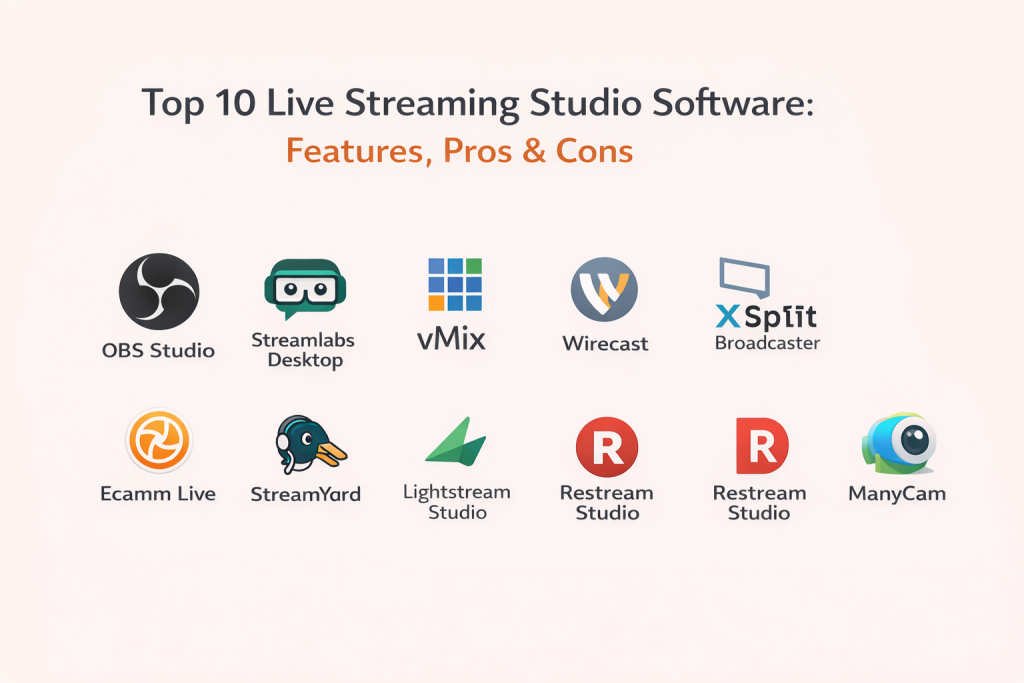
Top 10 Live Streaming Studio Software Tools
1 — OBS Studio
A widely used, creator-friendly production studio for mixing scenes, sources, and audio, then streaming or recording. Great for streamers, educators, and teams that want full control with a strong plugin ecosystem.
Key Features
- Scene and source management with transitions and hotkeys
- Screen capture, window capture, cameras, media, and browser sources
- Audio mixer with per-source controls and filters
- Studio Mode for preview/program switching
- Recording plus streaming with flexible output settings
- Large plugin ecosystem for alerts, automation, and advanced workflows
- Virtual camera output for using OBS in meeting apps
Pros
- Extremely flexible for many production styles
- Strong community and endless tutorials/templates
Cons
- Setup complexity can overwhelm first-time users
- Advanced audio routing may require extra learning
Platforms / Deployment
- Windows / macOS / Linux
- Self-hosted
Security & Compliance
- Not publicly stated
Integrations & Ecosystem
OBS connects well through RTMP and common streaming endpoints, and it is highly extensible through plugins and scripts.
- YouTube Live, Twitch, Facebook Live, custom RTMP
- Browser-source overlays and widgets
- Plugins for alerts, chat docks, automation, and NDI (varies by setup)
- Integrations often rely on third-party services or plugins
- Scriptable workflows using community tooling
Support & Community
Very strong community support, extensive guides, and a large library of troubleshooting content. Official support is limited compared to paid vendors.
2 — Streamlabs Desktop
A creator-focused desktop studio built for fast setup, overlays, alerts, and streamlined streaming. Best for streamers who want speed and built-in creator features.
Key Features
- Guided setup for scenes, sources, and streaming settings
- Built-in overlays, themes, and alert widgets
- Integrated tipping and engagement features (varies by configuration)
- Chat and activity feed dashboards
- Multi-platform streaming options (varies by plan/workflow)
- Recording and highlight clipping features
- App-style experience with creator presets
Pros
- Faster to start than building everything from scratch
- Strong overlay and alert workflow for creators
Cons
- Less “deep control” than fully modular setups
- Heavier resource use on some systems
Platforms / Deployment
- Windows / macOS
- Self-hosted
Security & Compliance
- Not publicly stated
Integrations & Ecosystem
Streamlabs focuses on creator workflows and common streaming platforms with integrated widgets.
- Platform connections for stream publishing (varies)
- Alerts, widgets, and overlay ecosystem
- Third-party services via browser sources
- Integration depth depends on your streaming platform and add-ons
Support & Community
Good help content and a large creator community. Support depth varies by plan.
3 — vMix
A production-grade live switcher and streaming tool built for serious live events, multi-camera workflows, and broadcast-style control—popular with professional operators.
Key Features
- Multi-camera switching with professional transitions
- Advanced audio mixing and routing
- Built-in titles, lower thirds, and graphics tools
- Instant replay and recording workflows (use-case dependent)
- Remote guests and call-in features (product capabilities vary by edition)
- Multiple outputs for stream, record, external display, and program feeds
- Strong support for complex live productions
Pros
- Powerful for event production and multi-input workflows
- Designed for reliability in longer sessions
Cons
- Learning curve for non-technical users
- Primarily Windows-focused
Platforms / Deployment
- Windows
- Self-hosted
Security & Compliance
- Not publicly stated
Integrations & Ecosystem
vMix is built to connect with broadcast and streaming ecosystems using standard workflows.
- RTMP streaming to major platforms and custom endpoints
- Hardware capture devices and pro audio setups (varies)
- Support for external control surfaces (varies by setup)
- Integration depends on production environment and devices used
Support & Community
Strong documentation and professional user base. Community guidance is practical for production workflows.
4 — Wirecast
A professional live streaming studio designed for multi-camera switching, graphics, and event-ready production. Often used by organizations that need polished broadcasts without building everything from scratch.
Key Features
- Multi-camera and multi-source live switching
- Built-in titles, overlays, and scoreboards (use-case dependent)
- Audio mixing with monitoring and sync tools
- Recording while streaming for post-event editing
- Instant replay options (varies by edition/workflow)
- Output to common streaming destinations and custom RTMP
- Production features suited for events and corporate streams
Pros
- Professional broadcast feel with structured workflow
- Good balance between power and usability
Cons
- Can be expensive for smaller creators
- Performance depends heavily on hardware and project complexity
Platforms / Deployment
- Windows / macOS
- Self-hosted
Security & Compliance
- Not publicly stated
Integrations & Ecosystem
Wirecast works well in standard streaming workflows and supports common sources and destinations.
- Streaming to platforms via RTMP
- Capture cards and camera inputs (varies)
- External audio tools and devices (varies)
- Integration possibilities depend on your environment
Support & Community
Good vendor documentation and training resources. Community is solid, especially in event production circles.
5 — XSplit Broadcaster
A Windows-focused streaming studio geared toward creators who want an approachable interface, scene switching, and streaming tools without too much configuration.
Key Features
- Scene-based switching with transitions
- Screen capture and camera sources
- Built-in audio controls and basic filters
- Plugin support for extensions (varies)
- Stream output controls and recording options
- Simple UI designed for fast operation
- Useful for gaming and creator streaming setups
Pros
- Beginner-friendly interface for Windows users
- Quick setup for common creator workflows
Cons
- Less flexible than highly modular studio setups
- Ecosystem depth varies compared to more open platforms
Platforms / Deployment
- Windows
- Self-hosted
Security & Compliance
- Not publicly stated
Integrations & Ecosystem
XSplit supports common streaming platforms and creator workflows.
- Streaming outputs via platform connections and RTMP
- Plugins and add-ons (varies)
- Typical creator overlays via browser sources
- Integrations depend on your chosen services
Support & Community
Decent documentation and community guides. Support experience varies by plan.
6 — Ecamm Live
A macOS-first live production studio popular with educators, coaches, and creators who want polished streams, easy overlays, and straightforward controls.
Key Features
- Mac-native workflow with simple scene switching
- Built-in overlays, lower thirds, and branding tools
- Interview and guest streaming workflows (capabilities vary)
- Recording and local capture options
- Audio controls designed for clear spoken voice production
- Virtual camera output for meetings and webinars
- Stream scheduling and production templates (workflow dependent)
Pros
- Very user-friendly on macOS
- Great for talk shows, education, and webinars
Cons
- macOS only
- Some advanced broadcast features may require different tooling
Platforms / Deployment
- macOS
- Self-hosted
Security & Compliance
- Not publicly stated
Integrations & Ecosystem
Ecamm works well with common streaming endpoints and typical creator platforms.
- Streaming to platforms via standard workflows
- Overlay assets, brand packages, and reusable scenes
- Virtual camera for meeting tools
- Integration depth depends on your chosen publishing destinations
Support & Community
Strong creator community, helpful tutorials, and accessible learning resources.
7 — StreamYard
A browser-based streaming studio built for interviews, panels, and branded live shows without desktop installation. Best for teams that want fast collaboration and simple production.
Key Features
- Guest invitations via browser and green-room style prep
- Simple scene layouts for interviews and panels
- On-screen branding, lower thirds, and overlays
- Streaming to major platforms and custom destinations (plan dependent)
- Team roles for collaborative production (plan dependent)
- Built-in engagement features like comments display (workflow dependent)
- Cloud workflow that works across devices
Pros
- Fast setup for guest interviews and panel shows
- No heavy local hardware setup required
Cons
- Advanced production control is more limited than desktop switchers
- Browser performance depends on network and system
Platforms / Deployment
- Web
- Cloud
Security & Compliance
- Not publicly stated
Integrations & Ecosystem
StreamYard is oriented around social/live platforms and simple broadcast workflows.
- Multi-destination streaming options (plan dependent)
- Comment and audience engagement display (platform dependent)
- Brand asset management for teams (plan dependent)
- Integrations focus on ease rather than deep technical customization
Support & Community
Good onboarding for non-technical users and a strong creator community.
8 — Lightstream Studio
A cloud-based live studio that focuses on easy overlays, scenes, and remote production—helpful for creators who want a “no-install” workflow.
Key Features
- Browser-based scene creation with overlays and graphics
- Cloud production workflow that reduces local setup
- Easy brand templates and reusable layouts
- Remote workflow for simple live shows
- Integration paths for popular streaming use-cases (varies)
- Designed for creators who value convenience
- Stream output controls (workflow dependent)
Pros
- Very convenient and accessible from multiple devices
- Good for lightweight productions and branded overlays
Cons
- Less control than desktop broadcast tools
- Cloud workflow depends on stable internet
Platforms / Deployment
- Web
- Cloud
Security & Compliance
- Not publicly stated
Integrations & Ecosystem
Lightstream focuses on a simplified production pipeline and typical creator needs.
- Common streaming destinations via standard workflows
- Overlay and branding assets
- Integration depth is usually lighter than pro studio tools
- Workflow depends on your streaming platform setup
Support & Community
Helpful getting-started resources. Community size is smaller than the biggest platforms.
9 — Restream Studio
A browser studio designed around multi-destination streaming, guest interviews, and simple layouts—useful for marketing teams and creators who want broad distribution.
Key Features
- Multi-destination streaming focus (plan dependent)
- Browser-based guest interviews and simple layouts
- Branding overlays, titles, and on-screen comments (workflow dependent)
- Team collaboration options (plan dependent)
- Scheduling and stream management tools (workflow dependent)
- Stream analytics and destination management (plan dependent)
- Quick setup for consistent weekly shows
Pros
- Strong multi-destination workflow for growing reach
- Easy for teams that want repeatable shows
Cons
- Deep production controls are more limited than desktop switchers
- Feature availability depends on plan
Platforms / Deployment
- Web
- Cloud
Security & Compliance
- Not publicly stated
Integrations & Ecosystem
Restream Studio is built around distribution and platform connections.
- Multiple destinations and channel management (plan dependent)
- Comment overlays and engagement tools (platform dependent)
- Integrations typically prioritize publishing and workflow automation
- Works best when distribution is a top priority
Support & Community
Good platform documentation. Support varies by plan.
10 — ManyCam
A live video and virtual camera studio used for streaming, online teaching, and video calls. Best for users who need virtual backgrounds, multiple sources, and virtual camera outputs.
Key Features
- Virtual camera output for meeting and streaming tools
- Multiple video sources and simple switching
- Basic overlays, titles, and picture-in-picture layouts
- Virtual backgrounds and visual effects (workflow dependent)
- Audio controls for voice-focused sessions
- Recording features for lessons and demos
- Useful for education, training, and webinars
Pros
- Strong virtual camera workflow for meetings and classes
- Simple way to combine sources and overlays
Cons
- Not a full broadcast switcher for complex event production
- Advanced streaming workflows may require additional tools
Platforms / Deployment
- Windows / macOS
- Self-hosted
Security & Compliance
- Not publicly stated
Integrations & Ecosystem
ManyCam commonly fits into webcam/meeting ecosystems and simple streaming setups.
- Works as a virtual camera for popular meeting tools
- Can feed into streaming studios and encoders via typical workflows
- Overlay assets and presets
- Integration focus is practicality over deep broadcast features
Support & Community
Documentation is generally clear, with a moderate community presence and tutorials.
Comparison Table
| Tool Name | Best For | Platform(s) Supported | Deployment (Cloud/Self-hosted/Hybrid) | Standout Feature | Public Rating |
|---|---|---|---|---|---|
| OBS Studio | Power users, creators, studios | Windows / macOS / Linux | Self-hosted | Deep flexibility + plugins | N/A |
| Streamlabs Desktop | Streamers who want fast setup | Windows / macOS | Self-hosted | Built-in overlays and alerts workflow | N/A |
| vMix | Pro events and multi-camera production | Windows | Self-hosted | Broadcast-style switching and outputs | N/A |
| Wirecast | Event teams and corporate streaming | Windows / macOS | Self-hosted | Polished production tools for live events | N/A |
| XSplit Broadcaster | Windows creators and gamers | Windows | Self-hosted | Simple interface for streaming | N/A |
| Ecamm Live | Mac creators, coaches, educators | macOS | Self-hosted | Mac-friendly, talk-show style production | N/A |
| StreamYard | Interview shows and team streaming | Web | Cloud | Easy guest workflows in browser | N/A |
| Lightstream Studio | No-install cloud studio workflows | Web | Cloud | Quick overlays and layouts in cloud | N/A |
| Restream Studio | Multi-destination streaming | Web | Cloud | Distribution-first studio workflow | N/A |
| ManyCam | Virtual camera + teaching workflows | Windows / macOS | Self-hosted | Virtual camera + multi-source setup | N/A |
Evaluation & Scoring of Live Streaming Studio Software
Weights used in scoring:
- Core features – 25%
- Ease of use – 15%
- Integrations & ecosystem – 15%
- Security & compliance – 10%
- Performance & reliability – 10%
- Support & community – 10%
- Price / value – 15%
| Tool Name | Core (25%) | Ease (15%) | Integrations (15%) | Security (10%) | Performance (10%) | Support (10%) | Value (15%) | Weighted Total (0–10) |
|---|---|---|---|---|---|---|---|---|
| OBS Studio | 9 | 7 | 8 | 6 | 8 | 9 | 10 | 8.3 |
| Streamlabs Desktop | 8 | 8 | 8 | 6 | 7 | 8 | 8 | 7.7 |
| vMix | 9 | 6 | 8 | 7 | 9 | 7 | 6 | 7.5 |
| Wirecast | 8 | 7 | 8 | 7 | 8 | 7 | 6 | 7.3 |
| XSplit Broadcaster | 7 | 8 | 7 | 6 | 7 | 6 | 7 | 7.0 |
| Ecamm Live | 7 | 9 | 7 | 6 | 8 | 7 | 7 | 7.3 |
| StreamYard | 7 | 9 | 8 | 7 | 7 | 7 | 7 | 7.5 |
| Lightstream Studio | 6 | 8 | 7 | 7 | 6 | 6 | 7 | 6.7 |
| Restream Studio | 6 | 8 | 8 | 7 | 6 | 7 | 8 | 7.1 |
| ManyCam | 7 | 7 | 7 | 6 | 7 | 6 | 7 | 6.8 |
How to interpret these scores:
- The scores are comparative, not absolute “best in the world” ratings.
- A higher weighted total suggests a better overall balance for most buyers.
- If you have a specific use case (events, interviews, teaching), prioritize the criteria that matter most.
- Cloud studios can score high on ease, while desktop tools often lead on depth and control.
- Consider doing a short pilot stream to validate performance on your hardware and network.
Which Live Streaming Studio Software Tool Is Right for You?
Solo / Freelancer
- If you want maximum control and customization: OBS Studio
- If you want fast setup with overlays: Streamlabs Desktop
- If you run interview-style shows without installing software: StreamYard or Restream Studio
- If you are macOS-only and want simplicity: Ecamm Live
SMB
- For marketing webinars and guest shows: StreamYard or Restream Studio
- For higher production value on a budget: OBS Studio (with reusable templates)
- For training teams needing virtual camera workflows: ManyCam
- For more event-style control without going full broadcast: Wirecast
Mid-Market
- For professional multi-camera events: vMix (Windows) or Wirecast
- For consistent branded shows with producer roles: StreamYard (plan dependent)
- For distribution-first streaming across platforms: Restream Studio
Enterprise
- For event reliability and operator workflows: vMix or Wirecast
- For browser-based guest workflows with team access: StreamYard (plan dependent)
- For strict workflow control: standardize scenes, overlays, and operator checklists across teams (tool-agnostic best practice)
Budget vs Premium
- Budget-friendly: OBS Studio, Muse-like simplicity in setup via templates you build, and ManyCam for virtual camera needs
- Premium production: vMix and Wirecast for event-grade workflows and operator controls
- Browser convenience (often subscription-based): StreamYard, Restream Studio, Lightstream Studio
Feature Depth vs Ease of Use
- Deep control: OBS Studio, vMix, Wirecast
- Easier learning curve: Ecamm Live, StreamYard, Restream Studio, Streamlabs Desktop
Integrations & Scalability
- Strong ecosystem and extensibility: OBS Studio
- Distribution scalability: Restream Studio
- Studio production scalability: vMix and Wirecast
- Practical virtual camera integration: ManyCam and OBS Studio
Security & Compliance Needs
- If you need formal compliance assurances: treat most creator tools as “Not publicly stated” and validate using vendor documentation and your internal security review.
- For team access control in cloud studios: confirm role permissions, account controls, and audit capabilities before committing.
- For sensitive content, consider minimizing cloud dependencies and using controlled self-hosted workflows where practical.
Frequently Asked Questions
1) What is the difference between a live streaming studio and a simple streaming app?
A studio tool lets you switch scenes, mix multiple sources, add overlays, and manage audio like a production. Simple apps are faster but offer fewer controls.
2) Do I need a powerful computer to use these tools?
It depends on your resolution, frame rate, and number of sources. Multi-camera, heavy overlays, and high-quality encoding typically need stronger CPU/GPU.
3) Can I stream to multiple platforms at the same time?
Many tools support multi-destination streaming directly or through platform workflows. Cloud studios often emphasize this, while desktop tools may rely on your setup.
4) What are the most common mistakes beginners make?
Unbalanced audio, wrong bitrate settings, forgetting to test scenes, and not monitoring stream health. A short rehearsal stream avoids most issues.
5) How do I make my stream look more professional quickly?
Use consistent branding, a clean overlay, clear lighting, and a simple scene set (intro, main, screen share, break). Keep transitions subtle and audio clean.
6) Can I invite remote guests into my live show?
Yes, browser studios are built for this, and some desktop tools offer guest workflows through add-ons or built-in features depending on the product.
7) Is it better to use a cloud studio or desktop studio?
Cloud studios are easier for interviews and quick collaboration. Desktop studios usually give better control, deeper audio/video settings, and flexibility.
8) How do these tools integrate with chat, alerts, and on-screen comments?
Many tools offer built-in widgets, while others use browser sources or plugins. The best choice depends on how much customization you want.
9) Can I record while streaming for editing later?
Most desktop studios support recording while streaming. Cloud studios may support recording depending on plan and workflow.
10) How hard is it to switch from one studio tool to another?
Switching is usually manageable if you keep your assets organized (logos, overlays, scene notes). The biggest change is learning new workflow and hotkeys.
Conclusion
Live streaming studio software is not “one best tool for everyone.” The right choice depends on whether you prioritize deep production control, quick setup, multi-destination distribution, guest interviews, or virtual camera workflows. Start by shortlisting two or three tools that match your most common show format, run a test stream with your real hardware and internet conditions, validate your integrations (platforms, audio, overlays), and then standardize your scenes so every stream feels consistent and professional.

Best Cardiac Hospitals Near You
Discover top heart hospitals, cardiology centers & cardiac care services by city.
Advanced Heart Care • Trusted Hospitals • Expert Teams
View Best Hospitals