Introduction
A load balancer is a critical networking component that acts as a traffic cop for your server infrastructure. It sits in front of your servers and routes incoming client requests across all capable backend servers in a way that maximizes speed and capacity utilization. By ensuring that no single server bears too much demand, a load balancer prevents performance bottlenecks, minimizes latency, and provides a seamless experience for end users. If a single server goes down, the load balancer redirects traffic to the remaining online servers, ensuring high availability and reliability.
In today’s high-velocity digital environment, the importance of load balancing has moved beyond simple traffic distribution. Modern solutions now incorporate advanced security features, global anycast networking, and deep integration with containerized environments like Kubernetes. As businesses shift toward microservices and hybrid cloud models, selecting a load balancer that can handle dynamic scaling and provide deep visibility into application health is essential for maintaining a competitive edge.
Real-World Use Cases
- E-commerce Scalability: Managing massive traffic spikes during flash sales or holiday shopping periods by distributing load across multiple web server clusters.
- High-Availability APIs: Ensuring that critical internal and external API endpoints remain reachable even during localized server failures.
- Global Content Delivery: Routing users to the nearest geographic data center to reduce “round-trip” time and improve page load speeds.
- Security & DDoS Mitigation: Acting as a shield at the edge of the network to filter out malicious traffic before it reaches sensitive backend databases.
- Blue-Green Deployments: Facilitating seamless software updates by gradually shifting traffic from an old version of an application to a new one without downtime.
Evaluation Criteria for Buyers
- Protocol Support: Does the tool support Layer 4 (TCP/UDP) for speed or Layer 7 (HTTP/HTTPS) for intelligent application-level routing?
- Scaling Capabilities: Can the load balancer scale automatically as traffic grows without manual intervention?
- Security Integrations: Does it include a Web Application Firewall (WAF), SSL offloading, or DDoS protection?
- Ease of Management: Is the configuration handled via a user-friendly GUI, a robust API, or complex text-based configuration files?
- Health Monitoring: How granular are the health checks for determining if a backend server is truly “healthy”?
- Deployment Flexibility: Is the solution available as hardware, a virtual appliance, or a fully managed cloud service?
- Observability: Does it provide real-time metrics, logging, and tracing to help troubleshoot performance issues?
Best for: DevOps engineers, SREs, network administrators, and enterprise architects looking to ensure maximum uptime and performance for distributed applications.
Not ideal for: Small personal blogs or static websites with very low traffic where the overhead of managing a load balancer outweighs the performance benefits.
Key Trends in Load Balancers
- Software-Defined Everything: A move away from physical hardware appliances toward flexible, software-defined solutions that run on any commodity hardware or cloud instance.
- Service Mesh Integration: Load balancers are increasingly becoming part of a broader service mesh architecture, handling internal “east-west” traffic between microservices.
- Native Kubernetes Ingress: The rise of specialized controllers that manage load balancing directly within container orchestration platforms.
- AI-Driven Traffic Steering: Using machine learning algorithms to predict traffic patterns and proactively scale resources before a spike occurs.
- Edge Load Balancing: Moving the load balancing logic closer to the user via Global Server Load Balancing (GSLB) at the network edge.
- Zero-Trust Security: Integrating identity-aware proxying into the load balancer to ensure only authenticated users can access specific backend resources.
- Multi-Cloud Interoperability: Tools that can seamlessly balance traffic across different cloud providers (e.g., AWS, Azure, and On-prem) simultaneously.
- Automated SSL/TLS Management: Built-in integration with certificate authorities like Let’s Encrypt for zero-touch security certificate renewals.
How We Selected These Tools
Our selection methodology is based on a deep dive into the current technical landscape, focusing on tools that offer a balance of performance, security, and market reliability. We evaluated dozens of solutions based on their adoption within the Fortune 500, their presence in the open-source community, and their ability to handle modern cloud-native workloads. A primary focus was placed on “feature completeness”—ensuring that the tools on this list aren’t just simple proxies but offer a full suite of health checking, security, and optimization features. We also considered the ease of integration into existing CI/CD pipelines and the quality of professional support available for enterprise-scale deployments.
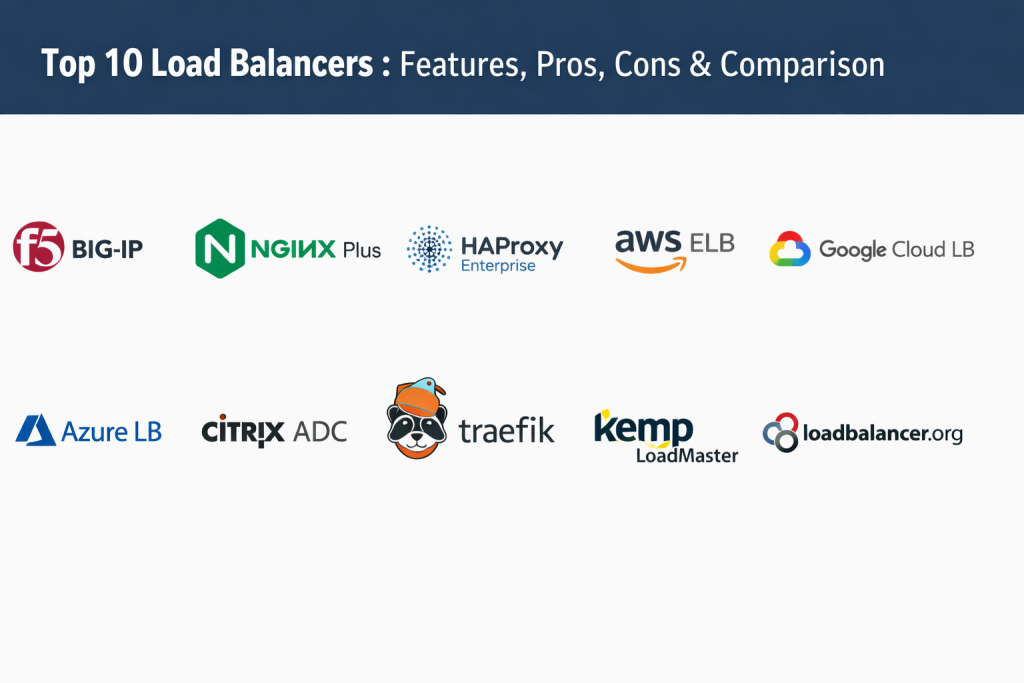
Top 10 Load Balancer Tools
1. F5 BIG-IP
F5 BIG-IP is widely considered the gold standard for enterprise-grade Application Delivery Controllers (ADCs). It is a powerhouse designed for high-performance, secure, and mission-critical workloads. Whether deployed as hardware in a data center or as a virtual edition in the cloud, it provides unmatched control over traffic steering and application security.
Key Features
- Advanced Layer 4 through Layer 7 traffic management for complex application logic.
- Intelligent traffic routing based on deep packet inspection and custom iRules scripting.
- Integrated high-performance Web Application Firewall (WAF) for robust threat protection.
- Advanced SSL/TLS offloading and hardware-level encryption acceleration.
- Comprehensive Global Server Load Balancing (GSLB) for multi-site disaster recovery.
Pros
- The most feature-rich and powerful ADC platform available on the market today.
- Excellent for compliance-heavy industries requiring deep security and audit logs.
Cons
- Extremely expensive compared to cloud-native or open-source alternatives.
- Significant complexity requires dedicated, highly trained staff to manage effectively.
Platforms / Deployment
Hardware / Virtual Appliance / Cloud — Hybrid
Security & Compliance
FIPS 140-2, Common Criteria, SOC 2, and HIPAA ready.
Integrations & Ecosystem
F5 features a massive ecosystem with deep integrations into automation tools like Ansible and Terraform. It also connects seamlessly with major cloud providers for hybrid deployments.
Support & Community
Industry-leading professional support tiers and an extensive community of experts known as “DevCentral” for sharing scripts and solutions.
2. NGINX Plus
NGINX Plus is the commercial version of the world’s most popular open-source web server and reverse proxy. It is a lightweight, high-performance solution that combines load balancing, content caching, and API gateway features into a single, easy-to-deploy package.
Key Features
- High-performance Layer 7 HTTP/HTTPS load balancing with session persistence.
- Active health checks that automatically remove unhealthy servers from the pool.
- Advanced session stickiness using “sticky learn” and “sticky route” methods.
- Built-in live activity monitoring dashboard for real-time performance visibility.
- Native support for high-availability clusters without requiring external tools.
Pros
- Incredibly fast and efficient with a very small resource footprint.
- Simple, text-based configuration that integrates perfectly with modern DevOps workflows.
Cons
- Advanced features like active health checks are restricted to the paid “Plus” version.
- Lacks the specialized hardware-acceleration features found in dedicated appliances.
Platforms / Deployment
Linux / Windows / Docker / Kubernetes — Cloud / Self-hosted
Security & Compliance
Supports modern security headers, JWT authentication, and SSO integration.
Integrations & Ecosystem
As a de facto standard, it integrates with almost every modern development tool, cloud platform, and container orchestration system.
Support & Community
Commercial support from F5 (the parent company) and one of the largest open-source communities in the world.
3. HAProxy Enterprise
HAProxy (High Availability Proxy) is renowned for its extreme efficiency and raw speed. It is an open-source rooted solution that is trusted by high-traffic giants like GitHub and Stack Overflow to move massive volumes of traffic with microsecond latency.
Key Features
- Industry-leading Layer 4 (TCP) and Layer 7 (HTTP) load balancing performance.
- Advanced health checking including agent-based and custom script checks.
- Powerful Map files for managing thousands of routing rules without restarting.
- Built-in DDoS protection and high-speed SSL termination at the edge.
- Detailed observability through a real-time stats page and extensive logging.
Pros
- Widely considered the fastest software load balancer in terms of raw throughput.
- Unrivaled stability and reliability even under extreme traffic pressure.
Cons
- Configuration syntax can be difficult for beginners to grasp initially.
- Does not include a built-in web server or caching engine like NGINX.
Platforms / Deployment
Linux / FreeBSD / Solaris — Cloud / Self-hosted
Security & Compliance
Supports WAF modules, TLS 1.3, and advanced access control lists (ACLs).
Integrations & Ecosystem
Deeply integrated with the Linux ecosystem and widely used as an Ingress controller for Kubernetes via the HAProxy Ingress project.
Support & Community
Enterprise-grade support from HAProxy Technologies and a vast, helpful open-source community.
4. AWS Elastic Load Balancing (ELB)
AWS ELB is a fully managed load balancing service that automatically scales with your traffic. It is the go-to choice for organizations already established within the Amazon Web Services ecosystem, offering three distinct types: Application, Network, and Gateway load balancers.
Key Features
- Automated scaling that handles sudden traffic spikes with no “warm-up” required.
- Deep integration with AWS Auto Scaling and EC2 for dynamic resource management.
- Cross-zone load balancing to ensure high availability across multiple data centers.
- Native integration with AWS Certificate Manager for free, automated SSL management.
- Advanced path-based and host-based routing for microservices architectures.
Pros
- Zero maintenance required; AWS handles all patching and underlying infrastructure.
- Seamlessly integrates with the entire AWS security and monitoring suite.
Cons
- Can become very expensive as traffic and the number of rules increase.
- Limited customization compared to self-hosted software like HAProxy or NGINX.
Platforms / Deployment
AWS Cloud — Managed
Security & Compliance
SOC 1/2/3, PCI DSS, HIPAA, FedRAMP, and GDPR compliant.
Integrations & Ecosystem
Exclusively integrated with the AWS ecosystem, including CloudWatch, Shield (DDoS), and WAF.
Support & Community
Supported by AWS Premium Support plans and a massive global user base of cloud engineers.
5. Google Cloud Load Balancing
Google Cloud Load Balancing is a fully distributed, software-defined managed service. It leverages the same global infrastructure that powers Google Search and YouTube, providing a single anycast IP address that can scale a service globally.
Key Features
- Global anycast IP addressing for single-endpoint global scaling.
- Seamless integration with Cloud CDN for faster content delivery at the edge.
- Internal load balancing for private microservices communication within a VPC.
- Integration with Google Cloud Armor for advanced WAF and DDoS protection.
- Support for modern protocols including HTTP/2, QUIC, and gRPC.
Pros
- Unmatched global reach with minimal latency for international users.
- No “warm-up” period needed to handle massive sudden spikes in traffic.
Cons
- Complexity in setting up global vs. regional configurations for beginners.
- Pricing structure can be difficult to predict for high-bandwidth applications.
Platforms / Deployment
Google Cloud Platform — Managed
Security & Compliance
FedRAMP, HIPAA, PCI DSS, and SOC 1/2/3 compliant.
Integrations & Ecosystem
Built into the Google Cloud environment with native support for GKE (Google Kubernetes Engine) and Cloud Run.
Support & Community
Standard GCP support plans and a strong developer community focused on cloud-native tech.
6. Azure Load Balancer
Microsoft Azure Load Balancer is a high-performance Layer 4 load balancer optimized for virtual machines and container workloads within the Azure cloud. For Layer 7 needs, it is typically paired with Azure Application Gateway.
Key Features
- Ultra-low latency distribution for both internal and public-facing traffic.
- Support for millions of flows on all TCP and UDP protocols.
- Integration with Azure Virtual Machine Scale Sets for automated capacity.
- Source IP affinity for basic session persistence requirements.
- Native integration with Azure Monitor for real-time telemetry and insights.
Pros
- Highly efficient and cost-effective for simple Layer 4 traffic needs.
- Strongest integration for Windows-based enterprise environments.
Cons
- Layer 4 only; requires Azure Application Gateway for advanced HTTP routing.
- Limited functionality outside of the Microsoft Azure ecosystem.
Platforms / Deployment
Microsoft Azure — Managed
Security & Compliance
Meets Microsoft’s industry-leading compliance portfolio (HIPAA, GDPR, FedRAMP).
Integrations & Ecosystem
Deeply woven into the Azure fabric, connecting effortlessly with Azure Kubernetes Service (AKS) and SQL databases.
Support & Community
Supported by Microsoft Azure Support and a large enterprise-focused community.
7. Citrix ADC (formerly NetScaler)
Citrix ADC is a high-performance Application Delivery Controller designed for the modern multi-cloud era. It is particularly well-known for its ability to optimize the delivery of virtual desktops and complex enterprise applications.
Key Features
- Advanced traffic steering and global server load balancing across hybrid clouds.
- Integrated WAF, bot management, and API protection within a single appliance.
- Citrix Gateway for providing secure, remote access to internal resources.
- AppExpert policy engine for creating complex, rule-based traffic logic.
- Real-time analytics and monitoring via the Citrix ADM (Application Delivery Management).
Pros
- Exceptional performance for optimizing Citrix-specific workloads and VDI.
- Flexible deployment options across hardware, virtual, and containerized formats.
Cons
- Licensing models can be complex and sometimes difficult to navigate.
- The management interface has a learning curve for those used to cloud-native tools.
Platforms / Deployment
Hardware / Virtual / Cloud — Hybrid
Security & Compliance
Common Criteria and FIPS 140-2 certified.
Integrations & Ecosystem
Strongest in hybrid environments where on-premises data centers connect to public clouds.
Support & Community
High-quality professional support and a dedicated community of network engineers.
8. Traefik
Traefik is a modern, cloud-native load balancer and edge router designed specifically for microservices. It is unique because it automatically discovers your services and configures itself in real-time as your containers start and stop.
Key Features
- Dynamic service discovery for Kubernetes, Docker, and Consul.
- Automatic SSL certificate management via built-in Let’s Encrypt integration.
- Web-based dashboard for real-time traffic monitoring and configuration review.
- Support for multiple protocols including HTTP/S, TCP, UDP, and gRPC.
- Middleware-based routing for handling auth, rate limiting, and headers.
Pros
- Incredibly easy to set up for containerized and microservices environments.
- Eliminates the need for manual configuration updates when scaling services.
Cons
- Not ideal for legacy environments or traditional bare-metal server farms.
- The dashboard, while useful, is read-only in the community version.
Platforms / Deployment
Linux / macOS / Windows / Docker / Kubernetes — Cloud-native
Security & Compliance
Supports modern security headers, OAuth2/JWT, and TLS 1.3.
Integrations & Ecosystem
The gold standard for Kubernetes Ingress and Docker Swarm environments.
Support & Community
Excellent commercial support from Traefik Labs and a vibrant, modern open-source community.
9. Kemp LoadMaster (Progress)
Kemp LoadMaster is an application delivery controller known for its ease of use and high value. It provides enterprise-grade features like GSLB and WAF at a price point that is often more accessible for small and medium businesses.
Key Features
- Full Layer 4 and Layer 7 load balancing with easy-to-use application templates.
- Integrated Web Application Firewall (WAF) with pre-configured security rules.
- Advanced SSL/TLS offloading with support for high-volume certificate management.
- Global Server Load Balancing (GSLB) for multi-site high availability.
- Edge Security Pack (ESP) for providing pre-authentication and SSO.
Pros
- Excellent customer support and very simple initial setup.
- Great performance-to-price ratio compared to F5 or Citrix.
Cons
- The management interface can feel slightly dated compared to modern cloud consoles.
- Lacks the massive plugin ecosystem found with NGINX or HAProxy.
Platforms / Deployment
Hardware / Virtual / Cloud — Hybrid
Security & Compliance
FIPS 140-2, HIPAA, and GDPR ready.
Integrations & Ecosystem
Includes templates for major applications like Microsoft Exchange, SAP, and Oracle.
Support & Community
Highly rated customer support team and a solid library of technical documentation.
10. Loadbalancer.org
Loadbalancer.org provides a straightforward, high-performance load balancing solution with a focus on ease of use and uncompromised support. They are particularly popular in the healthcare and public sector due to their “engineer-led” approach.
Key Features
- Customizable Layer 4 and Layer 7 balancing for diverse application needs.
- Direct Routing (DSR) support for high-performance, high-bandwidth throughput.
- Built-in WAF and SSL offloading for application-level security.
- Unlimited throughput licenses—no artificial caps on performance.
- Intuitive web interface for quick configuration and monitoring.
Pros
- Direct access to high-level support engineers rather than a basic helpdesk.
- Transparent and predictable pricing model with no hidden costs.
Cons
- Fewer “advanced” features compared to the high-end F5 or Citrix appliances.
- Smaller market share means fewer third-party community scripts.
Platforms / Deployment
Hardware / Virtual / Cloud — Hybrid
Security & Compliance
PCI DSS and HIPAA compliant configurations available.
Integrations & Ecosystem
Strong focus on medical imaging (DICOM) and storage (S3) integrations.
Support & Community
Renowned for their responsive, engineer-led technical support.
Comparison Table (Top 10)
| Tool Name | Best For | Platform(s) Supported | Deployment | Standout Feature | Public Rating |
| 1. F5 BIG-IP | High-End Enterprise | Hardware, Virtual, Cloud | Hybrid | Advanced iRules | 4.6/5 |
| 2. NGINX Plus | Web & API Gateway | Linux, Windows, Docker | Hybrid | Lightweight Speed | 4.6/5 |
| 3. HAProxy Enterprise | High Throughput | Linux, FreeBSD | Self-hosted | Raw Performance | 4.7/5 |
| 4. AWS ELB | AWS Ecosystem | AWS Cloud | Managed | Seamless Scaling | 4.5/5 |
| 5. Google Cloud LB | Global Scaling | GCP Cloud | Managed | Global Anycast IP | 4.5/5 |
| 6. Azure LB | Microsoft Envs | Azure Cloud | Managed | Layer 4 Efficiency | 4.4/5 |
| 7. Citrix ADC | VDI & Hybrid Cloud | Hardware, Virtual, Cloud | Hybrid | AppExpert Logic | 4.4/5 |
| 8. Traefik | Kubernetes / Docker | Docker, Kubernetes | Cloud-native | Auto-Discovery | 4.5/5 |
| 9. Kemp LoadMaster | SMB / Value | Hardware, Virtual, Cloud | Hybrid | App Templates | 4.6/5 |
| 10. Loadbalancer.org | Healthcare / Storage | Hardware, Virtual, Cloud | Hybrid | Engineer Support | 4.8/5 |
Evaluation & Scoring of Load Balancers
| Tool Name | Core (25%) | Ease (15%) | Integrations (15%) | Security (10%) | Perf (10%) | Support (10%) | Value (15%) | Total |
| F5 BIG-IP | 10 | 4 | 9 | 10 | 10 | 10 | 4 | 8.1 |
| HAProxy Ent. | 9 | 5 | 8 | 8 | 10 | 9 | 9 | 8.1 |
| NGINX Plus | 9 | 7 | 10 | 8 | 9 | 9 | 7 | 8.4 |
| AWS ELB | 8 | 9 | 10 | 9 | 8 | 8 | 6 | 7.9 |
| Google Cloud LB | 8 | 8 | 9 | 9 | 9 | 8 | 6 | 7.8 |
| Azure LB | 7 | 8 | 10 | 8 | 9 | 8 | 7 | 7.8 |
| Citrix ADC | 9 | 5 | 8 | 9 | 10 | 9 | 5 | 7.6 |
| Traefik | 7 | 9 | 10 | 7 | 8 | 7 | 9 | 7.8 |
| Kemp Master | 8 | 8 | 7 | 8 | 8 | 9 | 8 | 7.9 |
| Loadbalancer.org | 7 | 8 | 7 | 7 | 8 | 10 | 8 | 7.5 |
These scores reflect a comparison of each tool’s ability to handle professional production demands. A high core feature score represents a tool that provides a full ADC suite. High ease of use scores signify faster onboarding, while high performance scores indicate the ability to handle massive throughput with minimal latency.
Which Load Balancer Tool Is Right for You?
Solo / Small Team
If you are running a few servers on a budget, HAProxy (Open Source) or NGINX (Open Source) are the best starting points. For those in the container world, Traefik is incredibly simple to set up and requires almost zero manual configuration once it’s running.
SMB (Small to Medium Business)
Small businesses often need a balance of features and support without the enterprise price tag. Kemp LoadMaster or Loadbalancer.org offer great value with professional support. If you are cloud-native, AWS ELB provides the easiest path forward with no infrastructure to manage.
Mid-Market
For organizations with growing traffic and a mix of cloud and on-prem servers, NGINX Plus offers the flexibility of a software load balancer with enterprise-grade health checks and support. Azure Application Gateway is a strong contender for businesses primarily using the Microsoft stack.
Enterprise
For mission-critical applications where downtime costs thousands of dollars per minute, F5 BIG-IP and Citrix ADC remain the top choices. They offer the granular control and hardware acceleration needed for the world’s most demanding networks.
Budget vs Premium
If cost is the primary driver, open-source HAProxy or Traefik are unbeatable. If you prioritize “peace of mind” and managed services, the premium offerings from AWS, Google, and Azure are worth the investment to reduce operational overhead.
Feature Depth vs Ease of Use
F5 and Citrix represent the peak of feature depth but are difficult to master. Conversely, Traefik and AWS ELB prioritize ease of use, making them perfect for teams that want to move fast without becoming networking experts.
Integrations & Scalability
Cloud providers like Google and AWS scale almost infinitely and integrate deeply with their respective clouds. For cross-platform and hybrid-cloud scalability, NGINX Plus and HAProxy provide the most consistent experience across different environments.
Security & Compliance Needs
Organizations in finance, healthcare, or government should lean toward F5 BIG-IP or Kemp, which have extensive certifications (like FIPS 140-2) and robust security suites built directly into the appliance.
Frequently Asked Questions (FAQs)
1. What is the difference between Layer 4 and Layer 7 load balancing?
Layer 4 operates at the transport level (TCP/UDP) and is very fast but “blind” to the data. Layer 7 operates at the application level (HTTP) and can make smart routing decisions based on URLs or headers.
2. Does a load balancer improve website speed?
Yes, it improves speed by ensuring no single server is overloaded and by routing users to the healthiest or closest available server.
3. Is NGINX better than HAProxy?
Both are excellent. NGINX is often preferred for its web serving and caching capabilities, while HAProxy is specialized specifically for high-performance load balancing and raw speed.
4. Can I use multiple load balancers together?
Yes, common architectures use a global load balancer (GSLB) at the DNS level to route traffic between data centers, and local load balancers to distribute traffic within those data centers.
5. What is SSL offloading?
SSL offloading is when the load balancer handles the encryption/decryption of traffic, taking that resource-intensive task away from the backend web servers.
6. Do I need a load balancer for a single server?
Generally no, unless you want to use it for SSL termination or as a security shield. Its primary value is in managing multiple servers for high availability.
7. How does a load balancer know if a server is down?
It uses “health checks” to periodically ping the server. If the server doesn’t respond correctly, the load balancer stops sending traffic to it.
8. Are cloud load balancers better than hardware ones?
Cloud load balancers are easier to manage and scale, but hardware appliances offer higher performance and more granular control for specialized on-premise needs.
9. What happens if the load balancer itself fails?
Professionals use “High Availability” pairs, where two load balancers monitor each other. If the primary fails, the secondary takes over immediately to prevent downtime.
10. How difficult is it to switch from one tool to another?
It can be challenging if you use specialized scripts like F5’s iRules, but most modern cloud and software load balancers use similar logic, making the transition manageable.
Conclusion
In conclusion, the right load balancer is the foundation of a reliable and high-performing digital application. Whether you choose the enterprise-grade power of F5 BIG-IP, the lightweight efficiency of NGINX Plus, or the cloud-native simplicity of AWS ELB, each tool on this list offers a proven path to scalability. The choice ultimately depends on your specific infrastructure—whether you are deeply integrated into a single cloud, managing a hybrid environment, or running a modern containerized stack. By prioritizing performance, security, and ease of management, you can ensure your applications remain available to users around the clock. As traffic demands continue to grow, the role of the load balancer will only become more central to the DevOps and SRE workflow. Taking the time to evaluate these options now will prevent costly downtime and performance issues in the future. Remember that the “best” tool is the one that fits your team’s expertise and your long-term scaling strategy.

Best Cardiac Hospitals Near You
Discover top heart hospitals, cardiology centers & cardiac care services by city.
Advanced Heart Care • Trusted Hospitals • Expert Teams
View Best Hospitals