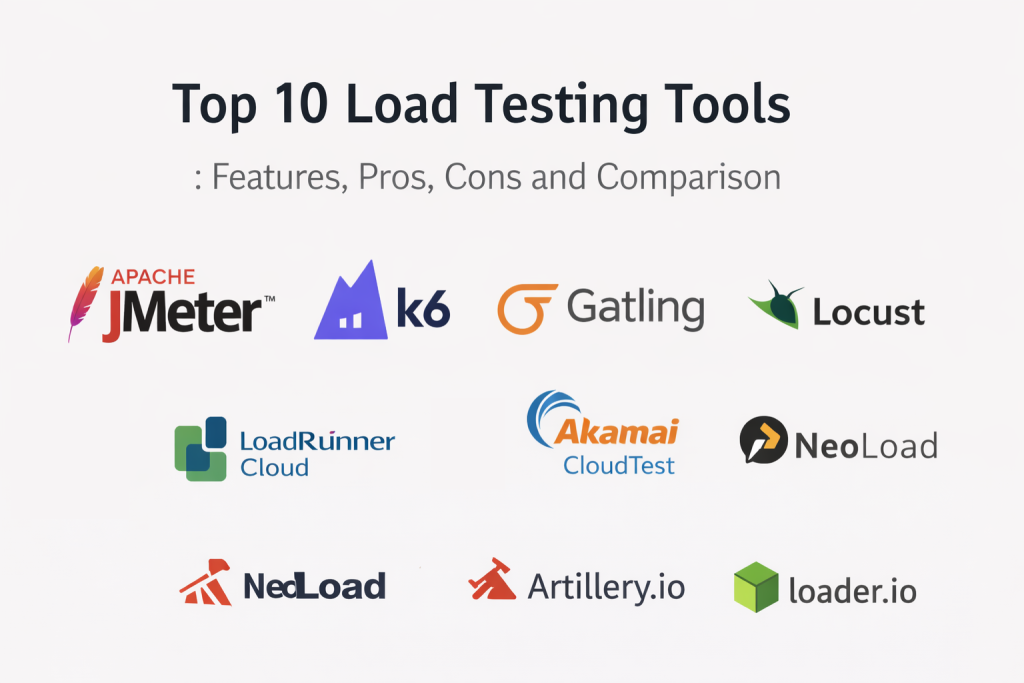
Load testing tools are specialized software applications designed to simulate real-world user traffic on a website, application, or server. Their primary purpose is to determine how a system behaves under both normal and peak conditions, ensuring it remains stable and responsive before it reaches actual users. In , load testing has shifted from a final check-off to a continuous “Shift-Left” practice, where developers use automated scripts to test performance during the earliest stages of the coding cycle. By recreating thousands of virtual users (VUs) from global locations, these tools reveal hidden bottlenecks, memory leaks, and hardware limitations that only appear when a system is under pressure.
The importance of these tools lies in their ability to provide “insurance” against system crashes during high-stakes events, such as product launches or seasonal sales. Real-world applications are vast: from a banking app ensuring it can handle millions of concurrent transactions during a national holiday to a streaming service verifying its infrastructure can support a global live-broadcast audience. When evaluating a load testing tool, key criteria include protocol support (HTTP/3, gRPC, WebSockets), ease of scripting, scalability in the cloud, and the quality of real-time analytics.
Best for:
Performance engineers, DevOps teams, and QA professionals who need to validate system capacity, optimize resource usage, and ensure a seamless user experience under heavy traffic.
Not ideal for:
Static websites with very low traffic or small-scale local projects where simple manual checks or basic monitoring tools provide sufficient performance insight without the overhead of scripting.
Key Trends in Load Testing and Beyond
- AI-Generated Test Scenarios: AI now analyzes real user behavior logs to automatically generate realistic load test scripts that mimic actual traffic patterns.
- Shift-Left Performance: Load testing is increasingly integrated into IDEs (like VS Code) and CI/CD pipelines, allowing developers to catch performance regressions instantly.
- Serverless Load Generation: Tools are moving toward serverless architectures (like AWS Lambda or Google Cloud Functions) to generate massive loads without managing underlying infrastructure.
- Observability-Driven Testing: Integration with tools like Prometheus and Grafana has become standard, allowing for real-time correlations between user load and system health.
- HTTP/3 and QUIC Support: As modern web standards evolve, leading tools now offer native support for the QUIC protocol to accurately test low-latency applications.
- Chaos Engineering Integration: Modern performance strategies now combine load testing with “chaos” (injecting failures) to see how systems recover under stress.
- Browser-Based Load Testing: A move toward using real browsers (Headless Chrome/Playwright) for load testing to capture the true frontend performance impact.
- Sustainability Metrics: Some tools have started reporting the estimated carbon footprint of a load test, helping companies meet “Green IT” goals.
How We Selected These Tools (Methodology)
- Scripting Flexibility: We prioritized tools that offer either a powerful “Testing as Code” approach (JavaScript, Python) or a user-friendly GUI for non-coders.
- Protocol Range: Only tools supporting a wide array of modern web and enterprise protocols (HTTP, SOAP, gRPC, MQTT) were considered.
- Scalability: We looked for tools that can seamlessly scale from a few hundred users on a local machine to millions in the cloud.
- Reporting & Analysis: Selection was based on the depth of analytical data provided, including percentiles, error rates, and resource utilization.
- CI/CD Integration: We focused on tools that provide robust CLI support and native plugins for platforms like Jenkins, GitHub Actions, and GitLab.
- Community & Support: We assessed the availability of documentation, community forums, and professional support options for enterprise users.
Top 10 Load Testing Tools
1 — Apache JMeter
Apache JMeter remains the most popular open-source load testing tool in the world, serving as the “de facto” standard for performance testing across a vast array of protocols.
Key Features
- A comprehensive GUI that allows users to build complex test plans without writing a single line of code.
- Support for a massive range of protocols, including HTTP, FTP, JDBC, LDAP, SOAP, and JMS.
- A robust plugin ecosystem that extends functionality for everything from custom graphs to cloud integration.
- Distributed testing capabilities that allow a single controller to manage multiple load injectors.
- Detailed HTML reporting that provides deep insights into response times, latency, and throughput.
Pros
- Completely free and open-source with no licensing fees.
- Unrivaled community support and documentation accumulated over two decades.
Cons
- High resource consumption (CPU/Memory) compared to modern code-based tools like k6.
- The learning curve for advanced parameterization and correlation in the GUI can be steep.
Platforms / Deployment
- Windows, Linux, macOS (Java-based)
- Self-hosted / Cloud (via BlazeMeter/OctoPerf)
Security & Compliance
- Regular security patches, SSL/TLS support
- GDPR and HIPAA compliant configurations
Integrations & Ecosystem
JMeter is the centerpiece of the performance world, integrating with nearly every major DevOps tool.
- Jenkins & GitLab
- BlazeMeter & OctoPerf
- Prometheus & Grafana
- Selenium
Support & Community
The largest community in the industry, with endless forums, tutorials, and third-party professional consultants.
2 — k6 (by Grafana)
k6 is a modern, developer-centric load testing tool built in Go with JavaScript scripting, designed specifically for high performance and CI/CD integration.
Key Features
- Uses JavaScript for scripting, making it highly accessible to frontend and full-stack developers.
- Lightweight and high-performance engine that can generate significant load from a single machine.
- Built-in support for “Thresholds,” allowing you to automatically fail CI/CD builds if performance targets are missed.
- Native integration with Grafana for beautiful, real-time observability dashboards.
- Supports modern protocols like HTTP/2, WebSockets, and gRPC out of the box.
Pros
- Excellent developer experience; treats “Testing as Code,” making version control and collaboration easy.
- Very low resource footprint, allowing for efficient scaling in containerized environments.
Cons
- Does not support a native GUI for test building (though a cloud-based builder is available).
- Lacks support for some older enterprise protocols compared to JMeter.
Platforms / Deployment
- Linux, Windows, macOS
- Docker / Kubernetes / k6 Cloud
Security & Compliance
- SOC 2, GDPR, and HIPAA compliant (Cloud version)
- Secure handling of environment variables and secrets
Integrations & Ecosystem
k6 is a favorite in the cloud-native world, integrating perfectly with modern observability stacks.
- Grafana & Prometheus
- GitHub Actions & CircleCI
- Azure DevOps
- Datadog
Support & Community
Rapidly growing community and professional enterprise support from the Grafana Labs team.
3 — Gatling
Gatling is a highly capable tool designed for ease of use and high performance, favored by technical teams for its “Testing as Code” approach and readable DSL.
Key Features
- Offers a domain-specific language (DSL) available in Scala, Java, and Kotlin, making test scenarios easy to read.
- Uses an asynchronous, non-blocking architecture, allowing it to simulate thousands of users on a single machine.
- Generates detailed, colorful HTML reports automatically after every test run.
- High-performance engine built on Akka and Netty for superior concurrency management.
- Enterprise version (Gatling Enterprise) provides massive cloud scaling and advanced management features.
Pros
- Extremely efficient; requires far less hardware than JMeter to generate the same load.
- Strong focus on maintainability and readability of test scripts.
Cons
- The Scala DSL can be intimidating for teams not familiar with the Java/JVM ecosystem.
- The open-source version lacks a web-based management UI.
Platforms / Deployment
- Windows, Linux, macOS (JVM-based)
- Self-hosted / Gatling Enterprise Cloud
Security & Compliance
- SSO support and SOC 2 (Enterprise version)
- Secure credential management
Integrations & Ecosystem
Gatling fits naturally into Java-centric enterprise environments and modern CI/CD pipelines.
- Maven & Gradle
- Jenkins & TeamCity
- New Relic & AppDynamics
- IntelliJ IDEA
Support & Community
Robust open-source community and dedicated enterprise support for the commercial version.
4 — BlazeMeter
BlazeMeter (now part of Perforce) is a powerful cloud platform that democratizes enterprise-scale load testing by providing massive infrastructure on demand.
Key Features
- 100% compatible with Apache JMeter, allowing you to run your existing .jmx files in the cloud at massive scale.
- AI-driven test data generation and mock services to test applications even when dependencies aren’t ready.
- Unified platform for performance, functional, and API testing.
- Massive global load generation from over 50 locations across AWS, Azure, and Google Cloud.
- Real-time collaborative reporting that allows teams to analyze results together during a live test.
Pros
- The easiest way to scale JMeter tests to millions of users without managing your own servers.
- Excellent enterprise features, including private cloud support and single sign-on (SSO).
Cons
- Can be very expensive for high-frequency or extremely high-user-count testing.
- There is a learning curve to master the full suite of “Continuous Testing” features.
Platforms / Deployment
- SaaS / Cloud
- Private Cloud / On-premise injectors
Security & Compliance
- SOC 2 Type II, ISO 27001, and HIPAA compliant
- Secure tunneling for testing behind firewalls
Integrations & Ecosystem
BlazeMeter is designed to be the “enterprise hub” for performance testing.
- JMeter, Gatling, k6, and Locust
- Jira & Slack
- Jenkins & AWS
- New Relic
Support & Community
Professional 24/7 support and an extensive library of technical webinars and certification programs.
5 — Locust
Locust is a popular open-source, Python-based load testing tool that allows for extremely flexible, code-based test definitions.
Key Features
- Write test scenarios in pure Python, allowing you to use any existing Python library (like Requests or PyODBC).
- Event-based architecture that enables a single machine to handle thousands of concurrent users.
- A built-in web-based UI that shows test progress, request statistics, and failures in real-time.
- Highly extensible; you can easily create custom clients to test non-HTTP protocols.
- Distributed and scalable; it’s easy to run across multiple machines to simulate massive traffic.
Pros
- If your team knows Python, there is virtually no learning curve to creating complex scenarios.
- The “user-friendly” web UI makes it easy to monitor tests even for non-technical stakeholders.
Cons
- Python’s Global Interpreter Lock (GIL) can sometimes be a bottleneck for extremely high-frequency requests.
- Reporting is less detailed out of the box compared to Gatling or JMeter.
Platforms / Deployment
- Linux, Windows, macOS
- Docker / Kubernetes / Self-hosted
Security & Compliance
- Varies based on implementation; open-source core.
- Securely handles authentication via standard Python methods.
Integrations & Ecosystem
Locust is a favorite in the Python developer community and integrates well with standard data tools.
- Python Ecosystem (PyTest, Pandas)
- Docker & Helm
- GitHub Actions
- InfluxDB
Support & Community
Active and rapidly growing community on GitHub and specialized Slack channels.
6 — LoadRunner Cloud (by OpenText)
LoadRunner is the “gold standard” of enterprise load testing, and its Cloud version offers modern scalability while retaining the tool’s legendary deep technology support.
Key Features
- Support for the widest range of protocols in the industry, from modern web apps to legacy SAP and Citrix systems.
- Predictive analytics that help identify the root cause of performance issues during the test.
- “Network Virtualization” that simulates different real-world network conditions (like 4G/5G or high-latency satellite).
- Cloud-based load injectors that can be spun up in minutes across the globe.
- Advanced asset management for large teams to share scripts and test data securely.
Pros
- Unmatched in its ability to test complex, multi-protocol enterprise landscapes.
- Provides the most detailed and sophisticated analysis reports of any tool on this list.
Cons
- High cost; generally the most expensive option, tailored specifically for large enterprises.
- The complexity of the tool requires specialized training and “Performance Engineer” expertise.
Platforms / Deployment
- SaaS / Cloud
- Hybrid (On-premise injectors)
Security & Compliance
- Top-tier; SOC 2, HIPAA, FedRAMP, and ISO 27001 compliant
- Robust enterprise-grade access controls
Integrations & Ecosystem
LoadRunner Cloud is designed to sit at the center of a massive corporate IT strategy.
- SAP & Oracle
- Dynatrace & AppDynamics
- Jenkins & Azure DevOps
- Jira
Support & Community
World-class professional enterprise support and a global network of certified LoadRunner experts.
7 — Akamai CloudTest
Akamai CloudTest (formerly SOASTA) is a high-end enterprise tool built for “unlimited” scale, capable of simulating millions of users with ease.
Key Features
- Real-time analytics that update in seconds, even when running tests with millions of virtual users.
- Visual test environment that allows you to drag-and-drop to build complex global traffic patterns.
- Dynamic scaling of load injectors, meaning you only pay for the infrastructure you use during the test.
- “Maestro” engine that provides ultra-low latency control over globally distributed load generators.
- Specialized support for testing “Live Events” and massive media streaming scenarios.
Pros
- The most capable tool for massive, high-concurrency “Flash Sales” or global media events.
- Real-time control allows for much more efficient debugging while a test is actually running.
Cons
- Primarily a high-end enterprise tool; pricing is prohibitive for SMBs and smaller projects.
- The reporting and interface can feel overwhelming for teams not used to enterprise-scale data.
Platforms / Deployment
- SaaS / Cloud
- Private Cloud
Security & Compliance
- Enterprise-level security; SOC 2 and ISO compliant
- Native integration with Akamai’s security and CDN layers
Integrations & Ecosystem
CloudTest is deeply integrated into the Akamai performance and security ecosystem.
- Akamai CDN & WAF
- Jenkins
- Splunk
- New Relic
Support & Community
High-touch professional services and specialized support for mission-critical event testing.
8 — NeoLoad (by Tricentis)
NeoLoad focuses on accelerating test design and analysis through AI and automation, making it a leader in “Continuous Performance Testing.”
Key Features
- AI-driven “Real Browser” testing that captures the actual user experience without complex manual scripting.
- Automatic updates for test scripts when the application UI changes, reducing maintenance time.
- Seamless integration with popular APM (Application Performance Management) tools for deep-dive analysis.
- Supports both traditional enterprise apps (SAP, Oracle) and modern microservices.
- Advanced collaboration features that allow dev and QA teams to share and compare test results.
Pros
- Reduces the time required to design and maintain tests by up to 10x compared to traditional tools.
- Very strong features for teams practicing Agile and DevOps.
Cons
- It is a commercial product with a significant license cost.
- Some advanced features require a deeper understanding of the Tricentis ecosystem.
Platforms / Deployment
- Windows, Linux (Self-hosted)
- SaaS / Cloud
Security & Compliance
- SAML 2.0 SSO, SOC 2, and GDPR compliant
- Secure vault for managing test secrets
Integrations & Ecosystem
NeoLoad is designed to be the performance engine for the modern automated enterprise.
- Tricentis Tosca (Functional testing)
- Dynatrace & Cisco AppDynamics
- Azure DevOps & Jenkins
- Selenium
Support & Community
Professional enterprise support and extensive certification programs via Tricentis University.
9 — Artillery.io
Artillery is a modern, cloud-native load testing toolkit built with Node.js, focusing on helping developers ship performant backend systems.
Key Features
- Uses simple YAML or JSON files to define test scenarios, making them easy to write and version control.
- “Batteries included” philosophy with native support for HTTP, WebSockets, Socket.io, and gRPC.
- Ability to run tests in serverless environments like AWS Lambda for instant, massive scale without managing servers.
- Playwright integration, allowing you to run real browser tests at scale for frontend performance metrics.
- Highly customizable via a JavaScript plugin system.
Pros
- Extremely developer-friendly; if you can write a YAML file, you can run a load test.
- The serverless execution model (Artillery Pro) is incredibly cost-effective for large-scale tests.
Cons
- The open-source version is strictly command-line only, which may not suit all teams.
- Less “out-of-the-box” reporting for enterprise-level executive summaries compared to NeoLoad.
Platforms / Deployment
- Linux, Windows, macOS (Node.js)
- AWS Lambda / Fargate / Cloud
Security & Compliance
- SOC 2 and GDPR compliant
- Native support for secret management in CI/CD
Integrations & Ecosystem
Artillery is a favorite for teams building modern serverless and API-driven applications.
- AWS (Lambda, CloudWatch)
- GitHub Actions
- Datadog & Honeycomb
- Playwright
Support & Community
Active GitHub community and professional cloud support for Artillery Pro users.
10 — Loader.io
Loader.io (by SendGrid) is a simple, cloud-based load testing service that is the fastest way to get basic performance feedback on your web app or API.
Key Features
- A simple 3-step setup: Register your app, verify ownership, and start your test in minutes.
- A clean, web-based interface that requires zero installation and no scripting knowledge.
- Provides a free tier that allows for simple tests with up to 10,000 virtual users.
- Real-time monitoring of response times and error rates via easy-to-read graphs.
- API support to integrate simple load tests into your deployment scripts.
Pros
- The fastest and simplest tool on this list for quick “sanity checks” or basic benchmarking.
- Zero configuration required; everything is managed in the cloud.
Cons
- Very limited features; it cannot handle complex user flows, logic, or non-web protocols.
- Does not provide the deep diagnostic data needed to find the “root cause” of a crash.
Platforms / Deployment
- SaaS / Cloud
- Managed Service
Security & Compliance
- Standard cloud security; limited enterprise compliance details.
- Mandatory domain verification for security.
Integrations & Ecosystem
Loader.io is a niche tool focused on simplicity and speed for small teams.
- PaaS (Heroku, AWS)
- Simple API integration
- Slack notifications
Support & Community
Email support and a basic knowledge base for common setup questions.
Comparison Table
| Tool Name | Best For | Platform(s) | Deployment | Standout Feature | Public Rating |
| Apache JMeter | Protocol Range | Cross-platform | Self-hosted/Cloud | Massive Ecosystem | 4.8/5 |
| k6 | Dev-Centric Testing | Linux, Windows | Cloud/SaaS | JS “Testing as Code” | 4.7/5 |
| Gatling | High Concurrency | Linux, Windows | Cloud/Enterprise | Highly Readable DSL | 4.6/5 |
| BlazeMeter | Scaling JMeter | SaaS / Cloud | Managed Cloud | JMeter Compatibility | 4.5/5 |
| Locust | Python Developers | Linux, Windows | Self-hosted | Pure Python Scrips | 4.6/5 |
| LoadRunner Cloud | Enterprise Systems | SaaS / Cloud | Managed Cloud | Protocol Depth | 4.4/5 |
| Akamai CloudTest | Millions of Users | SaaS / Cloud | Global Cloud | Real-time Debugging | 4.3/5 |
| NeoLoad | Automated CI/CD | Windows, Linux | SaaS/On-premise | AI Test Maintenance | 4.5/5 |
| Artillery.io | Serverless/APIs | Linux, Windows | AWS Lambda | YAML-based Scripts | 4.7/5 |
| Loader.io | Quick Sanity Check | SaaS / Cloud | Managed Cloud | 3-Step Setup | 4.2/5 |
Evaluation & Scoring of Load Testing Tools
| Tool Name | Performance (25%) | Ease (15%) | Features (15%) | Security (10%) | Ecosystem (10%) | Scalability (10%) | Value (15%) | Weighted Total |
| Apache JMeter | 7 | 6 | 10 | 9 | 10 | 9 | 10 | 8.35 |
| k6 | 10 | 9 | 8 | 9 | 9 | 9 | 10 | 9.20 |
| Gatling | 10 | 8 | 8 | 9 | 7 | 9 | 10 | 8.85 |
| BlazeMeter | 8 | 9 | 9 | 10 | 9 | 10 | 7 | 8.70 |
| Locust | 8 | 10 | 7 | 8 | 8 | 9 | 10 | 8.55 |
| LoadRunner Cloud | 9 | 6 | 10 | 10 | 9 | 10 | 5 | 8.25 |
| Akamai CloudTest | 10 | 7 | 9 | 10 | 7 | 10 | 6 | 8.45 |
| NeoLoad | 9 | 9 | 10 | 9 | 8 | 9 | 7 | 8.70 |
| Artillery.io | 10 | 9 | 7 | 9 | 7 | 10 | 10 | 9.05 |
| Loader.io | 6 | 10 | 4 | 7 | 5 | 7 | 10 | 6.85 |
Which Load Testing Tool Is Right for You?
Solo / Freelancer
For an individual, Loader.io is a great starting point for simple “will it crash?” checks. However, if you have any coding skill, k6 or Locust are far better long-term investments. They are free, powerful, and look great on a professional portfolio.
SMB
Small and medium businesses should focus on k6 or Gatling. These tools offer a high degree of automation and fit perfectly into modern development workflows without requiring a dedicated “Performance Testing Department.” For those who prefer a GUI, JMeter remains an unbeatable free option.
Mid-Market
Growing companies that need to scale rapidly but don’t want to manage their own load-testing infrastructure should look toward BlazeMeter or Artillery Pro. These provide the power of the top open-source tools with the ease of cloud-managed scaling.
Enterprise
For large organizations with complex needs (SAP, Mainframe, Citrix), LoadRunner Cloud or NeoLoad are the standard choices. They offer the deep security, compliance, and multi-protocol support that enterprise IT departments require. If you are a global media company, Akamai CloudTest is the leader for high-concurrency event testing.
Budget vs Premium
JMeter, Locust, and k6 (Open Source) are the clear winners for those on a zero-budget. BlazeMeter and LoadRunner represent the premium tier where you are paying for infrastructure, AI automation, and 24/7 professional support.
Feature Depth vs Ease of Use
If you need every possible protocol and analytical graph, LoadRunner is the deepest tool. If you want a tool that “just works” and can be set up in 5 minutes, Loader.io or Caddy (for web serving) are your best bets.
Integrations & Scalability
k6 and Artillery are the kings of CI/CD integration. For massive vertical scalability, Akamai CloudTest is the industry heavyweight.
Frequently Asked Questions
Is load testing the same as stress testing?
No. Load testing checks how the system performs under expected traffic. Stress testing pushes the system beyond its limits to see how it fails and if it recovers gracefully.
Do I need to know how to code to use these tools?
Not necessarily. Tools like JMeter, NeoLoad, and Loader.io offer GUI-based or scriptless options. However, for modern DevOps, code-based tools like k6 are becoming the standard.
Can I use these tools for mobile apps?
Yes. Most of these tools test the “backend” APIs that mobile apps use. For “real device” testing, you may need to integrate them with platforms like Appium or Perfecto.
Why is JMeter still popular if it’s “old”?
Because it is free, has decades of documentation, and supports more protocols than almost any other tool. It’s the “Swiss Army Knife” of performance testing.
How many “virtual users” do I need for a test?
It depends on your real-world traffic. A good rule of thumb is to test at 1x, 2x, and 5x your average peak traffic to ensure a safe buffer.
What is “Shift-Left” testing?
It means moving performance testing to the “left” (earlier) in the development timeline. Instead of testing right before launch, you test every time code is committed.
Can I run these tools in my Jenkins pipeline?
Yes. Almost all the tools on this list (except the simplest ones like Loader.io) have native plugins or CLI support for Jenkins, GitLab, and GitHub Actions.
Conclusion
The load testing landscape in has moved away from manual, one-off events toward automated, continuous performance engineering. While JMeter remains the reliable workhorse for traditional enterprise needs, modern developer-first tools like k6 and Artillery are setting a new standard for speed and integration. For organizations that need to scale to millions of users without the headache of infrastructure management, cloud-native platforms like BlazeMeter and LoadRunner Cloud provide the necessary power. We recommend choosing a tool that aligns with your team’s existing language skills (JavaScript for k6, Python for Locust) to ensure that performance becomes a shared responsibility across your entire engineering team.

Best Cardiac Hospitals Near You
Discover top heart hospitals, cardiology centers & cardiac care services by city.
Advanced Heart Care • Trusted Hospitals • Expert Teams
View Best Hospitals