Introduction
Localization Quality Assurance (LQA) tools are specialized software solutions designed to ensure that a product’s translated content is linguistically accurate, culturally appropriate, and functionally sound in a target market. While standard translation focuses on words, Localization QA looks at the entire user experience—checking for truncated text, incorrect date formats, cultural faux pas, and broken layout elements caused by text expansion. These tools automate the detection of common errors, allowing testers to focus on the nuance of language and design.
In the current global economy, the ability to release a product simultaneously in multiple languages is a major competitive advantage. Localization QA tools matter because they prevent costly post-release patches and protect brand reputation by ensuring that software feels native to every user, regardless of their location. As we move further into a world dominated by rapid release cycles, manual checking is no longer sufficient; automated LQA is essential for maintaining high quality at speed.
Real-World Use Cases
- Software Interface Testing: Detecting “overflow” where German or French translations are longer than the original English and break the button layout.
- Mobile App Globalization: Ensuring that right-to-left (RTL) languages like Arabic or Hebrew mirror the UI correctly and do not overlap with icons.
- E-commerce Compliance: Verifying that currency symbols, decimal separators, and local tax calculations are displayed correctly for specific regions.
- Gaming LQA: Checking that character dialogue and subtitles match the cultural context and do not contain offensive terminology in the target region.
- Legal & Regulatory Checks: Ensuring that privacy policies and terms of service are translated according to local laws and displayed in the required font sizes.
Evaluation Criteria for Buyers
- Automated Quality Checks: The ability to automatically flag missing placeholders, inconsistent terminology, and trailing spaces.
- Visual Context Support: Whether the tool allows testers to see the translation directly on the UI (In-context editing) to check for layout breaks.
- Integration Depth: How well the tool connects with GitHub, Jira, and popular Translation Management Systems (TMS).
- Glossary & Terminology Management: The strength of the system in enforcing brand-specific terminology across all languages.
- Screenshot Automation: The ability to automatically capture and upload screenshots of translated screens for manual review.
- Reporting & Analytics: The depth of bug tracking reports and the ability to measure “quality scores” over time.
- Collaboration Features: Real-time communication tools between developers, translators, and QA testers.
Best for: Global software companies, mobile app developers, enterprise marketing teams, and localization agencies managing large-scale multi-language projects.
Not ideal for: Solo developers with a single-language product or small projects where manual peer review of a few strings is sufficient.
Key Trends in Localization QA Tools
- AI-Driven Linguistic Review: Using Large Language Models (LLMs) to perform initial linguistic quality checks and suggest cultural adaptations before human review.
- Shift-Left Localization: Moving QA earlier in the development process by testing “pseudo-localized” strings during the design phase in tools like Figma.
- Computer Vision for Layout Checks: Utilizing AI to automatically detect UI overlapping and text clipping without a human having to look at every screen.
- Continuous Localization Pipelines: Fully automated workflows where a code commit triggers translation, followed by automated QA and a pull request.
- Contextual Intelligence: Advanced tools now provide “Visual Context” as a standard, showing exactly where a string appears in the app or website.
- Crowdsourced QA Integration: Platforms that allow companies to quickly spin up a team of native-speaking testers for rapid functional and linguistic review.
- Voice and Audio QA: New features focused on checking the quality of AI-generated voiceovers and dubbed content for multimedia projects.
- Real-Time Glossary Sync: Instant updates to terminology across all active projects the moment a term is approved by the brand manager.
How We Selected These Tools
Our methodology for selecting the top ten Localization QA tools focuses on the balance between automation and human-centric linguistic review. We prioritized platforms that act as “all-in-one” hubs, combining translation management with robust QA modules. We looked for features that specifically address the “visual” side of localization, such as in-context editors and automated screenshot capturing. We also evaluated the security protocols of these tools to ensure they are enterprise-ready for handling sensitive pre-release code. Finally, we considered market adoption and community feedback to ensure these tools are respected within the professional localization industry.
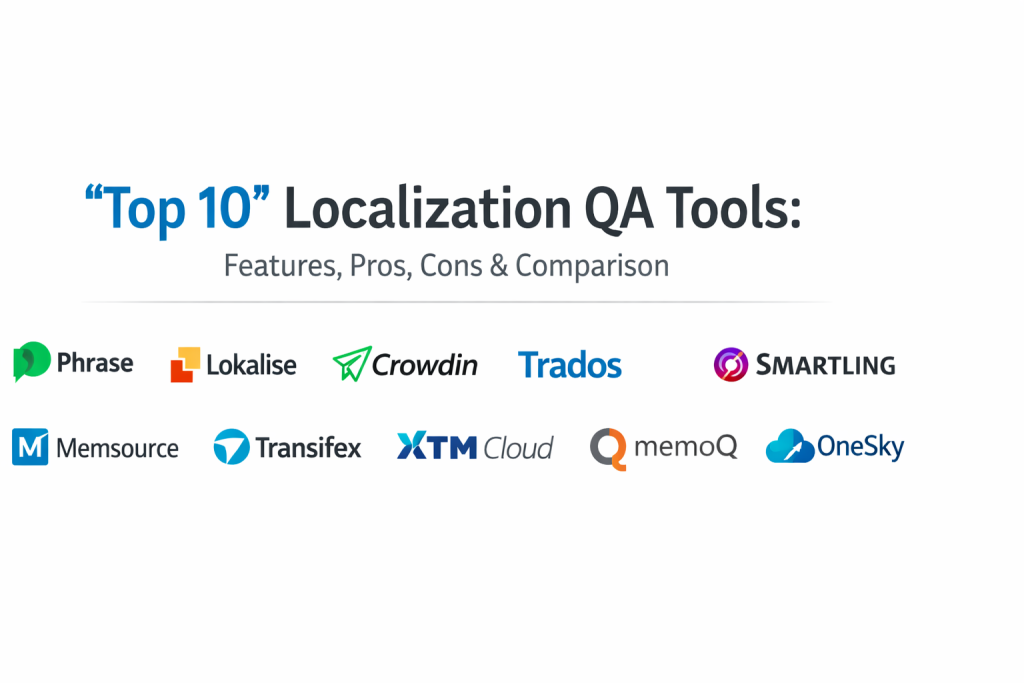
Top 10 Localization QA Tools
1. Phrase (formerly PhraseApp)
Phrase is a highly versatile localization platform known for its strong emphasis on the developer workflow. Its QA features are designed to be fast and non-intrusive, making it a favorite for agile teams who need to maintain quality during rapid deployment cycles.
Key Features
- In-Context Editor: Allows testers to edit translations directly on the website or web app UI.
- Smart Quality Checks: Automatically flags errors like missing tags, mismatched placeholders, and length violations.
- Screenshot Tooling: Testers can upload screenshots and link them to specific strings for visual verification.
- Terminology Enforcement: Real-time glossary checks to ensure translators stay on-brand.
- Custom Verification Rules: Ability to create specialized QA rules tailored to specific project needs.
Pros
- Exceptional user interface that is easy for both developers and translators.
- Strong API and CLI support for automated localization pipelines.
Cons
- Advanced QA features are often locked behind higher-priced enterprise tiers.
- In-context editing can be complex to set up for mobile-specific applications.
Platforms / Deployment
Web / Windows / macOS — Cloud
Security & Compliance
ISO 27001, SOC 2 Type II, and GDPR compliant.
Integrations & Ecosystem
Strongest integration with GitHub, GitLab, Bitbucket, Jira, and various Slack-based notification systems.
Support & Community
Extensive documentation and a professional support team with a strong presence in the European and US markets.
2. Lokalise
Lokalise is a modern, collaborative platform that prioritizes speed and automation. It is particularly famous for its “Visual Context” features, which allow QA testers to see exactly how text looks on mobile screens or web layouts.
Key Features
- Adobe & Figma Integrations: Allows QA to start at the design phase before code is even written.
- Automated LQA: Built-in linguistic quality assurance that runs automatically on every translation change.
- Screenshot Grouping: Automatically maps screenshots to the correct strings using OCR technology.
- Inline Translation Memory: Provides testers with historical data to ensure consistency across the project.
- Custom Workflows: Create specific QA steps that must be completed before a string is marked as “ready.”
Pros
- Unrivaled visual context tools for designers and frontend QA testers.
- Highly intuitive and fast platform that reduces the time spent on manual checks.
Cons
- The pricing model can scale quickly as you add more contributors.
- Some users find the high frequency of updates occasionally changes the UI layout.
Platforms / Deployment
Web / iOS / Android (SDK) — Cloud
Security & Compliance
SOC 2, ISO 27001, and HIPAA compliant options available.
Integrations & Ecosystem
Extensive marketplace including Jira, GitHub, Zendesk, and Contentful.
Support & Community
Very active community and a highly responsive 24/7 support team.
3. Crowdin
Crowdin is a robust localization management system that offers powerful QA features for both community-driven and professional projects. It is widely used by open-source projects and enterprise companies alike.
Key Features
- Pseudo-localization: Generates “fake” translations to test UI layout breaks before actual translation begins.
- Task-Based Workflows: Allows for a strict “Reviewer” and “Proofreader” chain of command.
- Real-Time QA Checks: Flags punctuation, capitalization, and numerical inconsistencies instantly.
- Contextual Highlighting: Shows translators where a string is located within the project file structure.
- LQA Reports: Generates detailed reports on the types of errors found and fixed during the cycle.
Pros
- Highly flexible and supports a massive range of file formats (JSON, XML, CSV, etc.).
- Excellent for managing large-scale community translations alongside professional QA.
Cons
- The interface can be overwhelming due to the sheer number of features.
- Initial project setup and workflow configuration take more time than simpler tools.
Platforms / Deployment
Web — Cloud / Hybrid
Security & Compliance
SOC 2 Type II, ISO 27001, and GDPR compliant.
Integrations & Ecosystem
Over 400 integrations including Google Play, App Store Connect, and VS Code.
Support & Community
Massive community support and extensive knowledge base for technical users.
4. Trados (RWS)
Trados is the “industry standard” for professional translators and agencies. Its QA Checker is one of the most powerful in the world, offering deep linguistic analysis that many modern web-based tools cannot match.
Key Features
- Advanced QA Checker: Extremely granular control over linguistic rules and error detection.
- Terminology Management (MultiTerm): The world’s leading tool for managing complex glossaries.
- PerfectMatch: Automatically identifies previously translated segments that are identical to the new text.
- Verification Reports: Generates professional-grade QA reports for client sign-off.
- Batch QA: Run complex quality checks across thousands of files simultaneously.
Pros
- The most powerful and comprehensive tool for linguistic accuracy and professional LQA.
- Widely used by professional localization agencies worldwide.
Cons
- Traditionally a desktop-heavy application that can feel dated compared to web-first tools.
- Very high learning curve and significant upfront license cost.
Platforms / Deployment
Windows / Web — Self-hosted / Cloud
Security & Compliance
Enterprise-level security with ISO 27001 and GDPR compliance.
Integrations & Ecosystem
Huge ecosystem of third-party plugins available via the RWS AppStore.
Support & Community
Decades of professional community support and dedicated enterprise account management.
5. Smartling
Smartling is an enterprise-focused platform that specializes in automating the localization process for large brands. It offers high-end QA features that focus on brand consistency and visual accuracy.
Key Features
- Visual Context Tooling: Native support for seeing translations on-screen for web, mobile, and even document files.
- Linguistic Asset Management: Centralized control of style guides and glossaries.
- Quality Confidence Score: Uses AI to predict the quality of a translation before a human reviews it.
- Automated Step-based QA: Forces strings through mandatory QA checks before they can be published.
- Screenshot Management: Automated capturing of screenshots from the live application environment.
Pros
- Best-in-class for large enterprises that need a “hands-off” automated QA process.
- Exceptional reporting for managing localization spend and quality metrics.
Cons
- The pricing is geared toward large companies and is often out of reach for smaller teams.
- The platform can be rigid if your workflow doesn’t fit the Smartling model.
Platforms / Deployment
Web — Cloud
Security & Compliance
PCI DSS, SOC 2, HIPAA, and ISO 27001 compliant.
Integrations & Ecosystem
Enterprise-grade connectors for Salesforce, Adobe Experience Manager, and Sitecore.
Support & Community
Dedicated success managers for enterprise clients and extensive training resources.
6. Memsource (Phrase TMS)
Now part of the Phrase ecosystem, Memsource is known for its speed and its pioneering use of AI in localization QA. It is highly effective for large-scale projects where “Machine Translation + Post-Editing” is the primary workflow.
Key Features
- AI Quality Estimation: Flags strings that are likely to have errors based on machine learning models.
- Instant QA: Real-time checking for non-translatables, tags, and formatting.
- Web Editor QA: A clean, browser-based environment for reviewers to perform LQA.
- Automation Widgets: Allows for automatic job creation and QA routing.
- Glossary Enforcement: Prevents the use of forbidden terms during the review phase.
Pros
- Very fast performance, even with extremely large translation memories and files.
- Leading the industry in AI-driven quality assessment.
Cons
- The UI can feel more like a spreadsheet, which is less “visual” than Lokalise.
- Collaborative features are not as “chat-friendly” as some newer competitors.
Platforms / Deployment
Web / Windows / macOS / Linux — Cloud
Security & Compliance
ISO 27001 and GDPR compliant.
Integrations & Ecosystem
Strong connectors for various CMS platforms and cloud storage providers like Dropbox and Drive.
Support & Community
Excellent technical documentation and professional-grade support.
7. Transifex
Transifex is a hub for digital content localization, focusing on web and mobile apps. It offers a “Live” feature that allows QA teams to check and edit translations directly on the production website.
Key Features
- Transifex Live: Real-time in-context testing and editing on live websites.
- Context for Translators: Allows developers to leave notes and attach images to specific strings.
- QA Automation: Automated checks for character limits and code syntax.
- Translation Memory (TM): Leverages historical data to ensure QA consistency over time.
- Team Management: Clear roles for “Reviewers” and “Maintainers” to control the QA flow.
Pros
- One of the best tools for live web localization and rapid visual QA.
- Very strong community support for open-source projects.
Cons
- Can become expensive for high-traffic websites using the “Live” feature.
- Mobile app QA requires more manual effort compared to web projects.
Platforms / Deployment
Web — Cloud
Security & Compliance
SOC 2 Type II and GDPR compliant.
Integrations & Ecosystem
Deep integrations with Python/Django, Ruby on Rails, and modern JavaScript frameworks.
Support & Community
Large and helpful community with a focus on web development.
8. XTM Cloud
XTM Cloud is an enterprise Translation Management System that focuses on scalability and professional linguistic QA. It is highly regarded for its powerful workflow engine and terminology management.
Key Features
- XTM Visual Editor: Provides in-context editing for various file formats including XML and HTML.
- Inter-language QA: Compares translations across multiple target languages for consistency.
- Terminology Management: Integrated system to ensure all QA testers follow the same approved vocabulary.
- LQA Scoring: Allows reviewers to assign “Error Categories” and generate a final quality score.
- Project Automation: Automatically moves files to the next QA stage once current checks are passed.
Pros
- Highly scalable and stable for massive multi-language projects.
- The scoring system is perfect for companies that need to audit their translation vendors.
Cons
- The user interface is functional but lacks the “modern” feel of Lokalise or Vercel-style tools.
- The setup process is complex and usually requires professional onboarding.
Platforms / Deployment
Web — Cloud
Security & Compliance
ISO 27001 and GDPR compliant.
Integrations & Ecosystem
Rich set of APIs and connectors for all major enterprise CMS and VCS systems.
Support & Community
Dedicated enterprise support with high availability and professional services.
9. MemoQ
MemoQ is a favorite among localization professionals for its flexibility and power. Its “QA Settings” are highly customizable, allowing teams to create very specific rules for different types of content.
Key Features
- Customizable QA Profiles: Create different rules for technical manuals vs. creative marketing copy.
- LiveDocs: A unique feature that uses reference documents to help QA testers verify context.
- Term Extraction: Automatically identifies potential new glossary terms during the QA phase.
- Real-time Spell Checking: Integrated professional-grade dictionaries for dozens of languages.
- Consistency Checks: Quickly identifies if the same source string has been translated differently in multiple places.
Pros
- Offers extreme flexibility for complex professional localization projects.
- Strongest “offline” capabilities for QA testers who prefer desktop software.
Cons
- The interface can be intimidating for non-technical users.
- Primarily built for Windows, which may not suit all-Mac creative teams.
Platforms / Deployment
Windows / Web — Self-hosted / Cloud
Security & Compliance
Standard professional security measures with GDPR compliance.
Integrations & Ecosystem
Supports a wide range of third-party plugins and professional translation APIs.
Support & Community
Highly respected in the professional translation community with excellent training webinars.
10. OneSky
OneSky is a specialized platform focused on mobile app and game localization. It offers a unique combination of a management platform and an on-demand service for professional linguistic review.
Key Features
- App Store Integration: Automatically syncs description and metadata for QA across multiple regions.
- On-Demand LQA: Option to hire professional native-speaking testers directly through the platform.
- Visual Context Tools: Simple screenshot management to help testers understand string placement.
- Placeholder Protection: Automatically flags if a developer’s code variables are altered during translation.
- Functional Testing Support: Focuses on how localized text affects the actual usability of the app.
Pros
- The best “all-in-one” solution for mobile developers who don’t have their own QA team.
- Simplifies the complex process of localized App Store optimization.
Cons
- The platform is less feature-rich for web or document-heavy localization projects.
- The interface is simpler than competitors, which might limit advanced enterprise users.
Platforms / Deployment
Web — Cloud
Security & Compliance
Standard data protection and GDPR compliance.
Integrations & Ecosystem
Strongest ties to iOS App Store, Google Play, and various game development engines.
Support & Community
Good support for independent developers and small gaming studios.
Comparison Table (Top 10)
| Tool Name | Best For | Platform(s) Supported | Deployment | Standout Feature | Public Rating |
| 1. Phrase | Agile Development | Web, Windows, macOS | Cloud | In-Context Editor | 4.6/5 |
| 2. Lokalise | Visual Context | Web, iOS, Android | Cloud | OCR Screenshot Mapping | 4.8/5 |
| 3. Crowdin | Multi-file Projects | Web | Hybrid | Pseudo-localization | 4.5/5 |
| 4. Trados | Professional Agencies | Windows, Web | Self-hosted | MultiTerm System | 4.3/5 |
| 5. Smartling | Enterprise Brands | Web | Cloud | AI Quality Scoring | 4.4/5 |
| 6. Memsource | AI-driven QA | Web, Windows, macOS | Cloud | AI Quality Estimation | 4.5/5 |
| 7. Transifex | Live Web Localization | Web | Cloud | Transifex Live Editing | 4.4/5 |
| 8. XTM Cloud | Vendor Auditing | Web | Cloud | LQA Scoring Metrics | 4.2/5 |
| 9. MemoQ | Complex Content | Windows, Web | Cloud | Customizable QA Profiles | 4.6/5 |
| 10. OneSky | Mobile & Games | Web | Cloud | On-Demand Native Testers | 4.1/5 |
Evaluation & Scoring of Localization QA Tools
| Tool Name | Core (25%) | Ease (15%) | Integrations (15%) | Security (10%) | Perf (10%) | Support (10%) | Value (15%) | Total |
| 1. Phrase | 9 | 9 | 10 | 9 | 9 | 8 | 8 | 8.9 |
| 2. Lokalise | 9 | 10 | 9 | 9 | 9 | 10 | 7 | 8.9 |
| 3. Crowdin | 9 | 7 | 9 | 9 | 8 | 9 | 8 | 8.3 |
| 4. Trados | 10 | 4 | 8 | 10 | 8 | 9 | 6 | 7.8 |
| 5. Smartling | 9 | 7 | 10 | 10 | 8 | 9 | 6 | 8.1 |
| 6. Memsource | 8 | 8 | 9 | 9 | 10 | 8 | 8 | 8.4 |
| 7. Transifex | 8 | 9 | 8 | 9 | 8 | 8 | 8 | 8.2 |
| 8. XTM Cloud | 9 | 5 | 8 | 9 | 8 | 8 | 7 | 7.4 |
| 9. MemoQ | 9 | 6 | 8 | 8 | 9 | 8 | 8 | 7.9 |
| 10. OneSky | 7 | 9 | 7 | 7 | 8 | 7 | 9 | 7.6 |
The scoring here reflects professional benchmarks. A high “Core” score indicates the platform’s ability to handle the most demanding production tasks. “Value” scores prioritize platforms that offer the most feature-depth for their price point, while “Ease” scores identify tools that allow for the fastest team onboarding.
Which Localization QA Tool Is Right for You?
Solo / Freelancer
For an independent developer or translator, Crowdin offers a generous free tier for open-source projects, and OneSky provides simple on-demand services that don’t require a monthly commitment for small app releases.
SMB
Small teams that need to move fast should consider Phrase or Lokalise. Their ease of use and automated integration with design tools like Figma mean you can catch localization issues before the code even reaches the QA stage.
Mid-Market
For growing companies with multiple digital products, Memsource (Phrase TMS) or Transifex offer a perfect balance of AI automation and professional review tools that can handle increasing content volumes without breaking the budget.
Enterprise
At the enterprise level, Smartling and XTM Cloud are the clear leaders due to their deep security protocols, compliance certifications, and ability to handle complex vendor management and legal workflows.
Budget vs Premium
If the goal is to keep costs low, Crowdin and OneSky offer the most flexible pricing. For teams that prioritize service depth and enterprise support, Smartling and Trados provide the premium experience required for high-stakes projects.
Feature Depth vs Ease of Use
Trados and MemoQ offer the deepest features for linguistic professionals but require significant training. Lokalise and Phrase prioritize the modern developer experience, making Localization QA almost invisible to the rest of the team.
Integrations & Scalability
If your product is built on a modern JS stack and scales globally, Lokalise offers the best integrations. For companies with a legacy enterprise stack (Adobe, Salesforce), Smartling provides the most robust connections.
Security & Compliance Needs
Enterprises with high compliance needs (Medical, Legal, Finance) should stick with Trados, Smartling, or Phrase, as they offer the most verified security frameworks and dedicated data residency options.
Frequently Asked Questions (FAQs)
1. What is the difference between translation and Localization QA?
Translation is the act of converting text from one language to another. Localization QA is the process of testing that translated content within the actual UI to ensure it fits, works, and makes sense culturally.
2. Why do I need a specific tool for Localization QA?
Standard testing tools don’t understand text expansion, character encoding issues, or cultural context. Localization QA tools provide visual previews and automated linguistic checks that generic tools miss.
3. What is “Pseudo-localization”?
It is a technique where you replace text with fake, elongated characters to see if the UI layout will break before you spend money on actual translations.
4. Can these tools detect cultural offenses?
While some AI features can flag potentially sensitive terms, most tools rely on native-speaking reviewers. The tool’s job is to provide the reviewer with the context to make that call easily.
5. Do I need to provide screenshots manually?
Many modern tools like Lokalise and Smartling can automatically capture and upload screenshots from your app, mapping them to the correct strings using OCR.
6. What is “text expansion” and why is it a bug?
Languages like German or Finnish can be 30-50% longer than English. If your UI doesn’t allow for this, the text will be cut off or overlap with other buttons, which is a major localization bug.
7. Is it better to have QA inside the translation tool or as a separate step?
Modern “Shift-Left” logic suggests that QA should happen during translation. Having QA features integrated into the Translation Management System (TMS) saves time and prevents errors from reaching production.
8. Can I use these tools for mobile games?
Yes, tools like OneSky and Crowdin have specialized features for game developers, including support for specialized file formats and localized app store metadata.
9. How do these tools help with Right-to-Left (RTL) languages?
They flag directionality issues and allow testers to verify that the entire UI has been mirrored correctly for languages like Arabic or Hebrew.
10. Do I need to be a developer to use these tools?
While developers set up the integrations, the daily users are typically localization managers, translators, and QA testers. Most modern tools are designed to be user-friendly for non-technical staff.
Conclusion
Implementing a robust Localization QA process is no longer optional for businesses with global ambitions. The right tool not only catches linguistic errors but also ensures that your software remains functional and visually appealing across all regions. From the visual context of Lokalise to the enterprise-grade robustness of Smartling, each of these ten tools provides a path toward high-quality, continuous globalization. By automating the technical side of LQA, you allow your creative and linguistic teams to focus on what truly matters: creating a product that feels like it was built specifically for the local user. I recommend starting with a “Pseudo-localization” test on your current UI using a trial of Phrase or Crowdin. This will immediately show you where your layout might break in languages like German or Arabic, providing a clear starting point for your localization quality strategy.

Best Cardiac Hospitals Near You
Discover top heart hospitals, cardiology centers & cardiac care services by city.
Advanced Heart Care • Trusted Hospitals • Expert Teams
View Best Hospitals