Introduction
Mac management has shifted from being a niche requirement to a core competency for modern enterprise IT. As the “Apple at Work” movement continues to gain momentum, organizations can no longer rely on Windows-centric tools to manage their fleet of macOS devices. Modern Apple device management relies on the Mobile Device Management (MDM) framework—a proprietary protocol built by Apple that allows IT administrators to securely and wirelessly configure devices. Whether it is a small creative agency or a global enterprise, the goal is to provide a seamless, “zero-touch” deployment experience where a user can unbox a Mac, sign in, and have all their corporate apps and security policies configured automatically.
Managing a Mac is about more than just pushing software updates. It involves balancing the high expectations of users—who value privacy and a frictionless experience—with the rigorous security demands of the corporate world. The tools we evaluate today have evolved to support complex tasks like automated patch management, identity-driven login screens, and deep visibility into system health, all while maintaining the elegant user experience that defines the Apple ecosystem.
Best for: IT managers, system administrators, and security operations teams who need to oversee a growing fleet of macOS, iOS, and iPadOS devices with high levels of automation and security compliance.
Not ideal for: Organizations that are strictly Windows-based with no plans for Apple integration, or very small teams that prefer to manually configure each machine one by one.
Key Trends in Mac Management Tools
- Zero-Touch Deployment: The integration of Apple Business Manager (ABM) with MDM allows devices to be shipped directly from the factory to the user and configured automatically upon first boot.
- Declarative Device Management (DDM): A shift where the Mac itself becomes “smarter,” proactively updating its own state and reporting back to the server only when changes occur, reducing server load and increasing reliability.
- Platform SSO: Modern tools are moving toward a unified login experience where the local Mac user account is directly tied to the organization’s identity provider, such as Okta or Azure AD.
- Automated Patch Management: Third-party catalog integration allows admins to update non-App Store apps like Chrome, Zoom, and Slack without manual packaging.
- Enhanced Security Scripting: The ability to run advanced shell scripts in the background to remediate security vulnerabilities without interrupting the user.
- Endpoint Detection and Response (EDR) Integration: Many Mac management tools are now bundling security features that monitor for malicious behavior specifically tailored to macOS-specific threats.
- Compliance-as-Code: Tools now allow admins to define security baselines (like CIS or NIST) and automatically bring non-compliant Macs back into alignment.
- Self-Service Portals: A move toward giving users an “App Store-like” experience where they can download approved software and run maintenance scripts without needing admin rights.
How We Selected These Tools
- Native Apple Integration: We prioritized tools that utilize the official Apple MDM framework and support Apple Business Manager.
- Ease of Enrollment: The ability to support automated device enrollment and user-initiated enrollment was a key factor.
- Inventory and Reporting: We looked for platforms that provide deep hardware and software inventory data for audit and compliance purposes.
- Security and Patching: Evaluation was based on how easily the tool can manage macOS updates and third-party application patching.
- Identity Integration: We selected tools that offer robust support for linking local Mac accounts to corporate identity providers.
- Scalability and Reliability: Preference was given to platforms known for handling large-scale deployments without performance degradation.
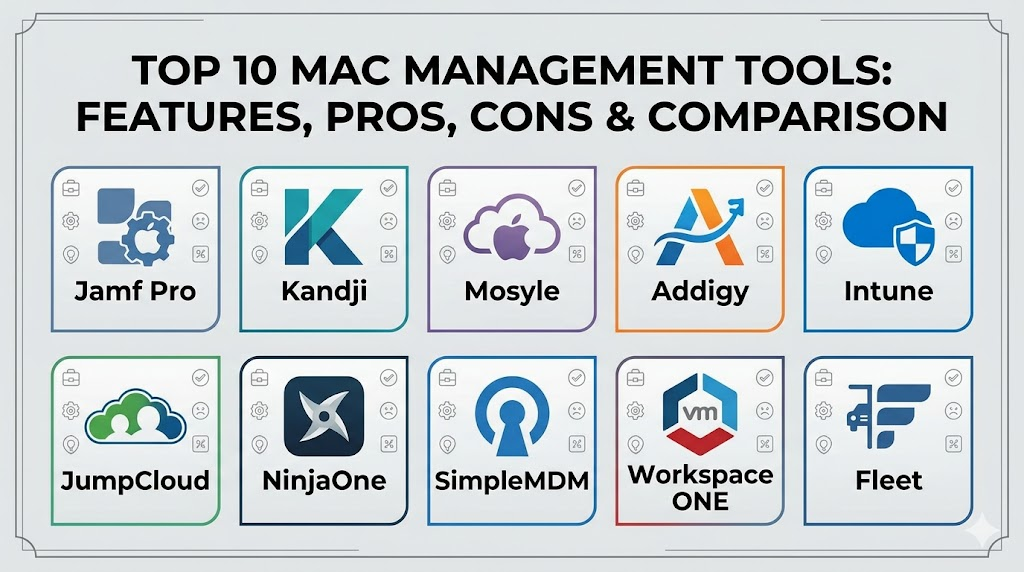
Top 10 Mac Management Tools
1. Jamf Pro
Widely considered the gold standard for Apple management, Jamf Pro is used by the world’s largest organizations to manage millions of Mac devices. It offers the most comprehensive feature set for complex environments that require deep customization and high-level automation.
Key Features
- Advanced “Smart Groups” that automate management tasks based on real-time device criteria.
- Self-Service portal that allows users to install apps and run scripts on demand.
- Deep integration with Jamf Connect for identity-based Mac logins.
- Extensive API support for connecting to other enterprise systems.
- Robust patch management for third-party software applications.
Pros
- The most powerful and flexible tool in the Mac management space.
- Largest community of Mac admins (Jamf Nation) for troubleshooting and scripts.
Cons
- Higher price point compared to most other MDM solutions.
- Can be complex for beginners to set up correctly.
Platforms / Deployment
macOS / iOS / iPadOS / tvOS
Cloud / On-premises
Security & Compliance
SSO/SAML, MFA, and extensive audit logs.
SOC 2 / ISO 27001 compliant.
Integrations & Ecosystem
Integrates with almost every major IT tool, including Microsoft Intune, Okta, Azure AD, and various EDR solutions.
Support & Community
Industry-leading support and a massive online community with thousands of active contributors.
2. Kandji
Kandji is a modern, cloud-first MDM designed for organizations that want the power of a top-tier tool without the complexity of legacy systems. It focuses on “Blueprints” to automate security and configuration.
Key Features
- Automated migration tools for moving from other MDM platforms.
- Pre-built compliance templates for CIS and other security standards.
- Global library of popular apps that stay updated automatically.
- Proprietary agent that runs on the Mac for advanced remediation.
- Self-service app for user-led software installation.
Pros
- Extremely intuitive and visually appealing administrative interface.
- Rapid feature development that stays ahead of Apple’s OS updates.
Cons
- Less flexibility for highly niche, custom scripting compared to Jamf.
- Pricing is positioned at the premium end of the market.
Platforms / Deployment
macOS / iOS / iPadOS / tvOS
Cloud
Security & Compliance
Single sign-on via major providers and automated security monitoring.
SOC 2 compliant.
Integrations & Ecosystem
Strong connections with Slack, Okta, and Microsoft 365 for automated alerts and identity management.
Support & Community
High-quality, responsive support with a focus on enterprise-level service.
3. Mosyle Business
Mosyle has gained a massive following by offering a highly competitive price point without sacrificing the professional-grade features needed to manage a fleet of Macs.
Key Features
- Integrated Mac endpoint security (antivirus and threat detection) built into the MDM.
- Automated patching for a vast library of third-party macOS applications.
- Advanced identity management for linking local accounts to cloud directories.
- Comprehensive inventory and real-time reporting.
- “Zero-touch” deployment support for Apple Business Manager.
Pros
- Incredible value for the price, making it a favorite for SMBs.
- Fast, lightweight interface that is easy to navigate.
Cons
- Support is primarily ticket-based rather than phone-based.
- Some enterprise-grade features require their “Fuse” tier, which increases cost.
Platforms / Deployment
macOS / iOS / iPadOS / tvOS
Cloud
Security & Compliance
Built-in encryption management and system-wide security hardening.
Not publicly stated.
Integrations & Ecosystem
Works well with Google Workspace, Microsoft 365, and major identity providers.
Support & Community
Strong online documentation and a responsive ticket-based support team.
4. Addigy
Addigy is a multi-tenant Mac management platform that is particularly popular with Managed Service Providers (MSPs) and internal IT teams who need real-time control over their devices.
Key Features
- Real-time live terminal access to any managed Mac without user interruption.
- Multi-tenant architecture for managing different departments or clients.
- Built-in monitoring and alerting for system health and performance.
- Automated maintenance scripts and policy enforcement.
- Integrated remote control features for troubleshooting.
Pros
- The best tool for admins who need “hands-on” remote terminal access.
- Very flexible scripting and customization options.
Cons
- The interface can feel less modern than some newer competitors.
- Requires a bit more manual work to set up “zero-touch” compared to Kandji.
Platforms / Deployment
macOS / iOS / iPadOS / tvOS
Cloud
Security & Compliance
Compliance monitoring and automated remediation of security settings.
SOC 2 compliant.
Integrations & Ecosystem
Integrates with major MSP tools like ConnectWise and Autotask, as well as identity providers.
Support & Community
Very active developer community and dedicated support for MSP partners.
5. Microsoft Intune
While historically a Windows tool, Microsoft Intune has invested heavily in macOS management to allow organizations to manage their entire device fleet from a single console.
Key Features
- Unified management of Windows, Android, and Apple devices in one place.
- Conditional Access policies that ensure only compliant Macs can access Office 365.
- Support for macOS shell scripts and custom configuration profiles.
- Integration with Apple Business Manager for automated enrollment.
- Managed software distribution through the Company Portal app.
Pros
- Usually included in existing Microsoft 365 licenses, providing great cost efficiency.
- One single pane of glass for all operating systems.
Cons
- macOS features often lag behind dedicated “Apple-only” MDM tools.
- The interface can be overwhelming due to the sheer volume of Windows settings.
Platforms / Deployment
macOS / iOS / iPadOS / Windows / Android
Cloud
Security & Compliance
Integration with Microsoft Entra ID (formerly Azure AD) and Defender for Endpoint.
ISO 27001 / SOC 2 compliant.
Integrations & Ecosystem
Unrivaled integration with the Microsoft 365 suite and Azure cloud services.
Support & Community
Extensive enterprise support and a global network of Microsoft certified professionals.
6. JumpCloud
JumpCloud is a Directory-as-a-Service that includes built-in MDM. It is unique because it manages the user identity and the device itself in one unified platform.
Key Features
- Cloud-based directory that replaces on-premises Active Directory.
- Cross-platform management for macOS, Windows, and Linux.
- Automated user provisioning and deprovisioning.
- Built-in MFA and password management for the local Mac login.
- Policy templates for quickly securing a fleet of Macs.
Pros
- Perfect for companies that want one tool to handle both users and devices.
- Excellent for remote teams that don’t want to manage a traditional office network.
Cons
- MDM features are not as deep as specialized tools like Jamf.
- Managing complex Apple-specific features can be less intuitive.
Platforms / Deployment
macOS / Windows / Linux / iOS / Android
Cloud
Security & Compliance
Strong focus on Zero Trust security and identity-based access.
SOC 2 / GDPR compliant.
Integrations & Ecosystem
Works as a central hub for hundreds of SaaS apps and cloud service providers.
Support & Community
Solid documentation and a growing community of cloud-forward IT admins.
7. NinjaOne
NinjaOne (formerly NinjaRMM) is a unified IT management platform that has expanded its macOS capabilities to provide a complete monitoring and management solution for mixed environments.
Key Features
- Real-time monitoring of Mac hardware health, disk space, and performance.
- Integrated remote desktop for quick user support.
- Automated patch management for macOS and common third-party apps.
- Background script execution for silent maintenance.
- Detailed reporting for inventory and executive summaries.
Pros
- Excellent for IT teams that need to keep a close eye on hardware health.
- Very fast and responsive administrative console.
Cons
- MDM-specific features are newer and less mature than legacy Apple tools.
- Primarily designed for MSPs, which might not fit every internal IT team.
Platforms / Deployment
macOS / Windows / Linux
Cloud
Security & Compliance
Role-based access control and detailed activity logs for admins.
SOC 2 compliant.
Integrations & Ecosystem
Integrates with various documentation, ticketing, and antivirus platforms.
Support & Community
Highly rated for its customer support and user-friendly onboarding.
8. SimpleMDM
As the name suggests, SimpleMDM is built for ease of use. It provides a clean, fast, and no-nonsense approach to managing Apple devices for organizations that want to get up and running quickly.
Key Features
- Native integration with Munki for powerful third-party software management.
- Support for all standard Apple MDM commands and configuration profiles.
- Automated device enrollment via Apple Business Manager.
- Clean API for developers to automate management tasks.
- Real-time tracking of device locations and status.
Pros
- One of the fastest interfaces in the industry.
- Very transparent pricing and easy-to-understand features.
Cons
- Lacks some of the “advanced” security and identity features of higher-end tools.
- Interface might feel too basic for large enterprise teams.
Platforms / Deployment
macOS / iOS / iPadOS / tvOS
Cloud
Security & Compliance
Standard MDM security features including remote wipe and lock.
Not publicly stated.
Integrations & Ecosystem
Known for its excellent integration with Munki and other open-source Mac management tools.
Support & Community
Knowledgeable and technical support team that understands the Apple ecosystem deeply.
9. VMware Workspace ONE
VMware’s offering is a powerful Unified Endpoint Management (UEM) platform that provides a high level of security for the “digital workspace.”
Key Features
- Intelligent Hub app that acts as a single point for apps, notifications, and support.
- Conditional access based on device compliance and user risk.
- Advanced analytics for measuring user experience and system performance.
- Support for managing both corporate and personal (BYOD) devices.
- Deep integration with virtual desktop infrastructure (VDI).
Pros
- Exceptional for organizations that have a mix of virtual and physical devices.
- High-level security features for regulated industries.
Cons
- Extremely steep learning curve for administrators.
- Can be very expensive and overkill for smaller teams.
Platforms / Deployment
macOS / Windows / Android / iOS / Linux
Cloud / Hybrid
Security & Compliance
Strong identity management and data loss prevention features.
SOC 2 / ISO 27001 compliant.
Integrations & Ecosystem
Integrates perfectly with the entire VMware software-defined data center suite.
Support & Community
Professional global support with extensive documentation and training paths.
10. Fleet Device Management
Fleet is an open-source platform built on osquery, providing unparalleled visibility into the “state” of every Mac in your organization. It is a favorite for security-focused teams and developers.
Key Features
- Based on osquery, allowing admins to query their Macs using standard SQL.
- Real-time visibility into every process, file, and system setting on the Mac.
- Lightweight agent that has minimal impact on system performance.
- GitOps-friendly configuration management for “infrastructure as code” fans.
- Open-source core that can be self-hosted for total data control.
Pros
- The absolute best tool for deep security forensic data.
- Completely transparent and customizable due to its open-source nature.
Cons
- Requires a high level of technical skill (SQL and terminal) to use effectively.
- Lacks the “point-and-click” simplicity of tools like Kandji or Mosyle.
Platforms / Deployment
macOS / Windows / Linux
Self-hosted / Cloud
Security & Compliance
Unmatched auditing and forensic capabilities for security teams.
Not publicly stated.
Integrations & Ecosystem
Integrates with security pipelines like ELK, Splunk, and Snowflake.
Support & Community
Strong developer community and professional support available for enterprise users.
Comparison Table
| Tool Name | Best For | Platform(s) Supported | Deployment | Standout Feature | Public Rating |
| 1. Jamf Pro | Large Enterprise | macOS, iOS, tvOS | Hybrid | Smart Groups | N/A |
| 2. Kandji | Modern Automation | macOS, iOS, tvOS | Cloud | Blueprints | N/A |
| 3. Mosyle | SMB / Value | macOS, iOS, tvOS | Cloud | Integrated Security | N/A |
| 4. Addigy | MSPs / Real-time | macOS, iOS, tvOS | Cloud | Live Terminal | N/A |
| 5. Intune | Microsoft Shops | macOS, Win, Android | Cloud | Conditional Access | N/A |
| 6. JumpCloud | Identity + MDM | macOS, Win, Linux | Cloud | Cloud Directory | N/A |
| 7. NinjaOne | Mixed RMM | macOS, Win, Linux | Cloud | Health Monitoring | N/A |
| 8. SimpleMDM | Ease of Use | macOS, iOS, tvOS | Cloud | Munki Integration | N/A |
| 9. Workspace ONE | Unified / VDI | macOS, Win, Mobile | Hybrid | Intelligent Hub | N/A |
| 10. Fleet | Security Forensics | macOS, Win, Linux | Self-hosted | SQL Queries | N/A |
Evaluation & Scoring
| Tool Name | Core (25%) | Ease (15%) | Integrations (15%) | Security (10%) | Perf (10%) | Support (10%) | Value (15%) | Total |
| 1. Jamf Pro | 10 | 5 | 10 | 9 | 8 | 10 | 6 | 8.25 |
| 2. Kandji | 9 | 9 | 8 | 9 | 10 | 9 | 7 | 8.60 |
| 3. Mosyle | 8 | 8 | 8 | 8 | 9 | 7 | 10 | 8.15 |
| 4. Addigy | 8 | 6 | 7 | 8 | 9 | 8 | 7 | 7.40 |
| 5. Intune | 7 | 6 | 10 | 9 | 7 | 9 | 9 | 7.85 |
| 6. JumpCloud | 7 | 8 | 9 | 9 | 8 | 8 | 8 | 7.95 |
| 7. NinjaOne | 7 | 7 | 8 | 8 | 9 | 9 | 8 | 7.70 |
| 8. SimpleMDM | 8 | 10 | 7 | 7 | 9 | 8 | 8 | 8.05 |
| 9. Workspace ONE | 9 | 4 | 9 | 10 | 8 | 8 | 5 | 7.50 |
| 10. Fleet | 6 | 3 | 9 | 10 | 10 | 7 | 9 | 7.30 |
The evaluation scores are based on the comparative strengths of each platform within the Apple ecosystem. A tool like Kandji scores highly because it combines powerful automation with an exceptionally easy user interface, which is a major trend. Microsoft Intune and Jamf Pro score highly on integrations because they are the “standard” in most enterprise environments. It is important to remember that a lower total score often reflects a specialized tool (like Fleet) that is incredibly powerful for security but lacks the broad “ease of use” expected by a general IT manager.
Which Mac Management Tool Is Right for You?
Solo / Freelancer
If you are managing only a few machines, Mosyle Business or SimpleMDM are excellent choices. They provide a low-cost entry point and allow you to learn the basics of MDM without being overwhelmed by enterprise complexity.
SMB
Small to medium businesses should look at Kandji or Mosyle. These tools prioritize “out of the box” security and automation, allowing a small IT team to manage a large number of Macs without needing to write extensive custom code.
Mid-Market
For companies with 100 to 500 Macs, JumpCloud is a strong contender if you also need to manage user identities. If you already have an identity provider like Okta, Kandji or Jamf Pro are the most reliable choices for scaling.
Enterprise
Large organizations with thousands of Macs should default to Jamf Pro or VMware Workspace ONE. These platforms offer the depth of API support and global scalability that massive corporations require for compliance and security auditing.
Budget vs Premium
Mosyle and SimpleMDM represent the best value in the market. Jamf Pro and Kandji are premium solutions that command a higher price for their advanced automation and high-touch support.
Feature Depth vs Ease of Use
Jamf Pro offers the most depth but requires significant training. Kandji and SimpleMDM prioritize ease of use, allowing you to secure your fleet in a single afternoon.
Integrations & Scalability
Microsoft Intune is the clear winner for organizations that want to manage everything in one place. For “Apple-first” environments, Jamf Pro remains the most integrated and scalable platform available.
Security & Compliance Needs
If your team is focused on forensics and “Zero Trust,” Fleet and JumpCloud provide the best identity and data visibility. For meeting rigid standards like SOC 2, Kandji’s pre-built compliance templates are an industry favorite.
Frequently Asked Questions (FAQs)
1. What is Apple Business Manager (ABM)?
It is a free web portal from Apple that allows IT admins to buy devices in bulk and link them to their MDM server for automated, zero-touch deployment.
2. Can I manage a Mac without a Mobile Device Management (MDM) tool?
While you can manually configure a Mac, it is impossible to enforce security policies or deploy software silently at scale without an MDM framework.
3. Does MDM slow down my Mac?
No, the MDM framework is built into the macOS operating system and uses almost zero system resources. It only activates when the server sends a command.
4. Can my employer see my files through an MDM?
Generally, MDM allows admins to see system information and installed apps, but it does not give them the ability to read your personal files or see your screen without additional software.
5. What is “Zero-Touch Deployment”?
It is a process where a device is shipped from the supplier to the user’s home, and upon turning it on, it automatically enrolls in the company’s management system via the internet.
6. Do I still need an antivirus if I have an MDM?
Yes, MDM manages settings and configurations, while an antivirus (or EDR) monitors the system for malicious software and behavior in real-time.
7. Can I use a Windows management tool to manage a Mac?
You can, but it is often inefficient. Tools like Intune use the Apple MDM framework, but “Apple-only” tools usually offer more specific features and faster support for new macOS updates.
8. What happens if a managed Mac is stolen?
If the device is enrolled in an MDM, an admin can remotely lock the device or wipe all data as soon as it connects to the internet.
9. Is Apple Business Manager available in every country?
Most major markets are supported, but you should check Apple’s official list to ensure it is available in your specific region before purchasing devices.
10. How long does it take to learn how to use a Mac MDM?
Basic tools like Kandji can be learned in a few hours. Mastering Jamf Pro and advanced scripting can take several months of dedicated practice.
Conclusion
Mac management is no longer an optional “extra” but a vital component of a secure and modern IT infrastructure. The transition from manual configuration to automated, identity-aware management has transformed the way employees interact with their devices. By choosing the right tool—whether it is the powerhouse of Jamf, the automation of Kandji, or the unified simplicity of Intune—organizations can ensure that their Mac users are productive, secure, and supported from anywhere in the world. As Apple continues to innovate with declarative management and hardware-level security, staying informed and using the right platform is the only way to truly leverage the power of macOS in the enterprise.

Best Cardiac Hospitals Near You
Discover top heart hospitals, cardiology centers & cardiac care services by city.
Advanced Heart Care • Trusted Hospitals • Expert Teams
View Best Hospitals