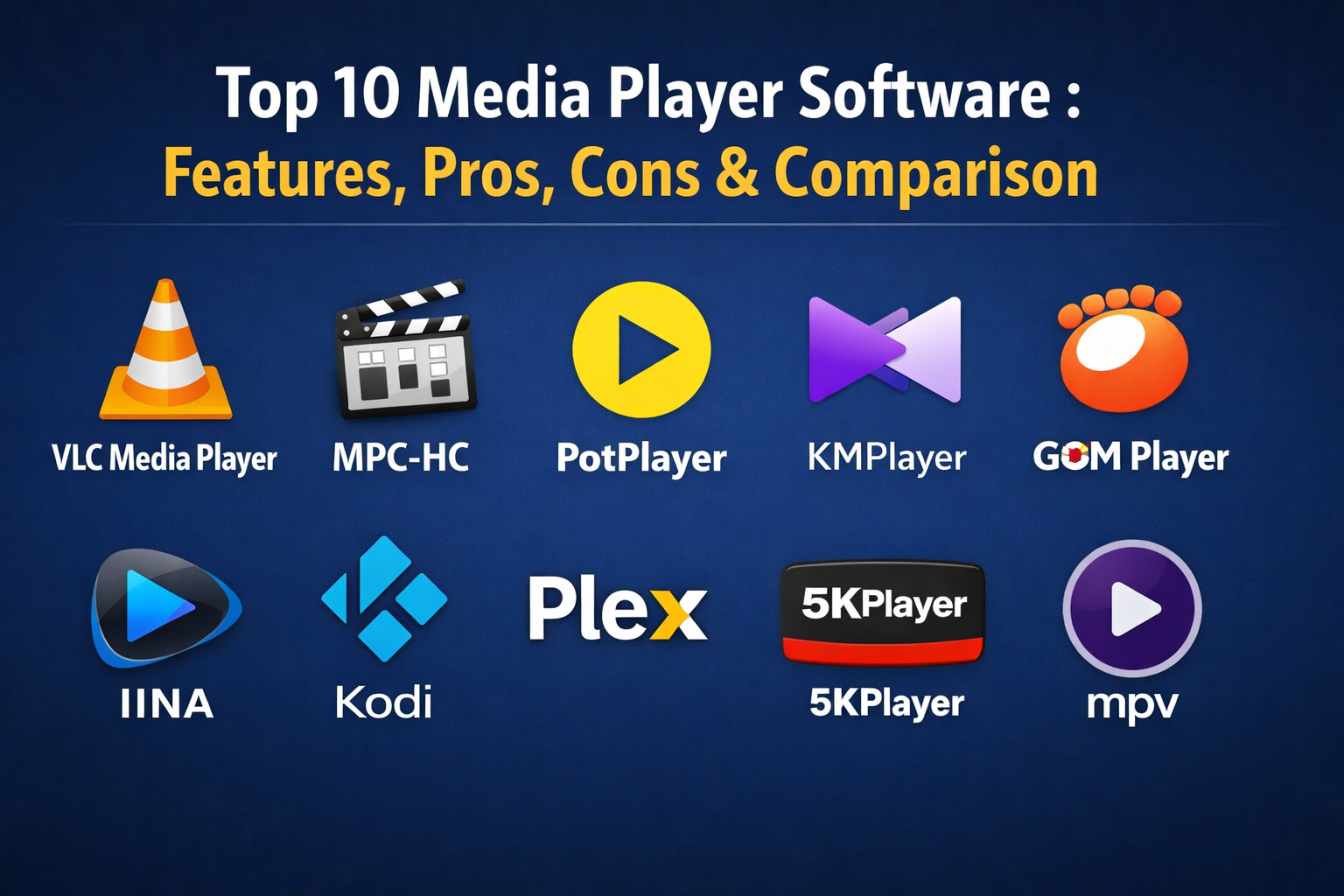
Introduction
Media player software refers to a category of computer applications designed to play back multimedia files, including video, audio, and sometimes physical discs like DVDs and Blu-rays. These tools act as the interface between your digital files and your hardware, using specialized codecs to translate encoded data into the images and sounds you experience. While most operating systems come with a basic built-in player, third-party media players are essential for users who require broader format support, advanced playback controls, and higher audio-visual fidelity.
In the current digital environment, media players have evolved to handle much more than just local files. They are now central hubs for streaming online content, managing massive metadata-rich libraries, and even synchronizing media across multiple devices in a home network. Whether you are a cinephile looking for 4K HDR playback, a music lover with a high-resolution lossless collection, or a professional needing to review various video formats, having the right media player is the key to a seamless entertainment experience.
Real-World Use Cases
- Home Cinema Setup: Playing high-definition 4K and 8K video files with surround sound passthrough to external speakers.
- Music Library Management: Organizing and playing back thousands of audio tracks in various formats like MP3, FLAC, and WAV.
- Professional Video Review: Using frame-by-frame controls and technical metadata displays to inspect video quality and subtitles.
- Network Streaming: Accessing media stored on a Network Attached Storage (NAS) device and streaming it to a laptop or television.
- Legacy Media Playback: Using a modern computer to view older physical media like DVDs or specialized file types that modern browsers cannot open.
Evaluation Criteria for Buyers
- Codec Support: The ability to play a wide variety of formats (MKV, MP4, AVI, FLAC) without needing to install extra codec packs.
- Hardware Acceleration: How efficiently the software uses your CPU and GPU to play high-resolution video without lagging.
- Customization & Skins: The ability to change the look and feel of the player to match your personal preference.
- Subtitle Management: Support for various subtitle formats and the ability to sync or download them directly within the app.
- Audio Enhancement: Availability of equalizers, spatial sound options, and volume normalization features.
- Resource Impact: How much system memory and processing power the application consumes during playback.
- Cross-Platform Availability: Whether the software works across different devices like Windows, macOS, and mobile.
Best for: General users seeking a reliable way to watch movies, audiophiles with high-fidelity music collections, and power users who need advanced playback and network features.
Not ideal for: Users who only watch content via web browsers or dedicated streaming apps (like Netflix or Spotify) and do not maintain a local library of digital files.
Key Trends in Media Player Software
- 4K and 8K Ultra-HD Optimization: Modern players are being rebuilt to handle massive resolutions with high bitrates while maintaining smooth performance.
- HDR (High Dynamic Range) Support: Increasing focus on accurately rendering HDR10, Dolby Vision, and HLG content for lifelike colors and contrast.
- AI-Powered Upscaling: Using machine learning algorithms to improve the quality of lower-resolution videos in real-time.
- Unified Media Servers: A shift toward players that act as “clients” for central home servers, allowing for a Netflix-like experience with local files.
- Spatial Audio Integration: Native support for Dolby Atmos and DTS:X, providing an immersive 3D sound experience through headphones or speakers.
- Cloud Integration: The ability to play media directly from cloud storage providers like Google Drive or Dropbox without downloading the full file.
- Privacy-First Playback: Growing demand for players that do not track viewing habits or require an internet connection to function.
- Modernized User Interfaces: Moving away from the cluttered layouts of the past toward clean, minimalist designs that focus on the content.
How We Selected These Tools
Our selection process for the top ten media players involved a deep dive into the current landscape of digital playback technology. We focused on several key performance indicators, including format versatility, system stability, and user interface design. We looked for software that has maintained a consistent record of updates to ensure compatibility with modern hardware and file types. The methodology prioritized “open-source” staples known for their reliability alongside “premium” or specialized players that cater to specific high-end needs. Community feedback, security history, and the absence of intrusive bloatware were also significant factors in our final evaluation.
Top 10 Media Player Software Tools
1. VLC Media Player
VLC is the most recognized name in the world of media players. It is a free, open-source, and cross-platform tool that is famous for its ability to play “anything you throw at it.” It requires no additional codecs and is highly customizable for both casual and advanced users.
Key Features
- Universal Format Support: Plays virtually every video and audio format including MKV, MP4, and FLAC.
- Hardware Decoding: Uses the GPU for faster decoding of high-resolution streams.
- Advanced Subtitle Support: Allows for manual syncing, formatting, and downloading of subtitles.
- Network Streaming: Can stream content from URLs, local networks, and capture devices.
- Built-in Filters: Includes video and audio effects like equalizers, cropping, and de-interlacing.
Pros
- Completely free with no ads, tracking, or “pro” versions.
- Extremely lightweight and works on almost any hardware.
Cons
- The default user interface can look dated to some users.
- Advanced settings are buried in complex menus.
Platforms / Deployment
Windows / macOS / Linux / iOS / Android — Self-hosted
Security & Compliance
Open-source with regular security patches and no data harvesting.
Integrations & Ecosystem
Integrates with almost any desktop environment and supports various streaming protocols.
Support & Community
A massive global community of users and developers providing extensive documentation.
2. MPC-HC (Media Player Classic – Home Cinema)
MPC-HC is a lightweight, open-source player that mimics the look of the old Windows Media Player but includes modern power. It is highly valued for its extreme efficiency and “no-nonsense” approach to playback.
Key Features
- Ultra-Lightweight Design: Consumes very little system memory, making it ideal for older PCs.
- Custom Codec Support: Works exceptionally well with external filters like LAV Filters.
- DVB Support: Can be used to watch and record television if a TV tuner is present.
- Portable Version: Can be run from a USB drive without installation.
- Toolbar Customization: Users can change the skin of the playback controls easily.
Pros
- The fastest loading times of any major media player.
- Very stable for high-bitrate 4K playback on Windows.
Cons
- Only available for Windows users.
- Official development ended, though community-maintained versions exist.
Platforms / Deployment
Windows — Self-hosted
Security & Compliance
Not publicly stated; community-vetted open source.
Integrations & Ecosystem
Often used in combination with the K-Lite Codec Pack for maximum compatibility.
Support & Community
Smaller but dedicated community of Windows enthusiasts and power users.
3. PotPlayer
PotPlayer is a feature-rich player developed by the South Korean company Kakao. It is known for its incredible range of settings and its ability to handle 3D and 360-degree video content better than most other players.
Key Features
- Enhanced Hardware Acceleration: Provides smooth playback using DXVA, CUDA, and QuickSync.
- 3D & 360-Degree Support: Dedicated modes for immersive video content.
- Screen Capture: Built-in tools to record snippets of video or take high-quality screenshots.
- Visualizations: A wide variety of music visualizations for audio playback.
- Bookmark System: Allows users to mark specific scenes in a video for quick access.
Pros
- Highly modern and sleek interface with many skin options.
- Supports almost every advanced video feature currently available.
Cons
- Only available on the Windows platform.
- The installer sometimes includes suggested software (requires careful installation).
Platforms / Deployment
Windows — Self-hosted
Security & Compliance
Varies / N/A.
Integrations & Ecosystem
Strong support for various capture cards and external TV tuners.
Support & Community
Extensive online forums and a large international user base.
4. KMPlayer
KMPlayer is a versatile player that focuses on high-resolution playback, specifically 4K, 8K, and UHD. It provides a clean interface and specialized tools for users who want to fine-tune their viewing experience.
Key Features
- UHD Optimized: Specifically designed to play high-resolution files without stuttering.
- VR Mode: Support for virtual reality headsets and VR-formatted video.
- Advanced Subtitle Search: Built-in engine to find and sync subtitles online.
- Quick Menu: A streamlined sidebar for adjusting brightness, contrast, and playback speed.
- Language Support: Available in over 20 different languages globally.
Pros
- Clean, professional-looking interface.
- Excellent support for high-end audio formats.
Cons
- Can be more resource-intensive than VLC or MPC-HC.
- Mobile version contains more ads than the desktop counterpart.
Platforms / Deployment
Windows / macOS / Android / iOS — Self-hosted
Security & Compliance
Not publicly stated.
Integrations & Ecosystem
Features a mobile-to-PC link for easy file sharing and control.
Support & Community
Wide international support with a strong presence in the Asian and European markets.
5. GOM Player
GOM Player is a popular choice for users who frequently encounter broken or incomplete files. Its standout feature is its “Codec Finder,” which automatically searches for missing components needed to play a file.
Key Features
- Codec Finder: Automatically identifies and installs the codec required for a specific file.
- Broken File Playback: Can often play AVI files that are missing index data or are still downloading.
- 360-Degree VR: Full support for interactive 360-degree videos.
- Remote Control: Ability to control the PC player via a smartphone app (GOM Remote).
- Subtitle Library: Access to a vast database of community-uploaded subtitles.
Pros
- Best-in-class for handling obscure or damaged file formats.
- Very easy to use for beginners who don’t want to manage codecs manually.
Cons
- The free version contains significant advertisements.
- The “Plus” version is required to remove ads and access full features.
Platforms / Deployment
Windows / macOS / Android / iOS — Self-hosted
Security & Compliance
Standard corporate privacy policy; uses data for ad targeting in the free version.
Integrations & Ecosystem
Integrated with the broader GOM Lab suite of video editing tools.
Support & Community
Professional support for paid users and active forums for free users.
6. IINA
IINA is the premier media player designed exclusively for macOS. It follows the modern Apple design aesthetic and is built using Swift, making it feel like a native part of the operating system.
Key Features
- Modern macOS UI: Supports Dark Mode, Force Touch, and Touch Bar controls.
- Picture-in-Picture: Native support for the macOS floating video window.
- Online Stream Playback: Can play videos from YouTube and other sites via a browser extension.
- Plugin System: Allows users to add extra functionality through custom scripts.
- Subtitle Auto-Download: Uses OpenSubtitles to find matching text for your files.
Pros
- The most beautiful and native-feeling player for Mac users.
- High performance on Apple Silicon (M1/M2/M3) chips.
Cons
- Strictly limited to the macOS ecosystem.
- Still technically in active development (can have occasional bugs).
Platforms / Deployment
macOS — Self-hosted
Security & Compliance
Open-source and privacy-focused.
Integrations & Ecosystem
Deeply integrated with Safari and the macOS system-wide playback controls.
Support & Community
Active community on GitHub and specialized forums for Mac enthusiasts.
7. Kodi
Kodi is much more than a media player; it is a full-blown “Home Theater PC” (HTPC) software. It is designed to be viewed on a large screen and managed with a remote control, organizing your entire media collection into a visual library.
Key Features
- Library Scraping: Automatically downloads posters, synopses, and actor info for your movies.
- Add-on System: Thousands of community add-ons for streaming, weather, and gaming.
- PVR Support: Connects to TV backend services to watch and record live television.
- Web Interface: Allows you to manage your media library from a browser on another device.
- Multi-Room Sync: Can sync your “watched” status across different Kodi boxes in the house.
Pros
- The ultimate tool for building a dedicated home theater system.
- Highly customizable through “Skins” that completely change the look.
Cons
- Overkill for someone who just wants to click and play a single file.
- Requires time and effort to set up the library correctly.
Platforms / Deployment
Windows / macOS / Linux / Android / Raspberry Pi — Self-hosted
Security & Compliance
Open-source; security depends largely on which third-party add-ons are installed.
Integrations & Ecosystem
Strongest integration with NAS devices and local network shares (SMB/NFS).
Support & Community
Massive global community with a wealth of tutorials and dedicated forums.
8. Plex
Plex is a “client-server” media player. You run the Plex Media Server on one computer (with your files) and use the Plex player app on your TV, phone, or laptop to watch them. It provides a Netflix-like interface for your own content.
Key Features
- Remote Access: Stream your home media library from anywhere in the world.
- Transcoding: Automatically adjusts video quality to match your internet speed.
- Multi-User Profiles: Separate “watched” lists for different family members.
- Free Ad-Supported Content: Includes movies and live TV channels alongside your files.
- Music Discovery: Integration with TIDAL for high-quality music streaming.
Pros
- The most polished and professional user experience in the category.
- Excellent at organizing and identifying even the most cluttered media folders.
Cons
- Requires an account and an internet connection for many features.
- The “Plex Pass” subscription is needed for mobile sync and hardware transcoding.
Platforms / Deployment
Windows / macOS / Linux / Smart TVs / Mobile — Hybrid
Security & Compliance
SSO/MFA supported; SOC 2 compliant infrastructure for their cloud services.
Integrations & Ecosystem
Available on virtually every smart device including Roku, Amazon Fire TV, and PlayStation.
Support & Community
Professional support for subscribers and a large, helpful community for all users.
9. 5KPlayer
5KPlayer is a modern player that focuses on the bridge between computers and mobile devices. It includes built-in support for AirPlay and DLNA, making it a powerful tool for wireless media sharing.
Key Features
- AirPlay & DLNA Support: Wirelessly stream video and audio from iPhone/iPad to PC.
- Online Video Downloader: Built-in tool to save videos from various streaming websites.
- High-Res Playback: Smooth handling of 4K, 5K, and even 8K video files.
- Hardware Acceleration: Powered by NVIDIA, Intel, and DXVA technology.
- Radio Player: Built-in presets for various international internet radio stations.
Pros
- Excellent for users who frequently move content between Apple devices and PCs.
- Combines playing, downloading, and mirroring in one app.
Cons
- The interface can feel a bit cluttered with many different functions.
- Users must register with an email to unlock all features.
Platforms / Deployment
Windows / macOS — Self-hosted
Security & Compliance
Not publicly stated.
Integrations & Ecosystem
Focuses on the mobile-to-desktop ecosystem for media mirroring.
Support & Community
Standard official support and a growing user base in North America and Europe.
10. MPV
MPV is a favorite among technical users and developers. It is a minimalist, command-line-driven player that provides incredibly high-quality output and is often used as the “engine” for other media players.
Key Features
- High-Quality Video Output: Advanced scaling and color management algorithms.
- Minimalist Interface: No traditional menus; just a small controller at the bottom.
- Scripting Support: Users can write JavaScript or Lua scripts to add any feature imaginable.
- GPU Video Decoding: Efficiently uses hardware to decode modern codecs.
- Embeddable: Designed to be used as a backend for other applications.
Pros
- The “cleanest” playback experience with zero distractions.
- Extremely powerful for users who are comfortable with configuration files.
Cons
- No traditional graphical user interface (GUI) for settings.
- Difficult for non-technical users to set up correctly.
Platforms / Deployment
Windows / macOS / Linux / Android — Self-hosted
Security & Compliance
Open-source and privacy-focused.
Integrations & Ecosystem
Acts as the backend engine for many other players like IINA and SMPlayer.
Support & Community
A very technical and active developer community on GitHub.
Comparison Table (Top 10)
| Tool Name | Best For | Platform(s) Supported | Deployment | Standout Feature | Public Rating |
| 1. VLC Media Player | General Purpose | Win, Mac, Lin, Mob | Self-hosted | Universal Codecs | 4.6/5 |
| 2. MPC-HC | Low Resource PC | Windows | Self-hosted | Lightweight Speed | 4.5/5 |
| 3. PotPlayer | Advanced Windows | Windows | Self-hosted | 3D/360 Support | 4.5/5 |
| 4. KMPlayer | High-Res Video | Win, Mac, Mob | Self-hosted | UHD Optimization | 4.3/5 |
| 5. GOM Player | Broken Files | Win, Mac, Mob | Self-hosted | Codec Finder | 4.1/5 |
| 6. IINA | macOS Users | macOS | Self-hosted | Native Mac Design | 4.7/5 |
| 7. Kodi | Home Theater PC | Win, Mac, Lin, Mob | Self-hosted | Library Scraping | 4.6/5 |
| 8. Plex | Remote Streaming | Win, Mac, Lin, Mob | Hybrid | Client-Server Model | 4.5/5 |
| 9. 5KPlayer | Apple Mirroring | Windows, macOS | Self-hosted | AirPlay Integration | 4.0/5 |
| 10. MPV | Power Users | Win, Mac, Lin, Mob | Self-hosted | Technical Fidelity | 4.6/5 |
Evaluation & Scoring of Media Player Software
| Tool Name | Core (25%) | Ease (15%) | Integrations (15%) | Security (10%) | Perf (10%) | Support (10%) | Value (15%) | Total |
| 1. VLC | 10 | 8 | 9 | 10 | 8 | 9 | 10 | 8.9 |
| 2. MPC-HC | 8 | 9 | 7 | 8 | 10 | 6 | 9 | 7.9 |
| 3. PotPlayer | 9 | 7 | 8 | 7 | 9 | 7 | 8 | 7.9 |
| 4. KMPlayer | 8 | 7 | 7 | 7 | 8 | 7 | 7 | 7.3 |
| 5. GOM Player | 7 | 8 | 6 | 6 | 7 | 7 | 7 | 7.0 |
| 6. IINA | 8 | 9 | 8 | 9 | 9 | 7 | 9 | 8.3 |
| 7. Kodi | 10 | 4 | 10 | 7 | 7 | 9 | 10 | 8.1 |
| 8. Plex | 9 | 8 | 10 | 9 | 7 | 9 | 6 | 8.2 |
| 9. 5KPlayer | 7 | 7 | 8 | 6 | 7 | 6 | 7 | 6.9 |
| 10. MPV | 9 | 2 | 7 | 10 | 10 | 8 | 10 | 7.9 |
Scoring is based on professional benchmarks for the category. A high “Core” score reflects the tool’s fundamental ability to play a wide range of files reliably. “Ease” scores indicate how quickly a user can navigate the app, while “Value” reflects the feature-to-cost ratio, where free open-source tools naturally excel.
Which Media Player Software Tool Is Right for You?
Solo / Freelancer
If you are a solo creative or freelancer, VLC Media Player is the best all-around tool. It is reliable, free, and can open any reference video or audio file sent by a client. For those specifically on Mac, IINA provides a more aesthetically pleasing and modern experience.
SMB
For small businesses needing to display media in a lobby or office setting, Kodi can be configured as a dedicated playback box. If you need to manage a shared library of training videos or marketing assets across a small team, Plex is a great way to centralize that content.
Mid-Market
Organizations looking for robust, stable playback for high-end presentations should stick with VLC or PotPlayer (on Windows). These tools provide the reliability and advanced control (like multi-monitor support) needed for more complex professional environments.
Enterprise
At the enterprise level, where security and standard deployments are key, VLC is the gold standard due to its open-source transparency and lack of tracking. For corporate media distribution, Plex offers the necessary user management and remote access security.
Budget vs Premium
If you want to spend zero dollars, VLC, MPC-HC, and Blender (for 3D creators) are the winners. If you are willing to pay for a premium, managed experience with a beautiful interface and remote streaming, Plex and GOM Player Plus are the top choices.
Feature Depth vs Ease of Use
MPV and PotPlayer offer the most technical depth for those who want to tweak every pixel. IINA and KMPlayer focus on a streamlined, easy-to-use interface that doesn’t sacrifice high-resolution performance.
Integrations & Scalability
Kodi is the most scalable for home theater setups with hundreds of terabytes of data. 5KPlayer offers the best mobile-to-PC integration for those who live in a multi-device ecosystem.
Security & Compliance Needs
For users concerned with data privacy, open-source tools like VLC, IINA, and MPV are the best options. They do not require accounts, they do not phone home, and their code is open for audit by the global community.
Frequently Asked Questions (FAQs)
1. Why do I need a third-party player if my computer has one?
Standard players often lack support for modern codecs like MKV or high-fidelity audio like FLAC. Third-party players also offer better hardware acceleration and customization.
2. Is VLC really the best media player?
VLC is the most versatile because it works on every platform and plays every format. However, some users prefer the interface of PotPlayer or the library features of Kodi.
3. What are “codecs” and why are they important?
Codecs (coder-decoders) are the technology that compresses and decompresses media files. A good player has these built-in so you don’t have to download extra software.
4. Can I play 4K and 8K videos on these players?
Yes, most modern players like KMPlayer, 5KPlayer, and VLC are optimized for 4K and 8K, provided your computer’s hardware can handle the processing.
5. How do I get subtitles for my movies?
Many players like GOM Player, IINA, and PotPlayer have built-in subtitle search tools that download the correct file for you automatically.
6. Can these players play physical DVDs?
Yes, VLC, PotPlayer, and Kodi have excellent support for physical discs, including menus and chapter selection.
7. Is it safe to download free media players?
Open-source players like VLC and MPC-HC are very safe. Be careful with free players that include “bundled” software during installation—always choose the custom installation option.
8. What is the difference between Plex and Kodi?
Kodi is a standalone player for one device. Plex is a system that lets you stream your media from one server to many different devices anywhere.
9. Can I use these players to stream YouTube?
Yes, players like VLC, IINA, and 5KPlayer can play YouTube videos directly if you paste the URL into the application.
10. Do I need a special player for VR or 360-degree video?
While many can play them, PotPlayer, KMPlayer, and GOM Player have dedicated modes that allow you to click and drag to look around inside the 360-degree space.
Conclusion
Choosing the right media player software is about balancing your need for format support, system performance, and ease of use. Whether you are building a dedicated home theater with Kodi, managing a remote library with Plex, or simply looking for the “play everything” reliability of VLC, the modern landscape offers a tool for every scenario. As high-resolution content and advanced audio formats become the standard, having a player that can handle the technical demands and beyond is essential. By understanding the strengths of each platform, you can ensure that your digital media experience is always smooth, high-quality, and tailored to your specific setup. I suggest downloading VLC as a baseline player and then trying either Kodi or Plex if you want to turn your files into a organized visual library. This combination will cover almost every possible media need you may have.

Best Cardiac Hospitals Near You
Discover top heart hospitals, cardiology centers & cardiac care services by city.
Advanced Heart Care • Trusted Hospitals • Expert Teams
View Best Hospitals