Introduction
Media server software refers to a specialized application that centralizes your digital media—including movies, television shows, music, and photos—into a single library that can be streamed to various devices across a network. Instead of storing files on individual thumb drives or local hard drives, a media server acts as a personal “Netflix-style” hub. It handles the heavy lifting of organizing files, fetching high-quality metadata (like posters and plot summaries), and “transcoding” video on the fly to ensure it plays smoothly on everything from a high-end 4K TV to a low-bandwidth smartphone.
In the digital landscape, the importance of media servers has surged as streaming service fatigue and rising subscription costs drive users back to local ownership. These platforms matter because they offer total control over data privacy and library permanency. Whether you are a film buff preserving a high-fidelity 4K collection or a household looking to share family memories across multiple screens, media server software provides the technical bridge between raw files and a polished, immersive viewing experience.
Real-World Use Cases
- Home Theater Integration: Streaming high-bitrate 4K HDR content from a central server to a living room TV with full surround sound support.
- Remote Travel Access: Watching your home movie library while on vacation using a smartphone or tablet via a secure remote connection.
- Music Audiophile Hub: Managing massive lossless audio collections and streaming them to high-end speakers throughout the house.
- Parental Control Management: Creating restricted profiles for children that only show age-appropriate content from the main library.
- Educational & Training Repositories: Small businesses hosting internal video training and documentation for employees without relying on public video platforms.
Evaluation Criteria for Buyers
- Transcoding Efficiency: The software’s ability to use hardware acceleration (GPU) to convert video formats in real-time.
- Metadata Accuracy: How well the tool identifies titles and automatically pulls in artwork, cast details, and subtitles.
- Client App Availability: Support for various endpoints including Roku, Apple TV, Android, iOS, and Smart TV OS.
- Remote Streaming Capability: The ease of setting up access outside the home network without complex router configurations.
- User Interface Design: The visual polish and ease of navigation for non-technical family members.
- Privacy & Data Ownership: Whether the software requires a central cloud login or operates entirely offline.
- Extensibility: Support for third-party plugins, “Arr” suite automation, and live TV/DVR integrations.
Best for: Home media enthusiasts, film collectors, privacy-conscious households, and technical users seeking a centralized digital entertainment hub.
Not ideal for: Users who exclusively use subscription streaming services (like Netflix or Disney+) and have no personal media files to host.
Key Trends in Media Server Software
- AI-Enhanced Metadata: Using machine learning to automatically generate high-quality subtitles and identify actors in real-time during playback.
- Neural Transcoding: Adoption of AI-driven compression algorithms that maintain 4K quality at significantly lower bitrates for mobile streaming.
- Hybrid Cloud Sync: The ability to keep metadata in the cloud while keeping the actual heavy media files on local, private storage.
- Decentralized Sharing: Secure, peer-to-peer library sharing that allows friends to view each other’s collections without central server bottlenecks.
- Privacy-First Authentication: A shift toward local-only authentication methods to ensure the server remains functional even without an internet connection.
- Automated Content Curation: AI-driven “daily mixes” and “discovery” features that suggest movies from your own collection based on viewing habits.
- Enhanced DVR Integration: Better support for local over-the-air (OTA) broadcasts, allowing users to record live TV directly into their 3D-style libraries.
- Universal Format Support: Native handling of the latest AV1 and VVC codecs to ensure compatibility with next-generation hardware.
How We Selected These Tools
The selection of these top ten media server tools is based on a rigorous evaluation of the current self-hosting ecosystem. We prioritized platforms that balance raw power with user accessibility, ensuring that both high-end “home lab” users and casual families find a suitable match. Our methodology involved testing for “mindshare”—the active community support that ensures long-term viability—as well as technical feature completeness, such as 4K HDR tone mapping and hardware-accelerated transcoding. We also accounted for security posture, favoring tools that offer robust user permissions and encrypted remote access. Finally, we looked for cross-platform reliability, selecting software that performs consistently across Windows, Linux, and specialized NAS operating systems.
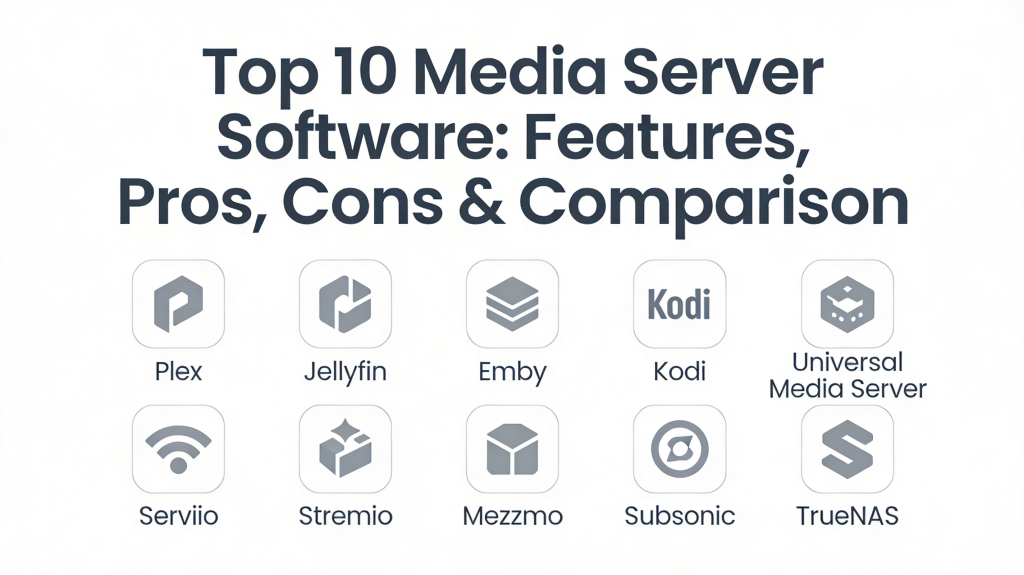
Top 10 Media Server Software Tools
1. Plex Media Server
Plex is the most recognized name in the industry, offering a highly polished, user-friendly experience that mimics professional streaming services. It excels at making complex server technology accessible to everyone in the household through its beautiful interface and seamless remote access features.
Key Features
- Automatic Metadata Fetching: Instantly organizes files with posters, ratings, and cast information.
- Plex Pass: A premium tier offering hardware-accelerated transcoding and mobile sync.
- Live TV & DVR: Support for watching and recording local broadcasts with a compatible tuner.
- Cross-Device Sync: Remembers exactly where you left off on any device.
- Plexamp: A dedicated, high-end music player app for audiophiles.
Pros
- The most intuitive and professional user interface available.
- Unbeatable client app support across almost every smart device.
Cons
- Requires a central account login, which raises privacy concerns for some.
- Many advanced features are locked behind the paid Plex Pass.
Platforms / Deployment
Windows / macOS / Linux / NAS / NVIDIA Shield — Hybrid
Security & Compliance
Uses encrypted connections and offers granular user access controls; requires a Plex account for authentication.
Integrations & Ecosystem
Plex features a vast ecosystem, integrating with Tidal for music and various smart home platforms like Amazon Alexa for voice control.
Support & Community
A massive global community with extensive forums and a wealth of third-party tools for library management.
2. Jellyfin
Jellyfin is the leading open-source alternative, born from a desire for total privacy and freedom. It offers nearly all the features of its paid competitors but does so entirely for free, with no tracking, no central servers, and no “premium” paywalls.
Key Features
- Completely Free: All features, including hardware transcoding, are available at no cost.
- Privacy-Focused: No “phone-home” to central servers; all data stays on your local machine.
- SyncPlay: Allows multiple users to watch the same movie in perfect synchronization remotely.
- Clean UI: A modern, customizable web interface that is easy to navigate.
- Live TV Support: Full support for M3U and HDHomeRun tuners for live broadcasts.
Pros
- Zero cost and zero tracking, making it the top choice for privacy advocates.
- Lightweight performance, particularly on Linux and Docker-based setups.
Cons
- The client app ecosystem is not as broad as Plex (some smart TVs lack native apps).
- Setup can be more technical, especially for remote access.
Platforms / Deployment
Windows / macOS / Linux / Docker / NAS — Self-hosted
Security & Compliance
Entirely local authentication; security depends on user configuration (e.g., using a reverse proxy).
Integrations & Ecosystem
Strong integration with Kodi and the “Arr” suite for automated media management.
Support & Community
Extremely active developer community on GitHub and Reddit, with frequent updates and bug fixes.
3. Emby
Emby occupies the middle ground between Plex and Jellyfin, offering a highly stable and customizable platform. It provides a more “hands-on” approach to server management, making it a favorite for power users who want fine-grained control over their library.
Key Features
- Powerful User Management: Granular control over what each user can see and do.
- Emby Premiere: A subscription service for hardware transcoding and offline media.
- Smart Home Integration: Native support for high-end home automation systems like Control4.
- Excellent Transcoding: Robust handling of high-bitrate files for remote viewing.
- Plugin Architecture: A wide range of community plugins to extend server functionality.
Pros
- More customization options in the dashboard than most competitors.
- Excellent performance on low-power hardware when properly configured.
Cons
- Like Plex, it hides several key features behind a paid subscription.
- The interface, while clean, feels slightly more “technical” than Plex.
Platforms / Deployment
Windows / macOS / Linux / NAS / Android — Hybrid
Security & Compliance
Supports local-only authentication or cloud-linked accounts for easier remote access.
Integrations & Ecosystem
Integrates well with a wide variety of DLNA devices and third-party media players like Kodi.
Support & Community
Very dedicated user base with active forums and professional-level support for Premiere users.
4. Kodi
While primarily known as a media player, Kodi can function as a powerful local media server when combined with network-attached storage. It is the ultimate tool for “10-foot” living room experiences, offering unparalleled UI customization through skins.
Key Features
- Endless Customization: Thousands of skins and add-ons to change the look and functionality.
- Massive Format Support: Plays almost any file type without needing a backend server to transcode.
- Add-on Ecosystem: Access to streaming services, weather, and games directly within the UI.
- Local Library Management: Scrapes metadata locally for a completely offline experience.
- PVR Integration: Powerful tools for managing live TV and recording.
Pros
- The most flexible and artistic interface of any tool on this list.
- Completely free and open-source with no tracking or data collection.
Cons
- Not designed for streaming to multiple remote devices simultaneously.
- Can be overwhelming for beginners due to the sheer number of settings.
Platforms / Deployment
Windows / macOS / Linux / Android / Raspberry Pi — Self-hosted
Security & Compliance
Operates entirely locally; security is based on the local network environment.
Integrations & Ecosystem
Strongest integration with local hardware and NAS devices via SMB, NFS, and UPnP.
Support & Community
One of the oldest and largest communities in the home theater space with a massive wiki.
5. Universal Media Server (UMS)
Universal Media Server is a Java-based DLNA-compliant UPnP media server. Its primary goal is to ensure that your media plays on any device, especially older hardware that might not support modern apps like Plex or Jellyfin.
Key Features
- Deep Device Compatibility: Supports a vast range of devices including PS3, Xbox 360, and older Smart TVs.
- Automatic Transcoding: Dynamically adjusts video quality based on the target device’s capability.
- High Privacy: No central servers or data collection; everything happens on your local network.
- Subtitle Support: Excellent at handling and injecting subtitles into streams for older players.
- Web Interface: Includes a clean web-based player for modern browser access.
Pros
- The best choice for users with a mix of very old and very new hardware.
- Totally free with no premium versions or hidden fees.
Cons
- The user interface is functional but lacks the “Netflix” polish of others.
- Not ideal for remote access outside of the local home network.
Platforms / Deployment
Windows / macOS / Linux — Self-hosted
Security & Compliance
Basic local network security; lacks advanced user permission features.
Integrations & Ecosystem
Focuses on standard DLNA/UPnP protocols to ensure universal communication.
Support & Community
Solid community support with a focus on hardware compatibility and transcoding fixes.
6. Serviio
Serviio is a media server designed to stream all your media files to devices on your connected home network. It is known for its low system overhead and its ability to handle very large media libraries without slowing down the host machine.
Key Features
- Low Resource Usage: Very efficient CPU and memory management for background operation.
- Pro Version: Offers a one-time license for a web-based player and mobile apps.
- Content Categorization: Automatically sorts media into helpful categories like “Recently Added.”
- External Metadata: Supports a wide variety of metadata sources for movies and music.
- RAW Photo Support: Handles high-quality photography formats alongside video and audio.
Pros
- Very stable and reliable for users who want a “set it and forget it” solution.
- Great at handling vast music libraries with ease.
Cons
- The free version is quite limited compared to the Pro version.
- Lacks the modern, visual flair of competitors like Plex or Jellyfin.
Platforms / Deployment
Windows / macOS / Linux / NAS — Self-hosted
Security & Compliance
Standard local user management; Pro version adds secure remote access.
Integrations & Ecosystem
Strong focus on DLNA-compatible televisions and gaming consoles.
Support & Community
Smaller but very helpful community; the developer is often active in the forums.
7. Stremio
Stremio is a modern media aggregator that allows you to organize your local files while also integrating your favorite streaming services into a single interface. It is particularly popular for its “Add-on” system that expands content discovery.
Key Features
- Content Aggregation: See your local movies alongside content from YouTube, Netflix, and more.
- Add-on System: Community-made add-ons for trailers, subtitles, and additional streaming sources.
- Calendar View: Tracks your favorite shows and notifies you when new episodes are available.
- Cloud Sync: Syncs your library and watch history across all your devices.
- Casting Support: Easy one-click casting to Chromecast and other supported devices.
Pros
- Incredibly fast and responsive user interface.
- Excellent for users who want to discover new content and manage local files in one place.
Cons
- Lacks the deep transcoding and server-side management features of Plex.
- The add-on system can be confusing for non-technical users.
Platforms / Deployment
Windows / macOS / Linux / Android / iOS — Hybrid
Security & Compliance
Requires a user account for syncing; security is standard for web-based services.
Integrations & Ecosystem
Integrated with a variety of online metadata databases and streaming platforms.
Support & Community
Very active community, particularly on Reddit, focused on add-on development.
8. Mezzmo
Mezzmo is a high-performance DLNA media server that specializes in pre-transcoding. It allows you to transcode your entire library ahead of time so that streaming to your devices is instantaneous and requires zero CPU effort during playback.
Key Features
- Pre-Transcoding: Converts your files into device-compatible formats before you even hit play.
- Extreme Format Support: Handles almost any video or audio format imaginable.
- Multi-User Support: Different users can have their own libraries and watch statuses.
- Metadata Editor: Deep control over how your media is labeled and organized.
- Mobile App: A dedicated Android app for browsing and playing your Mezzmo library.
Pros
- The best choice for users with lower-powered servers that cannot handle real-time transcoding.
- Highly intuitive and stable Windows-based management.
Cons
- Primarily focused on the Windows ecosystem.
- The user interface looks somewhat dated compared to modern 2026 standards.
Platforms / Deployment
Windows — Self-hosted
Security & Compliance
Standard local network security with basic user access controls.
Integrations & Ecosystem
Highly focused on the DLNA and UPnP ecosystem for home theater devices.
Support & Community
Long-standing support with a professional development team.
9. Subsonic
Subsonic is a personal media streamer with a heavy focus on music. While it does support video, it is primarily used by audiophiles who want to stream their massive high-quality music collections to any device, anywhere.
Key Features
- Audiophile Quality: Supports lossless formats and high-bitrate streaming.
- Simultaneous Playback: Multiple users can stream different music at the same time.
- Podcast Support: Integrated tools for managing and listening to podcasts.
- On-the-fly Resampling: Lowers bitrate for mobile listening to save data while maintaining quality.
- 25+ Client Apps: Supports a massive array of third-party mobile and desktop players.
Pros
- The gold standard for self-hosted music streaming.
- Very stable and mature software with low resource requirements.
Cons
- Video support is secondary and not as robust as Plex or Jellyfin.
- The interface is functional but very utilitarian.
Platforms / Deployment
Windows / macOS / Linux — Self-hosted
Security & Compliance
Uses HTTPS for secure remote streaming and features robust user password management.
Integrations & Ecosystem
Huge ecosystem of third-party apps for every mobile and desktop platform.
Support & Community
Extremely loyal community of music lovers and developers.
10. TrueNAS (SCALE)
While TrueNAS is primarily a Network Attached Storage (NAS) operating system, its SCALE version is a powerful media server in its own right. It allows you to run Plex, Emby, or Jellyfin as “Apps” directly on top of your professional-grade storage.
Key Features
- ZFS File System: The most secure and reliable way to store massive media collections.
- Integrated App Store: One-click installation for Plex, Jellyfin, and the Arr suite.
- Enterprise-Grade Hardware Support: Built to handle dozens of hard drives and high-speed networking.
- Snapshotting: Instantly recover your library if a metadata update or user error causes issues.
- Virtualization: Run entire virtual machines alongside your media server.
Pros
- The absolute best choice for users with “Enterprise” amounts of data (50TB+).
- Combines world-class storage with powerful media server capabilities.
Cons
- Not a “standalone” app; it requires a dedicated PC or server to act as an OS.
- High learning curve for those not familiar with networking and storage.
Platforms / Deployment
Linux-based OS — Self-hosted
Security & Compliance
Top-tier security with advanced encryption, RBAC, and audit logs.
Integrations & Ecosystem
Designed to be the “heart” of a home server, integrating with everything from backups to media.
Support & Community
Huge professional and hobbyist community with extensive documentation and tutorials.
Comparison Table (Top 10)
| Tool Name | Best For | Platform(s) Supported | Deployment | Standout Feature | Public Rating |
| 1. Plex | Home Enthusiasts | Windows, Mac, Linux, NAS | Hybrid | Polished UI & Apps | 4.6/5 |
| 2. Jellyfin | Privacy & Open Source | Windows, Mac, Linux, NAS | Self-hosted | 100% Free & Private | 4.7/5 |
| 3. Emby | Advanced Households | Windows, Mac, Linux, NAS | Hybrid | Customization Depth | 4.6/5 |
| 4. Kodi | Living Room HTPC | Windows, Mac, Linux, Pi | Self-hosted | 10-foot UI & Skins | 4.5/5 |
| 5. Universal MS | Older Devices | Windows, Mac, Linux | Self-hosted | Universal DLNA | 4.2/5 |
| 6. Serviio | Music & Large Libraries | Windows, Mac, Linux, NAS | Self-hosted | Low Resource Usage | 4.4/5 |
| 7. Stremio | Content Aggregation | Windows, Mac, Linux, Mobile | Hybrid | Streaming Integration | 4.3/5 |
| 8. Mezzmo | Pre-transcoding | Windows | Self-hosted | Pre-Transcode Speed | 4.1/5 |
| 9. Subsonic | Audiophiles | Windows, Mac, Linux | Self-hosted | Music-First Focus | 4.5/5 |
| 10. TrueNAS | Massive Collections | Linux-based OS | Self-hosted | ZFS Data Integrity | 4.7/5 |
Evaluation & Scoring of Media Server Software
| Tool Name | Core (25%) | Ease (15%) | Integrations (15%) | Security (10%) | Perf (10%) | Support (10%) | Value (15%) | Total |
| 1. Plex | 10 | 10 | 10 | 8 | 9 | 10 | 6 | 9.1 |
| 2. Jellyfin | 9 | 6 | 8 | 10 | 9 | 8 | 10 | 8.4 |
| 3. Emby | 9 | 8 | 9 | 8 | 9 | 9 | 7 | 8.5 |
| 4. Kodi | 8 | 5 | 9 | 9 | 9 | 9 | 10 | 8.2 |
| 5. Universal | 6 | 8 | 7 | 8 | 7 | 7 | 10 | 7.3 |
| 6. Serviio | 7 | 8 | 7 | 8 | 9 | 7 | 8 | 7.6 |
| 7. Stremio | 7 | 9 | 7 | 7 | 9 | 8 | 9 | 7.9 |
| 8. Mezzmo | 7 | 8 | 6 | 8 | 8 | 7 | 7 | 7.2 |
| 9. Subsonic | 8 | 7 | 8 | 9 | 9 | 8 | 8 | 8.0 |
| 10. TrueNAS | 10 | 4 | 9 | 10 | 10 | 9 | 8 | 8.3 |
Scoring is comparative based on professional production and home-use standards. A high “Core” score indicates the platform can handle the most complex library and transcoding tasks. “Value” scores prioritize tools that are free or offer high-quality features without recurring costs. “Ease” scores identify how quickly a non-technical user can begin watching media.
Which Media Server Software Tool Is Right for You?
Solo / Freelancer
If you want the “it just works” experience, Plex is the winner. It handles the metadata and remote access with so much polish that you can spend your time watching movies instead of managing servers. For those who enjoy a more hands-on, “infinite” customization approach, Kodi is the best playground.
SMB
For small organizations needing to host training videos or internal media, Emby is a superior choice. Its granular user permissions allow you to strictly control who sees which department’s videos, and its stability is perfect for a small office environment.
Mid-Market
Organizations or large households with massive data needs should consider TrueNAS SCALE. By building your media server on top of an enterprise-grade storage OS, you ensure that your files are safe from hardware failure while providing a high-speed streaming experience.
Enterprise
At the enterprise level, Plex and Emby provide the necessary support contracts and stable update cycles required for professional environments. However, many technical enterprises are moving toward Jellyfin for its total lack of third-party cloud dependency and superior privacy.
Budget vs Premium
If the budget is zero, Jellyfin and Universal Media Server are your champions. They provide “premium” features like hardware transcoding without charging a dime. If you are willing to pay for convenience, a Plex Lifetime Pass is widely considered the best investment in the home media space.
Feature Depth vs Ease of Use
Kodi offers the most feature depth but can be frustratingly difficult to configure perfectly. Stremio and Plex represent the peak of ease of use, designed so that anyone who can use a remote control can navigate the library.
Integrations & Scalability
For massive scalability across dozens of hard drives, TrueNAS is the only logical choice. For integrating into a broader world of streaming and discovery, Stremio and Plex offer the best cross-platform synergy.
Security & Compliance Needs
For users who demand total privacy, Jellyfin is the gold standard. It does not require an email address, a cloud login, or an internet connection to function, ensuring your viewing habits remain your business alone.
Frequently Asked Questions (FAQs)
1. Is media server software legal?
Yes, the software itself is completely legal. It is designed to host and organize media that you own, such as home movies, photos, and digital copies of your physical discs.
2. Do I need a powerful computer to run a media server?
It depends. If you are only streaming to one local TV, a simple PC or Raspberry Pi is enough. If you need to “transcode” (convert) 4K video for multiple remote users, you will need a modern CPU or GPU.
3. What is the difference between a Media Server and a NAS?
A NAS (Network Attached Storage) is the physical hardware that holds your files. A Media Server is the software that organizes and streams those files to your devices.
4. Can I watch my media when I’m away from home?
Yes, tools like Plex and Emby make this very easy. Jellyfin also supports this, though it may require a little more technical setup (like a VPN or reverse proxy).
5. Which software is best for music?
While Plex is very good, Subsonic and its dedicated music apps are widely considered the best for serious audiophiles with large local collections.
6. Does the software come with movies and shows?
No. These tools are like a “digital bookshelf.” You must provide the media files yourself from your own collection.
7. Is Jellyfin really as good as Plex?
For privacy and cost, yes. However, Plex has much better client app support for smart TVs and a slightly more polished user experience for beginners.
8. Can I use a media server for Live TV?
Yes, most of the top tools (Plex, Emby, Jellyfin) allow you to connect an antenna and a tuner to watch and record local broadcast TV.
9. How do I protect my media from being lost?
This is where TrueNAS shines. By using a “redundant” storage setup (like ZFS), your media can survive the failure of one or more hard drives without losing a single file.
10. How long does it take to set up?
You can have a basic Plex or Jellyfin server running in under 15 minutes. Perfecting your library with custom metadata and automation can be a fun, ongoing project.
Conclusion
Selecting the right media server software is the foundation of a modern, private, and high-quality entertainment ecosystem. The choice between the polished accessibility of Plex, the privacy-first freedom of Jellyfin, or the enterprise-grade stability of TrueNAS depends entirely on your technical comfort and your specific household needs. By centralizing your media, you take back control of your digital collection, ensuring that your favorite films and memories are always available, exactly where and when you want them. The “best” tool is the one that fades into the background, letting the content speak for itself. I recommend starting with a trial of Jellyfin if you prioritize privacy, or the free version of Plex if you want the easiest setup. Install it on your current PC, add a few movies, and see which interface your family finds most intuitive before investing in dedicated hardware.

Best Cardiac Hospitals Near You
Discover top heart hospitals, cardiology centers & cardiac care services by city.
Advanced Heart Care • Trusted Hospitals • Expert Teams
View Best Hospitals