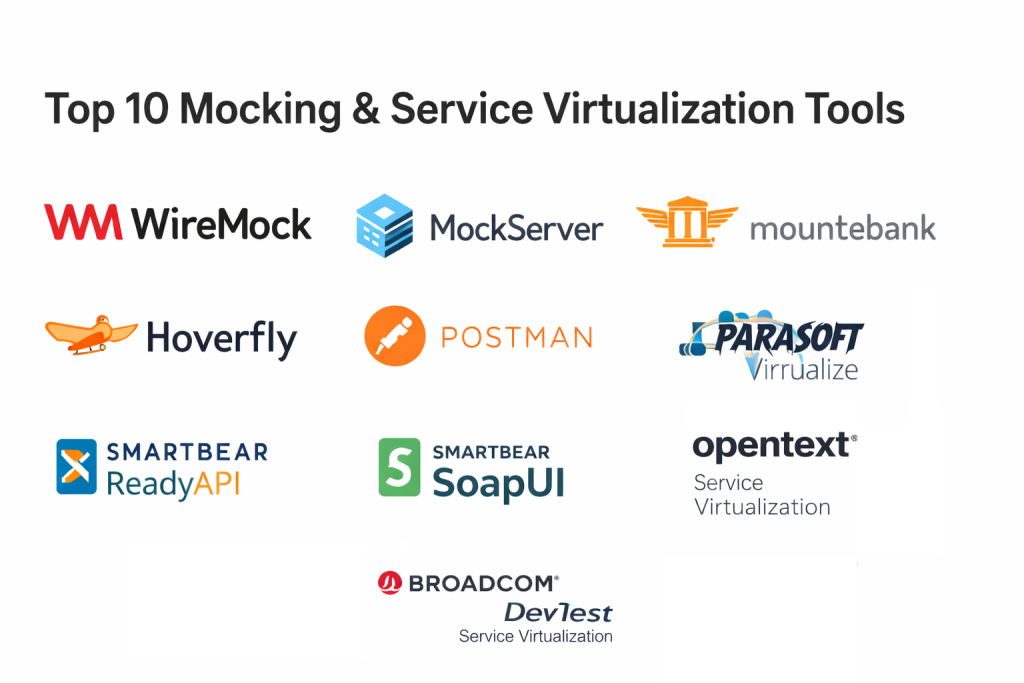
Introduction
Mocking and service virtualization tools help teams simulate APIs, microservices, and third-party systems so you can build and test software without waiting for every dependency to be ready. In plain terms, they let you create predictable, controllable “fake services” that behave like real ones, including happy paths, slow responses, errors, and edge cases.
This matters more than ever because modern applications depend on many services, integrations, and asynchronous events. When one dependency is unstable or unavailable, the whole delivery pipeline can slow down. Service virtualization reduces that risk by making tests reliable, repeatable, and fast.
Common use cases include API development before the backend is complete, integration testing with flaky third-party providers, performance testing with controlled latency, and reproducing production bugs safely.
When evaluating tools, focus on: protocol coverage, realism of behavior, data and scenario modeling, ease of setup, CI integration, observability, test data handling, security controls, performance under load, and team collaboration.
Mandatory notes
Best for: QA teams, developers, SRE teams, API platform teams, regulated industries, and any org with microservices or many external dependencies.
Not ideal for: very small scripts with no external dependencies, teams already using simple stubs with no need for scenario depth, or cases where a lightweight in-process mock is enough and full service simulation adds overhead.
Key Trends in Mocking and Service Virtualization Tools
- Shift from single endpoint mocking to full scenario simulation with state, datasets, and workflows
- More emphasis on contract testing and schema validation to prevent breaking changes early
- Increased use of recorded traffic and “replay” patterns to mirror real production behavior
- Better support for event-driven patterns, queues, and asynchronous callbacks in test environments
- Stronger security expectations: access control, audit trails, secrets handling, and safer data masking
- More CI pipeline automation, with ephemeral mock environments spun up per branch or per test suite
- Collaboration features improving: shared mock catalogs, reusable templates, and centralized governance
- Hybrid deployment flexibility: local developer mode plus shared environments for integration testing
- Observability becoming a baseline: request logging, metrics, tracing hooks, and failure forensics
- More focus on cost control and test efficiency by reducing reliance on expensive shared environments
How We Selected These Tools
- Market adoption and mindshare across developers, QA, and enterprise testing teams
- Breadth of protocols and realistic behavior modeling for APIs and service dependencies
- Reliability signals: stability in CI usage, predictable behavior, and repeatable results
- Ecosystem fit: integrations with common API workflows, test runners, and pipeline tooling
- Flexibility: local developer usage, team sharing, and options for controlled environments
- Practical security posture: support for auth simulation, access controls, and safe logging
- Scalability: ability to handle parallel tests and higher request volume when needed
- Usability: quick setup for simple mocks plus depth for complex scenarios
- Support and documentation strength, including community activity where relevant
- Balanced mix: developer-first tools plus enterprise virtualization platforms
Top 10 Mocking and Service Virtualization Tools
1 — WireMock
WireMock is a widely used API mocking tool that excels at HTTP stubbing, request matching, and realistic response simulation. It is popular with developer teams and QA engineers who need fast, scriptable mocks that run locally or in shared test environments.
Key Features
- Powerful request matching with flexible rules
- Response templating and dynamic behavior options
- Proxying and recording patterns for realistic simulation
- Scenario support for stateful flows
- Lightweight runtime that fits well in CI pipelines
- Strong configurability through files and automation scripts
- Good visibility via logs and request history
Pros
- Very fast to get started for HTTP API mocking
- Great for consistent, repeatable CI tests
- Strong community patterns and examples
Cons
- Primarily focused on HTTP style APIs
- Advanced state modeling can require careful design
- Enterprise governance features depend on how you wrap it
Platforms / Deployment
- Windows / macOS / Linux
- Cloud / Self-hosted / Hybrid
Security and Compliance
- Basic auth simulation, TLS termination options depend on deployment
- Compliance certifications: Not publicly stated
Integrations and Ecosystem
Works well with API testing workflows, CI runners, and containerized environments. Common use is spinning up mocks alongside integration tests.
- REST API support and automation scripting
- Works with Docker and pipeline runners
- Common pairing with unit and integration test frameworks
- Useful with contract testing patterns
- Fits into local developer workflows easily
Support and Community
Strong documentation and community usage patterns. Support depends on your chosen distribution and internal enablement model.
2 — MockServer
MockServer focuses on request and response mocking with a strong emphasis on flexibility in matching, verification, and test assertions. It is often used in integration testing when teams want precise control and clear verification of what calls were made.
Key Features
- Flexible request matching and conditional responses
- Verification APIs to assert calls and payloads
- Support for simulating delays and failures
- Good fit for automated integration tests
- Can act as a proxy for forwarding and inspection
- Scriptable configuration for repeatability
- Useful request history for debugging
Pros
- Strong verification features for test assertions
- Flexible matching supports complex edge cases
- Good for dependency isolation in pipelines
Cons
- Setup and patterns can feel technical for non developers
- Governance and sharing require additional process
- Some deeper service virtualization features may need extra work
Platforms / Deployment
- Windows / macOS / Linux
- Cloud / Self-hosted / Hybrid
Security and Compliance
- Security controls depend on deployment and environment setup
- Compliance certifications: Not publicly stated
Integrations and Ecosystem
Commonly used with automated testing frameworks and pipeline jobs to validate integration behavior.
- Integrates via APIs and automation scripts
- Works well in containers for ephemeral test environments
- Helpful alongside API test suites
- Supports proxy patterns for inspection
- Fits into CI orchestration tools
Support and Community
Community support is generally solid. Support tiers vary by how it is adopted and packaged in your org.
3 — Mountebank
Mountebank is designed for multi-protocol service virtualization, often used when teams want more than HTTP mocking. It can simulate different kinds of dependencies and is useful for integration tests that need predictable behaviors.
Key Features
- Multi-protocol support focus
- Configurable “imposters” to simulate services
- Response behaviors including latency and errors
- Portable configuration for repeatable environments
- Useful for broader service dependency simulation
- Good fit for test labs and shared environments
- Lightweight approach for many teams
Pros
- Helpful when you need more than basic HTTP stubs
- Portable and easy to spin up in shared test setups
- Good for integration test realism
Cons
- UI and collaboration features depend on your setup
- Scenario depth may require disciplined design
- Enterprise governance is not built in by default
Platforms / Deployment
- Windows / macOS / Linux
- Cloud / Self-hosted / Hybrid
Security and Compliance
- Security posture depends on deployment model and access controls you add
- Compliance certifications: Not publicly stated
Integrations and Ecosystem
Often used as part of a test environment where multiple dependencies must be simulated consistently.
- API driven configuration enables automation
- Works in container environments
- Fits into CI test stages
- Useful with integration test frameworks
- Can be included in shared test labs
Support and Community
Community usage exists, but strength can vary by team and ecosystem. Documentation is typically sufficient for technical users.
4 — Hoverfly
Hoverfly provides API simulation and traffic capture capabilities, often used for creating realistic mocks quickly. It is useful when teams want to record responses and replay them with controlled behavior in test environments.
Key Features
- Capture and replay patterns for realistic simulation
- Rule based matching for requests
- Latency, error, and behavior simulation options
- Lightweight runtime and easy automation
- Good visibility into captured traffic patterns
- Helpful for integration testing stability
- Portable configuration for repeatable tests
Pros
- Recording helps bootstrap mocks quickly
- Good for reliable integration tests without unstable dependencies
- Fits well into CI workflows
Cons
- Depth of complex scenario modeling may be limited compared to enterprise tools
- Governance and sharing depend on team process
- Security features depend on deployment controls
Platforms / Deployment
- Windows / macOS / Linux
- Cloud / Self-hosted / Hybrid
Security and Compliance
- Supports auth simulation patterns, environment controls are user managed
- Compliance certifications: Not publicly stated
Integrations and Ecosystem
Commonly used with API test suites and pipelines where repeatability matters.
- Works with container tooling for ephemeral environments
- Useful for CI test automation
- Can complement contract testing approaches
- Supports proxy patterns for capture
- Fits developer local testing
Support and Community
Documentation and community support are generally available, but enterprise support depends on your chosen setup and vendor options.
5 — Postman
Postman is best known for API collaboration and testing, but it also includes mock server capabilities that help teams simulate endpoints for development and testing. It is especially helpful for teams that already manage API collections and workflows in Postman.
Key Features
- Mock servers tied to API collections and examples
- Collaboration workflows for API design and testing
- Easy onboarding for developers and QA
- Strong workspace and sharing features
- Useful for early API development and client integration
- Good automation capabilities for API workflows
- Strong ecosystem of integrations around API lifecycle
Pros
- Very easy for teams already using Postman for APIs
- Strong collaboration and sharing
- Fast to create mocks from examples
Cons
- Advanced service virtualization scenarios can be limited
- Deeper protocol virtualization beyond HTTP is not the main focus
- Some enterprise controls depend on plan and setup
Platforms / Deployment
- Web / Windows / macOS / Linux
- Cloud / Hybrid
Security and Compliance
- Enterprise security features vary by plan and configuration
- Compliance certifications: Not publicly stated
Integrations and Ecosystem
Best used when your organization standardizes on API collections and wants mocks aligned with API definitions.
- Integrates with CI workflows via automation approaches
- Connects with API gateways and developer tooling patterns
- Strong team collaboration and sharing
- Helpful for contract style workflows using schemas
- Works well across dev, QA, and product teams
Support and Community
Large community, extensive learning resources, and broad adoption. Enterprise support varies by plan.
6 — SmartBear ReadyAPI
SmartBear ReadyAPI is a more advanced API testing suite that includes tools for simulating and mocking services as part of a broader testing workflow. It fits teams that want an integrated environment for API functional testing plus dependency simulation.
Key Features
- API testing suite with service simulation capabilities
- Data-driven testing patterns for realistic scenarios
- Support for complex workflows and validation
- Good fit for QA teams running regression suites
- Integrated approach to API lifecycle testing
- Reporting and test management friendly workflows
- Useful for both developer and tester roles
Pros
- Strong for QA driven API regression testing
- Integrated features reduce tool sprawl
- Helpful reporting and test organization
Cons
- Can feel heavier than developer-first tools
- Licensing and cost may be a factor
- Some flexibility depends on suite configuration
Platforms / Deployment
- Windows / macOS / Linux
- Self-hosted / Hybrid
Security and Compliance
- Enterprise security features vary by configuration
- Compliance certifications: Not publicly stated
Integrations and Ecosystem
Often used alongside broader SmartBear tooling and common CI systems for API validation.
- Integrates with CI jobs for automated API testing
- Supports common API standards and workflows
- Works with test reporting pipelines
- Can fit into enterprise QA ecosystems
- Supports extensibility through scripts and plugins
Support and Community
Vendor backed support is available. Community resources are also present due to wide adoption in QA circles.
7 — SmartBear SoapUI
SmartBear SoapUI is a classic tool for API testing, especially known in teams that handle SOAP and REST validation. It also supports mocking capabilities for simulating services during development and testing.
Key Features
- API testing support for SOAP and REST workflows
- Mock services for simulating endpoint behavior
- Useful for legacy integration environments
- Request validation and assertion capabilities
- Test suites for regression patterns
- Helpful for QA and integration engineers
- Strong familiarity in many enterprise teams
Pros
- Very useful for SOAP heavy environments
- Good starting point for basic API mocks
- Broad recognition and learning materials
Cons
- UI and workflow may feel dated for some teams
- Mocking depth may be less than specialized virtualization tools
- Team governance depends on process and packaging
Platforms / Deployment
- Windows / macOS / Linux
- Self-hosted / Hybrid
Security and Compliance
- Security features depend on configuration and environment
- Compliance certifications: Not publicly stated
Integrations and Ecosystem
Often fits organizations with existing SoapUI test suites that want mock capability without introducing new tools.
- Works with CI scripting approaches
- Integrates with test reporting patterns
- Supports common API lifecycle workflows
- Useful in integration engineering teams
- Pairs with service validation frameworks
Support and Community
Strong historical community, many tutorials, and vendor support options depending on edition.
8 — Parasoft Virtualize
Parasoft Virtualize is an enterprise-grade service virtualization platform focused on realistic simulation, broader protocol coverage, and scaled testing across large systems. It is often chosen by organizations that need governance, test data management, and consistent environments.
Key Features
- Enterprise service virtualization with deeper scenario modeling
- Supports simulation of complex dependency behavior
- Useful for integration and system testing at scale
- Test data and message handling patterns
- Strong fit for regulated and large enterprise environments
- Centralized management for shared virtual services
- Designed for repeatability across teams
Pros
- Strong for enterprise scale and complex dependencies
- Good governance patterns for shared virtualization assets
- Helpful for large regression and integration pipelines
Cons
- Higher complexity than lightweight tools
- Cost and licensing can be a factor
- Setup requires enablement and operating model
Platforms / Deployment
- Windows / Linux
- Self-hosted / Hybrid
Security and Compliance
- Enterprise security controls vary by configuration
- Compliance certifications: Not publicly stated
Integrations and Ecosystem
Works well in enterprise QA ecosystems where multiple teams share simulated services.
- Integrates with CI for environment based testing
- Supports enterprise test management patterns
- APIs for automation and lifecycle management
- Fits into broader QA and DevOps pipelines
- Can align with governance and catalog workflows
Support and Community
Vendor backed support is a core strength. Documentation and onboarding are usually structured for enterprise teams.
9 — Broadcom DevTest Service Virtualization
Broadcom DevTest Service Virtualization targets enterprise testing environments where systems are complex, dependencies are numerous, and teams need centralized virtualization and governance. It is commonly used to reduce dependency bottlenecks and stabilize large integration test pipelines.
Key Features
- Enterprise service virtualization for complex systems
- Central management of virtual services
- Scenario simulation with controlled failures and delays
- Good fit for integration labs and shared environments
- Supports repeatable tests across teams and pipelines
- Designed for scaling with enterprise usage patterns
- Useful for regulated workflows where traceability matters
Pros
- Strong enterprise focus for shared environments
- Helpful for reducing integration bottlenecks
- Better governance patterns than many lightweight tools
Cons
- Can be heavyweight for small teams
- Setup and maintenance require ownership
- Cost and licensing considerations
Platforms / Deployment
- Windows / Linux
- Self-hosted / Hybrid
Security and Compliance
- Security controls vary by deployment and configuration
- Compliance certifications: Not publicly stated
Integrations and Ecosystem
Often used in enterprise QA stacks alongside test management, CI systems, and environment orchestration.
- Integrates with CI automation for regression pipelines
- APIs for managing virtual services
- Fits into enterprise test labs and release processes
- Supports collaboration through shared assets
- Works with common enterprise monitoring patterns
Support and Community
Vendor backed support is typical. Community depth varies compared to developer-first tools.
10 — OpenText Service Virtualization
OpenText Service Virtualization is designed for enterprise environments needing realistic dependency simulation, controlled test conditions, and shared virtual services. It fits teams that run large integration suites and want centralized management and repeatable environments.
Key Features
- Enterprise virtualization for complex dependency landscapes
- Central governance and reuse of virtual services
- Scenario handling for errors, latency, and edge cases
- Useful for integration and end-to-end test stabilization
- Designed for scaled usage across teams
- Supports consistent results in automated pipelines
- Helps reduce reliance on unstable external systems
Pros
- Good fit for enterprise wide adoption and governance
- Useful for stabilizing large test pipelines
- Supports consistent environments across teams
Cons
- Complexity can be high for smaller teams
- Enablement and operating model required
- Licensing costs may be a deciding factor
Platforms / Deployment
- Windows / Linux
- Self-hosted / Hybrid
Security and Compliance
- Enterprise controls vary by configuration
- Compliance certifications: Not publicly stated
Integrations and Ecosystem
Works within enterprise QA and release workflows, typically integrated with CI, test management, and environment automation.
- APIs for automation and lifecycle operations
- Integrates with CI pipelines for regression testing
- Supports shared environment testing models
- Can align with enterprise governance requirements
- Fits into broader testing tool ecosystems
Support and Community
Vendor support is usually a key value. Community resources vary, but enterprise documentation is generally structured.
Comparison Table
| Tool Name | Best For | Platform(s) Supported | Deployment | Standout Feature | Public Rating |
|---|---|---|---|---|---|
| WireMock | Developer-first API mocking in CI | Windows, macOS, Linux | Cloud, Self-hosted, Hybrid | Flexible matching and response templating | N/A |
| MockServer | Verification-heavy integration tests | Windows, macOS, Linux | Cloud, Self-hosted, Hybrid | Strong request verification and assertions | N/A |
| Mountebank | Multi-protocol style dependency simulation | Windows, macOS, Linux | Cloud, Self-hosted, Hybrid | “Imposters” for broader virtualization | N/A |
| Hoverfly | Capture and replay for realistic mocks | Windows, macOS, Linux | Cloud, Self-hosted, Hybrid | Traffic capture and replay workflows | N/A |
| Postman | Team collaboration plus quick API mocks | Web, Windows, macOS, Linux | Cloud, Hybrid | Mock servers tied to API collections | N/A |
| SmartBear ReadyAPI | QA-driven API suites with simulation | Windows, macOS, Linux | Self-hosted, Hybrid | Integrated API testing and simulation suite | N/A |
| SmartBear SoapUI | SOAP and REST testing with basic mocks | Windows, macOS, Linux | Self-hosted, Hybrid | Strong legacy SOAP testing footprint | N/A |
| Parasoft Virtualize | Enterprise virtualization at scale | Windows, Linux | Self-hosted, Hybrid | Centralized enterprise virtual services | N/A |
| Broadcom DevTest Service Virtualization | Large shared integration test labs | Windows, Linux | Self-hosted, Hybrid | Enterprise governance for virtual services | N/A |
| OpenText Service Virtualization | Enterprise dependency simulation | Windows, Linux | Self-hosted, Hybrid | Consistent virtualization across teams | N/A |
Evaluation and Scoring of Mocking and Service Virtualization Tools
Scoring model uses a 1–10 scale per criterion, then a weighted total using these weights: Core features 25%, Ease of use 15%, Integrations and ecosystem 15%, Security and compliance 10%, Performance and reliability 10%, Support and community 10%, Price and value 15%. Scores are comparative and meant to help you shortlist, not to declare a universal winner.
| Tool Name | Core (25%) | Ease (15%) | Integrations (15%) | Security (10%) | Performance (10%) | Support (10%) | Value (15%) | Weighted Total |
|---|---|---|---|---|---|---|---|---|
| WireMock | 9 | 8 | 8 | 7 | 8 | 8 | 9 | 8.30 |
| MockServer | 8 | 7 | 7 | 7 | 8 | 7 | 9 | 7.65 |
| Mountebank | 7 | 7 | 7 | 6 | 7 | 6 | 9 | 7.10 |
| Hoverfly | 7 | 7 | 7 | 6 | 7 | 6 | 8 | 6.95 |
| Postman | 7 | 9 | 9 | 8 | 7 | 8 | 7 | 7.80 |
| SmartBear ReadyAPI | 8 | 7 | 8 | 7 | 7 | 7 | 6 | 7.25 |
| SmartBear SoapUI | 7 | 7 | 7 | 6 | 6 | 7 | 8 | 6.95 |
| Parasoft Virtualize | 9 | 7 | 8 | 8 | 8 | 8 | 6 | 7.80 |
| Broadcom DevTest Service Virtualization | 9 | 6 | 7 | 8 | 8 | 7 | 6 | 7.40 |
| OpenText Service Virtualization | 9 | 6 | 7 | 8 | 8 | 7 | 6 | 7.40 |
How to interpret the scores
- Higher Core scores favor deeper simulation, scenario control, and enterprise readiness.
- Higher Ease scores favor fast onboarding and low friction workflows.
- Integrations scores favor pipeline fit, automation APIs, and ecosystem compatibility.
- Security scores reflect controls typically expected in enterprise setups, but details can vary by deployment.
- Value scores reflect practical cost efficiency for typical teams, not pricing claims.
Which Tool Is Right for You
Solo / Freelancer
If you need fast local mocks and reliable tests without complexity, WireMock and MockServer are strong choices. Postman is helpful if you already manage APIs in Postman and want quick collaboration with clients or small teams. Mountebank can work if you need broader dependency simulation, but keep governance lightweight.
SMB
For small and growing teams, start with WireMock or MockServer for developer-first pipelines. Add Postman if collaboration and API workflow sharing is central. Hoverfly is practical when capture and replay helps you create realistic mocks quickly without building everything from scratch.
Mid-Market
Mid-market teams often need consistent shared environments plus CI repeatability. WireMock remains a solid backbone, while SmartBear ReadyAPI fits QA teams running structured API regression suites. If dependencies are complex and teams are blocked by upstream systems, Parasoft Virtualize can be justified for broader virtualization, but only if you can support the operating model.
Enterprise
Enterprises typically need governance, shared catalogs of virtual services, and repeatable environments across many teams. Parasoft Virtualize, Broadcom DevTest Service Virtualization, and OpenText Service Virtualization are common fits when centralized ownership is possible. Keep developer-first tools like WireMock for team autonomy, but standardize how virtual services are promoted and maintained.
Budget vs Premium
If budget is tight, emphasize WireMock, MockServer, Mountebank, Hoverfly, and SmartBear SoapUI depending on your protocol needs and team skills. Premium enterprise platforms are most valuable when the cost of blocked testing is high and many teams share the same dependencies.
Feature Depth vs Ease of Use
For ease, Postman is typically the smoothest for collaborative API workflows, and WireMock is usually the simplest for repeatable CI stubs. For deeper enterprise feature depth and governance, Parasoft Virtualize, Broadcom DevTest Service Virtualization, and OpenText Service Virtualization tend to fit better, but require enablement.
Integrations and Scalability
If you need many parallel tests and strong pipeline automation, WireMock and MockServer are dependable. Postman fits collaboration at scale, while enterprise tools fit cross-team reuse and centralized scaling. Choose based on whether your scaling problem is “more tests” or “more teams with shared dependencies.”
Security and Compliance Needs
If you must control access to shared mocks, track changes, and enforce environment rules, enterprise platforms are typically better suited. For developer-first tools, you can still meet requirements by placing them behind controlled infrastructure, adding access controls, and ensuring logging is safe and masked.
Frequently Asked Questions
- What is the difference between mocking and service virtualization?
Mocking usually focuses on simulating a single API behavior for a test, often close to the code. Service virtualization is broader, simulating full dependent services with scenarios, data, latency, and failures across environments. - When should I choose WireMock over an enterprise virtualization platform?
Choose WireMock when you need speed, simplicity, and strong CI repeatability for HTTP APIs. Choose enterprise platforms when many teams share dependencies and you need centralized governance, catalogs, and deeper simulation. - Can these tools simulate failures and slowdowns realistically?
Yes, most can simulate errors, timeouts, and latency. The difference is how easily you can model complex multi-step scenarios and keep them consistent across teams and environments. - How do I avoid brittle mocks that break all the time?
Align mocks to contracts or schemas, version your mock definitions, and keep a small number of reusable scenarios. Avoid over-matching on tiny payload details unless your test requires it. - Do I need service virtualization if I already have stubs in code?
If your tests are mostly unit level and dependencies are easy to stub, you may not. You need virtualization when dependencies are external, unstable, costly to access, or when you must test integration behavior reliably. - How do I integrate these tools into CI pipelines?
Run them as ephemeral services during test stages, seed them with known scenarios, then tear them down after tests. Use stable configuration files and ensure logs are captured for debugging failed runs. - What are common mistakes teams make with service virtualization?
They build too many one-off mocks, forget ownership, and let mocks drift from reality. Another common issue is failing to manage test data and scenarios consistently across environments. - How should I handle sensitive data when recording traffic?
Mask or remove sensitive fields before saving recordings, keep access controlled, and limit logs. If you cannot ensure safe handling, avoid recording real traffic and generate synthetic datasets instead. - Is Postman enough for service virtualization?
Postman is excellent for collaborative API mocking tied to collections. It may not be enough when you need deeper stateful simulation, multi-protocol behavior, or enterprise governance across many teams. - How do I migrate from one tool to another without breaking tests?
Start by cataloging your top scenarios and contracts, recreate the most valuable virtual services first, and run both tools in parallel during a transition window. Validate results in CI before retiring the old setup.
Conclusion
Mocking and service virtualization tools are about one thing: keeping delivery moving even when dependencies are not ready, not stable, or not accessible. Developer-first tools like WireMock and MockServer often win on speed and CI friendliness, while collaboration oriented tools like Postman help teams align on API behavior early. Enterprise platforms like Parasoft Virtualize, Broadcom DevTest Service Virtualization, and OpenText Service Virtualization become valuable when many teams share complex dependencies and governance matters. The best choice depends on your dependency complexity, team size, test maturity, and security expectations. Next step: shortlist two or three tools, model your most painful dependency scenarios, run a small pilot in CI, and verify integration fit, logging safety, and repeatability before standardizing.

Best Cardiac Hospitals Near You
Discover top heart hospitals, cardiology centers & cardiac care services by city.
Advanced Heart Care • Trusted Hospitals • Expert Teams
View Best Hospitals