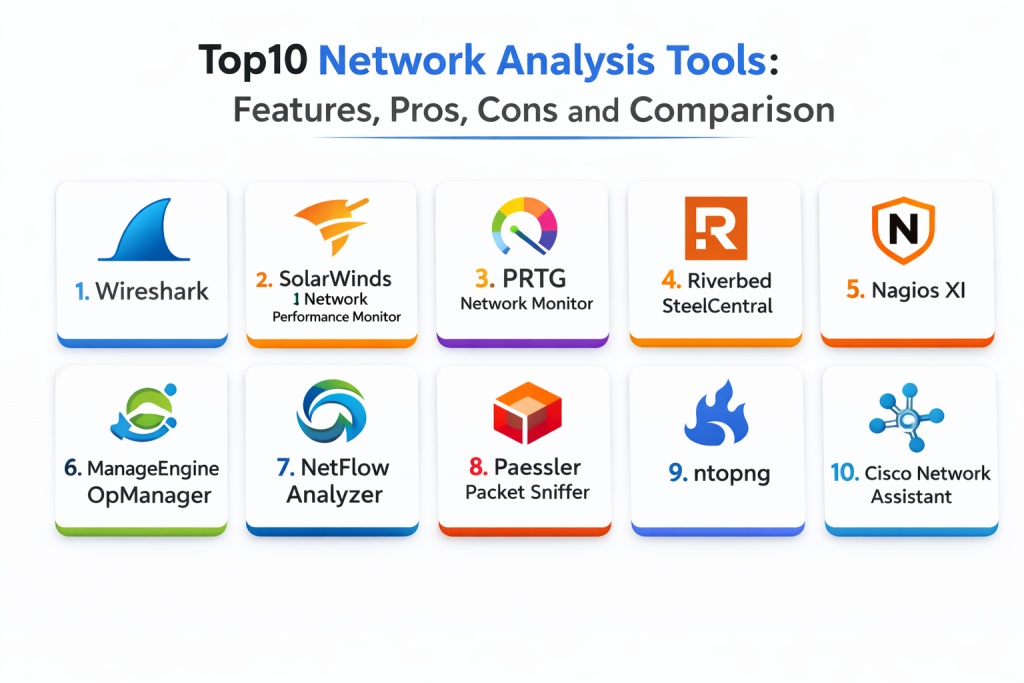
Introduction
Network analysis tools are essential for diagnosing network issues, optimizing performance, and ensuring that traffic flows efficiently across complex infrastructures. These tools allow IT teams to monitor, analyze, and troubleshoot network performance, identify bottlenecks, and understand traffic patterns. From packet capture to traffic analysis, these tools help network engineers and administrators maintain optimal network health, reduce downtime, and improve user experience.
Network analysis is especially crucial in modern environments where networks are increasingly complex, involving cloud services, hybrid infrastructures, and remote working setups. A robust network analysis tool not only helps identify issues quickly but also provides insights into potential future problems by analyzing historical data and traffic trends. By leveraging network analysis tools, organizations can improve network reliability, security, and performance.
Real-world use cases:
- Detecting network performance issues such as latency and packet loss
- Analyzing network traffic to understand bottlenecks and bandwidth utilization
- Performing security audits by monitoring unusual traffic patterns
- Troubleshooting slow network performance and identifying misconfigured devices
- Understanding traffic flows and optimizing network resource allocation
- Ensuring regulatory compliance by monitoring network data usage and flow
What buyers should evaluate:
- Depth of analysis: packet capture, traffic flow, and real-time monitoring
- Scalability to handle large networks and diverse environments
- Integration with existing monitoring, security, and observability tools
- Reporting capabilities for performance metrics and historical data
- Ability to handle encrypted traffic and inspect network security
- User-friendliness and ease of configuration for both experienced and novice users
- Alerting, notification, and real-time troubleshooting features
- Multi-site and hybrid network support
- Security features such as anomaly detection and threat alerts
- Cost-effectiveness and scalability as the network grows
Best for: Network engineers, administrators, security professionals, and IT operations teams that need deep visibility into network performance, traffic patterns, and security risks.
Not ideal for: Small-scale networks or teams with limited network complexity, as simpler tools may suffice for basic monitoring.
Key Trends in Network Analysis Tools
- Increasing use of AI and machine learning for real-time anomaly detection
- Enhanced traffic analysis capabilities for encrypted and SSL/TLS traffic
- More integration with cloud platforms and hybrid network environments
- Shift towards software-defined networks (SDN) and network automation
- Focus on security with deeper integration into security information and event management (SIEM) systems
- Real-time packet capture and analysis to diagnose issues instantly
- Growing need for tools to analyze network performance in containerized and microservices environments
- Increased use of flow-based analysis (e.g., NetFlow, sFlow, IPFIX) for network monitoring
- Cloud-based network analysis tools gaining popularity for scalability
- Tools integrating with network performance management (NPM) for full-stack visibility
How We Selected These Tools
- Widely recognized reputation in network analysis and monitoring
- Proven ability to handle complex, distributed, and hybrid network environments
- Strong integration with other network monitoring and observability tools
- Robust traffic analysis, packet capture, and diagnostic capabilities
- Scalability to support large enterprise networks and high data volumes
- Real-time troubleshooting and alerting features
- Customizable dashboards and reports for network performance and usage tracking
- Support for multi-protocol analysis and deep packet inspection
- Cost-effectiveness for teams of varying sizes
- Quality of customer support, documentation, and community engagement
Top 10 Network Analysis Tools
1 — Wireshark
Wireshark is one of the most popular open-source packet analyzers, used for network troubleshooting, analysis, and protocol development. It captures and inspects packets in real time, allowing users to view the details of network traffic at the most granular level.
Key Features
- Real-time packet capture and analysis
- Deep protocol inspection for hundreds of network protocols
- Multi-platform support for Windows, macOS, and Linux
- Powerful filtering capabilities to drill down into specific traffic
- Rich packet and traffic analysis with detailed information on each frame
- Extensive community support and regular updates
Pros
- Free and open-source with a large community
- Highly detailed analysis with packet-level visibility
- Extensive protocol support for in-depth troubleshooting
Cons
- Can be complex for beginners without prior experience
- Requires significant resources for large-scale packet capture
- Best suited for small-scale environments or isolated troubleshooting rather than continuous monitoring
Platforms / Deployment
- Web
- Self-hosted
Security & Compliance
- Not publicly stated
Integrations & Ecosystem
- Works well with other network monitoring tools for more comprehensive monitoring
- Can integrate with flow monitoring tools like NetFlow and sFlow
Support & Community
- Active community with a wealth of documentation and tutorials
2 — SolarWinds Network Performance Monitor
SolarWinds Network Performance Monitor provides comprehensive monitoring, diagnostic tools, and troubleshooting features for enterprise-grade networks. It uses SNMP to monitor devices, track performance, and visualize network topologies in real time.
Key Features
- Real-time network monitoring with topology mapping
- Device health tracking and alerts for performance degradation
- Automatic network discovery for devices and connections
- Customizable dashboards for NOC visibility
- Predictive analytics for capacity and bandwidth planning
- Integration with other SolarWinds tools for unified network management
Pros
- Intuitive user interface with easy setup
- Scalable for large and complex networks
- Real-time monitoring and historical performance tracking
Cons
- Can be costly for smaller businesses
- Some advanced features require more complex configuration
- Alerting may require fine-tuning to avoid noise
Platforms / Deployment
- Web
- Self-hosted / Hybrid
Security & Compliance
- SSO, RBAC, audit logs: Varies / Not publicly stated
Integrations & Ecosystem
- Integrates well with other SolarWinds network management and monitoring tools
- Supports SNMP, NetFlow, and other standard protocols for monitoring
Support & Community
- Strong vendor support with extensive documentation and resources
3 — PRTG Network Monitor
PRTG is a sensor-based network monitoring tool that provides real-time insights into device health, bandwidth usage, and traffic patterns. Its easy-to-use interface and customizable alerts make it a popular choice for SMBs and enterprises alike.
Key Features
- Sensor-based monitoring for various network metrics (CPU, memory, bandwidth, etc.)
- Customizable alerting and threshold management
- Real-time monitoring and reporting for network traffic
- Distributed monitoring with remote probes
- Multi-platform support (Windows, macOS, Linux)
- Web-based interface for easy access and control
Pros
- Easy to set up with a user-friendly interface
- Scalable for small to medium-sized networks
- Good value for teams needing flexible monitoring options
Cons
- Some advanced features may require additional configuration
- Licensing is based on the number of sensors, which may limit scalability
- May not be as comprehensive for larger networks with complex requirements
Platforms / Deployment
- Web
- Self-hosted
Security & Compliance
- Access control: Varies / Not publicly stated
Integrations & Ecosystem
- Integrates with third-party systems for alerts, ticketing, and reporting
- Supports SNMP, WMI, NetFlow, and other industry-standard protocols
Support & Community
- Solid documentation and support options, with a large user community
4 — Riverbed SteelCentral
Riverbed SteelCentral is a comprehensive network monitoring and performance analysis platform. It provides deep visibility into network traffic, application performance, and service delivery.
Key Features
- End-to-end visibility into network and application performance
- Real-time diagnostics and traffic analysis
- Automated root cause analysis for faster troubleshooting
- Performance monitoring for cloud and on-premises applications
- Network path visualization for troubleshooting and optimization
- Integration with Riverbed’s WAN optimization tools
Pros
- Powerful analytics with network path visualization
- Detailed insights into network and application performance
- Scalable for large enterprise networks
Cons
- High price point for smaller businesses
- Complex setup and configuration for new users
- Best for large, complex networks with high traffic demands
Platforms / Deployment
- Web
- Hybrid / On-premises
Security & Compliance
- Not publicly stated
Integrations & Ecosystem
- Integrates with Riverbed WAN optimization tools and other network monitoring platforms
- APIs for data access and automation
Support & Community
- Strong vendor support with extensive resources for enterprise clients
5 — Nagios XI
Nagios XI is a widely used network monitoring tool designed to provide deep insights into network health, traffic, and system performance. It supports both SNMP and agent-based monitoring for comprehensive coverage.
Key Features
- SNMP and agent-based monitoring for network devices
- Real-time status monitoring and alerting
- Multi-protocol support (HTTP, SMTP, SNMP, etc.)
- Customizable dashboards for network visibility
- Powerful reporting and logging features
- Integration with third-party tools for extended functionality
Pros
- Highly customizable and extensible
- Strong community support and plugin ecosystem
- Excellent for small to medium-sized networks
Cons
- Initial setup can be complex and time-consuming
- UI can feel outdated compared to newer tools
- Requires maintenance and updates to stay optimized
Platforms / Deployment
- Web / Linux
- Self-hosted
Security & Compliance
- Not publicly stated
Integrations & Ecosystem
- Integrates with a wide variety of third-party tools via plugins
- API access for custom integrations
Support & Community
- Strong community and a large ecosystem of plugins; commercial support available
6 — ManageEngine OpManager
OpManager is a powerful network monitoring tool with real-time monitoring, bandwidth analysis, and device discovery features. It is designed for medium to large networks, offering an easy-to-use interface and customizable workflows.
Key Features
- Real-time monitoring of devices, interfaces, and network performance
- Bandwidth usage monitoring and traffic analysis
- Automatic network discovery and mapping
- Threshold-based alerting and escalation rules
- Multi-site and hybrid network support
- Historical performance analysis and reporting
Pros
- Easy-to-use interface with powerful monitoring features
- Supports large-scale networks and hybrid environments
- Good balance of features for medium-sized teams
Cons
- Some advanced features are locked behind higher-tier pricing
- Customization may require additional setup
- Best value when used for large or complex environments
Platforms / Deployment
- Web
- Self-hosted
Security & Compliance
- RBAC, audit logs: Varies / Not publicly stated
Integrations & Ecosystem
- Integrates with other ManageEngine ITSM and monitoring tools
- API support for integration with third-party systems
- Best for teams already using ManageEngine products
Support & Community
- Strong documentation and support with active community forums
7 — NetFlow Analyzer
NetFlow Analyzer is a flow-based monitoring tool designed to provide insights into network bandwidth usage, traffic patterns, and performance. It specializes in flow analysis to help network engineers optimize their networks and prevent congestion.
Key Features
- Flow-based traffic analysis with NetFlow, sFlow, and IPFIX support
- Real-time bandwidth monitoring and traffic reporting
- Historical data storage for trend analysis and capacity planning
- Alerts for abnormal traffic behavior or bandwidth spikes
- Multi-site support and customizable dashboards
- Integration with other monitoring tools for expanded visibility
Pros
- Specialized in traffic analysis and bandwidth usage
- Good for teams looking to optimize network capacity
- Lightweight with powerful flow-based insights
Cons
- Limited device monitoring beyond flow data
- May require supplementary tools for full network health monitoring
- Basic alerting features compared to full-stack observability platforms
Platforms / Deployment
- Web
- Self-hosted
Security & Compliance
- Not publicly stated
Integrations & Ecosystem
- Integrates with monitoring platforms like PRTG and Nagios
- Works with SNMP and other network monitoring protocols
- API access for automation and reporting
Support & Community
Good support and active user community for troubleshooting.
8 — Paessler Packet Sniffer
Paessler Packet Sniffer is a tool that allows teams to capture and analyze packets on the network for in-depth troubleshooting, security analysis, and protocol examination.
Key Features
- Real-time packet capture and inspection
- Supports multiple protocols and network standards
- Deep packet-level analysis for troubleshooting issues
- Visualize and track data flow through the network
- Lightweight, with a focus on specific troubleshooting needs
- Export and save packet captures for detailed review
Pros
- Excellent for network security and performance analysis
- Deep packet inspection capabilities
- Useful for incident response and troubleshooting
Cons
- Requires technical expertise to interpret data effectively
- Primarily suited for troubleshooting rather than continuous monitoring
- May be overkill for small or simple networks
Platforms / Deployment
- Web
- Self-hosted
Security & Compliance
- Not publicly stated
Integrations & Ecosystem
- Can be used alongside broader network monitoring tools
- Best used with analysis tools that provide alerts for anomalies
Support & Community
Solid community and documentation; best for advanced users with networking experience.
9 — ntopng
ntopng is a network traffic probe that offers real-time visibility into network usage, performance, and traffic patterns. It provides detailed insights into network activity, helping teams optimize and secure their networks.
Key Features
- Real-time network traffic analysis
- Protocol breakdowns and usage reporting
- Web interface for traffic visualization and management
- Traffic flow monitoring and alerts for congestion
- Historical analysis for capacity planning and optimization
- Integration with other monitoring tools for extended insights
Pros
- Great for teams needing detailed traffic insights
- Lightweight and easy to deploy
- Useful for both performance analysis and security monitoring
Cons
- Not as feature-rich as full-stack network monitoring solutions
- Best for traffic-focused monitoring rather than device health
- May require integration with other tools for a comprehensive solution
Platforms / Deployment
- Web
- Self-hosted
Security & Compliance
- Not publicly stated
Integrations & Ecosystem
- Works with other network monitoring tools for expanded coverage
- Integrates with monitoring and incident tools for alerting
- API and CLI access for custom integrations
Support & Community
Active user community with solid documentation for troubleshooting.
10 — Cisco Network Assistant
Cisco Network Assistant is a network management tool designed for small to mid-sized businesses, offering monitoring, diagnostics, and configuration management for Cisco-based networks.
Key Features
- Network device discovery and configuration management
- Real-time monitoring of Cisco devices and interfaces
- Performance reporting and troubleshooting tools
- Automatic alerts for performance issues or device health
- Integration with Cisco’s broader network management suite
- Centralized control for Cisco-based networks
Pros
- Tailored for Cisco network environments
- Simplified management for small to mid-sized networks
- Easy-to-use interface and reporting
Cons
- Limited to Cisco devices, not a general network analysis tool
- May lack advanced features for complex or large environments
- Best value for small to medium Cisco-based networks
Platforms / Deployment
- Web
- Self-hosted
Security & Compliance
- Not publicly stated
Integrations & Ecosystem
Best used in Cisco environments for network monitoring and management.
- Integrates with other Cisco network tools
- API for configuration and monitoring
Support & Community
Cisco support is available; documentation is extensive for Cisco products.
Comparison Table
| Tool Name | Best For | Platform(s) Supported | Deployment | Standout Feature | Public Rating |
|---|---|---|---|---|---|
| Wireshark | Deep packet-level analysis | Web / Windows / Linux | Self-hosted | Protocol dissection and inspection | N/A |
| SolarWinds Network Performance Monitor | Enterprise network monitoring | Web / Windows | Self-hosted | Advanced alerting and topology mapping | N/A |
| PRTG Network Monitor | Flexible network monitoring | Web / Windows | Self-hosted | Sensor-based monitoring and scalability | N/A |
| Riverbed SteelCentral | End-to-end network performance monitoring | Web | Hybrid | Network path visibility and troubleshooting | N/A |
| Nagios XI | Customizable network monitoring | Web / Linux | Self-hosted | Plugin ecosystem and flexibility | N/A |
| ManageEngine OpManager | Broad network visibility | Web | Self-hosted | Device discovery and capacity planning | N/A |
| NetFlow Analyzer | Flow-based traffic analysis | Web | Self-hosted | Deep traffic insights and bandwidth usage | N/A |
| Paessler Packet Sniffer | Packet capture and inspection | Web / Windows | Self-hosted | Real-time packet-level analysis | N/A |
| ntopng | Traffic analysis and monitoring | Web / Linux | Self-hosted | Network flow visibility and security monitoring | N/A |
| Cisco Network Assistant | Cisco network management | Web | Self-hosted | Simplified Cisco device monitoring | N/A |
Evaluation & Scoring of Network Analysis Tools
Weights: Core features 25%, Ease of use 15%, Integrations & ecosystem 15%, Security & compliance 10%, Performance & reliability 10%, Support & community 10%, Value (price) 15%.
| Tool Name | Core (25%) | Ease (15%) | Integrations (15%) | Security (10%) | Performance (10%) | Support (10%) | Value (15%) | Weighted Total |
|---|---|---|---|---|---|---|---|---|
| Wireshark | 10 | 8 | 6 | 6 | 9 | 9 | 7 | 8.15 |
| SolarWinds Network Performance Monitor | 9 | 8 | 8 | 7 | 9 | 8 | 6 | 7.90 |
| PRTG Network Monitor | 8 | 9 | 7 | 6 | 8 | 7 | 8 | 7.80 |
| Riverbed SteelCentral | 9 | 7 | 8 | 7 | 9 | 8 | 7 | 8.00 |
| Nagios XI | 8 | 6 | 7 | 6 | 7 | 8 | 7 | 7.10 |
| ManageEngine OpManager | 9 | 8 | 7 | 6 | 8 | 7 | 6 | 7.55 |
| NetFlow Analyzer | 9 | 7 | 7 | 7 | 9 | 6 | 7 | 7.60 |
| Paessler Packet Sniffer | 9 | 9 | 6 | 6 | 9 | 7 | 6 | 7.70 |
| ntopng | 9 | 8 | 7 | 6 | 8 | 8 | 6 | 7.70 |
| Cisco Network Assistant | 7 | 9 | 6 | 6 | 7 | 7 | 7 | 7.10 |
Which Network Analysis Tool Is Right for You
Solo / Freelancer
If you have a small network or just need basic traffic insights, tools like Wireshark and Paessler Packet Sniffer offer deep packet inspection and troubleshooting with simple setup and no ongoing costs.
SMB
For SMBs, PRTG Network Monitor and Cisco Network Assistant offer the right balance of cost and functionality. They provide easy onboarding, solid device monitoring, and simple network traffic analysis.
Mid-Market
Mid-market teams may need a more comprehensive tool like SolarWinds Network Performance Monitor or ManageEngine OpManager. These tools provide network-wide visibility, capacity planning, and alerting, helping you manage growing infrastructure with ease.
Enterprise
For larger networks, Riverbed SteelCentral and NetFlow Analyzer offer powerful network path visibility and deep traffic analysis, which are critical for optimizing network performance at scale.
Budget vs Premium
Wireshark and ntopng are great for teams needing powerful, cost-free tools for packet-level analysis. For teams needing enterprise-level monitoring, SolarWinds and PRTG are robust choices with a broad feature set but come with licensing costs.
Feature Depth vs Ease of Use
If ease of use and fast deployment are top priorities, Cisco Network Assistant and PRTG will deliver quick, actionable insights. For advanced, deep-dive troubleshooting, Wireshark and NetFlow Analyzer offer powerful tools, though they require more expertise.
Integrations & Scalability
For teams with complex monitoring needs or integrations into existing infrastructure, tools like Riverbed SteelCentral and SolarWinds provide the best scalability and integration options.
Security & Compliance Needs
For regulated environments, prioritize tools that support strong access control and detailed audit trails, such as SolarWinds Network Performance Monitor and ManageEngine OpManager.
Frequently Asked Questions
- What is the primary purpose of network analysis tools?
Network analysis tools help IT teams monitor and analyze network performance, identify potential issues, and optimize resource allocation. - How do these tools detect network issues?
These tools use protocols like SNMP and flow analysis to capture traffic data, compare it to baselines, and detect anomalies such as latency, packet loss, or bandwidth bottlenecks. - Do network analysis tools work for cloud environments?
Yes, many tools, including PRTG and SolarWinds, support hybrid and multi-cloud environments, providing visibility across both on-premises and cloud-based infrastructures. - Can I use these tools for security purposes?
Yes, tools like Wireshark and ntopng can be used to monitor unusual traffic patterns, potential DDoS attacks, or unauthorized access to the network, which helps enhance security. - How do I decide between different tools?
Consider factors like network size, traffic complexity, and your team’s level of expertise. Tools like PRTG and Cisco Network Assistant are easier for small businesses, while Riverbed SteelCentral and NetFlow Analyzer are better suited for large-scale operations. - What is the cost of network analysis tools?
Pricing varies widely, from free tools like Wireshark to more expensive enterprise solutions like SolarWinds. It’s essential to balance the tool’s features with your network’s size and complexity. - Can these tools help with network security compliance?
Yes, network analysis tools can help track and report on network traffic in a way that aids in meeting compliance requirements, such as GDPR or HIPAA, by providing audit logs and monitoring unusual activity. - Do these tools support automated issue resolution?
Some tools, like PRTG and SolarWinds, allow for automated alerts and remediation actions based on predefined thresholds or incidents. - How do I use these tools to prevent downtime?
By continuously monitoring network traffic and device health, these tools provide early warnings of performance degradation or failures, allowing for proactive troubleshooting and prevention. - How do I set up network monitoring with these tools?
Most tools offer guided setups and intuitive dashboards. Begin by adding network devices, configuring monitoring metrics, and setting up alerts for specific thresholds or behaviors you wish to track.
Conclusion
Network analysis tools are crucial for maintaining optimal performance, minimizing downtime, and ensuring that your infrastructure is scaling efficiently. The right tool depends on the complexity of your network and your specific monitoring needs. Smaller networks may benefit from tools like Wireshark or Cisco Network Assistant, while larger networks or more complex environments may require robust solutions like SolarWinds Network Performance Monitor or Riverbed SteelCentral. By selecting the right tool, you can stay ahead of potential issues, optimize network resources, and improve overall performance.

Best Cardiac Hospitals Near You
Discover top heart hospitals, cardiology centers & cardiac care services by city.
Advanced Heart Care • Trusted Hospitals • Expert Teams
View Best Hospitals