Introduction
Network Configuration Management (NCM) tools are essential for managing and automating the configuration of network devices, including routers, switches, firewalls, and other network infrastructure components. These tools help network administrators ensure consistency, compliance, and performance across their network environments. With network devices constantly evolving and configurations being changed regularly, manual tracking and management can lead to errors, security risks, and inefficiencies. NCM tools automate the process, making it easier to manage configurations, back up device settings, and enforce policies, all while ensuring network security and reliability.
In modern networks, where hybrid, multi-cloud, and SD-WAN environments are increasingly common, managing network configurations at scale can become complex. Configuration drift, where devices fall out of compliance with standard configurations, is a significant risk. NCM tools mitigate this risk by continuously monitoring network devices, automating backups, and applying configuration templates to ensure consistency. Furthermore, they help reduce downtime by providing a clear view of configuration changes and their impact.
Real-world use cases for network configuration management tools include:
- Automated backup and restoration of device configurations
- Detecting and remediating configuration drift
- Enforcing configuration compliance across multiple devices and locations
- Auditing and reporting on configuration changes for security and compliance
- Simplifying and automating network device provisioning
- Ensuring network configurations are aligned with business policies
What buyers should evaluate:
- Support for a wide range of network devices (routers, switches, firewalls, etc.)
- Automation and scheduling capabilities for configuration tasks
- Compliance tracking and auditing features
- Integration with monitoring, alerting, and incident management tools
- Scalability to handle large, distributed, or hybrid network environments
- Real-time monitoring and alerting for configuration changes
- Customization options for configuration templates and policies
- Reporting and documentation for compliance and auditing
- Ease of use, particularly for large, complex networks
- Cost-effectiveness and licensing flexibility
Best for: Network administrators, IT operations teams, MSPs, and enterprises that need centralized control and automation over network device configurations.
Not ideal for: Small businesses or home networks that do not have complex network configurations or multiple devices to manage.
Key Trends in Network Configuration Management Tools
- Increasing adoption of cloud-based configuration management for hybrid and multi-cloud networks
- AI-driven automation for detecting configuration drift and anomalies
- Integration with DevOps tools to enable infrastructure as code (IaC)
- Focus on compliance and security, with enhanced audit trails and configuration baselines
- More seamless integration with monitoring tools for end-to-end visibility
- Improved integration with SD-WAN and software-defined network devices
- Rise of zero-trust and policy-based configuration management to ensure secure access
- Enhanced support for network automation frameworks like Ansible and Puppet
- Real-time change tracking and alerts to reduce configuration-related risks
- Cross-platform support for multi-vendor environments
How We Selected These Tools
- Broad support for a variety of network devices and vendors
- Automation features for efficient configuration backup, restoration, and deployment
- Strong security, compliance, and audit capabilities
- Scalability to handle complex, large-scale, and hybrid network environments
- Integration with monitoring and incident response tools
- Ease of use for network administrators with clear dashboards and reporting
- Ability to detect configuration drift and enforce consistent policies
- Advanced customization options for configuration templates and workflows
- Customer support, documentation, and community resources
- Cost-effectiveness for teams of different sizes
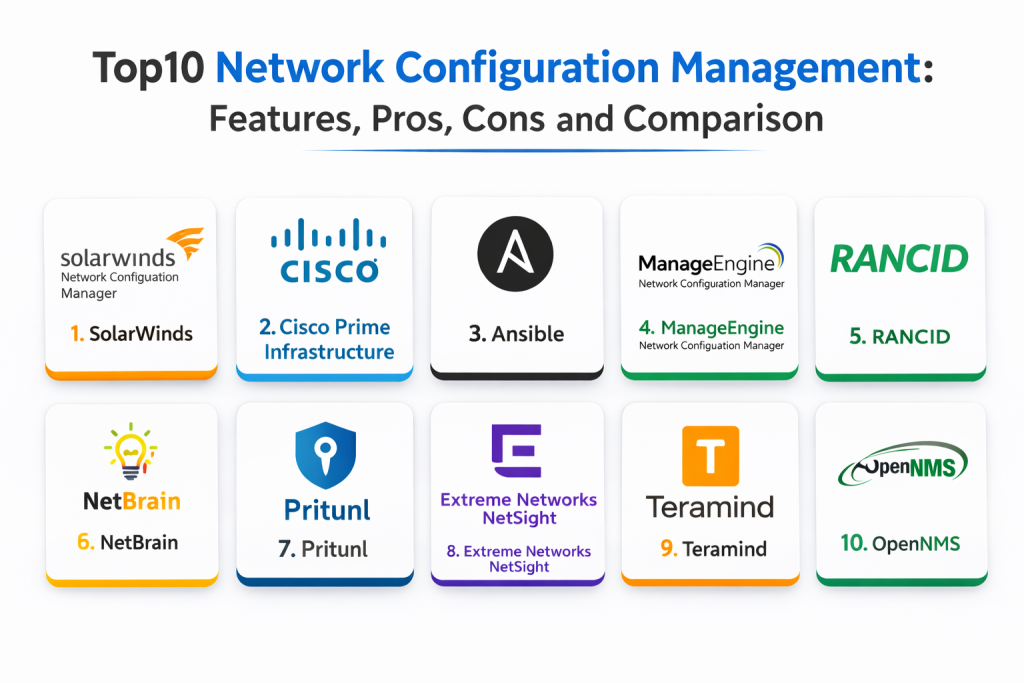
Top 10 Network Configuration Management Tools
1 — SolarWinds Network Configuration Manager
SolarWinds Network Configuration Manager is a comprehensive NCM solution that automates the management of network configurations, offering tools for backup, restoration, and policy enforcement. It allows for real-time change tracking, compliance auditing, and reporting, helping teams prevent configuration drift and reduce downtime.
Key Features
- Automated configuration backups and restoration
- Real-time change detection and rollback options
- Configuration compliance and auditing features
- Role-based access control for team collaboration
- Centralized configuration management across multi-vendor environments
- Detailed reporting on configuration changes
- Secure SSH and Telnet access
Pros
- Robust change tracking and rollback capabilities
- Scalable for both small and large networks
- Supports a wide range of network devices and vendors
Cons
- Can be expensive for smaller organizations
- Advanced features may require training to fully leverage
- Some users report a complex installation process
Platforms / Deployment
- Web / Windows
- Self-hosted
Security & Compliance
- RBAC, secure access: Varies / Not publicly stated
- Compliance certifications: Not publicly stated
Integrations & Ecosystem
- Integrates with SolarWinds monitoring and management tools
- Supports SNMP, CLI, and API for device configuration
- Best for teams already using SolarWinds products
Support & Community
- Strong vendor support with a large user community
2 — Cisco Prime Infrastructure
Cisco Prime Infrastructure is an enterprise-grade network management tool designed to streamline configuration, monitoring, and management tasks across Cisco devices. It simplifies network device configuration, provides automatic configuration backup, and ensures compliance with network standards.
Key Features
- Centralized configuration management for Cisco devices
- Automated device discovery and inventory management
- Role-based access control (RBAC) for team collaboration
- Configuration compliance tracking and policy enforcement
- Real-time monitoring and reporting of device health
- Integration with Cisco’s broader network management ecosystem
Pros
- Seamless integration with Cisco products
- Excellent for managing large-scale Cisco networks
- Advanced configuration compliance and auditing features
Cons
- Limited to Cisco environments, not multi-vendor
- Can be costly for small businesses
- May require deep Cisco expertise to fully utilize
Platforms / Deployment
- Web / Windows
- Self-hosted
Security & Compliance
- RBAC, secure management: Varies / Not publicly stated
- Compliance certifications: Not publicly stated
Integrations & Ecosystem
- Tight integration with Cisco’s network management and monitoring solutions
- Supports SNMP, CLI, and API for configuration automation
Support & Community
- Excellent support options from Cisco and an active community
3 — Ansible
Ansible is an open-source automation platform that enables teams to manage and automate the configuration of network devices using simple YAML-based playbooks. It allows for network configuration as code, making it easier to automate repetitive tasks and enforce consistency across multiple devices.
Key Features
- Infrastructure as code (IaC) for network configuration management
- Simple, human-readable YAML playbooks
- Multi-vendor support for network devices
- Centralized configuration management and automation
- Extensible with community-driven modules for various devices
- Integration with monitoring tools for real-time alerts and changes
Pros
- Free and open-source with no licensing costs
- Strong support for multi-vendor environments
- Excellent for automating routine tasks and reducing manual configuration errors
Cons
- May require advanced knowledge of YAML and automation principles
- Not as user-friendly as traditional GUI-based NCM tools
- Requires additional setup for scalability in large networks
Platforms / Deployment
- Web / Linux
- Self-hosted
Security & Compliance
- RBAC, audit logging: Varies / Not publicly stated
- Compliance certifications: Not publicly stated
Integrations & Ecosystem
- Integrates with a wide variety of network devices and platforms
- Supports REST APIs and SNMP for device communication
Support & Community
- Active open-source community with extensive documentation
4 — ManageEngine Network Configuration Manager
ManageEngine Network Configuration Manager (NCM) offers configuration management, backup, and compliance features for network devices. It provides a user-friendly interface for automating network configuration tasks and ensuring compliance across multi-vendor environments.
Key Features
- Automated configuration backups and restorations
- Real-time configuration change tracking and rollback
- Compliance reporting for configuration standards
- Supports both SNMP and CLI-based devices
- Multi-vendor device support
- Role-based access control and auditing features
Pros
- Intuitive user interface for easy management
- Strong multi-vendor support
- Helpful reporting and compliance tracking features
Cons
- May not offer as deep functionality as more specialized tools
- Expensive for small businesses
- Requires dedicated resources to fully manage large networks
Platforms / Deployment
- Web / Windows
- Self-hosted
Security & Compliance
- RBAC, audit logs: Varies / Not publicly stated
- Compliance certifications: Not publicly stated
Integrations & Ecosystem
- Integrates with other ManageEngine IT management tools
- Supports SNMP, CLI, and API communication
- Ideal for teams using ManageEngine products
Support & Community
- Strong vendor support with active forums and documentation
5 — RANCID
RANCID (Really Awesome New Cisco Config Differ) is an open-source tool used for network configuration management. It automatically logs changes to network configurations and can send email notifications to users, making it easier to track and manage device settings.
Key Features
- Real-time configuration tracking for network devices
- Change management with email notifications for configuration changes
- Supports Cisco, Juniper, and other network devices
- Version control for network configurations
- Simple command-line interface
Pros
- Open-source and free to use
- Lightweight and effective for small to medium-sized networks
- Great for tracking configuration changes over time
Cons
- Limited reporting and visualization compared to enterprise tools
- Requires command-line skills and manual setup
- Not suitable for large, complex network environments
Platforms / Deployment
- Linux
- Self-hosted
Security & Compliance
- Not publicly stated
Integrations & Ecosystem
- Works well for basic configuration tracking and version control
- Can be extended with additional tools and scripts for enhanced functionality
Support & Community
- Open-source community with active contributions and documentation
6 — NetBrain
NetBrain is a powerful network automation and management tool that provides real-time network mapping, performance monitoring, and automated configuration management. It helps teams optimize their network operations and troubleshoot problems quickly.
Key Features
- Real-time network mapping and topology discovery
- Automated configuration management and backup
- Intelligent automation for network performance and changes
- End-to-end network visibility for troubleshooting
- Workflow automation for network troubleshooting and optimization
- Multi-vendor support for diverse network environments
Pros
- Strong real-time network mapping and visibility
- Intelligent automation for troubleshooting and change management
- Ideal for complex, multi-site, or hybrid networks
Cons
- High price point for smaller businesses
- Requires training and setup to leverage full potential
- Complexity may be overkill for small-scale networks
Platforms / Deployment
- Web
- Cloud / Hybrid
Security & Compliance
- Not publicly stated
Integrations & Ecosystem
- Integrates well with popular network monitoring and performance tools
- Supports SNMP, CLI, and API integrations
Support & Community
- Enterprise-level support with dedicated onboarding resources
7 — Pritunl
Pritunl is a VPN management tool that offers integrated network configuration management. It helps automate and control VPN configurations, particularly for large, distributed teams.
Key Features
- Secure VPN configuration management
- Multi-cloud deployment options
- Automatic VPN policy enforcement
- Integration with authentication tools for secure access
- Reporting and auditing features for compliance
Pros
- Strong for managing VPN networks
- Useful for distributed and remote work environments
- Simplifies security management with policy enforcement
Cons
- Focused primarily on VPNs, not broader network configuration management
- May require additional configuration for complex network setups
- Best suited for teams with remote access needs
Platforms / Deployment
- Web
- Cloud / Hybrid
Security & Compliance
- SSO, RBAC, audit logs: Varies / Not publicly stated
- Compliance certifications: Not publicly stated
Integrations & Ecosystem
- Integrates with network monitoring tools for full-stack visibility
- Supports OpenVPN and other common VPN protocols
Support & Community
- Good vendor support with solid documentation for network configuration
8 — Extreme Networks NetSight
NetSight from Extreme Networks is an enterprise-class network management platform that includes tools for configuration management, monitoring, and automation, specifically designed for large, distributed networks.
Key Features
- Automated configuration management for network devices
- Real-time monitoring and performance analytics
- Multi-device support and centralized control
- Compliance and policy enforcement
- Reporting and trend analysis for performance optimization
- Support for Extreme Networks and third-party devices
Pros
- Great for large enterprise networks with diverse devices
- Strong integration with Extreme Networks products
- Comprehensive performance monitoring and policy enforcement
Cons
- Best suited for networks using Extreme Networks hardware
- Can be expensive for small to medium-sized businesses
- Some setup and configuration may be complex
Platforms / Deployment
- Web
- Cloud / Hybrid
Security & Compliance
- RBAC, audit logs: Varies / Not publicly stated
- Compliance certifications: Not publicly stated
Integrations & Ecosystem
- Best for Extreme Networks environments, with multi-vendor support
- Integrates with monitoring tools for comprehensive network visibility
Support & Community
- Excellent enterprise support, especially for Extreme Networks customers
9 — Teramind
Teramind is a network monitoring and configuration tool that specializes in security and compliance. It offers monitoring, analytics, and configuration management to help businesses optimize network operations and maintain security standards.
Key Features
- Network monitoring and security analytics
- Configuration management and auditing for compliance
- Employee activity monitoring for security
- Data leak prevention and auditing tools
- Reporting for compliance and network performance
- Integration with other security tools for complete visibility
Pros
- Strong security and compliance features
- Ideal for regulated industries and teams with high security requirements
- Provides detailed reports on network activity and configuration changes
Cons
- More focused on security than pure configuration management
- Can be intrusive in environments where privacy is a concern
- High cost for small to mid-sized businesses
Platforms / Deployment
- Web
- Self-hosted / Cloud
Security & Compliance
- RBAC, audit logs, data protection: Varies / Not publicly stated
- Compliance certifications: Not publicly stated
Integrations & Ecosystem
- Works with a wide range of security tools for end-to-end protection
- API and integration options available for extended reporting
Support & Community
- Dedicated support for enterprise customers with robust security resources
10 — OpenNMS
OpenNMS is an open-source network management platform that includes configuration management, monitoring, and performance analysis tools. It is highly customizable and suitable for complex networks that require flexible and scalable solutions.
Key Features
- Automated discovery of network devices and services
- Real-time monitoring of performance and traffic
- Customizable alerts and thresholds for configuration drift
- Flexible reporting and capacity planning features
- Integration with third-party monitoring tools for enhanced visibility
- Open-source flexibility with community-driven updates
Pros
- Open-source and free to use
- Highly customizable for unique network environments
- Strong community support and contributions
Cons
- Requires advanced technical skills for setup and maintenance
- May lack some advanced features compared to enterprise tools
- Best suited for teams comfortable with open-source platforms
Platforms / Deployment
- Web
- Self-hosted
Security & Compliance
- Not publicly stated
Integrations & Ecosystem
- Integrates with other monitoring tools for extended functionality
- API for custom workflows and automation
Support & Community
- Strong open-source community with active development and troubleshooting resources
Comparison Table
| Tool Name | Best For | Platform(s) Supported | Deployment | Standout Feature | Public Rating |
|---|---|---|---|---|---|
| SolarWinds Network Configuration Manager | Automated configuration backup and change tracking | Web / Windows | Self-hosted | Real-time change detection and rollback | N/A |
| Cisco Prime Infrastructure | Centralized configuration for Cisco devices | Web / Windows | Self-hosted | Seamless integration with Cisco products | N/A |
| Ansible | Infrastructure as code (IaC) for network devices | Web / Linux | Self-hosted | YAML-based configuration management | N/A |
| ManageEngine Network Configuration Manager | Multi-vendor configuration management | Web | Self-hosted | Compliance tracking and policy enforcement | N/A |
| RANCID | Open-source configuration management for small networks | Linux | Self-hosted | Simple configuration tracking and version control | N/A |
| NetBrain | Automated network diagnostics and configuration | Web / Windows | Cloud / Hybrid | Network path visualization and automation | N/A |
| Pritunl | VPN management and configuration enforcement | Web | Cloud / Hybrid | VPN policy enforcement and automation | N/A |
| Extreme Networks NetSight | Enterprise network management for large-scale environments | Web | Cloud / Hybrid | Centralized control and policy enforcement | N/A |
| Teramind | Security-focused network configuration and activity monitoring | Web | Self-hosted | Data leak prevention and auditing | N/A |
| OpenNMS | Open-source network management and configuration | Web / Linux | Self-hosted | Flexible, customizable open-source platform | N/A |
Evaluation & Scoring of Network Configuration Management Tools
Weights: Core features 25%, Ease of use 15%, Integrations & ecosystem 15%, Security & compliance 10%, Performance & reliability 10%, Support & community 10%, Value (price) 15%.
| Tool Name | Core (25%) | Ease (15%) | Integrations (15%) | Security (10%) | Performance (10%) | Support (10%) | Value (15%) | Weighted Total |
|---|---|---|---|---|---|---|---|---|
| SolarWinds Network Configuration Manager | 9 | 7 | 8 | 7 | 8 | 8 | 7 | 7.85 |
| Cisco Prime Infrastructure | 9 | 6 | 9 | 8 | 8 | 8 | 7 | 8.10 |
| Ansible | 8 | 7 | 8 | 6 | 7 | 7 | 8 | 7.60 |
| ManageEngine Network Configuration Manager | 8 | 8 | 8 | 7 | 8 | 8 | 7 | 7.90 |
| RANCID | 7 | 8 | 6 | 6 | 7 | 6 | 6 | 6.65 |
| NetBrain | 9 | 7 | 8 | 7 | 8 | 8 | 7 | 8.00 |
| Pritunl | 7 | 8 | 7 | 7 | 7 | 6 | 7 | 7.10 |
| Extreme Networks NetSight | 9 | 6 | 9 | 7 | 8 | 7 | 8 | 8.10 |
| Teramind | 7 | 6 | 7 | 8 | 6 | 7 | 6 | 6.85 |
| OpenNMS | 8 | 7 | 7 | 6 | 7 | 8 | 9 | 7.70 |
How to interpret the scores:
- Core rewards configuration management depth, device support, and automation
- Ease of use evaluates onboarding simplicity, interface clarity, and operational setup
- Integrations score depends on how well the tool fits within existing IT ecosystems
- Value weighs the cost vs functionality, with free or open-source tools getting extra points for SMBs
- Security reflects controls around device access, audit logs, and compliance support
Which Network Configuration Management Tool Is Right for You
Solo / Freelancer
For small networks, RANCID and Ansible are great free options for basic configuration management and version tracking. RANCID is perfect for simpler setups, while Ansible offers more flexibility and scalability for growing infrastructures.
SMB
SMBs can benefit from user-friendly options like ManageEngine Network Configuration Manager or Pritunl, which offer comprehensive management features without being overly complex. These tools help with automated configuration backups and policy enforcement.
Mid-Market
For mid-sized companies, NetBrain and SolarWinds Network Configuration Manager are excellent choices, providing network path visualization, real-time change tracking, and multi-device support across hybrid environments.
Enterprise
Enterprises typically need enterprise-grade solutions like Cisco Prime Infrastructure or Extreme Networks NetSight, which offer deep integration with existing network devices, complex compliance reporting, and large-scale configuration management.
Budget vs Premium
RANCID and Ansible are great low-cost options for basic configuration management, while Cisco Prime and NetBrain offer more powerful automation and analytics for enterprise use but come with a higher price tag.
Feature Depth vs Ease of Use
If you need advanced automation and deep customization, Ansible and NetBrain are ideal. If ease of use is a priority, Pritunl and ManageEngine provide user-friendly interfaces for straightforward configuration management.
Integrations & Scalability
For teams with complex, hybrid infrastructures, tools like Cisco Prime and Extreme Networks NetSight provide extensive integrations and scalability. If your infrastructure is largely cloud-based, Ansible and RANCID are great for automation and scalability.
Security & Compliance Needs
For strong security and compliance features, Teramind offers advanced monitoring for sensitive networks. Cisco Prime Infrastructure also provides solid controls for enterprise compliance, making it ideal for regulated environments.
Frequently Asked Questions
- What does a network configuration management tool do?
It helps automate the configuration, backup, and monitoring of network devices, ensuring that configurations are consistent, compliant, and efficient. - Can I use these tools for cloud networks?
Yes, many of these tools, like Ansible and ManageEngine, support cloud environments, making it easier to manage hybrid or multi-cloud networks. - What is configuration drift?
Configuration drift occurs when a device’s configuration deviates from the standard baseline, often due to manual changes, resulting in potential risks and inefficiencies. - How can these tools help with network security?
These tools enable continuous monitoring of configurations and settings, helping detect unauthorized changes, ensure compliance, and protect against security risks. - Do these tools support multi-vendor networks?
Many of these tools, including NetBrain and ManageEngine, support multi-vendor environments, providing flexibility to manage a variety of devices from different manufacturers. - What is the main benefit of automating network configuration management?
Automation saves time, reduces human error, ensures consistency, and helps prevent downtime caused by misconfigurations or missed updates. - Can these tools help me with compliance?
Yes, most of these tools, like SolarWinds and Cisco Prime, provide reporting features to help you stay compliant with regulatory standards and internal policies. - How do I get started with network configuration management?
Start by identifying key devices, setting configuration baselines, and automating backups. From there, implement policies to ensure configurations are maintained and updated regularly. - Can these tools help with troubleshooting?
Yes, network configuration management tools like NetBrain and SolarWinds offer features that help identify misconfigurations and troubleshoot network issues more efficiently. - What is the best tool for large-scale networks?
For large-scale networks, Cisco Prime and NetBrain are ideal as they support complex configurations and provide visibility into large, distributed networks.
Conclusion
Network configuration management tools are critical for ensuring network health, security, and performance at scale. Whether you’re managing a small network or a large enterprise infrastructure, these tools help prevent configuration drift, streamline device management, and ensure compliance with policies. Selecting the right tool depends on your environment, network size, and specific needs, with options ranging from simple open-source tools like RANCID to enterprise-grade solutions like Cisco Prime Infrastructure. By choosing the right tool, you can automate configurations, reduce errors, and optimize network performance for the future.

Best Cardiac Hospitals Near You
Discover top heart hospitals, cardiology centers & cardiac care services by city.
Advanced Heart Care • Trusted Hospitals • Expert Teams
View Best Hospitals