Introduction
Network inventory tools are specialized software solutions designed to automatically discover, catalog, and manage all hardware and software assets within an organization’s IT infrastructure. In a modern environment, this extends far beyond traditional servers and workstations to include routers, switches, firewalls, IoT devices, virtual machines, and cloud resources. These tools provide a “single pane of glass” view, ensuring that IT administrators have an accurate, real-time record of what is connected to their network, where it is located, and its current operational state.
The complexity of hybrid work and multi-cloud environments has made manual asset tracking obsolete. With the rise of “Shadow IT” and the constant threat of unauthorized device access, having an automated inventory system is a non-negotiable requirement for security and operational efficiency. Beyond simple identification, these tools facilitate lifecycle management, helping teams plan for hardware refreshes, manage software licenses, and ensure that every endpoint is patched and compliant with internal policies.
Real-World Use Cases
- Security & Compliance: Identifying rogue or unauthorized devices that have bypassed traditional security perimeters to mitigate potential entry points for breaches.
- Troubleshooting & Root-Cause Analysis: Providing network engineers with immediate access to device configurations and physical locations when investigating connectivity issues.
- Financial Optimization: Tracking software license usage to identify underutilized assets, allowing for cost reclamation and better budget forecasting.
- Change Management: Monitoring the network for hardware swaps or firmware updates, ensuring all changes are documented for audit trails.
- Capacity Planning: Analyzing hardware specifications across the fleet to determine which machines can support upcoming software migrations or OS upgrades.
Evaluation Criteria for Buyers
- Discovery Accuracy: The ability of the tool to find devices across different subnets, VLANs, and remote sites without manual intervention.
- Agentless vs. Agent-Based: Whether the tool requires software installation on every device or can scan via protocols like SNMP, WMI, and SSH.
- Hardware & Software Depth: Does the tool pull granular data like serial numbers, BIOS versions, and individual software patches?
- Automation Capabilities: Can the tool trigger alerts or workflows based on inventory changes, such as a new device joining the network?
- Topology Mapping: The inclusion of visual maps that show how devices are physically and logically interconnected.
- Integration Ecosystem: How well the data syncs with existing ITSM platforms, helpdesks, or security monitoring tools.
- Scalability: The system’s ability to maintain performance as the device count grows from hundreds to tens of thousands.
- Security Protocols: Support for encrypted scanning, Multi-Factor Authentication (MFA), and Role-Based Access Control (RBAC).
Mandatory Paragraph
- Best for: IT managers, network administrators, and security teams in mid-to-large enterprises who need a centralized source of truth for diverse, distributed hardware and software environments.
- Not ideal for: Very small home offices with fewer than ten devices, or teams looking for a full-scale network performance monitor who do not prioritize asset inventory.
Key Trends in Network Inventory Software
- AIOps Integration: AI is now used to baseline “normal” network inventory and flag anomalies, such as a device that suddenly changes its fingerprint or behavior.
- Unified Cloud-to-Edge Visibility: Tools are collapsing the silo between on-premises hardware and ephemeral cloud assets, providing a unified inventory view.
- Identity-First Discovery: Moving toward identifying the user associated with a network asset in real-time to enhance security context.
- Agentless-First Scanning: A massive shift toward advanced agentless techniques to avoid the overhead of managing software on every individual endpoint.
- Automated Patch Auditing: Inventory tools are increasingly integrating with vulnerability databases to flag assets that are missing critical security updates.
- Sustainability Tracking: New features that estimate the carbon footprint and power consumption of hardware assets based on their age and model.
- Digital Twin Synchronization: Using network inventory data to feed digital twins of physical offices or data centers for virtual management.
- API-First Architectures: The standard has shifted to tools that prioritize API access, allowing the inventory to act as a data provider for other automation scripts.
How We Selected These Tools
- Discovery Reliability: We selected tools known for their high success rates in identifying hidden or “silent” network assets.
- Multi-Vendor Support: Priority was given to software that can manage hardware from a wide range of manufacturers (Cisco, Dell, HP, etc.).
- Enterprise Security Features: We looked for platforms that offer robust encryption and access controls to protect sensitive infrastructure data.
- User Interface Modernity: Preference was given to tools that have moved away from legacy, cluttered designs in favor of streamlined, intuitive dashboards.
- Integration Maturity: Only tools with established, reliable connections to major third-party IT management ecosystems were considered.
- Lifecycle Context: We prioritized tools that provide data from procurement through to decommissioning, rather than just simple “up/down” status.
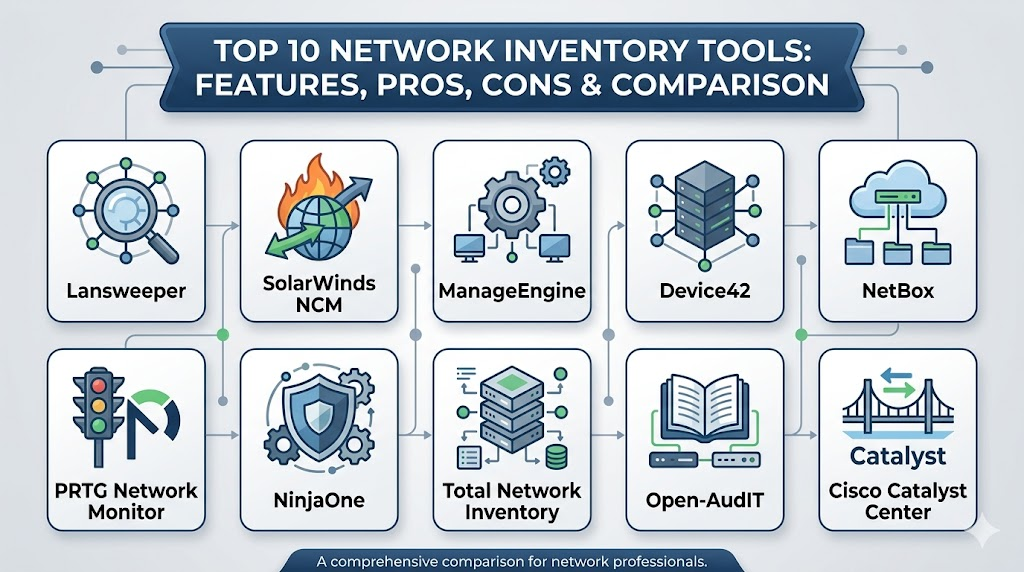
Top 10 Network Inventory Software Tools
1. Lansweeper
This platform is widely recognized for its exceptional agentless discovery capabilities. It provides a deep dive into every IT, OT, and IoT asset, making it a favorite for teams that need comprehensive visibility without the hassle of deploying client software.
Key Features
- Deep agentless scanning across multiple protocols including SNMP, WMI, and SSH.
- Extensive software inventory that tracks versions, licenses, and patch status.
- Automated network mapping that visualizes the relationship between assets.
- Integration with a massive database for hardware warranty and end-of-life tracking.
- Customizable dashboards that provide a high-level overview of asset health.
Pros
- Extremely fast initial setup and discovery of assets on the local network.
- Comprehensive reporting library with hundreds of pre-built templates.
Cons
- Scanning very large environments can be resource-intensive for the hosting server.
- Advanced automation features often require a higher-tier subscription.
Platforms / Deployment
Windows / Web
Hybrid
Security & Compliance
Role-Based Access Control and encrypted credential storage.
Not publicly stated.
Integrations & Ecosystem
It acts as a primary data feeder for many service desks and security tools. It offers robust APIs and pre-built connectors for major ITSM platforms.
Support & Community
A strong professional support team is backed by an active user community and a detailed knowledge base.
2. SolarWinds Network Configuration Manager
While known for configuration, its inventory capabilities are industry-leading for network-specific hardware like routers and switches. It is built for professional network operations teams who need to manage large-scale infrastructure.
Key Features
- Automated discovery and detailed hardware inventory for multi-vendor devices.
- Real-time configuration backup and change detection for all network assets.
- Integrated compliance auditing for industry standards like PCI and HIPAA.
- Granular port-level visibility to see what is connected where.
- Advanced lifecycle management including vulnerability alerts for firmware.
Pros
- Unmatched depth for managing professional-grade network equipment.
- Exceptional reporting for audits and regulatory compliance.
Cons
- The pricing model is geared toward larger budgets.
- The interface has a steeper learning curve compared to lightweight tools.
Platforms / Deployment
Windows / Web
Self-hosted
Security & Compliance
SSO/SAML integration, MFA support, and detailed audit trails.
ISO 27001 and SOC 2 (Autodesk Cloud components).
Integrations & Ecosystem
Part of the broader SolarWinds Orion platform, it integrates seamlessly with performance monitoring and IP address management modules.
Support & Community
One of the largest professional user bases in the world, with extensive training videos and premium support options.
3. ManageEngine OpManager
This tool provides a monitoring-centric approach to inventory, ensuring that every discovered device is not only cataloged but also tracked for health and performance.
Key Features
- Automatic discovery and categorization of network devices.
- Real-time topology mapping to visualize network architecture.
- Integrated hardware health monitoring (temperature, fan status, power).
- Software asset management including license compliance tracking.
- Mobile app for managing and viewing inventory on the go.
Pros
- Offers a great balance between asset inventory and performance monitoring.
- Highly affordable for mid-market companies compared to enterprise giants.
Cons
- Some advanced features require the installation of separate add-on modules.
- The interface can feel crowded due to the sheer volume of data displayed.
Platforms / Deployment
Windows / Linux / Web
Self-hosted
Security & Compliance
Encrypted credentials and role-based permissions.
Not publicly stated.
Integrations & Ecosystem
Deeply integrated with the ManageEngine suite, including ServiceDesk Plus and Endpoint Central.
Support & Community
Professional support is highly responsive, with a wealth of documentation and community forums.
4. Device42
A modern, comprehensive CMDB and inventory tool that excels at discovering dependencies in complex, hybrid environments. It is designed for teams that need to understand how assets interact with each other.
Key Features
- Automated discovery for physical, virtual, and cloud infrastructure.
- Advanced application dependency mapping to see which services rely on which hardware.
- Integrated IP Address Management (IPAM) and password management.
- Comprehensive lifecycle tracking from procurement to retirement.
- Powerful reporting for cloud migration planning and auditing.
Pros
- Best-in-class dependency mapping for hybrid cloud environments.
- Highly extensible with a focus on an API-first architecture.
Cons
- The focus on “everything” can make it feel overkill for simple network-only needs.
- Requires a bit more initial configuration to get the most out of dependency maps.
Platforms / Deployment
Web / Virtual Appliance
Hybrid
Security & Compliance
End-to-end encryption and robust RBAC.
Not publicly stated.
Integrations & Ecosystem
It integrates with virtually every major cloud provider and ITSM tool, making it a core piece of many modern DevOps stacks.
Support & Community
Focused on high-level professional support with detailed technical documentation for complex setups.
5. NetBox
The premier open-source “source of truth” for network infrastructure. It is a favorite among network engineers who want a highly customizable and developer-friendly inventory model.
Key Features
- Specialized data model for IP address management and rack tracking.
- Powerful API-first design for network automation workflows.
- Visual cable management and rack elevations.
- Support for tracking circuits and service providers.
- Extensible via a robust plugin system.
Pros
- Completely free and open-source with a massive community.
- Designed by network engineers specifically for network engineering needs.
Cons
- Does not perform “active” network scanning; it is a repository for manual or automated data.
- Requires technical skill to set up, maintain, and automate.
Platforms / Deployment
Web / Linux
Self-hosted
Security & Compliance
Security depends on the hosting environment and local configurations.
Not publicly stated.
Integrations & Ecosystem
The center of many network automation scripts, integrating with Ansible, Terraform, and Python workflows.
Support & Community
Incredible community support via GitHub and Slack, with professional support available through specialized vendors.
6. PRTG Network Monitor
While primarily a monitoring tool, its sensor-based discovery makes it an effective inventory solution for teams that want a visual, real-time look at their hardware assets.
Key Features
- Automatic discovery that populates a hierarchical device tree.
- Sensor-based tracking for hardware metrics like serial numbers and disk health.
- Customizable network maps that show real-time status and asset info.
- Integrated alerting for whenever a new asset appears or goes offline.
- Multi-site support for managing inventory across remote offices.
Pros
- Very easy to visualize the entire network and its assets.
- Flexible licensing that scales based on the number of sensors used.
Cons
- Software inventory features are less detailed than dedicated asset managers.
- Can become expensive if you need a high number of sensors per device.
Platforms / Deployment
Windows / Web
Hybrid
Security & Compliance
Encrypted local data storage and secure web access.
Not publicly stated.
Integrations & Ecosystem
Offers a robust API and custom scripts to export inventory data to other management tools.
Support & Community
Excellent official documentation and a very helpful global user base.
7. NinjaOne
A cloud-native platform that combines inventory with remote management, making it perfect for distributed teams and managed service providers.
Key Features
- Real-time automated discovery for all connected endpoints.
- Detailed hardware and software specifications pulled automatically.
- Integrated patch management tied directly to the software inventory.
- Cloud-native architecture that requires zero on-premises hardware.
- Robust reporting for asset health and compliance.
Pros
- Extremely fast and modern interface that is easy for anyone to use.
- Perfect for managing assets that are not always on the local corporate network.
Cons
- Pricing is per-device, which can add up for very high-density environments.
- Less focus on deep network infrastructure (routers/switches) compared to endpoints.
Platforms / Deployment
Web / Windows / macOS / Linux
Cloud
Security & Compliance
MFA, SSO, and SOC 2 Type II compliance.
SOC 2 / HIPAA ready.
Integrations & Ecosystem
Strong integrations with popular PSA tools and security products for a unified management stack.
Support & Community
Widely praised for having some of the best customer support in the industry.
8. Total Network Inventory
A dedicated, lightweight application for those who want a simple but powerful desktop-based solution for periodic network audits.
Key Features
- High-speed scanning of Windows, macOS, Linux, and SNMP devices.
- Centralized storage for all asset data without the need for a database server.
- Detailed software accounting and license management features.
- Change tracking that highlights what has been modified since the last scan.
- Ability to create a custom network map with drag-and-drop assets.
Pros
- Very affordable and straightforward with no complex setup required.
- Excellent for generating quick reports for audits or inventory checks.
Cons
- Lacks the real-time, continuous monitoring found in cloud-based tools.
- The interface, while functional, feels a bit dated compared to modern SaaS.
Platforms / Deployment
Windows
Local
Security & Compliance
Data is stored locally on the administrator’s machine.
Not publicly stated.
Integrations & Ecosystem
Basic export features for Excel and PDF, but limited direct integrations with other IT suites.
Support & Community
Reliable email support and a clear set of user manuals for all features.
9. Open-AudIT
An open-source, audit-focused tool that provides a practical way to discover and report on network assets without high licensing fees.
Key Features
- Fast discovery using a variety of agentless protocols.
- Detailed reporting on hardware, software, and configuration changes.
- Ability to track the history of an asset’s state over time.
- Integrated dashboard for visualizing the summary of the network.
- Supports scanning across varied operating systems and device types.
Pros
- Highly cost-effective with a functional free version available.
- Great for teams that need to perform regular compliance audits.
Cons
- The interface requires some time to learn and navigate effectively.
- Lacks some of the “polish” and automation of premium enterprise tools.
Platforms / Deployment
Linux / Web
Self-hosted
Security & Compliance
Dependent on the security of the local Linux installation.
Not publicly stated.
Integrations & Ecosystem
Offers a REST API for integration into other custom-built tools or scripts.
Support & Community
Active community forums and professional support tiers available through the developer.
10. Cisco Catalyst Center
A specialized, enterprise-grade solution for organizations that are heavily invested in the Cisco ecosystem. It offers deep automation and inventory assurance.
Key Features
- Controller-driven discovery that provides absolute truth for Cisco assets.
- Integrated network assurance that validates the state of the inventory.
- Policy-based automation for managing thousands of devices at once.
- Deep visibility into wireless and wired client device inventory.
- AI-driven insights for optimizing and securing the network fleet.
Pros
- The most powerful inventory tool available for Cisco-heavy networks.
- Provides high-level security and automation that other tools cannot match.
Cons
- Limited usefulness for networks that use a wide variety of non-Cisco hardware.
- Highly expensive and requires specific hardware controllers to run.
Platforms / Deployment
Appliance / Cloud
Hybrid
Security & Compliance
Extensive enterprise-grade security and full compliance auditing.
Not publicly stated.
Integrations & Ecosystem
Perfectly integrated with the entire Cisco security and management landscape.
Support & Community
Premium enterprise support with direct access to Cisco’s global engineering team.
Comparison Table
| Tool Name | Best For | Platform(s) Supported | Deployment | Standout Feature | Public Rating |
| 1. Lansweeper | General IT Teams | Windows, Web | Hybrid | Agentless Discovery | N/A |
| 2. SolarWinds NCM | Network Ops | Windows, Web | Self-hosted | Config Compliance | N/A |
| 3. ManageEngine | Mid-Market | Win, Linux, Web | Self-hosted | Health Monitoring | N/A |
| 4. Device42 | Hybrid Infrastructure | Web, Virtual | Hybrid | Dependency Maps | N/A |
| 5. NetBox | Technical Ops | Web, Linux | Self-hosted | Source of Truth | N/A |
| 6. PRTG | Visual Monitoring | Windows, Web | Hybrid | Sensor Tree | N/A |
| 7. NinjaOne | Distributed Teams | Web | Cloud | Patch Integration | N/A |
| 8. Total Inventory | Periodic Audits | Windows | Local | Lightweight App | N/A |
| 9. Open-AudIT | Budget Auditing | Linux, Web | Self-hosted | Audit History | N/A |
| 10. Cisco Catalyst | Cisco Ecosystem | Appliance, Cloud | Hybrid | Network Assurance | N/A |
Evaluation & Scoring
| Tool Name | Core (25%) | Ease (15%) | Integrations (15%) | Security (10%) | Perf (10%) | Support (10%) | Value (15%) | Total |
| 1. Lansweeper | 10 | 8 | 9 | 8 | 8 | 8 | 8 | 8.65 |
| 2. SolarWinds NCM | 10 | 4 | 9 | 10 | 9 | 9 | 5 | 8.05 |
| 3. ManageEngine | 8 | 7 | 8 | 8 | 8 | 8 | 8 | 7.85 |
| 4. Device42 | 10 | 6 | 10 | 9 | 9 | 8 | 7 | 8.60 |
| 5. NetBox | 7 | 5 | 10 | 6 | 9 | 6 | 10 | 7.40 |
| 6. PRTG | 8 | 9 | 8 | 8 | 8 | 9 | 7 | 8.05 |
| 7. NinjaOne | 9 | 10 | 8 | 10 | 10 | 10 | 7 | 9.05 |
| 8. Total Inventory | 6 | 9 | 4 | 6 | 9 | 7 | 10 | 6.90 |
| 9. Open-AudIT | 7 | 6 | 6 | 5 | 8 | 6 | 10 | 6.85 |
| 10. Cisco Catalyst | 9 | 3 | 7 | 10 | 10 | 10 | 4 | 7.30 |
The scores above are designed to show how well each tool serves its intended audience. NinjaOne scores high because of its incredible ease of use and modern cloud performance, making it highly valuable for today’s mobile workforce. Lansweeper remains the leader for general discovery depth. Meanwhile, NetBox and Open-AudIT offer incredible value as free tools, even if they lack the polished support and ease of use found in high-end premium platforms.
Which Network Inventory Tool Is Right for You?
Solo / Freelancer
If you are managing a small network on your own, Total Network Inventory or the free tier of Lansweeper are the most practical choices. They provide professional-grade reports without requiring a complex server setup or a massive monthly budget.
SMB
For small to mid-sized businesses, ManageEngine OpManager or NinjaOne offer the best balance. They allow you to manage your assets without needing a dedicated “inventory expert” on staff, and their pricing is manageable for growing teams.
Mid-Market
Growing companies with more complex infrastructure should look at Device42 or Lansweeper. These tools provide the depth needed to handle hybrid environments while ensuring that the data can be integrated into broader IT service management workflows.
Enterprise
Large organizations with strict compliance and security needs should invest in SolarWinds Network Configuration Manager or Cisco Catalyst Center. These tools offer the level of control and audit readiness that global enterprises require for their core infrastructure.
Budget vs Premium
- Budget: NetBox or Open-AudIT provide great functionality for zero licensing costs if you have the technical skill to manage them.
- Premium: SolarWinds and Device42 represent the high end of the market, offering deep automation and dedicated support.
Feature Depth vs Ease of Use
- Depth: SolarWinds and Houdini (for DevOps/SRE contexts) provide the most control but require extensive training.
- Ease of Use: NinjaOne and PRTG allow you to see your entire network inventory within minutes of installation.
Integrations & Scalability
If your inventory needs to serve as the data source for a massive automation engine, NetBox or Device42 are the clear leaders due to their API-first designs and focus on infrastructure modeling.
Security & Compliance Needs
For teams in highly regulated industries like finance or healthcare, NinjaOne and SolarWinds provide the most complete security certifications and built-in compliance reporting to pass audits with ease.
Frequently Asked Questions (FAQs)
1. Is it better to use an agent or agentless discovery?
Agentless is generally preferred for network infrastructure like routers and switches where you cannot install software. Agents are better for laptops and remote devices that frequently leave the office network.
2. How often should I run an inventory scan?
For most environments, a daily scan is sufficient. However, for high-security areas, running quick discovery scans every few hours can help identify unauthorized devices more quickly.
3. Can these tools find devices behind firewalls?
Yes, most professional tools support “probe” or “collector” software that can be installed on remote subnets to securely tunnel inventory data back to the main server.
4. What is the difference between a CMDB and an inventory tool?
An inventory tool discovers what is there, while a Configuration Management Database (CMDB) also maps how those things are connected and which business services they support.
5. Why is SNMP important for network inventory?
SNMP is the universal language of network hardware. It allows inventory tools to pull serial numbers, port status, and model info from almost any professional router or switch.
6. Can I track virtual machines with these tools?
Yes, modern inventory tools connect directly to hypervisors like VMware or Hyper-V to catalog every virtual machine alongside your physical hardware.
7. Do inventory tools help with software audits?
Absolutely. They provide a master list of all installed software across your fleet, allowing you to quickly see where you are over or under-licensed before an official audit occurs.
8. Can I manage cloud assets like AWS or Azure?
Many modern tools like Device42 and Lansweeper have built-in connectors to pull cloud instances and storage into your main inventory view for a hybrid perspective.
9. What happens if a device is offline during a scan?
Most tools will keep the last known state of that device in the database. Once the device comes back online, the tool will update the record with the most recent data.
10. How do these tools handle duplicate assets?
Professional tools use unique identifiers like MAC addresses or serial numbers to ensure that the same physical device isn’t counted twice, even if it changes IP addresses.
Conclusion
Managing a modern network without an automated inventory tool is a risk that most professional organizations can no longer afford. The sheer speed of technological change and the expansion of the network perimeter demand a solution that provides absolute clarity on every connected asset. Whether you prioritize the open-source flexibility of a platform like NetBox or the high-end automation of a suite like SolarWinds, the goal remains the same: eliminating blind spots. By implementing a robust inventory system, you not only improve your security posture but also create a solid foundation for all future network automation and lifecycle planning.

Best Cardiac Hospitals Near You
Discover top heart hospitals, cardiology centers & cardiac care services by city.
Advanced Heart Care • Trusted Hospitals • Expert Teams
View Best Hospitals