Introduction
Network monitoring tools help teams see what is happening across routers, switches, firewalls, wireless, WAN links, and the services that depend on them. In plain terms, these tools collect network health data, performance metrics, and traffic signals so you can detect slowdowns, outages, misconfigurations, and security-risk behavior before users start complaining. When networks support cloud access, remote work, SaaS traffic, and real-time apps, small issues can quickly turn into big business downtime.
Modern networks are also more complex than before. You have hybrid environments, SD-WAN, multiple ISPs, VPNs, zero trust controls, and a mix of on-prem plus cloud connectivity. A good network monitoring tool does more than “ping checks.” It helps teams track latency, jitter, packet loss, interface utilization, device health, routing changes, and sometimes even application-level paths. It also reduces alert noise by correlating related events and making root cause analysis faster.
Real-world use cases:
- Detecting link congestion and bandwidth hotspots
- Tracking latency, packet loss, and jitter for voice and video
- Monitoring device health for switches, routers, and firewalls
- Identifying misconfigurations and interface errors early
- Baseline reporting and capacity planning for upgrades
- Faster troubleshooting during outages and intermittent issues
What buyers should evaluate:
- Depth of monitoring: SNMP, flow, logs, topology, wireless, WAN
- Alert quality: thresholds, baselines, and noise reduction
- Mapping and visualization: topology, path views, dependencies
- Scalability for large sites, distributed branches, and cloud networks
- Ease of onboarding devices and maintaining inventory accuracy
- Reporting for SLA, uptime, capacity, and executive summaries
- Automation options for response workflows and remediation
- Role-based access, audit visibility, and multi-tenant needs
- Integrations with ticketing, chat, and incident workflows
- Total cost including licensing, storage, and add-on modules
Best for: network teams, IT operations, NOC teams, MSPs, and DevOps/SRE groups that need reliable visibility into connectivity and performance.
Not ideal for: very small environments with a few consumer devices where basic router dashboards and simple uptime checks are enough.
Key Trends in Network Monitoring Tools
- More focus on hybrid visibility, including cloud network paths
- Increased use of flow and telemetry for traffic-level insights
- Better baselining to reduce alert noise and false positives
- Network experience monitoring focused on user journeys
- Stronger SD-WAN and WAN health analytics
- Improved automated discovery and topology mapping
- Integration with incident workflows to speed up response
- More emphasis on encryption-safe visibility and metadata analysis
- Unified views combining metrics, events, and configurations
- Greater demand for role-based control and audit-ready reporting
How We Selected These Tools
- Strong reputation and adoption for network monitoring use cases
- Coverage across device health, performance, and traffic analysis
- Practical alerting and troubleshooting features
- Scalability for multi-site and enterprise networks
- Clear dashboards and reporting suitable for operations teams
- Integration options with IT workflows and service desks
- Ability to support common network vendors and protocols
- Reliability of collectors, polling, and data storage at scale
- Documentation quality and support availability
- Balance of enterprise-grade tools and accessible options
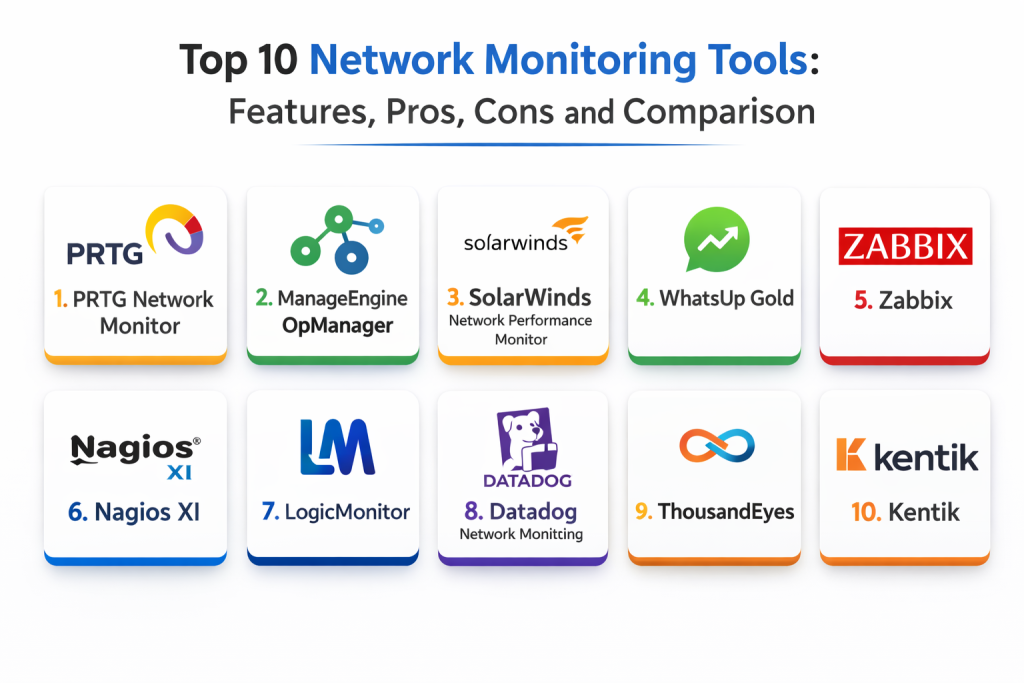
Top 10 Network Monitoring Tools
1 — SolarWinds Network Performance Monitor
A widely used network monitoring platform known for strong SNMP monitoring, alerting, dashboards, and network topology visibility.
Key Features
- Device and interface monitoring with health and performance metrics
- Advanced alerting with thresholds and dependency awareness
- Topology mapping and network path visibility features
- Capacity and utilization reporting for planning
- Discovery workflows for faster device onboarding
- Custom dashboards for NOC and service views
- Reporting for SLA and uptime tracking
Pros
- Mature feature set for large network environments
- Strong dashboards and reporting for operations
- Good device discovery and alerting flexibility
Cons
- Can require tuning to reduce alert noise
- Licensing can get expensive at scale
- Best results need clean inventory and naming standards
Platforms / Deployment
- Web / Windows
- Self-hosted
Security & Compliance
- RBAC and audit visibility: Varies / Not publicly stated
- Compliance certifications: Not publicly stated
Integrations & Ecosystem
Commonly used as a core network monitoring source for IT workflows.
- Integrates with service desks and alerting workflows
- APIs for exporting metrics and alerts
- Supports common network protocols and vendor devices
- Complements log and flow tools for deeper troubleshooting
Support & Community
Large user community and mature documentation; enterprise support depends on plan.
2 — PRTG Network Monitor
A sensor-based monitoring platform that covers devices, bandwidth, and services with flexible dashboards and quick onboarding.
Key Features
- Sensor-based monitoring for SNMP, WMI, and other sources
- Alerting rules with thresholds and schedules
- Dashboards and maps for visibility
- Bandwidth monitoring and utilization tracking
- Reporting for uptime and performance trends
- Flexible setup for small to medium environments
- Notification options for ops workflows
Pros
- Fast to deploy and easy to understand
- Flexible monitoring across network and systems
- Good value for many SMB use cases
Cons
- Large environments can become sensor-heavy to manage
- Advanced mapping can take time to maintain
- Some deep analytics may require additional tooling
Platforms / Deployment
- Web / Windows
- Self-hosted
Security & Compliance
- Access controls: Varies / Not publicly stated
- Compliance certifications: Not publicly stated
Integrations & Ecosystem
Often used as an all-around monitoring hub for smaller teams.
- Supports alerts to ticketing and notifications
- APIs and exports for reporting
- Works well with common network devices and servers
- Complements flow tools for traffic analytics
Support & Community
Good documentation and community resources; support depends on licensing level.
3 — ManageEngine OpManager
A network monitoring platform with strong device monitoring, dashboards, and integrated modules that can extend into broader IT operations.
Key Features
- SNMP-based network monitoring and health checks
- Interface utilization and capacity trend reporting
- Configurable alerting and escalation policies
- Device discovery and inventory management
- Performance dashboards for NOC views
- Reporting for SLA and uptime tracking
- Optional add-ons for deeper capabilities
Pros
- Good feature coverage for mid-sized networks
- Strong reporting and dashboard options
- Works well for teams wanting a broad IT view
Cons
- Advanced setups can become complex
- Best results require careful threshold tuning
- Some features depend on licensing and modules
Platforms / Deployment
- Web
- Self-hosted
Security & Compliance
- RBAC and logs: Varies / Not publicly stated
- Compliance certifications: Not publicly stated
Integrations & Ecosystem
Good fit for teams that want monitoring aligned with broader IT operations.
- Integrates with ITSM and notification workflows
- APIs for integrations and exports
- Supports common vendors and network device types
- Complements log tools for deeper troubleshooting
Support & Community
Strong vendor support options; user community is active and practical.
4 — WhatsUp Gold
A network monitoring tool known for straightforward discovery, mapping, alerting, and visibility into device and interface health.
Key Features
- Automated discovery and device inventory
- Network maps and topology visualization
- Performance monitoring for interfaces and devices
- Configurable alerts and escalation rules
- Reporting for uptime and performance
- Support for common network protocols
- Useful dashboards for daily operations
Pros
- Easy setup and clear UI for many teams
- Good discovery and mapping for fast visibility
- Practical alerting for common network issues
Cons
- Deep analytics may be limited compared to enterprise tools
- Large-scale environments may need careful design
- Some features may require add-ons
Platforms / Deployment
- Web / Windows
- Self-hosted
Security & Compliance
- Access controls: Varies / Not publicly stated
- Compliance certifications: Not publicly stated
Integrations & Ecosystem
Often used for core network visibility and alerting.
- Works with ticketing and notification flows
- Exports and APIs for reporting
- Supports common network monitoring protocols
- Pairs well with flow analytics tools for deeper insights
Support & Community
Solid documentation and vendor support; community resources are practical for typical use cases.
5 — Zabbix
An open-source monitoring platform that can be used for network monitoring at scale, offering strong flexibility for custom metrics and alerting.
Key Features
- SNMP monitoring for network devices
- Flexible triggers and alerting logic
- Custom dashboards and templates
- Discovery and auto-registration options
- Trend reporting and historical analysis
- Extensible architecture for custom monitoring
- Large ecosystem of templates and integrations
Pros
- Strong value and flexibility for self-hosted monitoring
- Scales well with proper design
- Highly customizable alerting and dashboards
Cons
- Requires more setup and operational ownership
- UI and workflow learning curve for new teams
- Advanced scaling needs careful architecture planning
Platforms / Deployment
- Web / Linux
- Self-hosted
Security & Compliance
- RBAC and logs: Varies / Not publicly stated
- Compliance certifications: Not publicly stated
Integrations & Ecosystem
Works best for teams comfortable managing monitoring as a platform.
- Integrates through APIs and webhooks
- Strong template ecosystem for device onboarding
- Can connect to ticketing and incident workflows
- Often paired with log platforms for investigation
Support & Community
Strong community presence; professional support options vary by provider.
6 — Nagios XI
A commercial-friendly version of Nagios with dashboards and management features, often used for network and infrastructure monitoring with plugins.
Key Features
- Network device monitoring using plugins and SNMP
- Configurable alerting and notification routes
- Dashboards for availability and health views
- Reporting for uptime and SLA-style summaries
- Plugin ecosystem for broad extensibility
- Scheduling and escalation policies
- Event history for troubleshooting
Pros
- Flexible plugin approach for different devices and use cases
- Familiar toolset for many traditional network teams
- Strong alerting and availability monitoring patterns
Cons
- Plugin management can become operational overhead
- UI can feel dated for some teams
- Scaling and modernization may require extra planning
Platforms / Deployment
- Web / Linux
- Self-hosted
Security & Compliance
- Access controls: Varies / Not publicly stated
- Compliance certifications: Not publicly stated
Integrations & Ecosystem
A classic choice when teams want flexibility through plugins.
- Wide plugin ecosystem for many systems
- Integrates with notifications and ticketing via connectors
- Exports and APIs support reporting workflows
- Often paired with flow tools for traffic analytics
Support & Community
Strong historical community; commercial support depends on license.
7 — LogicMonitor
A cloud-based monitoring platform that covers networks, servers, and cloud resources with automation for discovery and strong reporting.
Key Features
- Automated discovery and device onboarding
- Network health and performance monitoring
- Dashboards for multi-site visibility
- Alerting with escalation and routing options
- Reporting for trends and planning
- Flexible collectors for distributed environments
- Visibility across hybrid and cloud-adjacent networks
Pros
- Good for distributed organizations and multi-site monitoring
- Less self-hosted maintenance compared to on-prem tools
- Strong reporting for stakeholders
Cons
- Costs can rise with scale and device count
- Collector management still needs discipline
- Deep traffic analytics may require specialized tools
Platforms / Deployment
- Web
- Cloud / Hybrid
Security & Compliance
- SSO and RBAC: Varies / Not publicly stated
- Compliance certifications: Not publicly stated
Integrations & Ecosystem
Works well as a monitoring hub across hybrid environments.
- Integrates with incident and ticketing workflows
- APIs for reporting and automation
- Supports common devices and monitoring methods
- Pairs with observability tools for service correlation
Support & Community
Strong vendor documentation and support options; community resources are useful for onboarding patterns.
8 — Datadog Network Monitoring
A network monitoring capability within a broader observability suite, useful for modern environments where network, application, and infrastructure signals must be correlated.
Key Features
- Network performance visibility across hosts and services
- Flow-based traffic insights depending on environment setup
- Dashboards and tagging for slicing by team and service
- Alerting and correlation with infrastructure metrics
- Visibility into cloud network behavior and dependencies
- Unified investigation with metrics, logs, and traces
- Reporting for network health and trends
Pros
- Strong correlation with application and infrastructure signals
- Great fit for cloud-native and service-centric teams
- Fast dashboards for shared troubleshooting
Cons
- Cost can increase with data volume
- Deep device-level monitoring may require complementary tools
- Best outcomes need consistent tagging and instrumentation
Platforms / Deployment
- Web
- Cloud
Security & Compliance
- RBAC and logs: Varies / Not publicly stated
- Compliance certifications: Not publicly stated
Integrations & Ecosystem
Best when used as part of an end-to-end observability approach.
- Integrates across cloud providers and services
- APIs and exports support reporting and automation
- Works with incident workflows and notifications
- Complements device-centric tools for full coverage
Support & Community
Large community and broad documentation; support quality varies by plan.
9 — ThousandEyes
A network experience monitoring platform focused on internet, WAN, and SaaS path visibility, often used to troubleshoot issues outside the data center.
Key Features
- End-to-end path visibility across internet and WAN
- Synthetic tests for network experience and availability
- Visualization of hops, latency, and loss across paths
- SaaS and external dependency monitoring
- Agent-based monitoring across enterprise locations
- Dashboards for network experience metrics
- Reporting for service impact and troubleshooting
Pros
- Excellent for internet and SaaS performance troubleshooting
- Strong path visualization for fast root cause hints
- Useful for distributed and remote-work environments
Cons
- Not a full replacement for device-level SNMP tools
- Pricing can be premium depending on footprint
- Requires agent placement strategy for best coverage
Platforms / Deployment
- Web
- Cloud / Hybrid
Security & Compliance
- Access controls: Varies / Not publicly stated
- Compliance certifications: Not publicly stated
Integrations & Ecosystem
Ideal when you need visibility into networks you do not fully control.
- Integrates with incident workflows and notifications
- APIs for exporting experience data
- Complements SNMP platforms for device health
- Supports troubleshooting across external dependencies
Support & Community
Strong enterprise support patterns; effective adoption depends on good agent rollout design.
10 — Kentik
A network analytics platform centered on flow data, helping teams understand traffic patterns, capacity needs, and performance issues across complex networks.
Key Features
- Flow-based traffic analytics and visibility
- Capacity planning insights from traffic trends
- Dashboards for performance and traffic breakdowns
- DDoS and unusual traffic detection signals
- Multi-site visibility across WAN and cloud edges
- Alerts for traffic anomalies and saturation risks
- Reporting for network planning and operations
Pros
- Strong traffic visibility for large and complex networks
- Great for understanding bandwidth usage and patterns
- Helpful for capacity planning and anomaly detection
Cons
- Requires flow data sources and correct configuration
- Not designed as a device-health SNMP replacement
- Some teams need training to interpret flow analytics well
Platforms / Deployment
- Web
- Cloud
Security & Compliance
- Access controls: Varies / Not publicly stated
- Compliance certifications: Not publicly stated
Integrations & Ecosystem
Best for organizations where traffic visibility is central to operations and security discussions.
- Integrates with network devices that export flow data
- APIs for analytics exports and dashboards
- Complements SNMP tools for device performance
- Useful for cross-team alignment on bandwidth decisions
Support & Community
Strong vendor support and practical documentation; adoption improves with clear flow standards and baselines.
Comparison Table
| Tool Name | Best For | Platform(s) Supported | Deployment | Standout Feature | Public Rating |
|---|---|---|---|---|---|
| SolarWinds Network Performance Monitor | Enterprise SNMP monitoring | Web / Windows | Self-hosted | Mature alerting and topology visibility | N/A |
| PRTG Network Monitor | Fast sensor-based monitoring | Web / Windows | Self-hosted | Flexible sensors for many use cases | N/A |
| ManageEngine OpManager | Broad network operations visibility | Web | Self-hosted | Strong dashboards and reporting | N/A |
| WhatsUp Gold | Simple discovery and mapping | Web / Windows | Self-hosted | Clear topology maps and quick setup | N/A |
| Zabbix | Open-source customizable monitoring | Web / Linux | Self-hosted | Templates and flexible triggers | N/A |
| Nagios XI | Plugin-based monitoring | Web / Linux | Self-hosted | Large plugin ecosystem | N/A |
| LogicMonitor | Cloud-based hybrid monitoring | Web | Cloud / Hybrid | Automated discovery with collectors | N/A |
| Datadog Network Monitoring | Network plus observability correlation | Web | Cloud | Unified troubleshooting with metrics and logs | N/A |
| ThousandEyes | Internet and SaaS experience visibility | Web | Cloud / Hybrid | End-to-end path and hop analysis | N/A |
| Kentik | Flow-based traffic analytics | Web | Cloud | Deep traffic visibility and analytics | N/A |
Evaluation & Scoring of Network Monitoring Tools
Weights: Core features 25%, Ease of use 15%, Integrations & ecosystem 15%, Security & compliance 10%, Performance & reliability 10%, Support & community 10%, Price / value 15%.
| Tool Name | Core (25%) | Ease (15%) | Integrations (15%) | Security (10%) | Performance (10%) | Support (10%) | Value (15%) | Weighted Total |
|---|---|---|---|---|---|---|---|---|
| SolarWinds Network Performance Monitor | 9 | 7 | 8 | 7 | 8 | 7 | 6 | 7.55 |
| PRTG Network Monitor | 8 | 8 | 7 | 6 | 7 | 7 | 8 | 7.55 |
| ManageEngine OpManager | 8 | 7 | 7 | 6 | 7 | 7 | 8 | 7.35 |
| WhatsUp Gold | 7 | 8 | 6 | 6 | 7 | 6 | 7 | 6.85 |
| Zabbix | 8 | 6 | 7 | 6 | 7 | 7 | 9 | 7.40 |
| Nagios XI | 7 | 6 | 7 | 6 | 7 | 7 | 8 | 7.00 |
| LogicMonitor | 8 | 7 | 8 | 7 | 8 | 7 | 6 | 7.35 |
| Datadog Network Monitoring | 8 | 8 | 9 | 7 | 8 | 8 | 6 | 7.65 |
| ThousandEyes | 8 | 7 | 7 | 7 | 8 | 7 | 5 | 7.05 |
| Kentik | 8 | 6 | 7 | 6 | 8 | 7 | 6 | 6.95 |
How to interpret the scores:
- Core rewards device monitoring depth, traffic visibility, topology, and troubleshooting strength
- Ease rewards fast onboarding, discovery quality, and day-to-day usability
- Integrations rewards workflow fit with incident, ticketing, and observability stacks
- Value rewards practical outcomes for cost in typical deployments
- Weighted totals compare tools, but your network size and monitoring goals matter most
Which Network Monitoring Tool Is Right for You
Solo / Freelancer
If you manage a small network, start with PRTG Network Monitor or WhatsUp Gold because they are easier to deploy and provide quick visibility with strong alerting. Keep monitoring simple: uptime, interface utilization, and a few top critical paths. As needs grow, add flow analytics only when bandwidth questions become frequent.
SMB
SMBs often need broad coverage and clean dashboards without heavy complexity. ManageEngine OpManager and PRTG Network Monitor are practical for device monitoring, alerting, and reporting. If your users rely heavily on SaaS and internet performance, add ThousandEyes-style experience monitoring to reduce guesswork when issues are outside your walls.
Mid-Market
Mid-market teams typically have multiple sites and a mix of cloud plus on-prem. LogicMonitor fits distributed environments with collectors and less infrastructure overhead. SolarWinds Network Performance Monitor is strong for mature network operations and deeper topology and reporting needs. If traffic analysis and capacity planning are frequent concerns, Kentik adds strong flow-based visibility.
Enterprise
Enterprises usually need scale, strong topology visibility, and layered monitoring. SolarWinds Network Performance Monitor supports deep SNMP-based operations, while ThousandEyes helps troubleshoot internet, SaaS, and WAN experience issues quickly. Kentik is valuable where traffic engineering and large network analytics are priorities. Many enterprises run both a device-health tool and a network-experience or flow tool for complete coverage.
Budget vs Premium
PRTG Network Monitor and Zabbix can deliver strong outcomes with careful setup and cost discipline. Premium options like ThousandEyes and Kentik add advanced path and traffic analytics that become valuable when downtime costs are high and external dependencies are critical.
Feature Depth vs Ease of Use
If you need quick setup and a clean operator workflow, PRTG and WhatsUp Gold are easier starts. If you need deeper customization and open control, Zabbix offers flexibility but requires more ownership. For deeper insight across modern stacks, Datadog Network Monitoring provides correlation benefits when you already use broader observability.
Integrations & Scalability
If your workflows depend on ticketing and incident response, choose tools with strong alert routing, APIs, and integration options. SolarWinds, LogicMonitor, and Datadog tend to fit integrated ops workflows well. If your main pain is traffic understanding and bandwidth decisions, Kentik is a strong complement.
Security & Compliance Needs
For regulated environments, prioritize tools that support role-based access control, separation of duties, and strong audit visibility. Keep device credentials protected, avoid overly broad permissions, and ensure monitoring logs do not leak sensitive configuration data. Even with great tools, governance and credential hygiene determine monitoring safety.
Frequently Asked Questions
- What does a network monitoring tool actually monitor
It monitors device health, interface utilization, connectivity, latency, errors, and sometimes traffic flows and path performance across networks. - What is the difference between SNMP monitoring and flow monitoring
SNMP focuses on device and interface metrics, while flow monitoring shows traffic patterns, talkers, and bandwidth usage across links. - How do I reduce alert noise in network monitoring
Use baselines, dependency-aware alerting, and clear thresholds. Group alerts by site or service and avoid notifying on every minor fluctuation. - Do I need a separate tool for internet and SaaS monitoring
Often yes. Device monitoring can show your network is healthy while users still have SaaS issues. Network experience monitoring helps with that gap. - What are the most important metrics to start with
Uptime, interface utilization, packet loss, latency, device CPU and memory, interface errors, and DNS or gateway reachability. - Can these tools help with capacity planning
Yes, especially those with trend reporting and traffic analytics. Flow-based tools are useful when bandwidth decisions are frequent. - How should I monitor remote sites and branches
Use distributed collectors or agents, ensure time sync and consistent device naming, and build dashboards by site to speed up troubleshooting. - What is a common mistake teams make
Monitoring only “ping” uptime without tracking interface errors, utilization, and real user paths. Another mistake is weak credential and access hygiene. - How do I validate a tool before buying widely
Run a pilot on one site, monitor top critical devices and paths, test alert routing, and check reporting quality for a full month. - Should network monitoring be separate from observability
It depends. Many teams use a network tool for device health and an observability platform for service correlation. The best setup reduces handoffs and blind spots.
Conclusion
Network monitoring tools protect uptime and user experience by giving teams early visibility into congestion, failures, and misconfigurations. The best tool depends on your network complexity and the questions you need answered. If you want mature SNMP monitoring with topology and reporting, SolarWinds Network Performance Monitor is a strong option. If you want quick setup and broad monitoring coverage, PRTG Network Monitor and ManageEngine OpManager are practical choices. For distributed organizations that prefer a cloud-managed approach, LogicMonitor can simplify operations. If your biggest pain is troubleshooting internet and SaaS performance, ThousandEyes adds strong path visibility. For deep traffic analytics and capacity decisions, Kentik is a valuable complement. A simple next step is to shortlist two tools, run a pilot on one critical site, validate alert quality, and confirm the reports you need for upgrades and SLA tracking.

Best Cardiac Hospitals Near You
Discover top heart hospitals, cardiology centers & cardiac care services by city.
Advanced Heart Care • Trusted Hospitals • Expert Teams
View Best Hospitals