Introduction
No-code app builders are platforms that let you create web apps, mobile apps, and internal tools using visual building blocks instead of writing traditional code. You assemble screens, workflows, databases, and integrations through editors, templates, and automation steps. For many teams, this means you can ship an app in days, test it with real users, and improve it without waiting for engineering bandwidth.
They matter now because business needs move faster than typical development queues. Teams want to launch internal tools, customer portals, booking apps, dashboards, and lightweight products quickly. No-code also helps reduce risk by enabling small pilots before committing to full custom builds.
Real-world use cases:
- Building an internal operations tool for tickets, approvals, inventory, or HR requests
- Launching a customer portal for onboarding, orders, support, or subscriptions
- Creating mobile apps for field teams, surveys, checklists, or delivery workflows
- Building a marketplace or directory MVP to validate demand
- Automating data capture from forms into spreadsheets, CRM, or databases
What buyers should evaluate before choosing a platform:
- App type fit (web apps, mobile apps, internal tools, portals)
- Data model strength (tables, relationships, permissions)
- Workflow and automation depth (logic, triggers, scheduled jobs)
- UI flexibility (responsive design, reusable components)
- Integration options (APIs, connectors, webhooks, automation)
- Security expectations (roles, permissions, audit logs, SSO support)
- Scalability (user limits, performance, multi-app governance)
- Collaboration (roles, review flows, version history)
- Maintainability (reusability, documentation, handoff)
- Total value (pricing model, usage limits, add-ons, support tiers)
Best for: founders, product teams, operations teams, and agencies that need to build apps quickly, iterate often, and connect to existing business systems without heavy engineering effort.
Not ideal for: apps requiring very high-performance custom UI, complex real-time systems, advanced offline-first mobile behavior, or strict architecture requirements. In those cases, low-code with developer control or fully custom development may be the safer path.
Key Trends in No-Code App Builders
- AI helpers for building workflows, generating screens, and suggesting data models, with increasing focus on reliability and guardrails
- More enterprise adoption driven by governance needs: environments, roles, approvals, and auditability
- Stronger integration patterns with automation platforms, data warehouses, and modern APIs
- More reusable building blocks: components, templates, and shared design systems across apps
- Better support for secure portals with user accounts, role-based access, and granular permissions
- Growing demand for internal tools that replace spreadsheets with structured workflows
- More emphasis on performance optimization: caching, load strategies, and backend workflow tuning
- Pricing models increasingly tied to usage, seats, and app environments, not just features
- Expansion of vertical templates for specific industries and workflows
- Increased focus on compliance expectations, even when details are not always publicly clear
How We Selected These Tools
- Strong recognition and adoption across no-code, operations, and product communities
- Clear fit for building real apps beyond simple landing pages
- Capability coverage across web apps, mobile apps, portals, and internal tools
- Practical workflow depth: logic, automation, and integrations
- Data and permissions maturity for real business use
- Collaboration readiness for teams, not just solo builders
- Ecosystem strength: templates, connectors, community, and learning resources
- Segment balance: beginner-friendly tools and enterprise-grade platforms
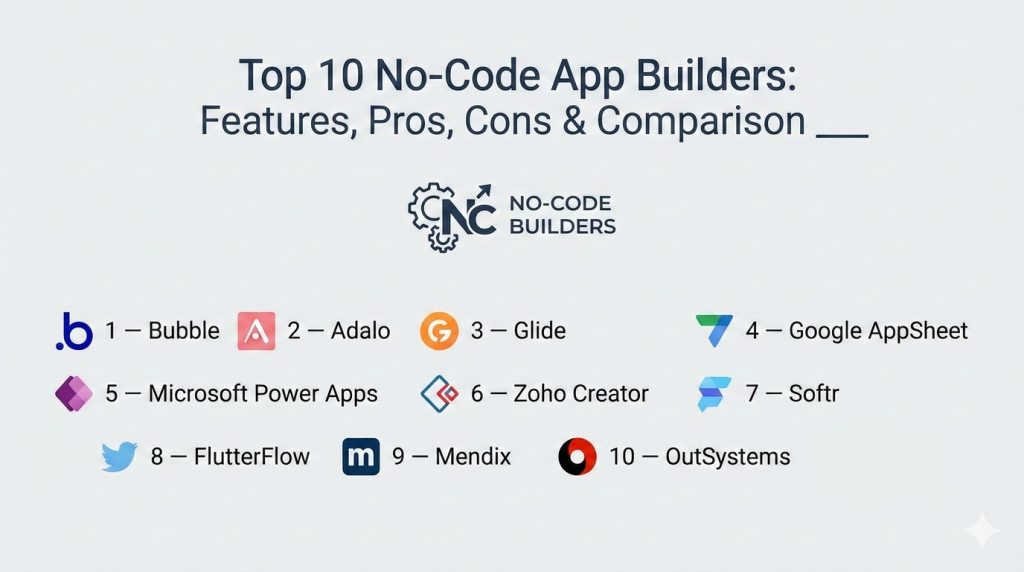
Top 10 No-Code App Builders
1 — Bubble
Bubble is a visual platform for building full web applications with database, workflows, and user authentication. It is widely used for MVPs, marketplaces, dashboards, and customer portals that need real logic and data.
Key Features
- Visual UI builder with responsive controls (varies by workflow)
- Built-in database with structured data types and relations (varies)
- Workflow automation for business logic and triggers
- User authentication and role-based access patterns (varies)
- Plugin ecosystem for integrations and extended features
- Deployment and hosting workflow (varies by plan)
Pros
- Strong capability for building real web apps without code
- Large ecosystem and community knowledge base
- Good fit for MVPs that need workflows and databases
Cons
- Learning curve can be steep for complex apps
- Performance tuning requires careful design discipline
- Some advanced needs rely on plugins or higher plans
Platforms / Deployment
Web, Cloud
Security and Compliance
Not publicly stated
Integrations and Ecosystem
Bubble commonly integrates through plugins and API connections, fitting into marketing, payments, analytics, and operations stacks depending on the app type.
- Plugin marketplace integrations
- API connectivity patterns (varies)
- Payment and membership workflows (varies)
- Automation platform connections (varies / not publicly stated)
Support and Community
Very strong community and tutorials. Support tiers vary by plan.
2 — Adalo
Adalo focuses on building mobile apps with visual screens, components, and simple databases. It suits teams creating straightforward mobile experiences like directories, booking apps, and lightweight member apps.
Key Features
- Visual mobile app builder with reusable components
- Database and collections for app content (varies)
- Actions and workflows for app behavior (varies)
- User accounts and basic permission patterns (varies)
- Templates for common mobile app types
- Publishing support for mobile distribution workflows (varies)
Pros
- Friendly for beginners building mobile-first apps
- Quick prototyping with templates and components
- Good for simple customer-facing mobile experiences
Cons
- Complex app logic can be limiting
- Performance can vary with app complexity
- Advanced integrations may require extra setup
Platforms / Deployment
Web builder, iOS, Android, Cloud
Security and Compliance
Not publicly stated
Integrations and Ecosystem
Adalo apps often connect to external services through integrations and API patterns depending on plan and setup.
- Common automation connections (varies)
- API-based integrations (varies)
- Data source integrations (varies / not publicly stated)
- Component marketplace options (varies)
Support and Community
Active community and learning resources. Support levels vary by plan.
3 — Glide
Glide is known for turning data into apps quickly, especially for internal tools and lightweight business apps. It is popular when teams want to build fast with structured data and simple workflows.
Key Features
- App builder connected to structured data sources (varies)
- Prebuilt components for lists, forms, and actions
- User access controls and basic roles (varies)
- Workflows and automation steps (varies)
- Templates for internal tools and field apps
- Fast iteration and deployment workflow
Pros
- Extremely fast to build useful internal apps
- Strong fit for operational workflows and teams
- Easy adoption for non-technical users
Cons
- Highly custom UI experiences can be limited
- Complex relational logic depends on setup approach
- Advanced enterprise controls may vary by plan
Platforms / Deployment
Web, iOS, Android, Cloud
Security and Compliance
Not publicly stated
Integrations and Ecosystem
Glide commonly integrates with business tools through connectors and automation platforms, supporting practical workflows like approvals, updates, and notifications.
- Data source connections (varies)
- Automation platform integrations (varies)
- API and webhook patterns (varies / not publicly stated)
- Common workplace tool integrations (varies)
Support and Community
Strong template ecosystem and an active builder community. Support tiers vary by plan.
4 — Google AppSheet
AppSheet is designed for building business apps from data sources with workflows and automation. It is often used for internal apps like inspections, field data collection, approvals, and operations dashboards.
Key Features
- Data-driven app generation from connected sources (varies)
- Forms, workflows, and action-based automation
- Role-based access patterns (varies)
- Offline usage patterns for field workflows (varies)
- Reporting and dashboard-style views (varies)
- Integration with common workplace ecosystems (varies)
Pros
- Great for operational and field data collection apps
- Strong data-to-app workflow for internal use cases
- Useful automation for approvals and notifications
Cons
- Deep custom UI control can be limited
- Complex app behavior requires careful configuration
- Some features depend on licensing and setup
Platforms / Deployment
Web, iOS, Android, Cloud
Security and Compliance
Not publicly stated
Integrations and Ecosystem
AppSheet typically fits organizations that rely on structured data and workflow automation, often paired with common productivity tools and connectors.
- Data source integrations (varies)
- Workflow and notification integrations (varies)
- Automation and scripting connections (varies / not publicly stated)
- Admin and governance patterns (varies)
Support and Community
Good documentation and a broad enterprise and operations user base. Support varies by plan.
5 — Microsoft Power Apps
Power Apps is part of a broader business platform used to build internal tools, forms, and workflow-driven applications. It is commonly chosen by organizations already using Microsoft systems and needing governed app development.
Key Features
- Visual app building with connectors (varies)
- Integration with business data sources and services (varies)
- Role-based access through enterprise identity patterns (varies)
- Workflow automation when paired with related automation tools (varies)
- Templates for common business apps
- Environment and governance features for organizations (varies)
Pros
- Strong fit for Microsoft-centric environments
- Broad connector ecosystem for business systems
- Governance-friendly for internal app development
Cons
- Licensing can be complex
- Best experience often depends on broader ecosystem setup
- Custom UI flexibility may be limited versus design-first tools
Platforms / Deployment
Web, iOS, Android, Cloud
Security and Compliance
Not publicly stated
Integrations and Ecosystem
Power Apps typically integrates deeply with workplace data and business systems through connectors and enterprise workflows.
- Enterprise data connectors (varies)
- Workflow automation connections (varies)
- Identity and access patterns (varies)
- Integration marketplace options (varies / not publicly stated)
Support and Community
Large enterprise community and extensive documentation. Support depends on licensing.
6 — Zoho Creator
Zoho Creator is used to build business apps with forms, workflows, and data management. It is often selected by teams that want a practical way to build internal apps and connect them to business processes.
Key Features
- Form-driven app creation with workflows
- Data management with structured records (varies)
- Role-based access patterns (varies)
- Reports and dashboards for operational visibility
- Automation for approvals and notifications (varies)
- Integrations within broader business ecosystems (varies)
Pros
- Strong for internal apps and process automation
- Practical reporting and workflow features
- Often good value for business teams
Cons
- Highly custom UI experiences may be limited
- Deep enterprise architecture needs may exceed no-code scope
- Integration depth varies by plan and setup
Platforms / Deployment
Web, iOS, Android, Cloud
Security and Compliance
Not publicly stated
Integrations and Ecosystem
Zoho Creator often fits teams using business suites, connecting apps to CRM, email, and operations tooling depending on configuration.
- Business suite integrations (varies)
- API connectivity patterns (varies)
- Automation workflow connections (varies / not publicly stated)
- Reporting and export pipelines (varies)
Support and Community
Good documentation and a broad SMB community. Support tiers vary by plan.
7 — Softr
Softr is designed for building web apps and client portals using building blocks and data sources. It is often used for directories, marketplaces, member portals, and simple internal dashboards.
Key Features
- Block-based web app builder with templates
- User accounts and portal-style access patterns (varies)
- Data source connections for dynamic content (varies)
- Forms and workflows for user submissions (varies)
- Reusable sections for consistency
- Publishing workflow for quick launches
Pros
- Fast way to build portals and directories
- Good template library for common use cases
- Easy for non-technical teams to maintain
Cons
- Complex workflows may require additional tooling
- Deep customization depends on available blocks
- Performance and scale depend on data and setup
Platforms / Deployment
Web, Cloud
Security and Compliance
Not publicly stated
Integrations and Ecosystem
Softr commonly connects to data sources and automation tools, allowing teams to build portal workflows without heavy engineering.
- Data source integrations (varies)
- Automation platform connections (varies)
- Membership and email workflows (varies / not publicly stated)
- API and embed options (varies)
Support and Community
Active builder community and practical resources. Support varies by plan.
8 — FlutterFlow
FlutterFlow helps teams build mobile and web apps with a visual builder and structured logic, often appealing to teams that want more flexibility than basic no-code while still moving fast.
Key Features
- Visual builder for mobile and web apps (varies)
- Component-based UI with reusable patterns
- Workflow logic and state management patterns (varies)
- Data integrations with common backends (varies)
- Testing and preview workflows
- Deployment and export options (varies)
Pros
- More flexibility for app complexity than many simple builders
- Good for teams building both mobile and web experiences
- Strong for structured UI building workflows
Cons
- Learning curve can be higher than beginner tools
- Advanced setups depend on backend and architecture choices
- Governance and team workflows vary by plan
Platforms / Deployment
Web, iOS, Android, Cloud
Security and Compliance
Not publicly stated
Integrations and Ecosystem
FlutterFlow commonly integrates with backends and services depending on the app architecture, including databases, authentication, and automation tools.
- Backend integrations (varies)
- API connectivity patterns (varies)
- Authentication workflows (varies / not publicly stated)
- Export and extension patterns (varies)
Support and Community
Growing community and learning content. Support varies by plan.
9 — Mendix
Mendix targets organizations building business applications with governance, collaboration, and scalable deployment options. It is often used in larger environments where app lifecycle management matters.
Key Features
- Visual app development with structured modeling (varies)
- Workflow and logic building for business processes
- Governance and environment management (varies)
- Integration options for enterprise systems (varies)
- Collaboration and app lifecycle workflows (varies)
- Deployment flexibility options (varies)
Pros
- Strong governance for organization-scale app development
- Good fit for enterprise process applications
- Mature platform for long-term app portfolios
Cons
- Can be heavy for simple MVPs
- Skills and setup expectations are higher than basic no-code
- Pricing and packaging may be complex
Platforms / Deployment
Web, Cloud, Hybrid
Security and Compliance
Not publicly stated
Integrations and Ecosystem
Mendix commonly integrates with enterprise systems and identity patterns, supporting larger organizations with multiple systems of record.
- Enterprise integration patterns (varies)
- API and connector options (varies)
- Identity and access integrations (varies / not publicly stated)
- Dev lifecycle tooling connections (varies)
Support and Community
Strong enterprise documentation and partner ecosystem. Community is active among professional builders.
10 — OutSystems
OutSystems is used for building business applications with a focus on speed, scalability, and enterprise integration. It often fits teams that need governed delivery across multiple apps and departments.
Key Features
- Visual development for business apps (varies)
- Reusable components and application architecture patterns
- Integration tooling for enterprise systems (varies)
- Deployment and environment workflows (varies)
- Collaboration and governance features (varies)
- Monitoring and performance tooling patterns (varies)
Pros
- Strong for enterprise-grade app delivery
- Good reuse and governance for multi-app portfolios
- Practical for process-driven applications
Cons
- Not the simplest option for small teams
- Requires structured approach to get best outcomes
- Pricing and licensing may be complex
Platforms / Deployment
Web, Cloud, Hybrid
Security and Compliance
Not publicly stated
Integrations and Ecosystem
OutSystems typically fits larger stacks with multiple systems and integration needs, supporting connectors and enterprise workflows depending on setup.
- Enterprise system integrations (varies)
- API connectivity patterns (varies)
- Identity integrations (varies / not publicly stated)
- App lifecycle and governance tooling (varies)
Support and Community
Strong professional community and partner ecosystem. Support tiers vary by plan.
Comparison Table
| Tool Name | Best For | Platform(s) Supported | Deployment | Standout Feature | Public Rating |
|---|---|---|---|---|---|
| Bubble | Full web apps with workflows and database | Web | Cloud | Visual logic with strong ecosystem | N/A |
| Adalo | Simple mobile apps and prototypes | Web builder, iOS, Android | Cloud | Beginner-friendly mobile builder | N/A |
| Glide | Internal tools from structured data | Web, iOS, Android | Cloud | Fast data-to-app creation | N/A |
| Google AppSheet | Operations and field workflow apps | Web, iOS, Android | Cloud | Data-driven apps with automation | N/A |
| Microsoft Power Apps | Governed internal apps for enterprises | Web, iOS, Android | Cloud | Broad business connectors | N/A |
| Zoho Creator | Business apps with forms and workflows | Web, iOS, Android | Cloud | Practical process automation | N/A |
| Softr | Portals, directories, client apps | Web | Cloud | Block-based portal building | N/A |
| FlutterFlow | Flexible mobile and web apps | Web, iOS, Android | Cloud | Component-driven app building | N/A |
| Mendix | Enterprise process apps at scale | Web | Cloud, Hybrid | Governance and lifecycle tooling | N/A |
| OutSystems | Enterprise app portfolios | Web | Cloud, Hybrid | Reuse and enterprise integration | N/A |
Evaluation and Scoring of No-Code App Builders
Scoring model notes:
- Scores are comparative and help you shortlist based on your priorities
- Weighted totals reflect overall balance across common business app needs
- Treat critical requirements as hard filters, not just scores
- Validate with a pilot app that includes real data, roles, and integrations
Weights used:
- Core features – 25 percent
- Ease of use – 15 percent
- Integrations and ecosystem – 15 percent
- Security and compliance – 10 percent
- Performance and reliability – 10 percent
- Support and community – 10 percent
- Price and value – 15 percent
| Tool Name | Core (25%) | Ease (15%) | Integrations (15%) | Security (10%) | Performance (10%) | Support (10%) | Value (15%) | Weighted Total (0–10) |
|---|---|---|---|---|---|---|---|---|
| Bubble | 9 | 7 | 8 | 7 | 7 | 9 | 7 | 7.75 |
| Adalo | 6 | 9 | 6 | 5 | 6 | 7 | 8 | 6.85 |
| Glide | 7 | 9 | 7 | 6 | 7 | 8 | 8 | 7.55 |
| Google AppSheet | 8 | 8 | 7 | 7 | 7 | 8 | 7 | 7.55 |
| Microsoft Power Apps | 8 | 7 | 9 | 8 | 7 | 8 | 6 | 7.55 |
| Zoho Creator | 7 | 8 | 7 | 6 | 7 | 7 | 8 | 7.25 |
| Softr | 6 | 9 | 7 | 6 | 6 | 7 | 8 | 6.95 |
| FlutterFlow | 8 | 7 | 7 | 6 | 7 | 7 | 7 | 7.15 |
| Mendix | 9 | 6 | 8 | 8 | 8 | 8 | 5 | 7.45 |
| OutSystems | 9 | 6 | 8 | 8 | 8 | 8 | 5 | 7.45 |
How to interpret the scores:
- Higher Core typically favors complex business logic, data modeling, and reusable app structure
- Higher Ease favors fast adoption and quick delivery for non-technical teams
- Higher Integrations matters when your app must connect to many systems reliably
- If governance or compliance is critical, validate it directly during a pilot
Which No-Code App Builder Is Right for You
Solo / Freelancer
If you are building alone, speed and simplicity usually matter most.
- Want to launch a web MVP with real logic: Bubble
- Want a lightweight internal app fast: Glide
- Want a simple portal or directory: Softr
Key tip: choose a tool that matches your app type first, then refine by integrations.
SMB
SMBs often need internal tools, portals, and basic automation quickly.
- Operations apps with data capture: Google AppSheet or Zoho Creator
- Team dashboards and workflow tools: Glide
- Customer portals and directories: Softr
Key tip: prioritize data permissions and workflow automation early so the app remains usable as the team grows.
Mid-Market
Mid-market teams need stronger governance, reuse, and integration reliability.
- Microsoft-centric environments: Microsoft Power Apps
- Multi-department workflow apps: Zoho Creator or Google AppSheet
- More flexibility for mobile and web front ends: FlutterFlow
Key tip: use a pilot app to test roles, approvals, notifications, and auditability.
Enterprise
Enterprise teams usually need environments, governance, integration, and lifecycle management.
- Governed internal apps with broad connectors: Microsoft Power Apps
- Scalable process apps with portfolio governance: Mendix or OutSystems
Key tip: treat identity, roles, audit trails, and integration patterns as first-class requirements.
Budget vs Premium
- Lower-cost, fast outcomes: Glide, Softr, Adalo (depending on usage and plan)
- Balanced business app focus: Zoho Creator, Google AppSheet
- Premium enterprise platforms: Mendix, OutSystems, Microsoft Power Apps (depending on licensing)
Key tip: include support level and environment needs in your cost comparison, not just editor seats.
Feature Depth vs Ease of Use
- Highest ease for quick apps: Glide, Softr, Adalo
- Strong depth with moderate learning curve: Bubble, Google AppSheet, Zoho Creator
- Highest depth with enterprise governance: Mendix, OutSystems, Microsoft Power Apps
Key tip: if your app will run core operations, depth and governance usually matter more than initial speed.
Integrations and Scalability
- Broad enterprise connector coverage: Microsoft Power Apps
- Strong enterprise integration patterns: Mendix, OutSystems
- Practical SMB integrations through connectors and automation: Bubble, Zoho Creator, Google AppSheet
Key tip: validate your top three integrations in a working pilot before committing.
Security and Compliance Needs
If your app includes sensitive customer data or regulated workflows, validate role-based access, logging needs, and identity integration during evaluation. Plan tiers and admin features can differ widely, and details may not always be publicly clear. Use a checklist and confirm the controls you truly need.
Frequently Asked Questions
Q1. What is the difference between no-code and low-code
No-code targets building with minimal programming, while low-code often allows deeper customization and advanced logic with more technical involvement. Many platforms sit on a spectrum between the two.
Q2. Can no-code platforms handle real production apps
Yes, many teams run real apps on them, especially internal tools and portals. The key is matching platform strengths to app complexity, data needs, and governance requirements.
Q3. What are the most common mistakes when building no-code apps
Common mistakes include weak data modeling, unclear permissions, messy workflows, too many screens, and skipping performance planning. A clean structure prevents rework later.
Q4. How should I evaluate scalability before committing
Build a pilot that uses real data volumes, multiple roles, and a few key integrations. Then test speed, reliability, and how easy it is to maintain workflows over time.
Q5. How do integrations usually work in no-code tools
Integrations may be native connectors, automation steps, webhooks, or API calls depending on the platform. If an integration is critical, test it early in the pilot.
Q6. Are no-code apps secure enough for business use
Many can be, but security depends on role controls, identity integration, and admin governance. Validate permissions, access control, and logging needs before production rollout.
Q7. Can I switch platforms later if I outgrow one
You can migrate data and rebuild workflows, but moving the UI and logic is rarely one-click. Keep documentation, export data regularly, and design workflows cleanly to reduce lock-in pain.
Q8. Which tools are best for internal tools versus customer-facing apps
Internal tools often fit well with Glide, Google AppSheet, Zoho Creator, and Microsoft Power Apps. Customer-facing web apps often fit Bubble and portal-style tools like Softr.
Q9. What should my first pilot app include
Include authentication, at least two roles, a core workflow, one reporting view, and two key integrations. This quickly reveals platform fit and hidden constraints.
Q10. How do I avoid building something that becomes hard to maintain
Use reusable components where possible, keep workflow logic consistent, document naming conventions, and limit complexity until the core process works reliably.
Conclusion
No-code app builders help you ship useful apps quickly, especially for internal tools, portals, and MVPs.
The best platform depends on your app type, data model complexity, integration needs, and governance requirements. No-code app builders help teams create web and mobile apps faster by using visual components and workflows. The best choice depends on whether you are building an internal tool, a customer portal, a marketplace MVP, or a mobile field app. Pick a platform that matches your data model and permissions needs, not just how good the first screen looks. Before committing, test real integrations, multi-role access, and performance using a small pilot with real data. Shortlist two or three tools, build a pilot with real roles and data, then choose the one that stays maintainable as you scale.

Best Cardiac Hospitals Near You
Discover top heart hospitals, cardiology centers & cardiac care services by city.
Advanced Heart Care • Trusted Hospitals • Expert Teams
View Best Hospitals