Introduction
OCR (Optical Character Recognition) and Document Capture software represent the critical bridge between physical paper and digital intelligence. While standard conversion tools change file formats, OCR and Capture solutions “read” the content, identifying characters, handwriting, and layout structures to transform images into actionable, machine-readable data. These tools have evolved into Intelligent Document Processing (IDP) platforms that utilize AI to understand context rather than just matching pixel patterns.
The primary goal of these systems is to eliminate manual data entry, which remains one of the largest bottlenecks in modern administration. By automatically extracting information from invoices, identity documents, and medical forms, organizations can trigger automated workflows, feed data directly into ERP systems, and ensure 100% searchability across their digital archives.
Real-World Use Cases:
- Accounts Payable: Automatically extracting line items, tax IDs, and totals from thousands of supplier invoices for instant reconciliation.
- Banking & KYC: Instantly capturing data from passports, driver’s licenses, and utility bills to onboard customers in seconds.
- Healthcare: Digitizing handwritten patient intake forms and integrating the data directly into Electronic Health Records (EHR).
- Logistics: Capturing “Bill of Lading” and shipping manifests to track inventory across global supply chains in real-time.
- Legal Discovery: Scanning through millions of pages of legacy case files to find specific clauses or mentions using keyword search.
What Buyers Should Evaluate:
- Extraction Accuracy: The “Confidence Score” the tool provides, especially for low-quality scans or complex layouts.
- Handwriting Recognition (ICR): Whether the tool can accurately digitize hand-filled forms (Intelligent Character Recognition).
- Automated Classification: The ability to distinguish between an invoice, a contract, and a resume without manual sorting.
- Integration (API & Connectors): How easily the captured data flows into Salesforce, SAP, Oracle, or Microsoft Dynamics.
- Security & Redaction: Features that automatically mask sensitive PII (Personally Identifiable Information) during the capture process.
Best for: High-volume back-office operations, compliance-heavy industries (Finance, Legal, Healthcare), and developers building automated data pipelines.
Not ideal for: Simple one-off file conversions where data extraction isn’t the primary goal.
Key Trends in OCR & Document Capture
- LLM-Powered Document Understanding: Moving beyond zonal OCR to using Large Language Models (LLMs) that can “summarize” a document’s intent or answer questions about its content.
- Edge OCR for Mobile: Real-time, high-speed capture directly on mobile devices for field workers, ensuring data is processed even without a stable internet connection.
- Fraud Detection: AI that scans documents for “digital tampering”—detecting if an invoice or ID has been photoshopped before the data is even extracted.
- No-Code Model Training: Allowing non-technical users to “teach” the software how to read a new, unique document type simply by highlighting fields on a screen.
- Self-Learning Feedback Loops: Systems that automatically learn from “Human-in-the-Loop” corrections, becoming more accurate with every document processed.
How We Selected These Tools (Methodology)
Our selection of the top OCR and Capture software is based on:
- Technological Sophistication: Prioritizing tools that use AI/Machine Learning over legacy template-based approaches.
- Enterprise Reliability: Focusing on platforms capable of processing millions of pages per month with minimal downtime.
- Accuracy Benchmarks: Evaluating performance on difficult “real-world” documents like wrinkled receipts and multi-page tables.
- Compliance Readiness: Ensuring tools meet global standards like GDPR, HIPAA, and SOC 2.
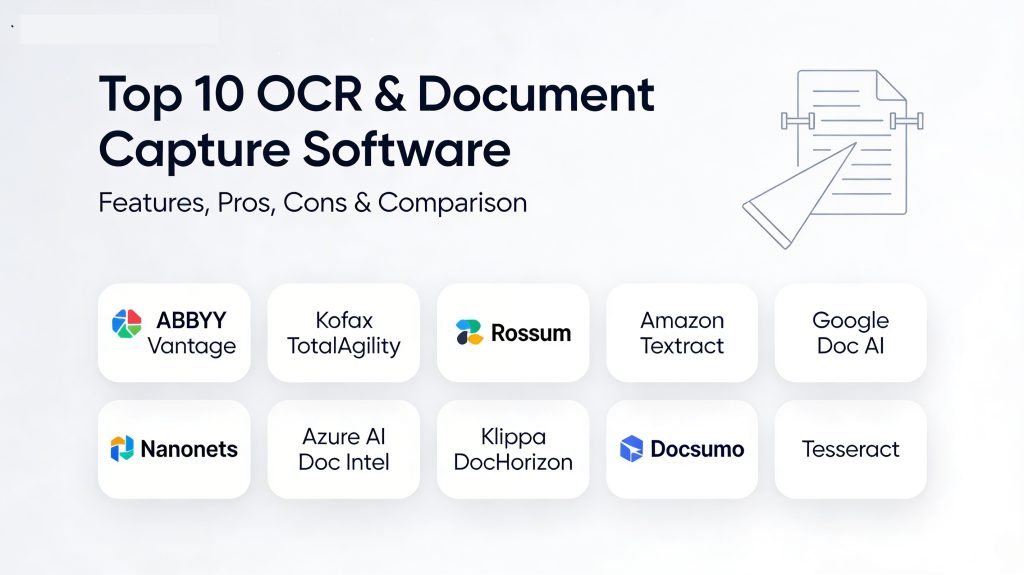
Top 10 OCR & Document Capture Software Tools
1. ABBYY Vantage
ABBYY Vantage is a next-generation “AI Skills” platform that simplifies document processing by providing a marketplace of pre-trained models for various document types.
Key Features
- AI Document Skills: Access a library of pre-built skills for invoices, purchase orders, and IDs, or build custom ones with a no-code interface.
- Superior ICR: Market-leading accuracy for recognizing handwritten text on structured forms.
- Intelligent Classification: Automatically sorts incoming document streams by type and sensitivity.
- Vantage Cloud: A fully managed cloud environment that scales automatically based on document volume.
Pros
- Exceptional accuracy on poor-quality scans and multi-lingual documents.
- Very fast time-to-value due to pre-trained “skills.”
Cons
- Can be expensive for smaller organizations.
- High learning curve for advanced custom logic.
Platforms / Deployment
- Cloud / On-Premises / Hybrid
Security & Compliance
- SOC 2 Type II, ISO 27001, HIPAA, GDPR.
2. Kofax (Tungsten Automation) TotalAgility
Kofax (now Tungsten Automation) offers a comprehensive platform that combines high-speed capture with powerful workflow orchestration and generative AI capabilities.
Key Features
- Generative AI Copilots: Uses AI to simplify extraction setup and help citizen developers build workflows using natural language.
- Multi-Channel Ingestion: Capture data from scanners, mobile devices, emails, and web portals simultaneously.
- No-Training Extraction: Automatically identifies key-value pairs without needing prior template training.
Pros
- Excellent for end-to-end business process automation beyond just OCR.
- Highly scalable for the largest global enterprises.
Cons
- Complex implementation that often requires professional services.
- User interface can feel overwhelming for non-technical users.
Platforms / Deployment
- On-Premises / Cloud / Hybrid
Security & Compliance
- Enterprise-grade security, FedRAMP, HIPAA.
3. Rossum
Rossum is an AI-native, “template-free” platform specifically designed for accounts payable and financial document processing.
Key Features
- Zero-Template Extraction: Uses spatial neural networks to “see” data like a human, eliminating the need for rigid boxes.
- Intuitive Validation UI: A specialized interface for human reviewers to quickly verify or correct AI-extracted data.
- Deep ERP Integration: Native “plug-and-play” connectors for SAP, NetSuite, and Microsoft Dynamics.
Pros
- Extremely fast setup; can start processing new invoice layouts immediately.
- The self-learning engine improves rapidly based on user corrections.
Cons
- Focused primarily on financial documents; less versatile for general-purpose OCR.
- Premium pricing model tailored for enterprise volumes.
Platforms / Deployment
- Cloud (SaaS)
Security & Compliance
- ISO 27001, SOC 2, GDPR.
4. Amazon Textract
Amazon Textract is a managed AWS service that uses machine learning to automatically extract text, handwriting, and data from scanned documents.
Key Features
- Query-Based Extraction: Use natural language queries (e.g., “What is the invoice number?”) to extract specific data points.
- Table & Form Recognition: Specifically optimized to preserve the structure of complex tables without manual tagging.
- Analyze Lending API: Pre-configured models specifically for mortgage and loan document packages.
Pros
- Pay-as-you-go pricing with no upfront costs—perfect for developers.
- Virtually infinite scalability powered by AWS.
Cons
- No built-in user interface for document review (must be built or integrated).
- Requires technical knowledge of the AWS console and APIs.
Platforms / Deployment
- Cloud (AWS)
Security & Compliance
- HIPAA, PCI DSS, SOC, ISO, FedRAMP.
5. Google Document AI
Google Document AI leverages Google’s world-class computer vision and natural language processing to extract structured data from unstructured documents.
Key Features
- Specialized Parsers: Dedicated models for specific industries, such as lending, procurement, and identity verification.
- Human-in-the-Loop (HITL): Built-in workflows to route low-confidence extractions to human agents for review.
- Layout Parser: Identifies visual elements like paragraphs, titles, and headers to maintain document context.
Pros
- Access to Google’s cutting-edge AI research and multilingual capabilities.
- Strong focus on “Document Understanding” rather than just text extraction.
Cons
- Integration is best suited for those already in the Google Cloud (GCP) ecosystem.
- Pricing can be complex to predict at high scales.
Platforms / Deployment
- Cloud (GCP)
Security & Compliance
- Highly compliant across all major global and industry standards.
6. Nanonets
Nanonets is a flexible, cloud-based platform that allows businesses to build and deploy custom OCR models without any coding.
Key Features
- No-Code Training: Simply upload a few samples and highlight the fields you need; Nanonets builds the model for you.
- Automated Verification: Sets up rules to flag data that doesn’t meet specific criteria (e.g., “Total must equal Sum of Line Items”).
- Omnichannel Capture: Extracts data from URLs, emails, Google Drive, and API calls.
Pros
- One of the most user-friendly platforms for custom data extraction.
- Great balance of power and simplicity for mid-market businesses.
Cons
- Processing speeds can occasionally lag behind pure API-first competitors.
- Enterprise features can get expensive quickly as volume grows.
Platforms / Deployment
- Cloud (SaaS) / On-Premises (Docker)
Security & Compliance
- GDPR, SOC 2, HIPAA.
7. Azure AI Document Intelligence
Formerly known as Form Recognizer, this Microsoft service provides high-speed data extraction and document analysis integrated into the Azure cloud.
Key Features
- Custom Generative Models: Build extraction models for unstructured documents using the power of Generative AI.
- Integration with Power Platform: Easily trigger a Power Automate workflow whenever a document is captured.
- Advanced Add-ons: Features for formula extraction, barcode recognition, and searchable PDF output.
Pros
- Deeply integrated with the Microsoft ecosystem (Office 365, SharePoint).
- Strong developer tools and SDKs for C#, Java, and Python.
Cons
- The branding and portal changes can be confusing for legacy users.
- Best performance requires staying within the Azure environment.
Platforms / Deployment
- Cloud (Azure) / Edge Containers
Security & Compliance
- Unmatched Microsoft security posture and compliance certifications.
8. Klippa DocHorizon
Klippa is a European-based leader focusing on AI-powered document processing with a strong emphasis on privacy and financial automation.
Key Features
- Fraud Detection: Built-in checks for photoshopped text or modified metadata.
- Anonymization: Automatically redacts PII for privacy compliance before storage.
- Mobile SDK: A high-performance scanning SDK for developers to add capture to their own mobile apps.
Pros
- Strongest privacy focus on the list, ideal for GDPR-sensitive markets.
- Very effective for receipt and invoice processing.
Cons
- Support and market presence are currently more focused on Europe and North America.
- Less “general purpose” compared to ABBYY or Kofax.
Platforms / Deployment
- Cloud (SaaS) / On-Premise
Security & Compliance
- GDPR (European data centers), ISO 27001.
9. Docsumo
Docsumo is a specialized IDP platform designed for financial services, helping them process complex, semi-structured documents with high accuracy.
Key Features
- Table Extraction Expert: Renowned for its ability to handle multi-page bank statements and tax forms without error.
- Automated Validation: Includes pre-built logic for financial cross-referencing and math checks.
- Developer Friendly: Offers staging environments and robust webhooks for easy integration.
Pros
- Highly specialized for financial services and real estate industries.
- Very responsive customer support and quick deployment (under 1 month).
Cons
- Narrower focus on financial documents compared to broader platforms.
- Occasional character confusion on low-quality, non-digital scans.
Platforms / Deployment
- Cloud (SaaS)
Security & Compliance
- SOC 2, GDPR.
10. Tesseract OCR (Open Source)
Tesseract is the most popular open-source OCR engine in the world, maintained by Google and now available with advanced runtime integrations like PHP Gen 2.
Key Features
- LSTM Neural Network: Uses deep learning to provide high accuracy for over 100 languages.
- Completely Free: No licensing costs for commercial or private use.
- Highly Extensible: Can be trained on custom fonts and specialized datasets.
Pros
- Infinite customization for developers.
- Works entirely offline, ensuring 100% data privacy.
Cons
- Requires significant technical expertise (no built-in UI).
- Lacks advanced “capture” features like classification and data validation out of the box.
Platforms / Deployment
- Windows, Linux, macOS, Android (On-Premises)
Security & Compliance
- User-controlled; completely private if run locally.
Comparison Table (Top 10)
| Tool Name | Best For | Platform(s) | Deployment | Standout Feature | Public Rating |
| ABBYY Vantage | Enterprise Automation | Web | Hybrid | Pre-trained “AI Skills” | 4.8/5 |
| Kofax TotalAgility | End-to-End Workflow | Desktop/Web | Hybrid | Gen-AI Extraction Copilot | 4.4/5 |
| Rossum | Accounts Payable | Web | Cloud | Template-Free AI Logic | 4.7/5 |
| Amazon Textract | AWS Developers | API | Cloud | Query-Based Extraction | 4.5/5 |
| Google Doc AI | Doc Understanding | API | Cloud | Deep NLP Specialized Parsers | 4.6/5 |
| Nanonets | Mid-Market No-Code | Web | Cloud | Simple Custom Model Training | 4.8/5 |
| Azure AI Doc Intel | Microsoft Ecosystem | API | Cloud | Power Platform Integration | 4.5/5 |
| Klippa DocHorizon | Privacy & Fraud | Web/API | Cloud | Built-in Fraud Detection | 4.7/5 |
| Docsumo | Financial Services | Web | Cloud | Complex Table Extraction | 4.6/5 |
| Tesseract | Developers (Free) | Desktop/CLI | On-Prem | 100% Free & Open Source | N/A |
Evaluation & Scoring of OCR & Capture Software
| Tool Name | Extraction Acc. (25%) | AI/ML Level (20%) | Integrations (15%) | Security (10%) | Performance (10%) | Support (10%) | Value (10%) | Weighted Total |
| ABBYY Vantage | 10 | 10 | 9 | 10 | 9 | 9 | 7 | 9.2 |
| Kofax TotalAgility | 9 | 10 | 10 | 10 | 10 | 8 | 6 | 8.8 |
| Rossum | 9 | 10 | 9 | 9 | 9 | 10 | 7 | 9.0 |
| Amazon Textract | 9 | 9 | 10 | 10 | 10 | 7 | 10 | 9.1 |
| Google Doc AI | 9 | 10 | 9 | 10 | 10 | 7 | 8 | 8.9 |
| Nanonets | 8 | 9 | 9 | 9 | 9 | 9 | 9 | 8.7 |
| Azure AI Doc Intel | 9 | 10 | 10 | 10 | 10 | 8 | 9 | 9.3 |
| Klippa DocHorizon | 9 | 9 | 8 | 10 | 9 | 9 | 8 | 8.8 |
| Docsumo | 9 | 9 | 8 | 9 | 9 | 9 | 8 | 8.7 |
| Tesseract | 7 | 7 | 6 | 10 | 8 | 5 | 10 | 7.3 |
Which OCR & Document Capture Software Is Right for You?
Solo / Freelancer
For basic needs, Adobe Scan (mobile) or Microsoft OneNote (desktop) often provide enough OCR functionality for free. If you are a freelance developer, Tesseract is the best starting point for local, private projects.
SMB
Small businesses looking to automate accounts payable should look at Nanonets or Klippa. They offer low entry barriers, intuitive interfaces, and pay-as-you-go pricing that grows with the business.
Mid-Market
Growing companies with varied document types (contracts, receipts, IDs) will benefit from Rossum or Docsumo. These platforms offer the right balance of AI-driven accuracy and user-friendly validation tools for high-growth teams.
Enterprise
For massive organizations requiring deep compliance and global scale, ABBYY Vantage and Kofax TotalAgility are the industry leaders. They provide the most robust security frameworks and the ability to handle complex, multi-stage business workflows.
Developers
If you are building an application within a specific cloud ecosystem, stick to that provider: Amazon Textract (AWS), Azure AI Document Intelligence (Microsoft), or Google Document AI (GCP). They offer the best API performance and pricing for programmatic data extraction.
10 Essential Questions & Answers on OCR & Capture
1. What is the difference between traditional OCR and Intelligent Document Processing (IDP)? Traditional OCR turns an image of text into digital characters. IDP uses AI and Natural Language Processing (NLP) to understand context—it knows a number is an “Invoice Total” rather than just a string of digits.
2. How does “Human-in-the-Loop” (HITL) improve accuracy? When the AI is unsure (low confidence score), it flags the document for a human. When the human corrects it, the AI learns from that specific layout, becoming more accurate over time.
3. Can OCR read handwriting accurately? Recognition of handwriting is called ICR (Intelligent Character Recognition). Modern tools like ABBYY and Amazon Textract have reached 90%+ accuracy on clear hand-printing, though cursive remains a challenge.
4. Is cloud-based OCR secure? Yes, enterprise-grade services use AES-256 encryption and TLS for transit. Most allow automatic file deletion immediately after processing to comply with privacy laws.
5. What is “Zonal OCR”? Zonal OCR requires drawing boxes on a template to tell the software where to look. It is becoming outdated as “template-free” AI can now find data anywhere on a page automatically.
6. Can OCR handle multiple languages on one page? Advanced engines like Google and ABBYY feature Automatic Language Detection, identifying and processing multiple scripts (like English and Arabic) simultaneously.
7. Why is “Pre-processing” important? It cleans the document—straightening crooked scans (de-skewing) and removing graininess (noise reduction)—which significantly increases extraction accuracy.
8. What file formats are usually supported? Standard formats include PDF, TIFF, JPG, and PNG. Advanced tools can also ingest “born-digital” files like Word and Excel directly.
9. Can OCR redact sensitive information? Yes, many platforms include Auto-Redaction to automatically black out PII (Personally Identifiable Information) like Social Security numbers for compliance.
10. What is a “Confidence Score”? It’s a percentage (0-100%) showing how sure the AI is about its result. Businesses use this to set thresholds: “If above 95%, automate; if below, send to a human.”
Conclusion
The shift from manual data entry to automated document capture is no longer a luxury—it is a competitive necessity. Whether you are a developer looking for a powerful API like Amazon Textract or an enterprise seeking the global governance of ABBYY Vantage, the right OCR solution can turn your “dark data” into a strategic asset. Audit your documents: Are they mostly structured (forms), semi-structured (invoices), or unstructured (emails).Define your volume: Many tools offer lower pricing for high-volume commitments, while others are purely pay-as-you-go.

Best Cardiac Hospitals Near You
Discover top heart hospitals, cardiology centers & cardiac care services by city.
Advanced Heart Care • Trusted Hospitals • Expert Teams
View Best Hospitals