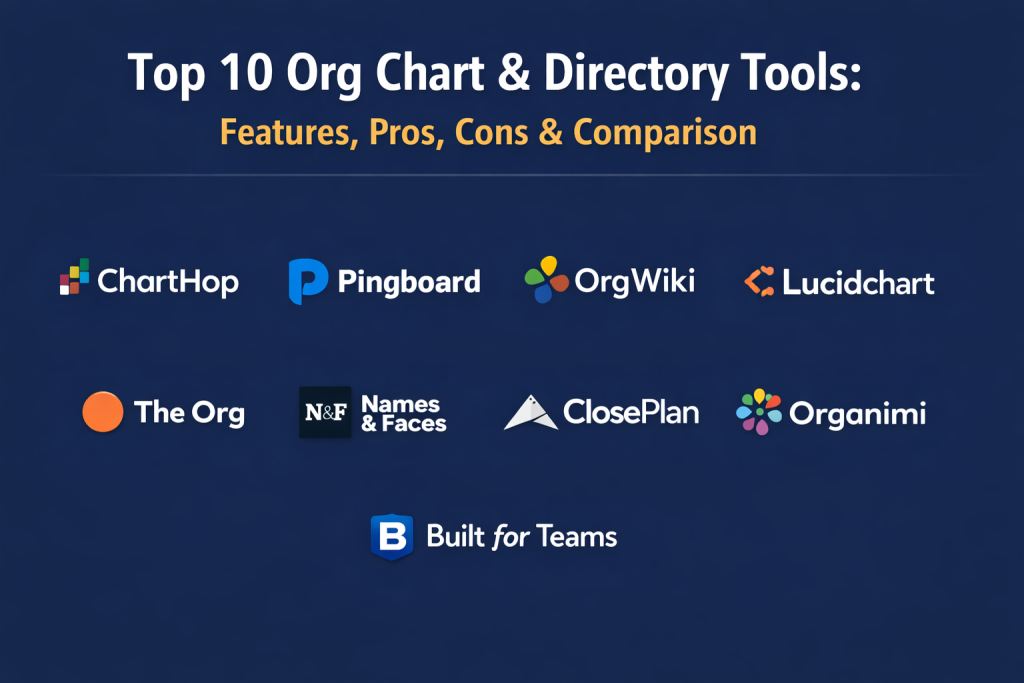
Introduction
Org chart and directory tools are specialized software designed to visualize a company’s structure, reporting lines, and personnel data in real-time. Moving far beyond static PDFs or manual spreadsheets, these modern platforms integrate directly with human resources information systems (HRIS) and identity providers to ensure that every promotion, new hire, or department shift is reflected instantly. In the current corporate environment, these tools serve as the “social glue” for distributed teams, providing a searchable index of skills, locations, and time zones that helps employees find the right internal experts and understand the context of their colleagues’ roles.
The shift toward remote and hybrid work has transformed the directory from a simple list of names into a dynamic collaboration hub. Modern platforms now prioritize “human” data—such as project history, personal interests, and preferred working hours—alongside traditional hierarchy. For leadership, these tools are essential for workforce planning, allowing them to simulate reorganization scenarios and identify gaps in management spans. When evaluating these platforms, buyers must prioritize data synchronization reliability, mobile accessibility, and the depth of privacy controls that ensure sensitive employee information remains visible only to authorized personnel.
Best for: Rapidly scaling startups, global enterprises with complex hierarchies, and people-operations teams looking to improve internal communication and workforce transparency.
Not ideal for: Very small teams of under fifteen people who can manage reporting lines through simple shared documents or casual verbal communication.
Key Trends in Org Chart & Directory Tools
- Live Data Integration: The standard has shifted toward “auto-sync” capabilities that pull data directly from payroll and IT systems to eliminate manual entry.
- Skill-Based Discovery: Advanced directories now include “Expertise Search,” allowing users to find colleagues based on specific technical skills or past project experience rather than just job titles.
- Workforce Scenario Planning: High-end tools now allow HR leaders to build “draft” org charts to visualize future hires or department mergers before they are made public.
- Employee Experience Portals: Directories are evolving into social profiles where employees can add personal bios, pronouns, and “how to work with me” guides to foster culture.
- Mobile-First Accessibility: With the rise of the frontline and deskless workforce, top-tier tools now offer robust mobile apps for quick contact lookups on the move.
- Automated Span-of-Control Analysis: Platforms are adding analytical layers that automatically flag managers with too many direct reports, helping prevent burnout and operational bottlenecks.
How We Selected These Tools (Methodology)
- Integration Depth: We prioritized tools that offer native, two-way synchronization with major HRIS and identity platforms like Workday, BambooHR, and Okta.
- User Experience: We evaluated the fluidity of the visualization, focusing on “drag-and-drop” functionality and the speed of the search interface.
- Scalability: The selected tools must remain performant whether rendering a 50-person startup or a 50,000-person global corporation.
- Privacy and Permissions: A major factor was the granularity of access controls to protect sensitive employee data and PII.
- Collaborative Features: We looked for platforms that go beyond static charts to offer “who’s who” bios, status updates, and interactive team maps.
- Scenario Modeling: Preference was given to tools that support sandbox environments for reorganization and headcount planning.
Top 10 Org Chart & Directory Tools
1. ChartHop
ChartHop is a powerful people-operations platform that combines org charting with deep data analytics. It serves as a single source of truth for headcount planning and workforce transparency.
Key Features
- Dynamic, real-time org charts that update automatically from HRIS data.
- Robust scenario planning for modeling future reorganizations.
- Integrated compensation and equity visualization for leadership.
- Searchable employee directory with custom profile fields.
- Automated diversity, equity, and inclusion (DEI) reporting.
Pros
- Exceptional for high-growth companies doing frequent workforce planning.
- Bridges the gap between HR data and visual charting.
Cons
- Higher price point compared to simple visualization tools.
- Setup can be complex for companies with “messy” legacy data.
Platforms / Deployment
- Web / iOS / Android
- Cloud-SaaS
Security & Compliance
- SSO, MFA, and SOC 2 Type II compliance.
- Granular role-based access controls.
Integrations & Ecosystem
Strongest in the modern HR stack.
- BambooHR
- Workday
- Greenhouse
- Slack
Support & Community
Professional onboarding services and a dedicated library of people-ops best practices.
2. Pingboard
Pingboard is designed specifically to solve the “who’s who” problem in growing companies. It focuses on making the directory interactive and accessible for every employee.
Key Features
- Interactive “Who’s Who” directory with photos and fun facts.
- Automated new hire announcements and “workversary” notifications.
- Out-of-office and status tracking integrated with calendars.
- Mobile-first design for easy access to colleague contact info.
- Peer recognition features built into employee profiles.
Pros
- Very high adoption rates among general employees.
- Simple, clean interface that requires almost no training.
Cons
- Limited advanced workforce planning features for large enterprises.
- Reporting features are not as deep as specialized HR analytics tools.
Platforms / Deployment
- Web / iOS / Android
- Cloud-SaaS
Security & Compliance
- SSO and SAML support.
- Data encryption at rest and in transit.
Integrations & Ecosystem
Broad support for standard productivity suites.
- Google Workspace
- Microsoft 365
- Slack
- HiBob
Support & Community
Active customer success team and extensive self-service help center.
3. OrgWiki
OrgWiki provides a social, enterprise-grade directory that aims to replace the “dead” corporate intranet. It focuses on connecting global teams through shared data.
Key Features
- High-speed, intuitive search for names, titles, and skills.
- Social-style employee profiles with activity feeds.
- Departmental and geographical views of the organization.
- Direct dial and messaging integration from the mobile app.
- Automated updates via AD/LDAP synchronization.
Pros
- Excellent for very large, geographically dispersed companies.
- Provides a social layer that improves internal networking.
Cons
- The interface can feel a bit more “corporate” than newer startups.
- Heavy focus on directory over advanced “what-if” planning.
Platforms / Deployment
- Web / iOS / Android
- Cloud-SaaS / Hybrid
Security & Compliance
- Enterprise-grade encryption and SSO.
- ISO 27001 and SOC 2 standards.
Integrations & Ecosystem
Built for the enterprise IT environment.
- Active Directory (AD)
- Microsoft Teams
- Workday
- Oracle HCM
Support & Community
Dedicated enterprise account management and 24/7 technical support.
4. LucidChart
While LucidChart is a general-purpose diagramming tool, its specialized org chart features make it a favorite for companies that need total creative control over their visualizations.
Key Features
- Data-linked org charts that update when the source file changes.
- Grouping features to visualize teams by project or location.
- Conditional formatting to highlight specific data points (e.g., tenure).
- Infinite canvas for massive global organizations.
- Real-time collaborative editing for HR teams.
Pros
- Unmatched flexibility in how the chart is designed.
- Useful for more than just org charts (flowcharts, mind maps).
Cons
- Not a “living” directory; it is primarily a visualization tool.
- Manual effort may be required for complex HRIS data mapping.
Platforms / Deployment
- Web / iOS / Android
- Cloud-SaaS
Security & Compliance
- SOC 2, PCI, and HIPAA compliance options.
- SSO and domain lockdown features.
Integrations & Ecosystem
Integrates with the entire modern productivity suite.
- Google Drive
- Atlassian (Jira/Confluence)
- Microsoft Office
- Salesforce
Support & Community
Massive template library and a highly active user community.
5. Sift
Sift is a “people search” and directory tool that prioritizes finding the right person for the right task through comprehensive skill profiles.
Key Features
- Powerful search engine for skills, interests, and past experience.
- Visual org charts that are easy to navigate and zoom.
- Custom profile pages that integrate with LinkedIn.
- Data health dashboard to identify missing employee info.
- Employee “discovery” feeds to highlight new hires.
Pros
- Best-in-class search functionality for finding internal experts.
- Modern, “LinkedIn-like” feel for employee profiles.
Cons
- Not designed for complex “sandbox” reorganization modeling.
- Requires a commitment to profile completeness to be effective.
Platforms / Deployment
- Web / iOS / Android
- Cloud-SaaS
Security & Compliance
- GDPR compliant and SOC 2 certified.
- Robust data privacy permissions.
Integrations & Ecosystem
Connects with major identity and HR sources.
- Okta
- Azure AD
- ADP
- SAP SuccessFactors
Support & Community
Focused customer success managers and clear technical documentation.
6. The Org
The Org is a unique platform that focuses on “public” org charts to help companies attract talent and show transparency to the world.
Key Features
- Publicly accessible org charts for employer branding.
- Collaborative “editing” where employees can update their own info.
- Recruitment integration to show where open roles sit in the team.
- Simple, clean visualization of reporting lines.
- Community-driven database of company structures.
Pros
- Exceptional tool for recruitment and employer branding.
- Free for many basic use cases.
Cons
- Not suitable for companies that need to keep their structure private.
- Lacks the deep workforce analytics of enterprise platforms.
Platforms / Deployment
- Web
- Cloud-SaaS
Security & Compliance
- Standard web security protocols.
- Public-facing by design (not for sensitive PII).
Integrations & Ecosystem
Growing list of integrations for data syncing.
- Slack
- Google Workspace
- Various ATS platforms.
Support & Community
Community forums and a growing database of global company charts.
7. Names & Faces
Names & Faces is a directory tool that focuses on visual recognition, helping people put a face to a name in large organizations.
Key Features
- Visual-first grid directory of all employees.
- Custom “filtered” views (e.g., “everyone in the London office”).
- Fast, lightweight mobile experience for on-the-go lookups.
- One-click contact via phone, email, or Slack.
- Simple data upload and syncing for fast setup.
Pros
- Extremely fast and lightweight “digital photo book.”
- Solves the specific problem of employee recognition perfectly.
Cons
- Not a full-featured org chart or planning tool.
- Limited depth in terms of HR data analysis.
Platforms / Deployment
- Web / iOS / Android
- Cloud-SaaS
Security & Compliance
- SSO and secure data hosting.
- High focus on simple, safe data privacy.
Integrations & Ecosystem
Focuses on the most common data sources.
- BambooHR
- Google Workspace
- Microsoft Azure AD
Support & Community
Direct technical support and a clean, easy-to-use help center.
8. ClosePlan (by People.ai)
ClosePlan is a specialized org charting tool designed for sales teams to map out the hierarchy of their “customers” rather than their own internal team.
Key Features
- Relationship mapping for complex sales accounts.
- Visualization of “influencers” and “blockers” in an organization.
- Integration of sales data directly into the org chart.
- Collaboration tools for account planning.
- Native Salesforce integration.
Pros
- Essential for B2B sales teams navigating complex enterprise deals.
- Turns org charts into a strategic sales asset.
Cons
- Not designed for internal HR or workforce planning.
- Limited to the Salesforce ecosystem.
Platforms / Deployment
- Web / Salesforce Native
- Cloud-SaaS
Security & Compliance
- Inherits Salesforce’s world-class security posture.
- SOC 2 and GDPR compliant.
Integrations & Ecosystem
Deeply embedded in the sales tech stack.
- Salesforce
- Slack
- People.ai
Support & Community
Specialized support for sales operations and account management teams.
9. Organimi
Organimi is a dedicated, cloud-based org chart builder that focuses on creating high-quality, printable, and shareable charts.
Key Features
- Automated “Smart Chart” creation from CSV or Excel.
- Photoboard and directory views alongside traditional charts.
- Custom formatting for branding and executive presentations.
- “Sandbox” mode for private reorganization planning.
- Ability to share charts via public or private links.
Pros
- Very easy to create beautiful, professional-looking charts quickly.
- Flexible sharing options for internal or external stakeholders.
Cons
- The directory features are less “social” than Pingboard or Sift.
- Syncing can sometimes be less fluid than HRIS-native tools.
Platforms / Deployment
- Web
- Cloud-SaaS
Security & Compliance
- SSO support and secure data encryption.
- GDPR and CCPA compliant.
Integrations & Ecosystem
Wide range of standard business integrations.
- Microsoft Office 365
- Google Workspace
- Salesforce
Support & Community
Extensive video tutorials and a responsive customer support desk.
10. Built for Teams
Built for Teams is a comprehensive HR platform that puts the org chart at the center of the employee record and workforce planning process.
Key Features
- Interactive, drag-and-drop org chart builder.
- Headcount planning and position management.
- Recruiting and succession planning modules.
- Employee leave tracking integrated with the chart.
- Automated data syncing from payroll providers.
Pros
- Great all-in-one solution for small-to-midsize HR teams.
- Strong focus on future-state planning and position tracking.
Cons
- Might be “too much” for companies only looking for a simple directory.
- UI is functional but less “modern” than some niche competitors.
Platforms / Deployment
- Web
- Cloud-SaaS
Security & Compliance
- SOC 2 Type II and HIPAA compliant.
- Encrypted data transmission.
Integrations & Ecosystem
Works well with various payroll and HR tools.
- ADP
- Paychex
- Slack
- Quickbooks
Support & Community
Personalized onboarding and a strong reputation for customer service.
Comparison Table
| Tool Name | Best For | Platform(s) Supported | Deployment | Standout Feature | Public Rating |
| 1. ChartHop | Workforce Planning | Web, iOS, Android | Cloud | Deep Data Analytics | N/A |
| 2. Pingboard | Employee Experience | Web, iOS, Android | Cloud | Status/Calendar Sync | N/A |
| 3. OrgWiki | Global Enterprise | Web, iOS, Android | Hybrid | Social Feed Integration | N/A |
| 4. LucidChart | Custom Design | Web, iOS, Android | Cloud | Design Flexibility | N/A |
| 5. Sift | Skill Discovery | Web, iOS, Android | Cloud | Expert Skill Search | N/A |
| 6. The Org | Public Transparency | Web | Cloud | Public Branding | N/A |
| 7. Names & Faces | Visual Recognition | Web, iOS, Android | Cloud | Lightweight Directory | N/A |
| 8. ClosePlan | Sales Account Maps | Web | Cloud | Salesforce Native | N/A |
| 9. Organimi | Fast Chart Creation | Web | Cloud | Smart Chart Automation | N/A |
| 10. Built for Teams | Mid-Market HR | Web | Cloud | Position Management | N/A |
Evaluation & Scoring of Org Chart & Directory Tools
| Tool Name | Core (25%) | Ease (15%) | Integrations (15%) | Security (10%) | Performance (10%) | Support (10%) | Value (15%) | Weighted Total |
| 1. ChartHop | 10 | 6 | 9 | 9 | 9 | 9 | 7 | 8.55 |
| 2. Pingboard | 7 | 10 | 8 | 8 | 9 | 9 | 8 | 8.15 |
| 3. OrgWiki | 8 | 7 | 9 | 10 | 9 | 8 | 7 | 8.05 |
| 4. LucidChart | 7 | 8 | 10 | 9 | 8 | 9 | 9 | 8.35 |
| 5. Sift | 8 | 9 | 8 | 9 | 9 | 8 | 8 | 8.40 |
| 6. The Org | 5 | 9 | 6 | 6 | 9 | 7 | 10 | 6.90 |
| 7. Names & Faces | 5 | 10 | 7 | 8 | 10 | 8 | 8 | 7.55 |
| 8. ClosePlan | 6 | 7 | 10 | 9 | 9 | 8 | 7 | 7.70 |
| 9. Organimi | 8 | 9 | 7 | 8 | 8 | 8 | 9 | 8.05 |
| 10. Built for Teams | 9 | 7 | 8 | 9 | 8 | 9 | 8 | 8.30 |
This scoring framework shows that ChartHop and Sift lead in overall technical utility, while Pingboard and Names & Faces dominate in ease of use. The best choice depends on whether your priority is strategic planning or simple employee connectivity.
Which Org Chart & Directory Tool Is Right for You?
Solo / Freelancer
Most solo users do not need an internal org chart tool. However, if you are a consultant helping clients with reorganization, LucidChart or Organimi are excellent choices for building and presenting high-quality visuals.
SMB
Small to medium businesses should look for tools like Pingboard or Names & Faces. These platforms focus on the social aspect of the directory, helping employees get to know each other during rapid growth without overwhelming the HR team with complex data management.
Mid-Market
Companies with 100 to 500 employees will find the most value in Sift or Built for Teams. These tools provide the necessary balance of skill-based discovery and formal position management to keep the organization organized as it scales.
Enterprise
For organizations with thousands of employees across multiple countries, ChartHop or OrgWiki are the primary choices. They offer the deep security, integration with enterprise systems like Oracle or SAP, and the data analytics required for large-scale management.
Budget vs Premium
The Org offers a great free entry point for companies that don’t mind a public presence. On the premium side, ChartHop offers the most advanced feature set but comes with a higher price tag that reflects its power as a planning tool.
Feature Depth vs Ease of Use
ChartHop offers the most depth for data-driven leaders, whereas Names & Faces offers the simplest, most intuitive experience for employees who just want to find a colleague’s phone number.
Integrations & Scalability
LucidChart and ClosePlan lead in specific integration categories (Salesforce and productivity suites), while ChartHop and OrgWiki are built to scale with the most complex corporate data structures.
Security & Compliance Needs
Enterprises with strict security needs should prioritize OrgWiki or ChartHop, as they offer the most robust SSO, SAML, and data privacy controls for protecting sensitive employee information.
Frequently Asked Questions
What is an org chart tool?
It is software that creates a visual map of a company’s hierarchy, showing the relationship between employees and their managers in real-time.
Why shouldn’t I just use PowerPoint or Excel?
PowerPoint and Excel are static; they become outdated the moment someone is hired or promoted. Dedicated tools sync with your HR data to stay accurate automatically.
Can employees update their own information?
Yes, most modern directory tools like Sift and Pingboard allow employees to add their own skills, bios, and profile photos.
Is employee data secure in these tools?
Top-tier providers use enterprise-grade encryption and SSO to ensure that sensitive data like salaries or home addresses are only visible to authorized HR staff.
Do these tools work on mobile phones?
Almost all top tools offer a mobile app or a mobile-responsive web version so employees can look up contacts while away from their desks.
What is scenario planning?
It is a feature that allows leadership to “draft” a new organizational structure in private to see how it would look before actually moving people around.
How does the software stay updated?
By integrating with your HRIS (like BambooHR or Workday) or your identity provider (like Okta), the chart updates automatically as people join or leave the company.
Can I see vacancies in an org chart?
Yes, tools like Built for Teams and ChartHop allow you to visualize “open roles” within the hierarchy to help with recruitment planning.
Can I search for people by their skills?
Platforms like Sift are specifically designed for this, allowing you to find everyone in the company who knows a specific software or language.
Are these tools only for HR?
While HR manages the data, the directory is for every employee to use for daily communication, and the org chart is used by leadership for strategic planning.
Conclusion
In a modern organization, the org chart is no longer a dusty document but a living map of the company’s human capital. Transitioning to a dedicated directory and charting tool is a vital step for any company that wants to foster transparency, improve internal communication, and plan for future growth with precision. By moving away from static files and adopting a real-time, integrated platform, you ensure that your team remains connected and your leadership has the data they need to make informed structural decisions. The best way to start is by identifying your most critical data source—be it Slack, Okta, or a dedicated HRIS—and choosing a tool that offers the smoothest synchronization with that existing stack.

Best Cardiac Hospitals Near You
Discover top heart hospitals, cardiology centers & cardiac care services by city.
Advanced Heart Care • Trusted Hospitals • Expert Teams
View Best Hospitals