Introduction
A package manager is a specialized software tool designed to automate the process of installing, upgrading, configuring, and removing software packages in a consistent manner. In the world of modern software development and system administration, these tools serve as the central nervous system for managing dependencies. Instead of manually downloading files and resolving complex library conflicts, a package manager interacts with a remote repository to fetch the correct version of a piece of software and its required sub-components automatically.
As we progress through the mid-2020s, the importance of package managers has shifted from simple installation scripts to sophisticated security and supply chain management hubs. With the rise of microservices and complex cloud-native applications, managing thousands of small code libraries has become impossible without automation. Modern tools now prioritize features like reproducible builds, cryptographic verification, and deep integration with CI/CD pipelines to ensure that software remains secure and stable from development to production.
Real-World Use Cases
- Automating the setup of developer workstations by installing all necessary compilers, editors, and utilities with a single command.
- Managing thousands of third-party JavaScript or Python libraries within a web application project to ensure version consistency across a global team.
- Handling system-wide security patches and kernel updates across a fleet of enterprise Linux servers.
- Deploying containerized application dependencies within Docker environments to guarantee that production matches development.
- Scaling IT infrastructure by using scripts to push identical software configurations to hundreds of remote machines simultaneously.
Evaluation Criteria for Buyers
- The speed and efficiency of dependency resolution when handling large, nested library trees.
- The size and health of the public repository, including the frequency of updates and security scanning.
- Support for reproducible builds, ensuring that the same command always results in the same software state.
- The ability to handle private repositories and corporate proxy servers for enterprise security.
- The presence of a “lockfile” mechanism to prevent accidental version drift between different environments.
- The impact on disk space, particularly for tools that manage hundreds of small individual files.
- Integration capabilities with existing build tools, editors, and deployment platforms.
Best for: Software developers, DevOps engineers, system administrators, and security professionals who need to manage software lifecycles at scale.
Not ideal for: Casual home users who prefer manual graphic installers or environments where software is strictly isolated and never requires external updates.
Key Trends in Package Managers
- The integration of automated security audits that alert developers to known vulnerabilities within their dependency tree in real-time.
- A move toward content-addressable storage, which saves massive amounts of disk space by sharing identical package files across multiple projects.
- Increased focus on “Zero-Install” workflows, where dependencies are cached or linked so efficiently that project setup time is nearly eliminated.
- Enhanced supply chain security through the mandatory use of cryptographic signatures and multi-factor authentication for package publishers.
- The rise of universal package managers that can handle multiple operating systems and programming languages from a single interface.
- Widespread adoption of “Workspaces” to support monorepo architectures where multiple projects share a single root dependency configuration.
- AI-driven dependency suggestions that help developers choose the most stable and performant versions of a library.
- Better support for hybrid environments, allowing seamless transitions between local development and cloud-based container registries.
How We Selected These Tools
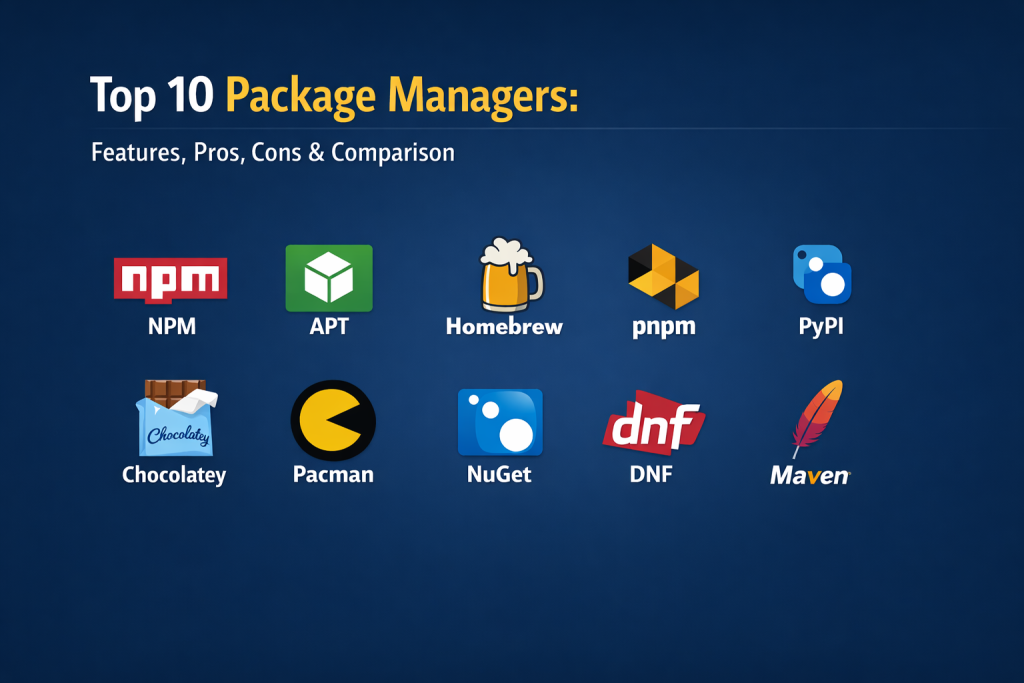
The selection of these top ten package managers is based on their dominance in professional production environments and their technical contribution to the field of automation. We evaluated both language-specific managers that power modern applications and system-level managers that keep operating systems running. Our methodology prioritized tools with active maintenance cycles, robust security features, and a high level of community trust. We specifically looked for tools that have adapted well to the demands of modern cloud-native development and those that provide the best balance of performance and reliability. By including a mix of Linux, Windows, and macOS standards alongside the most critical application-level tools, this list represents the essential toolkit for any modern technical professional.
Top 10 Package Managers
1. NPM (Node Package Manager)
As the default manager for the Node.js runtime, this tool powers the largest ecosystem of open-source libraries in the world. It is the fundamental building block of modern web development, handling everything from small utility functions to massive front-end frameworks.
Key Features
- Access to the world’s largest registry of JavaScript and TypeScript packages.
- Robust workspace support for managing multiple packages within a single repository.
- Built-in security auditing to identify and patch vulnerable dependencies.
- A highly reliable lockfile system to ensure consistent installs across teams.
- Integrated script execution for automating development tasks like testing and building.
Pros
- The standard choice for JavaScript development with unparalleled community support.
- Extremely easy to set up as it comes bundled with the Node.js runtime.
Cons
- Can use a significant amount of disk space due to package duplication.
- Performance can lag in very large projects compared to newer competitors.
Platforms / Deployment
Windows / macOS / Linux — Hybrid
Security & Compliance
Standard identity verification for publishers and integrated vulnerability scanning.
Integrations & Ecosystem
NPM is integrated into every major web development IDE and build tool. It works seamlessly with CI/CD platforms like GitHub Actions and Jenkins for automated deployment.
Support & Community
A massive global community with millions of tutorials and a dedicated support team under the GitHub/Microsoft umbrella.
2. APT (Advanced Package Tool)
The primary system-level manager for Debian, Ubuntu, and their derivatives. It is legendary for its stability and its ability to handle complex system-wide upgrades without breaking the operating system.
Key Features
- Sophisticated dependency resolution that manages complex system-level library links.
- Secure package distribution using GPG keys for authenticity verification.
- Support for multiple repositories, including official and third-party sources.
- Automated cleanup tools to remove unused files and free up system storage.
- Non-interactive modes designed specifically for automated server provisioning.
Pros
- Incredibly stable and trusted for critical production server environments.
- Very beginner-friendly with clear, human-readable command structures.
Cons
- Official repositories prioritize stability over having the absolute latest software versions.
- Dependency checking can be slower than more modern, minimalist managers.
Platforms / Deployment
Linux — Self-hosted
Security & Compliance
Uses cryptographic signatures for all official repository packages to prevent tampering.
Integrations & Ecosystem
APT is the foundation of the Linux world, integrating with configuration management tools like Ansible, Chef, and Puppet for fleet-wide updates.
Support & Community
One of the oldest and largest communities in Linux history, with extensive documentation available in almost every language.
3. Homebrew
Known as “the missing package manager for macOS,” Homebrew has become the essential tool for developers and power users on Mac systems. It has also expanded to support Linux, providing a consistent experience across different platforms.
Key Features
- Simplifies the installation of command-line tools and graphical applications on macOS.
- Uses a “Cask” system to handle large binaries and desktop apps.
- Built on Git and Ruby, allowing users to easily contribute or modify package scripts.
- Installs packages to their own dedicated directory to keep the system clean.
- Automatic updates ensure that all installed tools remain on the latest versions.
Pros
- The undisputed standard for setting up a developer environment on a Mac.
- A massive and very active repository of community-maintained “formulae.”
Cons
- Can occasionally run into permission issues with system-wide installations.
- Updates can be slow to process when many packages are installed simultaneously.
Platforms / Deployment
macOS / Linux — Self-hosted
Security & Compliance
Maintains a rigorous community review process for all submitted package scripts.
Integrations & Ecosystem
Integrates with nearly every developer tool and is frequently used in local setup scripts to automate the “onboarding” of new engineers.
Support & Community
Very strong community support on GitHub and dedicated forums for Mac-specific technical issues.
4. PNPM (Performant NPM)
A modern alternative to NPM that focuses on speed and extreme disk space efficiency. It has gained massive popularity in recent years for its unique approach to package storage.
Key Features
- Uses content-addressable storage to share a single copy of a package across multiple projects.
- Uses hard links to create a virtual “node_modules” folder that saves up to 70% of disk space.
- Superior performance in monorepo environments with advanced filtering.
- Stricter dependency management that prevents “phantom dependencies” from being used.
- Built-in support for multiple versions of the same package without conflict.
Pros
- The fastest package manager for large-scale JavaScript and TypeScript projects.
- Saves massive amounts of storage space on developer machines.
Cons
- Its unique linking system can occasionally confuse older build tools.
- Smaller, though rapidly growing, community compared to standard NPM.
Platforms / Deployment
Windows / macOS / Linux — Hybrid
Security & Compliance
Inherits the security model of the NPM registry while adding stricter dependency isolation.
Integrations & Ecosystem
Works as a drop-in replacement for NPM in most scenarios and integrates perfectly with modern monorepo tools like Turborepo.
Support & Community
Highly active open-source community with a strong focus on high-performance development workflows.
5. PyPI / PIP
The official package manager and repository for the Python programming language. It is the essential tool for data science, machine learning, and automation scripts.
Key Features
- Access to hundreds of thousands of Python projects ranging from web frameworks to AI libraries.
- Supports both source distributions and pre-built binary “wheels” for faster installation.
- Integrated with virtual environment tools to keep project dependencies isolated.
- Simple command-line interface for finding and installing software.
- Support for installing packages directly from Git repositories.
Pros
- The absolute standard for the Python ecosystem with universal support.
- Fast installation of pre-compiled binaries for complex scientific libraries.
Cons
- Does not always handle non-Python system dependencies automatically.
- Managing multiple projects without virtual environments can lead to version conflicts.
Platforms / Deployment
Windows / macOS / Linux — Hybrid
Security & Compliance
Standard repository security with increasing focus on mandatory multi-factor authentication for publishers.
Integrations & Ecosystem
Deeply integrated into data science platforms like Jupyter, as well as every major cloud provider’s Python SDK.
Support & Community
Backed by the Python Software Foundation and a global community of millions of developers and scientists.
6. Chocolatey
Chocolatey brings the power of Linux-style package management to the Windows operating system. it is a favorite for DevOps professionals who need to automate Windows server and workstation setups.
Key Features
- Automates the installation of standard Windows software using PowerShell.
- Handles complex installers including MSI, NSIS, and simple executables.
- A massive online registry with thousands of community-maintained Windows packages.
- Centralized reporting and management for enterprise software deployments.
- Support for private internal repositories to manage sensitive corporate software.
Pros
- The most mature and feature-rich package manager for the Windows platform.
- Drastically reduces the time needed to set up and update Windows machines.
Cons
- The community repository can sometimes lag behind the very latest software versions.
- Some advanced features are locked behind a paid business license.
Platforms / Deployment
Windows — Cloud / Hybrid
Security & Compliance
Rigorous package moderation process including automated virus scanning for all submissions.
Integrations & Ecosystem
Integrates with Windows-focused automation tools like PowerShell DSC and Microsoft Endpoint Manager.
Support & Community
Strong corporate backing and a dedicated community of Windows systems administrators.
7. Pacman
The minimalist and lightning-fast package manager for Arch Linux. It is designed for simplicity and provides users with complete control over their system.
Key Features
- Uses a simple compressed archive format that makes installation and removal incredibly fast.
- Syncs directly with remote repositories to keep the entire system on the “bleeding edge.”
- A single binary that handles all package and repository management tasks.
- Powerful “hooks” that can trigger specific actions before or after a package is updated.
- Integrated with the Arch User Repository (AUR) for access to thousands of community scripts.
Pros
- Widely considered the fastest system-level package manager in existence.
- Minimalist design that is easy to script and automate for power users.
Cons
- Not as beginner-friendly as APT and requires more manual system knowledge.
- The “rolling release” model requires more frequent attention from the user.
Platforms / Deployment
Linux — Self-hosted
Security & Compliance
Uses package signing to ensure the integrity of software downloaded from official mirrors.
Integrations & Ecosystem
Pacman is the heart of the Arch Linux ecosystem and is a favorite among developers who prefer custom, lightweight Linux environments.
Support & Community
Supported by the legendary Arch Wiki, which is often cited as the best documentation in the Linux world.
8. NuGet
The essential package manager for the Microsoft .NET ecosystem. It is how C# and F# developers share and manage code libraries for everything from desktop apps to cloud services.
Key Features
- Deep integration with the Visual Studio and VS Code development environments.
- Supports a wide variety of package types including libraries, tools, and symbols.
- Centralized management of project-wide dependencies via the NuGet Gallery.
- Versioning and dependency resolution specifically tuned for the .NET framework.
- Support for authenticated private feeds for enterprise code sharing.
Pros
- The industry standard for .NET development with a very polished user experience.
- Excellent GUI support within professional development tools.
Cons
- Primarily focused on the .NET world and not suitable for general-purpose software.
- Can occasionally face issues with “dependency hell” in very old legacy projects.
Platforms / Deployment
Windows / macOS / Linux — Hybrid
Security & Compliance
Supports signed packages and enterprise-grade access controls through Azure Artifacts.
Integrations & Ecosystem
Perfectly integrated with the entire Microsoft development stack and Azure cloud services.
Support & Community
Strongly supported by Microsoft and a massive professional community of enterprise developers.
9. DNF (Dandified YUM)
The modern successor to YUM, used as the default package manager for Fedora, RHEL, and Rocky Linux. It was designed to solve the performance and memory issues of older Linux managers.
Key Features
- High-performance dependency resolution using advanced mathematical solvers.
- A detailed transaction history that allows users to undo or redo specific updates.
- Intelligent caching that speeds up searches and metadata synchronization.
- Full compatibility with the RPM package format used in enterprise Linux.
- Strong support for “Modules,” allowing multiple versions of software to coexist.
Pros
- Much faster and more memory-efficient than its predecessor, YUM.
- The standard for enterprise Linux environments requiring high reliability.
Cons
- Some legacy systems still require the older YUM commands for full compatibility.
- Can be more complex to configure than the simpler APT system.
Platforms / Deployment
Linux — Hybrid
Security & Compliance
Includes robust security features for verifying package signatures and managing repository keys.
Integrations & Ecosystem
The standard manager for the Red Hat ecosystem, integrating deeply with enterprise tools like Satellite and Ansible.
Support & Community
Backed by the massive resources of Red Hat and a large professional community of Linux administrators.
10. Maven
A specialized build and package management tool for the Java ecosystem. Unlike simpler managers, Maven follows a “convention over configuration” approach to manage the entire project lifecycle.
Key Features
- A standardized project object model (POM) that defines the entire build and dependency structure.
- Automatic downloading of Java libraries and their dependencies from the Maven Central Repository.
- A rigorous lifecycle management system that handles compiling, testing, and packaging.
- Support for “Plugins” to extend functionality for any type of build requirement.
- Excellent support for multi-module projects and large enterprise codebases.
Pros
- Provides a highly consistent and predictable build process for large teams.
- The absolute standard for Java development with millions of available libraries.
Cons
- The configuration files (XML) can become very large and complex to manage.
- Has a rigid structure that can be difficult to adapt for non-standard projects.
Platforms / Deployment
Windows / macOS / Linux — Hybrid
Security & Compliance
Supports repository management and signed artifacts for secure enterprise builds.
Integrations & Ecosystem
Integrates with every Java IDE and is the foundation for most Java-based CI/CD pipelines in the corporate world.
Support & Community
A massive, mature community with decades of experience in large-scale enterprise software development.
Comparison Table (Top 10)
| Tool Name | Best For | Platform(s) Supported | Deployment | Standout Feature | Public Rating |
| 1. NPM | JavaScript Apps | Windows, macOS, Linux | Hybrid | Massive Library | 4.3/5 |
| 2. APT | Ubuntu/Debian | Linux | Self-hosted | Rock-solid Stability | 4.6/5 |
| 3. Homebrew | macOS Tools | macOS, Linux | Self-hosted | User-friendly CLI | 4.6/5 |
| 4. PNPM | Large Monorepos | Windows, macOS, Linux | Hybrid | Disk-space Saving | 4.6/5 |
| 5. PyPI / PIP | Python / AI | Windows, macOS, Linux | Hybrid | Binary Wheels | 4.5/5 |
| 6. Chocolatey | Windows Admin | Windows | Hybrid | Win-App Automation | 4.7/5 |
| 7. Pacman | Arch Linux | Linux | Self-hosted | Pure Speed | 4.5/5 |
| 8. NuGet | .NET Development | Windows, macOS, Linux | Hybrid | IDE Integration | 4.4/5 |
| 9. DNF | Enterprise Linux | Linux | Hybrid | Transaction History | 4.5/5 |
| 10. Maven | Java Ecosystem | Windows, macOS, Linux | Hybrid | Build Lifecycle | 4.0/5 |
Evaluation & Scoring of Package Managers
| Tool Name | Core (25%) | Ease (15%) | Integrations (15%) | Security (10%) | Perf (10%) | Support (10%) | Value (15%) | Total |
| 1. NPM | 10 | 8 | 10 | 8 | 6 | 10 | 9 | 8.8 |
| 2. APT | 9 | 9 | 8 | 9 | 8 | 9 | 10 | 8.8 |
| 3. Homebrew | 8 | 9 | 8 | 7 | 8 | 9 | 10 | 8.4 |
| 4. PNPM | 9 | 7 | 8 | 8 | 10 | 7 | 9 | 8.3 |
| 5. PyPI | 9 | 8 | 9 | 7 | 8 | 9 | 9 | 8.3 |
| 6. Chocolatey | 8 | 8 | 8 | 8 | 7 | 8 | 8 | 7.9 |
| 7. Pacman | 7 | 5 | 7 | 8 | 10 | 9 | 10 | 7.8 |
| 8. NuGet | 8 | 8 | 9 | 8 | 7 | 8 | 7 | 7.8 |
| 9. DNF | 8 | 7 | 8 | 9 | 8 | 8 | 8 | 7.7 |
| 10. Maven | 9 | 4 | 9 | 8 | 6 | 8 | 8 | 7.4 |
Scoring is based on the utility of the tool in a professional environment. High scores in “Core” indicate a tool’s ability to handle the foundational needs of its specific ecosystem. “Value” scores reflect the return on investment in terms of time saved and the lack of cost for these mostly open-source tools.
Which Package Manager Tool Is Right for You?
Solo / Freelancer
For individuals working across different types of projects, Homebrew (on Mac) and NPM are essential for getting started. If you are a Python enthusiast, PIP will be your daily companion. These tools offer the quickest path from an empty machine to a working development environment.
SMB (Small to Medium Business)
Small teams should look into PNPM to save on local storage and speed up their CI/CD pipelines. For Windows-focused teams, adopting Chocolatey early can save hundreds of hours in manual software updates and configuration across the office.
Mid-Market
At this scale, the choice often depends on the primary programming language. NuGet for .NET teams and Maven for Java teams provide the rigid structure needed to keep larger codebases organized. Using APT or DNF to manage internal server fleets is also a standard requirement.
Enterprise
Large organizations prioritize security and control. Using a combination of NPM (with private registries), DNF (for enterprise-grade Linux support), and NuGet ensures that software is distributed securely. These tools offer the administrative oversight needed to manage thousands of users.
Budget vs Premium
Since most of these tools are open-source and free, the “cost” is actually in training and hardware. Blender and APT provide massive utility for zero cost, while “premium” enterprise setups might involve using paid repository managers like JFrog Artifactory to host these packages.
Feature Depth vs Ease of Use
Maven and Houdini-style technical tools offer extreme depth but have high learning curves. Conversely, APT and Homebrew are designed to be used by anyone with basic command-line knowledge, prioritizing a friendly user experience.
Integrations & Scalability
NPM and NuGet scale best within their specific language ecosystems due to their deep IDE integrations. For overall system scalability, Pacman offers the best performance for lightweight, fast-moving technical environments.
Security & Compliance Needs
Organizations with high security standards should lean toward APT, DNF, and NuGet. These tools have the most mature models for package signing, repository mirroring, and identity-based access control, making them suitable for government and financial sectors.
Frequently Asked Questions (FAQs)
1. What exactly is a package manager?
It is a tool that automates the installation and management of software and its dependencies from a central repository.
2. Is NPM the same as PNPM?
They serve the same purpose for JavaScript, but PNPM is much faster and uses far less disk space by sharing files between projects.
3. Can I use APT on Windows?
No, APT is for Linux. However, you can use it within the Windows Subsystem for Linux (WSL) or use Chocolatey as a native Windows alternative.
4. Why is a lockfile important?
A lockfile ensures that every developer on a team installs the exact same version of every library, preventing “it works on my machine” bugs.
5. What is the difference between a system and a language package manager?
System managers (like APT) handle the OS and its utilities, while language managers (like PIP or NPM) handle libraries inside a specific project.
6. Are these tools safe to use?
Generally, yes, but you should always use tools that perform security audits (like NPM audit) to check for vulnerabilities in third-party code.
7. Can I create my own packages?
Yes, all of these tools allow users to bundle their own code and share it with others via public or private registries.
8. How do I fix a “dependency conflict”?
Most tools have commands to show a dependency tree (like npm list or pip deptree) to help you find which two libraries are fighting over the same file.
9. Do I need an internet connection to use them?
You need the internet to download packages initially, but most tools have an offline cache that allows you to reinstall things you’ve used before.
10. Which package manager is the most popular?
NPM is currently the most widely used due to the massive scale of the JavaScript ecosystem, followed closely by system managers like APT.
Conclusion
The choice of a package manager is a foundational decision that shapes the efficiency, security, and scalability of your technical projects. Whether you are managing system-level software with APT or building modern web applications with PNPM, these tools are the unsung heroes of the digital age. They turn the impossible task of manual dependency management into a streamlined, automated process that allows creators to focus on building rather than troubleshooting. As technology continues to evolve toward more complex and secure architectures, staying proficient in these essential tools will remain a top priority for any successful professional in the field. In the fast-moving world of software, the best package manager is the one that fits seamlessly into your specific workflow while providing the security and performance your project demands. By understanding the strengths and trade-offs of each tool, you can build a more resilient and efficient development environment. The future of software is built on these foundations, and mastering them is the key to unlocking new levels of productivity and innovation in your work.

Best Cardiac Hospitals Near You
Discover top heart hospitals, cardiology centers & cardiac care services by city.
Advanced Heart Care • Trusted Hospitals • Expert Teams
View Best Hospitals