Introduction
Passkey and FIDO2 authentication platforms represent the most significant shift in digital security in decades. These platforms leverage the Fast IDentity Online (FIDO) standards to replace traditional, phishable passwords with secure cryptographic key pairs. In plain English, a passkey allows a user to sign in to an application or website using the same biometric scan or PIN they use to unlock their smartphone or laptop. Because the private half of the credential never leaves the user’s physical device, it is virtually impossible for an attacker to steal it through a fake login page or a database breach.
As we move deeper into a passwordless future, these platforms have become essential for organizations looking to eliminate the risks associated with credential stuffing and account takeovers. By moving away from “something you know” (passwords) toward “something you have” (the device) and “something you are” (biometrics), businesses can drastically improve both their security posture and the speed of the login process. Real-world use cases include securing remote employee access to corporate networks, simplifying customer sign-ins for e-commerce, and protecting sensitive financial transactions without the friction of SMS codes.
Evaluation Criteria for Buyers
- The platform’s ability to support both synced passkeys (for consumer convenience) and device-bound passkeys (for high-security enterprise needs).
- Seamless integration with existing Identity Providers (IdPs) like Active Directory or Okta.
- The availability of robust Software Development Kits (SDKs) and APIs for custom application integration.
- Compliance with global security standards including SOC 2, ISO 27001, and NIST 800-63B.
- Cross-platform compatibility across Windows, macOS, Linux, iOS, and Android ecosystems.
- Support for hardware-backed authenticators like physical security keys in addition to platform biometrics.
- The quality of administrative controls for managing the lifecycle of credentials and recovery options.
Best for: Security-conscious enterprises, software developers building modern apps, and IT managers aiming for a zero-trust architecture.
Not ideal for: Organizations with heavy reliance on legacy systems that cannot interpret modern web authentication protocols or users without biometric-capable hardware.
Key Trends in Passkey & FIDO2 Authentication
- The widespread adoption of “synced passkeys” by Apple, Google, and Microsoft, allowing credentials to travel securely across a user’s devices.
- Increased regulatory pressure from bodies like the SEC and European Union pushing for phishing-resistant multi-factor authentication.
- The rise of “Passkey-as-a-Service” providers that allow developers to add passwordless login to their apps with just a few lines of code.
- Enhanced attestation features that allow enterprises to verify the exact type and security level of the device being used to sign in.
- Integration of passkeys directly into enterprise password managers, creating a bridge for organizations in transition.
- The emergence of “device-bound” passkeys as a mandatory requirement for high-privilege administrative access.
- AI-driven risk engines that analyze environmental signals before allowing a passkey to be used for a high-value transaction.
- Standardization of “Cross-Device Authentication,” enabling a user to sign in to a desktop computer using a passkey stored on their mobile phone.
How We Selected These Tools
Selecting the top ten FIDO2 and passkey platforms involved a detailed assessment of market leadership and technical maturity. We prioritized platforms that are not just compliant with FIDO Alliance standards but are actively driving the industry forward through innovation. Our methodology focused on the breadth of the integration ecosystem, the developer experience, and the reliability of the platform’s infrastructure. We also looked for a balance between workforce-focused solutions meant for employees and consumer-focused solutions meant for app developers. Security certifications and the ability to handle large-scale deployments were critical factors in determining the final rankings.
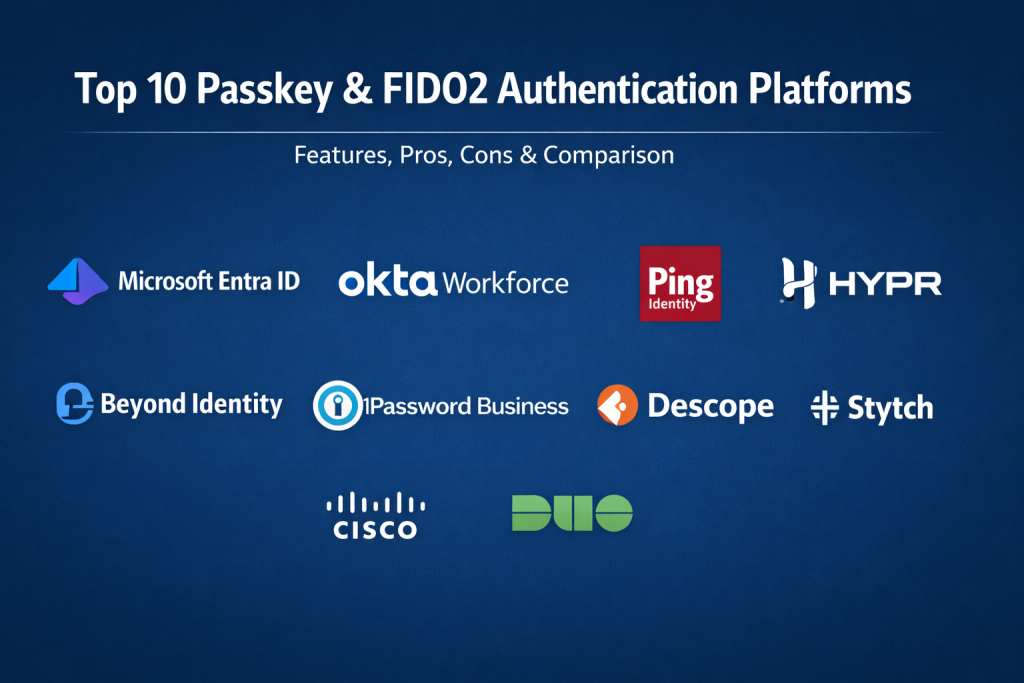
Top 10 Passkey & FIDO2 Authentication Platforms
1. Microsoft Entra ID
Microsoft has integrated FIDO2 support directly into its primary identity platform, making it the natural choice for organizations already utilizing the Microsoft 365 ecosystem. It allows for a completely passwordless experience across Windows devices using Windows Hello or external security keys.
Key Features
- Deep integration with Windows Hello for platform-based biometric authentication.
- Support for “Passkeys in Microsoft Authenticator” for mobile-first workforces.
- Conditional Access policies that can mandate FIDO2 based on user risk.
- Centralized reporting and auditing for all passwordless sign-in events.
- Full support for external FIDO2 hardware keys like YubiKeys.
Pros
- Native, seamless experience for Windows and Azure-heavy environments.
- Included with many existing enterprise licenses, reducing additional software costs.
Cons
- Configuration of advanced policies can be complex for small IT teams.
- Less optimized for organizations that operate entirely outside the Microsoft stack.
Platforms / Deployment
Windows / macOS / iOS / Android — Cloud / Hybrid
Security & Compliance
SOC 2, ISO 27001, HIPAA, and FedRAMP compliant.
Integrations & Ecosystem
Integrates natively with all Microsoft 365 apps and thousands of SaaS applications via the Entra App Gallery.
Support & Community
Industry-leading documentation and global enterprise support tiers are available.
2. Okta Workforce Identity
Okta is a leader in the independent identity space, offering a robust platform that bridges various hardware and software authenticators. Their support for WebAuthn and passkeys is designed to work across diverse technical environments without vendor lock-in.
Key Features
- Okta FastPass provides a passwordless experience across all major operating systems.
- Support for the FIDO2 standard across all browser-based applications.
- A unified directory that manages both human and machine identities.
- Adaptive MFA that steps up security requirements based on location or device posture.
- Strong developer tools for extending passwordless features to custom portals.
Pros
- Excellent for multi-cloud environments that use both AWS and Google Workspace.
- Very intuitive administrative dashboard for managing thousands of users.
Cons
- Can be expensive as organizations add more “adaptive” security layers.
- Requires a strong identity-first mindset to implement effectively.
Platforms / Deployment
Web / Windows / macOS / iOS / Android — Cloud
Security & Compliance
SOC 2 Type II, ISO 27001, and CSA STAR.
Integrations & Ecosystem
Boasts over 7,000 pre-built integrations in the Okta Integration Network.
Support & Community
Extensive community forums and a mature global support infrastructure.
3. Yubico (YubiKey)
While primarily known for their physical keys, Yubico provides the underlying hardware-backed security that many of the world’s most secure platforms rely on. They are a founding member of the FIDO Alliance and define the standard for high-assurance FIDO2 authentication.
Key Features
- Hardware-bound private keys that cannot be copied or shared.
- Multi-protocol support including FIDO2, U2F, and Smart Card (PIV) on a single key.
- NFC and USB-C options for seamless use with mobile phones and laptops.
- The YubiKey Bio series which adds an integrated fingerprint sensor to the key.
- Enterprise delivery services for shipping keys directly to remote employees.
Pros
- The gold standard for phishing-resistant, hardware-backed security.
- No batteries or internet connection required for the key to function.
Cons
- Requires the logistics of physical device distribution to users.
- Initial hardware cost per user can be significant for large teams.
Platforms / Deployment
Windows / macOS / Linux / iOS / Android — Hardware-based
Security & Compliance
FIPS 140-2 validated versions available; FIDO L1 and L2 certified.
Integrations & Ecosystem
Compatible with almost every major identity provider including Google, Microsoft, and Okta.
Support & Community
Comprehensive technical documentation and a massive professional user base.
4. Ping Identity
Ping Identity focuses on the complex needs of large-scale enterprises. Their DaVinci orchestration engine allows businesses to design custom passwordless “journeys” that incorporate FIDO2 and passkeys into sophisticated login flows.
Key Features
- PingOne Passwordless for creating seamless, biometric-driven experiences.
- DaVinci orchestration for visual design of authentication workflows.
- Deep support for hybrid environments combining cloud and on-premises data.
- Advanced risk-based signals to detect anomalous login behavior.
- Robust SDKs for embedding FIDO2 into native mobile applications.
Pros
- Highly flexible for organizations with very specific or legacy requirements.
- Strong focus on both employee (workforce) and customer identity.
Cons
- The platform’s power comes with a higher degree of setup complexity.
- Generally targeted at the upper enterprise market with corresponding pricing.
Platforms / Deployment
Web / iOS / Android — Cloud / Hybrid / Self-hosted
Security & Compliance
SOC 2, ISO 27001, and GDPR compliant.
Integrations & Ecosystem
Strong enterprise connectors for SAP, Salesforce, and legacy mainframe systems.
Support & Community
Dedicated enterprise support with a focus on large-scale architectural guidance.
5. HYPR
HYPR is often called the “Passwordless Company” because they focus exclusively on eliminating passwords. Their platform turns a user’s smartphone into a FIDO2-certified security key, providing a high-security experience without requiring separate hardware.
Key Features
- True passwordless authentication that removes the password field entirely.
- Transforms mobile devices into decentralized FIDO2 authenticators.
- Offline access support for logging into laptops without an internet connection.
- A zero-knowledge architecture where no biometric data ever leaves the device.
- Interoperability with existing SSO providers like Okta and Ping.
Pros
- Focuses heavily on the user experience to ensure high employee adoption.
- Reduces the need for physical security keys by leveraging mobile hardware.
Cons
- Requires users to have a corporate or personal smartphone for every login.
- Niche focus means it is a specialized layer rather than a full IdP.
Platforms / Deployment
Windows / macOS / iOS / Android — Cloud / Hybrid
Security & Compliance
FIDO Certified, SOC 2 Type II.
Integrations & Ecosystem
Integrates as a specialized authentication layer into major identity stacks.
Support & Community
Strong professional services for large-scale passwordless rollouts.
6. Beyond Identity
Beyond Identity focuses on ensuring that only “known-good” devices can access corporate resources. Their FIDO2 implementation includes a heavy focus on device posture, checking for things like disk encryption and firewall status before allowing a passkey to be used.
Key Features
- Device-bound passkeys that cannot be synced or exported to unmanaged devices.
- Continuous risk assessment that monitors device health during a session.
- Zero-trust authentication that eliminates the need for any second-device “push.”
- Automated policy enforcement for ensuring compliance on all endpoints.
- Simple, invisible login experience for the end-user.
Pros
- Combines strong authentication with rigorous endpoint security.
- Eliminates the “push fatigue” often found in traditional MFA.
Cons
- Requires the installation of a small agent on the user’s computer.
- Best suited for managed devices rather than “bring your own device” (BYOD).
Platforms / Deployment
Windows / macOS / iOS / Android — Cloud
Security & Compliance
SOC 2 Type II, ISO 27001.
Integrations & Ecosystem
Deeply integrated with CrowdStrike, SentinelOne, and major SSO platforms.
Support & Community
Responsive technical support with a focus on security-first organizations.
7. 1Password for Business
1Password has transitioned from being a simple password manager to a significant player in the passkey space. They allow businesses to store and share passkeys just like passwords, providing a familiar interface for teams moving toward a passwordless model.
Key Features
- Secure storage and sharing of passkeys within team vaults.
- Watchtower reports that flag accounts that can be upgraded to passkeys.
- Browser extensions that allow for one-click passkey login on any device.
- Support for the FIDO Alliance “Credential Exchange” standard for portability.
- Zero-knowledge encryption that ensures even 1Password cannot see your keys.
Pros
- Easiest way for a team to begin using passkeys today.
- Works across different hardware ecosystems (e.g., using an iPhone passkey on a PC).
Cons
- As a vault-based system, it is a different model than a native IdP.
- Requires a subscription to the 1Password service.
Platforms / Deployment
Web / Windows / macOS / Linux / iOS / Android — Cloud
Security & Compliance
SOC 2 Type II, ISO 27001.
Integrations & Ecosystem
Integrates with Okta, Azure, and Google for automated user provisioning.
Support & Community
Renowned for its user-friendly documentation and active customer support.
8. Descope
Descope is a developer-centric platform that provides “Authentication-as-a-Service.” It is designed for product teams who want to add passkey and FIDO2 sign-in to their own customer-facing applications without building the complex backend themselves.
Key Features
- Visual flow builder for designing customized user authentication journeys.
- SDKs for all major web and mobile frameworks.
- Support for “Passkey First” onboarding for new app users.
- Flexible connectors for merging user data with CRM and analytics tools.
- Built-in risk protection to block bot-driven account creation.
Pros
- Reduces months of development work down to a few days.
- Extremely flexible UI that can be branded to match any application.
Cons
- Focused on customer identity (CIAM) rather than internal employee access.
- Usage-based pricing can scale quickly as an application grows.
Platforms / Deployment
Web / iOS / Android — Cloud
Security & Compliance
SOC 2 Type II, GDPR, and HIPAA compliant.
Integrations & Ecosystem
Strong library of connectors for Segment, HubSpot, and various email providers.
Support & Community
Active developer community and high-quality technical documentation.
9. Stytch
Similar to Descope, Stytch provides an API-first approach to authentication. They focus on delivering the fastest possible login experience, specializing in passkeys and “magic links” to help businesses increase their user conversion rates.
Key Features
- API-first architecture for full control over the authentication logic.
- Direct support for WebAuthn and passkeys across all modern browsers.
- Detailed analytics on how different authentication methods affect sign-in success.
- Fraud and bot detection integrated directly into the auth flow.
- SDKs that handle all the complex cryptography of FIDO2 automatically.
Pros
- Optimized for high-growth startups and consumer applications.
- Clean, modern APIs that are a favorite among frontend developers.
Cons
- Not intended for internal workforce identity management.
- Requires development resources to implement; not an “out-of-the-box” solution.
Platforms / Deployment
Web / iOS / Android — Cloud
Security & Compliance
SOC 2 Type II.
Integrations & Ecosystem
Designed to be the core authentication engine within a custom-built tech stack.
Support & Community
Highly technical support team and an extensive library of code examples.
10. Cisco Duo
Duo is one of the most widely deployed MFA solutions in the world. Their “Duo Central” now provides a comprehensive passwordless experience using FIDO2, allowing users to sign in to all their protected apps with a single biometric touch.
Key Features
- A simple, user-friendly mobile app for approving login requests.
- Broad support for FIDO2 security keys and platform authenticators.
- Device visibility tools that check for out-of-date OS or missing encryption.
- Verified Push to prevent “MFA fatigue” attacks.
- Trust Monitor which uses machine learning to identify risky authentication patterns.
Pros
- Incredibly easy for employees to understand and use.
- Vast array of connectors for VPNs, RDP, and cloud applications.
Cons
- Best features are locked behind higher-priced “Advantage” and “Premier” tiers.
- Focuses more on access control than on being a primary identity store.
Platforms / Deployment
Web / Windows / macOS / iOS / Android — Cloud
Security & Compliance
SOC 2, ISO 27001, FedRAMP Authorized.
Integrations & Ecosystem
Strongest integration library in the industry for networking and security hardware.
Support & Community
Backed by the massive resources of Cisco with 24/7 global support availability.
Comparison Table (Top 10)
| Tool Name | Best For | Platform(s) Supported | Deployment | Standout Feature | Public Rating |
| 1. Microsoft Entra ID | Microsoft-centric orgs | Windows, macOS, Mobile | Hybrid | Native OS Integration | 4.7/5 |
| 2. Okta Workforce | Independent Identity | Web, Windows, macOS | Cloud | Massive App Catalog | 4.5/5 |
| 3. Yubico | High-Assurance MFA | All Hardware Ports | Hardware | Unphishable Physical Key | 4.8/5 |
| 4. Ping Identity | Complex Enterprise | Web, Mobile, On-prem | Hybrid | Auth Orchestration | 4.4/5 |
| 5. HYPR | Mobile-as-a-Key | Windows, macOS, Mobile | Hybrid | Phone-to-PC Auth | 4.6/5 |
| 6. Beyond Identity | Zero-Trust / Managed | Windows, macOS, Mobile | Cloud | Device Health Checks | 4.7/5 |
| 7. 1Password Business | Team Key Management | All Browsers & OS | Cloud | Passkey Sharing | 4.7/5 |
| 8. Descope | App Developers | Web, iOS, Android | Cloud | Visual Flow Builder | 4.6/5 |
| 9. Stytch | Fast Conversion Apps | Web, iOS, Android | Cloud | API-First Performance | 4.5/5 |
| 10. Cisco Duo | Easy MFA Rollout | Web, Mobile, VPN | Cloud | User-Friendly Interface | 4.5/5 |
Evaluation & Scoring of Passkey & FIDO2 Platforms
| Tool Name | Core (25%) | Ease (15%) | Integrations (15%) | Security (10%) | Perf (10%) | Support (10%) | Value (15%) | Total |
| 1. Entra ID | 9 | 7 | 10 | 9 | 9 | 9 | 8 | 8.8 |
| 2. Okta | 9 | 8 | 10 | 9 | 9 | 9 | 6 | 8.5 |
| 3. Yubico | 10 | 6 | 9 | 10 | 10 | 8 | 7 | 8.5 |
| 4. Ping Identity | 9 | 5 | 9 | 9 | 9 | 9 | 6 | 7.9 |
| 5. HYPR | 8 | 9 | 8 | 9 | 9 | 8 | 7 | 8.2 |
| 6. Beyond Identity | 8 | 8 | 8 | 10 | 9 | 8 | 7 | 8.2 |
| 7. 1Password | 7 | 10 | 7 | 8 | 9 | 9 | 8 | 7.9 |
| 8. Descope | 8 | 9 | 8 | 8 | 9 | 7 | 8 | 8.1 |
| 9. Stytch | 8 | 8 | 7 | 8 | 10 | 7 | 8 | 7.9 |
| 10. Cisco Duo | 8 | 10 | 9 | 8 | 9 | 9 | 7 | 8.4 |
Interpretation: These scores reflect the balance between technical power and organizational usability. A high integration score is vital for companies with many apps, while a high security score indicates the platform excels in high-threat environments.
Which Passkey & FIDO2 Tool Is Right for You?
Solo / Freelancer
If you are an individual developer or freelancer, 1Password is the most practical way to start using passkeys across all your devices. For building your own apps, Stytch offers a generous free tier for getting started.
SMB (Small to Medium Business)
Small businesses should look toward Cisco Duo for its ease of deployment or Microsoft Entra ID if they are already paying for Business Premium licenses. These provide the best “out-of-the-box” experience.
Mid-Market
For growing companies that need to manage a mix of cloud services, Okta provides the best balance of flexibility and ease of administration. Adding Yubico keys for privileged administrators is a common best practice here.
Enterprise
Large-scale organizations with complex compliance needs should consider Ping Identity for its orchestration capabilities or Beyond Identity if they want to strictly tie authentication to device health.
Budget vs Premium
Entra ID and Blender (in the 3D space) represent great value for those already in their respective ecosystems. Okta and Ping are premium solutions that offer significant time savings for large IT departments.
Feature Depth vs Ease of Use
Ping Identity offers the most depth for custom workflows but has a high learning curve. Cisco Duo and 1Password are the easiest to use, requiring almost no training for the end-user.
Integrations & Scalability
Okta and Cisco Duo lead the pack in terms of the number of third-party systems they can connect to. Entra ID is the most scalable for those committed to the Microsoft cloud.
Security & Compliance Needs
For highly regulated industries like finance or government, Yubico hardware keys are often a mandatory requirement. Beyond Identity is the choice for teams moving toward a formal Zero-Trust architecture.
Frequently Asked Questions (FAQs)
1. What exactly is a passkey?
A passkey is a digital credential that allows you to sign in to accounts using your device’s screen lock (fingerprint, face, or PIN). It is based on a standard called FIDO2.
2. How are passkeys different from passwords?
Passwords are “secrets” you remember and type, which can be stolen. Passkeys are cryptographic keys that stay on your device and can’t be phished or guessed.
3. Do I need a special device to use passkeys?
Most modern smartphones and laptops made in the last few years already have the hardware needed to create and use passkeys.
4. What happens if I lose my phone with my passkey on it?
Most platforms like Apple, Google, and Microsoft “sync” your passkeys to their cloud, so you can recover them when you set up a new device.
5. Are passkeys safe from hackers?
Yes, they are significantly safer because there is no password for a hacker to steal, and the login only works on the legitimate website for which it was created.
6. Can I still use my physical security key (like a YubiKey)?
Absolutely. Many platforms allow you to use a physical key as your primary passkey or as a high-security backup.
7. Do passkeys work on websites that haven’t updated yet?
No, a website or app must intentionally add support for the FIDO2/WebAuthn standard before you can use a passkey there.
8. Is biometric data sent to the website?
No. Your fingerprint or face data stays on your local device. The website only receives a “signed” message confirming that you successfully unlocked your device.
9. Can passkeys be shared?
Standard passkeys are meant for individual use, but some business tools like 1Password now allow for the secure sharing of passkeys within a team vault.
10. How do I start using passkeys for my business?
The best way is to enable FIDO2/WebAuthn in your existing identity provider (like Okta or Microsoft) and encourage users to register their devices.
Conclusion
Transitioning to a passwordless environment using Passkey and FIDO2 platforms is one of the most effective steps an organization can take to mitigate modern cyber threats. By choosing a platform that aligns with your existing technology stack—whether it is the deep ecosystem of Microsoft Entra ID or the hardware-backed assurance of Yubico—you can eliminate the vulnerability of phishable credentials. The shift not only hardens your security but also provides a more fluid and efficient experience for your users. As the industry moves toward a future where passwords are the exception rather than the rule, the ability to manage decentralized, biometric-based identities will become a core requirement for every IT department. The key to a successful rollout is to balance the need for high-assurance security with a friction-free user experience. By starting with a focused pilot and leveraging the right platform, you can lead your organization into a more secure and convenient digital era.

Best Cardiac Hospitals Near You
Discover top heart hospitals, cardiology centers & cardiac care services by city.
Advanced Heart Care • Trusted Hospitals • Expert Teams
View Best Hospitals