Introduction
A patient portal is a secure online website that gives patients 24-hour access to personal health information from anywhere with an internet connection. By using a secure username and password, patients can view health information such as recent doctor visits, discharge summaries, medications, immunizations, allergies, and lab results. These platforms bridge the gap between clinical care and patient engagement, moving beyond simple static records to become interactive hubs for managing one’s entire healthcare journey.
In the current healthcare environment, patient portals have become indispensable tools for modern medical practices. They empower individuals to take a proactive role in their wellness while significantly reducing the administrative burden on clinic staff. Whether it is self-scheduling an appointment at midnight or reviewing lab results the moment they are released, these portals provide the transparency and convenience that modern healthcare consumers expect. For providers, a robust portal means fewer phone calls, better medication adherence, and a more streamlined workflow.
Real-World Use Cases
- Scheduling follow-up appointments and receiving automated reminders without needing to call the doctor’s office.
- Securely messaging a care team to ask non-urgent medical questions or clarify a treatment plan.
- Requesting prescription refills directly through the portal, which sends the request straight to the provider for approval.
- Accessing and downloading immunization records for school or travel without waiting for a physical copy.
- Viewing and paying medical bills online through integrated payment gateways.
Evaluation Criteria for Buyers
- The ease with which patients of all ages and technical abilities can navigate the interface.
- How deeply the portal integrates with the existing Electronic Health Record (EHR) system to ensure data accuracy.
- The availability of a high-quality mobile application for on-the-go access.
- The strength of security features like two-factor authentication and encryption to protect sensitive health data.
- The ability for patients to handle financial tasks such as viewing statements and making payments.
- Support for multilingual interfaces to serve diverse patient populations.
- The inclusion of telehealth capabilities for virtual consultations within the same platform.
Best for: Hospitals, private clinics, and healthcare systems looking to improve patient engagement, reduce no-shows, and provide transparent access to health data.
Not ideal for: Very small practices that do not use a digital EHR or facilities that primarily deal with emergency care where immediate, in-person intervention is the only priority.
Key Trends in Patient Portal Platforms
- The integration of artificial intelligence to provide personalized health education and answer common patient queries.
- A shift toward “mobile-first” designs, ensuring all desktop features are fully functional on smartphones and tablets.
- Increased use of automated check-in and digital intake forms to eliminate physical paperwork in the waiting room.
- Expansion of remote patient monitoring (RPM) where data from wearable devices is synced directly to the portal.
- Enhanced interoperability allowing patients to view records from multiple different healthcare providers in one place.
- Use of natural language processing to help patients understand complex medical terminology in their lab results.
- Growth of direct-to-patient billing and cost transparency tools that provide price estimates before a procedure.
- Integration of social determinants of health (SDOH) surveys to help providers understand a patient’s broader environment.
How We Selected These Tools
The selection of these top ten patient portal platforms is based on their market presence, reliability, and the breadth of features they offer to both patients and providers. We analyzed tools that are deeply integrated with industry-leading EHR systems, as these offer the most seamless user experience. Consideration was given to the quality of their mobile applications, their compliance with global security standards, and their ability to scale from small private practices to massive hospital networks. We also looked for platforms that consistently receive high marks for patient adoption and ease of use, as a portal is only effective if patients actually use it.
Top 10 Patient Portal Platforms
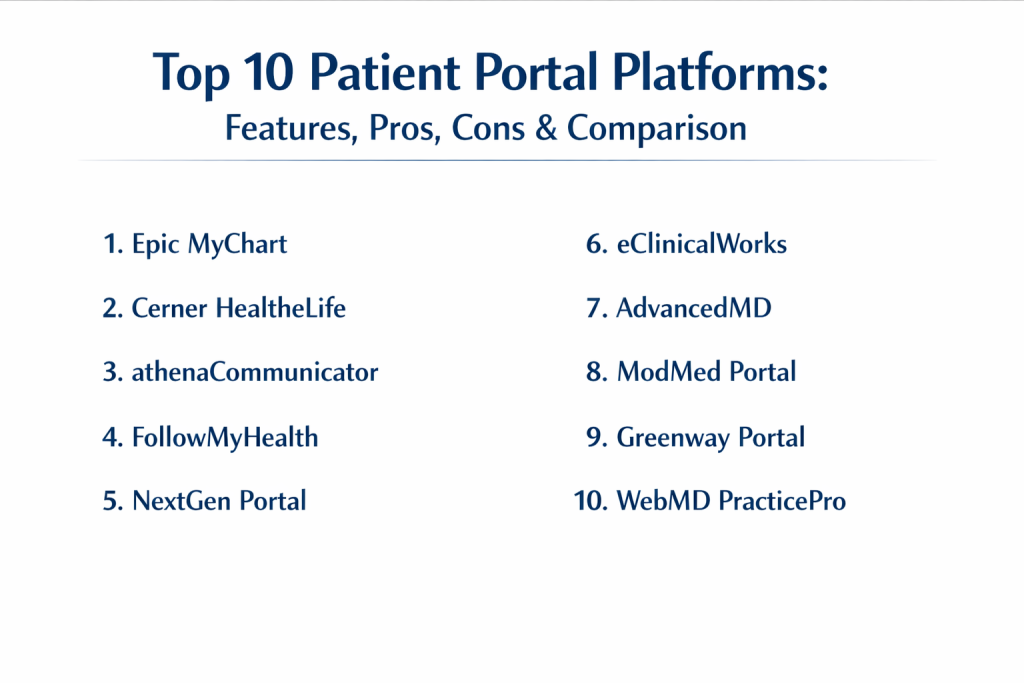
1. Epic MyChart
Epic MyChart is widely recognized as the gold standard in patient engagement. It provides a highly comprehensive experience that allows patients to manage almost every aspect of their care across multiple different healthcare organizations that use the Epic ecosystem.
Key Features
- Comprehensive access to medical history, test results, and clinical notes.
- Integrated video visits and telehealth consultations within the portal.
- Family access features that allow parents or caregivers to manage multiple accounts.
- Hello Patient location-based features for automated clinic check-in.
- Digital payment options supporting credit cards, Apple Pay, and Google Pay.
Pros
- The most feature-rich patient experience currently available in the market.
- Deepest integration with the world’s most used enterprise EHR.
Cons
- Only available to organizations already using the Epic EHR system.
- Implementation and customization can be extremely complex for staff.
Platforms / Deployment
Web / iOS / Android — Hybrid
Security & Compliance
Enterprise-grade security including SSO, MFA, and full HIPAA compliance.
Integrations & Ecosystem
MyChart is built as a core part of the Epic suite, connecting seamlessly to inpatient, ambulatory, and specialty care modules. It supports massive data exchange through the Care Everywhere network.
Support & Community
It boasts a massive user community and extensive professional documentation. Training is typically provided through the healthcare organization’s own internal Epic team.
2. Cerner HealtheLife
HealtheLife is the primary engagement platform for the Cerner (Oracle Health) ecosystem. It focuses on unifying patient data and providing a clean, accessible interface for managing appointments and health records.
Key Features
- Centralized portal for viewing lab results and physician visit summaries.
- Secure two-way messaging between patients and their healthcare providers.
- Automated health reminders for screenings and follow-up care.
- Integration with third-party telehealth vendors like Zoom and Doxy.me.
- Mobile-friendly interface optimized for patient use on any device.
Pros
- Strong interoperability for organizations within the Cerner network.
- Flexible architecture that allows for various third-party integrations.
Cons
- The user interface can feel inconsistent depending on the specific module.
- Some advanced features require additional third-party software.
Platforms / Deployment
Web / iOS / Android — Cloud
Security & Compliance
Backed by Oracle’s cloud security infrastructure, ensuring HIPAA and GDPR readiness.
Integrations & Ecosystem
It integrates natively with the Cerner Millennium platform and uses an open architecture philosophy to connect with other healthcare IT solutions.
Support & Community
Strong vendor-led support and a global community of large hospital systems.
3. athenaCommunicator
athenaCommunicator is the patient-facing component of the athenahealth suite. It is highly regarded for its automation capabilities, helping clinics stay in touch with patients without manual intervention from office staff.
Key Features
- Automated appointment reminders via text, email, and automated voice.
- A streamlined portal for paying bills and managing insurance information.
- Online self-scheduling that syncs directly with the clinic’s calendar.
- Access to digital intake forms that patients can complete before arrival.
- Automated alerts for new test results and upcoming health needs.
Pros
- Excellent automation that significantly reduces administrative workload.
- Very intuitive and easy for patients to use without training.
Cons
- The mobile application has historically been limited to iOS users.
- Pricing is typically based on a percentage of practice collections.
Platforms / Deployment
Web / iOS — Cloud
Security & Compliance
Fully HIPAA certified with data hosted in a secure, centralized cloud.
Integrations & Ecosystem
It is a core part of the athenaOne suite, integrating billing, EHR, and patient communication into a single cloud-based stream.
Support & Community
Known for robust initial setup support and a wealth of online self-help resources.
4. Allscripts FollowMyHealth
FollowMyHealth is an EHR-agnostic patient engagement platform that can work with many different systems. It is known for its visually appealing interface and its focus on the patient’s ability to manage their own records.
Key Features
- A universal health record that aggregates data from multiple providers.
- Secure messaging with file attachment capabilities for sharing photos or documents.
- Integrated telehealth for virtual consultations.
- Automated patient outreach and lifestyle behavior change tools.
- Ability for patients to track their own vitals and health goals.
Pros
- Can be used as a standalone portal even if the provider uses a different EHR.
- Layout is designed to be very approachable for the average patient.
Cons
- Some users have reported slow loading times for large medical charts.
- Mobile app functionality can feel less robust than the desktop version.
Platforms / Deployment
Web / iOS / Android — Cloud
Security & Compliance
Compliant with ONC-ACB standards and all HIPAA data protection rules.
Integrations & Ecosystem
While owned by Allscripts, it is designed to integrate with a wide variety of third-party EHR systems through standard APIs.
Support & Community
Offers a specialized database of knowledge for end-users and structured onboarding for clinics.
5. NextGen Patient Portal
NextGen’s portal, often part of their “Closed Loop” experience, is designed specifically for ambulatory and specialty care practices. It emphasizes streamlining the “office-to-patient” communication chain.
Key Features
- Self-scheduling powered by Luma for 24/7 appointment booking.
- Online bill payment and cost estimator tools.
- Secure messaging and prescription refill requests.
- Access to educational resources tailored to the patient’s diagnosis.
- Digital check-in and eligibility verification.
Pros
- Highly effective for specialty practices with specific workflow needs.
- Strong focus on improving the revenue cycle through upfront payments.
Cons
- The setup process can be time-consuming for smaller practices.
- Interface can feel slightly more technical than “consumer-grade” apps.
Platforms / Deployment
Web / iOS / Android — Hybrid
Security & Compliance
Full regulatory compliance for large healthcare enterprises.
Integrations & Ecosystem
Integrates deeply with NextGen Enterprise and Office EHRs, and supports extensive third-party automation tools.
Support & Community
Provides customized training and has a strong presence in the ambulatory care market.
6. eClinicalWorks Patient Portal
The eClinicalWorks portal is part of a widely used cloud-based EHR. It is known for its high level of customization, allowing practices to tailor the portal experience to their specific specialty.
Key Features
- Integrated billing system that makes it easy for patients to settle balances.
- Automated task box that alerts patients to actions they need to take.
- Support for multiple languages to improve access for all patients.
- Integration with the healow mobile app for unified health tracking.
- Ability to view and print lab reports and immunization records easily.
Pros
- Very cost-effective for medium-sized practices.
- The healow app ecosystem is one of the best-rated patient apps.
Cons
- Some workflows require many clicks to complete simple tasks.
- Customer support responses can be inconsistent during peak times.
Platforms / Deployment
Web / iOS / Android — Cloud
Security & Compliance
Standard HIPAA compliance and secure cloud hosting.
Integrations & Ecosystem
Connects seamlessly with the eClinicalWorks EHR and the healow network of health management tools.
Support & Community
Large user base with many community-driven tips and official training webinars.
7. AdvancedMD Patient Portal
AdvancedMD offers a highly functional portal that is a favorite among independent medical practices. It focuses on the intersection of clinical care and the financial health of the practice.
Key Features
- Online scheduling that allows patients to pick their own time slots.
- Digital intake forms that automatically populate the patient’s chart.
- Secure messaging and medication refill requests.
- Integration with telemedicine for seamless virtual visits.
- Automated payment processing and financial transparency.
Pros
- Exceptionally easy to use for both office staff and patients.
- Highly customizable templates to fit different medical specialties.
Cons
- Can be more expensive than other “independent-focused” portals.
- Some users have reported delays in technical support response times.
Platforms / Deployment
Web / iOS — Cloud
Security & Compliance
HIPAA compliant with robust data backup and encryption features.
Integrations & Ecosystem
Features a smooth flow between the Practice Management (PM) and EMR modules for a unified experience.
Support & Community
Provides extensive training videos and a dedicated manager for most accounts.
8. Modernizing Medicine (ModMed) Portal
ModMed provides a portal that is deeply tailored to specific specialties like dermatology, ophthalmology, and orthopedics. It is designed to mirror the unique workflows of these high-volume clinics.
Key Features
- Specialty-specific educational content for patients.
- Intuitive viewing of specialized lab results and imaging.
- Online bill pay and appointment management.
- Secure messaging that meets all HIPAA requirements.
- Integration with specialty-specific telehealth tools.
Pros
- The best choice for specialty clinics that find general portals too broad.
- Streamlines the intake process for high-volume outpatient settings.
Cons
- Less effective for general practitioners or large multi-specialty hospitals.
- Pricing is geared toward specialized professional markets.
Platforms / Deployment
Web / iOS / Android — Cloud
Security & Compliance
Built with high-level encryption and role-based access controls.
Integrations & Ecosystem
Designed to work exclusively within the ModMed ecosystem for maximum efficiency.
Support & Community
Very strong support for the specific specialties they serve.
9. Greenway Health Patient Portal
Greenway provides an ambulatory-focused portal that is designed to reduce the administrative noise in a busy clinic. It focuses on the core tasks that patients need to accomplish most often.
Key Features
- Native integration with Greenway EHR for real-time data syncing.
- Simplified prescription refill requests.
- Secure messaging and lab result delivery.
- Pre-visit questionnaires and digital check-in.
- Appointment self-scheduling for patients.
Pros
- Very straightforward implementation for practices already on Greenway.
- Focuses on the “essential” features, making it less overwhelming for patients.
Cons
- Lacks some of the “enterprise” features found in Epic or Cerner.
- The interface is functional but lacks a modern, sleek aesthetic.
Platforms / Deployment
Web / iOS / Android — Hybrid
Security & Compliance
Standard HIPAA-aligned controls and secure messaging.
Integrations & Ecosystem
Deeply integrated with Greenway’s Intergy and Prime Suite EHR systems.
Support & Community
Strong support for ambulatory care practices and a mature user base.
10. WebMD PracticePro Patient Portal
This portal leverages the trusted WebMD brand to provide an engaging experience for patients. It is designed to help practices build stronger relationships with their patients through high-quality content and communication.
Key Features
- Integration with WebMD’s massive library of health education content.
- Secure messaging and file sharing between patients and providers.
- Appointment dashboard for managing past and upcoming visits.
- Digital intake forms to expedite the check-in process.
- Automated reminders and patient outreach tools.
Pros
- Patients often feel comfortable using a brand they already recognize.
- Focuses heavily on patient engagement and education.
Cons
- Less focused on deep clinical data than the major EHR-native portals.
- May require more manual effort to sync with certain legacy EHRs.
Platforms / Deployment
Web / iOS / Android — Cloud
Security & Compliance
Secure data storage and full HIPAA compliance.
Integrations & Ecosystem
Designed to work as a communication layer that can connect to various practice management systems.
Support & Community
Access to WebMD’s extensive professional resources and dedicated customer success teams.
Comparison Table (Top 10)
| Tool Name | Best For | Platform(s) Supported | Deployment | Standout Feature | Public Rating |
| 1. Epic MyChart | Large Health Systems | Web, iOS, Android | Hybrid | Enterprise Depth | 4.8/5 |
| 2. Cerner HealtheLife | Hospital Networks | Web, iOS, Android | Cloud | Open Architecture | 4.3/5 |
| 3. athenaCommunicator | Ambulatory Clinics | Web, iOS | Cloud | Outreach Automation | 4.5/5 |
| 4. FollowMyHealth | Multi-EHR Access | Web, iOS, Android | Cloud | Universal Record | 4.1/5 |
| 5. NextGen Portal | Specialty Practices | Web, iOS, Android | Hybrid | Financial Tools | 4.2/5 |
| 6. eClinicalWorks | Mid-Sized Clinics | Web, iOS, Android | Cloud | healow App | 4.4/5 |
| 7. AdvancedMD | Independent Practices | Web, iOS | Cloud | Ease of Use | 4.6/5 |
| 8. ModMed Portal | Specialty Outpatient | Web, iOS, Android | Cloud | Specialty Focus | 4.5/5 |
| 9. Greenway Portal | Ambulatory Care | Web, iOS, Android | Hybrid | Simple Workflow | 4.0/5 |
| 10. WebMD PracticePro | Patient Engagement | Web, iOS, Android | Cloud | Health Education | 4.2/5 |
Evaluation & Scoring of Patient Portal Platforms
| Tool Name | Core (25%) | Ease (15%) | Integrations (15%) | Security (10%) | Perf (10%) | Support (10%) | Value (15%) | Total |
| 1. Epic MyChart | 10 | 8 | 10 | 10 | 9 | 9 | 5 | 8.9 |
| 2. Cerner | 9 | 7 | 9 | 9 | 8 | 8 | 6 | 7.9 |
| 3. athenahealth | 8 | 9 | 8 | 9 | 9 | 8 | 7 | 8.2 |
| 4. Allscripts | 8 | 8 | 7 | 8 | 7 | 7 | 8 | 7.7 |
| 5. NextGen | 8 | 7 | 8 | 9 | 8 | 8 | 7 | 7.7 |
| 6. eCW | 8 | 7 | 8 | 8 | 8 | 7 | 9 | 7.9 |
| 7. AdvancedMD | 7 | 10 | 7 | 8 | 8 | 9 | 8 | 8.1 |
| 8. ModMed | 9 | 8 | 6 | 8 | 9 | 8 | 7 | 7.9 |
| 9. Greenway | 7 | 8 | 7 | 8 | 8 | 7 | 8 | 7.5 |
| 10. WebMD | 7 | 9 | 6 | 8 | 8 | 8 | 8 | 7.6 |
Scoring reflects the balance between feature depth and practical accessibility. A high score in “Ease” means the portal is very unlikely to frustrate patients, while a high “Core” score indicates it can handle the most complex medical data requirements.
Which Patient Portal Platform Tool Is Right for You?
Solo / Independent Practice
For an independent practitioner, AdvancedMD or athenaCommunicator are the strongest contenders. They provide high levels of automation and ease of use that allow a small staff to focus on patients rather than managing a complex website.
SMB (Small to Medium Business)
A growing clinic will find eClinicalWorks or NextGen to be a great fit. These platforms offer a deeper set of clinical and financial features that help a business scale while keeping costs manageable.
Mid-Market
For larger multi-specialty clinics, ModMed (if specialty-focused) or Allscripts FollowMyHealth provide the flexibility to manage diverse patient needs without the extreme cost of a full hospital system.
Enterprise
Large health systems and hospitals are best served by Epic MyChart or Cerner HealtheLife. These systems are built for massive scale, high security, and deep integration across thousands of beds and hundreds of outpatient sites.
Budget vs Premium
eClinicalWorks and Blender (in the software world) represent high-value options. Epic is the definitive premium choice, requiring a significant investment but offering the most powerful toolset available.
Feature Depth vs Ease of Use
If you need the most features possible, Epic is the winner. If you want the portal that the fewest number of patients will complain about being “too hard,” AdvancedMD and athenahealth lead the pack.
Integrations & Scalability
Epic and Cerner are designed for infinite scalability across a region. For clinics that use multiple different systems, FollowMyHealth offers the best cross-platform integration.
Security & Compliance Needs
All listed tools are HIPAA compliant, but Epic, Cerner, and athenahealth offer the most robust enterprise security frameworks suitable for high-risk data environments.
Frequently Asked Questions (FAQs)
1. Are patient portals secure?
Yes, they use the same level of encryption as online banking and are strictly regulated by healthcare privacy laws like HIPAA to ensure your data is protected.
2. Can I see my lab results as soon as they are ready?
In most cases, yes. Most modern portals are set up to release results automatically as soon as the lab finishes the test, though some doctors may review them first.
3. Is there a cost for patients to use these portals?
No, healthcare providers offer these portals to their patients for free as a part of their care service.
4. What if I forget my password?
All major portals have secure password recovery systems that use your email or mobile phone to verify your identity.
5. Can I manage my child’s health records?
Yes, most portals offer “proxy access” which allows parents or legal guardians to manage accounts for children or elderly family members.
6. Do I need a special app to use a patient portal?
Most portals can be accessed through any web browser, but many also offer dedicated mobile apps for a better experience on smartphones.
7. Can I use the portal for emergencies?
No. Patient portals are for non-urgent communication. In an emergency, you should always call emergency services or go to the nearest hospital.
8. Will my doctor see my messages immediately?
Messages sent through a portal are typically handled like a phone call; a nurse or staff member usually reviews them during business hours before passing them to the doctor.
9. Can I see records from different doctors in one portal?
Some portals like MyChart or FollowMyHealth can link accounts from different hospitals, allowing you to see all your records in one place.
10. What should I do if my information is incorrect?
You should use the portal’s messaging feature to alert your provider’s office so they can verify and update your official medical record.
Conclusion
Choosing the right patient portal platform is a critical step in modernizing a healthcare practice and improving the patient experience. The ten platforms discussed each offer specific advantages, whether it is the enterprise-grade depth of Epic MyChart or the user-friendly automation of athenaCommunicator. By selecting a tool that aligns with your practice size and specialty, you can foster a more transparent, efficient, and engaged relationship with those you serve. As technology continues to evolve toward more personalized and mobile-first experiences, the right portal will remain a cornerstone of high-quality, patient-centered care.

Best Cardiac Hospitals Near You
Discover top heart hospitals, cardiology centers & cardiac care services by city.
Advanced Heart Care • Trusted Hospitals • Expert Teams
View Best Hospitals