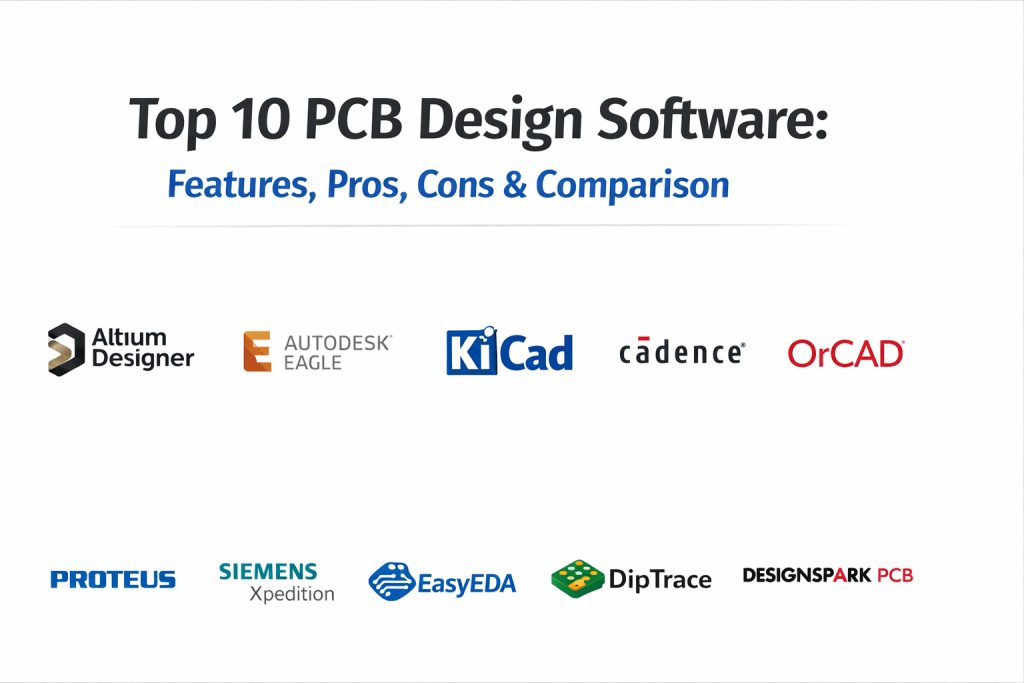
Introduction
PCB Design Software is a tool used to design printed circuit boards. A printed circuit board, or PCB, is the foundation of most electronic products. It connects electronic components like resistors, capacitors, and chips in a structured and reliable way. Without PCB design software, engineers would have to design circuits manually, which is slow, risky, and not practical for modern products.
Today, PCB design software plays a critical role in product development. From consumer electronics and medical devices to automotive systems and industrial automation, almost every electronic product depends on accurate PCB layout and validation. As designs become smaller and more complex, the need for powerful, automated, and reliable PCB tools has grown significantly.
Real-World Use Cases
- Designing multi-layer boards for embedded systems
- Creating high-speed signal routing for communication devices
- Building power electronics boards for industrial machines
- Prototyping IoT hardware products
- Designing automotive and aerospace-grade control boards
What Buyers Should Evaluate
When selecting PCB design software, consider:
- Schematic capture capabilities
- PCB layout and routing engine
- High-speed design support
- Simulation and signal integrity analysis
- Library management
- Manufacturing output formats (Gerber, ODB++, etc.)
- Collaboration features
- Integration with mechanical CAD tools
- Learning curve and usability
- Licensing and pricing model
Best for: Hardware engineers, electronics designers, embedded system developers, product development teams, startups building hardware products, and large enterprises managing complex board designs.
Not ideal for: Teams that only need simple circuit diagrams without manufacturing intent. In such cases, lightweight diagram tools may be sufficient.
Key Trends in PCB Design Software and Beyond
- AI-assisted routing: Intelligent auto-routing that reduces manual layout effort.
- Cloud collaboration: Teams working across regions using shared design environments.
- Integrated simulation: Built-in signal integrity and thermal analysis tools.
- Design rule automation: Automated compliance with manufacturing constraints.
- ECAD-MCAD integration: Better mechanical and electrical collaboration.
- High-density board support: Tools optimized for compact and multilayer designs.
- Subscription licensing: Flexible pricing instead of perpetual-only models.
- Security-focused environments: Role-based access and encrypted project storage.
- Version control integration: Git-based hardware design workflows.
How We Selected These Tools (Methodology)
The top 10 PCB design tools were selected based on:
- Market presence and industry recognition
- Feature completeness across schematic and layout
- Support for high-speed and multilayer boards
- Integration with manufacturing workflows
- Platform availability
- Ecosystem and component library strength
- Suitability across different company sizes
- Stability and long-term product roadmap
This evaluation focuses on widely adopted and credible tools used in professional environments.
Top 10 PCB Design Software Tools
1 — Altium Designer
A professional PCB design tool widely used in advanced electronics development. Suitable for mid-market and enterprise teams.
Key Features
- Advanced schematic capture
- Powerful auto and interactive routing
- 3D PCB visualization
- Integrated signal integrity tools
- Component management system
- Design rule checking
- Manufacturing output automation
Pros
- Strong feature depth
- Excellent 3D visualization
- Enterprise-ready capabilities
Cons
- Higher cost
- Steep learning curve
Platforms / Deployment
Windows
Self-hosted
Security & Compliance
Role-based permissions supported.
Other certifications: Not publicly stated
Integrations & Ecosystem
Strong integration with mechanical CAD tools and component libraries.
- MCAD tools
- PLM systems
- Component supplier databases
- Version control systems
Support & Community
Extensive documentation and strong professional user community. Enterprise support available.
2 — Autodesk Eagle
A PCB design solution popular among startups and small teams.
Key Features
- Schematic editor
- PCB layout
- Auto-router
- Fusion 360 integration
- Script support
Pros
- Easy to learn
- Good integration with Autodesk tools
Cons
- Limited for very complex designs
- Subscription-based licensing
Platforms / Deployment
Windows / macOS / Linux
Cloud / Desktop
Security & Compliance
Not publicly stated
Integrations & Ecosystem
Works well with Autodesk Fusion ecosystem.
- Fusion 360
- Component libraries
- CAM tools
Support & Community
Strong hobbyist and startup community support.
3 — KiCad
Open-source PCB design software suitable for hobbyists and professionals.
Key Features
- Schematic capture
- PCB layout
- 3D viewer
- Custom footprint creation
- Multi-layer support
Pros
- Free and open-source
- Active global community
Cons
- Fewer built-in enterprise features
- Limited official support
Platforms / Deployment
Windows / macOS / Linux
Self-hosted
Security & Compliance
N/A (Open-source project)
Integrations & Ecosystem
- Community libraries
- Simulation plugins
- Version control integration
Support & Community
Very strong open-source community and forums.
4 — Cadence Allegro
Enterprise-grade PCB design solution used in complex and high-speed designs.
Key Features
- Advanced high-speed routing
- Signal integrity analysis
- Multi-board system design
- Constraint management
- Enterprise library management
Pros
- Suitable for complex systems
- Strong simulation capabilities
Cons
- Expensive
- Requires experienced users
Platforms / Deployment
Windows
Self-hosted
Security & Compliance
Not publicly stated
Integrations & Ecosystem
- PLM integration
- Mechanical CAD
- Manufacturing systems
Support & Community
Professional enterprise support available.
5 — OrCAD
PCB design software offering strong schematic and layout tools.
Key Features
- Schematic capture
- PCB editor
- Simulation integration
- Constraint-driven design
Pros
- Reliable design environment
- Good mid-market option
Cons
- Windows-only
- Licensing complexity
Platforms / Deployment
Windows
Self-hosted
Security & Compliance
Not publicly stated
Integrations & Ecosystem
- Allegro ecosystem
- Simulation tools
- Manufacturing tools
Support & Community
Commercial support and training available.
6 — Proteus
PCB design and simulation tool popular in educational and embedded systems projects.
Key Features
- Circuit simulation
- PCB layout
- Microcontroller simulation
- Virtual testing
Pros
- Strong simulation focus
- Useful for education
Cons
- Less suited for enterprise boards
- Limited advanced routing
Platforms / Deployment
Windows
Self-hosted
Security & Compliance
Not publicly stated
Integrations & Ecosystem
- Microcontroller libraries
- Educational platforms
Support & Community
Active academic user base.
7 — Siemens Xpedition
Advanced PCB design platform for enterprise and aerospace-level projects.
Key Features
- High-speed board design
- Multi-board management
- Advanced rule management
- Collaboration tools
Pros
- Enterprise-grade performance
- Highly scalable
Cons
- High cost
- Complex setup
Platforms / Deployment
Windows
Self-hosted
Security & Compliance
Not publicly stated
Integrations & Ecosystem
- PLM systems
- Mechanical CAD
- Manufacturing workflows
Support & Community
Enterprise-level support.
8 — EasyEDA
Cloud-based PCB design tool suitable for quick prototyping.
Key Features
- Web-based schematic editor
- PCB layout
- Integrated manufacturing service
- Component marketplace
Pros
- Easy access
- Affordable
Cons
- Limited for complex enterprise projects
- Cloud dependency
Platforms / Deployment
Web
Cloud
Security & Compliance
Not publicly stated
Integrations & Ecosystem
- Manufacturing integration
- Component database
Support & Community
Large online user base.
9 — DipTrace
User-friendly PCB design software for small and mid-level projects.
Key Features
- Schematic capture
- PCB layout
- 3D preview
- Auto-router
Pros
- Simple interface
- Moderate pricing
Cons
- Not ideal for very complex designs
- Smaller ecosystem
Platforms / Deployment
Windows / macOS
Self-hosted
Security & Compliance
Not publicly stated
Integrations & Ecosystem
- CAM export tools
- Component libraries
Support & Community
Documentation and support available.
10 — DesignSpark PCB
Free PCB design software focused on accessibility and ease of use.
Key Features
- Schematic capture
- PCB layout
- Component libraries
- 3D viewer
Pros
- Free access
- Easy learning curve
Cons
- Limited advanced tools
- Not enterprise-ready
Platforms / Deployment
Windows
Self-hosted
Security & Compliance
Not publicly stated
Integrations & Ecosystem
- Component supplier integration
- Manufacturing export formats
Support & Community
Active online forums.
Comparison Table (Top 10)
| Tool Name | Best For | Platform(s) Supported | Deployment | Standout Feature | Public Rating |
|---|---|---|---|---|---|
| Altium Designer | Enterprise | Windows | Self-hosted | Advanced 3D Design | N/A |
| Autodesk Eagle | Startups | Windows/macOS/Linux | Cloud/Desktop | Fusion Integration | N/A |
| KiCad | Open-source users | Windows/macOS/Linux | Self-hosted | Free & Community-driven | N/A |
| Cadence Allegro | Large enterprises | Windows | Self-hosted | High-speed routing | N/A |
| OrCAD | Mid-market | Windows | Self-hosted | Constraint-driven design | N/A |
| Proteus | Education | Windows | Self-hosted | Simulation engine | N/A |
| Siemens Xpedition | Aerospace | Windows | Self-hosted | Multi-board design | N/A |
| EasyEDA | Hobbyists | Web | Cloud | Browser-based design | N/A |
| DipTrace | SMB | Windows/macOS | Self-hosted | Easy UI | N/A |
| DesignSpark PCB | Beginners | Windows | Self-hosted | Free access | N/A |
Evaluation & Scoring of PCB Design Software
| Tool | Core | Ease | Integrations | Security | Performance | Support | Value | Weighted Total |
|---|---|---|---|---|---|---|---|---|
| Altium | 9 | 7 | 8 | 6 | 9 | 8 | 6 | 8.0 |
| Eagle | 7 | 8 | 7 | 5 | 7 | 7 | 7 | 7.1 |
| KiCad | 7 | 7 | 6 | 5 | 7 | 8 | 9 | 7.4 |
| Allegro | 9 | 6 | 8 | 6 | 9 | 8 | 5 | 7.9 |
| OrCAD | 8 | 7 | 7 | 5 | 8 | 7 | 6 | 7.4 |
| Proteus | 6 | 8 | 6 | 5 | 6 | 6 | 7 | 6.6 |
| Xpedition | 9 | 6 | 8 | 6 | 9 | 8 | 5 | 7.9 |
| EasyEDA | 6 | 9 | 6 | 5 | 6 | 7 | 8 | 7.0 |
| DipTrace | 6 | 8 | 6 | 5 | 6 | 6 | 7 | 6.7 |
| DesignSpark | 5 | 8 | 5 | 5 | 5 | 6 | 8 | 6.5 |
How to interpret scores:
These scores compare tools relative to each other within this category. Enterprise tools score higher in features and performance, while open-source tools score higher in value. Choose based on your project needs rather than score alone.
Which PCB Design Software Tool Is Right for You?
Solo / Freelancer
KiCad or EasyEDA offer flexibility without high licensing cost.
SMB
Autodesk Eagle or DipTrace balance usability and features.
Mid-Market
OrCAD and Altium provide stronger control and scalability.
Enterprise
Cadence Allegro and Siemens Xpedition are suitable for large and complex designs.
Budget vs Premium
Free tools reduce cost but may limit advanced capabilities.
Feature Depth vs Ease of Use
Advanced tools require training but offer long-term benefits.
Integrations & Scalability
Enterprise teams should prioritize PLM and MCAD integrations.
Security & Compliance Needs
If regulatory compliance is required, confirm vendor certifications before selection.
Frequently Asked Questions (FAQs)
1.What is PCB design software used for?
It is used to create circuit schematics and layout printed circuit boards for manufacturing.
2.Are free PCB tools reliable?
Some free tools like KiCad are reliable, but enterprise features may be limited.
3.How much does PCB software cost?
Pricing varies. Some tools are free, while enterprise tools require commercial licenses.
4.Can beginners use PCB design tools?
Yes, tools like EasyEDA and DesignSpark are beginner-friendly.
5.Do PCB tools support cloud collaboration?
Some tools offer cloud access; others are desktop-based.
6.Is simulation included?
Some tools include simulation, while others require add-ons.
7.What file formats are supported?
Most tools support Gerber and standard manufacturing outputs.
8.Can I switch tools later?
Yes, but file compatibility and learning curve should be considered.
9.What industries use PCB software?
Consumer electronics, automotive, aerospace, medical devices, and industrial sectors.
10.Is high-speed design supported?
Enterprise tools support high-speed and multilayer boards.
Conclusion
PCB design software is a critical foundation for modern electronic product development. The right tool depends on your project complexity, team size, and budget. Enterprise platforms offer advanced control and scalability, while open-source and cloud tools provide flexibility and affordability. Before making a decision, shortlist two or three tools, test them with a pilot project, and evaluate integration and usability. The best tool is the one that aligns with your workflow and long-term product goals.

Best Cardiac Hospitals Near You
Discover top heart hospitals, cardiology centers & cardiac care services by city.
Advanced Heart Care • Trusted Hospitals • Expert Teams
View Best Hospitals