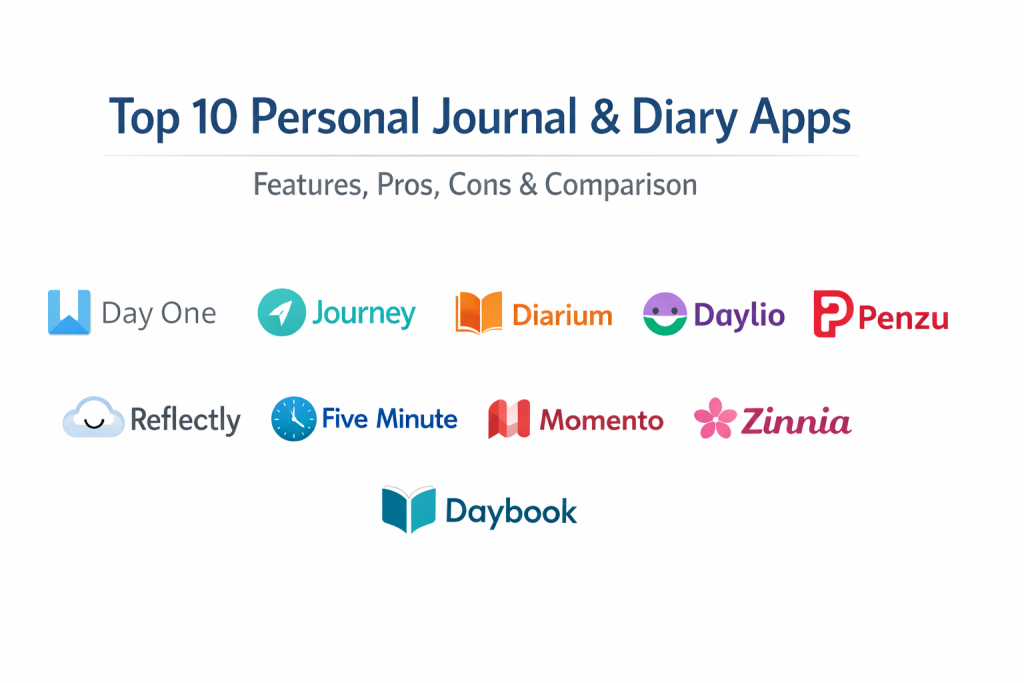
Introduction
A personal journal or diary app is a digital sanctuary designed for recording daily thoughts, tracking emotional well-being, and archiving life’s milestones. Unlike a physical notebook, these apps leverage technology to secure entries with encryption, organize memories with tags, and enrich reflections with multimedia like photos, voice recordings, and location data. They serve as a private space where users can vent stress, celebrate wins, or practice structured gratitude without the fear of unauthorized eyes.
In the current era, digital journaling has moved beyond simple text entry. It is now a recognized tool for mental health, helping users identify behavioral patterns and reduce anxiety through consistent reflection. With the integration of AI-driven prompts and automatic metadata—such as weather and fitness stats—journaling apps make it easier than ever to maintain a consistent habit. Whether you are looking to build a legacy of memories or simply need a daily “brain dump,” these digital diaries provide the framework to turn fleeting moments into a permanent record.
Real-World Use Cases
- Mental Health & Reflection: Using mood trackers and AI-guided prompts to identify stress triggers and practice cognitive behavioral techniques.
- Travel Documentation: Creating a digital travelogue with GPS-tagged photos, maps, and audio notes to relive journeys later.
- Gratitude Practice: Following structured templates to list daily positives, which is scientifically proven to increase overall happiness.
- Health & Habit Tracking: Correlating daily activities, diet, and exercise with emotional states to optimize personal wellness.
- Goal Setting & Planning: Utilizing structured “grid” formats to align daily actions with long-term professional or personal objectives.
Evaluation Criteria for Buyers
- Privacy & Security: The quality of encryption (end-to-end is preferred) and the availability of biometric locks like FaceID or Fingerprint.
- Cross-Platform Sync: The ability to start a thought on a phone and finish it on a tablet or desktop without data loss.
- Multimedia Support: How well the app handles photos, videos, sketches, and audio recordings.
- Ease of Entry: Whether the app offers quick-log features (like icons or voice-to-text) for users with busy schedules.
- Search & Organization: The robustness of tagging systems, calendar views, and keyword search functionality.
- Export Options: The flexibility to back up data in universal formats like PDF, JSON, or Markdown for long-term preservation.
- Guided Content: Availability of writing prompts, templates, and mental health challenges to overcome “blank page” syndrome.
Best for: Individuals seeking a secure place for self-reflection, busy professionals tracking habits, and travelers documenting life’s adventures.
Not ideal for: Users who prefer the tactile feel of pen and paper, or those unwilling to use cloud-syncing services for sensitive personal data.
Key Trends in Personal Journal Apps
- AI-Powered Reflection: Modern apps use AI to analyze entry sentiment and suggest personalized reflection questions based on the user’s past thoughts.
- End-to-End Encryption (E2EE): Privacy is reaching bank-level standards, where even the app developers cannot access the content of a user’s journal.
- Contextual Metadata: Automatic recording of “passive” data such as current weather, step counts, and even the music playing during the entry.
- Interactive Mood Analytics: Moving beyond simple emojis to complex charts that show correlations between specific activities and happiness levels.
- Voice-First Journaling: Advanced AI transcription allows users to record long-form audio entries that are instantly converted into searchable text.
- System-Level Suggestions: Integration with mobile OS to suggest journaling moments based on recent photos, workouts, or locations visited.
- Mindfulness Challenges: Gamification of journaling through streaks, badges, and weekly self-care missions to encourage consistency.
- Digital Scrapbooking: High-fidelity support for digital stickers, washi tape, and handwriting for users who want a creative, aesthetic experience.
How We Selected These Tools
Our methodology for choosing these ten apps focused on balancing distinct journaling styles—ranging from creative scrapbooking to quick mood tracking and high-security text entry. We evaluated market mindshare and long-term reliability, as a journal is a lifelong commitment. Priority was given to apps that offer robust security signals, such as biometric locks and encrypted cloud backups. We also assessed the quality of the developer’s “ecosystem,” looking for seamless sync across various devices and the ability to export data to ensure users are never locked into a single platform. Finally, we looked for innovation in AI and user interface design to ensure the list represents the best of what modern technology offers for self-reflection.
Top 10 Personal Journal & Diary Apps
1. Day One
Widely considered the gold standard of digital journaling, Day One offers a premium, high-fidelity experience. It is designed for those who want a beautiful, permanent archive of their lives, featuring a refined interface and a deep feature set that supports everything from photos to hand-drawn sketches.
Key Features
- End-to-End Encryption: Industry-leading security that ensures only the user can read their entries.
- Multimedia Integration: Supports unlimited photos, videos, and even audio-to-text transcription.
- Automatic Metadata: Automatically captures weather, location, and motion data for every entry.
- On This Day: A powerful nostalgia feature that surfaces entries from previous years.
- Custom Templates: Pre-built prompts for gratitude, morning pages, and travel logs.
Pros
- Unmatched design and user experience across all devices.
- Very robust export options including high-quality printed book services.
Cons
- Many core features require a recurring premium subscription.
- Syncing is limited to the app’s proprietary cloud service.
Platforms / Deployment
iOS / Android / macOS / Windows / Watch — Cloud Sync
Security & Compliance
End-to-end encryption, Passcode/FaceID, GDPR compliant.
Integrations & Ecosystem
Integrates with IFTTT for automatic logging from Spotify or Instagram and supports Apple Health data.
Support & Community
Extensive official guides and a massive, dedicated user community for sharing tips.
2. Journey
Journey is built for the productivity-minded individual who needs their journal available everywhere. It stands out for its cross-platform flexibility and its “Coach” feature, which provides daily prompts to keep the writing habit alive.
Key Features
- Omnichannel Sync: Works seamlessly across mobile, desktop, and even web browsers.
- Journey Coach: Guided journaling programs focused on self-discovery and mental health.
- Atlas View: A map-based interface that displays entries based on where they were written.
- Markdown Support: Allows for advanced text formatting and clean data export.
- Social Media Sync: Ability to pull in posts from external platforms into a private log.
Pros
- Excellent for users who switch between Windows, Android, and iOS regularly.
- AI-driven sentiment analysis helps track emotional trends over time.
Cons
- The interface can feel more utilitarian than the “cozy” feel of other apps.
- Some users find the advanced features slightly overwhelming.
Platforms / Deployment
Android / iOS / Windows / macOS / Linux / Web — Cloud Sync
Security & Compliance
Password protection and optional private cloud sync (Google Drive/OneDrive).
Integrations & Ecosystem
Strongest integration with Google Services and Zapier for automated workflows.
Support & Community
Active help center and community forums for feature requests and support.
3. Diarium
Diarium is the ultimate choice for users who want a feature-packed journal without the burden of a monthly subscription. It emphasizes “context,” pulling in data from your calendar, fitness apps, and social media to create a holistic view of your day.
Key Features
- One-Time Purchase: Offers a pro version without recurring subscription fees.
- Contextual Data Feed: Automatically pulls in calendar events, weather, and social media activity.
- Multi-Cloud Sync: Allows users to sync via their own accounts on OneDrive, Google Drive, or Dropbox.
- Voice-to-Text: Efficient dictation support for hands-free journaling.
- Rich Attachments: Supports photos, videos, audio files, and even document attachments.
Pros
- Best value for long-term users who want to own their software.
- Offline-first design ensures your data is accessible even without internet.
Cons
- Interface is functional but lacks the “award-winning” polish of Day One.
- No built-in AI reflection assistant compared to newer market entries.
Platforms / Deployment
Windows / Android / iOS / macOS — Cloud Sync (User-choice)
Security & Compliance
PIN/Biometric lock and local database encryption.
Integrations & Ecosystem
Connects with Google Fit, Fitbit, Strava, and various social media platforms.
Support & Community
Direct developer support and active user feedback loops for new features.
4. Daylio
Daylio is the perfect app for people who want to journal but don’t like to write. It uses an icon-based system for “micro-journaling,” where you simply select your mood and the activities you did that day to create a visual diary of your life.
Key Features
- Icon-Only Logging: Record a full day in seconds by tapping custom activity icons.
- Mood Charts & Statistics: Advanced data visualization to see how habits affect your happiness.
- Habit Tracker: Set goals and track streaks for daily routines like exercise or reading.
- Year in Pixels: A visual grid summary showing the color-coded “vibe” of your entire year.
- Custom Themes: Highly customizable colors and emoji sets to match your personality.
Pros
- Extremely low barrier to entry for building a consistent habit.
- Powerful data correlations (e.g., “I feel 20% better on days I walk”).
Cons
- Limited space for long-form, deep writing.
- Data remains local unless you manually set up cloud backups.
Platforms / Deployment
iOS / Android — Local with Private Cloud Backup
Security & Compliance
PIN lock and local data storage for maximum privacy.
Integrations & Ecosystem
Exports data to CSV or PDF for external analysis or printing.
Support & Community
Large community on platforms like Reddit sharing custom icon sets and habit ideas.
5. Penzu
Penzu positions itself as the “most secure” journal app in the world. It mimics the look of a traditional loose-leaf notebook but adds military-grade encryption, making it a top choice for those with high privacy concerns.
Key Features
- Double Password Protection: Ability to lock specific journals within the app with unique passwords.
- Pro Encryption: Uses 256-bit AES encryption to safeguard your data.
- Custom Email Reminders: Encourages consistency through personalized email prompts.
- Time Capsule: A unique feature that allows you to send an entry to your future self.
- Rich Text Formatting: Full control over fonts, colors, and layouts like a word processor.
Pros
- Focused strictly on writing and security without distracting “fluff.”
- Web-first experience makes it excellent for long-form typing on a computer.
Cons
- Mobile apps can feel a bit dated compared to modern competitors.
- Lacks modern “auto-tracking” features like weather or location tagging.
Platforms / Deployment
Web / iOS / Android — Cloud Sync
Security & Compliance
Military-grade 256-bit encryption and HIPAA compliance options.
Integrations & Ecosystem
Primarily a closed system focused on maximum privacy and data isolation.
Support & Community
Dedicated professional support team and extensive privacy-focused documentation.
6. Reflectly
Reflectly is an AI-driven “intelligent” journal designed specifically for mental health. It acts like a digital therapist, asking you personalized questions based on your mood to help you navigate stress and increase positivity.
Key Features
- AI Prompt Engine: Generates unique questions every day to encourage deeper reflection.
- Mood Correlations: Identifies patterns between your feelings and external factors.
- Daily Motivation: Provides positive quotes and challenges to start your morning.
- Minimalist Aesthetic: A clean, calming UI designed to reduce anxiety while writing.
- Weekly Overviews: Summarizes your emotional trends and highlights from the past week.
Pros
- Great for beginners who don’t know what to write about.
- Strong focus on self-care and cognitive behavioral therapy principles.
Cons
- The AI can sometimes feel repetitive after long-term use.
- Limited customization options for users who want to design their own pages.
Platforms / Deployment
iOS / Android — Cloud Sync
Security & Compliance
PIN lock and encrypted data transmission.
Integrations & Ecosystem
Syncs with Apple Health to correlate physical activity with mental state.
Support & Community
Strong social media presence and an active community of wellness-focused users.
7. Five Minute Journal
Based on the wildly popular physical book, this app uses a science-backed gratitude framework. It is designed to be used twice a day—morning and evening—taking exactly five minutes to complete.
Key Features
- Guided Gratitude Flow: Structured prompts for morning intentions and evening reflections.
- Daily Affirmations: A space to record positive self-talk to build confidence.
- Timeline Photo View: A beautiful photographic summary of your daily highlights.
- Weekly Challenges: Activities designed to push you out of your comfort zone.
- Minimalist Design: Focuses purely on the gratitude exercise without extra distractions.
Pros
- Takes very little time while providing significant mental health benefits.
- The “On This Day” feature is particularly rewarding for gratitude entries.
Cons
- Not suitable for users who want to do long-form or creative writing.
- Subscription is required for adding photos and custom questions.
Platforms / Deployment
iOS / Android / macOS / Watch — Cloud Sync
Security & Compliance
Passcode and FaceID protection for all entries.
Integrations & Ecosystem
Designed as a standalone habit tool but supports PDF export for archival.
Support & Community
Backed by the “Intelligent Change” ecosystem with a focus on high-performance living.
8. Momento
Momento is an “intelligent” diary that excels at private social media archiving. It automatically collects your activities from across the web—social posts, check-ins, and music—and organizes them into a unified timeline of your life.
Key Features
- Automatic Feed Import: Connects to Facebook, Instagram, X, Spotify, and more.
- AI Writing Assistant: Helps refine your prose and enhance the clarity of your entries.
- People Tagging: Allows you to track who you spent time with for better memories.
- Voice-Powered Journaling: High-accuracy AI transcription for spoken reflections.
- Events & Trips: Groups entries into specific events for easier browsing.
Pros
- The best way to create a digital legacy without manual typing.
- Beautifully redesigned UI that feels modern and immersive.
Cons
- Currently exclusive to the Apple ecosystem (no Android version).
- Relies heavily on third-party API connections which can sometimes break.
Platforms / Deployment
iOS / macOS — Cloud Sync
Security & Compliance
Passcode/FaceID lock and GDPR compliant data locality.
Integrations & Ecosystem
Unmatched social media and fitness app integration for a passive journal experience.
Support & Community
Strong developer presence and frequent updates to support new social platforms.
9. Zinnia
Zinnia is a creative’s dream, offering a digital version of an aesthetic bullet journal. It provides a massive library of templates, stickers, and washi tape, allowing users to “craft” their journal pages with an Apple Pencil or stylus.
Key Features
- Creative Studio: Thousands of stickers, washi tapes, frames, and journal cards.
- Handwriting Engine: Best-in-class support for handwriting and digital calligraphy.
- Custom Trackers: Create beautiful visual habit trackers and mood grids.
- Import & Markup: Ability to import PDFs and photos and decorate them freely.
- Hyperlinked Pages: Create your own navigation tabs within your digital notebook.
Pros
- The most creative and “fun” way to keep a digital journal.
- High degree of personalization—no two journals look the same.
Cons
- Can be time-consuming for those who just want to jot down a quick note.
- High subscription cost for full access to the creative library.
Platforms / Deployment
iPad / iPhone / macOS — iCloud Sync
Security & Compliance
Varies / N/A (Standard iCloud security).
Integrations & Ecosystem
Supports Etsy-style hyperlinked planners and deep Apple Pencil integration.
Support & Community
Huge community of “bujo” (bullet journal) enthusiasts and featured artists.
10. Daybook
Daybook is a simple yet powerful multi-purpose diary that bridges the gap between a notes app and a structured journal. It is particularly strong in its voice-activation and AI-powered insights.
Key Features
- Voice Assistant Integration: Allows users to dictate and manage entries via voice commands.
- AI Sentiment Insights: Analyzes your writing to provide feedback on your mental well-being.
- Guided Content: Specific sections for mental health, gratitude, and expense tracking.
- Cloud Sync: Keeps entries accessible across mobile, tablet, and web.
- Calendar View: An intuitive way to navigate and find past reflections quickly.
Pros
- Completely free for unlimited basic journaling.
- Extremely easy to use with a clean, no-nonsense interface.
Cons
- AI features and high-res photos are locked behind a premium tier.
- Fewer “visual” customization options compared to Zinnia or Day One.
Platforms / Deployment
Android / iOS / Web — Cloud Sync
Security & Compliance
Passcode/PIN lock and secure cloud storage.
Integrations & Ecosystem
Available as a specialized GPT for users who want to journal via an AI conversation.
Support & Community
Trusted by millions of users with a strong reputation for reliability and simplicity.
Comparison Table (Top 10)
| Tool Name | Best For | Platform(s) Supported | Deployment | Standout Feature | Public Rating |
| 1. Day One | Life Documentation | iOS, Android, Mac, Win | Cloud Sync | Premium Design | 4.8/5 |
| 2. Journey | Cross-Platform Sync | Android, iOS, Win, Mac | Cloud Sync | Journey Coach | 4.6/5 |
| 3. Diarium | Value (No Sub) | Win, Android, iOS, Mac | Multi-Cloud | Social Media Feed | 4.7/5 |
| 4. Daylio | Non-Writers | iOS, Android | Local/Cloud | Icon-Only Logging | 4.8/5 |
| 5. Penzu | Maximum Security | Web, iOS, Android | Cloud Sync | Double Encryption | 4.4/5 |
| 6. Reflectly | Mental Health | iOS, Android | Cloud Sync | AI Smart Prompts | 4.6/5 |
| 7. Five Minute | Gratitude Habit | iOS, Android, Mac | Cloud Sync | 5-Minute Framework | 4.8/5 |
| 8. Momento | Social Archiving | iOS, macOS | Cloud Sync | Passive Tracking | 4.5/5 |
| 9. Zinnia | Creative Scrapbooking | iPad, iPhone, Mac | iCloud | Digital Stickers | 4.4/5 |
| 10. Daybook | Voice Journaling | Android, iOS, Web | Cloud Sync | AI Chatbot Link | 4.6/5 |
Evaluation & Scoring of Journal Apps
| Tool Name | Core (25%) | Ease (15%) | Integrations (15%) | Security (10%) | Perf (10%) | Support (10%) | Value (15%) | Total |
| 1. Day One | 10 | 9 | 9 | 10 | 10 | 9 | 6 | 8.9 |
| 2. Journey | 9 | 8 | 9 | 8 | 9 | 8 | 7 | 8.3 |
| 3. Diarium | 9 | 8 | 10 | 8 | 8 | 8 | 10 | 8.7 |
| 4. Daylio | 6 | 10 | 5 | 8 | 10 | 9 | 8 | 7.7 |
| 5. Penzu | 8 | 7 | 4 | 10 | 7 | 8 | 7 | 7.4 |
| 6. Reflectly | 8 | 9 | 7 | 8 | 9 | 8 | 7 | 8.0 |
| 7. Five Minute | 6 | 10 | 5 | 9 | 10 | 9 | 7 | 7.7 |
| 8. Momento | 8 | 8 | 10 | 8 | 9 | 8 | 7 | 8.2 |
| 9. Zinnia | 7 | 6 | 5 | 7 | 9 | 9 | 6 | 6.9 |
| 10. Daybook | 8 | 9 | 7 | 9 | 9 | 8 | 9 | 8.4 |
Interpretation: High Core scores represent “full-featured” traditional journals. High Ease scores indicate “micro-journaling” tools that take minimal effort. High Value scores highlight apps that offer a lot for a one-time fee or for free.
Which Personal Journal App Is Right for You?
Solo / Freelancer
If you work across multiple platforms and need to keep an professional log along with personal thoughts, Diarium is the best choice. Its integration with system calendars and one-time purchase makes it an efficient and cost-effective tool for busy professionals.
SMB
While journaling is usually personal, managers can use Journey or Day One to maintain a “leadership journal.” The ability to search through years of lessons and track emotional resilience makes these premium tools a worthwhile investment for personal development.
Mid-Market
For users who are into data and habit tracking, Daylio is the ideal choice. It allows you to monitor team-related stress or work-life balance patterns without the time commitment of long-form writing.
Enterprise
If security and data vaulting are the primary concerns—especially for executives handling sensitive thoughts—Penzu is the recommended choice. Its military-grade encryption ensures that personal reflections remain entirely inaccessible to third parties.
Budget vs Premium
Apple Journal and Blender (for 3D) share a “high value” status. For iPhone users, Apple Journal is completely free and excellent for casual use. For a premium, lifetime archive, Day One is the top choice despite its subscription cost.
Feature Depth vs Ease of Use
Daylio and Apple Journal are the champions of ease of use. If you want deep features like AI analysis and voice integration, Reflectly or Daybook offer more technical depth but require more active engagement.
Integrations & Scalability
Diarium is the leader in integration, pulling data from almost every major fitness and social platform. For artistic scalability and creative freedom, Zinnia offers an infinite canvas that grows with your imagination.
Security & Compliance Needs
Penzu and Day One lead the market in encryption standards. If you need your journal to be a secure “vault,” these platforms provide the strongest peace of mind with their multi-layered protection.
Frequently Asked Questions (FAQs)
1. Are digital journals safer than paper ones?
Yes, digital journals offer encryption and biometric locks that a physical notebook lacks. If you lose your phone, your entries remain protected in the cloud.
2. Can I export my journal if I want to switch apps?
Most top-tier apps like Day One and Diarium allow you to export your data as PDF or JSON, so you never lose your history if you switch.
3. Do these apps work without internet?
Most of these apps allow for offline writing; your entries will simply sync once you are back online.
4. How much time does digital journaling take?
It can take as little as 30 seconds with an app like Daylio, or much longer if you prefer the scrapbooking style of Zinnia.
5. Will AI read my private thoughts?
Most modern apps process AI features locally or with strict anonymization. Check the privacy policy for “end-to-end encryption” to ensure absolute privacy.
6. Can I add old photos to past dates?
Yes, almost all these apps allow you to go back in the calendar and add entries or photos to any date in the past.
7. Is it better to type or write by hand?
Typing is faster for long-form thoughts, but handwriting (as seen in Zinnia) can be more therapeutic and creative for some users.
8. Are these apps free?
Most offer a free version with basic features, while “Pro” versions with cloud sync and unlimited photos usually require a one-time purchase or subscription.
9. Can I have multiple journals in one app?
Apps like Day One and Penzu allow you to create separate “books” for different parts of your life, like Work, Travel, and Personal.
10. How do I stay consistent?
Set a daily reminder within the app. Most users find that journaling at the same time every day (like right before bed) helps turn it into a habit.
Conclusion
Finding the right personal journal app is about more than just finding a place to type; it is about choosing a partner for your mental well-being and life’s legacy. Whether you gravitate toward the AI-guided reflection of Reflectly, the quick mood-tracking of Daylio, or the high-fidelity archives of Day One, the most important step is simply to start. In an increasingly digital and fast-paced world, carving out a private space for self-reflection is a vital act of self-care. As these tools continue to integrate AI and better security, they will become even more indispensable as mirrors for our thoughts and archives for our stories. I recommend trying one “guided” app like Reflectly and one “free-form” app like Day One for a week each. See which style makes you look forward to reflecting on your day before you commit to a long-term subscription.

Best Cardiac Hospitals Near You
Discover top heart hospitals, cardiology centers & cardiac care services by city.
Advanced Heart Care • Trusted Hospitals • Expert Teams
View Best Hospitals