Introduction
Phishing simulation tools have become an indispensable component of the modern cybersecurity framework, moving beyond simple “click-testing” to become comprehensive human risk management platforms. As technical defenses like firewalls and email filters become more adept at stopping automated attacks, cybercriminals have shifted their focus toward the “human element.” These simulation tools allow organizations to safely mimic real-world social engineering attacks, providing employees with the practical experience needed to identify, stay vigilant against, and report sophisticated digital deception before it results in a data breach.
In the current threat landscape, phishing is no longer just about suspicious links in emails; it encompasses SMS (smishing), voice calls (vishing), and highly targeted “spear-phishing” directed at high-value executives. Modern simulation platforms provide the orchestration and analytics necessary to transform a vulnerable workforce into a proactive line of defense. By using data-driven insights to tailor training to specific user behaviors, these tools help security teams quantify human risk and meet the rigorous security awareness requirements of global regulatory standards.
Best for: Chief Information Security Officers (CISOs), IT security managers, and compliance officers in organizations of all sizes who need to reduce the likelihood of successful social engineering attacks.
Not ideal for: Organizations looking for a “set and forget” technical solution, as these tools require active management and a culture committed to continuous learning rather than one-time testing.
Key Trends in Phishing Simulation Tools
- AI-Driven Lure Customization: Platforms are now using generative AI to create highly convincing, personalized phishing templates that mimic the writing style of internal colleagues or known vendors.
- Behavioral Risk Scoring: A shift from tracking simple “click rates” to sophisticated “risk scores” that factor in a user’s job role, past performance, and reporting speed.
- Contextual Just-in-Time Training: Instead of long annual videos, tools now provide immediate, 30-second “teachable moments” the moment a user interacts with a simulated threat.
- Gamification and Incentives: Integration of leaderboards, badges, and rewards to encourage employees to report simulations rather than just avoiding the “trap.”
- Multichannel Attack Simulation: Expanding beyond email to include simulations for Microsoft Teams, Slack, LinkedIn, and mobile messaging platforms.
- Automated Remediation Workflows: When a user fails a simulation, the platform automatically assigns specific, relevant training modules based on the exact type of threat they missed.
- Deep Integration with EDR/SIEM: Connecting simulation data with actual security incident data to see if high-risk users are also targets of real-world attacks.
- QR Code Phishing (Quishing): The rise of simulations involving malicious QR codes, reflecting a growing real-world trend in physical and digital spaces.
How We Selected These Tools
- Template Library Quality: We prioritized tools that offer a massive, frequently updated library of realistic templates based on actual observed threats.
- Ease of Campaign Management: Each tool was evaluated on how easily a small IT team can schedule, launch, and track a global simulation campaign.
- Reporting and Analytics: Priority was given to platforms that provide executive-level dashboards and granular data on user behavior over time.
- Integration Capabilities: We looked for tools that sync seamlessly with Active Directory, Google Workspace, and popular security orchestration platforms.
- Content Variety: The selection includes platforms that offer more than just simulations, including high-quality video training and interactive quizzes.
- Reporting Mechanisms: A key factor was the inclusion of a “Report Phishing” button for email clients to encourage proactive user participation.
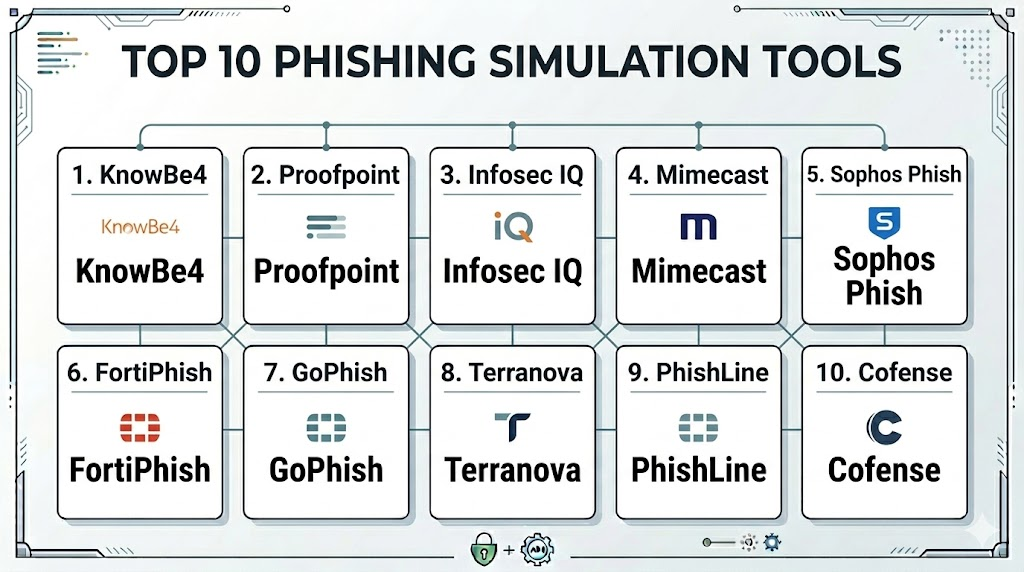
Top 10 Phishing Simulation Tools
1. KnowBe4 Kevin Mitnick Security Awareness Training
KnowBe4 is widely recognized as the world’s largest integrated platform for security awareness training combined with simulated phishing. It leverages the expertise of the late Kevin Mitnick to create highly realistic social engineering tests.
Key Features
- Massive library of over 20,000 phishing templates and training modules.
- AI-driven “Virtual Risk Officer” that predicts user vulnerability.
- Automated “Phish-Prone” percentage tracking for every department.
- PhishER tool for automating the identification and removal of reported threats.
- Industry-standard “Phish Alert Button” for one-click user reporting.
Pros
- The most comprehensive content library in the industry.
- Extremely granular reporting that is perfect for executive presentations.
Cons
- The sheer number of features can be overwhelming for very small teams.
- Pricing can be higher than smaller, niche competitors.
Platforms / Deployment
Windows / macOS / Linux / iOS / Android
Cloud
Security & Compliance
SSO/SAML integration, MFA, and SOC 2 Type II compliant.
ISO 27001 / GDPR / HIPAA ready.
Integrations & Ecosystem
Integrates with all major mail providers, Azure AD, Okta, and various SIEM tools for data export.
Support & Community
Exceptional support with dedicated “customer success managers” and an enormous user community.
2. Proofpoint Security Awareness Training
Proofpoint combines its industry-leading email security intelligence with a robust simulation platform. It uses real-world threat data to inform the simulations users receive.
Key Features
- Simulations based on actual “Very Attacked People” (VAP) data.
- Seamless integration with Proofpoint’s email gateway for real-time lure creation.
- Personalized learning paths based on specific user vulnerabilities.
- Interactive “Attack Spotlight” modules on emerging global threats.
- Global content available in over 40 languages.
Pros
- Uses data from real-world attacks to create the most relevant simulations.
- Excellent for global organizations requiring localized training content.
Cons
- Most effective when bundled with other Proofpoint security products.
- Administrative interface can be complex to navigate initially.
Platforms / Deployment
Windows / macOS / Linux
Cloud
Security & Compliance
Enterprise-grade encryption and strict data residency options.
Not publicly stated.
Integrations & Ecosystem
Deeply integrated with the Proofpoint Threat Protection platform and major identity providers.
Support & Community
High-level enterprise support and a strong professional network for security leaders.
3. Infosec IQ (by Infosec Institute)
Infosec IQ focuses on personalized training and behavioral change. It offers a highly flexible platform that allows for deep customization of both the simulations and the educational content.
Key Features
- Over 2,000 phishing templates ranging from simple to highly complex.
- “Choose Your Own Adventure” interactive training games.
- Automated learner grading and personalized remediation plans.
- Deep API access for custom reporting and dashboard integration.
- PhishSim and AwareEd modules for a unified training experience.
Pros
- Some of the most engaging and creative training content on the market.
- Very flexible scheduling and automation for recurring campaigns.
Cons
- Interface can feel a bit more “academic” than some modern SaaS rivals.
- Smaller template library compared to the top-tier giants.
Platforms / Deployment
Windows / macOS / iOS / Android
Cloud
Security & Compliance
SSO and role-based access control.
Not publicly stated.
Integrations & Ecosystem
Integrates with Slack, Microsoft Teams, and standard identity management tools.
Support & Community
Excellent customer support with a focus on educational success and learner retention.
4. Mimecast Awareness Training
Mimecast takes a unique approach by using short, humorous video content to keep users engaged. It is designed to be consumed in small bites while providing serious security testing.
Key Features
- Highly engaging, professionally produced “comedy-style” training videos.
- Seamless integration with the Mimecast Secure Email Gateway.
- Risk scoring that combines simulation data with real email behavior.
- Automated “dynamic” phishing campaigns that adapt to user performance.
- Comparison data to show how your company ranks against industry peers.
Pros
- Extremely high user engagement due to the humorous nature of the content.
- Very low administrative overhead for IT teams.
Cons
- Content style may not suit the culture of every professional organization.
- Best utilized by existing Mimecast email security customers.
Platforms / Deployment
Windows / macOS / Linux
Cloud
Security & Compliance
Standard enterprise security protocols and identity integration.
Not publicly stated.
Integrations & Ecosystem
Tightly coupled with the Mimecast security ecosystem and various SIEM/SOAR platforms.
Support & Community
Strong corporate support and a well-regarded community of security administrators.
5. Sophos Phish Threat
Sophos offers a straightforward, effective simulation tool that is part of the Sophos Central management console. It is ideal for organizations that want to manage all their security from one place.
Key Features
- Over 500 realistic phishing templates based on Sophos Labs research.
- Integrated training modules that are automatically assigned upon failure.
- Simplified dashboard for tracking organizational risk at a glance.
- Direct synchronization with Sophos endpoint and firewall data.
- Multilingual support for global workforce testing.
Pros
- Extremely easy to deploy for existing Sophos customers.
- Very intuitive “one-click” campaign setup.
Cons
- Smaller training library compared to dedicated platforms like KnowBe4.
- Less customization available for high-complexity attack scenarios.
Platforms / Deployment
Windows / macOS / Linux
Cloud
Security & Compliance
SSO/MFA via Sophos Central.
Not publicly stated.
Integrations & Ecosystem
Excellent integration within the Sophos Central ecosystem and Microsoft 365.
Support & Community
Robust support via Sophos’s global partner and technical support network.
6. Fortinet FortiPhish
FortiPhish is a cloud-delivered phishing simulation service that helps organizations test their security posture and train employees to recognize sophisticated social engineering.
Key Features
- Customizable phishing lures and landing pages.
- Integrated training videos and quizzes for remediation.
- Detailed analytics on open rates, click rates, and credential submission.
- Part of the broader Fortinet Security Fabric for integrated intelligence.
- Simplified DNS-based deployment for landing page hosting.
Pros
- Very cost-effective for organizations already using Fortinet hardware.
- Clean, modern interface that is easy for small teams to manage.
Cons
- Lacks the massive content depth found in “training-first” platforms.
- Newer product with a library that is still growing.
Platforms / Deployment
Windows / macOS / Linux
Cloud
Security & Compliance
Fortinet Security Fabric integration for secure access.
Not publicly stated.
Integrations & Ecosystem
Integrates with FortiGate firewalls and FortiMail for a holistic security view.
Support & Community
Professional support through Fortinet’s extensive global service network.
7. GoPhish (Open Source)
GoPhish is the leading open-source phishing framework. It is a powerful, “no-frills” tool for security professionals who want to run their own simulations without recurring license fees.
Key Features
- Full control over the simulation environment and data.
- Easy-to-use web interface for creating campaigns and templates.
- Real-time tracking of emails opened, links clicked, and data submitted.
- API-driven for integration into custom internal security dashboards.
- Completely free and open-source codebase.
Pros
- Zero cost for the software itself.
- Total privacy for your simulation data, as it is self-hosted.
Cons
- Requires technical expertise to set up and manage the infrastructure.
- Does not include any educational or training content.
Platforms / Deployment
Windows / macOS / Linux
Local (Self-hosted)
Security & Compliance
Security depends entirely on the hosting environment.
Not publicly stated.
Integrations & Ecosystem
highly flexible via API, but requires manual work to connect to other tools.
Support & Community
Active community on GitHub and various security forums, but no official corporate support.
8. Terranova Security (by Fortra)
Terranova is known for its high-quality, diverse content and its partnership with Microsoft. It provides a highly structured approach to building a “security-aware” culture.
Key Features
- Content created in partnership with Microsoft’s security teams.
- Advanced “Cyber Game” modules for high-engagement learning.
- Highly customizable “Phish-Zero” campaigns for rapid risk reduction.
- Comprehensive benchmarking against global industry standards.
- Support for over 75 languages and dialects.
Pros
- Some of the highest-quality localized content available.
- Strong focus on pedagogical effectiveness and behavioral change.
Cons
- Can be more expensive for smaller organizations.
- The administrative dashboard can feel heavy with data.
Platforms / Deployment
Windows / macOS / iOS / Android
Cloud
Security & Compliance
ISO 27001 certified and GDPR compliant.
SOC 2 compliant.
Integrations & Ecosystem
Strongest integration is with Microsoft 365 and the Microsoft Defender ecosystem.
Support & Community
Dedicated customer success managers and professional consulting services.
9. Barracuda PhishLine
Barracuda PhishLine is an enterprise-grade platform that offers deep simulation capabilities and a massive library of educational content, integrated with Barracuda’s email security.
Key Features
- Advanced simulation for email, voice, SMS, and even physical USB drops.
- Massive library of high-quality training videos and infographics.
- Risk-based analytics that help identify specific “high-risk” user groups.
- Automated campaign scheduling based on user risk profiles.
- Incident response integration to turn user reports into actionable alerts.
Pros
- One of the few platforms to offer comprehensive “vishing” and “smishing” tests.
- Excellent integration with incident response workflows.
Cons
- Requires more time to master than simpler “simulation-only” tools.
- Best performance is found when using the full Barracuda stack.
Platforms / Deployment
Windows / macOS / Linux
Cloud
Security & Compliance
Standard identity and access management security.
Not publicly stated.
Integrations & Ecosystem
Integrates with Barracuda Email Protection and various SIEM platforms.
Support & Community
Professional support and a strong network of security resellers.
10. Cofense PhishMe
Cofense (formerly PhishMe) was a pioneer in the space and focuses heavily on the “detection and response” aspect of phishing, encouraging users to be active participants in the security team.
Key Features
- Lures based on real-world “active” threats found in the Cofense network.
- “Cofense Reporter” button for instant threat submission.
- “Cofense Triage” for automating the analysis of reported emails.
- Scenario-based simulations that mimic specific industry-targeted attacks.
- Strong focus on increasing “reporting rates” rather than just lowering “click rates.”
Pros
- Unbeatable at turning employees into an “early warning system.”
- Excellent data on how quickly your organization can detect a real attack.
Cons
- Less focus on “fun” or gamified training than some newer rivals.
- Interface can feel a bit more technical and enterprise-focused.
Platforms / Deployment
Windows / macOS / Linux
Cloud
Security & Compliance
High-level enterprise security and secure data handling.
Not publicly stated.
Integrations & Ecosystem
Integrates with most major SOC tools, SIEMs, and email gateways.
Support & Community
Professional enterprise support and a very deep bench of cybersecurity experts.
Comparison Table
| Tool Name | Best For | Platform(s) Supported | Deployment | Standout Feature | Public Rating |
| 1. KnowBe4 | Massive Teams | Win, Mac, Linux, Mobile | Cloud | 20,000+ Assets | N/A |
| 2. Proofpoint | Global Enterprises | Win, Mac, Linux | Cloud | VAP Attack Data | N/A |
| 3. Infosec IQ | Engaging Content | Win, Mac, Mobile | Cloud | CYOA Gaming | N/A |
| 4. Mimecast | High Engagement | Win, Mac, Linux | Cloud | Comedy Videos | N/A |
| 5. Sophos Phish | Mid-Market | Win, Mac, Linux | Cloud | Central Console | N/A |
| 6. FortiPhish | Value | Win, Mac, Linux | Cloud | Fabric Integration | N/A |
| 7. GoPhish | Security Experts | Win, Mac, Linux | Local | Open Source/Free | N/A |
| 8. Terranova | Localization | Win, Mac, Mobile | Cloud | 75+ Languages | N/A |
| 9. PhishLine | Multi-Vector | Win, Mac, Linux | Cloud | USB/Voice Testing | N/A |
| 10. Cofense | Incident Response | Win, Mac, Linux | Cloud | Threat Detection | N/A |
Evaluation & Scoring
| Tool Name | Core (25%) | Ease (15%) | Integrations (15%) | Security (10%) | Perf (10%) | Support (10%) | Value (15%) | Total |
| 1. KnowBe4 | 10 | 8 | 10 | 9 | 9 | 10 | 9 | 9.25 |
| 2. Proofpoint | 9 | 7 | 10 | 9 | 10 | 9 | 7 | 8.55 |
| 3. Infosec IQ | 9 | 8 | 8 | 8 | 8 | 9 | 9 | 8.45 |
| 4. Mimecast | 8 | 9 | 9 | 8 | 9 | 8 | 8 | 8.30 |
| 5. Sophos Phish | 7 | 10 | 9 | 8 | 8 | 8 | 9 | 8.15 |
| 6. FortiPhish | 7 | 9 | 8 | 8 | 7 | 7 | 10 | 7.85 |
| 7. GoPhish | 6 | 4 | 5 | 5 | 9 | 3 | 10 | 6.10 |
| 8. Terranova | 9 | 7 | 9 | 9 | 8 | 9 | 7 | 8.30 |
| 9. PhishLine | 9 | 7 | 8 | 9 | 9 | 8 | 8 | 8.35 |
| 10. Cofense | 9 | 6 | 10 | 9 | 9 | 9 | 7 | 8.35 |
The scoring reflects the maturity and breadth of the platforms. KnowBe4 leads because of its sheer volume of content and robust automation. Proofpoint and Cofense score highly for organizations that prioritize real-world threat intelligence and incident response integration. GoPhish, while powerful, scores lower because it lacks the “human training” component and support that enterprises require. Tools like Mimecast and Infosec IQ excel in “Ease” and “Support” due to their focus on high-engagement content and simplified management for mid-sized IT teams.
Which Phishing Simulation Tool Is Right for You?
Solo / Freelancer
If you are an independent security consultant running a one-time test for a client, GoPhish is the perfect choice. It is free, powerful, and allows you to build custom campaigns without a long-term contract.
SMB
Small businesses should look at Sophos Phish Threat or FortiPhish. These tools are cost-effective, easy to set up, and provide essential protection without requiring a dedicated security awareness officer to manage the platform.
Mid-Market
For companies with 200–2,000 employees, Infosec IQ or Mimecast Awareness Training provide the best balance of engagement and ease of management. These tools keep employees interested without being a burden on the IT department.
Enterprise
Large-scale organizations with complex global needs should choose KnowBe4 or Proofpoint. These platforms offer the depth of content, language support, and granular reporting necessary to manage risk across thousands of users in different regions.
Budget vs Premium
GoPhish is the budget champion (free), while KnowBe4 is the premium gold standard. For those looking for high value, Sophos and Fortinet offer excellent simulations at a more approachable price point.
Feature Depth vs Ease of Use
Barracuda PhishLine offers the most depth for multi-vector attacks (voice/SMS), but Sophos is significantly easier to use for a general administrator who needs to get a campaign live in minutes.
Integrations & Scalability
Cofense and Proofpoint are the winners for scalability within a high-pressure SOC environment, as they turn user simulations into actionable intelligence for the security team.
Security & Compliance Needs
If your primary goal is meeting strict compliance audits (like SOC 2 or HIPAA), KnowBe4 and Terranova Security provide the most detailed audit trails and benchmarking data to prove the effectiveness of your training program.
Frequently Asked Questions (FAQs)
1. Is phishing simulation legal for testing employees?
Yes, it is a standard and legal practice for organizations to test their employees’ ability to identify threats, provided it is done according to internal HR policies and local privacy laws.
2. How often should we run phishing simulations?
Industry best practice suggests running simulations at least once a month to keep security top-of-mind without causing “simulation fatigue.”
3. What happens if an employee fails a simulation?
The goal is education, not punishment. Failing a simulation should trigger an immediate, short training module to explain what was missed and how to spot it next time.
4. Can these tools simulate SMS and voice phishing?
Yes, several enterprise platforms like Barracuda PhishLine and KnowBe4 offer modules for smishing (SMS) and vishing (voice) simulations.
5. How do we measure the success of a phishing program?
Success is measured by a downward trend in the “click rate” and, more importantly, an upward trend in the “reporting rate” (how many users used the report button).
6. Do we need to tell employees we are running simulations?
It is generally recommended to announce that a simulation program is starting, but not when specific tests will occur. Transparency builds trust and encourages participation.
7. Can these tools be used to steal real passwords?
These tools are designed to capture the “fact” that a password was entered, but reputable platforms do not store the actual passwords themselves for security reasons.
8. What is a “lure” or “template”?
A lure is the deceptive email or message sent to the user. A template is a pre-designed lure that mimics a common service like Microsoft 365, Amazon, or a bank.
9. Why is a “Report Phishing” button important?
It simplifies the process for users to alert the security team, turning every employee into a sensor that can help stop real attacks faster.
10. Can these tools simulate specialized attacks like QR code phishing?
Yes, many modern platforms now include “quishing” simulations where users are tested on their willingness to scan unknown QR codes in emails or physical posters.
Conclusion
Phishing simulation tools are no longer a luxury but a critical necessity in a world where the human element is the primary target for cyberattacks. The “best” tool is the one that fits your organizational culture, integrates with your existing security stack, and—most importantly—leads to a measurable change in user behavior. Whether you prioritize the humor of Mimecast, the data-driven lures of Proofpoint, or the open-source flexibility of GoPhish, the goal remains the same: transforming your employees from a liability into a formidable human firewall. By investing in continuous, realistic testing, you are building a resilient organization that can withstand the ever-evolving tactics of modern social engineering.

Best Cardiac Hospitals Near You
Discover top heart hospitals, cardiology centers & cardiac care services by city.
Advanced Heart Care • Trusted Hospitals • Expert Teams
View Best Hospitals