Introduction
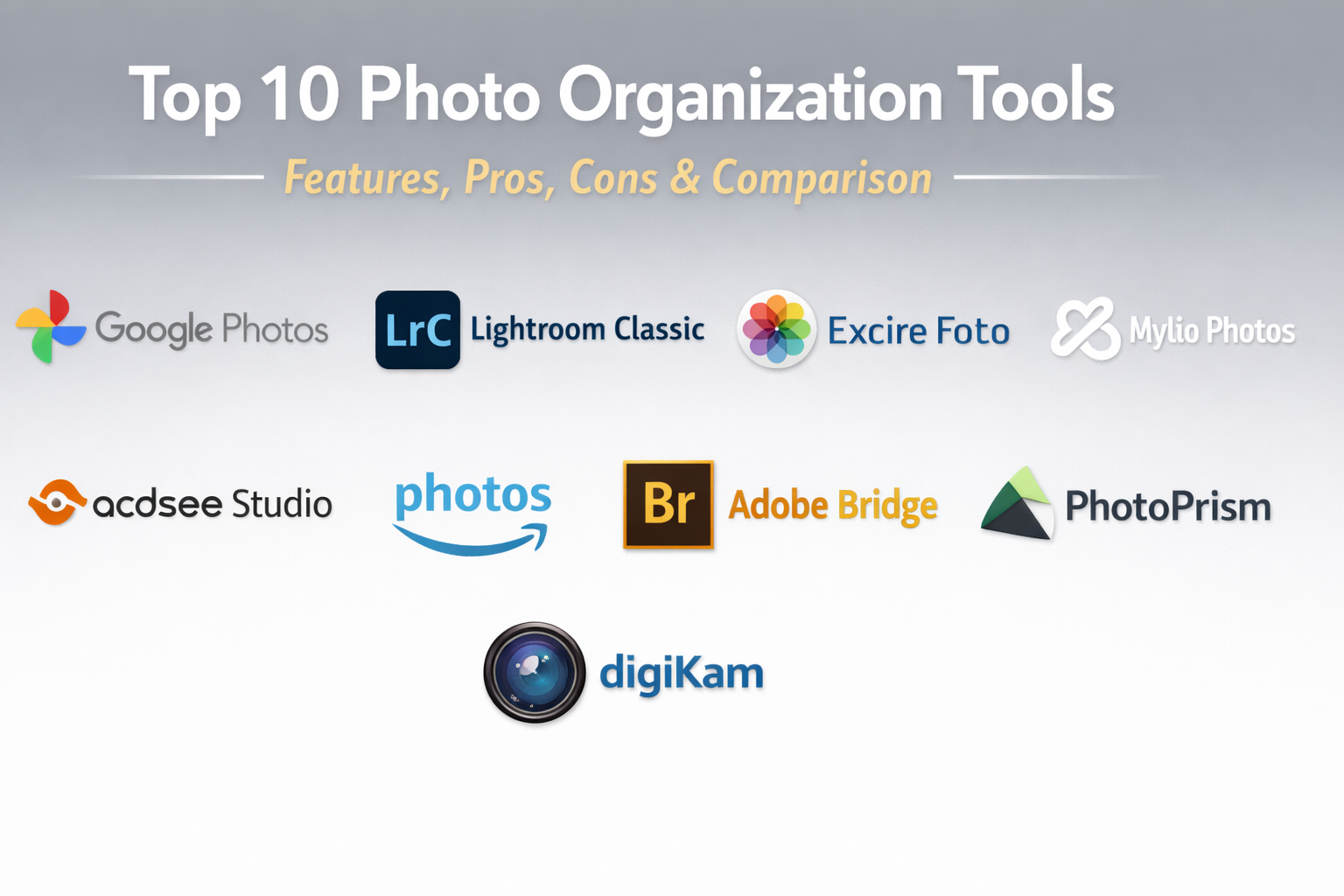
Photo organization tools are specialized software applications designed to help individuals and businesses store, categorize, and retrieve digital images from vast libraries. These tools go beyond simple folder structures by utilizing advanced metadata, tagging systems, and artificial intelligence to bring order to the thousands of images generated daily by smartphones and professional cameras alike. In an age where digital clutter is a common frustration, these platforms act as a centralized hub for all visual memories and professional assets.
In the current landscape of 2026, the sheer volume of digital content makes manual organization nearly impossible. These tools matter now because they leverage AI to recognize faces, objects, and even specific locations without requiring manual input. Whether it is a family looking to preserve a decade of memories or a marketing team managing thousands of product shots, a robust photo organizer ensures that no image is ever truly lost.
Real-World Use Cases
- Family Heritage Preservation: Automatically grouping a decade’s worth of family photos by person, event, and location to create digital yearbooks.
- Professional Photography Workflows: Culling thousands of shots from a wedding or event by using AI to identify the best focus and composition.
- E-commerce & Marketing: Managing product image versions and brand assets to ensure consistency across social media and web platforms.
- Legal & Insurance Documentation: Organizing time-stamped and geotagged evidence photos for claims or historical records.
- Creative Content Creation: Quickly sourcing specific visual elements from a massive archive for use in video editing or graphic design.
Evaluation Criteria for Buyers
- AI Search & Recognition: The accuracy of facial recognition, object detection, and natural language search capabilities.
- Storage Flexibility: Whether the tool offers cloud storage, local hosting, or a hybrid model to fit your privacy needs.
- Metadata Support: The depth of EXIF, IPTC, and XMP metadata editing for professional-grade cataloging.
- Cross-Device Syncing: The speed and reliability of seeing your organized library on your phone, tablet, and desktop.
- Security & Privacy: The presence of end-to-end encryption and the platform’s policy on training AI models with your private photos.
- Collaboration Features: The ability to share albums with friends, family, or team members with granular permission controls.
- Legacy Import: How easily the tool handles the ingestion of older photo libraries from various external drives or existing cloud services.
Best for: Professional photographers, creative agencies, family archivists, and any individual struggling with “photo overload” across multiple devices.
Not ideal for: Users who only take a few photos a month and are comfortable with basic phone gallery apps, or those with extremely old hardware that cannot handle AI processing.
Key Trends in Photo Organization Tools
- Natural Language Search: Users can now search for specific moments by typing complex sentences like “dogs running on a beach during sunset” instead of using keywords.
- Privacy-First AI: A move toward local AI processing where facial and object recognition happens on your device rather than on a remote server.
- Automated Culling: AI tools that automatically flag blurry shots, duplicates, or closed eyes to save hours of manual sorting.
- Generative Metadata: Systems that not only tag photos but also write descriptive captions and suggest relevant hashtags for social sharing.
- Decentralized Storage: The rise of peer-to-peer and self-hosted “personal clouds” that eliminate monthly subscription fees for large libraries.
- Contextual Smart Albums: Albums that dynamically update based on events, such as a “Growth” album that uses facial recognition to track a child’s changes over time.
- Immersive Viewing: Integration with VR and AR headsets to allow users to “walk through” their photo galleries in a virtual space.
- Sustainability Tracking: Tools that identify large video files or duplicates to help users reduce their digital carbon footprint and storage costs.
How We Selected These Tools
Our selection process for the top ten photo organization tools involved a detailed analysis of market adoption and technical capability. We prioritized platforms that have successfully integrated AI-driven automation without compromising user privacy. The methodology included evaluating the robustness of the search engines, the speed of cloud synchronization, and the flexibility of the user interface. We ensured a balance between household names that offer seamless ecosystem integration and independent, privacy-focused alternatives that provide perpetual licenses. Reliability signals, such as uptime for cloud services and the frequency of security updates, were also critical factors in our final ranking.
Top 10 Photo Organization Tools
1. Google Photos
Google Photos remains the most popular choice for automated organization. It uses world-class machine learning to categorize your life without you ever having to lift a finger. It is the gold standard for users who prioritize searchability and effortless backups.
Key Features
- Advanced AI Search: Locate photos by searching for people, pets, places, or even text within images.
- Automatic Backup: Syncs every photo taken on your mobile device to the cloud instantly.
- Smart Memories: Automatically generates collages, animations, and “then-and-now” highlights.
- Partner Sharing: Allows you to automatically share photos of specific people with a spouse or friend.
- Integrated Editor: Basic AI-powered editing tools like Magic Eraser and Portrait Light.
Pros
- Unmatched search accuracy and ease of use.
- Seamless integration across Android, iOS, and Web.
Cons
- Privacy concerns regarding how Google uses data for AI training.
- Storage costs can add up quickly once you exceed the 15GB free tier.
Platforms / Deployment
Web / Android / iOS — Cloud
Security & Compliance
Encrypted in transit and at rest; GDPR compliant.
Integrations & Ecosystem
Part of the Google Workspace ecosystem; integrates with Google Drive and Nest Hub devices.
Support & Community
Extensive help center and a massive global user community.
2. Adobe Lightroom Classic
Lightroom Classic is the definitive tool for professional photographers. It provides a powerful Digital Asset Management (DAM) system that handles hundreds of thousands of high-resolution RAW files with precision.
Key Features
- Robust Cataloging: Uses a catalog-based system for non-destructive organization and editing.
- Smart Collections: Automatically groups photos based on metadata like camera model, lens, or rating.
- Face Recognition: Built-in AI to identify and group people across your entire library.
- Geotagging: A dedicated map module to view and organize photos by their GPS coordinates.
- Extensive Metadata: Full support for professional IPTC and XMP data fields.
Pros
- Industry-leading tools for professional organization and RAW processing.
- Powerful batch-processing capabilities for massive libraries.
Cons
- Requires a monthly Creative Cloud subscription.
- Complex interface that requires a significant learning curve.
Platforms / Deployment
Windows / macOS — Hybrid
Security & Compliance
Standard Adobe enterprise security; SOC 2 compliant.
Integrations & Ecosystem
Deeply integrated with Photoshop and the wider Adobe Creative Cloud.
Support & Community
Professional support and an endless supply of tutorials from experts globally.
3. Excire Foto
Excire Foto is a dedicated photo manager that focuses entirely on AI-powered organization for local libraries. It is a favorite for those who want powerful search features without relying on cloud storage.
Key Features
- Local AI Processing: All facial and content recognition happens on your computer, not the cloud.
- Auto-Keywording: Automatically tags your images with thousands of descriptive keywords.
- Similarity Search: Find photos that look similar to a selected reference image.
- Prompt-Based Search: Uses natural language to find specific scenes or compositions.
- Duplicate Finder: Identifies and helps remove nearly identical shots to save space.
Pros
- Exceptional privacy as data never leaves your local machine.
- One-time purchase model with no recurring subscription fees.
Cons
- Lacks the mobile syncing capabilities of cloud-based tools.
- Does not include advanced photo editing features.
Platforms / Deployment
Windows / macOS — Self-hosted
Security & Compliance
GDPR compliant; local data control.
Integrations & Ecosystem
Works as a standalone app or as a plugin for Lightroom Classic.
Support & Community
Good documentation and responsive technical support for license holders.
4. Apple Photos
Apple Photos is the seamless choice for anyone in the Apple ecosystem. It provides a clean, artistic interface that prioritizes simplicity and high-quality display across all Apple devices.
Key Features
- iCloud Integration: Every edit and organizational change syncs instantly to your iPhone, Mac, and iPad.
- Curated View: Automatically hides duplicates and clutter to show your “Best Results.”
- Shared Library: A dedicated iCloud library that up to six people can contribute to and edit.
- Memories & Trips: Uses AI to create high-quality slideshows of vacations and major events.
- Visual Look Up: Identifies plants, landmarks, and pets directly within the photo.
Pros
- Deeply integrated into the OS for the best performance on Apple hardware.
- End-to-end encryption for iCloud backups (when enabled).
Cons
- Very limited functionality for Windows or Android users.
- Organizational tools are less flexible for professional metadata needs.
Platforms / Deployment
macOS / iOS / iPadOS — Cloud
Security & Compliance
High-level encryption; strict Apple privacy standards.
Integrations & Ecosystem
Core part of the Apple ecosystem; integrates with Apple TV and AirPlay.
Support & Community
Comprehensive support through Apple Care and community forums.
5. Mylio Photos
Mylio Photos offers a unique peer-to-peer approach to organization. It creates a private network of your own devices to sync photos, giving you the convenience of the cloud without the privacy risks or monthly fees.
Key Features
- Cloud-Independent Sync: Syncs photos directly between your phone and computer over local Wi-Fi.
- AI Smart Tags: Automated tagging for people and objects that works offline.
- LifeCalendar: A visual timeline that maps your photos to life events from your calendar.
- SafeCopy: Ensures your photos are backed up across multiple physical drives you own.
- Direct Import: Consolidates photos from Facebook, Instagram, and Flickr into one library.
Pros
- Provides the privacy of local storage with the speed of cloud syncing.
- No monthly storage fees; you only pay for the software features.
Cons
- Requires you to manage your own physical storage and backup hardware.
- Setup can be more technical than simple cloud services.
Platforms / Deployment
Windows / macOS / Android / iOS — Self-hosted / Hybrid
Security & Compliance
Privacy-first architecture; local encryption.
Integrations & Ecosystem
Integrates with external drives, NAS devices, and major social media platforms.
Support & Community
Active community and excellent video tutorials for new users.
6. ACDSee Photo Studio
ACDSee is a long-standing competitor in the photo management space, known for its speed and powerful file management capabilities that don’t require an import process.
Key Features
- Direct File Access: Allows you to browse and organize photos directly on your hard drive.
- Advanced Face Detection: High-speed AI to find and name people in your archive.
- Media Mode: A streamlined view for browsing and filtering large folders.
- Batch Workflow: Powerful tools to rename, resize, and add metadata to thousands of files.
- Customizable Workspace: Tailor the interface to match your specific organizational habits.
Pros
- Extremely fast performance when browsing large local directories.
- Comprehensive one-stop-shop for both organization and advanced editing.
Cons
- The interface can feel cluttered compared to modern minimalist apps.
- The best features are exclusive to the Windows version.
Platforms / Deployment
Windows / macOS — Self-hosted
Security & Compliance
Standard local software security; user-controlled data.
Integrations & Ecosystem
Supports a wide range of plugins and external editors.
Support & Community
Decades of community knowledge and professional support channels.
7. Amazon Photos
Amazon Photos is a major player for those who already use Amazon Prime. It offers a straightforward cloud storage solution with a focus on high-resolution photo preservation and sharing.
Key Features
- Unlimited Storage: Prime members get unlimited full-resolution photo storage.
- Family Vault: A shared space for up to five members to collect family photos.
- Groups: Create private groups to share photos with specific circles of friends.
- Basic AI Search: Search by people, places, and things similar to Google Photos.
- Printing Service: Direct integration to order prints, cards, and photo books.
Pros
- Incredible value for existing Amazon Prime subscribers.
- Stores photos in their original, uncompressed resolution for free.
Cons
- AI organization features are less advanced than Google or Apple.
- Video storage is limited and requires a paid upgrade.
Platforms / Deployment
Web / Windows / macOS / Android / iOS — Cloud
Security & Compliance
Standard Amazon security; GDPR compliant.
Integrations & Ecosystem
Deeply integrated with Fire TV, Echo Show, and the Amazon shopping app.
Support & Community
Standard Amazon customer service and extensive help articles.
8. Adobe Bridge
Adobe Bridge is a professional-grade media browser that is completely free to use. It serves as a central hub for all creative assets, allowing users to organize photos, videos, and design files in one place.
Key Features
- Visual Asset Management: High-quality previews for almost every digital file format.
- Powerful Batch Processing: Bulk rename and export tools with custom presets.
- Metadata Mastery: The most comprehensive tool for editing IPTC and XMP data.
- Publish to Adobe Stock: Directly upload and manage your portfolio for sale.
- Shared Cache: High-speed browsing of large folders without waiting for thumbnails to load.
Pros
- Completely free to use, even without an active Creative Cloud subscription.
- The best tool for managing complex metadata across different file types.
Cons
- No built-in photo editing tools (requires Photoshop or Lightroom).
- Lacks the automated AI tagging found in modern consumer apps.
Platforms / Deployment
Windows / macOS — Self-hosted
Security & Compliance
Enterprise-level security; SOC 2 compliant.
Integrations & Ecosystem
The “bridge” between all Adobe Creative Cloud applications.
Support & Community
Extensive professional community and official Adobe forums.
9. Photoprism
Photoprism is an open-source, self-hosted photo management app that brings a “Google Photos” experience to your own server or NAS. It is the top choice for privacy enthusiasts and developers.
Key Features
- AI Classification: Uses TensorFlow to automatically tag and group your photos.
- Facial Recognition: High-quality people grouping that runs entirely on your hardware.
- Web-Based Interface: Access your private library from any browser on any device.
- World Map: Visualizes your photo collection on an interactive map.
- Metadata Editing: Direct support for reading and writing EXIF and XMP tags.
Pros
- Complete ownership of your data with no privacy compromises.
- Advanced AI features without any monthly subscription fees.
Cons
- Requires significant technical knowledge to set up and maintain a server.
- No dedicated native mobile app (uses a web-based mobile interface).
Platforms / Deployment
Docker / Linux / NAS — Self-hosted
Security & Compliance
Security depends on your hosting setup; fully GDPR-friendly.
Integrations & Ecosystem
Integrates with WebDAV, Docker, and various NAS platforms like Synology.
Support & Community
Highly active open-source community on GitHub and specialized forums.
10. Digikam
Digikam is a professional, open-source photo management suite designed for advanced users who want total control over their local archives and metadata.
Key Features
- Massive Library Support: Capable of handling collections of over 100,000 images effortlessly.
- Advanced Filter Engine: Search by almost any criteria, including camera settings and lens type.
- Face Management: Advanced tools to detect, recognize, and tag faces.
- Database Flexibility: Support for SQLite, MySQL, and MariaDB for large-scale data management.
- RAW Converter: Includes a high-quality RAW processing engine.
Pros
- Completely free and extremely feature-rich for power users.
- The most flexible tool for professional metadata and database management.
Cons
- The user interface is complex and can be intimidating for beginners.
- No cloud syncing features; strictly a local desktop application.
Platforms / Deployment
Windows / macOS / Linux — Self-hosted
Security & Compliance
User-controlled; no external data tracking.
Integrations & Ecosystem
Supports a vast array of import/export plugins for social media and storage services.
Support & Community
Decades-old community of developers and professional photographers.
Comparison Table (Top 10)
| Tool Name | Best For | Platform(s) Supported | Deployment | Standout Feature | Public Rating |
| 1. Google Photos | Automation | Android, iOS, Web | Cloud | Best-in-class AI Search | 4.8/5 |
| 2. Lightroom Classic | Professionals | Windows, macOS | Hybrid | Pro Cataloging/DAM | 4.7/5 |
| 3. Excire Foto | Privacy Seekers | Windows, macOS | Self-hosted | Local AI Recognition | 4.5/5 |
| 4. Apple Photos | Apple Users | macOS, iOS | Cloud | Seamless Ecosystem | 4.6/5 |
| 5. Mylio Photos | P2P Syncing | Win, Mac, iOS, Android | Hybrid | No-Cloud Device Sync | 4.5/5 |
| 6. ACDSee Studio | Speed & Editing | Windows, macOS | Self-hosted | Direct Drive Access | 4.4/5 |
| 7. Amazon Photos | Prime Members | Win, Mac, iOS, Android | Cloud | Unlimited Full-Res | 4.3/5 |
| 8. Adobe Bridge | Metadata | Windows, macOS | Self-hosted | Pro Free Asset Manager | 4.2/5 |
| 9. Photoprism | Self-Hosting | Linux, Docker, NAS | Self-hosted | Open-Source AI | 4.4/5 |
| 10. Digikam | Power Users | Windows, Mac, Linux | Self-hosted | Database/RAW Control | 4.1/5 |
Evaluation & Scoring of Photo Organization Tools
| Tool Name | Core (25%) | Ease (15%) | Integrations (15%) | Security (10%) | Perf (10%) | Support (10%) | Value (15%) | Total |
| 1. Google Photos | 10 | 10 | 9 | 6 | 9 | 9 | 8 | 8.8 |
| 2. Lightroom Classic | 9 | 5 | 10 | 9 | 8 | 10 | 5 | 8.0 |
| 3. Excire Foto | 8 | 8 | 6 | 10 | 9 | 7 | 8 | 7.8 |
| 4. Apple Photos | 8 | 10 | 9 | 9 | 9 | 8 | 7 | 8.6 |
| 5. Mylio Photos | 9 | 7 | 8 | 10 | 9 | 8 | 8 | 8.4 |
| 6. ACDSee Studio | 8 | 7 | 7 | 8 | 9 | 8 | 7 | 7.6 |
| 7. Amazon Photos | 7 | 8 | 8 | 7 | 8 | 7 | 10 | 7.8 |
| 8. Adobe Bridge | 7 | 6 | 9 | 9 | 8 | 8 | 10 | 8.0 |
| 9. Photoprism | 8 | 4 | 7 | 10 | 8 | 6 | 9 | 7.2 |
| 10. Digikam | 9 | 3 | 7 | 10 | 8 | 7 | 10 | 7.6 |
The “Core” score evaluates the strength of tagging, AI search, and organizational logic. “Ease” identifies how quickly a non-technical user can master the system. “Security” represents the level of user control and data protection, while “Value” factors in the long-term cost of storage and licenses.
Which Photo Organization Tool Is Right for You?
Solo / Freelancer
If you are an individual wanting a low-maintenance life, Google Photos or Apple Photos are the clear winners. For a freelancer who needs professional metadata for client delivery but wants to avoid a subscription, Excire Foto or Adobe Bridge provide the best value.
SMB
Small businesses managing brand assets should look at Adobe Bridge or Lightroom Classic. These tools allow for consistent tagging and naming conventions that are essential when multiple team members are accessing the same files.
Mid-Market
For organizations with high-volume photo needs, ACDSee Photo Studio or Lightroom Classic offer the scalability to handle massive catalogs without slowing down. These platforms also offer better integration with professional post-production workflows.
Enterprise
Enterprises requiring strict data residency and security should consider Photoprism or Digikam hosted on private servers. For those moving to the cloud, Adobe’s enterprise features in Lightroom and Bridge provide the audit trails and permission controls required for corporate environments.
Budget vs Premium
If the budget is zero, Blender is for 3D, but for photos, Adobe Bridge and Digikam are the free champions. For those who want a premium, “set it and forget it” experience, the subscription-based cloud services are worth the investment.
Feature Depth vs Ease of Use
Digikam and Lightroom offer the most depth but can be overwhelming. Google Photos and Apple Photos are the most user-friendly, hiding complex tech behind a simple and clean interface.
Integrations & Scalability
Google Photos and Amazon Photos offer the best integration for casual users who want to see their photos on smart home devices. For professional scalability across different creative apps, the Adobe ecosystem is unmatched.
Security & Compliance Needs
For absolute security, Excire Foto and Mylio are the best because they keep your data on your own hardware. For cloud-based compliance, Google and Apple provide robust, verified encryption standards.
Frequently Asked Questions (FAQs)
1. Is a photo organization tool better than using folders?
Yes. These tools allow you to search by content and metadata, meaning one photo can “live” in multiple categories (e.g., “Italy” and “Family”) without being duplicated.
2. Do all of these tools use AI?
Most modern tools now use AI for facial recognition and object tagging. However, some focus more on manual metadata control for professional precision.
3. Are cloud-based photo tools safe?
Reputable providers use encryption, but you are always trusting a third party with your data. For maximum safety, local tools like Excire or Mylio are recommended.
4. Can I use these tools if I don’t have internet?
Local tools like Digikam, ACDSee, and Excire work perfectly offline. Cloud tools like Google Photos require an internet connection for search and sync.
5. How do I remove duplicates?
Many tools like Excire Foto and Google Photos have built-in “Cleanup” or “De-duplicate” features that identify similar or identical shots automatically.
6. What is the biggest mistake people make in photo organization?
The biggest mistake is relying on a single cloud service without a local backup. Always follow the 3-2-1 rule: 3 copies, 2 different media types, 1 offsite backup.
7. Can I move my library between tools?
Yes, if you use standard metadata like IPTC/XMP. Most professional tools can read the tags created by another tool as long as they are written to the file.
8. Do these tools support RAW photos?
Professional tools like Lightroom, ACDSee, and Digikam have excellent RAW support. Consumer cloud tools like Google Photos can store them but offer limited editing.
9. How does facial recognition work in these tools?
The software analyzes facial features and creates a “face signature.” It then groups similar signatures together and asks you to provide a name.
10. Is it worth paying for a photo organizer?
If you spend more than an hour a month looking for specific photos or if your library is over 50GB, the time saved and the peace of mind are usually worth the cost.
Conclusion
Managing a growing digital photo collection is a challenge that requires a balance of automation and personal control. The current market offers a diverse range of photo organization tools, from the effortless AI of Google Photos to the privacy-centric local power of Excire Foto and Mylio. The “best” tool is ultimately the one that fits your specific lifestyle—whether that means seamless cloud syncing across mobile devices or a robust, offline database for professional archives. By investing in the right platform and adopting consistent tagging habits, you ensure that your visual history remains an accessible asset rather than a buried digital burden. I recommend starting by gathering all your scattered photos into one of these tools’ “Import” folders. Begin with a tool that offers a free trial, like Excire Foto or a cloud service like Google Photos, to see how effectively its AI can categorize your existing chaos.

Best Cardiac Hospitals Near You
Discover top heart hospitals, cardiology centers & cardiac care services by city.
Advanced Heart Care • Trusted Hospitals • Expert Teams
View Best Hospitals