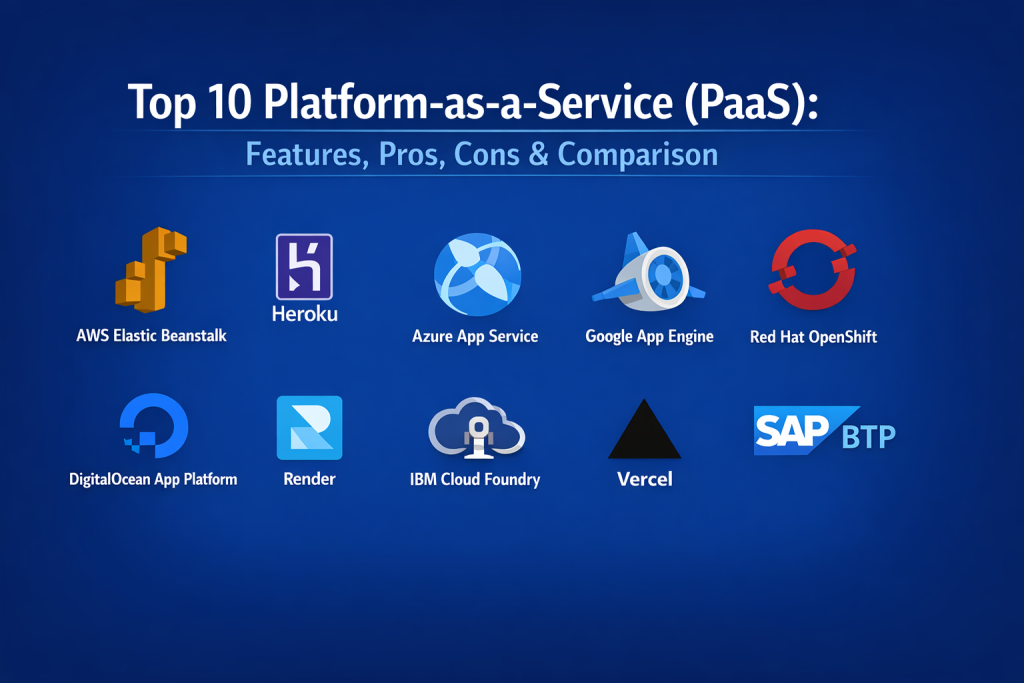
Introduction
Platform-as-a-Service (PaaS) is a cloud computing model that provides a complete, managed environment for developing, running, and managing applications. Unlike Infrastructure-as-a-Service (IaaS), where you must manage virtual machines and operating systems, PaaS abstracts the underlying hardware and software layers. This allows developers to focus entirely on code and data, while the provider handles middleware, runtime environments, operating systems, and automated scaling.
In the landscape, PaaS has evolved into the central hub for “AI-First” development. It matters now because the speed of software delivery has become a primary competitive advantage. With the rise of complex microservices and the need for instant global deployment, PaaS offers a “paved road” for engineering teams. It eliminates the friction of manual environment configuration, ensuring that security patches and performance optimizations are applied automatically at the platform level.
Real-World Use Cases
- Full-Stack Web Development: Rapidly deploying and scaling web applications with integrated databases and frontend frameworks.
- Microservices Orchestration: Managing a fleet of interconnected services that communicate via APIs without manual cluster configuration.
- AI & Machine Learning Workflows: Using pre-configured environments to train models and deploy inference endpoints with built-in GPU support.
- IoT Backend Management: Handling high-velocity data streams from millions of devices with automated ingestion and processing logic.
- Enterprise Modernization: Migrating legacy on-premises applications to the cloud by wrapping them in modern, managed containers.
Evaluation Criteria for Buyers
- Developer Experience (DX): How intuitive are the CLI, dashboard, and Git-push deployment workflows?
- Auto-Scaling Logic: The speed and reliability with which the platform adds resources during traffic spikes.
- Ecosystem Breadth: The availability of integrated add-ons for databases, caching, and third-party monitoring.
- Multi-Cloud Portability: The ability to move workloads between different cloud providers to avoid vendor lock-in.
- Security Guardrails: Built-in features like automated SSL, secrets management, and VPC isolation.
- Language & Framework Support: Compatibility with modern runtimes like Node.js, Rust, Go, and Python.
- Pricing Transparency: Clear, usage-based cost models that prevent “cloud spend” surprises as the app scales.
Best for: Rapidly growing startups, enterprise innovation labs, and DevOps teams seeking to reduce the operational burden of managing complex infrastructure.
Not ideal for: Organizations requiring deep, low-level access to the operating system kernel or those with highly specialized, non-standard hardware requirements.
Key Trends in PaaS Platforms
- AI-Integrated Development: Platforms now offer built-in “AI agents” that can automatically suggest infrastructure optimizations or debug deployment errors.
- Infrastructure-from-Code (IfC): A move toward platforms that automatically provision the necessary cloud resources simply by reading the application’s source code.
- Edge-Native Deployment: PaaS providers are extending their reach to the network edge, allowing apps to run in hundreds of global locations simultaneously.
- Kubernetes Abstraction: Modern PaaS tools are providing the power of Kubernetes through simple interfaces, removing the need for dedicated K8s experts.
- FinOps Governance: Real-time cost forecasting and automated budget caps are becoming standard features to prevent runaway scaling costs.
- Zero-Trust Security: Automatic encryption of data-in-transit and least-privilege access controls are now baked into the deployment pipeline.
- Sustainability Tracking: Platforms are increasingly providing “carbon footprint” reports for every application to meet corporate ESG goals.
- Wasm (WebAssembly) Support: Growing support for high-performance, lightweight runtimes that offer even faster startup times than traditional containers.
How We Selected These Tools
Our methodology for selecting the top ten PaaS tools focuses on “operational excellence” and “market adoption.” We analyzed the leading hyperscale providers to ensure we covered enterprise-grade stability, but we also prioritized “developer-first” platforms that are disrupting the market with superior user experiences. Key factors included the maturity of the platform’s CI/CD integration, the reliability of their managed database services, and their ability to support modern AI/ML workloads. We also looked for platforms that offer clear paths from solo prototyping to massive enterprise scale. Security posture, global region availability, and community support were final deciding factors in ensuring each tool meets the demands of 2026.
Top 10 Platform-as-a-Service (PaaS) Tools
1. AWS Elastic Beanstalk
AWS Elastic Beanstalk is a highly mature PaaS that allows for the rapid deployment of applications on the Amazon Web Services cloud. It manages the underlying EC2 instances, load balancers, and scaling groups automatically, while giving users the option to “dive deep” into the underlying infrastructure if needed.
Key Features
- Managed Multi-Language Support: Native environments for Java, .NET, PHP, Node.js, Python, Ruby, and Go.
- Automated Environment Provisioning: Handles the heavy lifting of capacity provisioning and load balancing.
- Integrated Health Monitoring: Uses CloudWatch to provide a unified view of application performance.
- Seamless AWS Integration: Direct links to RDS for databases and S3 for storage.
- Flexible Deployment Policies: Supports Rolling, All-at-Once, and Blue/Green deployment strategies.
Pros
- The most reliable choice for teams already deeply invested in the AWS ecosystem.
- Provides the perfect balance between managed simplicity and low-level control.
Cons
- The user interface can feel more complex than newer, developer-centric competitors.
- Configuration of advanced networking (VPCs) can be a hurdle for small teams.
Platforms / Deployment
Cloud (AWS) — Managed
Security & Compliance
Inherits AWS’s extensive compliance list, including SOC 2, ISO 27001, and HIPAA.
Integrations & Ecosystem
Connected to every AWS service, from DynamoDB to SageMaker, making it a gateway to massive cloud power.
Support & Community
Unmatched official documentation and a global network of enterprise-grade support.
2. Heroku
As a pioneer of the PaaS model, Heroku (owned by Salesforce) remains a top choice for its legendary developer experience. It uses a “Dyno” based scaling model and offers a massive marketplace of add-ons that make adding features like Redis or Postgres a one-click task.
Key Features
- Git-Based Deployment: Simply push your code to Heroku to trigger a build and global deploy.
- Heroku Add-ons: A marketplace with hundreds of pre-configured services for data, monitoring, and security.
- Heroku Flow: An integrated CI/CD pipeline that handles everything from staging to production.
- Managed Data Services: High-performance managed PostgreSQL, Redis, and Apache Kafka.
- Private Spaces: Isolated network environments for enterprise applications requiring higher security.
Pros
- Still the industry benchmark for ease of use and developer productivity.
- Excellent for rapid prototyping and scaling small to medium-sized apps.
Cons
- Can become significantly more expensive than other providers as traffic scales.
- Less flexibility for complex, custom infrastructure configurations compared to AWS.
Platforms / Deployment
Cloud — Managed
Security & Compliance
SOC 1, 2, and 3 compliant; ISO 27001 and PCI DSS Level 1 ready.
Integrations & Ecosystem
Superior integration with the Salesforce platform and a robust marketplace for third-party tools.
Support & Community
A massive community of developers and a wealth of tutorials for every major language.
3. Microsoft Azure App Service
Azure App Service is the enterprise choice for building and hosting web apps, mobile backends, and RESTful APIs. It is particularly strong for organizations that rely on the Microsoft stack but offers excellent support for open-source runtimes as well.
Key Features
- Deep DevOps Integration: Native connectivity with Azure DevOps and GitHub Actions.
- Multi-Language Support: Comprehensive environments for .NET, .NET Core, Java, Ruby, Node.js, PHP, and Python.
- Deployment Slots: Allow for zero-downtime releases by swapping staging and production environments.
- Virtual Network Integration: Connects apps to on-premises resources or private cloud networks.
- Integrated Authentication: Built-in support for Azure AD, Google, Facebook, and Microsoft accounts.
Pros
- Unrivaled for enterprise hybrid cloud scenarios and Windows-based apps.
- Superior security integration for corporate environments.
Cons
- The Azure Portal can be overwhelming for users not used to the Microsoft ecosystem.
- Pricing tiers can be complex to navigate for small projects.
Platforms / Deployment
Cloud / Hybrid — Managed
Security & Compliance
Over 100 compliance offerings, meeting every major global and regional standard.
Integrations & Ecosystem
Seamlessly connects to Azure SQL, Cosmos DB, and the Power Platform.
Support & Community
World-class enterprise support and a large community of .NET and corporate developers.
4. Google App Engine
Google App Engine is a fully managed, serverless PaaS that allows developers to stay productive using popular languages and frameworks. It is designed to scale from zero to massive traffic without the developer having to worry about servers.
Key Features
- Standard & Flexible Environments: Choose between a highly optimized sandbox or custom Docker containers.
- Automatic Load Balancing: Handles massive traffic spikes with Google’s global infrastructure.
- Integrated Task Queues: Simplifies the execution of background work and scheduled tasks.
- Security Scanning: Built-in tools to detect common vulnerabilities in your web applications.
- Cloud Debugger: Allows you to inspect the state of your app in production without stopping it.
Pros
- Exceptional for apps with highly variable traffic patterns.
- Strongest choice for data-intensive apps using BigQuery or Google’s AI tools.
Cons
- “Standard” environment has strict limits on writing to the file system.
- Some users find the “Google-way” of doing things can feel restrictive.
Platforms / Deployment
Cloud (GCP) — Managed
Security & Compliance
Compliant with SOC, ISO, and HIPAA; utilizes Google’s massive security infrastructure.
Integrations & Ecosystem
Strongest synergy with the Google Cloud data ecosystem, including Vertex AI and Pub/Sub.
Support & Community
Great documentation and a growing community focused on modern web and data science.
5. Red Hat OpenShift
OpenShift is a Kubernetes-based PaaS that provides a consistent environment across public clouds, on-premises data centers, and the edge. It is the gold standard for organizations that need the power of Kubernetes with enterprise-grade management.
Key Features
- Kubernetes Orchestration: Built-in, enterprise-grade Kubernetes for container management.
- Developer Self-Service: Provides a simple UI for developers to spin up environments without IT help.
- Integrated CI/CD: Native pipelines for automated building and testing of containerized apps.
- Operator Framework: Automates the lifecycle of complex applications like databases and AI models.
- Multi-Cluster Management: Provides a single pane of glass for managing apps across different clouds.
Pros
- The best choice for a consistent experience in hybrid and multi-cloud environments.
- Offers enterprise security and reliability that raw Kubernetes lacks.
Cons
- Can be complex to set up and manage for smaller organizations.
- Requires a higher level of technical expertise than simpler PaaS tools.
Platforms / Deployment
Hybrid / Multi-Cloud — Managed or Self-hosted
Security & Compliance
Advanced security features including runtime threat detection and FIPS compliance.
Integrations & Ecosystem
Deep integration with the Red Hat and IBM ecosystems and a wide range of enterprise software.
Support & Community
Strong enterprise support and a professional community of DevOps and platform engineers.
6. DigitalOcean App Platform
DigitalOcean App Platform is a developer-centric PaaS that prioritizes simplicity and predictable pricing. It is an excellent bridge for those moving from simple virtual machines (Droplets) to fully managed application environments.
Key Features
- Git-to-App Workflow: Automatically builds and deploys your code directly from GitHub or GitLab.
- Component-Based Architecture: Easily manage services, workers, and static sites within one app.
- Native Docker Support: Ability to deploy pre-built Docker images directly to the platform.
- Integrated Databases: Seamlessly connect to DigitalOcean’s managed PostgreSQL, MySQL, and Redis.
- Automatic HTTPS: Provides managed SSL certificates for every app by default.
Pros
- One of the easiest platforms to set up and manage for startups and small teams.
- Pricing is clear and highly competitive for small to medium-scale apps.
Cons
- Lacks some of the advanced networking features of AWS or Azure.
- Maximum application size and complexity limits are lower than enterprise rivals.
Platforms / Deployment
Cloud — Managed
Security & Compliance
Standard SOC 2 and ISO certifications with integrated DDoS protection.
Integrations & Ecosystem
Works perfectly with the rest of the DigitalOcean ecosystem, including Spaces for storage.
Support & Community
Famed for its high-quality community tutorials and helpful developer forums.
7. Render
Render is a modern cloud platform that aims to be the easiest place to host all your apps and websites. It provides a unified experience for static sites, web services, and background workers with a focus on speed and reliability.
Key Features
- Automatic Scaling: Simple, toggle-based scaling for both memory and CPU.
- Managed Private Networking: Securely connect your services without exposing them to the internet.
- Infrastructure as Code: Manage your entire setup via a simple
render.yamlfile. - Preview Environments: Automatically spin up a full version of your app for every pull request.
- Persistent Disks: Easily add block storage to your services for data-heavy apps.
Pros
- Offers a modern, clean alternative to Heroku with lower costs.
- Exceptional developer experience for full-stack JavaScript and Python teams.
Cons
- Still a smaller ecosystem compared to the major hyperscalers.
- Enterprise-level compliance features are still maturing.
Platforms / Deployment
Cloud — Managed
Security & Compliance
SOC 2 Type 2 compliant with integrated SSL and DDoS protection.
Integrations & Ecosystem
Strong integration with GitHub/GitLab and a growing list of managed database options.
Support & Community
Responsive support and a growing community of modern web developers.
8. IBM Cloud Foundry
IBM Cloud Foundry is an open-source PaaS that simplifies the process of building and deploying cloud-native applications. It is particularly strong for enterprise teams that need a flexible, multi-cloud platform.
Key Features
- Open-Source Core: Built on the industry-standard Cloud Foundry platform.
- Polyglot Runtime: Supports a wide range of languages including Java, Swift, and PHP.
- Cloud-Native Buildpacks: Automatically determine the dependencies your code needs to run.
- Hybrid Deployment: Ability to run on public, private, or dedicated IBM Cloud infrastructure.
- Enterprise Security: Deep integration with IBM’s identity and access management tools.
Pros
- Provides a consistent platform for large-scale enterprise microservices.
- Reduces vendor lock-in by using the open-source Cloud Foundry standard.
Cons
- Can have a steeper learning curve than the more “opinionated” modern PaaS tools.
- The transition from legacy versions can be a hurdle for some long-term users.
Platforms / Deployment
Cloud / Hybrid — Managed
Security & Compliance
Meets the highest global security standards for finance and government sectors.
Integrations & Ecosystem
Superior connectivity to IBM Watson, blockchain, and data analytics tools.
Support & Community
Strong enterprise support and a professional open-source community.
9. Vercel
Vercel is the ultimate PaaS for frontend-focused teams, especially those using Next.js. It provides an optimized deployment pipeline that treats your frontend, API routes, and edge functions as a single, unified application.
Key Features
- Next.js Optimized: Provides the best possible performance for the industry’s top React framework.
- Edge Functions: Run your backend logic at the edge for near-zero latency worldwide.
- Automatic Previews: Every branch and PR gets its own live URL for testing and feedback.
- Visual Editing: Allows non-technical team members to edit content directly on the live site.
- Vercel AI SDK: Streamlined tools for building and deploying AI-powered web interfaces.
Pros
- The fastest possible path from a code repository to a high-performance live site.
- Exceptional for modern full-stack web applications and marketing sites.
Cons
- Not designed for heavy backend processing or complex data science tasks.
- Pricing for high-traffic enterprise sites can become a consideration.
Platforms / Deployment
Cloud (AWS-backed) — Managed
Security & Compliance
SOC 2 compliant with built-in protection for web-based attacks.
Integrations & Ecosystem
Massive marketplace of integrations for databases, CMS, and monitoring tools.
Support & Community
One of the most active and trend-setting communities in modern web development.
10. SAP BTP (Business Technology Platform)
SAP BTP is the enterprise PaaS designed specifically for the SAP ecosystem. It allows businesses to extend and integrate SAP applications like S/4HANA while keeping the core systems clean.
Key Features
- Side-by-Side Extensions: Build custom features for your ERP without modifying the core system.
- Unified Integration: Pre-built connectors for all SAP and many non-SAP systems.
- Enterprise AI Services: Built-in AI models for business processes like invoice processing.
- Low-Code/No-Code Tools: Allow business users to build apps and automate workflows.
- Multi-Cloud Foundation: Runs on top of AWS, Azure, and Google Cloud infrastructure.
Pros
- Indispensable for any organization running an SAP-centered business.
- Provides high-level security and compliance for critical financial data.
Cons
- Highly specialized; not a general-purpose tool for most non-SAP projects.
- Licensing and pricing are geared toward large enterprise budgets.
Platforms / Deployment
Multi-Cloud — Managed
Security & Compliance
Meets the highest global standards for enterprise data privacy and governance.
Integrations & Ecosystem
Unrivaled integration with the SAP product suite and business partner network.
Support & Community
Deep enterprise support and a large network of professional SAP consultants.
Comparison Table (Top 10)
| Tool Name | Best For | Platform(s) Supported | Deployment | Standout Feature | Public Rating |
| 1. AWS Elastic Beanstalk | AWS Power Users | Windows, macOS, Linux | Hybrid | Full AWS Control | 4.5/5 |
| 2. Heroku | Startups & Rapid Prototypes | Windows, macOS, Linux | Cloud | One-click Add-ons | 4.6/5 |
| 3. Azure App Service | Microsoft Ecosystem | Windows, macOS, Linux | Hybrid | Deployment Slots | 4.4/5 |
| 4. Google App Engine | Serverless Web Apps | Windows, macOS, Linux | Cloud | Scaling to Zero | 4.3/5 |
| 5. Red Hat OpenShift | Hybrid Cloud Kubernetes | Windows, macOS, Linux | Hybrid | K8s Portability | 4.6/5 |
| 6. DigitalOcean App Platform | Simplicity & MVP | Windows, macOS, Linux | Cloud | Predictable Costs | 4.2/5 |
| 7. Render | Modern Full-stack | Windows, macOS, Linux | Cloud | Preview Envs | 4.5/5 |
| 8. IBM Cloud Foundry | Multi-cloud Enterprise | Windows, macOS, Linux | Hybrid | Open-source Core | 4.0/5 |
| 9. Vercel | Frontend & Next.js | Web | Cloud | Edge Performance | 4.8/5 |
| 10. SAP BTP | SAP Extensions | Windows, macOS, Linux | Multi-cloud | ERP Integration | 4.1/5 |
Evaluation & Scoring of PaaS Platforms
| Tool Name | Core (25%) | Ease (15%) | Integrations (15%) | Security (10%) | Perf (10%) | Support (10%) | Value (15%) | Total |
| 1. AWS Beanstalk | 10 | 6 | 10 | 10 | 8 | 10 | 6 | 8.5 |
| 2. Heroku | 8 | 10 | 9 | 8 | 8 | 9 | 5 | 7.9 |
| 3. Azure App Service | 9 | 6 | 9 | 10 | 8 | 9 | 7 | 8.1 |
| 4. Google App Engine | 8 | 8 | 9 | 9 | 8 | 8 | 7 | 8.0 |
| 5. OpenShift | 10 | 4 | 9 | 10 | 9 | 9 | 6 | 8.1 |
| 6. DigitalOcean | 6 | 9 | 6 | 7 | 8 | 8 | 9 | 7.3 |
| 7. Render | 7 | 9 | 8 | 8 | 9 | 8 | 7 | 7.6 |
| 8. IBM Cloud Foundry | 8 | 5 | 8 | 9 | 7 | 7 | 7 | 7.1 |
| 9. Vercel | 7 | 10 | 8 | 8 | 9 | 8 | 6 | 7.8 |
| 10. SAP BTP | 8 | 5 | 10 | 10 | 7 | 8 | 5 | 7.3 |
Scoring is comparative based on professional production benchmarks. “Core” scores represent the platform’s ability to handle complex enterprise demands. “Ease” scores reflect the speed of the developer workflow. “Value” scores consider the return on investment for small to medium budgets.
Which PaaS Tool Is Right for You?
Solo / Freelancer
For individual projects, DigitalOcean App Platform or Render are the best choices due to their simplicity and low entry cost. If you are building a modern web frontend with a simple backend, Vercel is often the most productive option.
SMB (Small to Medium Business)
Small teams should look at Heroku or Google App Engine. These platforms allow you to scale your application without needing a dedicated infrastructure team, making them perfect for businesses that need to move fast.
Mid-Market
Organizations with more complex requirements will find the most value in AWS Elastic Beanstalk or Azure App Service. These platforms offer the scalability and security needed as a company grows while still providing a high degree of automation.
Enterprise
At the enterprise level, Red Hat OpenShift and Azure App Service are the top contenders. They offer the necessary compliance, hybrid cloud support, and multi-cluster management that large organizations require for their mission-critical apps.
Budget vs Premium
If cost is the main driver, DigitalOcean and Render are the winners. For teams that prioritize professional support and a massive feature set over raw price, AWS and Azure provide the premium enterprise experience.
Feature Depth vs Ease of Use
AWS Beanstalk and OpenShift provide the most depth but require a technical learning period. Vercel and Heroku are designed to be “invisible,” allowing developers to push code and walk away.
Integrations & Scalability
If your app needs to scale across different regions and clouds, Red Hat OpenShift is the most scalable choice. For overall ecosystem depth and third-party links, AWS remains the gold standard.
Security & Compliance Needs
Organizations with strict regulatory requirements (HIPAA, FedRAMP) should stick with Azure or AWS, as they offer the most comprehensive and verified security frameworks in the industry.
Frequently Asked Questions (FAQs)
1. What is the main difference between PaaS and IaaS?
IaaS provides the raw building blocks like virtual machines, while PaaS provides a complete environment including the OS, middleware, and runtime so you can focus only on your code.
2. Is PaaS more expensive than managing my own servers?
While the unit cost per resource may be higher, PaaS usually lowers the “Total Cost of Ownership” by eliminating the need for staff to manage servers, patches, and networking.
3. Can I use PaaS for my mobile app’s backend?
Yes, PaaS is an ideal choice for mobile backends. It handles the scaling of your APIs automatically as your user base grows.
4. What happens if the PaaS provider goes down?
Most PaaS providers have high-availability setups across multiple regions. However, to be truly safe, many enterprises use hybrid or multi-cloud strategies like those offered by OpenShift.
5. Do I still need a DevOps team if I use PaaS?
A PaaS reduces the need for “traditional” ops (patching, hardware management), but you still need a team to manage deployment pipelines, security policies, and performance monitoring.
6. Can I move my app from one PaaS to another?
This depends on how much you use the provider’s specific services. Using open standards like Docker and Kubernetes (via OpenShift or Cloud Foundry) makes moving much easier.
7. Is PaaS secure enough for financial data?
Yes, most enterprise PaaS providers are highly secure and meet compliance standards like SOC 2 and PCI DSS. However, you must still ensure your application code is secure.
8. Which programming languages are supported?
Almost all modern languages like Python, Java, Node.js, and Ruby are supported natively. Many platforms also allow you to use any language via custom Docker containers.
9. How do I manage my databases on a PaaS?
Most PaaS providers offer “Managed Databases” where they handle the backups, scaling, and patching of the database for you.
10. How do I get started with PaaS?
The best way is to take a small existing app and try deploying it to a developer-friendly platform like DigitalOcean or Heroku to see the workflow in action.
Conclusion
Selecting the right Platform-as-a-Service (PaaS) is a strategic decision that directly impacts your team’s development velocity and operational costs. In, the best platforms are those that bridge the gap between simple deployment and the complex needs of AI and microservices. Whether you choose the massive ecosystem of AWS, the enterprise flexibility of OpenShift, or the frontend brilliance of Vercel, the goal remains the same: to abstract away the infrastructure so your team can focus on innovation. By leveraging the automated scaling and security of a modern PaaS, you can build applications that are as resilient as they are fast to market.

Best Cardiac Hospitals Near You
Discover top heart hospitals, cardiology centers & cardiac care services by city.
Advanced Heart Care • Trusted Hospitals • Expert Teams
View Best Hospitals