Introduction
Programmable Logic Controller (PLC) programming tools are specialized software Integrated Development Environments (IDEs) used by engineers to design, simulate, and deploy the logic that controls industrial machinery. In plain English, if a PLC is the “brain” of a factory machine, these tools are the “languages” and “notebooks” used to tell that brain exactly how to behave—when to start a motor, how to react to a sensor trip, or how to manage complex robotic motion.
As we move through , these tools have evolved from simple “ladder logic” editors into sophisticated platforms that bridge the gap between Operations Technology (OT) and Information Technology (IT). With the rise of the Industrial Metaverse and AI-driven manufacturing, PLC programming tools now prioritize digital twin integration, cloud-based collaboration, and advanced cybersecurity. They are the essential link in creating a self-optimizing, resilient production floor.
Real-world use cases:
- Automotive Assembly: Synchronizing hundreds of robotic arms with millisecond precision to weld vehicle chassis.
- Pharmaceutical Batching: Precisely controlling chemical ratios and temperatures to ensure medicine safety and consistency.
- Logistics Sorting: Managing high-speed conveyors and sorting gates in massive fulfillment centers to process thousands of packages per hour.
Buyers should evaluate:
- Support for IEC 61131-3 languages (Ladder, Structured Text, etc.).
- Hardware compatibility (Vendor-locked vs. Hardware-agnostic).
- Digital twin and simulation capabilities.
- Modern version control (Git-native integration).
- IIoT connectivity (MQTT, OPC UA).
- Security features (Encrypted communication and RBAC).
- Scalability of licenses.
- Availability of pre-built function libraries.
- Best for: Control engineers, system integrators, and OEM (Original Equipment Manufacturer) designers working in high-stakes industries like automotive, energy, and chemicals.
- Not ideal for: Pure software developers without hardware interaction, or basic DIY home automation where microcontrollers (like ESP32) with simple IDEs are more cost-effective.
Key Trends in PLC Programming Tools and Beyond
- AI-Copilots for Code Generation: Generative AI is now integrated into mainstream PLC IDEs to help engineers convert natural language into Structured Text or Ladder Logic, significantly reducing manual entry errors.
- Virtual Commissioning: High-fidelity 3D simulation is no longer an add-on; modern tools allow engineers to test code against a “digital twin” of the machine before a single physical component is even shipped.
- Software-Defined Automation: A shift toward decoupling logic from proprietary hardware, allowing PLC code to run on standard industrial PCs or even in Linux containers at the edge.
- Unified Engineering Environments: The silos are breaking down; one project file now often contains the PLC logic, the HMI (Human-Machine Interface) design, and the drive configuration.
- Git-Native Workflows: Traditional “copy-paste” backups are gone. Engineers are adopting Git-based version control to manage code changes, branches, and merges just like modern IT teams.
- Cyber-Resilience by Design: Adherence to IEC 62443 is a baseline, with features like encrypted project files, digital signatures for code, and hardware-level Secure Boot becoming standard.
- Edge-to-Cloud Integration: Native support for pushing data to cloud historians while maintaining real-time, deterministic control on the plant floor.
How We Selected These Tools
The “Top 10” list was curated based on the following evaluation logic:
- Market Adoption: We prioritized tools used by the world’s leading automation vendors and those with the largest global install bases.
- Feature Completeness: Only tools that support the full spectrum of industrial requirements—from motion control to safety—were considered.
- Reliability Signals: Preference was given to environments with proven high-uptime performance in mission-critical manufacturing.
- Security Posture: Evaluation of the built-in safeguards against unauthorized access and code tampering.
- Integrations/Ecosystem: We looked for tools that easily “talk” to other systems via OPC UA, MQTT, and modern APIs.
- Customer Fit: The list includes a balance of enterprise-grade powerhouses and flexible, open-source-friendly platforms to suit different business sizes.
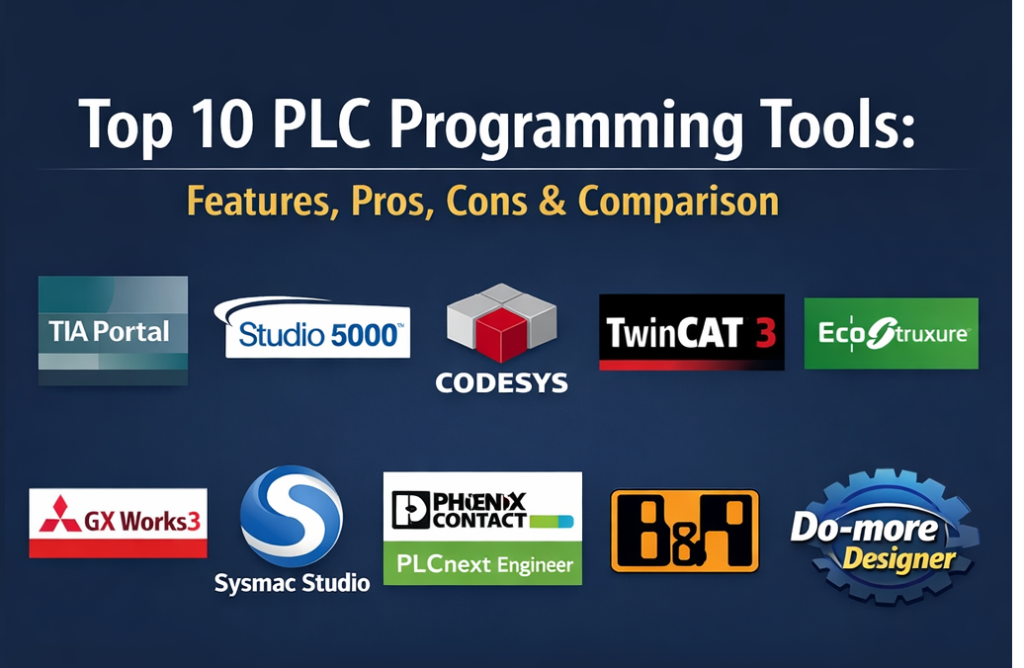
Top 10 PLC Programming Tools
1 — Siemens TIA Portal
The “Totally Integrated Automation” Portal is the industry benchmark for Siemens hardware, unifying PLC, HMI, and Drive engineering into one environment.
Key Features
- Unified Framework: One software environment for S7-1200, S7-1500, and S7-300/400 controllers.
- PLCSIM Advanced: Powerful virtual controller for digital twin testing and virtual commissioning.
- Library Concept: Centralized management of reusable function blocks and HMI objects across multiple projects.
- Integrated Diagnostics: Automated fault reporting that reads directly from the hardware without extra code.
- Multiuser Engineering: Server-based collaboration allowing teams to work on the same project simultaneously.
Pros
- Unrivaled integration between hardware and software, reducing engineering time by up to 30%.
- Excellent scalability from small machine tasks to massive factory-wide systems.
Cons
- Very high system resource requirements; requires high-end workstations to run smoothly.
- Licensing is complex and represents a significant annual investment.
Platforms / Deployment
- Windows
- On-Premises (Self-hosted)
Security & Compliance
- IEC 62443-4-1 certified; supports UMAC (User Management & Access Control), project protection, and encrypted communication.
Integrations & Ecosystem
TIA Portal is the heart of the Siemens ecosystem, connecting to a vast array of industrial software and hardware.
- Native OPC UA Client/Server.
- Integration with Teamcenter (PLM).
- API for automated code generation.
Support & Community
Global support network with 24/7 technical assistance. Siemens Industry Online Support (SIOS) provides a massive library of manuals and a very active community forum.
2 — Rockwell Automation Studio 5000
The primary engineering environment for Allen-Bradley Logix5000 controllers, dominating the North American industrial landscape.
Key Features
- Logix Designer: High-performance environment for developing ladder, structured text, and function blocks.
- Add-On Instructions (AOIs): Encapsulated, reusable logic blocks for standardization.
- Emulate 5000: Virtual chassis for testing code without physical hardware.
- Tag-Based Architecture: Uses descriptive names instead of physical memory addresses, making code easier to read.
- Application Code Manager: Speeds up development via bulk-generation of code from predefined templates.
Pros
- Exceptional online editing—modify code while the machine is running without a stop.
- Intuitive user interface for engineers trained in traditional North American industrial standards.
Cons
- High licensing and “TechConnect” support fees compared to European and Asian competitors.
- Historically slower to adopt some modern IT concepts like native Git integration.
Platforms / Deployment
- Windows
- On-Premises
Security & Compliance
- Integrates with FactoryTalk Security for centralized user permissions; supports audit logs and RBAC.
Integrations & Ecosystem
Central to the Rockwell “Connected Enterprise” strategy.
- Native EtherNet/IP integration.
- FactoryTalk Hub for cloud-based project management.
Support & Community
Unmatched support in the US. Large community of “PLCTalk” users and extensive Rockwell University training courses.
3 — CODESYS Development System
A hardware-independent IEC 61131-3 development system used as the base for over 400 different hardware manufacturers globally.
Key Features
- Vendor Neutral: One skill set allows you to program brands like ABB, Schneider, Wago, and Eaton.
- Object-Oriented Programming (OOP): Supports modern software concepts like Classes and Interfaces.
- Integrated Visualization: Create HMI screens directly inside the PLC editor.
- SoftPLC: Can turn any Industrial PC or a Raspberry Pi into a high-performance PLC.
- CODESYS Store: A marketplace for downloading function blocks, AI modules, and fieldbus drivers.
Pros
- The most flexible tool on the market; prevents vendor lock-in.
- The core development environment is free to download and use.
Cons
- Users must manage their own library versions across different hardware brands, which can be complex.
- Technical support is often managed by the hardware vendor rather than the CODESYS team itself.
Platforms / Deployment
- Windows
- Cloud / Self-hosted / Hybrid
Security & Compliance
- Supports project encryption, digital signatures for code, and User Management.
Integrations & Ecosystem
The largest open ecosystem in industrial automation.
- Native support for EtherCAT, PROFINET, and CANopen.
- Git integration via the CODESYS Professional Developer Edition.
Support & Community
Huge online community (CODESYS Forge) and a vast library of open-source projects on GitHub.
4 — Beckhoff TwinCAT 3
A PC-based control system that integrates PLC, Motion, and HMI directly into Microsoft Visual Studio.
Key Features
- Visual Studio Integration: PLC programming lives inside the same environment used for C# and C++.
- Real-Time Core: Turns standard multi-core PCs into high-performance, deterministic controllers.
- XAE (eXtended Automation): Allows mixing PLC logic with C++ or MATLAB/Simulink in real-time.
- EtherCAT Excellence: Optimized for ultra-high-speed motion control and I/O.
- Modular Architecture: Only install the “Functions” (Vision, Safety, Motion) required for the project.
Pros
- Fastest performance for complex motion and high-speed processing.
- Free to download and use for development; “trial” licenses can be renewed indefinitely for testing.
Cons
- Higher learning curve for engineers who are not comfortable with IT/Visual Studio environments.
- Requires deep knowledge of Windows-based networking and real-time kernels.
Platforms / Deployment
- Windows (Engineering) / TwinCAT BSD (Runtime)
- Self-hosted
Security & Compliance
- Supports Windows-based security, secure boot, and encrypted project files.
Integrations & Ecosystem
A pioneer in the world of EtherCAT and PC-based control.
- Native OPC UA Server/Client.
- Support for high-level language integration (Python, C#).
Support & Community
Excellent technical manuals; strong global support team with a focus on high-performance machine builders.
5 — Schneider Electric EcoStruxure Machine Expert
A modern, CODESYS-based environment for programming Schneider’s Modicon range, emphasizing machine-to-cloud connectivity.
Key Features
- Template-Based Engineering: High-level templates for common machine types (packaging, pumping).
- Unified Variable Sharing: Shares tags between the PLC and HMI automatically.
- IIoT Ready: Native hooks for Schneider’s “Machine Advisor” cloud monitoring.
- Integrated Safety: Graphical configuration of safety logic alongside standard control.
- Python Scripting: For automating repetitive engineering tasks and bulk tag creation.
Pros
- Excellent pre-built libraries for specific industrial verticals.
- Strong focus on energy efficiency and sustainability reporting.
Cons
- Licensing can be finicky and requires a dedicated manager.
- Some legacy software (Unity Pro) is still required for older high-end PLCs.
Platforms / Deployment
- Windows
- Cloud / Self-hosted
Security & Compliance
- Achilles Level 2 certified for network security; supports RBAC and project passwords.
Integrations & Ecosystem
Part of the broad Schneider Electric EcoStruxure ecosystem.
- Native MQTT and OPC UA support.
- Integration with AVEVA software suite.
Support & Community
Global reach with strong presence in Europe and Asia. Professional support is robust but often tiered.
6 — Mitsubishi GX Works3
The latest generation of programming software for Mitsubishi Electric’s iQ-R and iQ-F series, popular in high-speed discrete manufacturing.
Key Features
- Module Label System: Eliminates the need to manually assign physical memory addresses.
- Motion Setup: Simple drag-and-drop configuration for servo drives and multi-axis motion.
- Integrated Simulator: High-speed simulator that mimics hardware behavior without actual components.
- Logic Analyzer: Real-time waveform display for debugging high-speed digital and analog signals.
- Global Labeling: Unified database for tags used across multiple networked PLCs.
Pros
- Highly reliable and optimized for high-speed electronics and automotive lines.
- The logic analyzer tool is widely considered the best for real-time troubleshooting.
Cons
- User interface can feel cluttered and less “modern” compared to web-styled IDEs.
- English-language community resources are less abundant than Siemens or Rockwell.
Platforms / Deployment
- Windows
- Self-hosted
Security & Compliance
- Supports project passwords and hardware-level execution prevention.
Integrations & Ecosystem
Centered on the Mitsubishi “e-F@ctory” ecosystem.
- Native CC-Link IE support.
- SLMP (Seamless Message Protocol) for third-party comms.
Support & Community
Dominant in Asia with strong support in the US for the automotive sector.
7 — Omron Sysmac Studio
A “one software” environment for Omron’s NJ and NX series, integrating PLC, HMI, Vision, and Robotics into a single screen.
Key Features
- 3D Simulation: Visualize and test machine movements and robotic paths in 3D within the IDE.
- One Connection: Single cable allows access to the PLC, HMI, Vision system, and Safety controller.
- Integrated Safety: Program machine logic and safety logic in the same project with automatic synchronization.
- Version Control: Built-in integration with Git for team collaboration and branch management.
- Database Connectivity: Direct SQL client built into the PLC for logging data without middleware.
Pros
- Cleanest and most modern user interface among the “Big Three” automation vendors.
- The best integration for machines that combine PLCs and industrial robots.
Cons
- Licensing for the “Full” version is relatively expensive.
- Not backwards compatible with legacy Omron hardware (CX-Programmer).
Platforms / Deployment
- Windows
- On-Premises
Security & Compliance
- 32-digit security passwords and hardware-level ID verification to prevent IP theft.
Integrations & Ecosystem
Designed for the Omron “Sysmac” platform.
- EtherCAT and EtherNet/IP native.
- Integrated Vision system tools for high-speed inspection.
Support & Community
Excellent “how-to” videos and direct sales support. Growing community of modern systems integrators.
8 — Phoenix Contact PLCnext Engineer
An open, software-defined automation platform that allows traditional PLC logic to run alongside high-level languages like C++ and Python.
Key Features
- Multi-Language Execution: Run Ladder and C++ code simultaneously in real-time on a Linux kernel.
- PLCnext Store: Download “Apps” (like Node-RED or InfluxDB) to run directly on the PLC.
- Open Architecture: Based on a real-time Linux operating system, allowing IT tools to run natively.
- Eclipse-Based: Familiar environment for IT-trained developers.
- Task-Oriented: Easily assign code blocks to different execution cycles and CPU cores.
Pros
- The most “IT-friendly” PLC tool on the market.
- Perfect for unique, custom-coded industrial solutions that standard PLCs can’t handle.
Cons
- Steep learning curve for traditional engineers who only know Ladder Logic.
- Smaller hardware ecosystem compared to the legacy giants.
Platforms / Deployment
- Windows (Engineering) / Linux (Runtime)
- Cloud / Self-hosted / Hybrid
Security & Compliance
- Built-in security based on IEC 62443; supports certificates, firewalls, and user management.
Integrations & Ecosystem
A pioneer in the “Open Automation” movement.
- Native MQTT, OPC UA, and REST API.
- Direct integration with IT tools like Docker and Git.
Support & Community
Excellent “PLCnext Community” portal with forums, tutorials, and open-source projects on GitHub.
9 — B&R Automation Studio
A high-performance engineering tool for B&R (ABB) hardware, known for its extreme flexibility and motion control power.
Key Features
- mapp Technology: Pre-built software components for OEE, alarms, and audits that reduce coding.
- Multi-Core Support: Distribute control tasks across different processor cores for maximum speed.
- Integrated Motion: Advanced CNC and robotics path planning built into the PLC environment.
- Hardware-Independent Simulation: The “Automation Runtime” can run on any PC for full logic testing.
- C++ Support: Native integration of high-level algorithms into the standard PLC scan.
Pros
- Unmatched flexibility for custom OEM machine builders.
- “mapp” components can reduce development time by over 50%.
Cons
- High learning curve; requires an engineering mindset over an “electrical” one.
- Smaller pool of certified integrators compared to Siemens or Rockwell.
Platforms / Deployment
- Windows
- On-Premises
Security & Compliance
- openSAFETY integrated; ISO 9001 certified development process.
Integrations & Ecosystem
Deeply integrated with the ABB power and automation world.
- POWERLINK and OPC UA over TSN.
- MATLAB/Simulink automatic code generation.
Support & Community
Renowned for high-level technical application engineers (AEs) who work directly with customers on complex designs.
10 — AutomationDirect Do-more Designer
A free, powerful programming tool for the BRX and H2 series, ideal for SMBs and budget-conscious automation projects.
Key Features
- Free Software: No licensing fees or annual maintenance costs.
- Integrated Simulator: Includes full I/O mapping for testing without a physical PLC.
- Strong Math Set: Includes a “MATH” instruction that allows C-like expressions for complex calculations.
- Built-in Data Logging: Log data directly to a microSD card or PC from the logic.
- MQTT Support: Native IIoT connectivity for reporting data to cloud platforms.
Pros
- Zero cost of entry; the best tool for learning and small-to-midscale projects.
- Simple, lightweight, and very stable.
Cons
- Limited to specific AutomationDirect hardware lines.
- Lacks the advanced 3D simulation and multi-user features of enterprise suites.
Platforms / Deployment
- Windows
- On-Premises
Security & Compliance
- Basic password protection and user levels; not designed for high-security critical infrastructure.
Integrations & Ecosystem
Supported by the AutomationDirect value-brand ecosystem.
- Modbus RTU/TCP and EtherNet/IP.
- Integration with C-more HMIs.
Support & Community
Award-winning free phone support and a very active, helpful community forum.
Comparison Table (Top 10)
| Tool Name | Best For | Platform(s) Supported | Deployment | Standout Feature | Public Rating |
| TIA Portal | Siemens Users | Windows | On-Prem | PLCSIM Advanced | N/A |
| Studio 5000 | North Am. Mfg | Windows | On-Prem | Online Editing | N/A |
| CODESYS | Hardware Agnostic | Windows | Hybrid | Vendor Independence | N/A |
| TwinCAT 3 | High-Speed PC-Ctrl | Windows | On-Prem | Visual Studio Integration | N/A |
| Machine Expert | Schneider Users | Windows | Hybrid | Machine Templates | N/A |
| GX Works3 | High-Speed Discrete | Windows | On-Prem | Logic Analyzer | N/A |
| Sysmac Studio | Robotics / Motion | Windows | On-Prem | 3D Simulation | N/A |
| PLCnext Engineer | IT/OT Convergence | Win, Linux | Hybrid | Multi-lang Execution | N/A |
| Automation Studio | Custom OEMs | Windows | On-Prem | mapp Technology | N/A |
| Do-more Designer | SMB / Budget | Windows | On-Prem | Free Software | N/A |
Evaluation & Scoring of PLC Programming Tools
| Tool Name | Core (25%) | Ease (15%) | Integrations (15%) | Security (10%) | Performance (10%) | Support (10%) | Value (15%) | Weighted Total |
| TIA Portal | 10 | 7 | 9 | 10 | 9 | 10 | 7 | 8.85 |
| Studio 5000 | 9 | 9 | 8 | 9 | 9 | 9 | 6 | 8.40 |
| CODESYS | 9 | 8 | 10 | 8 | 8 | 8 | 10 | 8.80 |
| TwinCAT 3 | 10 | 6 | 9 | 8 | 10 | 8 | 9 | 8.60 |
| Machine Expert | 8 | 8 | 9 | 9 | 8 | 8 | 8 | 8.25 |
| GX Works3 | 9 | 8 | 7 | 8 | 10 | 7 | 8 | 8.20 |
| Sysmac Studio | 9 | 9 | 8 | 8 | 9 | 8 | 7 | 8.35 |
| PLCnext Engineer | 8 | 7 | 10 | 9 | 9 | 9 | 9 | 8.55 |
| Automation Studio | 10 | 5 | 9 | 9 | 10 | 8 | 7 | 8.25 |
| Do-more Designer | 7 | 9 | 8 | 6 | 7 | 9 | 10 | 8.00 |
How to interpret these scores:
- Core (25%): Depth of programming languages and instruction sets.
- Ease (15%): Intuitiveness of the UI and configuration workflow.
- Integrations (15%): Ability to connect to IT, Cloud, and other vendor hardware.
- Weighted Total: A score of 8.0+ represents an industry-leading tool. Comparative scores depend on whether you prioritize “Ease” (Sysmac) or “Power” (TwinCAT).
Which PLC Programming Tools Is Right for You?
Solo / Freelancer
If you are an independent contractor, CODESYS is the best investment. Mastering it allows you to bid on projects across dozens of different hardware brands. If you are focused on the US market, having Studio 5000 on your resume is a non-negotiable requirement.
SMB
For small businesses with limited budgets, AutomationDirect Do-more Designer is the winner. It provides a full-featured simulator and professional-grade logic for $0, allowing you to automate machines without heavy annual software fees.
Mid-Market
Medium-sized manufacturers should look at Omron Sysmac Studio or Mitsubishi GX Works3. These tools offer a modern, visual experience that is easier for a small team to maintain than the massive enterprise frameworks.
Enterprise
For multi-national corporations, Siemens TIA Portal and Rockwell Studio 5000 are the standards. Their ability to manage global libraries and enforce coding standards across thousands of engineers is essential for corporate consistency.
Budget vs Premium
- Budget: Do-more Designer (Free), CODESYS (Free dev).
- Premium: TIA Portal, Studio 5000, Sysmac Studio (Expect high licensing and support costs).
Feature Depth vs Ease of Use
- Feature Depth: TwinCAT 3 and Automation Studio (Nearly infinite flexibility, but complex).
- Ease of Use: Sysmac Studio and Do-more Designer (Highly visual and user-friendly).
Integrations & Scalability
For projects involving Docker, Python, or custom Linux scripts, PLCnext Engineer is the clear winner. For scaling one machine design to 100 plants, TIA Portal is the strongest choice.
Security & Compliance Needs
Organizations requiring the highest level of cybersecurity (critical infrastructure) should prioritize Honeywell (not listed) or Siemens TIA Portal and Schneider Machine Expert, both of which have robust IEC 62443 certifications.
Frequently Asked Questions (FAQs)
Is there any truly free PLC programming software?
Yes, AutomationDirect Do-more Designer is fully free with no license required. CODESYS and TwinCAT 3 are free to download and develop with, though they require paid licenses to run on physical hardware.
Which PLC language should I learn first in 2026?
Ladder Diagram (LD) is still the industry standard and easiest to learn. However, for 2026, learning Structured Text (ST) is becoming mandatory for complex math, data handling, and AI-assisted coding.
Can I run PLC software on a Mac or Linux?
Most PLC tools are Windows-only. You will typically need to run Windows via a Virtual Machine (like Parallels) or use a hardware-agnostic runtime like PLCnext or CODESYS that can run on Linux hardware.
What is “Online Editing”?
This is the ability to change the code while the PLC is actively running a machine. It is a critical feature for industries where stopping a machine for a simple code fix costs thousands of dollars per minute.
Do I need a high-end PC for PLC programming?
For modern enterprise tools like TIA Portal, a high-end PC (i7/i9 CPU, 32GB+ RAM, SSD) is highly recommended. Lightweight tools like Do-more Designer can run on basic consumer laptops.
What is the IEC 61131-3 standard?
It is the international standard for PLC programming. It defines five languages: Ladder (LD), Function Block (FBD), Structured Text (ST), Instruction List (IL), and Sequential Function Chart (SFC).
Can AI write PLC code now?
In 2026, many IDEs include AI “Co-pilots” that can generate Structured Text snippets based on natural language prompts. However, an engineer must still verify the safety and logic before deployment.
How do I manage version control for PLC code?
Modern tools like Sysmac Studio and PLCnext have built-in Git integration. For older tools, engineers often use specialized software like “Versiondog” or manually manage project archive files.
What is a “SoftPLC”?
A SoftPLC is a software runtime that allows a standard PC or industrial edge computer to act as a real-time PLC, removing the need for dedicated proprietary hardware.
Is PLC programming a good career in 2026?
Yes. As factories become more automated and AI-driven, the demand for engineers who can bridge the gap between physical machinery and digital logic has never been higher.
Conclusion
The PLC programming landscape of is defined by a convergence of traditional electrical control and modern software engineering. While Siemens and Rockwell remain the giants of the enterprise world, open platforms like CODESYS and PLCnext are rapidly changing how we think about hardware dependency. Your “best” tool is the one that fits your specific hardware, your team’s skill set, and your budget. If you are starting fresh, we recommend downloading CODESYS or Do-more Designer to practice the fundamentals before moving into the high-resource enterprise environments. The next step for any organization is to validate their hardware choice against these software environments. Shortlist 2–3 tools, run a pilot “digital twin” simulation, and ensure the integration capabilities match your company’s IIoT strategy for the next five years.

Best Cardiac Hospitals Near You
Discover top heart hospitals, cardiology centers & cardiac care services by city.
Advanced Heart Care • Trusted Hospitals • Expert Teams
View Best Hospitals