Introduction
Policy as Code (PaC) has shifted from a niche security requirement to a fundamental pillar of modern infrastructure management. In the age of rapid cloud deployments and automated pipelines, manual compliance checks are no longer viable. PaC allows organizations to define, manage, and enforce rules through high-level programming or declarative languages. By treating policies as software—complete with version control, automated testing, and continuous integration—teams can ensure that security and operational standards are met before a single resource is provisioned.
The transition to a “code-first” compliance strategy is driven by the need for consistency across hybrid and multi-cloud environments. As infrastructure scales, the risk of configuration drift and “shadow IT” increases. Policy as Code platforms provide the necessary guardrails to prevent unauthorized access, ensure cost-conscious resource allocation, and maintain adherence to global regulations. This methodology bridges the gap between development speed and institutional safety, turning compliance from a bottleneck into an automated, invisible part of the deployment lifecycle.
Best for: DevOps engineers, Site Reliability Engineers (SREs), and Cloud Security Architects who need to automate compliance and security governance across large-scale, automated infrastructure.
Not ideal for: Very small organizations with static environments or teams that do not use Infrastructure as Code (IaC) and perform all configurations through manual web consoles.
Key Trends in Policy as Code Tools
- Shift-Left Security Integration: Tools are increasingly moving compliance checks into the developer’s IDE and CI/CD pipelines to catch violations before deployment.
- The Rise of Open Standards: A massive move toward unified languages like Rego, which allow the same policy logic to be used across different layers of the technology stack.
- Cloud-Native Enforcement: Integration with Kubernetes Admission Controllers to prevent non-compliant containers from ever entering a production cluster.
- AI-Assisted Policy Generation: New features that use machine learning to suggest policy improvements based on historical data and observed threat patterns.
- Graph-Based Policy Analysis: Using relationship mapping to understand how a single policy change might impact complex, interconnected cloud resources.
- Cross-Cloud Governance: Platforms are focusing on providing a single unified policy language that works across AWS, Azure, Google Cloud, and on-premises environments.
- GitOps for Policy: Treating policy repositories as the “source of truth,” where a simple git commit can trigger global updates to enforcement rules.
- Drift Detection Automation: Continuous scanning of live environments to ensure that manually changed resources are automatically brought back into compliance with the “as-code” definition.
How We Selected These Tools
- Language Flexibility and Power: We prioritized tools that offer expressive languages capable of handling complex logic beyond simple “true/false” checks.
- Ecosystem Interoperability: Priority was given to platforms that integrate seamlessly with Terraform, Kubernetes, and major CI/CD providers.
- Community and Marketplace Support: We looked for tools with a large library of pre-written policies and an active user base.
- Enforcement Capabilities: Each tool was evaluated on its ability to both warn about violations and actively block non-compliant deployments.
- Scalability for Enterprise: We selected tools that can manage thousands of policies across diverse global regions without performance degradation.
- Reporting and Auditability: The selection includes platforms that provide clear, human-readable evidence of compliance for internal and external auditors.
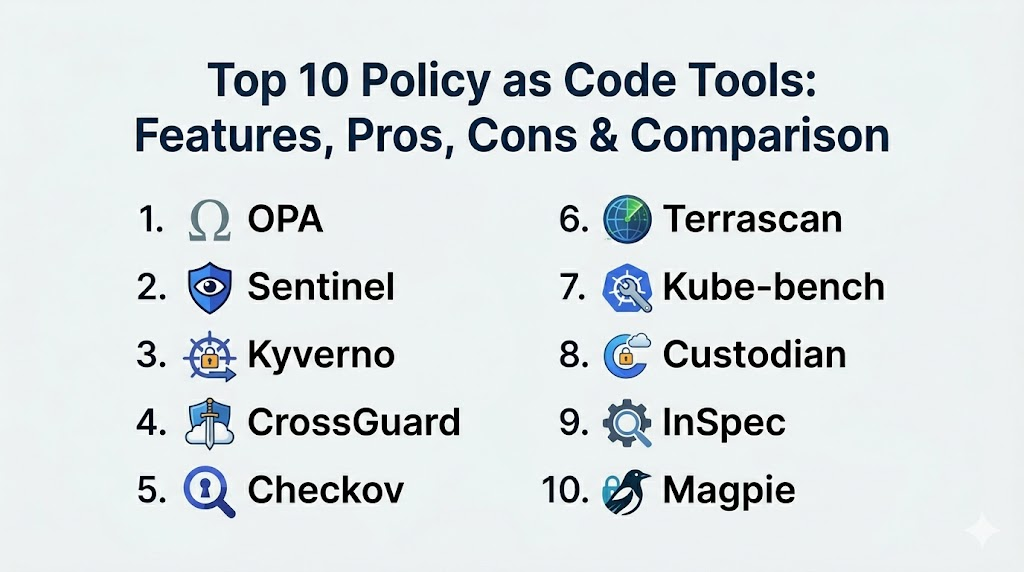
Top 10 Policy as Code Tools
1. Open Policy Agent (OPA)
An open-source, general-purpose policy engine that unifies policy enforcement across the entire stack. It uses a high-level declarative language called Rego to define rules that can be applied to everything from Kubernetes to microservices.
Key Features
- Offloads policy decision-making from your software to a dedicated engine.
- Uses Rego, a powerful and expressive language for complex logic.
- Supports a wide variety of deployment models including sidecars and host-level daemons.
- Extensive library of integrations for Kubernetes, Terraform, and Envoy.
- Interactive playground for testing and debugging policies in real-time.
Pros
- Industry standard with the largest ecosystem of plugins and community support.
- Decouples policy from code, allowing security teams to manage rules independently.
Cons
- Rego has a steep learning curve for those used to imperative programming.
- Managing a large number of OPA instances requires additional orchestration.
Platforms / Deployment
Windows / macOS / Linux / Kubernetes
Local / Cloud / Edge
Security & Compliance
Role-Based Access Control and signed policy bundles.
Not publicly stated.
Integrations & Ecosystem
Integrates with virtually everything, including Kubernetes, Terraform, Kafka, and custom-built applications.
Support & Community
Massive open-source community under the Cloud Native Computing Foundation (CNCF) with professional support available via Styra.
2. HashiCorp Sentinel
An embedded policy as code framework integrated directly into HashiCorp Enterprise products. it provides fine-grained, logic-based policy enforcement for infrastructure provisioning and secrets management.
Key Features
- Native integration with Terraform, Vault, Nomad, and Consul.
- Uses the Sentinel language, designed specifically for readability and ease of use.
- Supports “Soft-Mandatory” and “Hard-Mandatory” enforcement levels.
- Ability to fetch external data during policy evaluation.
- Full testing framework for validating policies before they are active.
Pros
- The most seamless experience for users already committed to the HashiCorp stack.
- Easier to read and write for DevOps engineers compared to Rego.
Cons
- Proprietary tool that is only available in the Enterprise/Cloud versions.
- Locked into the HashiCorp ecosystem; cannot be used for general application logic.
Platforms / Deployment
Windows / macOS / Linux
Cloud / Hybrid
Security & Compliance
Full audit logs of policy evaluations and hard-enforcement capabilities.
Not publicly stated.
Integrations & Ecosystem
Tightest integration possible with Terraform Enterprise and Vault Enterprise.
Support & Community
Professional enterprise support provided directly by HashiCorp with extensive documentation.
3. Kyverno
A policy engine designed specifically for Kubernetes. Unlike OPA, Kyverno allows users to manage policies using familiar Kubernetes resource patterns (YAML) rather than a new programming language.
Key Features
- Policies are defined as standard Kubernetes Custom Resources (CRDs).
- Can validate, mutate, and generate Kubernetes resources on the fly.
- Native support for GitOps workflows using tools like Flux or ArgoCD.
- Ability to verify container image signatures using Cosign.
- Easy-to-use CLI for testing policies in CI/CD pipelines.
Pros
- No new language to learn; if you know Kubernetes YAML, you know Kyverno.
- Can automatically generate new resources based on policies (e.g., creating a NetworkPolicy when a Namespace is made).
Cons
- Limited strictly to the Kubernetes ecosystem.
- Not as flexible for complex, non-Kubernetes logic as general-purpose engines.
Platforms / Deployment
Linux (Kubernetes)
Cloud / Hybrid
Security & Compliance
Admission control enforcement and security context validation.
Not publicly stated.
Integrations & Ecosystem
Deeply integrated with the Kubernetes API and popular GitOps tools.
Support & Community
A CNCF incubating project with a rapidly growing community and commercial support options.
4. Pulumi CrossGuard
A policy as code tool that allows you to write rules using general-purpose programming languages like TypeScript, Python, and Go. It is designed to work seamlessly with the Pulumi Infrastructure as Code platform.
Key Features
- Define policies using standard programming languages.
- Enforce rules during the “preview” and “update” phases of infrastructure changes.
- Access to the full power of the language (libraries, loops, and conditions).
- Centralized policy management through the Pulumi Service.
- Support for pre-built policy packs (e.g., AWS Best Practices).
Pros
- Leverages the existing programming skills of the development team.
- Extremely powerful for complex logic that is difficult to express in YAML or Rego.
Cons
- Requires the use of Pulumi for infrastructure management.
- Can lead to “over-engineered” policies if not managed carefully.
Platforms / Deployment
Windows / macOS / Linux
Cloud / Hybrid
Security & Compliance
Role-based access control and detailed compliance reporting.
Not publicly stated.
Integrations & Ecosystem
Works with all cloud providers supported by Pulumi (AWS, Azure, GCP, etc.).
Support & Community
Strong corporate support and a community focused on modern software engineering practices.
5. Checkov
A static code analysis tool for infrastructure as code. It scans files like Terraform, CloudFormation, and Kubernetes manifests to detect security and compliance misconfigurations.
Key Features
- Over 1,000 built-in policies covering industry standards like CIS and HIPAA.
- Scans Terraform, Helm, ARM Templates, and Dockerfiles.
- Provides clear, actionable remediation advice for every violation.
- Integrated “graph-based” scanning to understand resource dependencies.
- Can be run as a CLI tool or integrated into CI/CD pipelines.
Pros
- Extremely easy to start; provides immediate value with zero configuration.
- Excellent for shifting security left into the developer’s local workflow.
Cons
- Primarily a static analysis tool; does not enforce policies on running infrastructure.
- Limited to scanning code rather than evaluating live runtime state.
Platforms / Deployment
Windows / macOS / Linux
Local / Cloud
Security & Compliance
Mapping of violations to common compliance frameworks like SOC 2 and GDPR.
Not publicly stated.
Integrations & Ecosystem
Integrates with VS Code, IntelliJ, GitHub Actions, and Terraform Cloud.
Support & Community
Strong open-source community backed by Bridgecrew (Prisma Cloud).
6. Terrascan
A versatile static code analyzer for Infrastructure as Code that supports multiple providers and focuses on identifying security risks before they are provisioned.
Key Features
- Uses the Open Policy Agent (OPA) engine under the hood for policy evaluation.
- Supports Terraform, Kubernetes, Helm, and Kustomize.
- Includes a vast library of “out-of-the-box” policies for cloud security.
- Can detect security vulnerabilities across the entire CI/CD lifecycle.
- Flexible output formats (JSON, YAML, JUnit) for easy integration.
Pros
- Combines the power of OPA with the ease of a specialized scanner.
- Extremely lightweight and fast for high-frequency CI/CD environments.
Cons
- Focused mainly on the “pre-deployment” phase.
- Community support is smaller than Checkov or OPA.
Platforms / Deployment
Windows / macOS / Linux
Local / Cloud
Security & Compliance
Adheres to CIS benchmarks and other cloud security standards.
Not publicly stated.
Integrations & Ecosystem
Integrates well with GitHub Actions, GitLab CI, and Jenkins.
Support & Community
Backed by Tenable, with a focus on enterprise cloud security.
7. Kube-bench
A specialized tool that checks whether Kubernetes is deployed securely by running the checks documented in the CIS Kubernetes Benchmark.
Key Features
- Automated verification of master and node configurations.
- Tests for insecure settings in the API server, scheduler, and etcd.
- Supports different versions of Kubernetes and specialized distributions.
- Clear reporting with pass/fail status and remediation steps.
- Can be run as a container within the cluster for continuous monitoring.
Pros
- The definitive tool for validating Kubernetes against the CIS Benchmark.
- Very simple to use with high-impact results for cluster security.
Cons
- Very narrow focus; only checks the cluster configuration, not the workloads.
- Does not support custom, logic-heavy policies.
Platforms / Deployment
Linux (Kubernetes)
Cloud / Hybrid
Security & Compliance
Specifically designed for CIS Benchmark compliance.
Not publicly stated.
Integrations & Ecosystem
Commonly used alongside other security tools like Aqua Security and Prometheus.
Support & Community
Highly respected open-source project with strong industry adoption.
8. Cloud Custodian
A rules engine for managing public cloud accounts and resources. It allows for the definition of policies to optimize cost, security, and governance across AWS, Azure, and GCP.
Key Features
- Uses a simple YAML DSL for defining policy rules.
- Can take automated actions (e.g., stop, delete, notify) on non-compliant resources.
- Highly efficient “serverless-first” execution model.
- Consolidates various cloud-native tools into a single management interface.
- Advanced filtering to target specific resources based on tags or age.
Pros
- Excellent for operational tasks like “turn off development servers on weekends.”
- Powerful remediation capabilities that go beyond simple reporting.
Cons
- The YAML-based logic can become unwieldy for extremely complex scenarios.
- Requires significant permissions in the cloud accounts to perform actions.
Platforms / Deployment
Windows / macOS / Linux
Cloud (Serverless / VM)
Security & Compliance
Automated remediation of security group leaks and unencrypted disks.
Not publicly stated.
Integrations & Ecosystem
Native support for AWS, Azure, and Google Cloud Platform.
Support & Community
A CNCF Sandbox project with a strong community and backing from large enterprises.
9. InSpec (Chef)
An open-source framework for testing and auditing your applications and infrastructure. It treats compliance as code, allowing you to write automated tests for your security requirements.
Key Features
- Uses a human-readable Ruby-based DSL for defining compliance rules.
- Can scan local machines, remote servers via SSH/WinRM, and cloud APIs.
- Includes “compliance profiles” for common standards like PCI-DSS.
- Platform-agnostic; works across Windows, Linux, and major clouds.
- Deep integration with the Chef automation ecosystem.
Pros
- The most human-readable policy language in the industry.
- Excellent for verifying the state of a system (e.g., “is this file present?”).
Cons
- Ruby knowledge is helpful for more advanced policy logic.
- Can be slower for large-scale cloud scanning compared to specialized cloud tools.
Platforms / Deployment
Windows / macOS / Linux
Local / Remote / Cloud
Security & Compliance
Deep support for STIGs, CIS, and PCI compliance.
Not publicly stated.
Integrations & Ecosystem
Integrates with Chef, Terraform, and various security reporting dashboards.
Support & Community
Professional enterprise support via Progress Software (Chef).
10. Magpie
An open-source framework for cloud security posture management (CSPM) that uses a policy-as-code approach to identify vulnerabilities in AWS, Azure, and GCP.
Key Features
- Discovers cloud resources and builds a high-fidelity model for analysis.
- Uses a simple plugin-based architecture for custom policy checks.
- Focuses on identifying high-impact security misconfigurations.
- Provides a clean CLI and programmatic interface for automated scanning.
- Lightweight and easy to deploy for rapid security assessments.
Pros
- Excellent for security teams who want a “developer-friendly” CSPM.
- Very fast at identifying common “low-hanging fruit” security issues.
Cons
- Newer tool with a smaller policy library than competitors like Checkov.
- Management console features are less mature than enterprise equivalents.
Platforms / Deployment
Windows / macOS / Linux
Cloud / Local
Security & Compliance
Focuses on general cloud security hygiene and posture management.
Not publicly stated.
Integrations & Ecosystem
Designed to be integrated into custom security pipelines and dashboards.
Support & Community
Growing open-source community with a focus on cloud security research.
Comparison Table
| Tool Name | Best For | Platform(s) Supported | Deployment | Standout Feature | Public Rating |
| 1. OPA | Universal Policy | Win, Mac, Linux, K8s | Hybrid | Rego Language | N/A |
| 2. Sentinel | HashiCorp Users | Win, Mac, Linux | Cloud | Native TF Sync | N/A |
| 3. Kyverno | Kubernetes Native | Linux (K8s) | Cloud | No-code YAML | N/A |
| 4. CrossGuard | Devs/Engineers | Win, Mac, Linux | Cloud | Logic in Python/TS | N/A |
| 5. Checkov | Pre-deployment | Win, Mac, Linux | Local | Graph Scanning | N/A |
| 6. Terrascan | Fast CI Scanning | Win, Mac, Linux | Local | OPA-based logic | N/A |
| 7. Kube-bench | Cluster Hygiene | Linux (K8s) | Local | CIS Benchmarking | N/A |
| 8. Custodian | Cloud Remediation | Win, Mac, Linux | Cloud | Serverless Action | N/A |
| 9. InSpec | OS & Compliance | Win, Mac, Linux | Remote | Human Readable | N/A |
| 10. Magpie | Posture Scanning | Win, Mac, Linux | Local | CSPM Plugins | N/A |
Evaluation & Scoring
| Tool Name | Core (25%) | Ease (15%) | Integrations (15%) | Security (10%) | Perf (10%) | Support (10%) | Value (15%) | Total |
| 1. OPA | 10 | 4 | 10 | 10 | 9 | 10 | 9 | 8.55 |
| 2. Sentinel | 9 | 8 | 8 | 9 | 9 | 9 | 6 | 8.20 |
| 3. Kyverno | 8 | 10 | 8 | 9 | 9 | 8 | 10 | 8.80 |
| 4. CrossGuard | 9 | 7 | 8 | 8 | 9 | 8 | 7 | 7.85 |
| 5. Checkov | 7 | 9 | 9 | 8 | 9 | 8 | 10 | 8.40 |
| 6. Terrascan | 8 | 8 | 8 | 8 | 9 | 7 | 9 | 8.10 |
| 7. Kube-bench | 5 | 9 | 6 | 9 | 10 | 8 | 9 | 7.40 |
| 8. Custodian | 9 | 6 | 9 | 8 | 8 | 8 | 9 | 8.05 |
| 9. InSpec | 8 | 9 | 7 | 8 | 7 | 8 | 7 | 7.75 |
| 10. Magpie | 6 | 8 | 7 | 8 | 8 | 6 | 8 | 7.10 |
The scores above reflect a balance between technical depth and accessibility. Kyverno and Checkov score highly because they provide immediate value with a low barrier to entry for Kubernetes and DevOps teams. OPA remains the gold standard for its absolute “Core” capabilities, though its steep learning curve slightly lowers its “Ease” score. Sentinel is highly rated for users within the HashiCorp ecosystem but loses points on universal “Value” due to its proprietary nature.
Which Policy as Code Tool Is Right for You?
Solo / Freelancer
If you are working solo, Checkov is the best starting point. It requires almost zero setup and can run locally on your machine to find security errors in your Terraform or Kubernetes files before you even push them to GitHub.
SMB
Small to medium businesses should look at Kyverno if they are primarily using Kubernetes, as it uses the same YAML skills the team already has. For cloud-wide governance, Cloud Custodian provides an excellent, YAML-based way to manage costs and simple security rules.
Mid-Market
Organizations in this tier often benefit from Open Policy Agent (OPA). While it takes more effort to set up, its universal nature allows you to use the same policies for your API gateway, your infrastructure, and your CI/CD pipelines as you continue to grow.
Enterprise
Large-scale enterprises with complex compliance requirements should consider Sentinel (if they use Terraform Enterprise) or a combination of OPA and InSpec. These tools provide the high-fidelity reporting and absolute hard-enforcement needed to pass strict regulatory audits.
Budget vs Premium
OPA, Kyverno, and Checkov are the leaders for budget-conscious teams as they offer incredible power for free. Sentinel and Pulumi CrossGuard provide a more integrated, “premium” feel that is worth the cost for teams looking for a managed, platform-specific experience.
Feature Depth vs Ease of Use
OPA offers the most depth but is the hardest to learn. Kyverno and Checkov are the easiest to use but have more specialized focus areas. Your choice should depend on whether you want a single tool for everything or a specialized tool for one job.
Integrations & Scalability
OPA is the king of integration, working with almost every modern cloud tool. Cloud Custodian is the leader for scaling cost-saving policies across thousands of AWS accounts simultaneously.
Security & Compliance Needs
For organizations following strict CIS or PCI-DSS guidelines, InSpec and Kube-bench are essential. They provide the specific, human-readable tests needed to prove to an auditor that your systems are actually configured correctly.
Frequently Asked Questions (FAQs)
1. What is the main benefit of Policy as Code?
The main benefit is automation. It replaces slow, manual human reviews with fast, repeatable checks that run every time you change your infrastructure.
2. Does PaC replace Infrastructure as Code (IaC)?
No, it complements it. IaC (like Terraform) defines what you want to build, while PaC defines the rules that the infrastructure must follow.
3. Is Rego the only language I can use for OPA?
Yes, Rego is the native language of OPA. While it can be challenging to learn, it is designed specifically for highly efficient policy evaluation.
4. Can Policy as Code save me money?
Absolutely. You can write policies that automatically delete unused storage, turn off dev servers at night, or block the creation of expensive “oversized” database instances.
5. What is “Hard Enforcement”?
It is a policy setting that prevents an action from happening. For example, a “Hard Mandatory” policy could physically block a developer from deploying a database that is publicly accessible.
6. Can I use these tools with existing infrastructure?
Yes, most tools like Cloud Custodian or InSpec can scan your “live” environment and tell you exactly where you are out of compliance today.
7. Do I need to be a developer to write policies?
For some tools (like Pulumi), yes. For others (like Kyverno or Cloud Custodian), you only need to understand basic YAML, which is standard for most DevOps roles.
8. What is a “Mutating” policy?
It is a policy that doesn’t just block a change, but actually fixes it. For example, a policy could automatically add a required “Cost Center” tag to any new resource.
9. How do I test my policies?
Most PaC tools come with a testing framework that allows you to write “unit tests” for your rules to make sure they work as expected before you apply them to production.
10. Is Policy as Code only for cloud?
While most popular in the cloud, tools like InSpec and OPA can be used to manage policies for on-premises servers, local applications, and even network devices.
Conclusion
Policy as Code is the final piece of the puzzle in the modern automated enterprise. By codifying compliance, organizations can finally achieve the “holy grail” of DevOps: moving at high speed without sacrificing safety or security. Whether you choose the universal flexibility of Open Policy Agent or the Kubernetes-native simplicity of Kyverno, the goal is to create a culture where compliance is proactive rather than reactive. As infrastructure continues to evolve toward more complex, decentralized models, having a robust “as-code” policy layer will be the difference between a secure, scalable organization and one that is constantly fighting configuration fires.

Best Cardiac Hospitals Near You
Discover top heart hospitals, cardiology centers & cardiac care services by city.
Advanced Heart Care • Trusted Hospitals • Expert Teams
View Best Hospitals