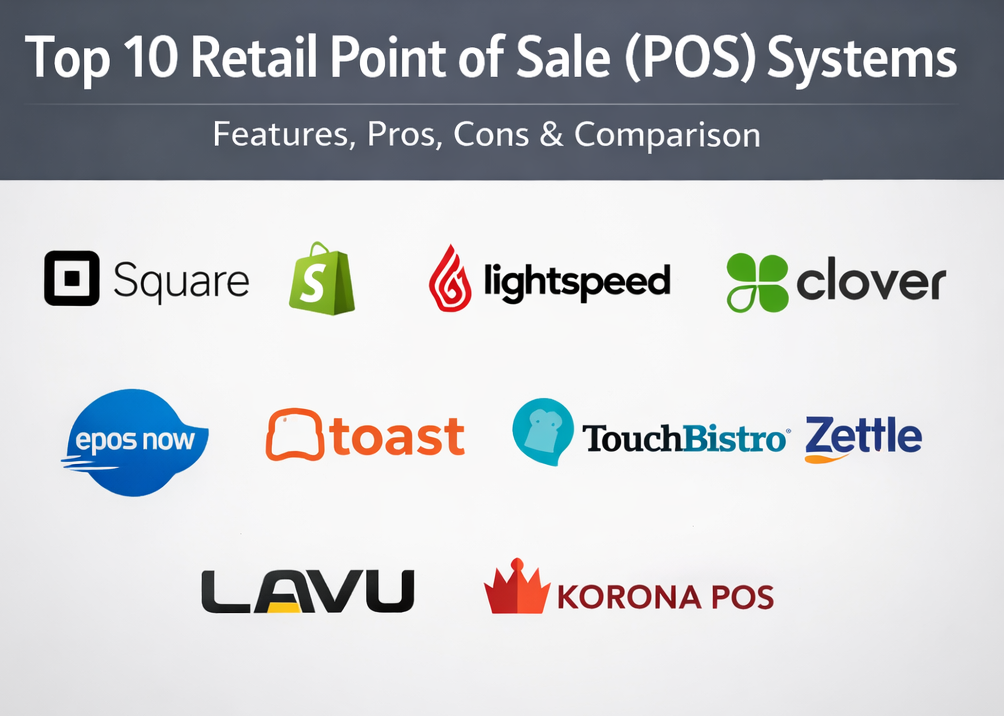
Introduction
A retail POS (point of sale) system is the combination of software (and usually hardware) used to ring up sales, accept payments, manage inventory, process returns/exchanges, and track daily retail operations. In modern retail, POS is no longer just a checkout screen—it’s the operational hub that connects products, customers, staff activity, and fulfillment across locations and channels.
Why it matters now: shoppers expect fast checkout, multiple payment options, and consistent experiences across online and in-store. Retailers also face rising operational pressure: stock accuracy, shrink control, returns handling, and real-time reporting for decision-making. A good POS helps you standardize workflows, reduce human error, and maintain trustworthy inventory and sales data.
Real-world use cases:
- Fast checkout and contactless payments during peak hours
- Real-time inventory updates, receiving, and stock counts
- Omnichannel workflows (buy online pick up in store, in-store returns for online orders)
- Loyalty and customer profiles for repeat purchases
- Multi-store reporting and staff performance tracking
What buyers should evaluate (6–10 criteria):
- Payments fit (supported processors, refunds, offline behavior, settlement)
- Inventory depth (variants, bundles, purchase orders, stock counts)
- Omnichannel readiness (inventory sync, fulfillment options, returns flow)
- Hardware options (terminals, scanners, printers, cash drawers)
- Employee controls (roles, permissions, audit trails, shift controls)
- Reporting quality (SKU performance, tax, staff, location comparisons)
- Integrations (accounting, ecommerce, CRM, shipping, marketing)
- Reliability (uptime expectations, speed, sync conflict handling)
- Security expectations (role-based access, device controls, logs, MFA/SSO where available)
- Total cost of ownership (software + hardware + payments + add-ons)
Mandatory paragraph
- Best for: retail owners, store managers, and operations teams in specialty retail, apparel, convenience, and multi-location stores that need inventory + checkout + reporting in one system.
- Not ideal for: ultra-small sellers who only need basic card acceptance and don’t manage stock, or businesses that require highly specialized vertical features that general retail POS platforms don’t support.
Key Trends in Retail POS Systems and Beyond
- Omnichannel is becoming the default expectation: POS must keep inventory and customer data consistent across online and in-store.
- Inventory accuracy is a competitive advantage: stronger workflows for receiving, adjustments, and cycle counting are increasingly important.
- More automation: low-stock alerts, reorder suggestions, and workflow triggers for approvals and refunds (capability varies by vendor).
- AI shows up in operations: demand forecasting, anomaly detection for shrink, and smarter product categorization (maturity varies widely).
- Security expectations rise: stronger staff permissions, activity logs, and device controls are becoming table stakes.
- Hardware flexibility remains essential: mobile checkout (queue-busting) plus stable countertop setups.
- Integration ecosystems matter more than “features”: accounting, ecommerce, shipping, and CRM often decide long-term success.
- Higher focus on reporting usability: store managers want fast answers (top SKUs, margin, shrink signals), not complex dashboards.
How We Selected These Tools (Methodology)
- Chose widely recognized POS systems that are commonly shortlisted by retailers globally.
- Balanced retail-first platforms with broadly used POS vendors (including some hospitality-leaning tools that appear in hybrid retail scenarios).
- Prioritized tools that can support core retail workflows: checkout, returns/exchanges, discounts, inventory tracking, and reporting.
- Considered omnichannel fit and inventory synchronization as modern differentiators.
- Considered hardware availability and the practicality of store rollout (training, day-to-day speed).
- Avoided guessing certifications, pricing, and public ratings; used “Not publicly stated” or “Varies / N/A” where details are unclear.
- Kept the list to exactly 10 tools and used the same 10 consistently in tables and scoring.
Top 10 Retail Point of Sale (POS) Systems
1 — Square for Retail
Square for Retail is commonly chosen by small and growing retailers who want quick setup, integrated payments, and practical inventory workflows. It’s a strong fit for stores that need a reliable POS without a long implementation.
Key Features
- Inventory receiving and stock adjustment workflows (Varies / N/A).
- Stock adjustment reasons and audit-friendly tracking patterns (Varies / N/A).
- Retail catalog management (SKUs, variants) (Varies / N/A).
- Customer profiles and digital receipts (Varies / N/A).
- Sales reporting by item, category, and time period (Varies / N/A).
- Hardware support for countertop and mobile selling (Varies / N/A).
Pros
- Fast time-to-live for many small retailers (Varies / N/A).
- Good operational balance of checkout + inventory for SMB retail (Varies / N/A).
Cons
- Advanced enterprise governance needs may require additional tooling (Varies / N/A).
- Some capabilities vary by plan and region (Varies / N/A).
Platforms / Deployment
- Web / iOS / Android (Varies / N/A)
- Cloud
Security & Compliance
Not publicly stated.
Integrations & Ecosystem
Square is often used as the checkout + inventory hub and extended via integrations for the rest of retail operations.
- Accounting integrations and exports (Varies / N/A)
- Ecommerce connections (Varies / N/A)
- Marketing and CRM add-ons (Varies / N/A)
- APIs and app ecosystem (Varies / N/A)
Support & Community
Varies / Not publicly stated.
2 — Shopify POS
Shopify POS is commonly selected by retailers who want tight ecommerce integration and omnichannel workflows. It’s a strong fit when your online store and in-store checkout must share inventory and customer context.
Key Features
- Inventory synchronization across channels (Varies / N/A).
- Multi-location inventory support (Varies / N/A).
- Unified customer profiles across online and store transactions (Varies / N/A).
- Omnichannel workflows such as returns/exchanges across channels (Varies / N/A).
- Product catalog and variants aligned with ecommerce (Varies / N/A).
- Store + online reporting views (Varies / N/A).
Pros
- Strong omnichannel fit for online + physical retail (Varies / N/A).
- Helps reduce channel mismatch problems like overselling (Varies / N/A).
Cons
- Best value typically assumes ecommerce is on the same platform (Varies / N/A).
- Some advanced retail workflows may depend on plan/add-ons (Varies / N/A).
Platforms / Deployment
- Web / iOS / Android (Varies / N/A)
- Cloud
Security & Compliance
Not publicly stated.
Integrations & Ecosystem
Shopify POS is usually chosen for ecosystem depth and how well store operations connect to ecommerce and fulfillment.
- Ecommerce-native product and inventory workflows (Varies / N/A)
- Shipping and fulfillment integrations (Varies / N/A)
- Accounting/ERP connections (Varies / N/A)
- App ecosystem and APIs (Varies / N/A)
Support & Community
Varies / Not publicly stated.
3 — Lightspeed Retail
Lightspeed Retail is often positioned for retailers with more complex inventory needs (variants, multi-location, larger catalogs). It’s best for established stores that want deeper inventory controls and retail reporting.
Key Features
- Complex inventory management capabilities (Varies / N/A).
- Multi-location stock tracking (Varies / N/A).
- Product variants, vendors, and purchasing workflows (Varies / N/A).
- Purchase ordering and receiving flows (Varies / N/A).
- Retail reporting across SKUs, staff, and locations (Varies / N/A).
- Integrations for ecommerce and accounting (Varies / N/A).
Pros
- Strong fit when inventory complexity is the main pain point (Varies / N/A).
- Practical for multi-location growth (Varies / N/A).
Cons
- Can be more complex than starter POS tools (Varies / N/A).
- Cost and feature availability vary by plan/region (Varies / N/A).
Platforms / Deployment
- Web / iOS (Varies / N/A)
- Cloud
Security & Compliance
Not publicly stated.
Integrations & Ecosystem
Lightspeed is typically evaluated on whether inventory operations connect cleanly to ecommerce, accounting, and marketing tools.
- Ecommerce channel integrations (Varies / N/A)
- Accounting integrations and exports (Varies / N/A)
- Payments integrations (Varies / N/A)
- APIs and partners (Varies / N/A)
Support & Community
Varies / Not publicly stated.
4 — Clover POS
Clover is widely used by small-to-midsize businesses that want packaged POS hardware and flexible configurations. It can fit retail stores that want a familiar POS experience with add-on apps for extended needs.
Key Features
- Checkout workflows for discounts, refunds, and taxes (Varies / N/A).
- Hardware lineup for different store formats (Varies / N/A).
- App-based extensibility (Varies / N/A).
- Inventory and item catalog (Varies / N/A).
- Employee management and permissions (Varies / N/A).
- Reporting dashboards (Varies / N/A).
Pros
- Good option when hardware + payments packaging matters (Varies / N/A).
- App ecosystem can extend functionality (Varies / N/A).
Cons
- Feature depth can depend on app choices and plan setup (Varies / N/A).
- Processing and merchant setup may vary by reseller/provider (Varies / N/A).
Platforms / Deployment
Varies / N/A.
Security & Compliance
Not publicly stated.
Integrations & Ecosystem
Clover often relies on an app marketplace to extend into loyalty, marketing, and retail add-ons.
- App marketplace extensions (Varies / N/A)
- Accounting exports/integrations (Varies / N/A)
- Ecommerce integrations (Varies / N/A)
- APIs/connectors (Varies / N/A)
Support & Community
Varies / Not publicly stated.
5 — PayPal Zettle
PayPal Zettle is often used by microbusinesses and sellers who want simple, mobile-friendly checkout. It’s best for pop-ups, small catalogs, and low-overhead retail operations.
Key Features
- Mobile-first checkout and payments (Varies / N/A).
- Basic product catalog and inventory tracking (Varies / N/A).
- Receipts and refunds support (Varies / N/A).
- Simple discounting/tax workflows (Varies / N/A).
- Basic sales reporting (Varies / N/A).
- Card reader hardware support (Varies / N/A).
Pros
- Low friction for pop-ups and very small sellers (Varies / N/A).
- Practical when mobility matters more than deep inventory (Varies / N/A).
Cons
- Not ideal for complex, multi-location inventory operations (Varies / N/A).
- Advanced retail workflows may be limited (Varies / N/A).
Platforms / Deployment
- iOS / Android (Varies / N/A)
- Cloud
Security & Compliance
Not publicly stated.
Integrations & Ecosystem
Zettle is usually evaluated around payments simplicity and basic retail operations.
- Payment settlement workflows (Varies / N/A)
- Accounting exports/integrations (Varies / N/A)
- Ecommerce/invoicing workflows (Varies / N/A)
- APIs/connectors (Varies / N/A)
Support & Community
Varies / Not publicly stated.
6 — Epos Now
Epos Now is commonly considered by SMB retailers looking for a packaged POS system with hardware options. It’s best for shops that want a straightforward retail setup and standard reporting.
Key Features
- Retail POS checkout workflows (Varies / N/A).
- Hardware options for counter setups (Varies / N/A).
- Inventory and product catalog (Varies / N/A).
- Staff permissions and shift workflows (Varies / N/A).
- Reporting dashboards (Varies / N/A).
- Add-ons for loyalty/marketing depending on plan (Varies / N/A).
Pros
- Common shortlist option for SMB retail deployments (Varies / N/A).
- Bundled approach can simplify rollout (Varies / N/A).
Cons
- Integrations and features vary by plan and region (Varies / N/A).
- Some retailers may outgrow it as inventory complexity increases (Varies / N/A).
Platforms / Deployment
Varies / N/A.
Security & Compliance
Not publicly stated.
Integrations & Ecosystem
Evaluate based on how well it connects to accounting, ecommerce, and payments in your country and stack.
- Accounting integrations (Varies / N/A)
- Ecommerce connections (Varies / N/A)
- Payments options (Varies / N/A)
- APIs/add-ons (Varies / N/A)
Support & Community
Varies / Not publicly stated.
7 — Toast POS
Toast is widely regarded as restaurant-first, but it can appear in retail shortlists for food retail or hybrid concepts (cafés with merchandise, bakery + retail). It’s best when your “retail” workflow behaves like hospitality.
Key Features
- Hospitality-oriented order and payment workflows (Varies / N/A).
- Staff operations and permissions (Varies / N/A).
- Catalog/menu management patterns (Varies / N/A).
- Reporting and shift summaries (Varies / N/A).
- Hardware ecosystem (Varies / N/A).
- Add-ons and integrations (Varies / N/A).
Pros
- Strong for food retail concepts that operate like quick service or counter service (Varies / N/A).
- Works well for hybrid store models (Varies / N/A).
Cons
- Pure retail stores may prefer retail-first inventory depth (Varies / N/A).
- Fit depends heavily on your store model (Varies / N/A).
Platforms / Deployment
Varies / N/A.
Security & Compliance
Not publicly stated.
Integrations & Ecosystem
Usually evaluated around payments, reporting, and operational add-ons.
- Payments and terminals (Varies / N/A)
- Accounting exports (Varies / N/A)
- Commerce/ordering connections (Varies / N/A)
- APIs/integrations (Varies / N/A)
Support & Community
Varies / Not publicly stated.
8 — TouchBistro
TouchBistro is also generally hospitality-oriented but can be relevant for retail-adjacent businesses (café + merchandise, hybrid venues). It’s best when service workflows matter as much as item selling.
Key Features
- Service-forward POS workflows (Varies / N/A).
- Payments and checkout (Varies / N/A).
- Staff controls and operational workflows (Varies / N/A).
- Reporting dashboards (Varies / N/A).
- Hardware compatibility (Varies / N/A).
- Integrations for extensions (Varies / N/A).
Pros
- Useful for hybrid models blending service and retail (Varies / N/A).
- Can support operational workflows beyond simple retail checkout (Varies / N/A).
Cons
- Retail-first inventory depth may be limited for large SKU catalogs (Varies / N/A).
- Best fit depends on whether you operate more like retail or hospitality (Varies / N/A).
Platforms / Deployment
Varies / N/A.
Security & Compliance
Not publicly stated.
Integrations & Ecosystem
Evaluate based on what you need most: payments, reporting exports, and required add-ons.
- Payments ecosystem (Varies / N/A)
- Reporting exports (Varies / N/A)
- Add-ons/partners (Varies / N/A)
- APIs/connectors (Varies / N/A)
Support & Community
Varies / Not publicly stated.
9 — Lavu
Lavu is typically hospitality-leaning, but it can be considered for retail-adjacent operators that want service workflows plus the ability to sell products. It’s best for hybrid environments rather than barcode-heavy retail.
Key Features
- POS workflows (Varies / N/A).
- Catalog/menu management patterns (Varies / N/A).
- Payments support (Varies / N/A).
- Staff permissions and operational controls (Varies / N/A).
- Reporting dashboards (Varies / N/A).
- Integrations and add-ons (Varies / N/A).
Pros
- Works for businesses that need service-style workflows with retail item selling (Varies / N/A).
- Can fit multi-mode operations (Varies / N/A).
Cons
- Traditional retailers may want deeper inventory and purchasing workflows (Varies / N/A).
- Feature depth varies by deployment and plan (Varies / N/A).
Platforms / Deployment
Varies / N/A.
Security & Compliance
Not publicly stated.
Integrations & Ecosystem
Assess based on your operational dependencies (payments, accounting, and any online ordering or CRM needs).
- Payments connections (Varies / N/A)
- Accounting integrations/exports (Varies / N/A)
- Loyalty/marketing add-ons (Varies / N/A)
- APIs/integrations (Varies / N/A)
Support & Community
Varies / Not publicly stated.
10 — KORONA POS
KORONA POS is often discussed as a retail-focused alternative for convenience and specialty retail (Varies / N/A). It can be a fit for retailers who want a dedicated POS option beyond the biggest ecosystems.
Key Features
- Retail checkout workflows (Varies / N/A).
- Inventory and catalog management (Varies / N/A).
- Promotions, discounting, and pricing rules (Varies / N/A).
- Reporting and dashboards (Varies / N/A).
- Hardware integration (Varies / N/A).
- Multi-store support (Varies / N/A).
Pros
- Can be compelling when you want a more retail-specific alternative (Varies / N/A).
- Useful when you want flexibility without committing to a single ecommerce platform (Varies / N/A).
Cons
- Integration breadth must be validated for your stack (Varies / N/A).
- Regional availability and payment options can vary (Varies / N/A).
Platforms / Deployment
Varies / N/A.
Security & Compliance
Not publicly stated.
Integrations & Ecosystem
Like most POS systems, long-term success depends on how well it connects to your operational stack.
- Payments integrations (Varies / N/A)
- Accounting integrations/exports (Varies / N/A)
- Ecommerce connections (Varies / N/A)
- APIs/connectors (Varies / N/A)
Support & Community
Varies / Not publicly stated.
Comparison Table (Top 10)
| Tool Name | Best For | Platform(s) Supported | Deployment (Cloud/Self-hosted/Hybrid) | Standout Feature | Public Rating |
|---|---|---|---|---|---|
| Square for Retail | SMB retail needing fast setup | Web / iOS / Android (Varies / N/A) | Cloud | Practical inventory workflows | N/A |
| Shopify POS | Omnichannel retail | Web / iOS / Android (Varies / N/A) | Cloud | Online + store alignment | N/A |
| Lightspeed Retail | Complex inventories | Web / iOS (Varies / N/A) | Cloud | Deeper inventory controls | N/A |
| Clover POS | Hardware-first POS setups | Varies / N/A | Varies / N/A | Flexible hardware + app add-ons | N/A |
| PayPal Zettle | Pop-ups and microbusiness | iOS / Android (Varies / N/A) | Cloud | Simple mobile selling | N/A |
| Epos Now | SMB packaged POS | Varies / N/A | Varies / N/A | Standard retail deployment approach | N/A |
| Toast POS | Food retail and hybrids | Varies / N/A | Varies / N/A | Hospitality-style workflows | N/A |
| TouchBistro | Retail-adjacent service venues | Varies / N/A | Varies / N/A | Service-forward operations | N/A |
| Lavu | Hybrid service + product selling | Varies / N/A | Varies / N/A | Multi-mode operational fit | N/A |
| KORONA POS | Retail-focused alternative | Varies / N/A | Varies / N/A | Retail-first positioning (Varies / N/A) | N/A |
Evaluation & Scoring of Retail POS Systems
Weights:
- Core features – 25%
- Ease of use – 15%
- Integrations & ecosystem – 15%
- Security & compliance – 10%
- Performance & reliability – 10%
- Support & community – 10%
- Price / value – 15%
| Tool Name | Core (25%) | Ease (15%) | Integrations (15%) | Security (10%) | Performance (10%) | Support (10%) | Value (15%) | Weighted Total (0–10) |
|---|---|---|---|---|---|---|---|---|
| Square for Retail | 8 | 9 | 7 | 6 | 8 | 7 | 8 | 7.75 |
| Shopify POS | 8 | 8 | 9 | 6 | 8 | 7 | 7 | 7.70 |
| Lightspeed Retail | 9 | 7 | 7 | 6 | 8 | 7 | 6 | 7.35 |
| Clover POS | 7 | 8 | 7 | 6 | 7 | 6 | 7 | 7.05 |
| PayPal Zettle | 6 | 9 | 6 | 6 | 7 | 6 | 8 | 6.95 |
| Epos Now | 7 | 7 | 6 | 6 | 7 | 6 | 7 | 6.70 |
| Toast POS | 7 | 7 | 7 | 6 | 8 | 7 | 6 | 6.90 |
| TouchBistro | 6 | 7 | 6 | 6 | 7 | 6 | 6 | 6.35 |
| Lavu | 6 | 7 | 6 | 6 | 7 | 6 | 6 | 6.35 |
| KORONA POS | 7 | 7 | 6 | 6 | 7 | 6 | 7 | 6.70 |
How to interpret the scores:
- Weighted totals help shortlist; they don’t replace a store-specific pilot.
- If inventory complexity is your pain point, prioritize Core over Ease.
- If staff adoption is the biggest risk, prioritize Ease and Support.
- If omnichannel is central, prioritize Integrations and workflow fit with your ecommerce stack.
Which Retail POS System Is Right for You?
Solo / Freelancer
If you sell at pop-ups or markets, prioritize quick setup, mobile checkout, and low overhead. Choose a system that’s easy to train, works reliably with your payment method, and supports basic product catalogs.
SMB
Most SMB retailers need stable checkout, decent inventory, returns handling, and simple reporting. Prioritize ease of use, reliable hardware support, and the integrations you truly need (usually accounting first, ecommerce second).
Mid-Market
Mid-market retailers should prioritize multi-location inventory, purchasing workflows, and consistent reporting. Run a pilot that includes receiving stock, partial returns, exchanges, and a stock count—these are where many systems fail in real life.
Enterprise
Enterprise retailers often require deeper governance, standardized processes across stores, controlled permissions, and reliable data exports into BI/ERP environments. Selection becomes an integration and operating-model decision as much as a UI decision.
Budget vs Premium
Budget systems can work well if your workflows are simple and you avoid add-on sprawl. Premium systems pay off when they reduce stock errors, support multi-location operations, and provide dependable reporting.
Feature Depth vs Ease of Use
Feature-heavy platforms may handle complex inventory and workflows but can slow training and daily use. Lightweight systems are easier to adopt but may hit limits in purchasing, advanced inventory, or governance.
Integrations & Scalability
If you already use ecommerce, accounting, and marketing tools, choose a POS with proven integrations and stable export options. For omnichannel retail, validate that inventory stays correct across channels during real transactions (sales, returns, cancellations).
Security & Compliance Needs
Confirm role-based access, staff permissions, and activity logs. If MFA/SSO, device controls, or compliance attestations are important and not clearly documented, treat them as “Not publicly stated” and request proof during procurement.
Frequently Asked Questions (FAQs)
1) What is a retail POS system?
A retail POS system is software (and often hardware) that runs checkout, payments, inventory updates, receipts, and workflows like returns and discounts.
2) How is a POS different from a payment terminal?
A terminal processes card payments; the POS manages the full sale workflow (items, tax, discounts, inventory, receipts, and reporting).
3) Do I need barcode scanners and label printing?
If you have many SKUs or frequent stock movement, yes—barcodes reduce errors and speed up checkout and stock counts. If you sell a small catalog, it’s optional.
4) What inventory features matter most for retail?
Variants, stock receiving, stock adjustments, cycle counts, and multi-location transfers (if you have more than one store).
5) What does “omnichannel POS” actually mean?
It means product, inventory, and customer data stays aligned across online and store channels, and your workflows support cross-channel returns and fulfillment.
6) Should I require offline mode?
If your internet is unstable or you operate in high-traffic areas, offline behavior matters. Ask what transactions are allowed offline and how reconciliation works after reconnecting.
7) What are the most common POS implementation mistakes?
Messy SKU data, inconsistent taxes/discount rules, weak staff permissions, and no standard workflow for receiving stock and handling returns.
8) How do I evaluate POS hardware compatibility?
Test scanners, printers, drawers, and terminals in a real store layout. Also confirm warranty, replacement timelines, and whether mobile checkout is supported.
9) Can I switch POS systems later?
Yes, but migration can be painful. Ensure you can export products, customers, and sales history, and plan a parallel run before a full cutover.
10) What’s the best way to run a POS pilot?
Pilot one store, load a real catalog subset, process real returns/exchanges, run receiving and a stock count, then verify reporting matches reality.
Conclusion
The best retail POS depends on your inventory complexity, omnichannel needs, store count, and how disciplined your operations are. Shortlist two or three systems, run a pilot that includes receiving, returns/exchanges, and stock counting, validate the integrations you depend on (especially accounting and ecommerce), then standardize training and permissions before rolling out widely. Choosing the right retail POS is about workflow fit: checkout speed, returns, and daily staff usability matter as much as features. If inventory accuracy is your biggest risk, prioritize strong receiving, adjustments, and stock count workflows before fancy add-ons. If you sell online and in-store, make omnichannel inventory sync and cross-channel returns a non-negotiable requirement. Always pilot in one location using real SKUs, real discounts, real returns, and at least one stock count to validate reporting accuracy.

Best Cardiac Hospitals Near You
Discover top heart hospitals, cardiology centers & cardiac care services by city.
Advanced Heart Care • Trusted Hospitals • Expert Teams
View Best Hospitals