Introduction
An RSS aggregator is a specialized digital tool that collects and organizes content from multiple websites, blogs, and news outlets into a single, unified interface. By utilizing Really Simple Syndication technology, these platforms allow users to bypass the noise of traditional social media algorithms and direct their own information flow. In a landscape saturated with information overload, aggregators provide a centralized hub where professionals and researchers can monitor industry updates without manual searching. These tools are essential for maintaining situational awareness in fast-moving sectors, enabling a curated reading experience that prioritizes relevance and chronological order over engagement-based sorting.
Evaluating a high-quality aggregator involves looking at the speed of content fetching, the robustness of the filtering system, and the ability to integrate with other productivity workflows. As digital ecosystems become more complex, the modern aggregator must handle more than just text; it must manage podcasts, newsletters, and video feeds with equal efficiency. For organizations, these tools serve as a primary source of competitive intelligence, allowing teams to track mentions and trends across the entire web in real-time. Choosing the right platform ensures that you remain informed while minimizing the time spent navigating disparate sources.
Best for: Knowledge workers, researchers, content curators, and marketing professionals who need to monitor high volumes of niche information daily.
Not ideal for: Casual internet users who prefer curated social media discovery or those who only follow a single news source.
Key Trends in RSS Aggregators
- Intelligence-Driven Filtering: Advanced platforms now use logic to prioritize articles based on your reading habits, automatically hiding repetitive or irrelevant content.
- Newsletter Integration: Modern aggregators can generate custom email addresses, allowing you to read newsletters alongside your RSS feeds to keep your inbox clean.
- Privacy-First Consumption: There is a growing focus on tools that do not track user behavior or sell reading data to third-party advertisers.
- Full-Text Extraction: Tools are increasingly including the ability to pull the full content of an article directly into the reader, even if the source feed only provides a summary.
- Cross-Platform Synchronization: The standard is now a seamless transition between desktop, web, and mobile, ensuring your “read” status is updated everywhere instantly.
- Workflow Automation: Direct connections to task managers and archive tools allow users to turn news items into actionable tasks or permanent records.
How We Selected These Tools (Methodology)
- Feed Reliability: We prioritized tools known for high-frequency polling and accurate synchronization across different server environments.
- User Experience: Selection was based on the clarity of the reading interface and the ease of organizing hundreds of individual sources into folders.
- Feature Diversity: We looked for platforms that offer a range of viewing modes, including magazine layouts, list views, and specialized search functions.
- Integration Support: A major factor was how well the tool communicates with third-party applications like read-it-later services and cloud storage.
- Security Architecture: We evaluated the presence of secure login methods and the protection of user-generated feed lists and private data.
- Scalability: The chosen tools perform efficiently whether managing ten feeds for a hobbyist or thousands of feeds for a corporate research team.
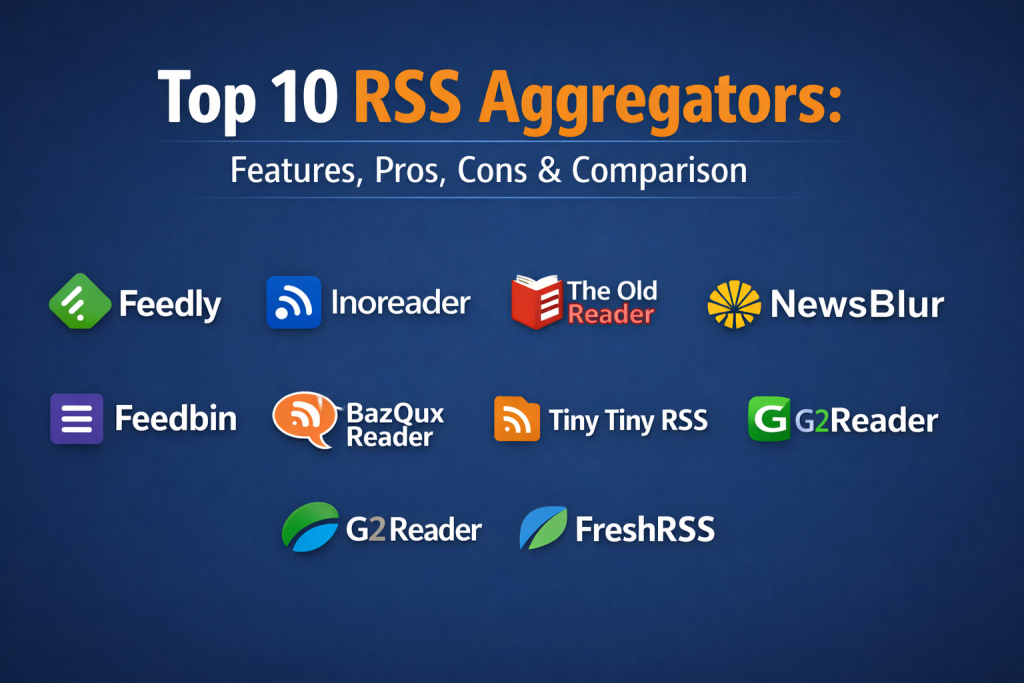
Top 10 RSS Aggregators
1. Feedly
Feedly is arguably the most recognizable name in the space, offering a sophisticated platform that serves both individual readers and enterprise-level intelligence teams. It excels at discovering new content through its robust search engine and organizing it into tailored feeds.
Key Features
- Leo AI assistant for prioritizing important news.
- The ability to follow newsletters and Twitter feeds.
- Comprehensive search and filtering across all followed sources.
- Team collaboration boards for sharing insights.
- Mobile and web synchronization.
Pros
- Polished and highly intuitive user interface.
- Strongest third-party integration ecosystem in the category.
Cons
- Most advanced features are locked behind a monthly subscription.
- AI features can sometimes feel overwhelming for basic users.
Platforms / Deployment
- Web / iOS / Android
- Cloud
Security & Compliance
- SSO, MFA, and enterprise-grade encryption.
Integrations & Ecosystem
Feedly connects to almost every major productivity app in the market.
- Slack
- Microsoft Teams
- Zapier
Support & Community
Extensive documentation and dedicated professional support for business tiers.
2. Inoreader
Inoreader is a power user’s dream, offering deep automation and search capabilities that go far beyond standard reading. It is built for those who need to manipulate and filter their data as much as they read it.
Key Features
- Rule-based automation for moving or tagging articles.
- Active search queries that update whenever new content is found.
- Global search functionality across the entire Inoreader database.
- High-speed polling for immediate content updates.
- Customizable dashboard with various viewing modes.
Pros
- Deepest set of power-user features available.
- Excellent performance with very large feed lists.
Cons
- The interface can be intimidating for casual readers.
- Free tier is more restrictive than some competitors.
Platforms / Deployment
- Web / iOS / Android
- Cloud
Security & Compliance
- Secure authentication and privacy-focused settings.
Integrations & Ecosystem
Strong focus on automation and developer access.
- IFTTT
- Zapier
- Evernote
- OneNote
Support & Community
Active user forums and detailed technical guides for automation setup.
3. The Old Reader
The Old Reader focuses on a social-first approach, bringing back the community aspects of early feed aggregators. It prioritizes a clean, simple layout that focuses on sharing content with friends and colleagues.
Key Features
- Social sharing features with friends and followers.
- Simple, list-based interface reminiscent of classic readers.
- Folder-based organization for easy feed management.
- Support for standard OPML imports and exports.
- Clean reading mode for distraction-free consumption.
Pros
- Extremely easy to set up and use.
- Familiar layout for long-time RSS users.
Cons
- Lacks the advanced AI and automation of newer platforms.
- Slower feature update cycle compared to larger rivals.
Platforms / Deployment
- Web / iOS / Android
- Cloud
Security & Compliance
- Standard web security protocols.
Integrations & Ecosystem
Basic integrations for sharing and archiving.
- Instapaper
- Wallabag
Support & Community
A loyal community and direct email support for registered users.
4. NewsBlur
NewsBlur is a personal news reader that emphasizes the ability to “train” your feed. By highlighting or hiding stories based on keywords and authors, the platform learns exactly what you want to see over time.
Key Features
- Intelligence training to filter content by author or tag.
- Original site view that shows the full webpage layout.
- Real-time updates without page refreshes.
- Open-source core for transparency and trust.
- Cross-platform story syncing.
Pros
- Training system is highly effective at reducing noise.
- Offers a unique view that preserves the source’s branding.
Cons
- Design can feel a bit dated compared to modern apps.
- Learning the training system requires initial effort.
Platforms / Deployment
- Web / iOS / Android
- Cloud and Self-hosted options
Security & Compliance
- Private feed support and secure login.
Integrations & Ecosystem
Open API allows for various custom integrations.
- Standard sharing tools
- Social media connectors
- RSS export options
Support & Community
Strong developer community and open-source documentation.
5. NetVibes
NetVibes is an enterprise-grade dashboarding tool that uses RSS as its foundation. It is designed for brand monitoring and deep analytics, making it more of a professional dashboard than a simple reader.
Key Features
- Widget-based dashboard for viewing multiple sources at once.
- Social media monitoring and analytics tools.
- Automated “Potions” for triggering actions based on news.
- Brand sentiment tracking for marketing teams.
- Visual reports and data charts.
Pros
- Excellent for high-level monitoring and data visualization.
- Extremely customizable layout.
Cons
- Overkill for users who just want to read blogs.
- Professional features are significantly more expensive.
Platforms / Deployment
- Web
- Cloud
Security & Compliance
- Enterprise-level security and data privacy.
Integrations & Ecosystem
Designed to integrate with corporate data and marketing suites.
- Analytics tools
- Marketing automation
- Social media platforms
Support & Community
Corporate-level support and extensive business documentation.
6. Feedbin
Feedbin is a premium, minimalist reader that focuses on a fast, beautiful, and ad-free experience. It is highly regarded for its clean typography and support for modern feed types like newsletters and podcasts.
Key Features
- Email newsletter support with a dedicated address.
- Full-featured podcast player integrated into the reader.
- Twitter integration to follow accounts as feeds.
- Extremely fast search and filtering.
- Highly customizable reading themes.
Pros
- Beautiful, distraction-free design.
- Highly reliable and private with no tracking.
Cons
- No free tier; requires a subscription from the start.
- Lacks advanced AI-driven discovery features.
Platforms / Deployment
- Web / iOS (via third-party apps)
- Cloud
Security & Compliance
- Privacy-centric design with secure payments.
Integrations & Ecosystem
The preferred backend for many independent mobile reading apps.
- Reeder
- Fiery Feeds
- Instapaper
Support & Community
Direct support from the developer and a dedicated user base.
7. BazQux Reader
BazQux is a streamlined, fast, and lightweight RSS reader that focuses on one thing: getting content to the user as quickly as possible. It is built for efficiency and supports commenting systems from the sources.
Key Features
- Displays comments from blogs and social networks.
- Fast and efficient fetching engine.
- Simple, responsive design that works on all devices.
- Support for Twitter, Facebook, and Google+ pages.
- Full-text extraction for truncated feeds.
Pros
- One of the fastest readers in terms of page loads.
- Great for seeing the discussion around an article.
Cons
- The interface is very utilitarian and lacks visual flair.
- Paid-only model after a short trial.
Platforms / Deployment
- Web
- Cloud
Security & Compliance
- Privacy-focused with no third-party scripts.
Integrations & Ecosystem
Supports standard export formats for use with other tools.
- Instapaper
- Readability
Support & Community
Responsive developer support and a straightforward FAQ.
8. Tiny Tiny RSS
Tiny Tiny RSS is an open-source, self-hosted aggregator for those who want total control over their data. It is highly customizable through plugins and themes but requires technical knowledge to maintain.
Key Features
- Complete ownership of your data and server.
- Plugin system for adding custom features.
- Advanced filtering using regular expressions.
- Support for multiple user accounts on one server.
- Automated feed updates via server-side tasks.
Pros
- Total privacy and control over your reading habits.
- Completely free to use if you have your own hosting.
Cons
- Requires technical skill to install and update.
- No dedicated cloud-hosted version for non-tech users.
Platforms / Deployment
- Self-hosted / Android
- On-premise / Private Cloud
Security & Compliance
- Depends entirely on the user’s server configuration.
Integrations & Ecosystem
Highly extensible through community-made plugins.
- Fever API support
- Custom themes
- Social sharing plugins
Support & Community
Active developer forums and extensive community documentation.
9. G2Reader
G2Reader is a simple and effective alternative that captures the essence of the now-defunct Google Reader. It provides a straightforward list view that makes scanning through headlines very efficient.
Key Features
- Fast synchronization and simple folder organization.
- Unread item count indicators for categories.
- One-click sharing to major social networks.
- Import and export via OPML files.
- Lightweight web interface for slow connections.
Pros
- Very familiar for former Google Reader users.
- Light on system resources.
Cons
- Lacks modern features like AI or newsletter integration.
- Mobile experience is not as polished as competitors.
Platforms / Deployment
- Web / Android
- Cloud
Security & Compliance
- Standard web encryption.
Integrations & Ecosystem
Basic social and archive integrations.
- Evernote
Support & Community
Basic email support and a simple help center.
10. FreshRSS
FreshRSS is another powerful self-hosted option that is remarkably fast and easy to use once installed. It strikes a balance between the technical control of Tiny Tiny RSS and a more modern user interface.
Key Features
- Self-hosted with a focus on speed and responsiveness.
- Support for multiple themes and extensions.
- Anonymous reading mode to protect privacy.
- Command-line interface for advanced management.
- Built-in support for multiple languages.
Pros
- Very fast interface even with thousands of feeds.
- Easier to set up than most self-hosted alternatives.
Cons
- Still requires a personal server or hosting account.
- Official mobile apps are limited; relies on third-party clients.
Platforms / Deployment
- Self-hosted
- On-premise / Private Cloud
Security & Compliance
- User-managed security protocols.
Integrations & Ecosystem
Supports the Fever and Google Reader APIs.
- Reeder
- NewsFlash
- NetNewsWire
Support & Community
Active GitHub repository and community-led documentation.
Comparison Table
| Tool Name | Best For | Platform(s) Supported | Deployment | Standout Feature | Public Rating |
| 1. Feedly | Professionals | Web, iOS, Android | Cloud | AI Research Assistant | N/A |
| 2. Inoreader | Power Users | Web, iOS, Android | Cloud | Deep Automations | N/A |
| 3. The Old Reader | Social Reading | Web, iOS, Android | Cloud | Friend Recommendations | N/A |
| 4. NewsBlur | Training Feeds | Web, iOS, Android | Hybrid | Intelligence Filters | N/A |
| 5. NetVibes | Market Analysis | Web | Cloud | Brand Dashboards | N/A |
| 6. Feedbin | Minimalists | Web, iOS | Cloud | Newsletter Privacy | N/A |
| 7. BazQux Reader | Fast Scanning | Web | Cloud | Comment Integration | N/A |
| 8. Tiny Tiny RSS | Self-Hosting | Self-hosted, Android | On-premise | Full Data Ownership | N/A |
| 9. G2Reader | Simple List View | Web, Android | Cloud | Lightweight UI | N/A |
| 10. FreshRSS | Speed & Control | Self-hosted | On-premise | Modern Self-hosting | N/A |
Evaluation & Scoring of RSS Aggregators
| Tool Name | Core (25%) | Ease (15%) | Integrations (15%) | Security (10%) | Performance (10%) | Support (10%) | Value (15%) | Weighted Total |
| 1. Feedly | 9 | 10 | 10 | 9 | 9 | 9 | 7 | 8.90 |
| 2. Inoreader | 10 | 7 | 10 | 8 | 9 | 8 | 8 | 8.65 |
| 3. The Old Reader | 6 | 9 | 6 | 7 | 8 | 7 | 9 | 7.30 |
| 4. NewsBlur | 8 | 7 | 7 | 8 | 8 | 8 | 9 | 7.85 |
| 5. NetVibes | 7 | 6 | 9 | 9 | 8 | 9 | 5 | 7.30 |
| 6. Feedbin | 8 | 10 | 8 | 10 | 10 | 9 | 8 | 8.70 |
| 7. BazQux Reader | 7 | 8 | 6 | 9 | 10 | 8 | 8 | 7.60 |
| 8. Tiny Tiny RSS | 9 | 3 | 9 | 6 | 10 | 7 | 10 | 7.55 |
| 9. G2Reader | 5 | 9 | 5 | 7 | 8 | 6 | 9 | 6.75 |
| 10. FreshRSS | 8 | 6 | 8 | 7 | 10 | 7 | 10 | 8.00 |
This evaluation looks at how each platform handles the high-intensity data management required for modern news consumption. Higher scores in core features reflect the ability to handle various media types beyond basic text. Value scores are higher for open-source or one-time-fee models compared to high-cost recurring subscriptions. The total provides a balanced view of technical capability versus usability.
Which RSS Aggregator Tool Is Right for You?
Solo / Freelancer
Feedly is the most approachable option for individuals, providing a smooth interface that makes content discovery effortless. For those who prioritize a clean aesthetic and newsletter reading, Feedbin offers a superior experience.
SMB
Inoreader is ideal for small businesses that need to track specific industry terms or competitors. Its automation rules allow a small team to process massive amounts of data without manual oversight.
Mid-Market
Growing teams should utilize Feedly’s team boards and sharing features to ensure that everyone is aligned on industry trends and market shifts.
Enterprise
NetVibes is the standard for large organizations requiring deep brand monitoring and sentiment analysis that integrates into broader corporate dashboards.
Budget vs Premium
Tiny Tiny RSS and FreshRSS are the champions of the budget-conscious, offering professional features for free, provided you can handle the technical setup. Feedly and Inoreader remain the premium choices for those who value time and ease over cost.
Feature Depth vs Ease of Use
Inoreader offers the most depth for users willing to learn its complex rules, while The Old Reader provides the easiest transition for anyone looking for a simple reading list.
Integrations & Scalability
Feedly leads the market in integrations, making it the best choice for those whose news reading must trigger actions in other productivity apps.
Security & Compliance Needs
For users with high security requirements or a need for complete data sovereignty, self-hosting with FreshRSS or Tiny Tiny RSS ensures that no third party ever sees your reading list or behavior data.
Frequently Asked Questions
Can I share my feeds with a team?
Enterprise-focused tools like Feedly and NetVibes have dedicated features for shared folders and collaborative boards for team-wide intelligence.
Why use an RSS aggregator instead of social media?
Aggregators allow you to see every post from your selected sources in chronological order, without an algorithm deciding what is important or showing you unrelated ads.
Can I follow newsletters with these tools?
Yes, several modern aggregators like Feedly and Feedbin provide you with a private email address that routes newsletters directly into your reading feed.
What is an OPML file?
OPML is the standard file format for RSS feed lists, allowing you to easily export your sources from one aggregator and import them into another.
Do these tools work on mobile?
Most cloud-based aggregators have dedicated apps, while self-hosted versions often connect to universal mobile readers via an API.
Is RSS technology still relevant?
It is more relevant than ever for professionals who need to avoid the bias and distractions of modern social platforms to maintain high-quality information streams.
What does “Self-hosting” mean?
Self-hosting means you install the software on your own private server, giving you full control over the database and ensuring no third party tracks your reading.
Can I follow YouTube channels with RSS?
Most aggregators allow you to paste a YouTube URL directly, turning channel uploads into a feed that you can watch alongside your written news.
Are there free RSS aggregators?
Yes, many offer free tiers with limited feeds, and open-source options like FreshRSS are free to use if you host them yourself.
What is “Full-text extraction”?
Many feeds only provide a short summary; extraction tools pull the entire content from the source website so you can read the whole article without leaving the app.
Conclusion
Selecting the ideal RSS aggregator is a critical step in reclaiming control over your digital environment and ensuring you remain informed without falling victim to information fatigue. Whether you require the automated power of Inoreader to manage a professional intelligence pipeline or the minimalist elegance of Feedbin for focused reading, the right choice depends on your specific workflow and technical comfort level. As the volume of online content continues to grow, these tools serve as an essential filter for quality and relevance. To find your perfect match, it is advisable to test two or three platforms using your existing feed list to evaluate their speed and synchronization reliability before committing to a premium subscription.

Best Cardiac Hospitals Near You
Discover top heart hospitals, cardiology centers & cardiac care services by city.
Advanced Heart Care • Trusted Hospitals • Expert Teams
View Best Hospitals