Introduction
Runbook automation tools help teams turn repeated operational tasks into safe, repeatable, auditable workflows. Instead of engineers manually running the same commands during incidents, these tools let you define runbooks that can be executed on demand or triggered automatically. A good runbook automation setup reduces human error, speeds up recovery, and brings consistent outcomes across environments.
Modern systems are more distributed and dependency-heavy, so incident response is often a mix of infrastructure actions, application actions, and coordination steps. Runbook automation helps by standardizing “what to do next” when alerts fire, deployments fail, certificates expire, queues back up, or services become unhealthy.
Real-world use cases:
- Auto-remediation for common alerts (restart, scale, clear cache, rotate keys)
- Guided incident response workflows (triage, diagnostics, rollback, failover)
- Routine operations (patching, user access changes, cleanup jobs)
- Compliance-friendly automation (approvals, logging, separation of duties)
- Change execution with guardrails (prechecks, canaries, rollback steps)
What buyers should evaluate:
- Runbook authoring experience and version control support
- Approval gates, access controls, and audit logs
- Secrets handling for credentials, tokens, and keys
- Target coverage (servers, containers, cloud resources, apps)
- Reliability of execution, retries, and rollback patterns
- Integrations with monitoring, incident, and ticketing systems
- Usability for both operators and developers
- Self-service capabilities for controlled execution
- Reporting for run frequency, success rates, and impact
- Cost predictability for scale and enterprise governance
Best for: SRE, DevOps, platform engineering, IT operations, and NOC teams that want consistent, fast operational responses with clear governance.
Not ideal for: teams with very low operational load, or environments where automation cannot be trusted due to missing observability, weak access controls, or constant configuration drift.
Key Trends in Runbook Automation Tools
- More “event-driven” runbooks triggered by alerts and health signals
- Stronger guardrails: approvals, role-based execution, and audit visibility
- Better secrets handling with external vault integrations
- More Git-based workflows for runbook versioning and peer review
- Increased focus on safe automation: prechecks, timeouts, rollbacks, and blast-radius limits
- More platform-native runbooks in cloud operations toolchains
- Better integration with incident workflows and post-incident reporting
- Higher demand for self-service automation with policy controls
- Standardized automation libraries for repeatable operational patterns
- Automation analytics to prove impact on MTTR and incident volume
How We Selected These Tools
- Strong fit for runbook execution and operational automation
- Proven adoption in operations, SRE, or platform workflows
- Ability to manage access, approvals, and audit requirements
- Integration options with monitoring, incident, and ticketing tools
- Reliability signals: retries, logging, failure visibility, rollback support
- Flexibility across environments (cloud, hybrid, self-hosted)
- Practical authoring and maintenance experience at scale
- Documentation and onboarding quality for real teams
- Segment coverage from small teams to enterprise programs
- Active development and ecosystem maturity
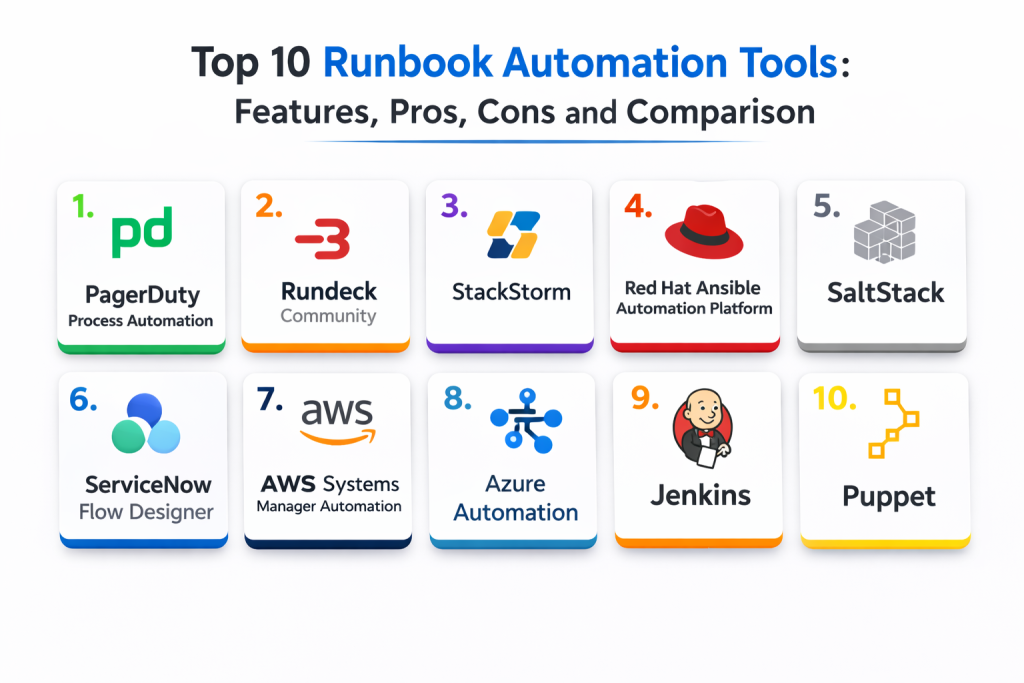
Top 10 Runbook Automation Tools
1 — PagerDuty Process Automation
An enterprise runbook automation platform designed for controlled execution, approvals, and operational governance, often used alongside incident response workflows.
Key Features
- Central runbook catalog with access controls
- Job execution with approvals and audit trails
- Parameterized workflows for safe reuse
- Execution logging, output capture, and history
- Scheduling and triggers for routine operations
- Role-based controls for who can run what
- Integration options for incident workflows and notifications
Pros
- Strong governance and enterprise controls
- Clear auditability and run history
- Good fit for standardized operations across teams
Cons
- Can be heavy for small teams
- Runbook design discipline is required to scale cleanly
- Costs can rise with broad adoption
Platforms / Deployment
- Web
- Cloud
Security & Compliance
- SSO, RBAC, audit logs: Varies / Not publicly stated
- Compliance certifications: Not publicly stated
Integrations & Ecosystem
Works best when connected to monitoring and incident workflows so runbooks are actionable at the right time.
- Monitoring and alert integrations for triggers
- Chat and notification integrations for coordination
- APIs for automation and provisioning
- Works well with Git-based runbook management
- Ticketing workflow alignment through configuration
Support & Community
Enterprise-style support and documentation; adoption is strongest in operations-led organizations.
2 — Rundeck Community
A widely used open-source runbook automation tool that focuses on job execution, access control, and simple operational workflows, with strong flexibility for self-hosted environments.
Key Features
- Job definitions with parameters and options
- Node targeting and execution across fleets
- Scheduling for recurring operational tasks
- Output logging and run history
- Basic access controls and project boundaries
- Plugin ecosystem for integrations
- Web console for operators and teams
Pros
- Great value for self-hosted runbook execution
- Flexible targeting for operational actions
- Strong community usage and patterns
Cons
- Advanced governance may require extra setup
- Plugin management can add operational overhead
- Complex workflows require careful structuring
Platforms / Deployment
- Web / Linux
- Self-hosted
Security & Compliance
- RBAC, audit visibility: Varies / Not publicly stated
- Compliance certifications: Not publicly stated
Integrations & Ecosystem
Commonly paired with configuration tools and monitoring to build complete operational flows.
- Plugins for common infrastructure tools
- Webhooks and APIs for automation
- Works with scripting and configuration frameworks
- Integrates into ticketing and chat via connectors
- Fits well with Git-based job definitions
Support & Community
Strong open-source community; support quality varies based on how it is deployed and maintained.
3 — StackStorm
An event-driven automation platform that turns alerts and events into actions using workflows and rules, often used for auto-remediation and operational orchestration.
Key Features
- Event-driven rules to trigger runbooks
- Workflow engine for multi-step automation
- Rich integration pack ecosystem
- Actions for scripts, APIs, and command execution
- ChatOps patterns for controlled execution
- Logging and visibility into executions
- Reusable automation building blocks
Pros
- Excellent for alert-to-action automation
- Strong integration and rule-based approach
- Good for standardizing auto-remediation patterns
Cons
- Setup and maintenance can be complex
- Requires discipline in workflow design
- Best value appears after investment in integration packs
Platforms / Deployment
- Linux
- Self-hosted
Security & Compliance
- Access controls: Varies / Not publicly stated
- Compliance certifications: Not publicly stated
Integrations & Ecosystem
Strong when you need automation to react to events from many systems.
- Integration packs for common tools and services
- APIs for workflow triggers and execution
- Works with messaging and chat workflows
- Supports webhook-driven automation patterns
- Can orchestrate actions across infrastructure layers
Support & Community
Community support varies; success depends on internal ownership and clear automation standards.
4 — Red Hat Ansible Automation Platform
A broad automation platform centered on Ansible playbooks, often used for runbook automation, configuration changes, and repeatable operational actions with enterprise controls.
Key Features
- Playbook-driven runbooks for consistent execution
- Centralized execution management and scheduling
- Role-based access and governance controls
- Inventory and targeting across environments
- Logging and job history for operations visibility
- Integration options for ITSM and monitoring workflows
- Reusable collections and roles for standard patterns
Pros
- Strong for infrastructure and application operations automation
- Large ecosystem of modules and community content
- Works well for standardized operational practices
Cons
- Requires structured playbook practices to scale
- Some workflows can become complex over time
- Adoption needs training and runbook ownership discipline
Platforms / Deployment
- Web / Linux
- Self-hosted / Hybrid
Security & Compliance
- RBAC, credential controls: Varies / Not publicly stated
- Compliance certifications: Not publicly stated
Integrations & Ecosystem
Ansible fits well where operations wants infrastructure actions to be repeatable and reviewable.
- Integrates with many infrastructure and cloud services
- Works with ticketing workflows via connectors
- APIs for automation and provisioning
- Reusable libraries for operational consistency
- Pairs well with Git-based review workflows
Support & Community
Strong ecosystem and broad community usage; enterprise support varies by subscription.
5 — SaltStack
An automation and configuration platform often used for operational runbooks, patching tasks, and fleet-level actions, with a focus on scale.
Key Features
- Remote execution across large fleets
- State-driven automation and configuration patterns
- Scheduling and orchestration capabilities
- Targeting based on roles, grains, and metadata
- Execution logging and visibility
- Integration options with monitoring signals
- Useful for patching and routine maintenance tasks
Pros
- Strong at scale for fleet automation
- Flexible targeting and grouping for operations
- Good for repeatable infrastructure actions
Cons
- Requires operational expertise to manage cleanly
- Debugging complex orchestration can take time
- Best results need strong configuration hygiene
Platforms / Deployment
- Linux / Windows
- Self-hosted
Security & Compliance
- Access controls: Varies / Not publicly stated
- Compliance certifications: Not publicly stated
Integrations & Ecosystem
Often used in infrastructure-heavy environments where fleet operations must be consistent.
- Integrates with common infrastructure systems
- APIs and hooks for workflow triggers
- Works alongside monitoring and incident processes
- Supports automation modules and reusable patterns
- Can be aligned with change management processes
Support & Community
Community resources exist; success depends on good operational ownership and documentation.
6 — ServiceNow Flow Designer
A workflow automation tool inside a broader service management ecosystem, commonly used to automate operational actions with approvals, tickets, and governance.
Key Features
- Workflow automation with approvals and controls
- Strong alignment with incident and change processes
- Connectors for common enterprise systems
- Audit visibility through service management records
- Standardized execution paths for operational tasks
- Notifications and routing based on workflow steps
- Reporting tied to operational service data
Pros
- Strong governance and enterprise workflow alignment
- Excellent for ticket-driven runbooks and approvals
- Good visibility for stakeholders and compliance needs
Cons
- Can be heavy for developer-first teams
- Some automation depth depends on modules and setup
- Best for organizations already standardized on the ecosystem
Platforms / Deployment
- Web
- Cloud / Hybrid
Security & Compliance
- RBAC, audit trails: Varies / Not publicly stated
- Compliance certifications: Not publicly stated
Integrations & Ecosystem
Works well when runbooks must follow service management policies.
- Ticket-driven automation patterns
- Integrations through connectors and APIs
- Approval gates for sensitive operations
- Works with monitoring signals via integrations
- Strong reporting alignment with service metrics
Support & Community
Strong vendor support and enterprise community; implementation quality depends on configuration and governance.
7 — AWS Systems Manager Automation
A cloud-native runbook automation capability that executes automation documents for operational tasks across cloud resources and instances.
Key Features
- Automation documents for repeatable operational actions
- Targeting across managed instances and cloud resources
- Approval and change safety through workflows
- Scheduling and maintenance patterns
- Execution logging and run history
- Integration with cloud identity and permissions
- Common runbooks for patching and remediation tasks
Pros
- Strong fit for cloud operations and standard actions
- Good native permissioning and access control patterns
- Useful for patching, remediation, and routine tasks
Cons
- Best fit when infrastructure is primarily in the same cloud
- Cross-platform orchestration may require additional tooling
- Runbooks need careful permissions to avoid overreach
Platforms / Deployment
- Web
- Cloud
Security & Compliance
- IAM-based access control: Varies / Not publicly stated
- Compliance certifications: Not publicly stated
Integrations & Ecosystem
Best for teams that want runbooks close to the infrastructure layer.
- Integrates with cloud monitoring and alerting
- Works with instance management and patch workflows
- APIs for automation and triggers
- Supports change execution patterns through governance
- Pairs well with ticketing tools via integration
Support & Community
Strong documentation and broad usage; operational success depends on clear permission boundaries.
8 — Azure Automation
A cloud-native automation service focused on runbooks for operational tasks, commonly used for routine cloud maintenance and remediation.
Key Features
- Runbooks for operational actions and maintenance tasks
- Scheduling and job execution history
- Integration with cloud access controls and identities
- Hybrid execution options depending on setup
- Useful for patching, restarts, and routine operations
- Logging and outputs for troubleshooting
- Integration options with monitoring and alerts
Pros
- Strong for cloud operations and scheduled runbooks
- Good identity-based controls for access
- Useful for standardized maintenance automation
Cons
- Best fit for environments primarily in the same cloud
- Hybrid scenarios can add setup complexity
- Runbook structure needs discipline to avoid sprawl
Platforms / Deployment
- Web
- Cloud / Hybrid
Security & Compliance
- Identity and access controls: Varies / Not publicly stated
- Compliance certifications: Not publicly stated
Integrations & Ecosystem
Fits well where cloud operations needs predictable, repeatable maintenance.
- Integrates with monitoring signals for triggers
- Works with identity and policy controls
- APIs for orchestration and automation
- Supports common operational runbook patterns
- Can integrate with ticketing workflows through connectors
Support & Community
Strong documentation and community patterns; quality depends on good runbook standards.
9 — Jenkins
A CI automation tool that is often used for operational runbooks through pipelines, enabling controlled execution of scripts, infrastructure steps, and remediation workflows.
Key Features
- Pipeline-based automation for operational actions
- Parameterized jobs for safe reuse
- Plugin ecosystem for integrations
- Scheduling and trigger patterns
- Execution logs and artifacts for auditability
- Works with scripting and infrastructure tools
- Can implement approvals via workflow conventions
Pros
- Extremely flexible and widely understood
- Strong plugin ecosystem
- Works well for teams already using pipelines heavily
Cons
- Governance and access control need careful setup
- Plugin sprawl can become a maintenance burden
- Not purpose-built as a runbook platform
Platforms / Deployment
- Web / Windows / macOS / Linux
- Self-hosted / Hybrid
Security & Compliance
- RBAC, audit controls: Varies / Not publicly stated
- Compliance certifications: Not publicly stated
Integrations & Ecosystem
Best for teams that want runbooks expressed as pipelines tied to existing engineering workflows.
- Integrates with version control and build tooling
- Works with chat and notifications via plugins
- Connects to infrastructure tooling through plugins and scripts
- APIs for job triggering and automation
- Fits Git-based review and change practices
Support & Community
Large global community and extensive documentation; support quality varies by deployment approach.
10 — Puppet
A configuration automation platform that can also serve runbook automation needs through orchestrated runs and controlled changes across fleets.
Key Features
- Policy-driven configuration with repeatable outcomes
- Orchestration patterns for controlled execution
- Targeting and grouping for large environments
- Reporting for change visibility and drift detection
- Integration options with operational workflows
- Useful for patching, enforcement, and baseline hardening
- Strong fit for infrastructure consistency initiatives
Pros
- Strong for consistent, repeatable infrastructure outcomes
- Useful reporting for drift and changes
- Scales well in infrastructure-heavy environments
Cons
- More configuration-focused than incident-first runbooks
- Requires disciplined module and policy management
- Some runbook patterns may need additional orchestration tooling
Platforms / Deployment
- Linux / Windows
- Self-hosted / Hybrid
Security & Compliance
- Access controls: Varies / Not publicly stated
- Compliance certifications: Not publicly stated
Integrations & Ecosystem
Works well where runbooks overlap heavily with configuration and compliance baselines.
- Integrates with infrastructure and inventory systems
- APIs and reporting outputs for operational visibility
- Pairs with ticketing and change management processes
- Supports reusable modules for standard actions
- Fits governance-driven environments
Support & Community
Strong community knowledge and enterprise support options; effectiveness depends on strong internal standards.
Comparison Table
| Tool Name | Best For | Platform(s) Supported | Deployment | Standout Feature | Public Rating |
|---|---|---|---|---|---|
| PagerDuty Process Automation | Governed enterprise runbooks | Web | Cloud | Approvals, auditability, controlled execution | N/A |
| Rundeck Community | Self-hosted runbook execution | Web / Linux | Self-hosted | Flexible job execution and targeting | N/A |
| StackStorm | Event-driven auto-remediation | Linux | Self-hosted | Rules and workflows triggered by events | N/A |
| Red Hat Ansible Automation Platform | Playbook-based operational runbooks | Web / Linux | Self-hosted / Hybrid | Large ecosystem for infra automation | N/A |
| SaltStack | Fleet-scale operational actions | Linux / Windows | Self-hosted | Fast remote execution at scale | N/A |
| ServiceNow Flow Designer | Ticketed and approved automation | Web | Cloud / Hybrid | Strong governance with IT workflows | N/A |
| AWS Systems Manager Automation | Cloud-native operational runbooks | Web | Cloud | Runbooks close to cloud resources | N/A |
| Azure Automation | Cloud maintenance runbooks | Web | Cloud / Hybrid | Scheduled runbooks with identity controls | N/A |
| Jenkins | Pipeline-style operational automation | Web / Windows / macOS / Linux | Self-hosted / Hybrid | Highly flexible pipelines and plugins | N/A |
| Puppet | Configuration-driven operational consistency | Linux / Windows | Self-hosted / Hybrid | Drift visibility and repeatable enforcement | N/A |
Evaluation & Scoring of Runbook Automation Tools
Weights: Core features 25%, Ease of use 15%, Integrations & ecosystem 15%, Security & compliance 10%, Performance & reliability 10%, Support & community 10%, Price / value 15%.
| Tool Name | Core (25%) | Ease (15%) | Integrations (15%) | Security (10%) | Performance (10%) | Support (10%) | Value (15%) | Weighted Total |
|---|---|---|---|---|---|---|---|---|
| PagerDuty Process Automation | 9 | 7 | 9 | 8 | 8 | 8 | 6 | 7.95 |
| Rundeck Community | 8 | 7 | 7 | 6 | 7 | 7 | 9 | 7.45 |
| StackStorm | 8 | 6 | 8 | 6 | 7 | 7 | 8 | 7.30 |
| Red Hat Ansible Automation Platform | 9 | 6 | 9 | 7 | 8 | 8 | 6 | 7.70 |
| SaltStack | 8 | 6 | 8 | 7 | 8 | 7 | 7 | 7.35 |
| ServiceNow Flow Designer | 8 | 7 | 9 | 8 | 8 | 8 | 5 | 7.55 |
| AWS Systems Manager Automation | 8 | 7 | 8 | 8 | 8 | 7 | 8 | 7.75 |
| Azure Automation | 8 | 7 | 8 | 8 | 7 | 7 | 8 | 7.65 |
| Jenkins | 7 | 6 | 8 | 6 | 7 | 8 | 9 | 7.30 |
| Puppet | 8 | 6 | 8 | 7 | 8 | 7 | 7 | 7.35 |
How to interpret the scores:
- Core favors runbook depth, controls, and execution reliability
- Ease favors fast onboarding, simple authoring, and low maintenance
- Integrations favors how easily the tool connects to monitoring, tickets, and infrastructure
- Security favors access controls, approval patterns, and auditability
- Weighted totals help shortlist, but a pilot runbook for your top incident scenarios is the best validation
Which Runbook Automation Tool Is Right for You
Solo / Freelancer
If you want lightweight automation with low overhead, Rundeck Community or Jenkins can work well, especially if you already rely on scripts and want a simple interface to run them safely. Keep the runbook set small, focus on the highest-value tasks, and document ownership so automation does not become guesswork later.
SMB
SMBs usually want strong outcomes without heavy platform complexity. Rundeck Community, AWS Systems Manager Automation, and Azure Automation are practical choices depending on where your infrastructure lives. If most incidents are cloud resource actions, cloud-native runbooks often deliver faster time-to-value.
Mid-Market
Mid-market teams often need governance and cross-team consistency. Ansible Automation Platform offers repeatability for infrastructure actions, while StackStorm is strong when you want alert-driven remediation and orchestration across multiple systems. Add approval gates for high-impact actions and standardize templates to reduce runbook sprawl.
Enterprise
Enterprises typically prioritize auditability, approvals, access separation, and integration with incident and change workflows. PagerDuty Process Automation and ServiceNow Flow Designer fit governance-heavy environments. Puppet and SaltStack can be strong where fleet consistency and controlled configuration outcomes are central to operations.
Budget vs Premium
Budget-friendly paths often start with Rundeck Community, Jenkins, and cloud-native automation because you can limit scope and scale carefully. Premium platforms add stronger governance, reporting, and policy control, which can be necessary when many teams execute automation across critical services.
Feature Depth vs Ease of Use
If you want simple execution and quick onboarding, start with cloud-native runbooks or Rundeck. If you need deeper orchestration, event-driven automation, and complex workflows, StackStorm and Ansible-based approaches provide more depth but require stronger engineering practices.
Integrations & Scalability
If your monitoring and incident workflows are mature, choose tools that connect cleanly to alerts, tickets, and chat. StackStorm excels for event triggers, ServiceNow aligns with ticket workflows, and PagerDuty Process Automation supports runbook execution aligned to incident response. For scale across fleets, SaltStack and Puppet can be effective with strong governance.
Security & Compliance Needs
If you need strict execution control, prioritize role-based permissions, approvals, and clear auditing. Avoid embedding credentials in scripts, use external secret storage, and define blast-radius controls. For regulated environments, test that logs, run outputs, and artifacts do not expose sensitive data.
Frequently Asked Questions
- What is runbook automation in simple terms
Runbook automation turns repeated operational tasks into repeatable workflows that can be executed safely with logs and controls. - How is runbook automation different from incident management
Incident management coordinates response and communication, while runbook automation executes the technical steps that fix or reduce the impact. - When should I automate a runbook step
Automate steps that are frequent, predictable, low-risk, and have clear success signals. Keep rare or high-risk steps gated with approvals. - What makes a runbook safe
Prechecks, least-privilege permissions, timeouts, retries, clear rollback steps, and strong logging all reduce risk and improve trust. - How do I keep runbooks from becoming outdated
Treat runbooks like code, review changes, test regularly, and assign ownership. Update runbooks during post-incident reviews. - Can runbook automation reduce on-call burnout
Yes, by removing repetitive manual work and speeding up recovery. It helps on-call focus on decisions rather than routine commands. - How do I connect alerts to runbooks
Use triggers or integrations so certain alerts can open a runbook or auto-run low-risk remediation with guardrails and clear audit logs. - What are common mistakes teams make with runbook automation
Over-automating high-risk actions, skipping approvals, storing secrets in scripts, and not defining ownership are the most common issues. - Should runbooks be self-service for other teams
They can be, but only with strong permissions, approvals, and clear scope. Self-service works best for low-risk and well-tested actions. - What is a practical first step to start runbook automation
Pick two recurring incidents, document the steps, automate the safest parts, run a pilot, and measure success rate and time saved.
Conclusion
Runbook automation tools help teams move from manual, error-prone incident actions to consistent, controlled workflows. The right choice depends on where you run your systems, how strict your governance needs are, and how much event-driven automation you want. Cloud-native runbooks can be a strong starting point for teams living primarily in one cloud. Rundeck Community and Jenkins work well when you want flexible execution with minimal barriers, while StackStorm is great for turning events into coordinated actions. Ansible Automation Platform, Puppet, and SaltStack fit infrastructure-heavy environments that value repeatability at scale. For governance-first organizations, PagerDuty Process Automation and ServiceNow Flow Designer provide strong controls, approvals, and audit visibility. A smart next step is to shortlist two tools, automate one high-frequency runbook, add guardrails, and then expand only after you trust the results.

Best Cardiac Hospitals Near You
Discover top heart hospitals, cardiology centers & cardiac care services by city.
Advanced Heart Care • Trusted Hospitals • Expert Teams
View Best Hospitals