Introduction
Secrets management tools store, protect, rotate, and control access to sensitive values like API keys, database passwords, certificates, tokens, and encryption keys. Instead of hardcoding secrets in code or keeping them in plain config files, these tools centralize secrets in a secure vault and deliver them to approved systems only when needed. In simple terms, they stop “password sprawl” and reduce the chance of leaks.
This category matters now because modern systems rely on many services, containers, and cloud resources, and each integration often needs credentials. At the same time, breaches increasingly happen through leaked tokens, exposed environment variables, and misconfigured CI pipelines. Teams also need stronger audit trails and access controls to meet security expectations. Secrets management has become a baseline requirement for safe software delivery.
Common real-world use cases include injecting secrets into CI pipelines securely, rotating database credentials automatically, issuing short-lived credentials for cloud resources, managing TLS certificates for services, preventing secrets from being committed to repos, and supporting audit-ready access logging.
When evaluating secrets management tools, buyers should focus on:
- Secure storage model and encryption practices
- Access controls, RBAC, and identity integration
- Support for dynamic or short-lived credentials
- Secret rotation workflows and automation
- Audit logging, visibility, and governance controls
- Integration with Kubernetes, CI, and cloud platforms
- Developer experience and operational complexity
- High availability, performance, and reliability
- Key management and certificate support if required
- Cost, licensing, and operational ownership
Best for: DevOps teams, platform teams, security teams, and any organization running multiple environments that needs safe secret storage, delivery, and rotation.
Not ideal for: very small hobby projects with no real secrets risk, teams unwilling to change workflows, or environments where secrets cannot be centrally managed due to strict constraints without a supporting architecture.
Key Trends in Secrets Management Tools
- More adoption of short-lived credentials instead of long-lived static secrets
- Increased integration with cloud identity and workload identity patterns
- Stronger expectations for audit trails and access reviews
- More secret rotation automation tied to databases and cloud services
- Wider use of Kubernetes-native secrets delivery patterns
- Better support for policy-based access controls and segmentation
- More integration into CI pipelines with least-privilege tokens
- Increased focus on preventing secret sprawl across repos and configs
- More attention to operational resilience and high availability
- Better governance for multi-team secret ownership and approvals
How We Selected These Tools
- Widely used and credible in real DevOps and security environments
- Strong core capabilities for secret storage and access control
- Practical integration into CI, Kubernetes, and cloud workflows
- Support for rotation, dynamic credentials, or automation patterns
- Governance features like auditing and policy enforcement
- Scalability signals for multi-team and multi-environment usage
- Balance of cloud-native and self-managed approaches
- Documentation, support options, and community strength signals
- Fit across segments: small teams to enterprise organizations
- Long-term viability and common enterprise adoption patterns
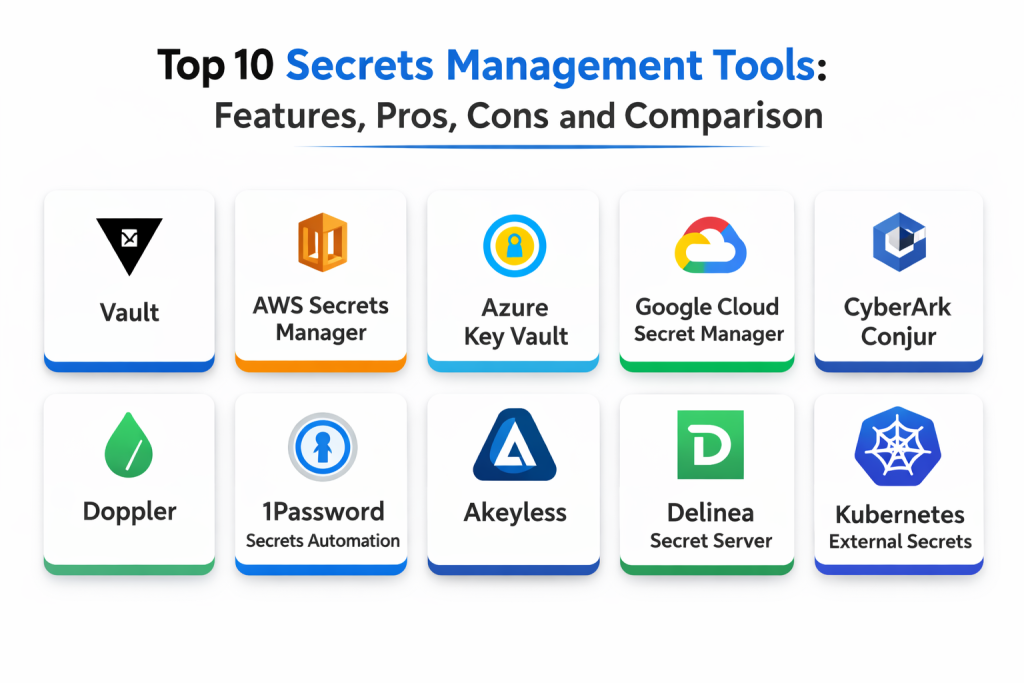
Top 10 Secrets Management Tools
1 — HashiCorp Vault
HashiCorp Vault is a widely used secrets vault for centralized secret storage, access control, and dynamic credentials. It fits teams that need strong policy-based security and deep integrations across environments.
Key Features
- Central secret storage with policy-based access control
- Dynamic secrets for databases and some infrastructure workflows
- Strong audit logging and access visibility
- Supports secret rotation patterns through configuration
- Works across cloud and on-prem environments
- Supports encryption services and key handling patterns
- Integrates with many identity and workload systems
Pros
- Very strong security model and flexibility
- Works well across multi-cloud and hybrid environments
- Strong ecosystem integrations
Cons
- Operational complexity can be significant
- Requires careful policy design and ongoing governance
- High availability setups require planning and ownership
Platforms / Deployment
- Web / Windows / macOS / Linux
- Cloud / Self-hosted / Hybrid
Security and Compliance
- SSO/SAML, MFA, encryption, audit logs, RBAC: Varies by configuration
- Compliance certifications: Not publicly stated
Integrations and Ecosystem
Vault is often used as a central backbone for secret delivery across many systems.
- CI pipeline token injection workflows
- Kubernetes authentication and secret delivery patterns
- Database dynamic credentials and rotation workflows
- Cloud identity integration through setup
- APIs for automation and custom secret workflows
Support and Community
Strong community adoption and documentation. Support depends on edition and vendor agreements.
2 — AWS Secrets Manager
AWS Secrets Manager is a managed service for storing and rotating secrets in AWS environments. It fits teams running on AWS that want reduced operational overhead and built-in integrations.
Key Features
- Managed secret storage with encryption and access control
- Rotation support through configured workflows
- Integrates with AWS identity and access management patterns
- Useful for database credentials and service tokens
- Centralized auditing through AWS logging patterns
- High availability as a managed service
- Works well for AWS-native application stacks
Pros
- Low operational overhead
- Strong fit for AWS-centric deployments
- Practical rotation support for common AWS services
Cons
- Best fit is inside AWS environments
- Cross-cloud usage can be more complex
- Rotation workflows require setup and testing discipline
Platforms / Deployment
- Web
- Cloud
Security and Compliance
- IAM-based access controls, encryption, auditing: Varies by configuration
- Compliance certifications: Not publicly stated
Integrations and Ecosystem
Fits teams that want secrets aligned with AWS services and identity controls.
- Works with AWS compute and container services via setup
- Integrates with CI workflows through secure tokens
- Supports rotation workflows for certain databases
- Logs access using AWS-native logging patterns
- Works with infrastructure automation through APIs
Support and Community
Strong vendor support and documentation. Community usage is broad.
3 — Azure Key Vault
Azure Key Vault stores secrets, keys, and certificates for Azure environments. It fits organizations that want a unified approach to secrets and key management tied to Azure identity and governance.
Key Features
- Secret storage with access policies and identity integration
- Key management and certificate workflows in one service
- Integration with Azure identity and access patterns
- Auditing through Azure logging capabilities via configuration
- Managed service availability and scaling
- Useful for application configuration secrets
- Supports secure access patterns for Azure workloads
Pros
- Strong integration with Azure identity and governance
- Covers secrets, keys, and certificates
- Managed service reduces operational overhead
Cons
- Best fit is Azure-centric deployments
- Cross-cloud workflows require extra design
- Policy and access model requires careful planning
Platforms / Deployment
- Web
- Cloud
Security and Compliance
- RBAC, encryption, audit logs: Varies by configuration
- Compliance certifications: Not publicly stated
Integrations and Ecosystem
Best for teams standardizing security and secret delivery on Azure.
- Integrates with Azure workloads and managed identities
- Supports secure app configuration patterns
- Works with CI pipelines through secure access controls
- Supports certificate workflows through setup
- APIs support automation and governance processes
Support and Community
Strong vendor support and documentation. Adoption is common in Azure-based organizations.
4 — Google Cloud Secret Manager
Google Cloud Secret Manager provides managed secret storage for Google Cloud environments. It fits teams running on Google Cloud that want managed reliability and identity-driven access control.
Key Features
- Managed secret storage with strong access control patterns
- Integrates with Google Cloud identity and workload access
- Supports auditing through cloud logging configuration
- Supports versioning of secrets for safe rotation workflows
- Useful for microservices and cloud-native applications
- Works with CI and runtime secret injection patterns
- Managed availability and scaling
Pros
- Low operational overhead
- Strong identity integration for Google Cloud workloads
- Simple versioning supports controlled rotation
Cons
- Best fit is Google Cloud-centric environments
- Multi-cloud integrations require extra planning
- Rotation automation depends on your workflow setup
Platforms / Deployment
- Web
- Cloud
Security and Compliance
- IAM-based access, encryption, auditing: Varies by configuration
- Compliance certifications: Not publicly stated
Integrations and Ecosystem
Fits teams that want managed secrets aligned with cloud-native workloads.
- Integrates with cloud workloads through identity controls
- Works with CI systems through secure access patterns
- Supports secret versioning and controlled rollout
- APIs support automation and governance workflows
- Works alongside key and certificate management solutions
Support and Community
Strong vendor documentation and support. Adoption is common for Google Cloud users.
5 — CyberArk Conjur
CyberArk Conjur is designed for enterprise secrets management with strong access controls and audit requirements. It fits organizations that want strict governance for secrets used by applications, containers, and automation.
Key Features
- Centralized secrets storage with strict policy controls
- Strong access governance and audit trail focus
- Supports application and machine identity patterns
- Works in DevOps workflows with secure secret delivery
- Supports segmentation and least-privilege secret access
- Integrates into container and automation workflows via setup
- Designed for enterprise security programs
Pros
- Strong governance and audit-focused design
- Good fit for regulated enterprise environments
- Supports policy-driven access control
Cons
- Setup and integration can be complex
- Requires policy discipline and operational ownership
- Adoption may require workflow change management
Platforms / Deployment
- Linux
- Self-hosted / Hybrid
Security and Compliance
- RBAC, audit logs, policy enforcement: Varies by configuration
- Compliance certifications: Not publicly stated
Integrations and Ecosystem
Often used in environments with strict governance and multi-team access needs.
- Integrates with CI and automation systems via setup
- Supports container workflows with secure identity models
- Provides policy enforcement for secret access
- Works with enterprise identity systems through configuration
- Supports automation via APIs and integrations
Support and Community
Enterprise support is usually vendor-led. Community strength varies by adoption.
6 — Doppler
Doppler is a developer-focused secrets management platform designed to simplify secret syncing across environments. It fits teams that want fast setup and an easy workflow for managing environment variables securely.
Key Features
- Central secret storage with environment-based organization
- Easy syncing to runtime environments through integration patterns
- Supports team access controls and shared secrets management
- Helps manage secrets across multiple environments consistently
- Supports auditing features depending on plan
- Good developer experience for daily workflows
- Works well for modern app stacks and teams
Pros
- Very fast to adopt and easy to use
- Strong workflow for environment variable management
- Helpful for teams managing many apps and environments
Cons
- Governance depth depends on plan and configuration
- Some enterprises prefer deeper policy frameworks
- Cross-platform delivery depends on integrations used
Platforms / Deployment
- Web
- Cloud
Security and Compliance
- SSO/MFA/auditing: Varies by plan and configuration
- Compliance certifications: Not publicly stated
Integrations and Ecosystem
Great for teams that want secrets synced cleanly into common app environments.
- Works with CI workflows for secure build secrets
- Supports container and runtime configuration patterns
- Integrates through CLI and automation workflows
- Helps standardize secrets across staging and production
- Supports team-based access controls
Support and Community
Developer documentation is strong. Support varies by plan.
7 — 1Password Secrets Automation
1Password Secrets Automation helps teams manage secrets with automation-friendly delivery patterns. It fits organizations that already use 1Password and want a controlled way to supply secrets to CI and applications.
Key Features
- Secure secret storage with team access controls
- Automation-friendly retrieval patterns for CI and apps
- Good audit and access visibility depending on plan
- Useful for managing shared credentials and tokens
- Supports organized vaults for environment segmentation
- Helps reduce secrets in plain config files
- Practical developer experience for daily usage
Pros
- Easy for teams already using 1Password
- Simple workflow for shared secret governance
- Useful automation patterns for CI and scripts
Cons
- Advanced enterprise governance depends on plan
- Some use cases need deeper dynamic secrets capabilities
- Workflow design needed to avoid over-sharing secrets
Platforms / Deployment
- Web / Windows / macOS / Linux
- Cloud
Security and Compliance
- SSO/MFA/auditing: Varies by plan and configuration
- Compliance certifications: Not publicly stated
Integrations and Ecosystem
Fits teams that want a simple and controlled secrets delivery workflow.
- Integrates with CI pipelines through automation patterns
- Works with developer tooling and scripts
- Supports access segmentation via vault structure
- Helps standardize secrets management across teams
- Supports automation and governance via configuration
Support and Community
Strong documentation. Support depends on plan.
8 — Akeyless
Akeyless is a secrets and key management platform designed for cloud and hybrid environments. It fits teams that want centralized control, strong access policies, and automation for secrets delivery.
Key Features
- Central secret storage with access policies
- Supports secret rotation and lifecycle patterns through setup
- Works across cloud and hybrid environments
- Supports strong governance controls and segmentation
- Integrates into CI and Kubernetes workflows via setup
- Supports automation through APIs and tooling
- Useful for scaling secret management across teams
Pros
- Strong multi-environment support
- Good governance and policy controls
- Useful for organizations scaling secrets management
Cons
- Setup requires careful planning for best outcomes
- Feature depth depends on chosen deployment model
- Cost and value depend on scale and usage patterns
Platforms / Deployment
- Web / Linux
- Cloud / Hybrid
Security and Compliance
- Encryption, RBAC, audit logs: Varies by configuration
- Compliance certifications: Not publicly stated
Integrations and Ecosystem
Fits teams that need a centralized vault with flexible deployment options.
- Integrates with Kubernetes for workload secret delivery
- Supports CI token and secret injection workflows
- APIs enable automation and policy enforcement
- Works with enterprise identity via configuration
- Supports structured governance patterns across environments
Support and Community
Support is typically vendor-led. Documentation supports enterprise adoption.
9 — Delinea Secret Server
Delinea Secret Server is designed for enterprise secrets storage and privileged credential management. It fits organizations that want centralized governance, auditing, and structured access for sensitive credentials.
Key Features
- Central secrets vault with permission controls
- Auditing and access reporting for governance needs
- Credential rotation workflows through configuration
- Useful for privileged account and service credential management
- Supports segmentation by teams and environments
- Helps reduce credential sprawl across systems
- Supports integration into enterprise workflows via setup
Pros
- Strong governance and auditing for enterprise needs
- Good fit for privileged credential management
- Useful rotation workflows for certain credential types
Cons
- Can feel heavy for small development teams
- Integration into developer pipelines may require effort
- Setup and ownership needed for governance success
Platforms / Deployment
- Web / Windows / Linux
- Cloud / Self-hosted / Hybrid
Security and Compliance
- RBAC and audit logs: Varies by configuration
- Compliance certifications: Not publicly stated
Integrations and Ecosystem
Fits organizations that need structured governance for sensitive credentials.
- Integrates with enterprise identity systems through setup
- Supports credential rotation workflows for managed systems
- Works with auditing and reporting needs for compliance
- Can be integrated into automation workflows via configuration
- Useful for central governance across many teams
Support and Community
Vendor support is important. Documentation supports enterprise governance use.
10 — Kubernetes External Secrets
Kubernetes External Secrets pulls secrets from an external secrets store and syncs them into Kubernetes. It fits teams that want Kubernetes-native secret delivery while keeping the source of truth outside the cluster.
Key Features
- Syncs secrets from external stores into Kubernetes
- Supports secret refresh and update patterns
- Works with multiple backends depending on configuration
- Enables separation between secret storage and cluster usage
- Useful for GitOps and Kubernetes deployment workflows
- Helps standardize secret delivery across namespaces
- Supports automation through Kubernetes resources
Pros
- Strong fit for Kubernetes-native secret delivery
- Reduces secret duplication across app deployments
- Works well with GitOps-style workflows
Cons
- Requires careful security controls around Kubernetes secrets usage
- Backend integration depends on configuration and environment
- Not a full secrets vault by itself, relies on external stores
Platforms / Deployment
- Linux
- Self-hosted / Hybrid
Security and Compliance
- Security depends on backend store and Kubernetes configuration
- Compliance certifications: Not publicly stated
Integrations and Ecosystem
Best for teams that want Kubernetes to consume secrets safely from an external source of truth.
- Works with external secret backends via setup
- Fits GitOps deployment workflows
- Supports namespace segmentation and secret refresh
- Integrates into Kubernetes admission and policy controls indirectly
- Helps standardize secret injection patterns across microservices
Support and Community
Community-driven support. Documentation strength varies by implementation choices.
Comparison Table
| Tool Name | Best For | Platform(s) Supported | Deployment | Standout Feature | Public Rating |
|---|---|---|---|---|---|
| HashiCorp Vault | Central vault with dynamic credentials | Web, Windows, macOS, Linux | Cloud, Self-hosted, Hybrid | Policy-driven dynamic secrets | N/A |
| AWS Secrets Manager | Managed secrets in AWS | Web | Cloud | Managed rotation workflows | N/A |
| Azure Key Vault | Unified secrets, keys, certs in Azure | Web | Cloud | Azure identity integration | N/A |
| Google Cloud Secret Manager | Managed secrets in Google Cloud | Web | Cloud | Versioning and IAM access | N/A |
| CyberArk Conjur | Enterprise governance for app secrets | Linux | Self-hosted, Hybrid | Strong policy enforcement | N/A |
| Doppler | Developer-friendly env secrets syncing | Web | Cloud | Easy environment management | N/A |
| 1Password Secrets Automation | Team secrets with automation patterns | Web, Windows, macOS, Linux | Cloud | Vault-based secret governance | N/A |
| Akeyless | Multi-environment secrets governance | Web, Linux | Cloud, Hybrid | Flexible centralized controls | N/A |
| Delinea Secret Server | Privileged credential governance | Web, Windows, Linux | Cloud, Self-hosted, Hybrid | Strong auditing and rotation | N/A |
| Kubernetes External Secrets | Secret sync into Kubernetes | Linux | Self-hosted, Hybrid | External store to cluster sync | N/A |
Evaluation and Scoring of Secrets Management Tools
Scoring uses a 1–10 scale per criterion, then a weighted total using these weights: Core features 25%, Ease of use 15%, Integrations and ecosystem 15%, Security and compliance 10%, Performance and reliability 10%, Support and community 10%, Price and value 15%. Scores are comparative estimates based on typical strengths and common usage patterns, not absolute measurements.
| Tool Name | Core (25%) | Ease (15%) | Integrations (15%) | Security (10%) | Performance (10%) | Support (10%) | Value (15%) | Weighted Total |
|---|---|---|---|---|---|---|---|---|
| HashiCorp Vault | 9 | 6 | 9 | 9 | 8 | 9 | 7 | 8.05 |
| AWS Secrets Manager | 8 | 8 | 8 | 8 | 9 | 8 | 6 | 7.75 |
| Azure Key Vault | 8 | 8 | 8 | 8 | 9 | 8 | 7 | 7.90 |
| Google Cloud Secret Manager | 8 | 8 | 8 | 8 | 9 | 8 | 7 | 7.90 |
| CyberArk Conjur | 8 | 5 | 7 | 9 | 8 | 7 | 6 | 7.10 |
| Doppler | 7 | 9 | 7 | 7 | 8 | 7 | 7 | 7.45 |
| 1Password Secrets Automation | 7 | 8 | 7 | 7 | 8 | 8 | 7 | 7.35 |
| Akeyless | 8 | 7 | 8 | 8 | 8 | 7 | 6 | 7.50 |
| Delinea Secret Server | 8 | 6 | 7 | 8 | 8 | 7 | 6 | 7.15 |
| Kubernetes External Secrets | 6 | 6 | 7 | 6 | 8 | 7 | 9 | 6.85 |
How to interpret the scores:
- Higher Core favors rotation, dynamic secrets, and strong access control workflows
- Higher Ease favors fast adoption and low operational friction
- Higher Integrations favors Kubernetes, CI, and cloud identity compatibility
- Security and compliance reflects auditability, RBAC, and policy enforcement readiness
- Weighted Total supports shortlisting, but validate using a pilot in your environment
Which Secrets Management Tool Is Right for You
Solo / Freelancer
If you want easy adoption and a clean workflow for environment variables, Doppler or 1Password Secrets Automation can be practical. If your workloads run primarily in one cloud, the native cloud option can keep things simple. Avoid heavy platforms unless you truly need policy depth and dynamic secret issuance.
SMB
SMBs usually want quick setup with reliable security controls. Doppler is attractive for developer workflows and multi-environment secret syncing. Cloud-native tools like AWS Secrets Manager, Azure Key Vault, or Google Cloud Secret Manager are strong when the stack is mostly in one cloud. If Kubernetes is central, pairing an external vault with Kubernetes External Secrets patterns can work well.
Mid-Market
Mid-market teams often need better governance, segmented access, and repeatable rotation workflows. HashiCorp Vault is a strong choice for policy-driven access and dynamic secrets, but it requires operational ownership. Akeyless can be a strong option for teams that want centralized controls across environments. Cloud-native tools remain strong if most workloads are in one provider.
Enterprise
Enterprises usually need strict governance, auditing, segmentation, and controlled secret delivery across many teams. HashiCorp Vault is often used as a central vault in multi-cloud or hybrid environments. CyberArk Conjur and Delinea Secret Server fit governance-heavy organizations with strong audit requirements and privileged access controls. Cloud-native vaults are widely used in enterprises that standardize on a single cloud provider and want managed reliability.
Budget vs Premium
Budget-friendly approaches often start with cloud-native secret managers or developer-focused tools. Premium platforms become valuable when you need strict policy enforcement, centralized governance, audit-ready reporting, and advanced rotation or dynamic secret workflows at scale.
Feature Depth vs Ease of Use
If ease matters most, cloud-native secret managers and developer-focused platforms can be simpler. If feature depth matters most, especially around dynamic secrets, strict policies, and segmentation, HashiCorp Vault and enterprise governance platforms provide stronger controls but require more effort.
Integrations and Scalability
Vault-style tools scale well when standardized through templates and platform engineering practices. Cloud-native secret managers scale naturally inside their cloud ecosystems. Kubernetes External Secrets patterns scale for clusters when the backend store is well-governed. At scale, the most important success factor is consistent policy design, ownership, and rotation discipline.
Security and Compliance Needs
If compliance matters, focus on least privilege access, strong audit logs, regular access reviews, and rotation automation. Prefer short-lived credentials where possible, and avoid long-lived secrets stored in build logs, environment dumps, or config files. Standardize naming, ownership, and environment segmentation so secrets do not leak across teams.
Frequently Asked Questions
- What counts as a secret in a modern system?
Anything that grants access or trust, such as API keys, tokens, passwords, certificates, private keys, and encryption secrets. - Why is storing secrets in environment variables risky?
Environment variables can leak through logs, crash dumps, debug tools, or misconfigured CI systems. Secrets managers reduce that risk with controlled delivery. - What is secret rotation and why does it matter?
Rotation means changing secrets regularly or automatically. It reduces the damage window if a secret is leaked and supports stronger security posture. - What are dynamic secrets and when should I use them?
Dynamic secrets are short-lived credentials generated on demand. Use them when possible for databases and cloud resources to reduce long-lived credential risk. - Can cloud secret managers replace a central vault?
They can if your workloads are mainly in one cloud and your requirements are covered. Multi-cloud and hybrid setups often prefer a centralized approach. - How do I integrate secrets into CI pipelines safely?
Use short-lived tokens where possible, restrict access per pipeline, avoid printing secrets in logs, and keep strong audit trails for secret retrieval. - Is Kubernetes secret storage secure by default?
Not always. Security depends on cluster configuration, access controls, and encryption settings. Many teams keep the source of truth outside the cluster. - How do teams prevent secret sprawl across repos and configs?
Standardize on one system of record, enforce policies, use scanning to detect leaked secrets, and educate teams about secure injection patterns. - What is the most common mistake when rolling out secrets management?
Migrating secrets into a tool but not changing access policies and rotation habits. Another common mistake is granting overly broad access to keep things easy. - How do I choose the right secrets manager?
Start with your environment needs, identity model, and rotation requirements. Shortlist two or three tools, pilot them in CI and Kubernetes, and validate auditing and access control workflows.
Conclusion
Secrets management tools are essential for protecting the credentials and keys that keep modern systems running. The best choice depends on your cloud footprint, operational maturity, and the level of governance you need. Cloud-native options like AWS Secrets Manager, Azure Key Vault, and Google Cloud Secret Manager are strong when you want managed reliability and tight cloud identity integration. HashiCorp Vault is a powerful choice for multi-cloud and hybrid environments where policy-driven access and dynamic secrets matter, but it requires operational ownership. Developer-focused platforms like Doppler and 1Password Secrets Automation can speed adoption and reduce secret sprawl across environments. Governance-heavy environments may prefer tools like CyberArk Conjur or Delinea Secret Server. A practical next step is to shortlist two or three options, pilot them in CI and Kubernetes, validate audit logs and rotation workflows, and then standardize naming, ownership, and least-privilege access so secrets remain controlled as your systems scale.

Best Cardiac Hospitals Near You
Discover top heart hospitals, cardiology centers & cardiac care services by city.
Advanced Heart Care • Trusted Hospitals • Expert Teams
View Best Hospitals