Introduction
Secure Browser Isolation (SBI), often referred to as Remote Browser Isolation (RBI), is a cybersecurity technology that physically separates a user’s browsing activity from their local device and the corporate network. By executing web sessions in a remote, disposable container—typically in the cloud—this technology ensures that malicious code, such as ransomware or zero-day exploits, never reaches the endpoint. Instead of trying to detect if a website is “good” or “bad,” browser isolation assumes all web content is untrusted and treats every session as a potential threat.
Browser isolation has become a cornerstone of the Zero Trust architecture. As traditional web filters struggle to keep up with sophisticated phishing and “living-off-the-browser” attacks, isolation provides an air-gap between the user and the internet. This approach not only neutralizes web-borne malware but also provides deep visibility and data loss prevention (DLP) controls, making it an essential tool for protecting distributed workforces and sensitive corporate data.
Best for: Security-conscious enterprises, government agencies, financial institutions, and organizations with high-risk users who frequently access uncategorized or potentially dangerous websites.
Not ideal for: Very small businesses with minimal web-based risks or organizations with extremely limited bandwidth that cannot support the streaming requirements of remote execution.
Key Trends in Secure Browser Isolation Tools
- Network Vector Rendering (NVR): A shift from “pixel-pushing” (streaming video) to streaming safe draw commands, which significantly reduces latency and bandwidth consumption.
- AI-Powered Selective Isolation: Using artificial intelligence to dynamically decide which websites need full isolation and which can be browsed natively based on real-time risk scores.
- Zero Trust Content Disarm and Reconstruction (CDR): Integrating file sanitization into the isolation session to ensure that any document downloaded from the web is clean and safe.
- Clientless Deployment: The move toward agentless solutions that work in any browser without requiring software installations on the user’s device.
- Integration with SASE/SSE: Isolation is no longer a standalone product but a core feature of broader Secure Access Service Edge (SASE) platforms.
- Granular DLP Controls: Enhanced ability to block specific actions like “right-click,” “print,” or “copy-paste” within an isolated session to prevent data exfiltration.
- Moving Target Defense: Changing the underlying infrastructure of the isolated container during a session to thwart advanced persistent threats (APTs).
- Mobile-First Isolation: Expanding robust protection to mobile browsers to secure the increasing amount of corporate work being done on smartphones and tablets.
How We Selected These Tools
- Rendering Performance: We prioritized tools that offer a “near-native” user experience with minimal lag or broken website layouts.
- Security Robustness: Each platform was evaluated on its ability to provide a true air-gap and integrate with other security layers like DLP and anti-phishing.
- Deployment Scalability: We looked for solutions that can easily scale to thousands of users across global locations.
- Enterprise Management: Preference was given to tools with centralized consoles, detailed audit logs, and robust policy engines.
- Interoperability: The selection includes tools that integrate seamlessly with existing Secure Web Gateways (SWG) and Identity Providers (IdP).
- Market Mindshare: We focused on recognized industry leaders and innovative challengers with proven track records in high-security environments.
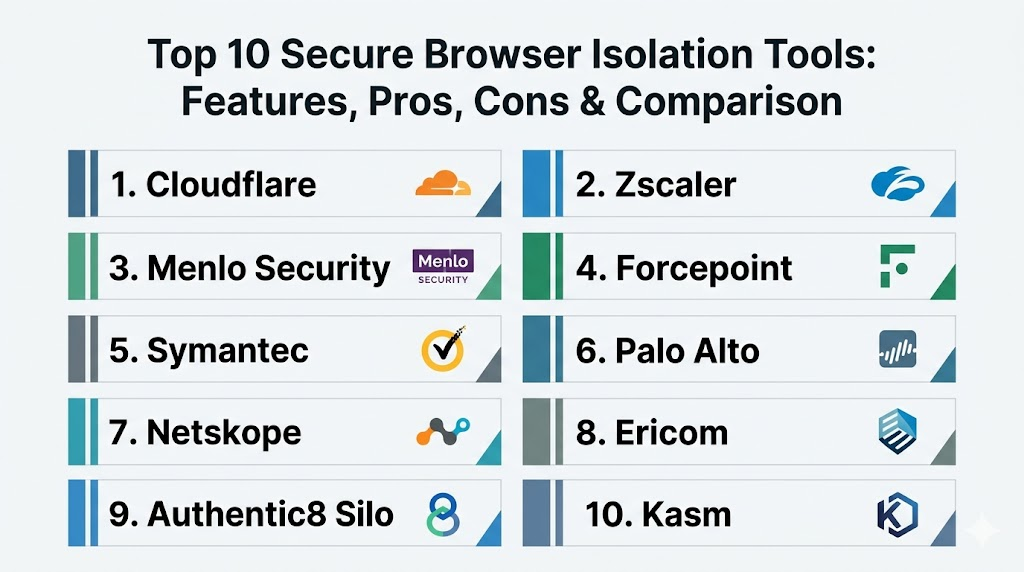
Top 10 Secure Browser Isolation Tools
1. Cloudflare Browser Isolation
Built on a massive global network, Cloudflare uses a unique technology called Network Vector Rendering to provide an extremely fast and secure browsing experience that feels like a local browser.
Key Features
- Patented Network Vector Rendering (NVR) for high-speed, low-bandwidth browsing.
- Native integration with Cloudflare Zero Trust (Gateway and Access).
- Clientless deployment that works on any modern web browser.
- Granular policy control based on user identity and site risk.
- Support for isolating specific web categories or suspicious links automatically.
Pros
- Exceptional performance with almost no noticeable latency for end users.
- Part of a unified security platform, simplifying administration.
Cons
- Most effective when used within the broader Cloudflare ecosystem.
- Complex pricing tiers for high-volume enterprise features.
Platforms / Deployment
Web / Windows / macOS / Linux / Android / iOS
Cloud
Security & Compliance
SSO/SAML, MFA, and extensive global audit logging.
SOC 2 / ISO 27001 / HIPAA compliant.
Integrations & Ecosystem
Integrates deeply with Cloudflare One and works alongside major identity providers and endpoint security tools.
Support & Community
Extensive documentation and 24/7 enterprise-grade support with a large global community of developers and security experts.
2. Zscaler Cloud Browser Isolation
A leader in the Security Service Edge (SSE) space, Zscaler provides a highly secure isolation solution as part of its Zero Trust Exchange, focusing on air-gapping the user from the web.
Key Features
- Pixel-streaming technology that ensures no active web code ever reaches the device.
- Integrated with Zscaler Internet Access (ZIA) and Private Access (ZPA).
- Secure viewing of office documents and PDFs within the isolated session.
- Granular DLP controls to prevent data exfiltration during browsing.
- Automated session destruction to ensure no persistent threats remain.
Pros
- Absolute “air-gap” security by only sending pixels to the endpoint.
- Massive global infrastructure ensures reliability and high availability.
Cons
- Can consume more bandwidth than vector-based rendering solutions.
- Highly enterprise-focused with a corresponding pricing structure.
Platforms / Deployment
Web / Windows / macOS / Linux / iOS / Android
Cloud
Security & Compliance
FedRAMP High, SOC 2, ISO 27001, and HIPAA.
Advanced identity-based policy enforcement.
Integrations & Ecosystem
Seamlessly integrated into the Zscaler Zero Trust Exchange and compatible with all major SIEM and IdP platforms.
Support & Community
World-class enterprise support with dedicated Technical Account Managers (TAMs) for large-scale deployments.
3. Menlo Security
Menlo Security is often cited as the pioneer of the “Isolation-Core” architecture, providing a 100% isolation guarantee by executing all web content in the cloud.
Key Features
- Adaptive Clientless Rendering (ACR) that balances security and performance.
- Complete isolation of all web traffic, including email links and attachments.
- Sophisticated document isolation and sanitization tools.
- Centralized dashboard with deep visibility into blocked threats.
- Broad support for any browser and any operating system.
Pros
- One of the most mature and security-hardened isolation platforms available.
- Excellent at handling complex, script-heavy modern websites without breaking layouts.
Cons
- Can be more expensive than bundled solutions from larger vendors.
- Managing exceptions for specific SaaS apps can require administrative effort.
Platforms / Deployment
Web / Windows / macOS / Linux / iOS / Android
Cloud / Hybrid
Security & Compliance
SOC 2 Type II and GDPR compliant.
Standard identity-based access controls.
Integrations & Ecosystem
Integrates with major Secure Web Gateways and is frequently used as the isolation layer for other security vendors.
Support & Community
Professional support with a strong focus on enterprise customer success and detailed training resources.
4. Forcepoint Remote Browser Isolation
Forcepoint focuses on “Smart Isolation,” which dynamically adjusts the level of protection based on the risk profile of the website being visited, optimizing the user experience.
Key Features
- Smart Isolation technology that chooses the best rendering mode for the site.
- Integrated Zero Trust Content Disarm and Reconstruction (CDR) for safe downloads.
- Protection against steganography in both uploads and downloads.
- Deep integration with the Forcepoint ONE SASE platform.
- Granular policy controls for specific user groups and site categories.
Pros
- Efficiently balances security and performance by only isolating what is necessary.
- Strongest document security features in the isolation market.
Cons
- Deployment can be complex for organizations not using other Forcepoint tools.
- Pricing is typically at the higher end of the market.
Platforms / Deployment
Web / Windows / macOS / Linux / iOS / Android
Cloud / Hybrid
Security & Compliance
NIST 800-171 and SOC 2 compliance.
Detailed forensic logging and audit capabilities.
Integrations & Ecosystem
Part of the Forcepoint ONE ecosystem, connecting with DLP, CASB, and ZTNA solutions.
Support & Community
Global enterprise support with extensive training modules and a professional user community.
5. Broadcom Symantec Web Isolation
Symantec Web Isolation (formerly Fireglass) provides a robust isolation layer that integrates deeply with its legacy and modern web security suites.
Key Features
- Real-time rendering that delivers a visual representation of sites without active code.
- Integration with Symantec Messaging Gateway for isolating email links.
- Support for on-premises, cloud, or hybrid deployment models.
- Advanced threat intelligence powered by the Symantec Global Intelligence Network.
- “Read-only” mode for suspicious sites to prevent credential theft.
Pros
- A reliable choice for large organizations already using the Symantec security stack.
- Flexible deployment options for highly regulated industries.
Cons
- The administrative interface can feel dated compared to cloud-native competitors.
- Configuration across different Symantec portals can be cumbersome.
Platforms / Deployment
Web / Windows / macOS / Linux
Cloud / On-premises / Hybrid
Security & Compliance
Standard enterprise security certifications.
Deep integration with Symantec DLP for data protection.
Integrations & Ecosystem
Integrates with ProxySG (Advanced Secure Gateway) and the broader Broadcom security portfolio.
Support & Community
Vast enterprise support network, though some users report a steep learning curve for advanced configurations.
6. Palo Alto Networks Prisma Access Browser
Palo Alto Networks has integrated browser isolation directly into its Prisma Access platform, leveraging its world-class threat intelligence to secure web sessions.
Key Features
- Selective isolation of high-risk and uncategorized websites.
- Powered by WildFire threat intelligence for real-time protection.
- Native integration with Prisma Access SASE for a unified security policy.
- High-performance rendering engine designed for global scalability.
- Comprehensive visibility into all web-based threats within the SASE console.
Pros
- Exceptional threat intelligence and malware detection capabilities.
- Ideal for organizations that want a single, unified security architecture.
Cons
- Limited as a standalone tool; primarily intended as part of Prisma Access.
- Requires a significant investment in the Palo Alto ecosystem.
Platforms / Deployment
Web / Windows / macOS / Linux / Mobile
Cloud
Security & Compliance
FedRAMP and SOC 2 compliant.
Integrated with the industry-leading Palo Alto security framework.
Integrations & Ecosystem
Directly tied to the Prisma Access and Cortex XDR ecosystems.
Support & Community
Access to the massive Palo Alto Networks support infrastructure and the “Live Community” of professionals.
7. Netskope Remote Browser Isolation
Netskope’s RBI tool focuses on “Targeted Isolation,” ensuring that security does not come at the expense of productivity for low-risk web activities.
Key Features
- Integrated into the Netskope Security Cloud for a single-policy experience.
- Selective isolation based on advanced web and cloud risk scores.
- Protection for both managed and unmanaged devices (BYOD).
- In-line document scanning and data loss prevention.
- Real-time coaching to educate users when they encounter risky sites.
Pros
- Highly intuitive administrative console and policy builder.
- Excellent at securing SaaS applications alongside general web browsing.
Cons
- Best value is realized when used as part of the full Netskope SSE suite.
- May have slightly more latency than vector-based solutions in certain regions.
Platforms / Deployment
Web / Windows / macOS / Linux / Mobile
Cloud
Security & Compliance
SOC 2, ISO 27001, and HIPAA compliant.
Advanced identity and context-aware security.
Integrations & Ecosystem
Works seamlessly with Netskope’s CASB, SWG, and ZTNA solutions.
Support & Community
Growing enterprise support team and a professional user base focused on cloud security.
8. Ericom ZTEdge (Cradlepoint/Ericsson)
Ericom (now part of Cradlepoint/Ericsson) offers a Zero Trust isolation solution that focuses on “air-gapping” the browser, particularly for highly distributed workforces.
Key Features
- Remote Browser Isolation that executes web sessions in disposable Linux containers.
- Integrated phishing protection that renders suspicious pages in “read-only” mode.
- Content Disarm and Reconstruction for cleaning web-downloaded files.
- Support for securing “unmanaged” applications and legacy web systems.
- Cloud-native platform with a global footprint for low-latency access.
Pros
- Very competitive pricing for mid-market and smaller enterprise firms.
- Simple, clientless deployment that is easy for end users to adopt.
Cons
- Smaller global infrastructure compared to giants like Cloudflare or Zscaler.
- Management features are not as deep as some high-end competitors.
Platforms / Deployment
Web / Windows / macOS / Linux / iOS / Android
Cloud / Hybrid
Security & Compliance
Standard security audit logs and MFA integration.
Not publicly stated.
Integrations & Ecosystem
Integrates with various third-party Secure Web Gateways and is a key part of the Cradlepoint SASE offering.
Support & Community
Known for being responsive to mid-market needs with a professional support team.
9. Authentic8 Silo
Authentic8 Silo is a unique “cloud-based browser” that completely replaces the local browser, providing a managed environment for high-stakes research and secure work.
Key Features
- A complete, cloud-native browser environment that is physically separated from the device.
- Specialized versions for research and OSINT (Open Source Intelligence) investigations.
- Centralized control over all browser data, including downloads and uploads.
- Ability to spoof user identity, location, and device details for research.
- Integrated auditing that records every action within the browser session.
Pros
- The ultimate tool for highly sensitive research and investigative work.
- Total control over the browser environment, including the “identity” presented to the web.
Cons
- Not intended for general-purpose, everyday employee browsing.
- Performance can feel different from a native browser due to its heavy focus on anonymity.
Platforms / Deployment
Windows / macOS / Linux
Cloud
Security & Compliance
Extensive audit logs for regulatory compliance and legal evidence.
Used by major government and legal entities.
Integrations & Ecosystem
Primarily a standalone secure workspace, but integrates with enterprise identity providers.
Support & Community
High-touch support for government and specialized research organizations.
10. Kasm Technologies
Kasm uses containerized streaming technology to deliver isolated browsers and full desktops, offering a highly customizable and modern approach to browser security.
Key Features
- Containerized Desktop Infrastructure (CDI) for isolating browsers and full workspaces.
- Disposable sessions that are destroyed immediately after use.
- Open-source core with a robust developer API for extreme customization.
- Support for on-premises, cloud, or air-gapped network deployments.
- Low-latency streaming technology that provides a highly responsive experience.
Pros
- The most flexible and customizable platform on this list.
- Highly cost-effective for organizations that want to host their own isolation infrastructure.
Cons
- Requires more technical expertise to set up and manage than a purely SaaS solution.
- Community support is strong, but enterprise support requires a paid tier.
Platforms / Deployment
Web / Windows / macOS / Linux
Local / Cloud / Hybrid / Air-Gapped
Security & Compliance
SSO, MFA, and detailed logging.
Highly favored by the cybersecurity and DevOps communities.
Integrations & Ecosystem
Extremely extensible through its API and integrates with various DevOps and security pipelines.
Support & Community
Very active community on Discord and GitHub, with professional enterprise support available for business users.
Comparison Table
| Tool Name | Best For | Platform(s) Supported | Deployment | Standout Feature | Public Rating |
| 1. Cloudflare | Performance | Win, Mac, Linux, Mobile | Cloud | Vector Rendering | N/A |
| 2. Zscaler | Global Enterprise | Win, Mac, Linux, Mobile | Cloud | 100% Pixel Streaming | N/A |
| 3. Menlo Security | 100% Isolation | Win, Mac, Linux, Mobile | Hybrid | Adaptive Rendering | N/A |
| 4. Forcepoint | Document Security | Win, Mac, Linux, Mobile | Hybrid | Integrated CDR | N/A |
| 5. Symantec | Legacy/Hybrid Ent. | Win, Mac, Linux | Hybrid | Global Intel Network | N/A |
| 6. Palo Alto | Network Security | Win, Mac, Linux, Mobile | Cloud | WildFire Intel | N/A |
| 7. Netskope | Cloud Security | Win, Mac, Linux, Mobile | Cloud | Targeted Isolation | N/A |
| 8. Ericom | Mid-Market | Win, Mac, Linux, Mobile | Hybrid | Disposable Containers | N/A |
| 9. Authentic8 Silo | Research/OSINT | Win, Mac, Linux | Cloud | Identity Masking | N/A |
| 10. Kasm | Customization | Win, Mac, Linux | Hybrid | Containerized CDI | N/A |
Evaluation & Scoring
| Tool Name | Core (25%) | Ease (15%) | Integrations (15%) | Security (10%) | Perf (10%) | Support (10%) | Value (15%) | Total |
| 1. Cloudflare | 10 | 9 | 10 | 9 | 10 | 9 | 9 | 9.50 |
| 2. Zscaler | 10 | 8 | 10 | 10 | 8 | 10 | 7 | 8.85 |
| 3. Menlo Security | 10 | 7 | 9 | 10 | 9 | 9 | 7 | 8.70 |
| 4. Forcepoint | 9 | 7 | 9 | 10 | 8 | 9 | 7 | 8.45 |
| 5. Symantec | 8 | 6 | 9 | 9 | 7 | 8 | 7 | 7.75 |
| 6. Palo Alto | 9 | 7 | 10 | 10 | 8 | 9 | 7 | 8.70 |
| 7. Netskope | 9 | 9 | 9 | 9 | 8 | 8 | 8 | 8.70 |
| 8. Ericom | 8 | 8 | 8 | 9 | 8 | 8 | 9 | 8.30 |
| 9. Authentic8 Silo | 7 | 6 | 6 | 10 | 7 | 8 | 7 | 7.20 |
| 10. Kasm | 8 | 5 | 8 | 9 | 10 | 7 | 10 | 8.15 |
The scoring reflects a balance between high-end security and everyday usability. Cloudflare leads the total scores because its vector rendering technology solves the “latency problem” that has historically plagued isolation tools. Zscaler and Palo Alto score perfectly in security and integrations but represent a higher total investment. For specialized use cases, Authentic8 is the gold standard for security and research, while Kasm offers the best value for organizations that have the technical resources to manage their own environment.
Which Secure Browser Isolation Tool Is Right for You?
Solo / Freelancer
Individual users rarely need full-scale browser isolation. However, those in high-risk professions like journalism or security research should look at Kasm (for a self-hosted option) or Authentic8 Silo if they need to protect their identity and device from targeted attacks.
SMB
Small businesses should prioritize ease of use and price. Cloudflare Browser Isolation or Ericom are excellent choices because they can be deployed quickly without complex infrastructure and provide robust protection for a reasonable cost.
Mid-Market
Organizations with a few hundred to a thousand employees should look for tools that integrate with their existing security stack. Netskope and Forcepoint offer excellent selective isolation that protects the company without overwhelming the IT team with support requests.
Enterprise
Large corporations with complex security needs should opt for Zscaler, Menlo Security, or Palo Alto Networks. These tools offer the global scale, 100% isolation guarantees, and deep integration with broader SASE frameworks that enterprise environments require.
Budget vs Premium
Kasm Technologies and Ericom are the leaders for budget-conscious organizations. Menlo Security and Authentic8 are premium solutions designed for environments where a security breach is simply not an option.
Feature Depth vs Ease of Use
Cloudflare and Netskope are the easiest to use and manage. Authentic8 Silo and FATE-style (highly complex) environments like Garrison (hardware-based) offer the most depth but require significant user and admin training.
Integrations & Scalability
Palo Alto and Zscaler are the kings of scalability and integration, making them the standard for global companies. Cloudflare also scales exceptionally well thanks to its edge-native architecture.
Security & Compliance Needs
If you have strict regulatory requirements (e.g., FedRAMP or HIPAA), Zscaler and Menlo Security provide the necessary certifications. For specialized research compliance, Authentic8 Silo provides the most detailed forensic auditing.
Frequently Asked Questions (FAQs)
1. What is the difference between Browser Isolation and a Secure Web Gateway (SWG)?
A SWG tries to block malicious sites based on a list of known “bad” URLs. Browser Isolation assumes all sites are potentially bad and executes them in a remote container, ensuring no code ever reaches your device.
2. Does Browser Isolation slow down my internet?
Historically, yes. However, modern technologies like Cloudflare’s vector rendering have reduced latency to the point where most users cannot tell they are using an isolation tool.
3. Does this protect me from phishing?
Yes. Even if you click a malicious link, the site is rendered in a remote container. Many tools also offer a “read-only” mode that prevents you from typing your password into a suspicious site.
4. Can I still download files while using an isolation tool?
Yes. Most professional tools offer “Content Disarm and Reconstruction” (CDR) which sanitizes the file in the cloud and provides you with a clean, safe version to download.
5. Is this the same as a VPN?
No. A VPN creates a secure tunnel for your data but doesn’t protect you from malicious code on a website. Browser Isolation actually runs the website for you in a separate, safe location.
6. Do I need to install anything on my computer?
Most modern “clientless” solutions do not require any installation. You simply browse as usual, and the security happens in the background at the network level.
7. Is it better to isolate everything or just “risky” sites?
Most enterprises use “Targeted Isolation” for risky or uncategorized sites to save on bandwidth and costs, while “Full Isolation” is used for the most sensitive users.
8. Can hackers escape the remote container?
Remote containers are designed to be “disposable” and are destroyed after every session. It is extremely difficult for malware to break out of the cloud container and reach your local network.
9. Does Browser Isolation work on mobile devices?
Yes, most cloud-native solutions like Zscaler and Cloudflare work seamlessly on mobile browsers, providing the same level of air-gapped security for smartphones.
10. How much bandwidth does this use?
Pixel-streaming solutions can use a significant amount of bandwidth (similar to a video call), while newer vector-based solutions use very little, often no more than traditional browsing.
Conclusion
Secure Browser Isolation is no longer an optional luxury but a vital component of a modern, resilient security strategy. By removing the web browser—the most common entry point for malware—from the local device, organizations can effectively neutralize the threat of zero-day attacks and sophisticated phishing. Whether you choose a high-performance cloud-native solution or a specialized research-focused tool, the fundamental goal remains to create an unbridgeable gap between your data and the untrusted web. As we look toward an increasingly digital future, isolation technology provides the peace of mind needed to browse, work, and collaborate without fear.

Best Cardiac Hospitals Near You
Discover top heart hospitals, cardiology centers & cardiac care services by city.
Advanced Heart Care • Trusted Hospitals • Expert Teams
View Best Hospitals