Introduction
Email remains the primary vector for cyberattacks, with phishing, ransomware, and business email compromise (BEC) accounting for the vast majority of successful breaches. A Secure Email Gateway (SEG) acts as a critical specialized firewall for an organization’s email communication, monitoring all incoming and outgoing traffic to identify and block malicious content before it ever reaches the user’s inbox. In the modern landscape, these gateways have evolved from simple spam filters into sophisticated security hubs that utilize artificial intelligence and machine learning to detect zero-day threats and social engineering tactics.
As organizations move toward cloud-based productivity suites, the role of the SEG has shifted from a physical on-premises appliance to a cloud-native service. These modern gateways provide deep visibility into communication patterns, allowing security teams to enforce data loss prevention policies and ensure that sensitive information—such as financial records or intellectual property—does not leave the organization through unauthorized channels. In a world where a single malicious link can jeopardize an entire enterprise, a robust gateway is the first and most vital line of defense.
Best for: Security administrators, IT managers, and compliance officers in medium-to-large enterprises who need to protect corporate communications and prevent data leakage.
Not ideal for: Very small businesses that rely solely on the basic built-in filtering of consumer-grade email providers without any custom security requirements.
Key Trends in Secure Email Gateway Technology
- AI-Driven Threat Detection: Gateways are increasingly using behavioral analysis to identify “anomalous” emails that might not contain a virus but are designed to trick employees into transferring funds.
- Computer Vision for Phishing: Advanced tools now “scan” the visual layout of linked websites to detect if they are pixel-perfect imitations of login pages like Microsoft 365 or PayPal.
- Automated Incident Response: Modern SEGs can automatically “claw back” or delete malicious emails from every inbox in the company if a threat is discovered after delivery.
- Integrated Data Loss Prevention (DLP): High-end gateways now include deep content inspection to automatically encrypt or block emails containing sensitive strings like credit card numbers or social security codes.
- Identity-Based Filtering: A shift toward verifying the “reputation” of the sender’s domain and identity using protocols like DMARC, DKIM, and SPF at a granular level.
- URL Rewriting and Time-of-Click Protection: Instead of just checking a link when an email arrives, these tools scan the link again the exact moment a user clicks it to catch “delayed” attacks.
- Internal Email Scanning: Newer gateways don’t just look at what’s coming in; they scan internal-to-internal emails to stop the lateral spread of an attack from a compromised account.
- Cloud-Native Deployment: The transition toward API-based integration allows gateways to sit “inside” the cloud mail environment rather than just in front of it.
How We Selected These Tools
- Threat Detection Efficacy: We prioritized platforms that consistently rank high in independent testing for catching both known malware and unknown “zero-day” threats.
- Ease of Management: Each tool was evaluated based on the clarity of its administrative dashboard and the simplicity of setting up complex security rules.
- Integration Capabilities: We looked for gateways that integrate seamlessly with Microsoft 365, Google Workspace, and existing Security Operations Center (SOC) tools.
- DLP and Compliance Features: Priority was given to platforms that offer robust tools for identifying and protecting sensitive data within outgoing communications.
- Innovation and AI Use: The selection includes tools that are leading the industry in using artificial intelligence to combat social engineering and identity deception.
- Scalability for Global Teams: We chose solutions that can handle massive volumes of email traffic without introducing noticeable latency for the end users.
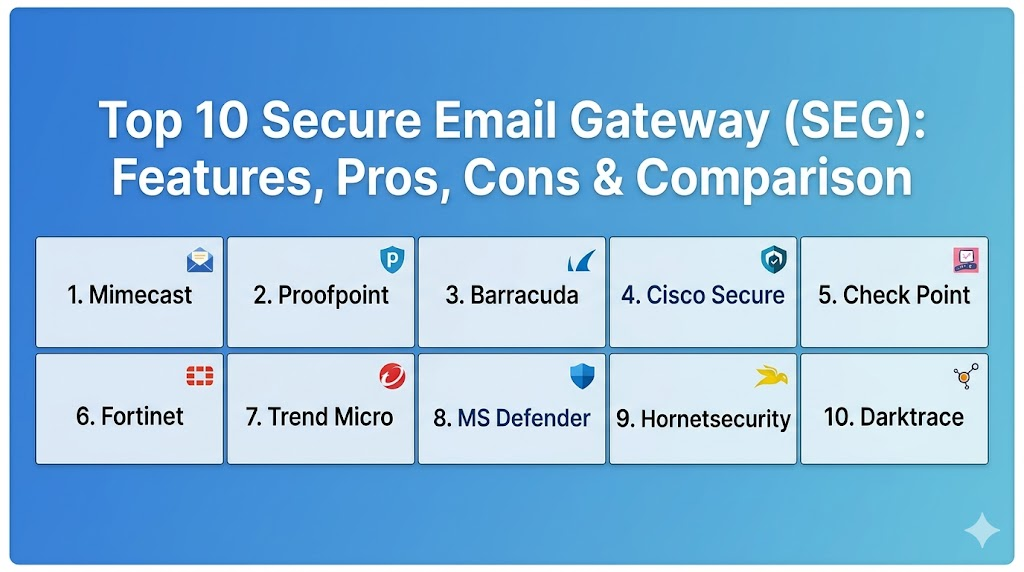
Top 10 Secure Email Gateway (SEG) Tools
1. Mimecast Email Security
Mimecast is a long-standing leader in the email security space, offering a comprehensive cloud-native platform that combines threat protection, durability, and archiving. It is known for its “CyberGraph” technology, which uses AI to create a visual map of sender relationships to detect anomalies.
Key Features
- Advanced protection against spear-phishing and credential theft.
- Internal email protection to identify and remediate threats from compromised accounts.
- Integrated awareness training that uses real-world attacks as teaching moments.
- Robust data leak prevention with granular content control.
- Large-scale email archiving and continuity services for 100% uptime.
Pros
- Extremely deep feature set covering security, backup, and training in one console.
- Highly effective at catching sophisticated business email compromise (BEC) attacks.
Cons
- The administrative interface can be complex and requires specialized training.
- Pricing is at the premium end of the market.
Platforms / Deployment
Cloud
SaaS
Security & Compliance
DMARC management, SOC 2, HIPAA, and GDPR compliant.
Standard encryption and MFA support.
Integrations & Ecosystem
Integrates perfectly with Microsoft 365, Google Workspace, and major SIEM platforms like Splunk.
Support & Community
Professional 24/7 global support with an extensive knowledge base and certified partner network.
2. Proofpoint Email Security
Proofpoint is widely regarded as one of the most powerful email security solutions available, focusing heavily on protecting the “Very Attacked People” (VAPs) within an organization.
Key Features
- Nexus Threat Graph for analyzing billions of data points across email, web, and cloud.
- Advanced BEC defense that analyzes header data and body content for deception.
- Automated threat response to quickly remove malicious emails from the environment.
- Cloud App Security Broker (CASB) integration to protect the entire cloud suite.
- In-depth reporting on which users are being targeted most frequently.
Pros
- Industry-leading threat intelligence and malware detection rates.
- Exceptional visibility into which employees are the biggest security risks.
Cons
- Can be quite expensive for smaller organizations.
- Some users find the legacy interface slightly dated compared to newer competitors.
Platforms / Deployment
Cloud / Hybrid / On-premises
SaaS / Appliance
Security & Compliance
Advanced DLP, encryption, and comprehensive audit logs.
FIPS 140-2 and SOC 2 compliant.
Integrations & Ecosystem
Strong integrations with Okta, Palo Alto Networks, and CrowdStrike for a holistic security posture.
Support & Community
High-end enterprise support with dedicated account managers for larger clients.
3. Barracuda Email Protection
Barracuda provides a user-friendly, comprehensive email security solution that is particularly popular among mid-market companies and educational institutions for its ease of deployment.
Key Features
- AI-powered protection against spear-phishing and account takeover.
- Automated incident response to find and delete threats in seconds.
- Built-in backup for Microsoft 365 data, including OneDrive and SharePoint.
- Domain fraud protection using DMARC reporting and analysis.
- Cloud-to-cloud backup for disaster recovery.
Pros
- One of the easiest professional-grade gateways to set up and manage.
- Excellent value, bundling security with essential data backup tools.
Cons
- DLP features are not as deep as Mimecast or Proofpoint.
- The “per-user” cost can add up quickly for very large organizations.
Platforms / Deployment
Cloud
SaaS
Security & Compliance
MFA, encryption, and SOC 2 compliance.
Not publicly stated for all global regions.
Integrations & Ecosystem
Native API integration with Microsoft 365 allows for deep scanning without changing MX records.
Support & Community
Well-regarded customer support and a helpful community of IT administrators.
4. Cisco Secure Email
Formerly known as IronPort, Cisco Secure Email is a powerhouse in the industry, utilizing the massive threat intelligence of Cisco Talos to block threats across the globe.
Key Features
- Real-time threat intelligence from one of the world’s largest security research teams.
- Advanced Malware Protection (AMP) with file sandboxing and reputation filtering.
- Integrated phishing defense using machine learning to identify sender identity.
- Robust encryption and DLP to satisfy the strictest compliance requirements.
- Flexible deployment options including hardware and cloud.
Pros
- Access to the Talos threat feed is a massive advantage for catching new malware.
- Highly customizable for complex enterprise network environments.
Cons
- Can be overwhelming for teams without a dedicated security engineer.
- The hardware-based roots can make the cloud transition feel less “native.”
Platforms / Deployment
Cloud / Hybrid / On-premises
Appliance / SaaS
Security & Compliance
FedRAMP authorized, HIPAA, and GDPR compliant.
Comprehensive audit logging and RBAC.
Integrations & Ecosystem
Part of the Cisco SecureX platform, allowing for shared intelligence across firewalls and endpoints.
Support & Community
World-class technical assistance center (TAC) and a huge global community of Cisco-certified engineers.
5. Check Point Harmony Email & Collaboration
Check Point entered the market through the acquisition of Avanan, offering an API-based “inbox-native” solution that is designed to catch threats that traditional gateways miss.
Key Features
- Patented technology that hides from attackers by sitting “behind” the native cloud security.
- Scans internal, external, and outgoing emails in real-time.
- Full protection for the entire collaboration suite, including Teams, Slack, and Google Drive.
- AI-driven “Shadow IT” detection to identify unauthorized app usage.
- Anti-phishing technology that prevents malicious emails from ever reaching the inbox.
Pros
- Incredibly easy to deploy via API without changing DNS or MX records.
- Catches “clean” emails that contain malicious links hidden in attachments.
Cons
- Focused entirely on the cloud; not suitable for on-premises Exchange.
- Reporting can be less granular than some legacy enterprise gateways.
Platforms / Deployment
Cloud
SaaS (API-based)
Security & Compliance
SOC 2 Type II compliant and full support for data residency requirements.
Advanced encryption and MFA.
Integrations & Ecosystem
Seamless integration with Microsoft 365, Google Workspace, and various SaaS apps.
Support & Community
Modern support portal with rapid response times and a growing community of cloud-security experts.
6. Fortinet FortiMail
FortiMail is a versatile secure email gateway that provides a multi-layered approach to stopping spam, phishing, and malware, integrating tightly with the Fortinet Security Fabric.
Key Features
- Integration with FortiGuard Labs for constant threat intelligence updates.
- Advanced content disarm and reconstruction (CDR) for safe document viewing.
- Identity-based encryption for secure communication with external parties.
- Comprehensive anti-spam and graymail management.
- High-performance sandboxing to analyze suspicious attachments.
Pros
- Excellent performance and throughput for high-volume environments.
- Seamless integration for organizations already using FortiGate firewalls.
Cons
- The interface can be technical and less intuitive for non-security specialists.
- Best value is achieved only when used within the Fortinet ecosystem.
Platforms / Deployment
Cloud / Hybrid / On-premises
SaaS / VM / Appliance
Security & Compliance
Common Criteria and FIPS certified.
Robust DLP and audit trail capabilities.
Integrations & Ecosystem
Centralized management through FortiAnalyzer and FortiManager within the Security Fabric.
Support & Community
Professional support and a wide network of Fortinet-certified partners and engineers.
7. Trend Micro Cloud App Security
Trend Micro offers a solution that focuses on protecting the entire cloud environment, using machine learning to find “DNA-based” phishing patterns and hidden malware.
Key Features
- Writing Style DNA to detect if an email was actually written by a specific executive.
- Sandbox malware analysis that supports a wide range of file types.
- Data loss prevention that spans across email, OneDrive, and SharePoint.
- Advanced URL scanning that checks the reputation of links in real-time.
- Direct API integration to avoid the complexities of MX record changes.
Pros
- Unique and effective executive impersonation protection.
- Protects file sharing apps (Box, Dropbox, Google Drive) alongside email.
Cons
- The dashboard can feel fragmented when managing multiple security modules.
- Some advanced features require higher-tier licensing.
Platforms / Deployment
Cloud
SaaS (API-based)
Security & Compliance
ISO 27001 and SOC 2 compliant.
Integrated encryption and identity protection.
Integrations & Ecosystem
Strong connections to Trend Micro Vision One for extended detection and response (XDR).
Support & Community
Reliable global support and a long-standing reputation in the enterprise security market.
8. Microsoft Defender for Office 365
For organizations using Microsoft 365, Defender provides an “in-house” security solution that is built directly into the productivity suite, offering seamless integration and management.
Key Features
- Safe Links and Safe Attachments for real-time threat protection.
- Automated investigation and response (AIR) to remediate threats without human intervention.
- Attack simulation training to educate users on phishing tactics.
- Advanced hunting capabilities for deep security forensics.
- Comprehensive reporting integrated into the Microsoft 365 Defender portal.
Pros
- Zero deployment effort as it is already built into the environment.
- Single management console for email, identity, and endpoint security.
Cons
- Many organizations still prefer a “third-party” check to catch what Microsoft misses.
- The highest level of protection requires an expensive E5 license.
Platforms / Deployment
Cloud
Native SaaS
Security & Compliance
Fully integrated with Microsoft Purview for advanced compliance and DLP.
FedRAMP, HIPAA, and GDPR compliant.
Integrations & Ecosystem
The heart of the Microsoft 365 security ecosystem, connecting all Microsoft tools.
Support & Community
Standard Microsoft enterprise support and a massive community of users worldwide.
9. Hornetsecurity Total Protection
A rising star in the European market, Hornetsecurity offers a highly automated, AI-driven security suite that is particularly strong in compliance and archiving for Microsoft 365.
Key Features
- Advanced AI-based phishing and BEC protection.
- Automated email encryption and legal archiving for long-term storage.
- Built-in backup for email, teams, and documents.
- Spam and malware filtering with a focus on zero-day attacks.
- Comprehensive DMARC management for domain reputation.
Pros
- Includes backup and archiving in the base security package.
- Highly automated with very little management overhead required.
Cons
- Less brand recognition in North America compared to legacy giants.
- The interface is functional but lacks some of the deep “hunting” tools of Proofpoint.
Platforms / Deployment
Cloud
SaaS
Security & Compliance
Strong European data privacy focus, GDPR compliant.
Standard encryption and audit logging.
Integrations & Ecosystem
Designed specifically for deep integration with Microsoft 365 environments.
Support & Community
Professional support with a growing network of partners in the EU and US.
10. Darktrace / Email
Darktrace applies “Self-Learning AI” to email, creating a unique understanding of every user and the relationships they have, allowing it to detect even the most subtle deviations.
Key Features
- Autonomous response that neutralizes threats instantly without human intervention.
- Behavioral analysis that understands “normal” communication patterns.
- Protection against account takeover and lateral movement.
- No reliance on blacklists or signatures; it learns the environment from scratch.
- Seamless API-based deployment for rapid onboarding.
Pros
- Exceptional at catching “clean” social engineering attacks that don’t have links or files.
- Requires very little manual tuning as the AI learns on its own.
Cons
- The “black box” nature of AI can make it hard to understand exactly why an email was blocked.
- Can be more expensive than traditional signature-based gateways.
Platforms / Deployment
Cloud
SaaS
Security & Compliance
Identity-centric security and detailed behavioral logging.
Not publicly stated for specific regional certifications.
Integrations & Ecosystem
Integrates with the broader Darktrace Cyber AI Loop for total network visibility.
Support & Community
Modern enterprise support with a focus on AI-assisted security operations.
Comparison Table
| Tool Name | Best For | Platform(s) Supported | Deployment | Standout Feature | Public Rating |
| 1. Mimecast | All-in-One Security | Cloud | SaaS | CyberGraph AI | N/A |
| 2. Proofpoint | High-End Enterprise | Cloud, On-prem | Hybrid | Targeted Attack Visibility | N/A |
| 3. Barracuda | Mid-Market / Education | Cloud | SaaS | Integrated Backup | N/A |
| 4. Cisco Secure | Complex Infrastructure | Cloud, On-prem | Hybrid | Talos Intelligence | N/A |
| 5. Check Point | API-based Cloud | Cloud | SaaS (API) | Behind-the-Gateway Sync | N/A |
| 6. Fortinet | Security Fabric Users | Cloud, On-prem | Hybrid | Content Reconstruction | N/A |
| 7. Trend Micro | Writing Style Analysis | Cloud | SaaS (API) | Writing Style DNA | N/A |
| 8. MS Defender | Native M365 Users | Cloud | Native | Zero-deployment Sync | N/A |
| 9. Hornetsecurity | Backup & Archiving | Cloud | SaaS | 3-in-1 Suite | N/A |
| 10. Darktrace | Self-Learning AI | Cloud | SaaS | Behavioral Understanding | N/A |
Evaluation & Scoring
| Tool Name | Core (25%) | Ease (15%) | Integrations (15%) | Security (10%) | Perf (10%) | Support (10%) | Value (15%) | Total |
| 1. Mimecast | 10 | 7 | 9 | 9 | 9 | 9 | 7 | 8.65 |
| 2. Proofpoint | 10 | 7 | 9 | 10 | 9 | 9 | 6 | 8.55 |
| 3. Barracuda | 8 | 9 | 9 | 8 | 8 | 8 | 9 | 8.45 |
| 4. Cisco Secure | 9 | 6 | 9 | 10 | 9 | 9 | 6 | 8.05 |
| 5. Check Point | 9 | 10 | 10 | 8 | 9 | 8 | 8 | 8.85 |
| 6. Fortinet | 8 | 7 | 8 | 9 | 9 | 8 | 8 | 8.05 |
| 7. Trend Micro | 8 | 8 | 9 | 9 | 8 | 8 | 7 | 8.00 |
| 8. Microsoft | 8 | 10 | 10 | 8 | 9 | 7 | 8 | 8.45 |
| 9. Hornet | 7 | 9 | 8 | 8 | 8 | 8 | 10 | 8.15 |
| 10. Darktrace | 9 | 8 | 8 | 10 | 9 | 8 | 6 | 8.15 |
The scoring above represents a comparative look at how these tools perform in modern business environments. Check Point (Avanan) and Microsoft Defender score highly on “Ease” and “Integrations” because they are API-native and require no MX record changes. Proofpoint and Mimecast lead in “Core Features” and “Security” as they have the deepest historical data and the most advanced threat intelligence. For organizations looking for “Value,” Hornetsecurity and Barracuda offer exceptional bundles that include critical backup and archiving services at a competitive price.
Which Secure Email Gateway Tool Is Right for You?
Solo / Freelancer
For a solo operator, a standalone SEG is likely unnecessary. However, utilizing the advanced security features included in Google Workspace Business or Microsoft 365 Business Premium provides a high level of protection for an individual.
SMB
Small businesses should prioritize ease of management. Barracuda Email Protection or Check Point Harmony are excellent choices because they require very little technical maintenance and offer a high degree of automated protection.
Mid-Market
For companies with 100-500 employees, Mimecast or Hornetsecurity provide a perfect balance of advanced protection, legal archiving, and data backup, ensuring that the company remains compliant with industry regulations.
Enterprise
Large organizations with a dedicated security team should look at Proofpoint or Cisco Secure Email. These tools offer the granular control and deep forensics needed to investigate targeted attacks on specific executives or departments.
Budget vs Premium
Microsoft Defender for Office 365 is often the “budget” winner since it is likely already included in your licensing. Proofpoint and Mimecast are premium solutions that are worth the extra investment for high-risk industries like finance and legal.
Feature Depth vs Ease of Use
Check Point Harmony is the easiest to use due to its API nature. Cisco Secure Email offers the most feature depth but requires a much higher level of technical expertise to configure correctly.
Integrations & Scalability
Fortinet FortiMail and Cisco Secure Email are the most scalable for massive, global, hybrid infrastructures. Microsoft Defender is the most integrated for teams already living entirely within the Microsoft ecosystem.
Security & Compliance Needs
If you need to meet strict European GDPR or archiving standards, Hornetsecurity or Mimecast provide the best tools for automated data residency and legal-grade email archiving.
Frequently Asked Questions (FAQs)
1. What is an MX record and why does it matter for email security?
An MX record tells the internet where to send your email. Traditional gateways require you to point this record to them first so they can “clean” the email before it reaches your mail server.
2. Can an SEG protect against phishing if the user clicks the link?
Yes, modern SEGs use “URL rewriting.” They change every link in an email to a Mimecast or Proofpoint link, allowing the gateway to scan the website the moment the user clicks it.
3. Is the built-in security in Gmail or Outlook enough?
While good for home users, built-in security often misses targeted BEC attacks. A dedicated SEG provides much more granular control and deeper threat intelligence than the basic default settings.
4. What is a “Sandbox” in email security?
A sandbox is a secure, isolated virtual environment where the gateway “runs” an attachment or “clicks” a link to see what it does before allowing it to be delivered to the user.
5. How does a gateway stop Business Email Compromise (BEC)?
The gateway looks for “deceptive” headers, such as a sender address that looks like the CEO’s but is actually one letter off, and uses AI to analyze the tone and urgency of the message.
6. Do SEGs scan outgoing emails as well?
Yes, scanning outgoing email is vital for Data Loss Prevention (DLP). It ensures that employees don’t accidentally send out sensitive data like passwords or customer lists.
7. What is API-based deployment?
Instead of sitting “in front” of the mail server, API-based gateways (like Avanan) connect directly to your inbox. This means they are easier to set up and can see internal-to-internal threats.
8. Can an SEG help with email encryption?
Yes, most high-end gateways can automatically encrypt an email if they detect sensitive information, ensuring that the message can only be read by the intended recipient.
9. What happens if the Secure Email Gateway goes down?
Most cloud-based SEGs offer 100% uptime through global redundancy. Many also provide “Continuity” features that allow you to send and receive email through their portal even if your main server (like Outlook) is down.
10. How do these tools detect zero-day attacks?
They use behavioral AI and heuristic analysis. Instead of looking for a “known” virus signature, they look for suspicious behavior, such as a file trying to change system registry keys.
Conclusion
Securing your organization’s email communication is a continuous challenge that requires more than just a basic filter. The top Secure Email Gateways of today have transitioned into sophisticated AI-driven platforms that protect the modern workforce from a variety of threats, ranging from simple spam to complex executive impersonation. Whether you choose an API-native solution for its ease of use or a legacy gateway for its deep forensic capabilities, the key is to ensure your choice aligns with your infrastructure and compliance needs. By investing in a high-quality gateway, you are protecting the most vulnerable entry point into your business and ensuring the safety of your data and your reputation.

Best Cardiac Hospitals Near You
Discover top heart hospitals, cardiology centers & cardiac care services by city.
Advanced Heart Care • Trusted Hospitals • Expert Teams
View Best Hospitals