Introduction
Secure messaging apps are communication platforms that utilize advanced encryption protocols to ensure that only the sender and the intended recipient can read the contents of a message. In an era where data breaches, corporate surveillance, and unauthorized access are prevalent, these tools have become the standard for protecting personal privacy and sensitive professional information. Unlike traditional SMS or unencrypted chat services, secure messaging apps protect various forms of data, including text, voice calls, video chats, and file transfers, from being intercepted by third parties, including the service providers themselves.
The modern landscape for secure communication focuses heavily on end-to-end encryption (E2EE), where the cryptographic keys required to unlock a conversation are stored only on the users’ devices. This architectural choice is the foundation of digital sovereignty, ensuring that even under legal pressure or technical intrusion, the service provider cannot hand over readable data. When evaluating these platforms, it is critical to look beyond basic encryption. One must consider metadata protection—the information about who you talk to and when—as well as the transparency of the app’s source code and the jurisdiction in which the company operates.
Best for: Journalists, human rights defenders, corporate executives handling trade secrets, and privacy-conscious individuals who want to prevent data harvesting.
Not ideal for: Users who prioritize social media-like features and public broadcast channels over private, one-to-one security.
Key Trends in Secure Messaging Apps
- Post-Quantum Cryptography: Platforms are beginning to implement encryption algorithms designed to withstand the future threat of quantum computing.
- Metadata Minimization: Newer protocols focus on hiding not just what is said, but who is talking to whom, reducing the digital footprint left on servers.
- Self-Destructing Media: Automated timers for the deletion of messages and files are now a standard feature for ephemeral communication.
- Decentralized Architectures: A shift away from central servers toward peer-to-peer or federated models prevents a single point of failure or seizure.
- Zero-Knowledge Cloud Sync: Secure backup solutions that ensure even stored chat histories are encrypted with a key known only to the user.
- Enhanced Biometric Locking: Integration with advanced hardware sensors to ensure the app remains locked even if the device itself is compromised.
How We Selected These Tools (Methodology)
- Encryption Standard: We prioritized apps using vetted, peer-reviewed protocols such as the Signal Protocol or high-grade AES-256.
- Transparency: Preference was given to open-source projects where the code can be independently audited by security researchers.
- Metadata Handling: We evaluated how much information the service provider collects about the user’s identity and usage patterns.
- Ownership and Jurisdiction: The legal environment and the track record of the parent organization were heavily weighted.
- Cross-Platform Availability: Selected tools must work seamlessly across various mobile and desktop environments to ensure continuous protection.
- Feature Completeness: We looked for a balance between extreme security and the functional requirements of modern communication, such as group calls and file sharing.
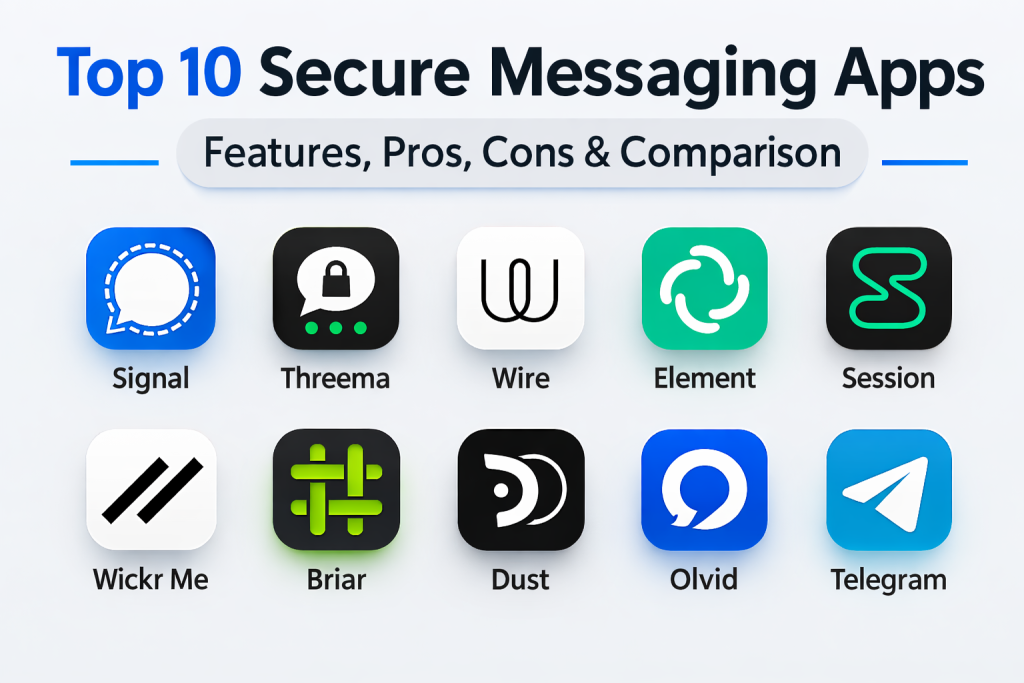
Top 10 Secure Messaging Apps Tools
1. Signal
Signal is widely regarded as the industry benchmark for secure communication. It is a non-profit, open-source platform that pioneered the Signal Protocol, which is now used by many other apps. Its primary focus is on absolute privacy with zero advertisements or data tracking.
Key Features
- Industry-leading end-to-end encryption for all communication.
- Sealed Sender technology to hide metadata from servers.
- Disappearing messages with customizable timers.
- Secure group voice and video calls.
- Screen security to prevent previews from appearing in app switchers.
Pros
- Highest level of trust among security experts and researchers.
- Minimal data collection; only stores the date of account creation.
Cons
- Requires a phone number for registration.
- Lacks the extensive social features found in less secure competitors.
Platforms / Deployment
- Windows / macOS / Linux / iOS / Android
- Cloud
Security & Compliance
- End-to-end encryption, Sealed Sender, and PIN-based account recovery.
- Open-source and regularly audited.
Integrations & Ecosystem
The app is designed to be a standalone secure vault for communication.
- Contact syncing via phone address book.
- Desktop linking via QR code.
Support & Community
Extensive community-driven support and a highly detailed technical knowledge base for users.
2. Threema
Threema is a Swiss-based messaging app that prioritizes anonymity. Unlike most competitors, it does not require a phone number or email address to sign up, allowing users to remain completely anonymous through a unique Threema ID.
Key Features
- Complete anonymity with no requirement for personal identifiers.
- Private chat hidden by a password or biometric lock.
- Poll feature for secure decision-making in groups.
- Desktop app that doesn’t require a constant phone connection.
- Secure file and media sharing.
Pros
- Operates under strict Swiss privacy laws.
- No metadata is generated; contacts are managed locally on the device.
Cons
- It is a paid app, which can be a barrier for some users.
- Smaller user base compared to free alternatives.
Platforms / Deployment
- Windows / macOS / Linux / iOS / Android / Web
- Cloud / Self-hosted (Work version)
Security & Compliance
- E2EE for all message types.
- Regular independent security audits.
Integrations & Ecosystem
Strong focus on corporate environments with Threema Work.
- Threema Gateway for API integration.
- MDM/EMM support for enterprise deployment.
Support & Community
Professional support for enterprise users and a robust FAQ for personal accounts.
3. Wire
Wire is an enterprise-grade secure collaboration platform. It combines messaging, voice, and video with project management tools, all protected by strong end-to-end encryption. It is often used by organizations requiring high-security internal communication.
Key Features
- End-to-end encryption for all files, messages, and calls.
- Secure guest rooms for external collaboration.
- Professional conference calling with screen sharing.
- Multi-device synchronization with independent keys.
- Team management dashboard for administrative control.
Pros
- Excellent for professional environments needing a secure Slack alternative.
- Fully open-source and based in Switzerland/Germany.
Cons
- Can be more complex to set up than simple consumer apps.
- Free version is limited compared to the enterprise tier.
Platforms / Deployment
- Windows / macOS / Linux / iOS / Android / Web
- Cloud / Self-hosted / On-premises
Security & Compliance
- ISO, SOC 2, and GDPR compliant.
- Proteus protocol for advanced encryption.
Integrations & Ecosystem
Designed to integrate into a corporate tech stack.
- API for custom integrations.
- Support for Single Sign-On (SSO).
Support & Community
Dedicated enterprise support teams and a technical developer portal.
4. Element (Matrix)
Element is the flagship client for the Matrix protocol. It is a decentralized, federated messaging platform that allows users to host their own servers while still communicating with people on other servers.
Key Features
- Decentralized architecture prevents central points of failure.
- End-to-end encryption enabled by default for private chats.
- Bridging capabilities to connect with Slack, Discord, and WhatsApp.
- Support for large-scale secure community rooms.
- Cross-signing for device verification.
Pros
- Total control over data if you host your own server.
- Highly flexible and customizable for technical communities.
Cons
- The user interface can be intimidating for non-technical users.
- Verification of new devices can be cumbersome.
Platforms / Deployment
- Windows / macOS / Linux / iOS / Android / Web
- Cloud / Self-hosted
Security & Compliance
- Matrix-Olm and Megolm cryptographic ratchets.
- Publicly audited open-source code.
Integrations & Ecosystem
Built for extensibility and interoperability.
- Numerous bridges to other platforms.
- Widgets for embedded tools.
Support & Community
Extremely active developer community and extensive documentation for self-hosting.
5. Session
Session is a decentralized messenger that removes the need for central servers entirely. It uses an onion-routing network, similar to Tor, to ensure that no one knows who is talking to whom, providing extreme metadata protection.
Key Features
- No phone number or email required for account creation.
- Onion-routing network to mask IP addresses.
- No metadata collection or storage on central servers.
- Fully open-source and community-funded.
- Encrypted group chats.
Pros
- Nearly impossible to trace the origin or destination of messages.
- Resistant to censorship and server shutdowns.
Cons
- Routing through multiple nodes can lead to slower message delivery.
- Lacks some modern features like high-definition video calling.
Platforms / Deployment
- Windows / macOS / Linux / iOS / Android
- Decentralized Network
Security & Compliance
- Session Protocol (derived from Signal).
- Metadata-free by design.
Integrations & Ecosystem
Minimalist by design to prevent security leaks.
- Desktop and mobile syncing.
Support & Community
Strong community presence in privacy-focused forums and open-source hubs.
6. Wickr Me
Wickr Me is a pioneer in ephemeral messaging. It is designed for users who want their conversations to leave no digital trace. While now owned by a major cloud provider, it remains a staple for high-security communication.
Key Features
- Shredder tool to securely wipe deleted data from the device.
- Configurable expiration and burn-on-read timers.
- Anonymous registration (no phone/email).
- Secure screen sharing and location masking.
- Detection for screenshots within the app.
Pros
- Excellent for highly sensitive, time-bound conversations.
- Robust security features tailored for executive use.
Cons
- Corporate ownership has led some purists to look for alternatives.
- User interface can feel dated.
Platforms / Deployment
- Windows / macOS / Linux / iOS / Android
- Cloud / Enterprise
Security & Compliance
- FIPS 140-2, HIPAA, and FISMA compliant.
- Perfect Forward Secrecy.
Integrations & Ecosystem
Stronger in the Wickr Pro and Enterprise versions.
- Integration with AWS infrastructure.
- Compliance logging for regulated industries.
Support & Community
Professional support via the AWS ecosystem and detailed security whitepapers.
7. Briar
Briar is a unique messaging app designed for activists and journalists working in environments with no internet access. It can sync messages via Bluetooth, Wi-Fi, or the Tor network, making it highly resilient to shutdowns.
Key Features
- Peer-to-peer messaging without any central servers.
- Syncing via Bluetooth and Wi-Fi for local communication.
- Built-in Tor support for internet-based chat.
- Encrypted blogs and forums within the app.
- Panic button to instantly delete the app and data.
Pros
- Works in disaster zones or during government internet shutdowns.
- No data is ever stored in the cloud.
Cons
- Only available on Android and desktop (limited iOS support).
- Requires both users to be online simultaneously for P2P sync.
Platforms / Deployment
- Windows / macOS / Linux / Android
- Peer-to-Peer
Security & Compliance
- Open-source and independently audited.
- Designed for high-risk environments.
Integrations & Ecosystem
Designed as a standalone tool for maximum security.
- Contact exchange via QR code.
Support & Community
Dedicated community of activists and researchers focusing on anti-censorship.
8. Dust
Dust (formerly Cyber Dust) focuses on total control over digital footprints. It treats every message like “dust,” intending for it to disappear without a trace. It is popular among high-profile individuals who want to avoid permanent records of their chats.
Key Features
- Messages are automatically deleted after 24 hours.
- In-app detection and notification of screenshots.
- No data is stored on permanent servers.
- Ability to “unsend” messages from the recipient’s phone.
- Secure search and discovery.
Pros
- Very user-friendly and approachable for non-technical users.
- High emphasis on preventing accidental data leaks.
Cons
- Not open-source, which limits transparency.
- Smaller feature set compared to apps like Wire or Signal.
Platforms / Deployment
- iOS / Android
- Cloud
Security & Compliance
- RSA-2048 and AES-256 encryption.
- Not publicly stated certifications.
Integrations & Ecosystem
Primarily a mobile-first experience.
- Contact syncing.
Support & Community
General consumer support and social media-based community help.
9. Olvid
Olvid is a French secure messenger that claims to be the most secure in the world by removing the need for any central directory of users. It uses a unique cryptographic protocol that establishes trust directly between devices.
Key Features
- No central server or user directory.
- Cryptographic keys are exchanged via a four-digit code between users.
- End-to-end encryption for metadata as well as content.
- Secure voice and file transfers.
- Independent of phone numbers or email.
Pros
- Exceptional metadata protection.
- Does not require access to your contact list to function.
Cons
- Onboarding new contacts is slower than other apps.
- Brand awareness is currently lower outside of Europe.
Platforms / Deployment
- iOS / Android / macOS / Windows
- Local / Cloud (for transport only)
Security & Compliance
- ANSSI security certification (France).
- Fully audited cryptographic core.
Integrations & Ecosystem
Focused on privacy-first professional use.
- Enterprise version with MDM support.
Support & Community
Strong support in the French security community and growing international documentation.
10. Telegram (Secret Chats)
While Telegram is a cloud-based messenger by default, its “Secret Chats” feature provides end-to-end encryption. It is included due to its massive user base and its role as a vital communication tool in restricted regions.
Key Features
- Secret Chats with end-to-end encryption and self-destruct timers.
- Large-scale public and private channels for broadcasting.
- Highly customizable interface and bot ecosystem.
- Support for massive file transfers (up to 2GB).
- Cloud sync for standard chats across all devices.
Pros
- Extremely fast and feature-rich user experience.
- High adoption makes it easy to find contacts.
Cons
- End-to-end encryption is NOT enabled by default for all chats.
- Cloud-based architecture stores some metadata on servers.
Platforms / Deployment
- Windows / macOS / Linux / iOS / Android / Web
- Cloud
Security & Compliance
- MTProto custom encryption protocol.
- Frequent public bug bounty programs.
Integrations & Ecosystem
The most advanced bot and API ecosystem in the messaging world.
- Custom bots for automation.
- Payments and polls.
Support & Community
Massive global community with support in nearly every language.
Comparison Table
| Tool Name | Best For | Platform(s) Supported | Deployment | Standout Feature | Public Rating |
| 1. Signal | Daily Privacy | Win, Mac, Linux, iOS, Android | Cloud | Sealed Sender | N/A |
| 2. Threema | Anonymity | Win, Mac, Linux, iOS, Android | Cloud/Self | No Phone Required | N/A |
| 3. Wire | Enterprise | Win, Mac, Linux, iOS, Android | Hybrid | Guest Rooms | N/A |
| 4. Element | Decentralization | Win, Mac, Linux, iOS, Android | Self-hosted | Matrix Protocol | N/A |
| 5. Session | Anti-Tracing | Win, Mac, Linux, iOS, Android | P2P | Onion Routing | N/A |
| 6. Wickr Me | Ephemeral Chat | Win, Mac, Linux, iOS, Android | Cloud | Secure Shredder | N/A |
| 7. Briar | Off-grid Chat | Win, Mac, Linux, Android | P2P | Sync via Bluetooth | N/A |
| 8. Dust | High Profile | iOS, Android | Cloud | Screenshot Alerts | N/A |
| 9. Olvid | Zero Directory | iOS, Android, Win, Mac | Local | No User Directory | N/A |
| 10. Telegram | Mass Comm | Win, Mac, Linux, iOS, Android | Cloud | Secret Chats | N/A |
Evaluation & Scoring of Secure Messaging Apps
| Tool Name | Core (25%) | Ease (15%) | Integrations (15%) | Security (10%) | Performance (10%) | Support (10%) | Value (15%) | Weighted Total |
| 1. Signal | 10 | 9 | 6 | 10 | 9 | 8 | 10 | 9.10 |
| 2. Threema | 9 | 8 | 7 | 9 | 9 | 8 | 7 | 8.15 |
| 3. Wire | 8 | 7 | 9 | 9 | 8 | 9 | 7 | 8.05 |
| 4. Element | 9 | 5 | 10 | 9 | 7 | 8 | 9 | 8.00 |
| 5. Session | 8 | 6 | 5 | 10 | 6 | 7 | 9 | 7.40 |
| 6. Wickr Me | 8 | 7 | 8 | 9 | 8 | 8 | 7 | 7.75 |
| 7. Briar | 7 | 5 | 4 | 10 | 7 | 7 | 10 | 6.95 |
| 8. Dust | 6 | 9 | 5 | 7 | 9 | 7 | 8 | 7.10 |
| 9. Olvid | 7 | 6 | 6 | 10 | 8 | 7 | 8 | 7.30 |
| 10. Telegram | 7 | 10 | 10 | 6 | 10 | 9 | 9 | 8.40 |
This evaluation highlights that while Signal offers the best overall balance for daily use, Element and Wire provide superior integration and collaborative features for professional teams. Apps like Session and Briar score lower on performance due to their complex routing but offer the highest theoretical security for extreme use cases.
Which Secure Messaging App Tool Is Right for You?
Solo / Freelancer
For the average user or freelancer, Signal is the optimal choice. It provides high-end security with a user interface as simple as standard SMS, ensuring that you can communicate with clients without a steep learning curve.
SMB
Small businesses should look at Threema Work or Wire. These platforms provide the administrative oversight needed for a team while maintaining the encryption standards necessary to protect client confidentiality.
Mid-Market
Organizations at this scale benefit from Element, especially if they have an internal IT team that can manage a Matrix server. This provides total data sovereignty and the ability to bridge with other platforms.
Enterprise
For large corporations, Wire or Wickr Enterprise are the preferred options. They offer the necessary compliance logging, SSO integrations, and administrative controls required by highly regulated industries.
Budget vs Premium
Signal and Element are the best budget-friendly options, offering top-tier security for free. Threema and Olvid represent premium choices for those who prioritize specific features like zero-identifier registration.
Feature Depth vs Ease of Use
Telegram leads in features and ease of use, but users must remember to manually enable Secret Chats for security. For those wanting security by default with ease of use, Signal remains the leader.
Integrations & Scalability
Element is the most scalable due to its federated nature, while Wire offers the best professional integrations for existing business software.
Security & Compliance Needs
If you are operating in a high-risk environment or a highly regulated sector, Olvid, Signal, or Threema provide the most rigorous and audited security frameworks.
Frequently Asked Questions
What is end-to-end encryption (E2EE)?
E2EE ensures that only the sender and receiver can decrypt and read messages. No one in the middle, including the service provider, has access to the content.
Why is metadata important?
Metadata includes who you messaged and when. Even if the content is hidden, metadata can reveal patterns about your life or business relationships.
Do I need to give my phone number to use these apps?
Not always. Apps like Threema, Session, and Olvid do not require a phone number, providing a higher level of anonymity.
Is Telegram secure?
Telegram is secure for “Secret Chats,” but standard group and one-to-one chats are cloud-based. For maximum security, always use the Secret Chat feature.
Can these apps be hacked?
While the encryption is extremely strong, the devices themselves can be compromised. Always use biometric locks and keep your OS updated.
Are open-source apps better?
Generally, yes. Open-source code allows independent researchers to verify that the security features actually do what the company claims.
Do self-destructing messages really work?
They delete the message from the devices, but they cannot prevent someone from taking a physical photo of the screen with another camera.
Can I use these apps on my computer?
Most secure apps, like Signal, Wire, and Element, have desktop versions that sync securely with your mobile device.
What happens if I lose my phone?
Most secure apps do not store your password on their servers. If you lose your phone and haven’t backed up your recovery key, your old messages may be lost forever.
What is the best app for whistleblowers?
Signal and Session are often recommended for whistleblowers due to their extreme metadata protection and lack of user logs.
Conclusion
Navigating the world of secure messaging requires a clear understanding of your personal or organizational risk profile. While many apps offer basic encryption, the true leaders in the field provide a combination of open-source transparency, metadata protection, and jurisdictional safety. Choosing the right tool involves balancing the need for absolute privacy with the functional requirements of your daily communication. It is a strategic decision that safeguards not just your words, but your digital identity as a whole. To get started, I recommend shortlisting two apps—one for personal use and one for professional collaboration—and running a week-long pilot with your most frequent contacts to test the interface and reliability before fully migrating your sensitive conversations.

Best Cardiac Hospitals Near You
Discover top heart hospitals, cardiology centers & cardiac care services by city.
Advanced Heart Care • Trusted Hospitals • Expert Teams
View Best Hospitals