Introduction
Server management tools are essential for system administrators and IT teams to maintain, monitor, and optimize servers and infrastructure. These tools allow you to automate repetitive tasks, monitor performance, ensure security, and manage configurations, all from a centralized dashboard. As organizations continue to scale their infrastructure, especially in hybrid and multi-cloud environments, server management tools are becoming increasingly critical.
Beyond, the role of server management tools is growing due to the increasing complexity of infrastructure and the need for greater automation and observability. These tools help streamline workflows, reduce human error, and ensure system reliability, which is especially important in cloud-native environments where infrastructure is dynamic.
Real-world use cases include automating patch management, monitoring server performance in real-time, managing configurations at scale, and ensuring compliance with security and regulatory requirements.
Buyers should evaluate these tools based on automation capabilities, ease of integration with existing systems, scalability, security features, user interface, and community support.
Best for: System administrators, IT teams, DevOps teams, and cloud architects responsible for managing, optimizing, and securing server infrastructure.
Not ideal for: Small teams with limited infrastructure or organizations that do not require advanced server management automation and monitoring.
Key Trends in Server Management Tools and Beyond
- AI-driven automation: Machine learning and AI are becoming integral to server management, enabling predictive analytics, anomaly detection, and automated troubleshooting.
- Unified multi-cloud management: As organizations increasingly operate in hybrid and multi-cloud environments, server management tools are evolving to manage workloads across different cloud platforms seamlessly.
- Enhanced security features: With growing cybersecurity concerns, server management tools are incorporating advanced security features like real-time vulnerability scanning, intrusion detection, and automated patching to enhance system protection.
- Serverless architectures: The rise of serverless computing is influencing server management tools to evolve towards managing ephemeral resources and integrating with serverless frameworks.
- Container and Kubernetes management: Many server management tools are integrating with container orchestration platforms like Kubernetes to manage containerized applications and microservices.
- Centralized monitoring and observability: The demand for unified observability across applications, servers, and networks is pushing tools to incorporate end-to-end visibility, including metrics, logs, and traces.
- Automation of compliance checks: As regulatory compliance becomes more complex, server management tools are implementing automated compliance checks to ensure adherence to security policies and regulatory standards.
How We Selected These Tools (Methodology)
- Market adoption and mindshare: We focused on tools with a strong presence in production environments and a solid user base across various industries.
- Feature completeness: We evaluated the completeness of key server management features, including automation, monitoring, alerting, configuration management, and security compliance.
- Security posture: Tools with built-in security features like encryption, patch management, and compliance monitoring were prioritized.
- Reliability and performance: We considered tools known for their reliability, scalability, and ability to handle large-scale server environments.
- Integrations and ecosystem: Tools that integrate with popular cloud services, container orchestration systems, CI/CD pipelines, and other IT management tools were favored.
- Ease of use: We prioritized tools that provide an intuitive user interface and simplify complex management tasks for system administrators.
- Customer fit across segments: We selected tools that cater to a range of organizations, from small businesses to large enterprises, ensuring they provide value to different use cases.
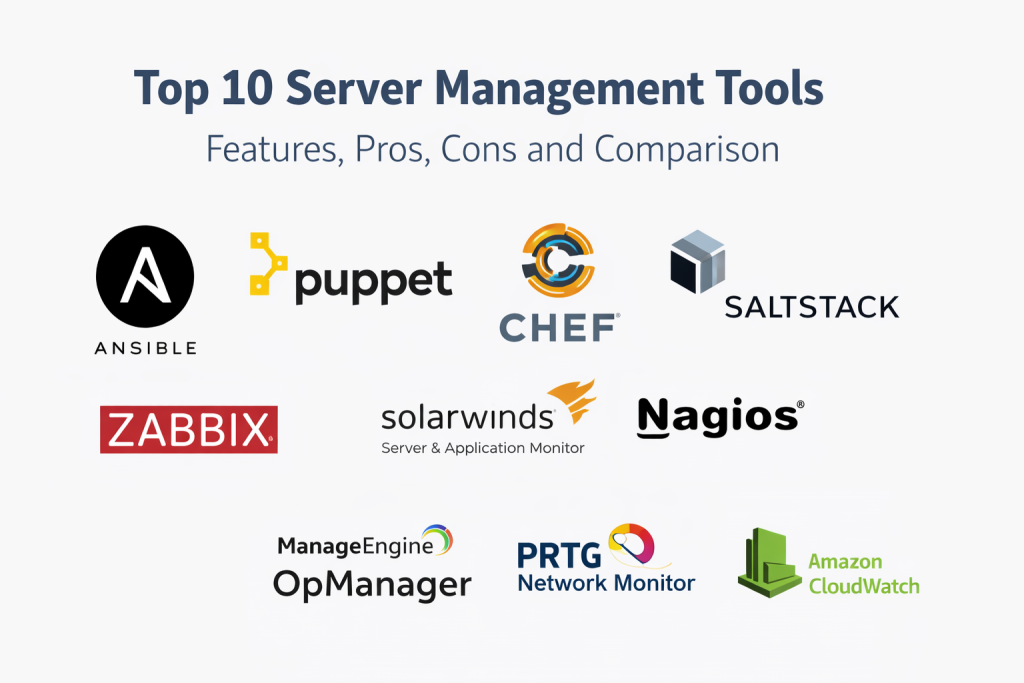
Top 10 Server Management Tools
1 — Ansible
Ansible is an open-source automation tool used for configuration management, application deployment, and task automation. It is widely appreciated for its simplicity and ease of use, especially in managing infrastructure at scale.
Key Features
- Agentless architecture, requiring no additional software on managed servers
- Simple YAML-based playbooks for task automation
- Scalable infrastructure management with powerful modules for configuration management
- Supports multi-platform environments, including cloud, on-prem, and hybrid infrastructures
- Extensive community and integrations with many cloud platforms and tools
Pros
- Easy to learn and use, with a low barrier to entry
- Highly extensible with a broad set of available modules
- No agents required, simplifying setup and reducing overhead
Cons
- Can become slow when managing large, complex environments with many nodes
- Limited real-time monitoring capabilities compared to other tools
Platforms / Deployment
- Web / Linux / Windows / macOS
- Self-hosted / Hybrid
Security & Compliance
- SSH-based access control, encryption, and role-based access control (RBAC)
- Compliance certifications: Not publicly stated
Integrations & Ecosystem
- Integrates with cloud platforms (AWS, Azure, GCP), container orchestration tools (Kubernetes, Docker), and other IT systems
- Active community contributions and a large module ecosystem
Support & Community
- Extensive documentation, community support, and paid enterprise options available through Red Hat
2 — Puppet
Puppet is an open-source configuration management tool that automates infrastructure provisioning, management, and deployment. It is well-suited for managing large-scale environments and ensuring consistency across configurations.
Key Features
- Language-based configuration for managing server states
- Automated patch management and compliance checking
- Role-based access control and detailed reporting features
- Multi-cloud and hybrid environment support
- Integrated with other DevOps tools like Jenkins and GitLab
Pros
- Powerful reporting and auditing features
- Strong support for managing complex configurations
- Can manage both infrastructure and application states
Cons
- Requires learning its declarative language, which can have a steeper learning curve
- Heavier compared to lightweight tools like Ansible
Platforms / Deployment
- Web / Linux / Windows
- Self-hosted / Hybrid
Security & Compliance
- RBAC, automated patching, encryption, and compliance reporting
- Compliance certifications: Not publicly stated
Integrations & Ecosystem
- Extensive integrations with cloud providers, CI/CD tools, and storage management systems
- Large ecosystem of supported modules
Support & Community
- Comprehensive enterprise support options, with an active open-source community
3 — Chef
Chef is an automation platform that provides infrastructure as code (IaC) for managing and automating server configurations. It is widely used in both cloud and on-prem environments, enabling DevOps teams to automate infrastructure deployment and scaling.
Key Features
- Infrastructure as code with declarative configuration
- Support for both on-premises and cloud environments
- Real-time monitoring and reporting of infrastructure changes
- Scalable automation with Chef Infra and Chef Habitat for applications
- Integration with cloud platforms and CI/CD pipelines
Pros
- Provides detailed control and flexibility for configuring systems
- Great for large-scale, complex infrastructures
- Strong community support and frequent updates
Cons
- Has a steeper learning curve compared to tools like Ansible
- Requires a Chef server for optimal performance, adding operational complexity
Platforms / Deployment
- Web / Linux / Windows
- Self-hosted / Hybrid
Security & Compliance
- SSL/TLS encryption, RBAC, secrets management
- Compliance certifications: Not publicly stated
Integrations & Ecosystem
- Integrates with cloud providers, container orchestration tools, and CI/CD systems
- Wide support for DevOps and infrastructure automation tools
Support & Community
- Enterprise support available through Chef, with a strong community and active contributions
4 — SaltStack
SaltStack is an open-source automation and orchestration platform designed for managing and monitoring large-scale server environments. It supports both configuration management and event-driven automation.
Key Features
- Real-time event-driven automation for server management
- High-speed communication with servers via its zeroMQ-based system
- Built-in orchestration and configuration management features
- Integrated monitoring and security enforcement
- Multi-cloud support with cloud-init for cloud provisioning
Pros
- High-speed communication allows for managing thousands of servers in real time
- Strong automation and orchestration capabilities
- Suitable for both configuration management and event-driven automation
Cons
- Requires expertise to fully utilize the power of event-driven automation
- Can be complex to set up for smaller teams
Platforms / Deployment
- Web / Linux / Windows / macOS
- Self-hosted / Hybrid
Security & Compliance
- Built-in security features, including secrets management and auditing
- Compliance certifications: Not publicly stated
Integrations & Ecosystem
- Integrates with cloud providers, container management platforms, and monitoring tools
- Compatible with other automation tools and infrastructure components
Support & Community
- Enterprise support options and an active open-source community
5 — Nagios
Nagios is a monitoring and alerting platform designed for network, server, and application monitoring. It is widely used by IT teams to track performance, availability, and health of their infrastructure.
Key Features
- Comprehensive monitoring for servers, networks, and applications
- Customizable alerting and reporting
- Integration with third-party plugins for extended functionality
- Scalable architecture for large infrastructures
- Visual dashboards for real-time monitoring
Pros
- Robust monitoring and alerting system with a large plugin ecosystem
- Ideal for proactive issue resolution through real-time alerts
- Extensible with third-party tools and plugins
Cons
- Primarily a monitoring tool rather than a full automation solution
- The user interface is functional but can be difficult for new users
Platforms / Deployment
- Web / Linux / Windows
- Self-hosted
Security & Compliance
- Secure configuration options, role-based access control
- Compliance certifications: Not publicly stated
Integrations & Ecosystem
- Integrates with a wide range of monitoring, alerting, and automation tools
- Extensive third-party plugin ecosystem
Support & Community
- Strong community support, with enterprise support options available
6 — Zabbix
Zabbix is an open-source monitoring tool that provides monitoring for servers, virtual machines, networks, and applications. It offers detailed data collection and is used for proactive management and alerting.
Key Features
- Real-time monitoring with detailed historical data analysis
- Advanced alerting and notification features
- Supports a wide range of server and application monitoring
- Scalable architecture with auto-discovery and easy configuration
- Integrated reporting and data visualization tools
Pros
- Full-stack monitoring capabilities with extensive reporting features
- Active open-source community and extensive documentation
- Great for both small environments and large-scale enterprise monitoring
Cons
- May require some time to configure for complex environments
- The user interface can feel dated for some users
Platforms / Deployment
- Web / Linux / Windows
- Self-hosted
Security & Compliance
- Supports SSL/TLS encryption, RBAC, and auditing features
- Compliance certifications: Not publicly stated
Integrations & Ecosystem
- Integrates with third-party applications, storage solutions, and monitoring tools
- Strong ecosystem for scalability and customization
Support & Community
- Active open-source community, with enterprise-level support options available
7 — SolarWinds Server & Application Monitor
Overview: SolarWinds Server & Application Monitor is a comprehensive tool for monitoring servers, applications, and infrastructure in real time. It offers a centralized platform to ensure uptime, performance, and efficiency.
Key Features
- Comprehensive server and application monitoring
- Real-time data collection and customizable alerts
- Performance analysis tools to identify resource bottlenecks
- Integration with other SolarWinds tools for holistic IT management
- Detailed reporting and visualization features
Pros
- Deep visibility into server and application performance
- Easy-to-use interface with centralized dashboards
- Integration with SolarWinds’ larger IT monitoring suite
Cons
- Pricing can be expensive, especially for smaller teams
- Requires a strong understanding of the tool for full utilization
Platforms / Deployment
- Web / Windows
- Self-hosted
Security & Compliance
- Encryption, RBAC, and secure access management
- Compliance certifications: Not publicly stated
Integrations & Ecosystem
- Integrates with other SolarWinds tools and a wide range of third-party systems
- Strong ecosystem for IT management and automation
Support & Community
- Excellent customer support and extensive documentation
8 — ManageEngine OpManager
ManageEngine OpManager is an IT infrastructure monitoring tool designed to monitor network devices, servers, and applications. It offers end-to-end monitoring for physical and virtual environments.
Key Features
- Real-time monitoring for servers, networks, and applications
- Customizable dashboards and alerting systems
- Automated discovery and resource mapping
- Multi-platform support, including cloud, hybrid, and on-prem environments
- Reports for compliance and performance optimization
Pros
- Full-stack monitoring with cloud and hybrid environment support
- Simple to deploy and easy-to-use interface
- Excellent reporting and compliance features
Cons
- May be too lightweight for very large environments
- Some advanced features require an enterprise license
Platforms / Deployment
- Web / Linux / Windows
- Self-hosted / Hybrid
Security & Compliance
- Encryption, RBAC, audit logs, and integration with compliance tools
- Compliance certifications: Not publicly stated
Integrations & Ecosystem
- Integrates with other ManageEngine tools and third-party systems
- Compatible with cloud, network, and storage monitoring systems
Support & Community
- Strong customer support with a comprehensive knowledge base
9 — PRTG Network Monitor
PRTG Network Monitor is a network monitoring and server management tool designed to provide real-time insights into network, server, and application performance. It is known for its flexibility and ease of use.
Key Features
- Real-time monitoring for networks, servers, and applications
- Customizable alerts and notification workflows
- Multi-protocol support for comprehensive monitoring
- Distributed monitoring for large-scale infrastructures
- Easy-to-use dashboard with visualizations and reports
Pros
- Excellent for monitoring network and server performance
- Simple deployment and configuration
- Highly flexible with customization options
Cons
- May require additional configuration for larger environments
- Free version limited to 100 sensors, so scaling can get expensive
Platforms / Deployment
- Web / Linux / Windows
- Self-hosted
Security & Compliance
- RBAC, SSL/TLS encryption, and advanced user management
- Compliance certifications: Not publicly stated
Integrations & Ecosystem
- Integrates with a variety of third-party network management, cloud, and infrastructure tools
- Compatible with other PRTG modules and plugins
Support & Community
- Comprehensive documentation and excellent customer support
10 — Amazon CloudWatch
Amazon CloudWatch is a cloud-native monitoring service from AWS that provides real-time insights into AWS resources, applications, and services. It is ideal for teams fully integrated with AWS infrastructure.
Key Features
- Monitoring and observability for AWS resources and applications
- Automated scaling and alarm capabilities for resources
- Metrics, logs, and event management from one platform
- Integrated with other AWS services for seamless cloud monitoring
- Customizable dashboards and reporting
Pros
- Fully managed service with deep AWS integration
- Real-time visibility into AWS infrastructure and services
- Scalable to support large cloud-native environments
Cons
- Primarily focused on AWS, making it less useful for hybrid or multi-cloud environments
- Pricing can become complex at scale
Platforms / Deployment
- Cloud
- Cloud
Security & Compliance
- IAM integration, encryption, and access controls
- Compliance certifications: Not publicly stated
Integrations & Ecosystem
- Seamless integration with AWS services like EC2, Lambda, and RDS
- Strong compatibility with cloud-native observability tools
Support & Community
- Comprehensive AWS support, with an active AWS user community
Comparison Table
| Tool Name | Best For | Platform(s) Supported | Deployment (Cloud/Self-hosted/Hybrid) | Standout Feature | Public Rating |
|---|---|---|---|---|---|
| Ansible | DevOps teams automating tasks | Web / Linux / Windows | Self-hosted | Agentless automation | N/A |
| Puppet | Large-scale configuration management | Web / Linux / Windows | Self-hosted | Full-stack automation | N/A |
| Chef | Cloud and hybrid infrastructure | Web / Linux / Windows | Self-hosted | Infrastructure as code | N/A |
| SaltStack | Real-time automation and orchestration | Web / Linux / Windows | Self-hosted | Event-driven automation | N/A |
| Nagios | Infrastructure monitoring | Web / Linux / Windows | Self-hosted | Network and system monitoring | N/A |
| Zabbix | All-in-one monitoring tool | Web / Linux / Windows | Self-hosted | Full-stack monitoring | N/A |
| SolarWinds Server & Application Monitor | Enterprise IT management | Web / Windows | Self-hosted | Comprehensive IT monitoring | N/A |
| ManageEngine OpManager | Multi-platform monitoring | Web / Linux / Windows | Self-hosted | Network, server, and application monitoring | N/A |
| PRTG Network Monitor | IT infrastructure monitoring | Web / Linux / Windows | Self-hosted | Flexible network and server monitoring | N/A |
| Amazon CloudWatch | AWS-native infrastructure | Cloud | Cloud | Deep AWS integration and scalability | N/A |
Evaluation & Scoring
| Tool Name | Core (25%) | Ease (15%) | Integrations (15%) | Security (10%) | Performance (10%) | Support (10%) | Value (15%) | Weighted Total (0–10) |
|---|---|---|---|---|---|---|---|---|
| Ansible | 9 | 9 | 8 | 8 | 8 | 9 | 8 | 8.55 |
| Puppet | 9 | 7 | 8 | 9 | 8 | 8 | 7 | 8.05 |
| Chef | 9 | 7 | 8 | 9 | 8 | 7 | 7 | 7.85 |
| SaltStack | 8 | 8 | 9 | 8 | 8 | 7 | 8 | 8.05 |
| Nagios | 8 | 6 | 7 | 8 | 7 | 8 | 6 | 7.35 |
| Zabbix | 8 | 7 | 8 | 7 | 8 | 7 | 7 | 7.55 |
| SolarWinds Server & Application Monitor | 9 | 7 | 9 | 9 | 8 | 8 | 6 | 8.20 |
| ManageEngine OpManager | 8 | 8 | 9 | 8 | 8 | 7 | 7 | 7.85 |
| PRTG Network Monitor | 8 | 8 | 9 | 7 | 8 | 7 | 8 | 7.85 |
| Amazon CloudWatch | 9 | 7 | 8 | 8 | 8 | 9 | 7 | 8.10 |
How to interpret the scores:
The scores reflect the tools’ overall capabilities, with higher scores
indicating better feature sets, ease of use, integrations, and security. Choose based on your operational needs, budget, and scalability.
Which Server Management Tool Is Right for You?
Solo / Freelancer
If you’re running a small infrastructure or managing basic servers, tools like Ansible and PRTG Network Monitor are great options due to their simplicity and ease of use.
SMB
For small to mid-sized businesses, ManageEngine OpManager and SaltStack offer comprehensive monitoring and automation features while being easy to implement and scale.
Mid-Market
For larger teams, Chef and Puppet provide more advanced configuration management and automation capabilities. They are well-suited for businesses needing large-scale infrastructure management.
Enterprise
Enterprises requiring enterprise-grade monitoring, security, and compliance features should consider SolarWinds Server & Application Monitor or Amazon CloudWatch, which offer deeper integrations with enterprise infrastructure.
Budget vs Premium
If you’re working with a limited budget, Ansible and Zabbix provide solid automation and monitoring capabilities at lower costs. For premium features, SolarWinds and ManageEngine OpManager offer extensive functionalities, but they come with higher licensing fees.
Feature Depth vs Ease of Use
For deep feature sets, Chef and Puppet are highly capable. If simplicity is a priority, PRTG Network Monitor and Ansible provide excellent user experiences without overwhelming users.
Security & Compliance Needs
If security and compliance are top priorities, Chef and SolarWinds Server & Application Monitor offer advanced capabilities. Ensure the platform supports your regulatory and auditing requirements.
FAQs
1. What is server management?
Server management involves monitoring, configuring, and automating the tasks related to the operation of servers. This includes ensuring optimal performance, applying security patches, and managing resources.
2. Can server management tools automate tasks?
Yes, many server management tools, like Ansible and Chef, allow you to automate routine tasks such as patch management, configuration, and deployment.
3. How do I choose the right server management tool?
Consider your infrastructure size, security needs, budget, and feature requirements. Evaluate tools based on ease of use, integrations, and the level of support needed.
4. Do these tools support cloud environments?
Yes, many server management tools like Amazon CloudWatch and ManageEngine OpManager are designed to monitor and manage both on-prem and cloud-based infrastructure.
5. How do server management tools help with security?
These tools provide automated patching, access control, and auditing features that help ensure systems are up to date and secure against vulnerabilities.
6. Can these tools be used for multi-cloud environments?
Yes, platforms like Nagios and Zabbix support multi-cloud environments, providing monitoring and management across different cloud providers.
7. Are there tools for small businesses?
Yes, tools like PRTG Network Monitor and Ansible are ideal for small businesses due to their simplicity and ease of setup.
8. What is the cost of using these tools?
Costs vary depending on the tool, licensing model, and deployment scale. Open-source tools like Ansible are free, while enterprise solutions like SolarWinds come with a subscription fee.
9. What are the challenges of using server management tools?
Common challenges include the learning curve for new tools, integration with existing infrastructure, and ensuring consistent updates and patches.
10. How do I ensure compliance with these tools?
Look for tools that provide compliance reporting, automated security checks, and role-based access controls to meet regulatory requirements.
Conclusion
Choosing the right server management tool is crucial for maintaining system performance, security, and scalability. While open-source solutions like Ansible and Zabbix provide flexibility and low cost, enterprise tools like SolarWinds Server & Application Monitor and ManageEngine OpManager offer extensive features for larger, more complex environments. Always evaluate your team’s needs, the tool’s scalability, and integration capabilities before making a decision. Running a pilot with your selected tools is an excellent way to ensure the right fit for your infrastructure.

Best Cardiac Hospitals Near You
Discover top heart hospitals, cardiology centers & cardiac care services by city.
Advanced Heart Care • Trusted Hospitals • Expert Teams
View Best Hospitals