Introduction
A service catalog platform is a centralized digital storefront where employees, customers, or partners can discover and request standardized services from various departments like IT, HR, and Facilities. Much like a consumer e-commerce experience, these platforms provide a structured menu of offerings, complete with descriptions, pricing, and service level expectations. In the modern enterprise landscape, these tools have moved beyond simple ticketing to become the primary interface for the “digital employee experience,” orchestrating complex workflows and automating the delivery of everything from software access to physical equipment.
The shift toward remote and hybrid work has made the service catalog an essential component of business continuity. Without a unified portal, service requests often get lost in email chains or fragmented chat messages, leading to “shadow IT” and operational bottlenecks. A well-designed platform ensures that every request follows a compliant, pre-approved path, providing full visibility to both the requester and the service provider. As we move deeper into an era of hyper-automation, these platforms are increasingly leveraging artificial intelligence to predict user needs and resolve requests without human intervention.
Best for: Large-scale organizations with complex departmental interdependencies, growing companies seeking to standardize their internal operations, and IT teams looking to reduce manual request handling through automated workflows.
Not ideal for: Very small teams with low request volumes where a simple shared inbox is sufficient, or organizations that lack the resources to maintain and update a structured service portfolio.
Key Trends in Service Catalog Platforms
- Agentic AI Orchestration: The move from basic chatbots to autonomous AI agents that can not only understand a request but also execute the necessary steps across multiple systems to fulfill it.
- Consumerization of Enterprise UX: Service catalogs are adopting the design language of popular shopping sites, featuring “one-click” ordering, real-time tracking, and personalized recommendations.
- Enterprise Service Management (ESM): A major trend where non-IT departments like Legal, Finance, and HR adopt service catalog principles to manage their own internal requests.
- Low-Code Catalog Building: Modern platforms now offer drag-and-drop interfaces that allow department heads to build their own service forms and workflows without writing a single line of code.
- Predictive Service Delivery: Using machine learning to analyze historical data and suggest services to users before they even realize they need them, such as suggesting a hardware refresh for an aging laptop.
- Unified Asset and Service Mapping: Deep integration with Configuration Management Databases (CMDB) to show users exactly which assets they own and what services are available for those specific items.
- Zero-Touch Fulfillment: The increasing use of API-driven automation to provide instant access to cloud resources, software licenses, or password resets without any human admin involvement.
- Sovereign Cloud and Data Privacy: A growing focus on ensuring service request data is stored and processed within specific geographic boundaries to meet tightening global compliance standards.
How We Selected These Tools
- Market Presence and Reliability: We focused on platforms that are recognized as leaders in the IT Service Management (ITSM) space and have a proven track record of uptime.
- Feature Depth and Flexibility: Priority was given to tools that allow for highly customizable forms and complex, multi-stage approval workflows.
- User Experience (UX) Standards: We evaluated the ease of use for the end-user, looking for clean interfaces that require minimal training.
- Integration Capabilities: Each selected tool was checked for its ability to connect with common enterprise software like Slack, Microsoft Teams, and identity providers.
- Security and Compliance Posture: We favored vendors that provide robust encryption, multi-factor authentication, and evidence of third-party security audits.
- Modern Innovation: Special consideration was given to platforms actively integrating generative AI and automated “self-healing” capabilities.
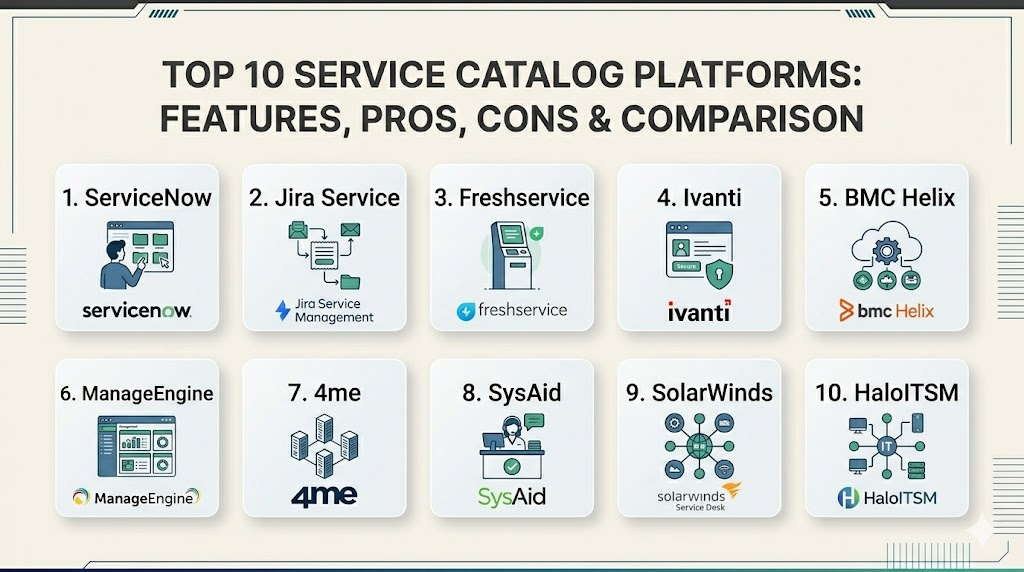
Top 10 Service Catalog Platforms
1. ServiceNow Service Catalog
As the dominant player in the enterprise market, this platform offers an incredibly deep and flexible service catalog that serves as the central hub for the entire “Now Platform.” It is designed to handle the most complex global business requirements.
Key Features
- Advanced Catalog Builder for non-technical users to create services.
- Native mobile app providing a consistent experience across all devices.
- Deep integration with a unified CMDB for accurate asset tracking.
- Multi-departmental support for HR, Legal, and Facilities workflows.
- “Now Assist” generative AI for natural language service discovery.
Pros
- Unmatched scalability for the largest global enterprises.
- Extensive ecosystem of third-party apps and professional consultants.
Cons
- Often requires specialized staff to maintain and configure.
- Licensing can be complex and expensive for smaller organizations.
Platforms / Deployment
Web / iOS / Android
Cloud / Hybrid
Security & Compliance
Standard identity management with FedRAMP, SOC 2, and ISO certifications.
Varies by deployment.
Integrations & Ecosystem
Strongest in the market, with thousands of pre-built connectors to virtually every major enterprise software and cloud provider.
Support & Community
A massive global community of developers and a well-structured official training and certification program.
2. Jira Service Management (Atlassian)
Built on the popular Jira platform, this tool is the top choice for organizations where IT and development teams need to stay tightly aligned. It excels in agility and speed of deployment.
Key Features
- Intuitive “Forms for Jira” for building complex, low-code request forms.
- Seamless integration with software development workflows and tickets.
- Built-in automation engine for routing and escalating requests.
- Integrated asset management for tracking hardware and software.
- Specialized templates for HR, Legal, and Marketing departments.
Pros
- Very fast to set up compared to traditional enterprise platforms.
- Excellent value for teams already using the Atlassian suite.
Cons
- Can become cluttered as the number of custom fields and projects grows.
- Higher-tier features require more expensive “Premium” or “Enterprise” plans.
Platforms / Deployment
Web / iOS / Android
Cloud / Self-hosted (Data Center)
Security & Compliance
SOC 2, ISO 27001, HIPAA, and GDPR compliant.
Not publicly stated for all modules.
Integrations & Ecosystem
Leverages the massive Atlassian Marketplace, offering thousands of add-ons for everything from specialized reporting to custom UI themes.
Support & Community
A highly active global community and a robust network of “Solution Partners” for implementation help.
3. Freshservice (by Freshworks)
Freshservice is designed for organizations that want enterprise-grade power with the simplicity of a consumer-grade user interface. It is highly regarded for its ease of use and rapid adoption rates.
Key Features
- Minimalist, modern user portal that requires zero training for employees.
- Freddy AI for automated ticket categorization and agent assistance.
- Visual workflow automator for building complex logic without code.
- Integrated project management to link service requests to larger tasks.
- Automated cost estimation for service requests and resource usage.
Pros
- One of the best user interfaces in the service management industry.
- Very predictable, transparent tiered pricing models.
Cons
- May lack some of the deepest customization levels found in ServiceNow.
- Some advanced AI features require the highest-tier enterprise plans.
Platforms / Deployment
Web / iOS / Android
Cloud
Security & Compliance
SSO/SAML, MFA, and data encryption at rest and in transit.
SOC 2 and GDPR compliant.
Integrations & Ecosystem
Features an “Orchestration Center” with hundreds of pre-built apps for tools like Slack, Zoom, and Microsoft 365.
Support & Community
Good documentation and 24/7 support availability for higher-tier customers.
4. Ivanti Neurons for ITSM
Ivanti focuses on “self-healing” IT, using bots to proactively find and fix issues. Its service catalog is built into a broader platform that emphasizes security and endpoint management.
Key Features
- Autonomous “Neurons” bots that can fulfill requests automatically.
- Integrated patch management and security vulnerability tracking.
- Visual request designer with multi-stage approval workflows.
- Predictive analytics to identify potential bottlenecks in service delivery.
- Strong emphasis on mobile-first employee experiences.
Pros
- Exceptional for organizations that prioritize security and endpoint control.
- Built-in automation for complex tasks like software deployment.
Cons
- The interface can feel more technical and less “modern” than competitors.
- Implementation can be complex due to the breadth of the platform.
Platforms / Deployment
Web / iOS / Android
Cloud / On-premise / Hybrid
Security & Compliance
Strong focus on government-grade security standards.
FedRAMP authorized.
Integrations & Ecosystem
Deeply integrated with Ivanti’s other security and asset management products.
Support & Community
Professional support with a strong focus on enterprise and government clients.
5. BMC Helix ITSM
BMC Helix is a heavy-duty platform built for what they call the “Autonomous Digital Enterprise.” It is designed to handle massive volumes of requests using cognitive automation and AI.
Key Features
- Cognitive Service Management for AI-driven request routing and resolution.
- Cloud-native architecture that supports multi-cloud environments.
- Drag-and-drop Digital Workplace for creating user-friendly catalogs.
- Advanced reporting and analytics for service performance.
- Multi-tenancy support for large global organizations or service providers.
Pros
- Extremely powerful for handling massive, complex global datasets.
- Strongest legacy in the ITSM industry with deep technical maturity.
Cons
- Steep learning curve for administrators.
- Often seen as a higher-cost option suitable mainly for large enterprises.
Platforms / Deployment
Web / iOS / Android
Cloud / Hybrid
Security & Compliance
Meets the highest global security and regulatory standards.
SOC 2, ISO, and FedRAMP.
Integrations & Ecosystem
Broad support for enterprise integrations through the BMC Helix Integration Service.
Support & Community
Extensive global partner network and professional services for large-scale deployments.
6. ManageEngine ServiceDesk Plus
ManageEngine offers a highly practical and budget-friendly service catalog. It is particularly popular with IT teams that need a reliable, “no-nonsense” solution that is easy to manage.
Key Features
- Visual Service Catalog builder with customizable request templates.
- Tight integration with other ManageEngine IT management tools.
- Multi-stage approvals and automated service task dependencies.
- Built-in asset and change management modules.
- Simple, modular pricing that grows with your organization.
Pros
- Excellent value-to-feature ratio for mid-market companies.
- Very easy to install and get running, especially the on-premise version.
Cons
- The user interface is functional but lacks the polish of “modern” SaaS tools.
- AI features are less advanced compared to leaders like ServiceNow.
Platforms / Deployment
Web / Windows / Linux / iOS / Android
Cloud / On-premise
Security & Compliance
Basic SSO and MFA support with standard encryption.
Not publicly stated for all compliance tiers.
Integrations & Ecosystem
Best when used within the broader ManageEngine and Zoho ecosystem.
Support & Community
Good documentation and a very active user forum for technical troubleshooting.
7. 4me
4me is a unique platform designed for “Service-Centric” organizations. It emphasizes the collaboration between different internal and external service providers in a single, unified environment.
Key Features
- Unique architecture that allows different companies to collaborate on requests.
- Real-time tracking of Service Level Agreements (SLAs) across providers.
- Integrated “Self-Service” portal that aggregates services from all sources.
- Visual “Plan Board” for managing team workloads and capacity.
- Minimalist design focused purely on speed and clarity.
Pros
- Unbeatable for managing a mix of internal and outsourced services.
- Very fast and responsive user interface.
Cons
- Smaller market share means fewer third-party integrations.
- The concept can be a bit different from traditional ITSM, requiring a shift in mindset.
Platforms / Deployment
Web / iOS / Android
Cloud
Security & Compliance
Strong focus on data separation and secure collaboration.
SOC 2 and ISO 27001.
Integrations & Ecosystem
Focused on API-first connectivity, though it has fewer pre-built marketplace apps.
Support & Community
Highly personal support with a focus on high-touch customer relationships.
8. SysAid
SysAid focuses on the “Power of One,” bringing all service management aspects into a single, automated platform. It is particularly strong in asset discovery and remote control.
Key Features
- One-click password reset and automated self-service capabilities.
- Integrated asset discovery and remote control for IT technicians.
- Easy-to-build service catalog templates for rapid deployment.
- Workflow automation for repetitive and manual service tasks.
- Detailed reporting on service performance and user satisfaction.
Pros
- Great for small-to-midsize IT teams that need to “do it all.”
- Includes built-in remote desktop and asset scanning tools.
Cons
- The interface can feel a bit dated compared to cloud-native competitors.
- Advanced automation can be tricky to configure for complex non-IT tasks.
Platforms / Deployment
Web / Windows / iOS / Android
Cloud / On-premise
Security & Compliance
Standard encryption and access controls.
Not publicly stated.
Integrations & Ecosystem
Standard integrations for popular productivity and communication tools.
Support & Community
Solid support with a helpful community of long-term users.
9. SolarWinds Service Desk
SolarWinds provides a modern, cloud-based service management platform that emphasizes ease of use and fast value realization. It is well-suited for organizations that want to avoid complex implementations.
Key Features
- User-friendly service catalog with a simple, drag-and-drop form builder.
- Integrated knowledge base that suggests articles during request entry.
- Automated routing and escalation based on request type.
- Comprehensive asset management with automatic discovery.
- Built-in risk assessment for change management.
Pros
- Very fast implementation time for a cloud platform.
- Clean, modern interface that employees find easy to navigate.
Cons
- Not as deeply customizable as the top-tier enterprise platforms.
- Pricing can escalate quickly as your asset count increases.
Platforms / Deployment
Web / iOS / Android
Cloud
Security & Compliance
Robust security features with a focus on data integrity.
SOC 2 and GDPR compliant.
Integrations & Ecosystem
Good integration with the broader SolarWinds IT management portfolio.
Support & Community
A large community of IT professionals and reliable corporate support.
10. HaloITSM
HaloITSM is a rapidly growing platform known for its 100% web-based, lightning-fast interface. It offers an all-inclusive model that provides all features in a single license.
Key Features
- Entirely web-based UI that is exceptionally fast and responsive.
- Native service catalog that looks and feels like a modern web application.
- Deep integration with the Microsoft 365 and Azure ecosystem.
- One-click migration tools for organizations leaving legacy platforms.
- All-inclusive pricing with no hidden costs for extra modules.
Pros
- Exceptionally modern and customizable user experience.
- Transparent pricing makes it easy to budget for long-term growth.
Cons
- Smaller presence in North America compared to established giants.
- Community resources are still growing as the platform expands.
Platforms / Deployment
Web / Windows / iOS / Android
Cloud / On-premise
Security & Compliance
Strong emphasis on modern security standards and encryption.
Not publicly stated for all global certifications.
Integrations & Ecosystem
Strongest integration in the market for Microsoft-centric environments.
Support & Community
Known for providing excellent, high-touch support to their growing customer base.
Comparison Table
| Tool Name | Best For | Platform(s) Supported | Deployment | Standout Feature | Public Rating |
| 1. ServiceNow | Large Enterprise | Win, macOS, Mobile | Hybrid | Enterprise AI | N/A |
| 2. Jira Service | DevOps Teams | Win, macOS, Mobile | Hybrid | Atlassian Link | N/A |
| 3. Freshservice | SMB/Mid-Market | Win, macOS, Mobile | Cloud | Minimalist UI | N/A |
| 4. Ivanti | Security Focus | Win, macOS, Mobile | Hybrid | Self-Healing Bots | N/A |
| 5. BMC Helix | Complex Scale | Win, macOS, Mobile | Hybrid | Cognitive Logic | N/A |
| 6. ManageEngine | Budget Teams | Win, Linux, Mobile | Hybrid | Value-to-Feature | N/A |
| 7. 4me | Multi-Provider | Web, Mobile | Cloud | Cross-Company | N/A |
| 8. SysAid | All-in-One IT | Win, Mobile | Hybrid | Remote Access | N/A |
| 9. SolarWinds | Quick Setup | Web, Mobile | Cloud | Intuitive Forms | N/A |
| 10. HaloITSM | Microsoft Users | Web, Mobile | Hybrid | Speed & All-In | N/A |
Evaluation & Scoring
| Tool Name | Core (25%) | Ease (15%) | Integrations (15%) | Security (10%) | Perf (10%) | Support (10%) | Value (15%) | Total |
| 1. ServiceNow | 10 | 4 | 10 | 10 | 9 | 9 | 5 | 8.25 |
| 2. Jira Service | 9 | 7 | 10 | 9 | 9 | 9 | 8 | 8.65 |
| 3. Freshservice | 8 | 10 | 9 | 8 | 9 | 8 | 8 | 8.55 |
| 4. Ivanti | 9 | 5 | 8 | 10 | 8 | 8 | 7 | 7.75 |
| 5. BMC Helix | 10 | 4 | 9 | 10 | 10 | 8 | 5 | 7.90 |
| 6. ManageEngine | 7 | 8 | 7 | 7 | 8 | 8 | 10 | 7.60 |
| 7. 4me | 8 | 7 | 6 | 9 | 10 | 7 | 8 | 7.70 |
| 8. SysAid | 7 | 7 | 7 | 7 | 8 | 8 | 9 | 7.45 |
| 9. SolarWinds | 8 | 9 | 8 | 8 | 8 | 8 | 7 | 8.00 |
| 10. HaloITSM | 9 | 9 | 9 | 8 | 10 | 9 | 9 | 9.05 |
The weights used in this scoring model emphasize the core functionality and integration capabilities that are essential for a modern, automated service catalog. Tools like HaloITSM and Jira Service Management score highly because they balance powerful features with modern accessibility and transparent value. While heavyweights like ServiceNow and BMC Helix lead in pure technical depth (Core), their lower scores in ease of use and value reflect the high total cost of ownership typically associated with these enterprise-scale systems.
Which Service Catalog Platform Tool Is Right for You?
Solo / Freelancer
Most solo users do not need a full service catalog. However, if you provide services to others, a simple tool like Freshservice or even a basic project portal can help you stay organized without the need for complex enterprise logic.
SMB
Small businesses should prioritize ease of use and fast setup. Freshservice and SolarWinds Service Desk are excellent choices because they allow you to get a professional catalog running in days rather than months.
Mid-Market
For companies with growing departmental needs, Jira Service Management offers the best balance of power and agility. It allows you to expand your service management beyond IT into HR and Facilities with very little friction.
Enterprise
If your organization has thousands of employees and complex global requirements, ServiceNow remains the undisputed leader. For those in highly regulated industries like government or aerospace, BMC Helix or Ivanti are the most secure options.
Budget vs Premium
ManageEngine ServiceDesk Plus is the clear winner for teams on a tight budget. If budget is less of a concern than absolute technical depth and future-proofing, investing in ServiceNow is the premium choice.
Feature Depth vs Ease of Use
If you need deep, custom-coded logic, ServiceNow and Houdini (for asset data) are best. If you want something your non-technical HR team can manage themselves, Freshservice or HaloITSM are much more appropriate.
Integrations & Scalability
For organizations built on the Microsoft stack, HaloITSM offers the best integration experience. For those with a mix of many different tools, the ServiceNow ecosystem provides the widest range of pre-built connectors.
Security & Compliance Needs
Enterprises with strict compliance needs should look toward Ivanti or ServiceNow, both of which maintain rigorous third-party certifications like FedRAMP and high-level ISO standards.
Frequently Asked Questions (FAQs)
1. Is a service catalog different from a service desk?
Yes. A service desk handles all IT communication, including incidents (things that are broken), while the service catalog is a specific subset focused on requesting new services or items.
2. Can I use these platforms for non-IT departments?
Absolutely. Modern platforms are designed for “Enterprise Service Management,” meaning HR, Legal, and Facilities can all have their own sections in the unified catalog.
3. Do service catalog platforms require a lot of coding?
Most modern tools now use “low-code” builders, allowing you to create forms and workflows visually, though deep customization in enterprise tools may still require some scripting.
4. How does a service catalog improve security?
It ensures that every request for software or data access follows a pre-approved path with a documented audit trail, preventing unauthorized or “shadow” access.
5. What is “self-fulfillment” in a service catalog?
This is when the platform uses APIs to automatically grant access to a system or deploy a resource as soon as the request is approved, without any manual admin work.
6. Can I manage cloud costs through a service catalog?
Yes, many modern tools integrate with cloud providers to show users the cost of the resources they are requesting, helping to prevent budget overruns.
7. How long does it take to implement a new catalog?
Lightweight cloud tools can be running in a few weeks, while large-scale enterprise deployments can take six months to a year to fully mature.
8. Do these tools help with asset management?
Most top-tier service catalogs are directly linked to an asset management system, ensuring you can track the lifecycle of an item from request to retirement.
9. Can a service catalog work with my existing chat tools?
Yes, most modern platforms have deep integrations with Slack and Microsoft Teams, allowing users to request services directly from their chat interface.
10. Why is AI important for service catalogs?
AI now helps categorize requests, suggests knowledge articles, and can even act as an autonomous agent to fulfill common requests like password resets or hardware orders.
Conclusion
A robust service catalog platform is no longer a luxury but a fundamental necessity for any organization looking to scale its internal operations and provide a superior employee experience. By standardizing how services are requested and fulfilled, businesses can eliminate operational silos, reduce manual errors, and gain unprecedented visibility into their service delivery performance. Whether you choose a lightweight cloud-native tool for its agility or a high-end enterprise suite for its technical depth, the most important factor is a commitment to a user-centric design that evolves with your organization’s needs. Starting with a clear understanding of your departmental workflows and integration requirements will ensure that your chosen platform delivers lasting value across the entire enterprise.

Best Cardiac Hospitals Near You
Discover top heart hospitals, cardiology centers & cardiac care services by city.
Advanced Heart Care • Trusted Hospitals • Expert Teams
View Best Hospitals