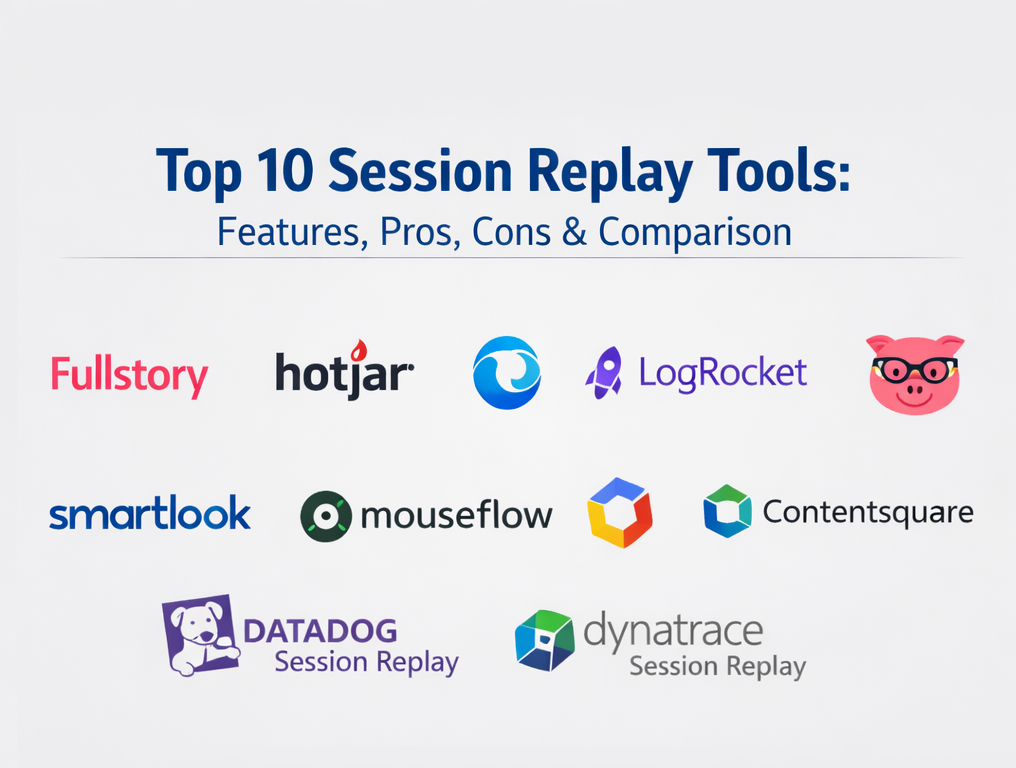
Introduction
Session replay tools capture real user interactions on your website or app and let you replay those sessions to see what the user actually experienced. Instead of guessing why users dropped off, struggled, or encountered a bug, you can watch the exact clicks, taps, scrolling, navigation, and page states that led to the outcome. This makes session replay valuable for product teams, UX teams, engineers, QA, and customer support—because it turns vague reports into concrete evidence.
Session replay matters now because digital journeys are multi-step and multi-device, and small issues can silently damage conversion and retention. Problems like broken UI states, confusing form validation, unexpected redirects, rage clicks, or slow interactions often don’t show up clearly in dashboards. With replay, teams can connect symptoms to root causes faster and prioritize fixes based on real user friction rather than internal assumptions.
Practical use cases:
- Debugging production issues by replaying the steps that led to an error.
- Improving signup and checkout flows by identifying confusion and hesitation.
- Speeding up support investigations by seeing what the customer did before contacting you.
- Finding recurring UX friction patterns (dead clicks, rage clicks, repeated form attempts).
- Linking perceived performance issues to what the user saw and did in the moment.
What buyers should evaluate:
- Replay fidelity and accuracy (how closely playback matches real behavior).
- Finding the right session fast (filters, search, segmentation, event-based discovery).
- Privacy controls (masking, redaction, exclusion rules, retention policies).
- Collaboration workflows (sharing, notes, internal handoffs).
- Developer context (errors, console signals, correlation to reliability issues).
- Sampling and cost controls (how recording volume is managed).
- Performance impact and instrumentation effort.
- Ecosystem fit (analytics, bug tracking, support, observability).
Mandatory paragraph
Best for: Teams that want faster debugging, clearer UX insights, and stronger cross-functional collaboration between product, engineering, and support—especially when funnels and workflows are business-critical.
Not ideal for: Teams with strict privacy constraints but no governance process, or very small sites where basic analytics already answers most questions and the overhead of replay isn’t justified.
Key trends in session replay tools
- AI-assisted summaries and highlights to reduce the time spent watching long sessions.
- More “moment finding” workflows that jump directly to friction points instead of full replays.
- Tighter connection to analytics, funnels, and RUM so replay is attached to metrics and errors.
- Stronger privacy-by-default approaches (masking rules, role-based access, safer defaults).
- Event-triggered recording and advanced sampling to control cost while keeping signal.
- Better collaboration features for product, support, and engineering handoffs.
- Broader coverage across web and mobile, where supported, with consistent governance.
How we selected these tools (methodology)
- Selected products that clearly provide session replay or session recording capabilities.
- Balanced tool types: UX behavior tools, developer-first debugging tools, and enterprise monitoring suites.
- Prioritized practical workflows: finding sessions, filtering, reviewing, and sharing evidence.
- Considered privacy and governance concepts, marking unclear items as Not publicly stated.
- Considered integration patterns with analytics, support, bug tracking, and observability.
- Kept the list at exactly 10 tools and used the same 10 tools in every table.
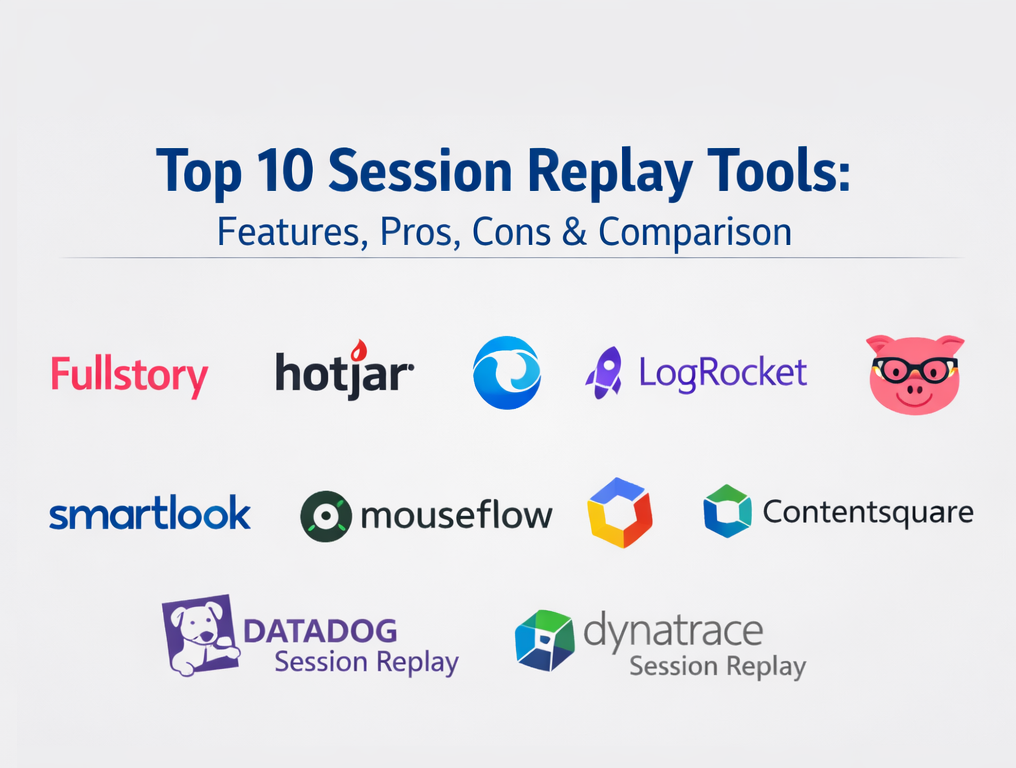
Top 10 session replay tools
Tool 1 — FullStory
FullStory provides session replay for web and mobile, enabling teams to reproduce what users saw and did during a session. It is commonly used for digital experience analysis, UX troubleshooting, and understanding real user behavior.
Key Features
- Session replay playback for web and mobile experiences.
- Tools to find and review sessions by user and behavioral signals (Varies / N/A).
- Controls to navigate sessions efficiently (skip inactivity, speed, timeline) (Varies / N/A).
- Collaboration workflows such as sharing sessions and leaving context (Varies / N/A).
- Ability to manage what gets captured through configuration and exclusion controls (Varies / N/A).
- Support for common product and UX investigation workflows (Varies / N/A).
Pros
- Strong for reproducing issues quickly and showing what actually happened.
- Useful for cross-team alignment because replay reduces ambiguity.
Cons
- Pricing and packaging vary by plan (Varies / N/A).
- Formal compliance and certification details depend on plan and agreement (Not publicly stated).
Platforms / Deployment
Web; Cloud.
Security & Compliance
Not publicly stated.
Integrations & Ecosystem
FullStory commonly fits alongside product analytics and issue workflows to shorten time-to-reproduce and time-to-fix.
- Bug tracking workflow alignment (Varies / N/A).
- Support investigation sharing patterns (Varies / N/A).
- Data export and APIs (Varies / N/A).
- Ecosystem depth and marketplace availability (Varies / N/A).
Support & Community
Varies / Not publicly stated.
Tool 2 — Hotjar
Hotjar provides session replay to watch user behavior such as clicks, scrolling, and navigation. It is widely used for UX research, conversion optimization, and identifying friction in common flows.
Key Features
- Session replay for user behavior and navigation review.
- Cross-page viewing to understand flow-level friction.
- Tagging and organization workflows for replays (Varies / N/A).
- Filters for narrowing to specific behaviors (Varies / N/A).
- Playback controls to review sessions faster (Varies / N/A).
- Complementary qualitative UX workflows often used alongside replay (Varies / N/A).
Pros
- Fast to adopt for UX and optimization teams.
- Great for identifying qualitative “why” behind drop-offs.
Cons
- Deep developer debugging context can be limited versus developer-first tools.
- Compliance and governance details vary by plan (Not publicly stated).
Platforms / Deployment
Web; Cloud.
Security & Compliance
Not publicly stated.
Integrations & Ecosystem
Hotjar is often paired with analytics and experimentation tools so teams can move from metrics to evidence.
- Analytics tool pairing patterns (Varies / N/A).
- Experimentation pairing patterns (Varies / N/A).
- APIs and connectors (Varies / N/A).
- Marketplace depth (Varies / N/A).
Support & Community
Varies / Not publicly stated.
Tool 3 — Microsoft Clarity
Microsoft Clarity provides session recordings to observe how users interact with a site through clicks, scrolling, and navigation behavior. It is commonly used for quick diagnostics and UX friction discovery.
Key Features
- Session recordings for behavioral playback.
- Playback controls such as skipping inactivity (Varies / N/A).
- Ability to review patterns across many sessions (Varies / N/A).
- Organization workflows for sessions (Varies / N/A).
- Practical for identifying repeated friction points (Varies / N/A).
- Lightweight adoption patterns for many sites (Varies / N/A).
Pros
- Easy entry point into session replay for many teams.
- Useful for quick insights without heavy setup.
Cons
- Enterprise controls and formal compliance details require verification (Not publicly stated).
- Advanced integrations and deeper analytics workflows may be limited (Varies / N/A).
Platforms / Deployment
Web; Cloud.
Security & Compliance
Not publicly stated.
Integrations & Ecosystem
Clarity is commonly used alongside web analytics to add qualitative context to quantitative signals.
- Analytics pairing patterns (Varies / N/A).
- Export and sharing workflows (Varies / N/A).
- APIs (Varies / N/A).
- Ecosystem depth (Varies / N/A).
Support & Community
Varies / Not publicly stated.
Tool 4 — LogRocket
LogRocket provides session replay across web and native mobile, often used by engineering and product teams that want replay tied to troubleshooting workflows. It is typically positioned as replay plus context for faster debugging.
Key Features
- Session replay with accurate reproduction and playback.
- Search and filters to find high-signal sessions (Varies / N/A).
- Developer-oriented workflows for diagnosing user-reported issues (Varies / N/A).
- Session context that supports technical triage patterns (Varies / N/A).
- Workflow alignment with debugging and issue investigation (Varies / N/A).
- Controls for managing capture and reviewing sessions efficiently (Varies / N/A).
Pros
- Strong for reproducing bugs and aligning on the exact failure path.
- Good for engineering workflows where “proof” matters.
Cons
- Can be heavier than UX-first tools for non-technical teams.
- Compliance certifications and security posture details require verification (Not publicly stated).
Platforms / Deployment
Web; Cloud.
Security & Compliance
Not publicly stated.
Integrations & Ecosystem
LogRocket is often used as part of engineering triage and product reliability workflows.
- Issue triage workflow alignment (Varies / N/A).
- Product analytics pairing patterns (Varies / N/A).
- APIs and exports (Varies / N/A).
- Ecosystem depth and marketplace support (Varies / N/A).
Support & Community
Varies / Not publicly stated.
Tool 5 — PostHog
PostHog provides session replay as part of a broader product analytics toolkit. It is often chosen by engineering-enabled teams that want event-based analytics and replay connected in one workflow.
Key Features
- Session replay tied to a session model and product analytics events (Varies / N/A).
- Controls for session behavior and session lifecycle (Varies / N/A).
- Ability to move between event insights and replay context (Varies / N/A).
- SDK-driven setup patterns and implementation flexibility (Varies / N/A).
- Sampling and retention controls depending on setup and plan (Varies / N/A).
- Suitable for teams building their own analytics governance (Varies / N/A).
Pros
- Strong for teams that want analytics and replay tied together.
- Flexible for engineering-led organizations that want control.
Cons
- Setup and governance can require technical ownership.
- Formal compliance details depend on deployment and agreement (Not publicly stated).
Platforms / Deployment
Web; Cloud / Self-hosted (Varies / N/A).
Security & Compliance
Not publicly stated.
Integrations & Ecosystem
PostHog typically integrates through events, SDKs, and data pipelines rather than a “plug-and-play” marketplace.
- Event pipeline integrations (Varies / N/A).
- Data export patterns (Varies / N/A).
- APIs and webhooks (Varies / N/A).
- Tooling ecosystem (Varies / N/A).
Support & Community
Varies / Not publicly stated.
Tool 6 — Smartlook
Smartlook provides session recordings for web and mobile, helping teams view real user journeys and troubleshoot friction. It is commonly used for UX investigation, support context, and conversion analysis.
Key Features
- Session recordings with playback controls (speed, skipping inactivity) (Varies / N/A).
- Sharing recordings with internal teams for collaboration (Varies / N/A).
- Visitor context such as device and environment information (Varies / N/A).
- Filters and segmentation workflows (Varies / N/A).
- Dashboards to review recordings after setup (Varies / N/A).
- Practical workflow for collecting evidence during investigations (Varies / N/A).
Pros
- Helpful for showing exact user experience during problem moments.
- Practical playback controls improve reviewer efficiency.
Cons
- Deep observability correlation may require additional tools.
- Security and compliance attestations require verification (Not publicly stated).
Platforms / Deployment
Web; Cloud.
Security & Compliance
Not publicly stated.
Integrations & Ecosystem
Smartlook typically integrates through common workflows like sharing, exports, and optional connectors.
- Notifications and collaboration workflow patterns (Varies / N/A).
- Data export patterns (Varies / N/A).
- APIs (Varies / N/A).
- Marketplace depth (Varies / N/A).
Support & Community
Varies / Not publicly stated.
Tool 7 — Mouseflow
Mouseflow provides session replay and is commonly evaluated for UX and conversion analysis. It is typically used by teams that want session video recordings as part of behavior analysis.
Key Features
- Session replay recordings for user behavior review (Varies / N/A).
- Playback and navigation tools for reviewing sessions efficiently (Varies / N/A).
- Filtering and segmentation patterns (Varies / N/A).
- Behavior analytics workflows that complement replay (Varies / N/A).
- Sharing and collaboration patterns (Varies / N/A).
- Common workflows for funnel and friction investigation (Varies / N/A).
Pros
- Useful for identifying repeated friction patterns across real sessions.
- Can support UX discovery without building a complex stack.
Cons
- Enterprise governance needs verification (Not publicly stated).
- Developer telemetry correlation may be lighter than dev-first tools (Varies / N/A).
Platforms / Deployment
Web; Cloud.
Security & Compliance
Not publicly stated.
Integrations & Ecosystem
Mouseflow often pairs with analytics and optimization workflows to support evidence-based improvements.
- Analytics pairing patterns (Varies / N/A).
- Experimentation pairing patterns (Varies / N/A).
- APIs and exports (Varies / N/A).
- Ecosystem depth (Varies / N/A).
Support & Community
Varies / Not publicly stated.
Tool 8 — Contentsquare
Contentsquare provides session replay aimed at digital experience teams that want large-scale optimization workflows. It is often positioned around improving time-to-insight with features such as AI assistance (availability varies by plan).
Key Features
- Session replay with lists and workflows for session review (Varies / N/A).
- AI assistance for summarizing or highlighting sessions (Varies / N/A).
- Timeline and event stream views for detailed session analysis (Varies / N/A).
- Recording controls such as event-triggered capture (Varies / N/A).
- Support for systematic optimization workflows (Varies / N/A).
- Collaboration patterns for sharing insights internally (Varies / N/A).
Pros
- Strong for teams scaling session review across many sessions.
- Good fit for structured digital optimization programs.
Cons
- Complexity and cost may be higher than lightweight tools (Varies / N/A).
- Security and compliance details should be validated (Not publicly stated).
Platforms / Deployment
Web; Cloud.
Security & Compliance
Not publicly stated.
Integrations & Ecosystem
Contentsquare is often used as part of a broader digital experience stack.
- Analytics and optimization workflow connections (Varies / N/A).
- Export and sharing patterns (Varies / N/A).
- APIs and connectors (Varies / N/A).
- Partner ecosystem (Varies / N/A).
Support & Community
Varies / Not publicly stated.
Tool 9 — Datadog Session Replay
Datadog Session Replay is typically used by teams that want replay tied directly to real user monitoring and observability workflows. It is best suited when performance telemetry and incident response are major requirements.
Key Features
- Session replay to capture user browsing experiences (Varies / N/A).
- Connection to performance telemetry and user monitoring workflows (Varies / N/A).
- Support for troubleshooting production issues with context (Varies / N/A).
- Sampling and configuration controls (Varies / N/A).
- Dashboards and incident workflows (Varies / N/A).
- Engineering-focused implementation and rollout patterns (Varies / N/A).
Pros
- Excellent when you want replay tightly connected to performance and errors.
- Strong for incident response and reliability-driven investigations.
Cons
- Can be more than needed for UX-only replay use cases.
- Pricing and packaging depend on plan and usage (Varies / N/A).
Platforms / Deployment
Web; Cloud.
Security & Compliance
Not publicly stated.
Integrations & Ecosystem
Datadog session replay fits naturally into observability ecosystems.
- Monitoring and alerting workflow connections (Varies / N/A).
- APIs and exports (Varies / N/A).
- Dashboards and incident tooling patterns (Varies / N/A).
- Ecosystem depth depends on modules used (Varies / N/A).
Support & Community
Varies / Not publicly stated.
Tool 10 — Dynatrace Session Replay
Dynatrace Session Replay is commonly evaluated by enterprises that want replay inside a broader digital experience monitoring strategy. It is designed to help reproduce issues and improve usability at scale.
Key Features
- Capture and replay user interactions (Varies / N/A).
- Support for multiple environments and governance concepts (Varies / N/A).
- Privacy masking and permission-based access patterns (Varies / N/A).
- Useful for QA and production troubleshooting workflows (Varies / N/A).
- Integration with broader monitoring and digital experience workflows (Varies / N/A).
- Dashboards and analysis workflows tied to monitoring (Varies / N/A).
Pros
- Strong fit for enterprises with established monitoring and governance practices.
- Good for operationalizing replay as part of digital experience monitoring.
Cons
- Implementation and administration can be heavier than lightweight tools.
- Pricing and packaging depend on plan and usage (Varies / N/A).
Platforms / Deployment
Web; Cloud / Hybrid (Varies / N/A).
Security & Compliance
Not publicly stated.
Integrations & Ecosystem
Dynatrace session replay is typically used alongside performance monitoring and incident workflows.
- Monitoring and experience workflow connections (Varies / N/A).
- Dashboards and incident tooling patterns (Varies / N/A).
- APIs and exports (Varies / N/A).
- Ecosystem integrations depend on deployment (Varies / N/A).
Support & Community
Varies / Not publicly stated.
Comparison table
| Tool Name | Best For | Platform(s) Supported | Deployment (Cloud/Self-hosted/Hybrid) | Standout Feature | Public Rating |
|---|---|---|---|---|---|
| FullStory | UX and product teams needing strong replay context | Web | Cloud | Replay for web and mobile experiences | N/A |
| Hotjar | UX and conversion teams finding behavior patterns | Web | Cloud | Simple replay for qualitative insight | N/A |
| Microsoft Clarity | Teams wanting basic replay quickly | Web | Cloud | Straightforward session recordings | N/A |
| LogRocket | Engineering-focused replay and triage | Web | Cloud | Replay aligned to debugging workflows | N/A |
| PostHog | Teams linking analytics and replay | Web | Cloud / Self-hosted (Varies / N/A) | Replay tied to event-based analytics | N/A |
| Smartlook | UX and support teams sharing session evidence | Web | Cloud | Practical playback controls and sharing | N/A |
| Mouseflow | Behavior-focused teams using session recordings | Web | Cloud | Replay-driven friction discovery | N/A |
| Contentsquare | Teams scaling replay review with AI assistance | Web | Cloud | AI-assisted session review workflows | N/A |
| Datadog Session Replay | Observability teams tying replay to monitoring | Web | Cloud | Replay connected to telemetry workflows | N/A |
| Dynatrace Session Replay | Enterprises operationalizing replay with governance | Web | Cloud / Hybrid (Varies / N/A) | Replay within experience monitoring programs | N/A |
Evaluation and scoring
Weights:
- Core features – 25%
- Ease of use – 15%
- Integrations and ecosystem – 15%
- Security and compliance – 10%
- Performance and reliability – 10%
- Support and community – 10%
- Price and value – 15%
| Tool Name | Core (25%) | Ease (15%) | Integrations (15%) | Security (10%) | Performance (10%) | Support (10%) | Value (15%) | Weighted Total (0–10) |
|---|---|---|---|---|---|---|---|---|
| FullStory | 9 | 8 | 8 | 7 | 8 | 7 | 7 | 7.90 |
| Hotjar | 7 | 9 | 6 | 6 | 7 | 7 | 8 | 7.20 |
| Microsoft Clarity | 6 | 9 | 4 | 5 | 6 | 5 | 10 | 6.55 |
| LogRocket | 8 | 7 | 7 | 7 | 8 | 7 | 6 | 7.20 |
| PostHog | 8 | 6 | 7 | 6 | 7 | 6 | 8 | 7.05 |
| Smartlook | 7 | 8 | 6 | 6 | 7 | 6 | 7 | 6.80 |
| Mouseflow | 7 | 8 | 6 | 6 | 7 | 6 | 7 | 6.80 |
| Contentsquare | 9 | 7 | 8 | 7 | 9 | 7 | 6 | 7.70 |
| Datadog Session Replay | 8 | 6 | 9 | 8 | 9 | 7 | 6 | 7.55 |
| Dynatrace Session Replay | 8 | 6 | 8 | 8 | 9 | 7 | 6 | 7.40 |
How to interpret the scores:
- Use the weighted total to shortlist, then validate with a pilot on a single high-impact flow.
- If you prioritize ease and speed, lightweight UX tools tend to rise.
- If you prioritize observability correlation, monitoring suites become more compelling.
- If you prioritize scaling review across many sessions, AI-assisted workflows matter more.
- Adjust weights to match your internal constraints, especially privacy and integrations.
Which session replay tool is right for you?
Solo / Freelancer
Choose a tool that is quick to set up and simple to review. Lightweight replay tools are usually enough to identify friction and improve a funnel without needing heavy governance.
SMB
Look for a balance of usability, filtering, collaboration, and reasonable governance. UX-first tools work well here, while richer platforms become useful once multiple teams need shared workflows.
Mid-Market
Mid-market teams typically need repeatability and cross-team workflows. Tools that combine replay with better filtering, collaboration, and integration into product or engineering processes are a strong fit.
Enterprise
Enterprises usually require stricter privacy governance, access controls, and integration into monitoring and analytics stacks. Choose tools that support operational usage at scale and build a formal rollout process.
Budget vs premium
If budget is tight, prioritize fast time-to-insight. If budget allows, pay for time-to-resolution through better filtering, collaboration workflows, and ecosystem fit.
Feature depth vs ease of use
UX-first tools are easiest for non-technical teams, while engineering-first and monitoring-first tools are stronger for debugging and reliability workflows. The best choice depends on who will use replay daily.
Integrations and scalability
If replay must connect to analytics and experiments, choose tools that make sharing and exporting insights easy. If replay must connect to monitoring and incident workflows, choose tools designed for observability alignment.
Security and compliance needs
Define masking rules, access control, retention policy, and internal review processes before scaling replay broadly. If a vendor’s security posture is unclear, treat it as Not publicly stated and require documentation during evaluation.
Frequently asked questions
FAQ 1 — What is session replay used for?
Session replay helps teams watch real sessions to find friction, reproduce bugs, and understand the steps that led to confusion or failure. It’s especially useful when analytics shows a drop but does not explain why.
FAQ 2 — Will session replay slow down my site or app?
It depends on implementation and sampling. Most teams start with limited sampling, monitor performance impact, and expand only after confirming value and governance.
FAQ 3 — How do I reduce privacy risk?
Use strict masking rules, limit access, set clear retention policies, and treat replay as sensitive data. Start small, validate controls, then scale.
FAQ 4 — How many sessions should I watch?
Watch a focused set tied to a question: a funnel step, a specific error, or a high-impact page. Avoid random watching; filter first, then look for repeated patterns.
FAQ 5 — Who should own session replay?
Shared ownership works best: UX and product use it for discovery, engineering uses it for debugging, support uses it for context. Define a simple process so insights become actions.
FAQ 6 — Do I still need analytics?
Yes. Analytics tells you what happened at scale; replay helps explain why it happened. Combining both produces the best outcomes.
FAQ 7 — What’s the difference between UX-first and developer-first replay tools?
UX-first tools emphasize speed and qualitative insight. Developer-first tools emphasize reproduction accuracy, filtering, and ties to technical debugging workflows.
FAQ 8 — How do I choose between enterprise and lightweight tools?
Choose lightweight tools for speed and simple workflows. Choose enterprise tools when you need governance, large-scale rollout support, and tight monitoring integration.
FAQ 9 — What should a pilot test include?
Test setup effort, masking quality, search and filtering speed, sharing workflows, and how quickly teams can convert replay evidence into a fix.
FAQ 10 — What if I cannot use session replay?
Use funnel analytics, error monitoring, user interviews, and targeted feedback prompts. You can still improve journeys, but you lose direct behavioral playback evidence.
Conclusion
Session replay tools help teams move from assumptions to evidence by showing what users actually experienced in critical flows. The right tool depends on who will use it daily, how strict your privacy governance must be, and how closely replay needs to connect to analytics and monitoring. Shortlist two or three tools, run a focused pilot on one critical journey, and validate masking, access control, filtering speed, and collaboration workflows. Then scale gradually with clear ownership, retention policies, and a repeatable review process.

Best Cardiac Hospitals Near You
Discover top heart hospitals, cardiology centers & cardiac care services by city.
Advanced Heart Care • Trusted Hospitals • Expert Teams
View Best Hospitals