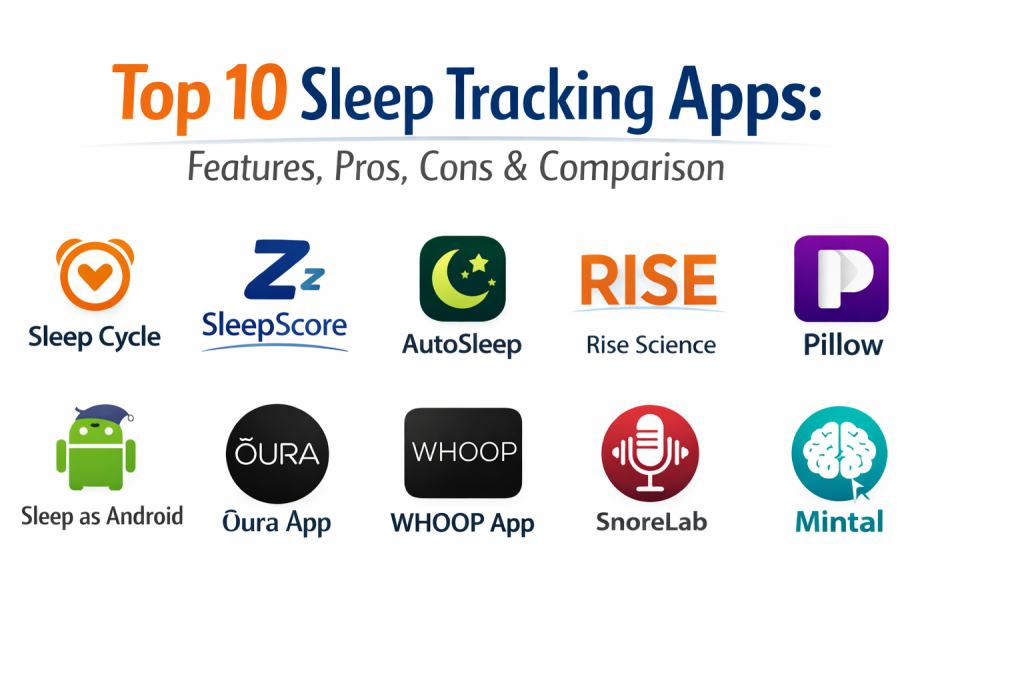
Introduction
Sleep tracking apps are digital tools designed to monitor, analyze, and improve the quality of your nocturnal rest. By utilizing a smartphone’s built-in sensors—such as the accelerometer for movement and the microphone for sound—or by syncing with dedicated wearables, these apps provide a detailed window into your sleep architecture. They translate raw data like heart rate variability, respiratory patterns, and body movement into easy-to-understand metrics like sleep stages (REM, light, and deep sleep) and overall efficiency scores.
The importance of sleep tracking has moved beyond simple curiosity. With the rise of AI-driven health insights, these apps now act as proactive wellness mentors. They help users identify early signs of burnout, detect potential sleep apnea, and synchronize their daily schedules with their natural biological clocks. For anyone looking to optimize their mental clarity, physical recovery, and long-term longevity, a sleep tracking app is an essential component of a modern health tech stack.
Real-World Use Cases
- Optimizing Wake-Up Times: Using smart alarms that trigger during light sleep to prevent the heavy grogginess of sleep inertia.
- Detecting Respiratory Issues: Recording snoring or gasping sounds to provide data for medical consultations regarding sleep apnea.
- Managing Sleep Debt: Calculating the cumulative deficit of sleep over a week to help users plan restorative naps or earlier bedtimes.
- Athletic Recovery: Correlating physical strain from the day with the required amount of deep sleep needed for muscle repair.
- Behavioral Change: Identifying how late-night habits, such as caffeine intake or screen time, directly impact REM sleep quality.
Evaluation Criteria for Buyers
- Tracking Accuracy: How well the app’s algorithms distinguish between actual sleep stages compared to medical standards.
- Ease of Use: The level of manual input required versus automatic “set and forget” functionality.
- Wearable Integration: Compatibility with Apple Watch, Android wearables, or smart rings for more precise data.
- Privacy & Security: How the app handles sensitive biometric data and whether it offers local-only storage options.
- Actionable Insights: Whether the app provides specific coaching tips or just displays raw, confusing data.
- Smart Alarm Functionality: The effectiveness of the wake-up window feature in reducing morning fatigue.
- Sound Analysis: The ability to accurately record and categorize nighttime audio events like talking or snoring.
Best for: Individuals seeking to fix inconsistent sleep patterns, athletes monitoring recovery, and biohackers looking for deep physiological data.
Not ideal for: People with severe clinical insomnia who may experience “orthosomnia” (anxiety caused by tracking sleep data) or those without compatible smartphone sensors.
Key Trends in Sleep Tracking Apps
- Generative AI Sleep Coaches: Apps now use LLMs to provide conversational, personalized advice based on years of your specific sleep history.
- Sonar-Based Tracking: The shift toward non-contact tracking using ultra-low-frequency sound waves to monitor movement without needing a wearable.
- Predictive Illness Alerts: AI models that detect subtle shifts in resting heart rate and temperature to warn users of an oncoming cold or flu.
- Circadian Rhythm Syncing: Advanced scheduling features that suggest the “ideal” window for sunlight exposure and caffeine based on your chronotype.
- Interoperability with Smart Homes: Apps that automatically dim lights or adjust thermostat temperatures when they detect the user has fallen asleep.
- Sleep Apnea Notifications: FDA-cleared software features that alert users to consistent breathing disturbances for clinical follow-up.
- Soundscape Personalization: AI-generated white noise and binaural beats that adapt in real-time based on the user’s current sleep stage.
- Privacy-First Processing: A trend toward on-device machine learning that analyzes sleep data without ever uploading sensitive audio or biometrics to the cloud.
How We Selected These Tools
Our selection methodology for the top ten sleep tracking tools is rooted in clinical relevance and user experience. We prioritized apps that have undergone validation studies or use science-backed algorithms derived from polysomnography data. Market adoption and community feedback were also critical, as the most popular tools often have the most refined “humanized” interfaces. We looked for a balanced mix of “passive” trackers (which require a wearable) and “active” phone-based apps to suit different lifestyles. Security posture, specifically how companies handle biometric data, was a non-negotiable factor. Finally, we evaluated the “coaching” aspect of each tool, ensuring that the selected apps don’t just provide data, but also provide a clear path toward better rest.
Top 10 Sleep Tracking Apps
1. Sleep Cycle
Sleep Cycle is a pioneer in the industry, famous for its “Smart Alarm” technology. It uses patented sound analysis to track your sleep phases and wakes you up during your lightest sleep phase within a pre-defined window.
Key Features
- Patented Sound Technology: Tracks movement and breathing without needing a wearable or a phone on the bed.
- Smart Alarm Clock: Wakes you up gently when your body is naturally ready to rise.
- Sleep Notes: Allows you to track how drinking coffee or a stressful day affects your night.
- Cough & Snore Tracking: Provides a “Sound Report” to monitor respiratory health over time.
- Wake-up Mood: Tracks your morning feelings to correlate them with your sleep statistics.
Pros
- Extremely simple to use with a one-button start.
- Works perfectly as a standalone app without extra hardware.
Cons
- Phone placement is critical for the microphone to work accurately.
- Subscription is required for long-term trend analysis.
Platforms / Deployment
iOS / Android / Apple Watch — Cloud
Security & Compliance
Standard encryption for health data; integrated with Apple Health and Google Fit.
Integrations & Ecosystem
Strongest integration with Apple Health for a holistic view of activity and rest.
Support & Community
One of the largest global user bases with a wealth of online guides and community forums.
2. SleepScore
SleepScore is widely regarded as one of the most accurate phone-based trackers. It uses “non-contact sonar” technology, which works by sending silent waves from your phone to track your breathing and movement.
Key Features
- Sonar Tracking: Uses your phone’s speakers and microphone to create a sonar system for sleep monitoring.
- SleepScore CheckUp: A feature that notifies you if your data suggests a potential sleep disorder.
- Personalized Recommendations: Provides science-backed tips based on your specific sleep parameters.
- Goal Setting: Allows users to set targets for consistency or duration.
- Smart Alarm: Integrated wake-up window feature based on light sleep detection.
Pros
- Clinical-grade accuracy without needing to wear a device.
- High-quality data visualization that is easy to interpret.
Cons
- Limited features available in the free version.
- Cannot be used if you share a bed with someone who also uses the app simultaneously.
Platforms / Deployment
iOS / Android — Cloud
Security & Compliance
Strict privacy controls; data used for research is anonymized.
Integrations & Ecosystem
Syncs with major health platforms and smart lighting systems for a better sleep environment.
Support & Community
Developed by sleep scientists, providing a high level of academic and technical support.
3. AutoSleep
AutoSleep is the gold standard for Apple Watch users who want a “set and forget” experience. It requires almost no user interaction, as it detects when you fall asleep and wake up automatically based on your watch data.
Key Features
- Zero-Touch Tracking: Automatically tracks sleep, naps, and heart rate without pressing start.
- The Sleep Bank: Calculates your “sleep debt” to show if you are catching up or falling behind.
- Readiness Rings: Uses HRV and sleep quality to tell you how “ready” your body is for the day.
- Lights Off Feature: A simple way to track exactly how long it takes you to fall asleep (latency).
- Apple Health Synergy: Writes deep data directly into the iOS Health ecosystem.
Pros
- One-time purchase model with no recurring subscription fees.
- Best-in-class for tracking naps and irregular sleep schedules.
Cons
- Only available for Apple Watch users.
- The interface is dense with data and can be overwhelming for beginners.
Platforms / Deployment
iOS / Apple Watch — Self-hosted (on-device processing)
Security & Compliance
High privacy; data stays within your Apple Health account.
Integrations & Ecosystem
Exclusively built for the Apple ecosystem, providing deep integration with WatchOS features.
Support & Community
Very popular among data enthusiasts with a large library of user-created tutorials.
4. Rise Science
Rise Science takes a different approach by focusing on “Sleep Debt” and “Energy Peaks.” It uses your existing phone or wearable data to help you manage your energy levels throughout the work day.
Key Features
- Sleep Debt Tracker: Focuses on the single most important metric for daytime performance.
- Circadian Rhythm Mapping: Tells you exactly when your energy peaks and dips will occur.
- Melatonin Window: Pinpoints the best time for you to go to bed to fall asleep quickly.
- Passive Tracking: Pulls data from other health apps so you don’t have to “start” a session.
- Energy Habit Coaching: Provides nudges to take a walk or do deep work based on your energy levels.
Pros
- Highly actionable for improving productivity and work performance.
- Moves away from complex “sleep stage” graphs to a single meaningful number.
Cons
- Requires historical data (at least 14 days) to be fully accurate.
- Subscription-based with a focus on long-term behavioral change.
Platforms / Deployment
iOS / Android — Cloud
Security & Compliance
GDPR and CCPA compliant; uses secure cloud storage for habit tracking.
Integrations & Ecosystem
Integrates with Oura, Whoop, Apple Watch, and Garmin to pull high-quality data.
Support & Community
Strong focus on “Sleep for Success,” popular among executives and high-performance teams.
5. Pillow
Pillow is a versatile tracker that works on both the iPhone and Apple Watch. It is known for its beautiful design and its ability to record audio events like sleep talking or snoring.
Key Features
- Audio Event Recording: Captures sounds throughout the night so you can hear your snoring or talking.
- Smart Wake-up Window: Standard feature to help you wake up refreshed.
- Heart Rate Analysis: Overlays your heart rate on your sleep stages to show recovery.
- Automatic & Manual Modes: Use your watch for automation or your phone for manual tracking.
- Mood & Note Tracking: Correlates your daily habits with your sleep quality.
Pros
- The most visually appealing and easy-to-use interface.
- Excellent integration with Apple Health metrics.
Cons
- Advanced audio features and heart rate analysis require a premium subscription.
- Battery drain can be significant if used in manual mode on the phone.
Platforms / Deployment
iOS / Apple Watch — Cloud
Security & Compliance
Offers an “On-Device” mode for users who want to keep their audio recordings private.
Integrations & Ecosystem
Deeply integrated with the iOS health stack, supporting all recent Apple Watch models.
Support & Community
Regularly updated with a strong presence on social media and responsive customer support.
6. Sleep as Android
For Android users, this is the most powerful and customizable app available. It has been a market leader for years and supports a wide range of external hardware.
Key Features
- Sonar Tracking: Uses ultrasonic waves to track movement without a wearable.
- Lucid Dreaming Cues: Provides subtle sounds or vibrations to help you achieve lucid dreams.
- Nature Sound Alarms: High-quality, gentle wake-up sounds.
- Sleep Apnea Pre-diagnosis: Detects irregular breathing patterns for medical review.
- Broad Hardware Support: Works with Garmin, Fitbit, Galaxy Watch, and many other wearables.
Pros
- The most feature-rich app specifically for the Android ecosystem.
- Highly customizable for power users who want to tweak every setting.
Cons
- The interface feels a bit dated and technical compared to iOS apps.
- So many features that it can be confusing for a casual user.
Platforms / Deployment
Android / Wear OS — Self-hosted
Security & Compliance
Supports local storage and secure cloud backups; HIPAA compliant data export.
Integrations & Ecosystem
Unrivaled hardware support for almost any wearable that connects to Android.
Support & Community
A legendary app with a decade of community development and developer support.
7. Oura (App Experience)
While Oura is a ring-based wearable, the app experience is central to its value. It is widely considered the gold standard for holistic health and readiness tracking.
Key Features
- Readiness Score: A comprehensive daily number telling you how much strain your body can handle.
- Body Temperature Trends: Tracks subtle shifts that can indicate illness or hormonal changes.
- Sleep Stage Accuracy: Known for high correlation with medical-grade sleep studies.
- Rest Mode: Automatically detects when you are stressed or sick and adjusts your goals.
- AI Health Coach: Provides daily insights on how to improve your recovery.
Pros
- The most non-invasive wearable experience (just a small ring).
- Superior for tracking long-term health trends and recovery.
Cons
- Requires a significant upfront cost for the ring and a monthly subscription.
- Does not have a “Smart Alarm” that vibrates on the ring itself.
Platforms / Deployment
iOS / Android — Cloud
Security & Compliance
High-level encryption; data used to improve public health in partnership with universities.
Integrations & Ecosystem
Integrates with almost all major health platforms and Rise Science.
Support & Community
A premium brand with professional support and a community of high-level athletes and biohackers.
8. Whoop (App Experience)
Whoop is designed for athletes and performance-focused individuals. It removes the clock and notifications to focus entirely on the relationship between “Strain” and “Recovery.”
Key Features
- Sleep Coach: Tells you exactly how much sleep you need based on your physical activity that day.
- Strain Tracking: Measures the cardiovascular and muscular stress put on your body.
- HRV Monitoring: Uses Heart Rate Variability as the primary indicator of recovery.
- The Journal: Correlates daily habits (like alcohol or hydration) with your sleep quality.
- Community Teams: Join groups to compare your recovery scores with friends or teammates.
Pros
- Best-in-class for athletes who want to maximize their training.
- Extremely durable hardware and a very sleek, data-focused app.
Cons
- Subscription-only model; you stop paying, you lose access to your data.
- No screen on the device, meaning you are entirely dependent on the app.
Platforms / Deployment
iOS / Android — Cloud
Security & Compliance
Enterprise-level security used by professional sports leagues worldwide.
Integrations & Ecosystem
Integrates with Apple Health, Google Fit, and training platforms like Strava.
Support & Community
Highly active community focused on professional sports and extreme fitness.
9. SnoreLab
If your primary concern is snoring and its impact on your sleep quality, SnoreLab is the specialist tool you need. It focuses entirely on recording and analyzing nighttime noise.
Key Features
- Snore Score: A daily number representing the intensity and duration of your snoring.
- Remedy Tracking: Track if using a different pillow or avoiding alcohol reduces your snoring.
- Audio Playback: Listen to your snoring to understand if it is a mild or severe issue.
- Medical Export: Create a professional report to show to your doctor or dentist.
- CPAP Tracking: Monitor how well your CPAP machine is working if you have apnea.
Pros
- The most effective tool for diagnosing and managing snoring issues.
- Simple, focused, and very easy to interpret.
Cons
- Only tracks sound, not sleep stages or movement.
- Needs to be running on the nightstand throughout the night.
Platforms / Deployment
iOS / Android — Cloud
Security & Compliance
Audio recordings are stored locally by default for privacy.
Integrations & Ecosystem
Standard health app integrations for basic sleep duration.
Support & Community
Highly recommended by sleep clinics and doctors for initial snoring assessments.
10. Mintal
Mintal is an all-in-one wellness app that combines sleep tracking with a vast library of relaxation content. It is ideal for users who need help falling asleep as much as they need to track it.
Key Features
- AI Sound Analysis: Detects snoring, talking, and environmental noise.
- Large Soundscape Library: Includes white noise, ASMR, and guided meditations.
- Wellness Coaching: Provides a holistic view of your mental health and rest.
- Gentle Wake-up: Integrated smart alarm functionality.
- Breathing Exercises: Tools to help lower your heart rate before bed.
Pros
- Excellent “all-in-one” solution for people who suffer from stress-related insomnia.
- Very high-quality production on all audio and meditation content.
Cons
- Sleep tracking data is less clinical than dedicated apps like SleepScore.
- The sheer number of features can feel a bit cluttered.
Platforms / Deployment
iOS / Android — Cloud
Security & Compliance
Standard privacy controls for health and audio data.
Integrations & Ecosystem
Integrates with basic health platforms for duration tracking.
Support & Community
Growing community focused on mental wellness and “sleep hygiene.”
Comparison Table (Top 10)
| Tool Name | Best For | Platform(s) Supported | Deployment | Standout Feature | Public Rating |
| 1. Sleep Cycle | Smart Wake-up | iOS, Android, Watch | Cloud | Patented Sound Tech | 4.7/5 |
| 2. SleepScore | Scientific Accuracy | iOS, Android | Cloud | Non-contact Sonar | 4.6/5 |
| 3. AutoSleep | Apple Watch Users | iOS, Apple Watch | Self-hosted | The Sleep Bank | 4.8/5 |
| 4. Rise Science | Energy Management | iOS, Android | Cloud | Circadian Mapping | 4.8/5 |
| 5. Pillow | Visual Design | iOS, Apple Watch | Cloud | Audio Recording | 4.6/5 |
| 6. Sleep as Android | Power Users (Android) | Android, Wear OS | Self-hosted | Sonar & Lucid Cues | 4.6/5 |
| 7. Oura App | Holistic Recovery | iOS, Android | Cloud | Body Temp Trends | 4.7/5 |
| 8. Whoop App | Performance Athletes | iOS, Android | Cloud | Recovery/Strain Score | 4.6/5 |
| 9. SnoreLab | Snoring Diagnosis | iOS, Android | Cloud | Snore Score | 4.7/5 |
| 10. Mintal | Relaxation & Wellness | iOS, Android | Cloud | All-in-one Wellness | 4.5/5 |
Evaluation & Scoring of Sleep Tracking Apps
| Tool Name | Core (25%) | Ease (15%) | Integrations (15%) | Security (10%) | Perf (10%) | Support (10%) | Value (15%) | Total |
| 1. Sleep Cycle | 8 | 10 | 9 | 8 | 9 | 9 | 8 | 8.6 |
| 2. SleepScore | 10 | 7 | 8 | 8 | 9 | 8 | 7 | 8.3 |
| 3. AutoSleep | 9 | 10 | 10 | 10 | 9 | 8 | 9 | 9.2 |
| 4. Rise Science | 8 | 9 | 9 | 8 | 9 | 8 | 7 | 8.1 |
| 5. Pillow | 8 | 9 | 10 | 9 | 9 | 8 | 7 | 8.4 |
| 6. Sleep as Android | 9 | 5 | 10 | 9 | 9 | 8 | 9 | 8.4 |
| 7. Oura App | 10 | 9 | 9 | 8 | 10 | 9 | 6 | 8.6 |
| 8. Whoop App | 10 | 8 | 9 | 9 | 10 | 9 | 6 | 8.5 |
| 9. SnoreLab | 7 | 10 | 7 | 9 | 10 | 8 | 9 | 8.2 |
| 10. Mintal | 7 | 8 | 7 | 8 | 8 | 8 | 8 | 7.5 |
Scoring is comparative based on professional health tech standards. A high “Core” score indicates the accuracy and depth of the sleep algorithms. “Ease” scores reflect the level of automation. “Value” scores prioritize tools that offer the most longevity for the investment, with AutoSleep ranking highest due to its one-time purchase model.
Which Sleep Tracking App Tool Is Right for You?
Solo / Freelancer
If you are managing your own schedule and want to stay productive, Rise Science is the best choice. It focuses on energy management and sleep debt, helping you align your deep work hours with your natural energy peaks.
SMB
For teams looking to improve their corporate wellness, Sleep Cycle is the easiest to recommend. It is simple to use and provides enough data to encourage better habits without being overwhelming or requiring expensive hardware.
Mid-Market
For the busy professional who is already using an Apple Watch, AutoSleep is unbeatable. Its “set and forget” nature means you get high-quality data every morning without ever having to think about the app itself.
Enterprise
Organizations that focus on elite performance or high-stress environments should look at Oura or Whoop. These platforms provide the most “humanized” and comprehensive readiness data, which is essential for avoiding burnout in high-stakes roles.
Budget vs Premium
If you want the best data for the lowest cost, AutoSleep is the winner as a one-time purchase. For those who don’t mind a subscription in exchange for clinical-grade sonar technology, SleepScore is the premium choice.
Feature Depth vs Ease of Use
Sleep as Android and AutoSleep offer the most feature depth but take time to master. Sleep Cycle and SnoreLab are designed for people who just want to press one button and go to sleep.
Integrations & Scalability
Pillow and AutoSleep offer the best integration with the iOS ecosystem. If you use a variety of different gadgets, Sleep as Android or Rise Science provide the most scalable integration across multiple platforms.
Security & Compliance Needs
For maximum privacy, AutoSleep and Sleep as Android are superior because they process a large portion of their data on the device itself rather than in the cloud.
Frequently Asked Questions (FAQs)
1. Are these apps as accurate as a medical sleep study?
No. While many apps are highly accurate at tracking duration and movement, they are still estimates. A clinical study (PSG) remains the only way to get a 100% accurate diagnosis.
2. Do I need to keep my phone in the bed?
For most modern apps like Sleep Cycle and SleepScore, no. They use microphones or sonar to track you from a nearby nightstand.
3. Will these apps drain my battery?
If the app is actively recording sound or using the screen, it should be plugged in overnight. Apps like AutoSleep that use watch data have minimal impact on phone battery.
4. Can these apps detect sleep apnea?
Apps like SnoreLab and Sleep as Android can detect signs of apnea, but they are not diagnostic tools. They should be used to gather data to show a doctor.
5. Is it safe to have my phone near my head while sleeping?
Most experts agree that a phone on a nightstand is safe. However, you can use “Airplane Mode” with Bluetooth/Wi-Fi on to minimize any concerns while still allowing the app to work.
6. Can I track sleep if I share a bed with someone?
Yes. Most sonar and microphone-based apps are now sensitive enough to focus only on the person closest to the phone, although a wearable is always more accurate for co-sleepers.
7. Why is my “Deep Sleep” score so low?
Low deep sleep can be caused by late-night caffeine, alcohol, or a room that is too warm. These apps help you identify which of these habits is the culprit.
8. What is a “Smart Alarm”?
It is an alarm that waits for you to enter a light sleep phase before going off. This prevents the “jolt” of being woken up from a deep sleep, which causes grogginess.
9. Do I have to pay for a subscription?
Some apps like AutoSleep are one-time purchases, but most modern apps use a subscription model to fund ongoing AI development and cloud storage.
10. How long before I see results?
Most users start seeing patterns within two weeks. It usually takes about a month of data to make meaningful changes to your habits.
Conclusion
Sleep tracking apps have evolved from simple logs into powerful, AI-driven health companions. By providing a clear window into our most restorative hours, these tools empower us to take control of our energy, recovery, and long-term health. Whether you prefer the simplicity of a “smart wake-up” or the deep technical metrics of a recovery score, there is a tool on this list that fits your lifestyle. The key to success is not just collecting the data, but using it to make small, consistent changes to your daily habits. By prioritizing your rest with the same discipline you apply to your professional life, you can unlock a new level of performance and well-being. I suggest starting with a simple, free trial of an app like Sleep Cycle or SleepScore. Use it for just seven nights to see your baseline “Sleep Score” and determine if your morning grogginess is linked to being woken up during the wrong sleep phase.

Best Cardiac Hospitals Near You
Discover top heart hospitals, cardiology centers & cardiac care services by city.
Advanced Heart Care • Trusted Hospitals • Expert Teams
View Best Hospitals