Introduction
Social media management tools help individuals and teams plan, publish, monitor, and analyze content across multiple social platforms from one place. In simple words: they save time, keep posting consistent, and help you respond faster to comments and messages without jumping between apps.
These tools matter because social media is no longer “post and hope.” Brands must be consistent, quick, and data-driven. Audiences expect fast replies, creators want smooth workflows, and marketing teams need proof of performance. At the same time, platform rules keep changing, so the best tools focus on reliable scheduling, safe access controls, strong analytics, and workflow features that keep teams aligned.
Common real-world use cases:
- Scheduling posts and stories across multiple channels in one calendar
- Managing comments, mentions, and inbox messages from one dashboard
- Collaborating with teams using approvals, drafts, and content libraries
- Tracking performance and reporting results to clients or leadership
- Running campaigns with consistent branding, hashtags, and publishing rules
What buyers should evaluate before choosing:
- Platform coverage (the channels you actually use) and posting support
- Publishing depth (queues, calendars, bulk scheduling, first comment, link-in-bio)
- Collaboration workflows (drafts, approvals, roles, client reviews)
- Inbox and engagement management (comments, mentions, DMs, routing)
- Analytics and reporting (custom reports, exports, benchmarks, tag tracking)
- Content creation workflow (asset library, templates, integrations)
- AI assistance (caption suggestions, idea prompts, best time to post)
- Integrations (CRM, helpdesk, design tools, URL tracking, data sources)
- Security and governance (roles, audit trails, SSO options if needed)
- Pricing clarity (users, brands, channels, feature tiers, add-ons)
Best for: marketers, founders, agencies, creators, ecommerce teams, and customer support teams that manage multiple accounts and need consistent publishing plus measurable performance.
Not ideal for: people managing one personal profile with occasional posts, or teams that only need basic scheduling without analytics, workflows, or engagement features.
Key Trends in Social Media Management Tools
- More unified inbox features: teams want one place for comments, mentions, and messages with routing and saved replies.
- Stronger collaboration workflows: approvals, client reviews, and content governance are now core, not optional.
- AI used for productivity: caption drafts, repurposing, and idea generation (features vary by tool).
- Short-form video workflow support: faster handling of reels, shorts, and scheduling formats (platform-dependent).
- Better analytics expectations: beyond likes, teams want click and conversion signals, tagging, and campaign-level reporting.
- Content libraries and asset management: reusable templates, brand kits, and media storage are becoming standard.
- More multi-location and franchise needs: governance controls for many pages and regional teams.
- Higher security and access control: role management, auditability, and safer credential handling matter more.
- Pricing pressure: buyers want predictable plans without hidden feature lockouts.
How These Tools Were Selected
- Chosen for strong market recognition and consistent use across brands, agencies, and creators
- Balanced mix of enterprise-grade tools, agency-friendly tools, and creator-first tools
- Considered scheduling depth, engagement workflows, analytics, and collaboration features
- Looked for practical day-to-day usability and reliable publishing operations
- Considered integration patterns and ecosystem maturity
- Avoided guessing certifications, ratings, or pricing details; used “Not publicly stated” or “Varies / N/A” where needed
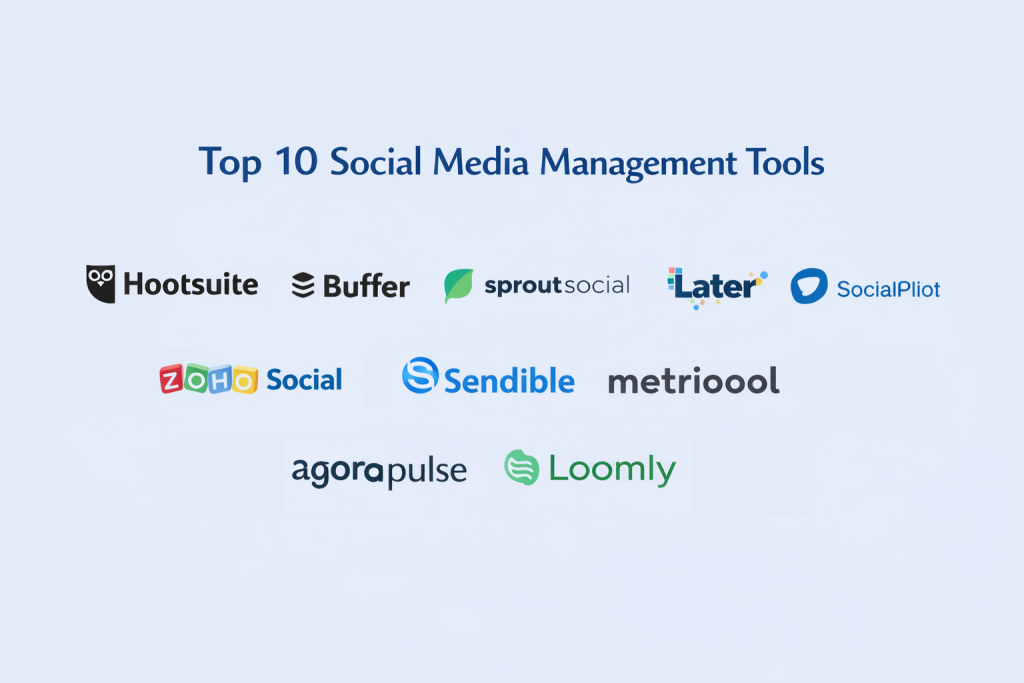
Top 10 Tools
1 — Hootsuite
A widely used platform for scheduling, monitoring, and managing social channels with strong team collaboration and reporting options. Often chosen by larger teams and organizations.
Key Features
- Multi-platform scheduling with calendar and queue workflows
- Social inbox for engagement management (capability varies by plan)
- Monitoring streams for mentions, keywords, and trends (varies)
- Team roles, approvals, and workflow controls (varies)
- Reporting dashboards and export-ready reporting (varies)
- Integration ecosystem for broader marketing workflows (varies)
Pros
- Strong for multi-team operations and social monitoring needs
- Good governance options for larger organizations
- Helpful reporting for stakeholders and clients
Cons
- Can feel complex for solo creators or small teams
- Some best features are plan-dependent
- Cost may be higher for multi-user teams
Platforms / Deployment
- Web
- Cloud
Security & Compliance
Not publicly stated. Validate SSO options, RBAC depth, and auditability during evaluation.
Integrations & Ecosystem
Often used with marketing stacks, design tools, and reporting workflows.
- Common integrations vary by plan and region
- API access varies / not publicly stated
- Publishing and tracking integrations (varies)
Support & Community
Strong documentation and enterprise support options (varies by plan).
2 — Buffer
A simple, popular tool focused on scheduling and publishing with an easy learning curve. Strong for individuals, small teams, and lean marketing setups.
Key Features
- Clean scheduling calendar and queue-based publishing
- Drafts and team collaboration features (varies)
- Basic analytics for post performance (varies)
- Link and publishing workflow tools (varies)
- Multi-channel management from a single dashboard
- Integrations with common content workflows (varies)
Pros
- Very easy to use and quick to onboard
- Great for consistent publishing without complexity
- Strong fit for creators and small teams
Cons
- Monitoring and deep social listening are limited
- Advanced reporting and workflow controls may be limited
- Enterprise governance features are not the focus
Platforms / Deployment
- Web
- Cloud
Security & Compliance
Not publicly stated.
Integrations & Ecosystem
Commonly used with lightweight content workflows.
- Integration options vary by plan
- Publishing workflow integrations (varies)
- Analytics integrations (varies)
Support & Community
Good help content and a large user base. Support tiers vary.
3 — Sprout Social
A premium social media management platform built for teams that need strong engagement workflows, reporting, and operational structure. Often used by mid-market and enterprise teams.
Key Features
- Unified inbox for social engagement and workflow routing
- Advanced reporting and stakeholder-ready dashboards
- Team collaboration with roles and approvals (varies)
- Social listening and monitoring features (plan-dependent)
- Tagging and content performance analysis at scale
- CRM-style workflows for engagement history (varies)
Pros
- Excellent reporting and team workflows
- Strong for customer engagement operations
- Good for organizations with multiple stakeholders
Cons
- Typically higher cost than simpler tools
- Can be more than needed for basic scheduling
- Some features require higher tiers
Platforms / Deployment
- Web
- Cloud
Security & Compliance
Not publicly stated.
Integrations & Ecosystem
Often integrated into customer support and analytics stacks.
- CRM/helpdesk integration patterns (varies)
- Reporting exports and workflows (varies)
- API availability varies / not publicly stated
Support & Community
Strong onboarding and support for teams. Community varies by region.
4 — Later
A social media scheduling tool well known for visual planning and creator-friendly workflows. Commonly used for content planning with a strong visual calendar approach.
Key Features
- Visual content calendar and planning workflows
- Scheduling for multiple channels (coverage varies by platform)
- Media library and content organization tools
- Link-in-bio style workflows (feature availability varies)
- Basic analytics for post performance (varies)
- Collaboration features for teams (varies)
Pros
- Great for visual planning and consistent posting
- Strong for creator workflows and content pipelines
- Simple publishing operations for many use cases
Cons
- Deep social listening is limited
- Enterprise governance features may be limited
- Analytics depth varies by plan
Platforms / Deployment
- Web
- Cloud
Security & Compliance
Not publicly stated.
Integrations & Ecosystem
Often used with creative tools and content workflows.
- Design tool workflow integrations (varies)
- Publishing and media library workflows (varies)
- Reporting exports (varies)
Support & Community
Strong creator adoption and help resources. Support tiers vary.
5 — SocialPilot
A cost-effective tool popular with agencies and SMBs for scheduling, approvals, and managing many accounts. Known for practical features at a reasonable value.
Key Features
- Bulk scheduling and calendar management
- Client approvals and collaboration workflows (varies)
- Content queues and posting automation
- Analytics and reporting for clients (varies)
- Team management for agencies (varies)
- Multi-account and multi-brand operations
Pros
- Strong value for agencies managing many accounts
- Practical workflow features for approvals and scheduling
- Easier to adopt than complex enterprise suites
Cons
- Deep listening features are limited
- Advanced inbox routing can be limited
- Some reporting features may be tier-based
Platforms / Deployment
- Web
- Cloud
Security & Compliance
Not publicly stated.
Integrations & Ecosystem
Designed for agency workflows and publishing operations.
- Integration options vary by plan
- Reporting exports and client deliverables (varies)
- API availability varies / not publicly stated
Support & Community
Agency-friendly support experience. Community varies.
6 — Zoho Social
A social media management tool that fits well for teams already using a broader business suite. Good for scheduling, monitoring, and reporting with structured workflows.
Key Features
- Scheduling and publishing calendar workflows
- Monitoring dashboard for engagement and mentions (varies)
- Team collaboration and roles (varies)
- Reporting dashboards and exports (varies)
- Integration potential with broader business tools (varies)
- Content pipeline and approvals (varies)
Pros
- Strong fit for teams already using a connected business stack
- Practical scheduling and reporting
- Good for SMB to mid-market operations
Cons
- Deep listening may be limited compared to premium tools
- Some advanced workflows depend on plan
- Best value often comes when used within a broader suite
Platforms / Deployment
- Web
- Cloud
Security & Compliance
Not publicly stated.
Integrations & Ecosystem
Often selected for integration convenience in connected stacks.
- CRM and business tool integrations (varies)
- Reporting workflows (varies)
- API details vary / not publicly stated
Support & Community
Documentation is available; support tiers vary.
7 — Agorapulse
A tool focused on social inbox management, scheduling, and reporting with strong agency and team workflows. Often valued for engagement management and moderation.
Key Features
- Unified social inbox for comments and messages (coverage varies)
- Publishing calendar and queue-based scheduling
- Moderation rules and saved replies (varies)
- Collaboration workflows for teams and agencies
- Reporting for engagement and publishing performance
- Tagging and organizational features (varies)
Pros
- Strong for managing engagement and moderation at scale
- Useful for agencies and multi-account workflows
- Good balance of publishing plus inbox features
Cons
- Social listening depth varies by plan
- Some advanced analytics may be tier-dependent
- Platform coverage and features vary by network changes
Platforms / Deployment
- Web
- Cloud
Security & Compliance
Not publicly stated.
Integrations & Ecosystem
Often integrated into agency reporting and client workflows.
- Exports and reporting workflows (varies)
- Integration options vary by plan
- API availability varies / not publicly stated
Support & Community
Good support reputation in many markets. Community varies.
8 — Sendible
A social media management platform designed for agencies and teams that manage multiple clients, approvals, and publishing workflows.
Key Features
- Multi-client and multi-brand scheduling workflows
- Content approvals and collaboration features
- Reporting for clients with export-ready formats (varies)
- Social inbox and engagement management (varies)
- Bulk scheduling and content queues
- Content library and templates (varies)
Pros
- Strong for agencies managing multiple brands
- Practical approval workflows and reporting deliverables
- Good scheduling depth for ongoing content calendars
Cons
- Deep listening and advanced analytics vary by plan
- UI can feel busy for solo creators
- Feature depth depends on tier
Platforms / Deployment
- Web
- Cloud
Security & Compliance
Not publicly stated.
Integrations & Ecosystem
Commonly used with agency reporting and creative workflows.
- Integration options vary by plan
- Reporting and export workflows (varies)
- API details vary / not publicly stated
Support & Community
Support is designed for agency needs. Community varies.
9 — Metricool
A tool popular for scheduling and analytics, especially for creators and small teams who want performance insights without heavy complexity.
Key Features
- Scheduling calendar and automated publishing workflows
- Analytics dashboards for content performance (varies)
- Competitor or benchmarking style insights (varies)
- Reporting exports for creators and clients (varies)
- Content planning and media workflows (varies)
- Paid promotion insights support (varies)
Pros
- Strong analytics value for creators and small teams
- Easy reporting and performance tracking workflows
- Good for lean teams needing both scheduling and insights
Cons
- Enterprise governance and approvals may be limited
- Deep social listening may be limited
- Coverage varies by social network capabilities
Platforms / Deployment
- Web
- Cloud
Security & Compliance
Not publicly stated.
Integrations & Ecosystem
Often used with creator workflows and reporting.
- Integration options vary by plan
- Export and reporting pipelines (varies)
- API details vary / not publicly stated
Support & Community
Creator-friendly support. Community varies by region.
10 — Loomly
A content-focused social media management tool built around planning, collaboration, and publishing workflows. Often used by teams that want structured content calendars and approvals.
Key Features
- Content calendar with planning and approval workflows
- Post ideas and content guidance features (varies)
- Scheduling across multiple platforms (coverage varies)
- Asset library and draft collaboration tools
- Reporting and analytics features (varies)
- Workflow roles for teams (varies)
Pros
- Strong for structured content planning and approvals
- Easy for teams to collaborate on drafts and calendars
- Good fit for marketing teams managing consistent brand output
Cons
- Deep listening and advanced analytics may be limited
- Some integrations may be limited compared to larger suites
- Feature depth varies by plan
Platforms / Deployment
- Web
- Cloud
Security & Compliance
Not publicly stated.
Integrations & Ecosystem
Often used with content creation and approval workflows.
- Integration options vary by plan
- Export/reporting workflows (varies)
- API availability varies / not publicly stated
Support & Community
Documentation is available; support tiers vary.
Comparison Table
| Tool Name | Best For | Platform(s) Supported | Deployment | Standout Feature | Public Rating |
|---|---|---|---|---|---|
| Hootsuite | Monitoring plus team scheduling | Web | Cloud | Streams and monitoring workflows (varies) | N/A |
| Buffer | Simple scheduling for small teams | Web | Cloud | Easy queue-based publishing | N/A |
| Sprout Social | Premium reporting and engagement workflows | Web | Cloud | Strong analytics plus inbox workflows | N/A |
| Later | Visual content planning and scheduling | Web | Cloud | Visual calendar and creator workflow | N/A |
| SocialPilot | Agencies and SMB multi-account scheduling | Web | Cloud | Bulk scheduling and approvals (varies) | N/A |
| Zoho Social | Scheduling plus connected business workflows | Web | Cloud | Fits well in connected business stacks (varies) | N/A |
| Agorapulse | Inbox management plus moderation | Web | Cloud | Engagement moderation workflows (varies) | N/A |
| Sendible | Agency client management and reporting | Web | Cloud | Multi-client workflows and reporting (varies) | N/A |
| Metricool | Scheduling plus performance analytics | Web | Cloud | Creator-friendly analytics and reporting | N/A |
| Loomly | Content calendar and team approvals | Web | Cloud | Structured planning and approvals | N/A |
Evaluation and Scoring
Scoring model:
- Each criterion is scored from 1 to 10 (higher is better).
- The weighted total is calculated on a 0 to 10 scale using the weights below.
- These scores are comparative estimates to support shortlisting; validate in a pilot.
Weights:
- Core features – 25%
- Ease of use – 15%
- Integrations and ecosystem – 15%
- Security and compliance – 10%
- Performance and reliability – 10%
- Support and community – 10%
- Price and value – 15%
| Tool Name | Core (25%) | Ease (15%) | Integrations (15%) | Security (10%) | Performance (10%) | Support (10%) | Value (15%) | Weighted Total (0–10) |
|---|---|---|---|---|---|---|---|---|
| Hootsuite | 8 | 7 | 8 | 7 | 8 | 8 | 6 | 7.45 |
| Buffer | 6 | 9 | 6 | 6 | 7 | 7 | 9 | 7.25 |
| Sprout Social | 9 | 7 | 8 | 8 | 8 | 8 | 5 | 7.55 |
| Later | 7 | 8 | 6 | 6 | 7 | 7 | 8 | 7.05 |
| SocialPilot | 7 | 8 | 6 | 6 | 7 | 7 | 8 | 7.05 |
| Zoho Social | 7 | 8 | 7 | 7 | 7 | 7 | 8 | 7.25 |
| Agorapulse | 8 | 8 | 6 | 7 | 7 | 7 | 7 | 7.30 |
| Sendible | 7 | 7 | 6 | 6 | 7 | 7 | 8 | 6.95 |
| Metricool | 7 | 8 | 6 | 6 | 7 | 7 | 8 | 7.05 |
| Loomly | 7 | 8 | 6 | 6 | 7 | 7 | 8 | 7.05 |
How to interpret the scores:
- Use the weighted total to shortlist, not to pick a universal winner.
- If you need heavy engagement management, prioritize core features and inbox workflows over ease alone.
- If you are an agency, value and reporting workflows may matter more than advanced integrations.
- Validate platform coverage, publishing reliability, and reporting accuracy with a real pilot.
Which Tool Is Right for You?
Solo or Freelancer
- Choose Buffer if you want simple scheduling and consistent posting with minimal learning.
- Choose Metricool if you need scheduling plus strong analytics for performance tracking.
- Choose Later if visual planning and creator workflows are your priority.
SMB
- Choose Zoho Social if you want structured scheduling with business workflow fit.
- Choose Agorapulse if engagement and inbox management matter daily.
- Choose SocialPilot if you manage multiple pages and want strong value.
Mid-Market
- Choose Hootsuite if monitoring streams and team workflows are important.
- Choose Sprout Social if reporting and stakeholder-ready analytics are the priority.
- Choose Agorapulse if you want strong balance between inbox and publishing.
Enterprise
- Choose Sprout Social for premium reporting, governance-style workflows, and structured engagement operations.
- Choose Hootsuite for monitoring plus multi-team publishing workflows.
- Validate security controls, role depth, and auditability during procurement.
Budget versus Premium
- Budget-leaning: Buffer, SocialPilot, Metricool, Loomly
- Premium: Sprout Social, Hootsuite
Feature Depth versus Ease of Use
- Ease-first: Buffer, Later, Loomly
- Feature depth and operations: Sprout Social, Hootsuite, Agorapulse
Integrations and Scalability
- For broader workflow integration needs: Hootsuite, Sprout Social
- For simpler stacks with strong publishing: Buffer, Later, SocialPilot
Security and Compliance Needs
- If you need stricter governance, confirm RBAC, audit logs, and SSO availability in writing.
- For agencies handling client accounts, prioritize access control discipline and approval workflows.
Frequently Asked Questions
- Do these tools support all social networks equally?
No. Platform coverage and posting features vary by network. Always confirm your key channels, post types, and inbox coverage during a trial. - Can I schedule reels, shorts, and stories from these tools?
Sometimes. Support depends on the social network’s capabilities and what the tool is allowed to publish automatically versus via reminders. - What should agencies prioritize when choosing a tool?
Client approvals, multi-brand organization, reporting exports, and access controls. Also ensure the tool handles many accounts smoothly. - What is the most common mistake teams make?
Posting consistently but not measuring outcomes. Use tagging, campaign tracking, and regular reporting reviews to learn what works. - Are analytics in these tools enough for business ROI?
They help, but business ROI often needs website and conversion tracking too. Use analytics to guide content strategy and validate with your broader metrics. - How do I keep brand consistency across many people posting?
Use approvals, templates, brand kits, and content libraries. Make a clear workflow so drafts are reviewed before publishing. - Do I need a social listening tool or is basic monitoring enough?
If you rely on brand reputation or want to track trends, listening matters. For basic posting and replies, inbox and monitoring may be enough. - How do I avoid getting accounts blocked or losing access?
Use official access methods, avoid password sharing, keep role permissions limited, and rotate access when team members change. - Which tool is best for customer support on social media?
Tools with stronger inbox and routing features are generally better. Evaluate your volume and whether you need assignment and SLA-style workflows. - How should I run a pilot before buying?
Pick 2–3 tools, connect real accounts, schedule real content, test approvals, test inbox handling, and compare reporting accuracy over a few weeks.
Conclusion
Social media management tools are not just schedulers anymore. The best ones help you run a repeatable content engine, handle engagement quickly, and prove performance with reporting that stakeholders trust. Your “best” choice depends on whether you prioritize simplicity, agency workflows, enterprise governance, or deep engagement operations.
A practical next step is to shortlist two to three tools that match your workflow, run a real pilot with your accounts and your team roles, validate publishing reliability and reporting accuracy, and then choose the tool that makes daily execution easier—not harder.

Best Cardiac Hospitals Near You
Discover top heart hospitals, cardiology centers & cardiac care services by city.
Advanced Heart Care • Trusted Hospitals • Expert Teams
View Best Hospitals