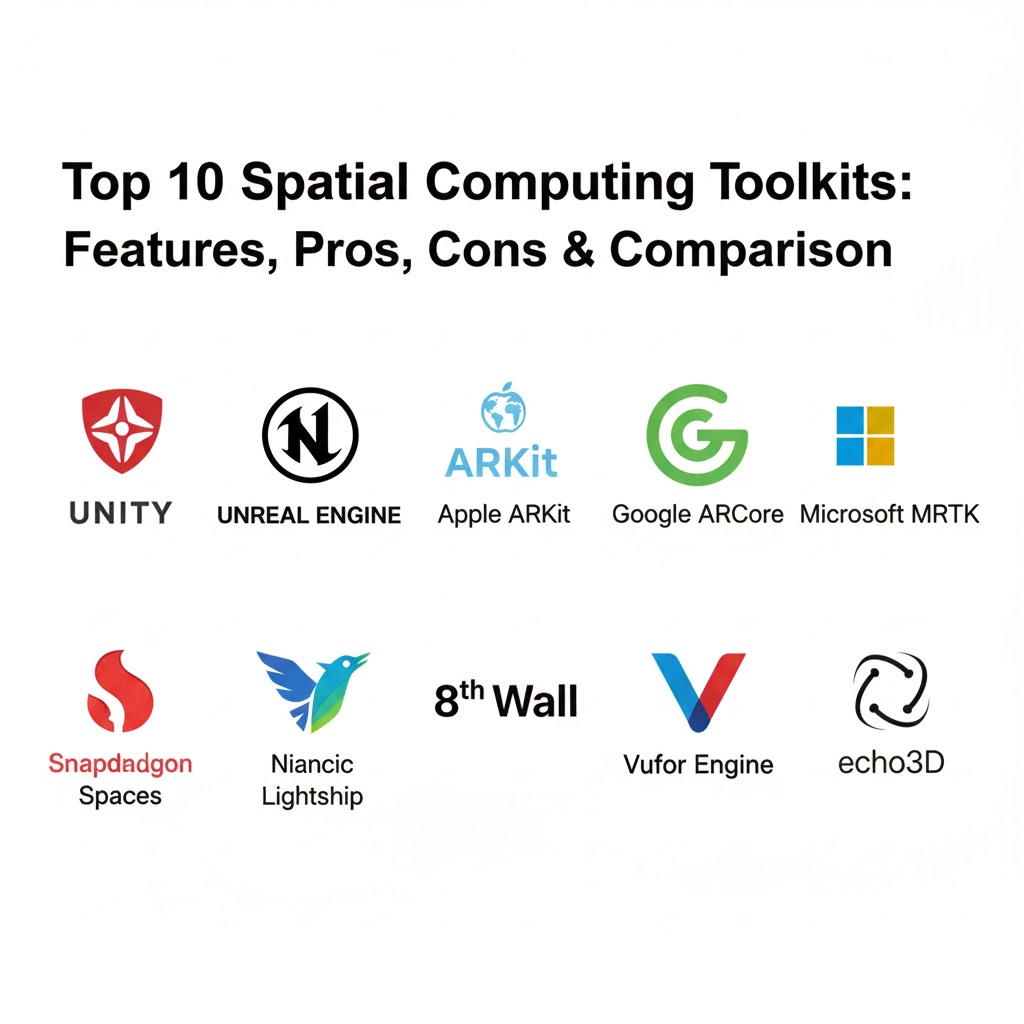
Introduction
Spatial computing represents the next major shift in human-computer interaction, moving beyond flat screens into the three-dimensional world around us. In the context, a Spatial Computing Toolkit is a specialized suite of software development kits (SDKs), frameworks, and libraries that allow developers to build immersive experiences across Augmented Reality (AR), Virtual Reality (VR), and Mixed Reality (MR). These toolkits provide the “eyes” and “ears” for hardware—enabling devices like the Apple Vision Pro 2, Meta Quest 4, and various AR glasses to understand depth, recognize objects, and anchor digital content persistently in physical space.
The importance of these toolkits has skyrocketed as spatial computing matures from a gaming novelty into a critical enterprise tool. Organizations now leverage spatial data to bridge the gap between digital workflows and physical operations.
Real-World Use Cases
- Precision Industrial Maintenance: Using AR overlays to guide technicians through complex repairs on factory equipment without needing manual lookups.
- Immersive Medical Training: Surgeons practicing procedures in a photorealistic, 3D-mapped environment before entering the operating room.
- Spatial Commerce: Retailers allowing customers to “place” true-to-scale furniture in their homes or try on virtual apparel with physics-accurate fabric simulation.
- Remote Spatial Collaboration: Global teams meeting in “holodeck” style environments where 3D CAD models can be manipulated by multiple users simultaneously.
What Buyers Should Evaluate
When selecting a spatial computing toolkit, decision-makers should consider the following:
- Cross-Platform Portability: Does it support iOS, Android, and standalone headsets (Quest, Vision Pro, HoloLens)?
- Environmental Understanding: How accurately does it perform plane detection, meshing, and occlusion?
- Visual Fidelity: Can it handle high-end shaders and real-time lighting for photorealism?
- Spatial Persistence: Can digital objects “stay” where they are placed even after the app is closed?
- Input Versatility: Does it support hand-tracking, eye-tracking, voice, and traditional controllers?
- AI Integration: Does it include hooks for agentic AI to interpret the user’s surroundings?
- Latency & Performance: Is the tracking stable enough to prevent motion sickness?
- Cloud Connectivity: Can it synchronize spatial anchors across multiple users in real-time?
Best for: Enterprise developers, R&D departments, industrial engineers, and innovative marketing agencies looking to create 3D-first applications.
Not ideal for: Simple 2D web application projects or organizations without access to modern AR-compatible hardware (LiDAR-equipped phones or MR headsets).
Key Trends in Spatial Computing Toolkits and Beyond
- Generative Spatial AI: Modern toolkits are integrating LLMs and diffusion models that allow developers to generate 3D assets and environments via text prompts directly within the engine.
- Agentic Spatial Understanding: AI agents within the toolkit can now “see” the user’s environment, identifying a broken pipe or a specific tool and providing proactive assistance.
- Multi-Sensory Integration: Beyond sight and sound, toolkits are adding standardized APIs for haptic feedback suits and even early-stage olfactory (scent) peripherals.
- Zero-Latency Cloud Rendering: Leveraging 5G and Edge computing to offload heavy 3D rendering to the cloud, allowing lightweight AR glasses to display complex visuals.
- Standardization via OpenXR: The industry has largely moved toward OpenXR as the core standard, reducing the “walled garden” effect and simplifying cross-headset development.
- Spatial Data Persistence (World Maps): Large-scale Visual Positioning Systems (VPS) now allow for “planet-scale” AR, where digital graffiti or signage remains visible to all users at a specific GPS coordinate for years.
- BIM-to-Spatial Workflows: Toolkits are providing direct connectors for Building Information Modeling (BIM) data, allowing architects to step inside their Revit or AutoCAD models on-site.
- Privacy-Centric Spatial Mapping: Enhanced security layers that allow headsets to map a room without ever uploading identifiable video/image data of the user’s home to the cloud.
How We Selected These Tools (Methodology)
To determine the top 10 toolkits, we applied a rigorous evaluation framework:
- Market Adoption & Mindshare: We prioritized toolkits with the largest active developer communities and documented enterprise deployments.
- Hardware Compatibility: A high value was placed on toolkits that support a diverse range of devices, from smartphones to high-end MR headsets.
- Feature Completeness: Evaluation of core spatial features including depth sensing, hand tracking, and cloud anchoring.
- Performance Optimization: Testing for low-latency tracking and efficient power consumption on mobile chipsets.
- Ecosystem Depth: Analyzing the availability of third-party plugins, asset stores, and training resources.
- Security & Compliance: Checking for enterprise-grade features like RBAC, SSO, and adherence to data residency laws.
- Future-Proofing: Assessing the roadmap for AI integration and support for emerging standards like OpenXR.
Top 10 Spatial Computing Toolkits Tools
1 — Unity (AR Foundation & XR Management)
The world’s most popular engine for real-time 3D, Unity offers a unified framework for building cross-platform spatial apps. It is the go-to for both indie developers and Fortune 500 enterprises.
Key Features
- AR Foundation: A unified API that wraps ARKit, ARCore, and OpenXR, allowing developers to write once and deploy everywhere.
- Unity MARS: A specialized extension for building intelligent AR that is context-aware and reactive to physical space.
- XR Interaction Toolkit: High-level components for implementing interactions like grabbing, teleporting, and UI poking without custom code.
- Universal Render Pipeline (URP): Optimized rendering for mobile AR and standalone VR headsets.
- Visual Scripting: Enables non-coders to create complex spatial logic using a node-based interface.
Pros
- Massive asset store and community support.
- Superior cross-platform compatibility across almost all XR hardware.
Cons
- Complex licensing structure can be expensive for large enterprises.
- Steep learning curve for those transitioning from traditional web/mobile development.
Platforms / Deployment
- Windows / macOS / Linux / iOS / Android / visionOS
- Cloud / Hybrid
Security & Compliance
- SSO/SAML integration for enterprise versions.
- Role-Based Access Control (RBAC) in Unity Cloud.
- SOC 2 Type II compliant (Unity Cloud services).
Integrations & Ecosystem
Unity is the center of the XR world, integrating with:
- Adobe Substance 3D for materials.
- Microsoft Azure Remote Rendering.
- GitHub/GitLab for version control.
- CAD tools via Pixyz.
Support & Community
Unbeatable documentation, thousands of hours of video tutorials, and a global network of certified developers.
2 — Unreal Engine (XR Framework)
Known for photorealistic visuals, Unreal Engine’s XR framework is preferred for high-fidelity simulations, virtual production, and AAA-quality spatial experiences.
Key Features
- Nanite & Lumen: Provides unprecedented geometric detail and real-time global illumination in spatial environments.
- OpenXR Native Support: Built from the ground up to support the latest industry-standard spatial APIs.
- Blueprint Visual Scripting: Advanced node-based logic that is powerful enough to build entire applications without writing C++.
- High-End VR Templates: Optimized starting points for professional VR and MR applications.
- MetaHuman Creator: Integration for high-fidelity digital humans within spatial apps.
Pros
- Best-in-class visual quality and performance for desktop-tethered VR.
- Royalty-free for many use cases until a high revenue threshold is reached.
Cons
- C++ backend is more difficult for average developers than Unity’s C#.
- Higher hardware requirements for development machines.
Platforms / Deployment
- Windows / macOS / Linux / visionOS / iOS / Android
- Self-hosted / Cloud
Security & Compliance
- Not publicly stated (Enterprise versions support custom security layers).
Integrations & Ecosystem
Deeply integrated with the professional design stack:
- Autodesk Revit and 3ds Max.
- NVIDIA Omniverse.
- Quixel Megascans (unlimited access for Unreal users).
Support & Community
Excellent forums, a robust “Epic Developer Community” portal, and significant investment from Epic Games in enterprise support.
3 — Apple ARKit (RealityKit)
Apple’s native toolkit for iOS and visionOS. It is optimized specifically for the sensors in iPhones, iPads, and the Vision Pro series.
Key Features
- LiDAR Scene Understanding: Uses depth sensors to create instant 3D meshes of rooms for perfect occlusion.
- People Occlusion: Allows virtual content to realistically pass behind people in the real world.
- RealityKit Rendering: A specialized engine for physically-based rendering, animations, and spatial audio.
- RoomPlan API: Automatically identifies walls, windows, and furniture to create a floor plan in seconds.
- SharePlay Integration: Native support for multi-user AR experiences via FaceTime.
Pros
- Deeply optimized for Apple hardware, resulting in the most stable tracking.
- Free to use for anyone in the Apple Developer Program.
Cons
- Hardware lock-in (only works on Apple devices).
- Updates are tied to iOS/visionOS release cycles.
Platforms / Deployment
- iOS / iPadOS / visionOS
- On-device
Security & Compliance
- End-to-end encryption for multi-user sessions via iCloud.
- On-device spatial mapping processing (privacy-first).
Integrations & Ecosystem
The Apple ecosystem is seamless:
- Xcode for development.
- Swift and SwiftUI.
- Reality Composer Pro for asset preparation.
Support & Community
Official Apple documentation is world-class, though the community is smaller than Unity’s.
4 — Google ARCore (Geospatial API)
Google’s toolkit for Android and iOS, focusing on massive-scale AR and web-friendly spatial experiences.
Key Features
- Geospatial API: Leverages Google Street View data to allow developers to place AR content globally with centimeter-level accuracy.
- Cloud Anchors: Enables shared AR experiences that persist across both iOS and Android devices.
- Depth API: Uses standard cameras (no LiDAR required) to generate depth maps for occlusion.
- Recording & Playback: Allows developers to record AR sessions for easier debugging and testing.
- Light Estimation: Automatically adjusts virtual lighting to match the physical environment.
Pros
- Massive reach across billions of Android devices.
- The Geospatial API is the current leader for outdoor, city-scale AR.
Cons
- Fragmented hardware performance across different Android manufacturers.
- Lower fidelity on devices without dedicated depth sensors.
Platforms / Deployment
- Android / iOS
- Cloud / On-device
Security & Compliance
- Google Cloud security standards for Cloud Anchors.
- GDPR compliant processing.
Integrations & Ecosystem
Strong integration with the Google and Web ecosystem:
- Google Maps Platform.
- Unity and Unreal plugins.
- WebXR (via Chrome).
Support & Community
Strong documentation and integration with the broader Google Cloud developer ecosystem.
5 — Microsoft Mixed Reality Toolkit (MRTK 3)
An open-source, cross-platform toolkit designed to accelerate the development of Mixed Reality apps with a focus on enterprise UX.
Key Features
- Modular Architecture: Allows developers to pick and choose only the components they need (e.g., just the UI system).
- Rich UI Library: High-quality, “pressable” buttons, sliders, and menus designed for hand-tracking.
- Solver System: Pre-built logic for “tag-along” menus and surface magnetism.
- Cross-Platform Support: Works with HoloLens, Meta Quest, Windows MR, and mobile.
- OpenXR Foundation: Fully aligned with the latest industry standards.
Pros
- The best toolkit for building complex, professional 3D user interfaces.
- Open-source (MIT License), allowing for total customization.
Cons
- Historically tied to the HoloLens, though MRTK 3 is more device-agnostic.
- Configuration can be complex for beginners.
Platforms / Deployment
- Windows / Android / iOS / visionOS
- Hybrid / Cloud (Azure)
Security & Compliance
- Azure Active Directory (Entra ID) integration.
- HIPAA and FedRAMP compliance via Azure Mixed Reality services.
Integrations & Ecosystem
Deep ties to the Microsoft stack:
- Azure Remote Rendering.
- Azure Spatial Anchors.
- Microsoft Teams (Mesh).
Support & Community
Excellent GitHub documentation and a very active community of enterprise developers.
6 — Snapdragon Spaces (Qualcomm)
A developer platform designed specifically for the next generation of AR glasses and “head-worn” spatial computing powered by Qualcomm chips.
Key Features
- Dual Render SDK: Optimized for glasses that “tether” to a smartphone for processing.
- Hand Tracking & Gesture Recognition: Highly optimized for the Snapdragon XR2+ Gen 3 chipsets.
- Image & Object Recognition: Fast, on-device tracking of 2D images and 3D objects.
- Spatial Mapping & Occlusion: Native support for the sensors found in most modern AR glasses.
- OpenXR Compliant: Ensures that apps can be ported to various hardware partners easily.
Pros
- The primary platform for the growing “AR Glasses” market (XREAL, Lenovo, etc.).
- Direct access to hardware-level optimizations on Android.
Cons
- Relatively newer ecosystem compared to Unity or ARKit.
- Requires specific “Snapdragon Spaces Ready” hardware for full feature access.
Platforms / Deployment
- Android / Linux
- On-device
Security & Compliance
- Not publicly stated.
Integrations & Ecosystem
Qualcomm is building a “glasses-first” ecosystem:
- Unity and Unreal plugins.
- Niantic Lightship VPS integration.
- Hubs for device manufacturers like Motorola and Oppo.
Support & Community
Rapidly growing documentation and a dedicated developer portal with “Paths” for onboarding.
7 — Niantic Lightship (ARDK)
Created by the makers of Pokémon GO, this toolkit focuses on planet-scale AR, mapping, and multiplayer connectivity.
Key Features
- Visual Positioning System (VPS): Highly accurate outdoor localization using Niantic’s global 3D map.
- Semantic Segmentation: Identifies real-world elements like “sky,” “water,” or “foliage” to create reactive effects.
- Real-time Meshing: Quickly creates a 3D mesh of the environment for physics-based AR.
- Multiplayer Synchronization: Industry-leading tools for low-latency shared AR states.
- Map Portability: Allows developers to use the same VPS map across different hardware.
Pros
- Best-in-class for location-based games and outdoor tourism apps.
- Unique “Semantic” features that other toolkits lack.
Cons
- Heavy reliance on Niantic’s cloud infrastructure.
- Pricing can scale quickly for high-traffic apps.
Platforms / Deployment
- iOS / Android
- Cloud-centric
Security & Compliance
- GDPR and CCPA compliant data handling.
Integrations & Ecosystem
- Direct integration with Unity.
- Snapdragon Spaces partnership for head-worn AR.
Support & Community
Very active community of “Lightship Explorers,” extensive sample projects, and regular hackathons.
8 — 8th Wall (WebXR)
A browser-based spatial computing toolkit that eliminates the need for app downloads, focusing on high-reach marketing and retail.
Key Features
- World Tracking (SLAM): Full 6-Degrees-of-Freedom (6DoF) tracking directly in the mobile browser.
- Image Targets & Curved Surfaces: Track 2D posters or 3D objects like bottles and cans via the web.
- Face Effects: High-quality AR face filters that run in-browser.
- Web-based VPS: Integration with Niantic Lightship for browser-based location AR.
- Cloud Editor: An end-to-end development environment that lives in your browser.
Pros
- Zero friction—users just scan a QR code to enter the experience.
- Fastest time-to-market for simple AR campaigns.
Cons
- Performance is limited by the mobile browser’s engine compared to native apps.
- Monthly subscription fees are higher than some native alternatives.
Platforms / Deployment
- Web (iOS/Android/Desktop/Headsets)
- Cloud-hosted
Security & Compliance
- Standard web security (HTTPS).
- ISO 27001 certified (via Niantic/8th Wall).
Integrations & Ecosystem
- Standard JavaScript libraries (Three.js, A-Frame).
- Google Analytics integration.
- Adobe Commerce / Shopify for web-based AR retail.
Support & Community
Excellent “Quickstart” guides, a massive library of cloneable templates, and dedicated support for agency partners.
9 — Vuforia Engine (PTC)
The industry standard for industrial AR, specializing in robust tracking of machines, tools, and environments for enterprise training.
Key Features
- Model Targets: Industry-leading ability to recognize and track complex 3D machinery based on CAD data.
- Area Targets: Allows AR to “recognize” a whole room or factory floor using a 3D scan.
- Ground Plane: Stable placement of objects on horizontal surfaces.
- Cloud Recognition: Scalable database of millions of targets.
- Vuforia Expert Capture: A toolkit for recording procedures and turning them into AR training.
Pros
- Unrivaled stability for tracking specific industrial objects.
- Seamless integration with enterprise CAD data (PTC Creo).
Cons
- Expensive for non-enterprise use cases.
- Less focused on “creative” or gaming features.
Platforms / Deployment
- Windows / iOS / Android / UWP (HoloLens)
- Cloud / On-premise / Hybrid
Security & Compliance
- Enterprise-grade security; used by defense and medical sectors.
- Complies with various international industrial standards.
Integrations & Ecosystem
Deeply embedded in the PTC and industrial stack:
- PTC Windchill (PLM).
- Rockwell Automation.
- Microsoft HoloLens 2.
Support & Community
Professional-grade support tiers, extensive technical documentation, and deep expertise in manufacturing.
10 — echo3D (Spatial Cloud Toolkit)
A “Spatial CMS” and backend toolkit that helps developers manage, compress, and stream 3D content to apps in real-time.
Key Features
- 3D Content Management: A cloud-based dashboard to manage assets without re-building the app.
- Real-time Streaming: Stream 3D models to devices to keep app sizes small.
- Auto-Conversion: Automatically converts assets (FBX, OBJ, etc.) to optimized formats like USDZ or GLB.
- Spatial Analytics: Track how users interact with 3D objects in the physical world.
- Cross-Engine SDKs: Lightweight SDKs for Unity, Unreal, and WebXR.
Pros
- Solves the “large app size” problem for spatial computing.
- Allows non-technical team members to update AR content via a dashboard.
Cons
- Adds a dependency on a third-party cloud provider.
- Advanced optimization features require a paid plan.
Platforms / Deployment
- Web / Android / iOS / Windows
- Cloud
Security & Compliance
- SSO/SAML support.
- SOC 2 Type II compliant.
Integrations & Ecosystem
- Integrates with every major XR engine (Unity, Unreal, 8th Wall).
- Digital asset management (DAM) connectors.
Support & Community
Strong documentation and a very helpful Slack community for developers.
Comparison Table (Top 10)
| Tool Name | Best For | Platform(s) Supported | Deployment | Standout Feature | Public Rating |
| Unity | Generalists & Games | All (Mobile + HMD) | Cloud/Hybrid | Cross-platform unity | 4.8/5 |
| Unreal Engine | Photorealism | Windows/Android/iOS | All | Nanite/Lumen visuals | 4.7/5 |
| ARKit | Apple Enthusiasts | iOS/visionOS | On-device | LiDAR Depth Sensing | N/A |
| ARCore | Android Reach | Android/iOS | All | Geospatial API | N/A |
| Microsoft MRTK | Enterprise UI | All | All | Hand-tracking UI kits | N/A |
| Snapdragon Spaces | AR Glasses | Android/Linux | On-device | Hardware-level opt. | N/A |
| Niantic Lightship | Outdoor/Multiplayer | iOS/Android | Cloud | Semantic Mapping | 4.5/5 |
| 8th Wall | Web Marketing | Any Browser | Cloud | No-App WebAR | 4.6/5 |
| Vuforia Engine | Industrial/Object | Win/iOS/Android | All | Model/CAD Tracking | 4.4/5 |
| echo3D | Asset Management | All | Cloud | Real-time 3D Streaming | 4.8/5 |
Evaluation & Scoring of Spatial Computing Toolkits
The scoring below reflects a weighted analysis of how these tools perform in a 2026 enterprise and developer environment.
| Tool Name | Core (25%) | Ease (15%) | Integrations (15%) | Security (10%) | Performance (10%) | Support (10%) | Value (15%) | Weighted Total |
| Unity | 10 | 7 | 10 | 9 | 9 | 10 | 8 | 9.1 |
| Unreal Engine | 10 | 5 | 9 | 8 | 10 | 9 | 9 | 8.5 |
| ARKit | 9 | 9 | 7 | 10 | 10 | 8 | 10 | 8.9 |
| ARCore | 8 | 8 | 8 | 9 | 8 | 8 | 10 | 8.3 |
| MRTK 3 | 9 | 6 | 9 | 10 | 9 | 9 | 10 | 8.7 |
| Snapdragon Spaces | 8 | 7 | 8 | 7 | 9 | 8 | 9 | 7.9 |
| Niantic Lightship | 9 | 7 | 8 | 8 | 8 | 8 | 7 | 8.0 |
| 8th Wall | 7 | 10 | 8 | 9 | 7 | 9 | 7 | 8.0 |
| Vuforia Engine | 9 | 7 | 9 | 10 | 9 | 8 | 6 | 8.2 |
| echo3D | 8 | 9 | 10 | 9 | 9 | 8 | 9 | 8.8 |
Scoring Legend:
- Core Features: Depth, tracking, and persistence.
- Ease of Use: Learning curve and documentation.
- Value: Pricing vs. capabilities.
- Interpretations: Scores above 8.5 represent “Tier 1” industry standard tools suitable for high-stakes projects.
Which Spatial Computing Toolkit Tool Is Right for You?
Solo / Freelancer
If you are an individual developer, your priority is speed and cost. Unity is the best starting point due to the sheer volume of free assets and tutorials. If you strictly target high-end iPhone users, ARKit with RealityKit is the fastest way to build a polished app.
SMB
For a small team building a retail or marketing app, 8th Wall is the winner. The ability to launch an AR experience that doesn’t require a download is the most important factor for user adoption in a commercial setting.
Mid-Market
If you are an agency or a mid-sized software house building cross-platform enterprise tools, Unity combined with echo3D for content management provides the best balance of power and maintainability.
Enterprise
For industrial giants (aerospace, automotive, defense), the choice is between Vuforia (for machine tracking) and Unreal Engine (for high-fidelity simulation). If your focus is on office productivity and HoloLens, MRTK 3 is mandatory.
Budget vs Premium
- Budget: ARCore and ARKit are essentially free to develop for, assuming you have the hardware.
- Premium: Vuforia and 8th Wall require significant monthly or annual commitments but offer specialized tracking and “no-app” convenience that cheaper tools lack.
Frequently Asked Questions (FAQs)
1.What is the difference between ARKit and ARCore?
ARKit is for Apple devices (iOS/visionOS), while ARCore is for Android and iOS. ARKit generally offers better tracking stability due to LiDAR integration, while ARCore offers better outdoor/geospatial features.
2.Do I need a high-end PC to develop spatial computing apps?
For Unity and Unreal, yes. You generally need at least 16GB of RAM and a dedicated NVIDIA GPU to handle 3D rendering and VR testing without lag.
3.What is OpenXR?
OpenXR is an industry-standard API that allows developers to write code once and have it run on headsets from different vendors like Meta, HTC, and Microsoft.
4.How do I handle 3D asset file sizes?
Use toolkits like echo3D to stream assets from the cloud, or use optimization tools to convert models to efficient formats like GLB or USDZ.
5.Is spatial computing secure for my company?
Yes, most enterprise toolkits support SSO, encryption, and “on-device” mapping so your physical environment data is never sent to the cloud.
6.Can I build AR for the web?
Yes, using toolkits like 8th Wall or the open-source WebXR API. Users can view these experiences through a browser without downloading an app.
7.What is VPS in spatial computing?
Visual Positioning System (VPS) is like “indoor/outdoor GPS” that uses visual features from cameras to determine a device’s location with centimeter accuracy.
8.What is a “Digital Twin”?
It is a virtual, 3D replica of a physical object or space (like a factory) that is updated in real-time with data, often built using toolkits like Vuforia or Unity.
9.How do I add hand tracking to my app?
The Microsoft MRTK 3 provides a robust library of hand-tracking UI elements that work across Quest, HoloLens, and Vision Pro.
10.Is spatial computing just for gaming?
No. , enterprise use cases in healthcare, logistics, and manufacturing outweigh gaming in terms of market value and software development spend.
Conclusion
Selecting a spatial computing toolkit is no longer about choosing the “coolest” tech—it is about choosing the ecosystem that aligns with your hardware targets and business goals. If you need visual photorealism, go with Unreal. if you need reach and ubiquity, choose Unity or 8th Wall. For industrial machine tracking, Vuforia remains the king.This guide that match your primary hardware target. Run a 30-day pilot focused on “Environmental Understanding” and “UI Interaction” to ensure the toolkit meets your performance requirements before committing to a full-scale deployment.

Best Cardiac Hospitals Near You
Discover top heart hospitals, cardiology centers & cardiac care services by city.
Advanced Heart Care • Trusted Hospitals • Expert Teams
View Best Hospitals