Introduction
Speech recognition platforms convert spoken audio into text and often add useful capabilities like real-time streaming, speaker separation, timestamps, language detection, summaries, and workflow automation. Instead of building speech pipelines from scratch, teams use these platforms to speed up product development and improve reliability in production.
These platforms are now important across customer support, meetings, media, healthcare workflows, legal transcription, compliance review, voice assistants, and analytics. Teams want fast integration, better accuracy in noisy audio, multilingual support, and operational features that help them scale. A good platform is not only about transcription quality. It must also support deployment, security, integrations, monitoring, and developer productivity.
Common use cases include:
- Call center transcription and conversation analytics
- Meeting notes and productivity workflows
- Media captioning and subtitle generation
- Voice assistants and voice-enabled applications
- Compliance review and keyword detection
- Healthcare and documentation workflows
What buyers should evaluate before selecting a platform:
- Accuracy across accents, noisy audio, and domain vocabulary
- Real-time and batch transcription support
- Language coverage and multilingual performance
- Custom vocabulary and domain adaptation options
- Speaker diarization and timestamps
- API and SDK quality
- Deployment flexibility and scalability
- Security controls and access management
- Pricing model and cost predictability
- Workflow features such as summarization, sentiment, and analytics
Best for: product teams, developers, enterprises, contact centers, media teams, and AI teams building speech-enabled products or internal automation.
Not ideal for: teams that only need occasional manual transcription with low volume, or teams with very simple needs that can be handled by basic offline tools without platform integration.
Key Trends in Speech Recognition Platforms
- Real-time streaming transcription is becoming a default requirement, not a premium add-on.
- Platforms increasingly bundle speech recognition with summarization, entity extraction, and conversation intelligence.
- Multilingual support and code-switching handling are becoming more important for global products.
- Domain adaptation and custom vocabulary controls remain critical for accuracy in healthcare, legal, finance, and technical support.
- Low-latency voice pipelines are growing in importance for assistants and live agent support tools.
- More buyers want end-to-end voice AI platforms, while others still prefer modular ASR-only services.
- Edge and self-hosted speech deployments are gaining attention in privacy-sensitive environments.
- Evaluation workflows are improving, with teams comparing platforms using real production audio instead of vendor demos.
- Security, governance, and data retention controls are becoming major buying criteria for enterprise adoption.
- Pricing models are under closer scrutiny because costs can rise quickly with high-volume audio workloads.
How We Selected These Tools (Methodology)
- Chose widely recognized speech recognition platforms with strong developer or enterprise adoption.
- Included a mix of cloud APIs, enterprise speech platforms, and open-source or self-hosted capable options.
- Prioritized tools that support common production needs such as streaming, batch, and integration workflows.
- Considered accuracy-related features such as diarization, timestamps, and customization support.
- Reviewed platform fit across startup, SMB, mid-market, and enterprise use cases.
- Considered ecosystem strength, including APIs, SDKs, and workflow extensions.
- Included platforms used for both direct transcription and broader voice product development.
- Avoided guessing on certifications, ratings, and compliance details when not clearly known.
- Focused on practical buyer decisions, including scalability and operational fit.
- Used a comparative scoring model to help with shortlisting by scenario.
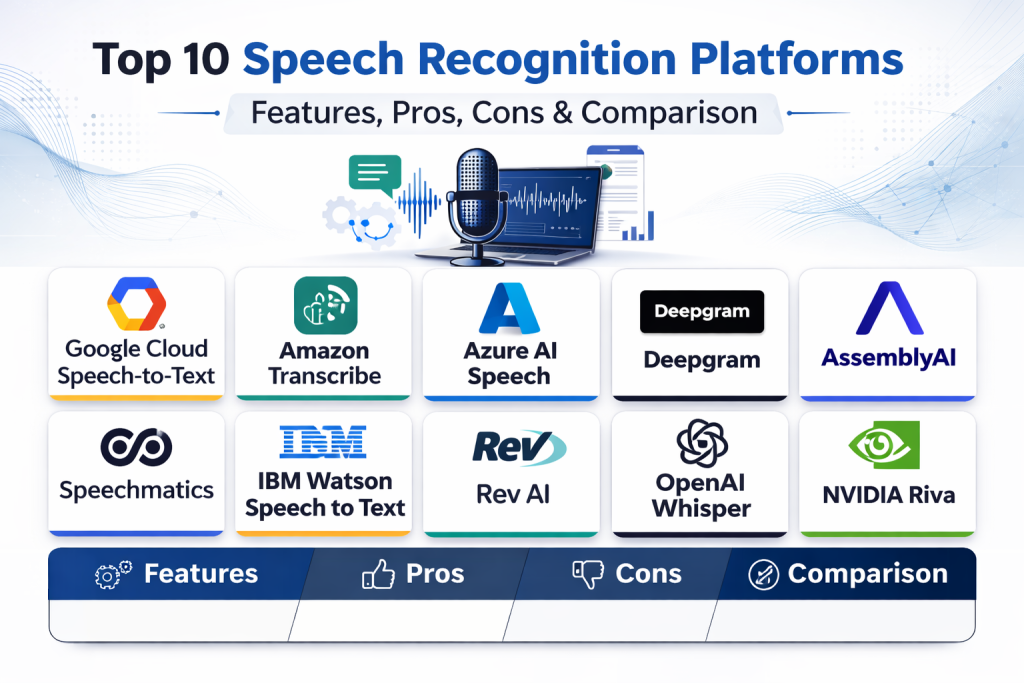
Top 10 Speech Recognition Platforms
1. Google Cloud Speech-to-Text
Google Cloud Speech-to-Text is a widely used cloud speech recognition service for batch and streaming transcription. It is commonly selected by teams that need scalable APIs, multilingual support, and integration with a broader cloud ecosystem.
Key Features
- Batch and streaming speech recognition
- Multilingual transcription support
- Word timestamps and speaker-related features
- Custom vocabulary and adaptation options
- Integration with cloud-based application workflows
- API-based scaling for enterprise workloads
- Support for different audio formats and use cases
Pros
- Strong ecosystem fit for teams already using cloud infrastructure
- Good choice for global applications with multilingual needs
- Mature API approach for product integration
Cons
- Pricing can become complex at scale
- Tuning for domain-specific accuracy may need testing effort
- Some advanced workflows may require combining multiple services
Platforms / Deployment
- Web / API
- Cloud
Security and Compliance
- Not publicly stated
Integrations and Ecosystem
This platform is often chosen for cloud-native application stacks where speech recognition is one component of a larger workflow.
- API integration support
- Cloud ecosystem compatibility
- Scalable service architecture
- Developer tooling for application integration
Support and Community
Strong documentation and broad developer awareness. Enterprise support experience depends on the selected cloud support plan.
2. Amazon Transcribe
Amazon Transcribe is a speech-to-text platform designed for batch and streaming transcription, often used in contact centers, media workflows, and application backends. It is commonly evaluated by teams already building on a cloud-first architecture.
Key Features
- Real-time and batch transcription
- Speaker identification and timestamps
- Custom vocabulary and language model features
- Call analytics and domain-oriented workflow support
- Integration with broader cloud services
- Support for large-scale processing pipelines
- API-driven automation capabilities
Pros
- Strong fit for cloud-native architectures
- Useful for call center and voice analytics workflows
- Good integration with enterprise automation stacks
Cons
- Best value often depends on ecosystem alignment
- Feature setup can feel broad for smaller teams
- Cost planning should be tested with real traffic patterns
Platforms / Deployment
- Web / API
- Cloud
Security and Compliance
- Not publicly stated
Integrations and Ecosystem
Amazon Transcribe is strongest when integrated into event-driven pipelines, storage workflows, and analytics layers in a cloud environment.
- API and automation support
- Cloud storage and workflow compatibility
- Contact center and analytics ecosystem alignment
- Scalable backend integration patterns
Support and Community
Good documentation and strong enterprise adoption visibility. Support quality varies by cloud support tier and implementation complexity.
3. Azure AI Speech
Azure AI Speech is a cloud speech platform offering speech recognition and broader speech capabilities, frequently chosen by enterprises that need integration with business systems and cloud identity workflows.
Key Features
- Real-time and batch speech recognition
- Multilingual transcription capabilities
- Custom speech and adaptation workflows
- Speaker-related transcription features
- Integration with broader speech and AI services
- API and SDK options for application development
- Enterprise-scale deployment support
Pros
- Strong enterprise integration potential
- Good fit for organizations using cloud productivity and identity services
- Supports broader speech application scenarios
Cons
- Platform breadth can feel complex for simple ASR projects
- Configuration and optimization may require experience
- Costs and packaging vary by usage pattern
Platforms / Deployment
- Web / API / SDK
- Cloud
Security and Compliance
- Not publicly stated
Integrations and Ecosystem
Azure AI Speech works well for organizations building speech-enabled applications within a larger enterprise cloud stack.
- SDK and API integration options
- Enterprise application compatibility
- Identity and workflow integration potential
- Broader speech service ecosystem support
Support and Community
Strong enterprise support channels and documentation. Adoption is broad across enterprise teams and platform integrators.
4. Deepgram
Deepgram is a speech recognition and voice AI platform popular with developers building real-time and batch speech applications. It is often selected for low-latency use cases and modern API-driven voice product workflows.
Key Features
- Real-time and batch speech recognition
- Low-latency transcription options
- Developer-focused APIs and voice workflows
- Speaker diarization and timestamps
- Language and model options for different scenarios
- Voice AI ecosystem features beyond basic ASR
- Scalable processing for production use
Pros
- Strong developer experience and API focus
- Good fit for live voice applications and streaming use cases
- Modern platform approach for voice product teams
Cons
- Buyers should validate domain performance with their own audio
- Feature breadth may exceed simple transcription needs
- Cost efficiency depends on volume and feature usage
Platforms / Deployment
- Web / API
- Cloud / Varies by deployment arrangement
Security and Compliance
- Not publicly stated
Integrations and Ecosystem
Deepgram is often used by product teams building real-time voice features, conversational workflows, and transcription pipelines.
- API-first integration model
- Streaming-friendly architecture
- Voice workflow support
- Developer-centric implementation patterns
Support and Community
Strong developer visibility and practical documentation. Enterprise support quality should be confirmed during evaluation for high-volume use cases.
5. AssemblyAI
AssemblyAI is a speech-to-text and speech AI platform used by developers and product teams for transcription plus higher-level voice intelligence workflows. It is often chosen for teams that want fast API integration and additional speech-related features.
Key Features
- Batch and streaming speech-to-text
- Developer-friendly API workflows
- Speaker labels and timestamps
- Speech intelligence features beyond raw transcription
- Language and audio processing support for product use cases
- Scalable cloud API delivery
- Fast integration for application teams
Pros
- Easy to integrate for developers
- Good fit for product teams needing more than plain transcription
- Strong platform usability for API-driven builds
Cons
- Buyers should test accuracy for domain-specific audio
- Advanced enterprise governance needs should be validated
- Usage costs vary by features enabled
Platforms / Deployment
- Web / API
- Cloud
Security and Compliance
- Not publicly stated
Integrations and Ecosystem
AssemblyAI is attractive for teams that want speech recognition plus downstream AI features in one integration path.
- API-driven implementation
- Workflow support for transcription and analysis
- Product-friendly developer integration
- Scalable cloud processing model
Support and Community
Good developer documentation and strong product-team awareness. Support and enterprise onboarding vary by plan.
6. Speechmatics
Speechmatics is an enterprise speech recognition platform known for multilingual transcription and large-scale ASR deployments. It is often considered by organizations that need broad language coverage and enterprise integration options.
Key Features
- Real-time and batch transcription
- Broad multilingual speech recognition support
- Enterprise-focused ASR deployment options
- Speaker-related transcription capabilities
- API-based integration workflows
- Scalable processing for high-volume use cases
- Strong fit for global transcription workloads
Pros
- Strong multilingual positioning
- Good enterprise fit for large-scale transcription programs
- Useful for organizations with global audio data
Cons
- Buyer should validate performance on specific domain audio
- May be more enterprise-oriented than small teams need
- Packaging and pricing need scenario-based evaluation
Platforms / Deployment
- API / Web
- Cloud / Varies by deployment arrangement
Security and Compliance
- Not publicly stated
Integrations and Ecosystem
Speechmatics is best evaluated by teams needing reliable multilingual ASR as part of a production pipeline or enterprise workflow.
- API integration support
- Global transcription workflow fit
- Scalable backend integration patterns
- Enterprise deployment options
Support and Community
Enterprise-oriented support and onboarding are important evaluation factors. Community visibility is lower than some developer-first platforms.
7. IBM Watson Speech to Text
IBM Watson Speech to Text is an enterprise speech recognition service used for transcription and voice application workflows. It is often evaluated by organizations that want speech services within a broader enterprise AI and governance environment.
Key Features
- Real-time and batch transcription
- Customization options for vocabulary and domains
- Speaker and timestamp support
- Enterprise API-based integration
- Integration with broader AI workflows
- Support for business and operational use cases
- Platform-oriented deployment for enterprise teams
Pros
- Strong enterprise positioning and business integration potential
- Useful customization features for domain-specific usage
- Good fit for organizations already using enterprise AI tooling
Cons
- May feel heavy for simple developer-only use cases
- Performance should be validated for target languages and audio quality
- Pricing and plan fit should be reviewed carefully
Platforms / Deployment
- Web / API
- Cloud / Varies by deployment arrangement
Security and Compliance
- Not publicly stated
Integrations and Ecosystem
IBM Watson Speech to Text is commonly evaluated as part of a broader enterprise technology strategy, especially where governance and platform consistency matter.
- API integration support
- Enterprise application compatibility
- AI workflow ecosystem alignment
- Business process integration potential
Support and Community
Strong enterprise support channels and documentation resources. Community discussion exists, but adoption conversations are often enterprise procurement-driven.
8. Rev AI
Rev AI is a speech recognition API platform focused on transcription workflows and developer integration. It is often used by teams building captioning, transcript generation, and audio processing features into products and content workflows.
Key Features
- Speech-to-text API for batch and streaming scenarios
- Timestamps and transcription metadata support
- Developer-friendly integration patterns
- Support for captioning and transcript workflows
- Scalable audio processing via API
- Practical product integration use cases
- Voice processing workflow support
Pros
- Straightforward API model for transcription use cases
- Good fit for media and content workflows
- Practical integration for captioning and transcript products
Cons
- Teams needing broad voice AI features may compare alternatives
- Domain tuning needs should be evaluated with real audio samples
- Enterprise governance expectations should be validated directly
Platforms / Deployment
- Web / API
- Cloud
Security and Compliance
- Not publicly stated
Integrations and Ecosystem
Rev AI is often selected for application features centered on transcription output, captions, and audio-to-text processing workflows.
- API integration for application backends
- Captioning and transcript pipeline support
- Media workflow compatibility
- Developer implementation simplicity
Support and Community
Documentation is practical for API users. Support experience and advanced onboarding vary by customer plan and usage scale.
9. OpenAI Whisper
OpenAI Whisper is a widely recognized speech recognition model used for multilingual transcription and speech translation workflows. Teams use it directly in open-source deployments or through managed services and platform wrappers, depending on operational needs.
Key Features
- Multilingual speech recognition support
- Speech-to-text and translation-oriented workflows
- Open-source model availability
- Strong performance in many noisy and real-world conditions
- Flexible deployment in custom pipelines
- Useful for research and production prototyping
- Broad community adoption and tooling ecosystem
Pros
- Strong flexibility for developers and researchers
- Good multilingual performance for many practical use cases
- Large community ecosystem and wrappers available
Cons
- Self-managed deployment requires infrastructure and optimization work
- Real-time latency and cost depend on implementation choices
- Enterprise governance and support depend on hosting approach
Platforms / Deployment
- Self-hosted / Cloud (implementation dependent)
- Local / Server deployment workflows
Security and Compliance
- Varies / N/A
Integrations and Ecosystem
Whisper is often used as a foundational ASR model within custom applications, backend pipelines, and speech workflows built by engineering teams.
- Open-source ecosystem tooling
- Custom pipeline integration flexibility
- Broad language and research usage
- Community wrappers and deployment patterns
Support and Community
Very strong community awareness and ecosystem activity. Support is community-driven unless paired with a managed hosting provider or enterprise implementation partner.
10. NVIDIA Riva
NVIDIA Riva is a speech and multimodal AI platform used for real-time ASR and voice AI deployments, especially in GPU-accelerated and enterprise environments. It is often evaluated by teams that need low-latency, on-prem, or controlled deployment options.
Key Features
- Real-time speech recognition workflows
- GPU-accelerated inference for low latency
- Enterprise and on-prem deployment potential
- Streaming voice pipeline support
- Integration into voice assistant and call automation systems
- Broader speech AI capabilities beyond basic ASR
- Scalable deployment for production workloads
Pros
- Strong option for low-latency and controlled deployments
- Good fit for GPU-based enterprise infrastructure
- Useful for advanced voice AI system builders
Cons
- Infrastructure requirements can be higher than cloud API options
- Setup and optimization may require specialized expertise
- May be excessive for simple transcription-only use cases
Platforms / Deployment
- API / SDK
- Self-hosted / On-prem / Cloud (GPU-oriented deployments)
Security and Compliance
- Not publicly stated
Integrations and Ecosystem
NVIDIA Riva is attractive for teams building performance-sensitive voice applications and wanting deployment control in enterprise or edge-like environments.
- GPU deployment ecosystem compatibility
- Real-time voice pipeline integration
- Enterprise infrastructure alignment
- SDK and API workflow support
Support and Community
Strong enterprise and developer ecosystem visibility in GPU-focused AI environments. Support quality depends on deployment model and enterprise relationship.
Comparison Table (Top 10)
| Tool Name | Best For | Platform(s) Supported | Deployment | Standout Feature | Public Rating |
|---|---|---|---|---|---|
| Google Cloud Speech-to-Text | Cloud-native speech transcription at scale | Web / API | Cloud | Broad cloud ecosystem integration | N/A |
| Amazon Transcribe | Contact center and cloud workflow transcription | Web / API | Cloud | Strong cloud-native voice pipeline fit | N/A |
| Azure AI Speech | Enterprise speech apps and cloud business integration | Web / API / SDK | Cloud | Broad speech platform support with enterprise integration | N/A |
| Deepgram | Low-latency developer-first voice applications | Web / API | Cloud / Varies | Modern real-time voice API focus | N/A |
| AssemblyAI | Developer-friendly transcription plus speech intelligence | Web / API | Cloud | Fast API integration with added speech features | N/A |
| Speechmatics | Multilingual enterprise transcription workloads | API / Web | Cloud / Varies | Strong multilingual ASR positioning | N/A |
| IBM Watson Speech to Text | Enterprise speech recognition with business platform alignment | Web / API | Cloud / Varies | Enterprise-oriented customization and integration fit | N/A |
| Rev AI | Captioning and transcript-centric product workflows | Web / API | Cloud | Practical transcription API for media and content use cases | N/A |
| OpenAI Whisper | Flexible multilingual ASR in custom deployments | Local / Server / API via wrappers | Self-hosted / Cloud | Open-source model flexibility and broad ecosystem | N/A |
| NVIDIA Riva | Low-latency GPU-accelerated enterprise voice AI | API / SDK | Self-hosted / On-prem / Cloud | GPU-accelerated real-time speech pipelines | N/A |
Evaluation and Scoring of Speech Recognition Platforms
| Tool Name | Core (25%) | Ease (15%) | Integrations (15%) | Security (10%) | Performance (10%) | Support (10%) | Value (15%) | Weighted Total (0–10) |
|---|---|---|---|---|---|---|---|---|
| Google Cloud Speech-to-Text | 8.9 | 8.0 | 9.0 | 8.0 | 8.5 | 8.3 | 7.4 | 8.31 |
| Amazon Transcribe | 8.7 | 7.8 | 8.8 | 8.0 | 8.4 | 8.2 | 7.5 | 8.18 |
| Azure AI Speech | 8.9 | 7.9 | 8.9 | 8.1 | 8.4 | 8.4 | 7.4 | 8.29 |
| Deepgram | 9.1 | 8.6 | 8.5 | 7.7 | 8.9 | 8.2 | 7.8 | 8.48 |
| AssemblyAI | 8.8 | 8.7 | 8.3 | 7.6 | 8.5 | 8.1 | 7.9 | 8.35 |
| Speechmatics | 8.8 | 7.6 | 8.2 | 7.9 | 8.6 | 8.0 | 7.3 | 8.07 |
| IBM Watson Speech to Text | 8.4 | 7.3 | 8.4 | 8.1 | 8.0 | 8.2 | 7.1 | 7.94 |
| Rev AI | 8.0 | 8.4 | 7.8 | 7.4 | 7.9 | 7.8 | 8.0 | 7.96 |
| OpenAI Whisper | 8.9 | 6.9 | 8.1 | 6.8 | 8.5 | 8.4 | 9.0 | 8.11 |
| NVIDIA Riva | 8.7 | 6.8 | 8.3 | 7.9 | 9.0 | 7.9 | 7.2 | 8.01 |
How to interpret these scores:
- These scores are comparative and designed for shortlisting, not absolute benchmark test results.
- A higher score does not mean the platform is the best choice for every audio type or business goal.
- Cloud APIs often score high on ease and integrations, while self-hosted options may score better for control and customization.
- Open-source and GPU-based platforms can offer strong value or performance but may require more engineering effort.
- Always run a pilot using your real audio conditions, accents, and workflow requirements.
Which Speech Recognition Platform Is Right for You
Solo / Freelancer
If you are a solo developer, builder, or consultant, prioritize fast integration and low operational overhead. AssemblyAI and Rev AI are practical choices for quick API integration. OpenAI Whisper is a strong option if you want more control and can manage deployment yourself.
Recommended shortlist: AssemblyAI, Rev AI, OpenAI Whisper
SMB
SMBs usually need reliable APIs, predictable integration effort, and a good balance between accuracy and cost. Deepgram and AssemblyAI are strong for product teams building voice features quickly. Google Cloud Speech-to-Text can also be a good fit if the team already uses cloud infrastructure heavily.
Recommended shortlist: Deepgram, AssemblyAI, Google Cloud Speech-to-Text
Mid-Market
Mid-market teams often need better workflow control, analytics integration, and scaling support. Azure AI Speech, Amazon Transcribe, and Deepgram are strong candidates depending on your cloud preference and use case. Speechmatics is also attractive for multilingual workloads.
Recommended shortlist: Azure AI Speech, Amazon Transcribe, Deepgram, Speechmatics
Enterprise
Enterprise buyers should prioritize governance, deployment flexibility, latency requirements, and large-scale operational fit. Google Cloud Speech-to-Text, Azure AI Speech, Amazon Transcribe, Speechmatics, and IBM Watson Speech to Text are common enterprise choices. NVIDIA Riva becomes very important when low-latency or controlled deployment is a top priority.
Recommended shortlist: Google Cloud Speech-to-Text, Azure AI Speech, Amazon Transcribe, Speechmatics, NVIDIA Riva
Budget vs Premium
- Lower-overhead API adoption: Rev AI, AssemblyAI
- Balanced cloud enterprise options: Google Cloud Speech-to-Text, Amazon Transcribe, Azure AI Speech
- Performance-focused and advanced infrastructure option: NVIDIA Riva
- Flexible open-source path: OpenAI Whisper
If budget is a concern, estimate costs using real monthly audio volume before committing to a single platform.
Feature Depth vs Ease of Use
- Best ease of use for API-first teams: AssemblyAI, Rev AI
- Strong cloud platform depth: Google Cloud Speech-to-Text, Azure AI Speech, Amazon Transcribe
- Strong performance and real-time focus: Deepgram, NVIDIA Riva
- Strong customization flexibility: OpenAI Whisper, IBM Watson Speech to Text
Choose based on your team’s engineering capacity and operational maturity, not just feature count.
Integrations and Scalability
If you need large-scale pipelines, automation, and cloud ecosystem fit, prioritize Google Cloud Speech-to-Text, Amazon Transcribe, and Azure AI Speech. If you are building modern voice products with streaming and fast iteration, Deepgram and AssemblyAI are especially strong to test.
Security and Compliance Needs
For sensitive voice data, confirm these during evaluation:
- Access control and user permissions
- Identity and SSO integration options
- Data retention controls
- Audit logging and traceability
- Encryption practices
- Deployment and data residency options
For regulated use cases, involve security, legal, and platform teams in the pilot stage.
Frequently Asked Questions
1. What is a speech recognition platform?
A speech recognition platform is software that converts spoken audio into text and usually provides APIs, streaming support, timestamps, speaker separation, and integration tools for production applications.
2. What is the difference between batch and real-time transcription?
Batch transcription processes recorded audio after upload, while real-time transcription handles live audio streams with low latency. The right choice depends on your application and response-time needs.
3. Which platform is best for startups building voice features?
Startups often benefit from developer-friendly APIs and quick integration. Deepgram and AssemblyAI are strong choices, while Rev AI can be practical for transcript and caption workflows.
4. Is open-source speech recognition good enough for production?
It can be, especially for teams with strong engineering capability. OpenAI Whisper is widely used, but self-managed deployments require infrastructure, optimization, and monitoring effort.
5. Which platforms are best for enterprise call center use cases?
Amazon Transcribe, Google Cloud Speech-to-Text, Azure AI Speech, and Speechmatics are commonly evaluated for large-scale transcription and analytics workflows. Final choice depends on cloud preference and language needs.
6. How do I compare accuracy between platforms?
Use your own audio samples with different accents, noise levels, call quality, and domain terms. Compare word error patterns, speaker labeling quality, and output stability, not just vendor demos.
7. Do these platforms support custom vocabulary or domain terms?
Many do, but support depth varies. Always test domain terms, acronyms, product names, and industry language during your pilot before making a decision.
8. What is the biggest mistake when choosing a speech recognition platform?
A common mistake is choosing based only on headline accuracy claims. Teams should also evaluate latency, integration effort, pricing at scale, language support, and operational fit.
9. Can I use one platform for all speech workloads?
Sometimes, but many organizations use different tools for different needs, such as one platform for real-time product features and another for batch analytics or self-hosted privacy-sensitive use cases.
10. How many platforms should I shortlist before buying?
A practical approach is to shortlist two or three platforms, test them with the same audio samples and success criteria, then choose the one that best fits your workflow, budget, and team capabilities.
Conclusion
Speech recognition platforms are now a core building block for modern applications, customer operations, and internal automation. The best option depends on your real-world audio conditions, latency needs, language coverage, deployment constraints, and engineering capacity. Some teams need fast cloud APIs with minimal setup, while others need deep customization or self-hosted control. Instead of chasing a single universal winner, define your main use cases clearly, shortlist a few strong candidates, and run a structured pilot with your own audio. That approach usually leads to a better decision than relying on feature lists alone.

Best Cardiac Hospitals Near You
Discover top heart hospitals, cardiology centers & cardiac care services by city.
Advanced Heart Care • Trusted Hospitals • Expert Teams
View Best Hospitals