Introduction
Status page tools help organizations communicate service status updates, outages, and maintenance schedules to their users in real-time. These tools are an essential part of incident management, providing transparency and ensuring that customers are aware of system issues or planned downtime. By centralizing updates on a dedicated status page, these tools reduce confusion, maintain trust, and provide users with the information they need to adjust their activities or expectations.
In today’s service-driven digital world, users expect to be informed when things go wrong. Whether it’s a website outage, API failure, or system downtime, transparency is key to maintaining customer satisfaction. Status page tools help organizations provide clear, timely updates on the health of their services, allowing users to check for live incident reports, scheduled maintenance windows, and historical performance data.
Common real-world use cases include managing public system outages, notifying users of scheduled maintenance, communicating with customers during incidents, displaying uptime and performance metrics, and handling transparency during system upgrades.
What buyers should evaluate:
- Customizability of status page design (branding, themes, etc.)
- Real-time incident updates and uptime monitoring integration
- API access for status page automation and updates
- Integration with incident management tools and monitoring systems
- Historical uptime reports and performance statistics
- Security features like role-based access control (RBAC) and data privacy
- Alerting capabilities to notify users and stakeholders about incidents
- Multi-channel communication (email, SMS, etc.)
- Mobile support and responsiveness of the status page
- Pricing structure based on traffic, features, and usage
Best for: IT operations teams, DevOps teams, SRE teams, customer support teams, and any organization that needs to communicate the status of their services during incidents or scheduled maintenance.
Not ideal for: Very small teams or internal-only services that do not require public status pages or visibility.
Key Trends in Status Page Tools
- Increased focus on real-time status updates with integration to observability tools
- More customization options to reflect company branding and design guidelines
- Enhanced integration with incident management and monitoring platforms like PagerDuty and Datadog
- Greater use of multi-channel communication for incidents (email, SMS, push notifications)
- Automation of status updates based on system health signals
- Focus on privacy and security, with GDPR compliance and data masking capabilities
- Historical uptime reports for transparency and SLA compliance
- Self-service options for users to view incidents, request updates, and subscribe to notifications
- Advanced analytics to track user engagement and viewership of status updates
- More mobile-friendly and responsive status pages for accessibility
How We Selected These Tools
- Broad adoption and credibility across industries
- Strong integration capabilities with incident management, monitoring, and communication tools
- Customization options to match company branding and design standards
- Real-time incident updates and uptime monitoring features
- Reporting features for historical data and transparency tracking
- Ease of use for both technical and non-technical users
- Security features for protecting access and customer data
- Multi-channel communication options to reach users wherever they are
- Pricing flexibility for teams of various sizes
- Customer support availability and community resources
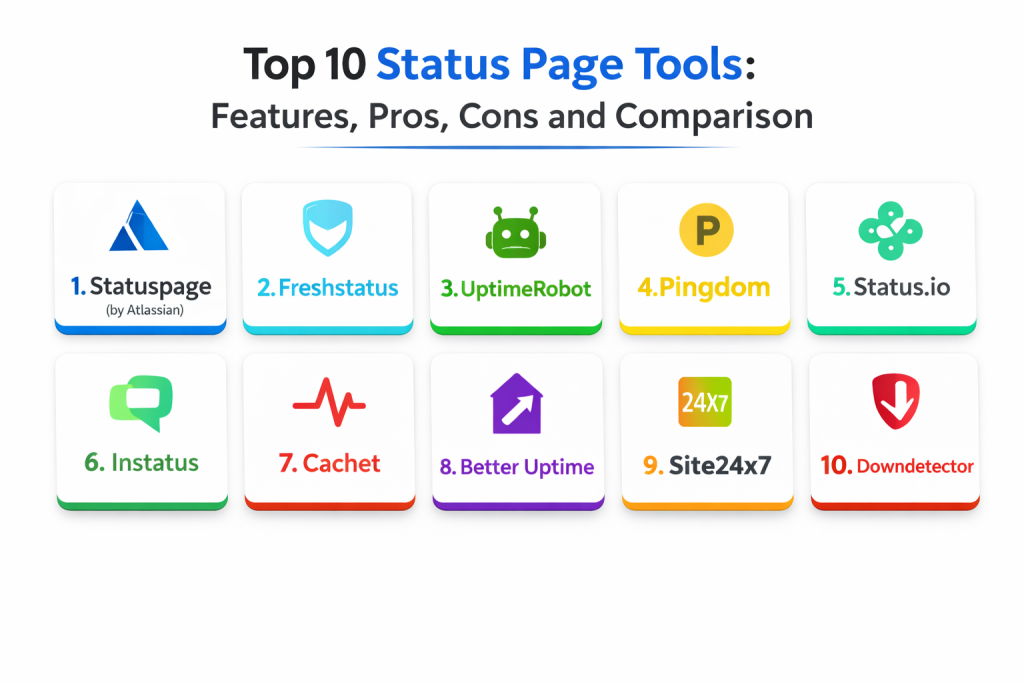
Top 10 Status Page Tools
1 — Statuspage (by Atlassian)
Statuspage is one of the most widely used status page tools, offering advanced features for incident communication and real-time service monitoring. With tight integrations with other Atlassian tools, it provides a seamless experience for teams managing incidents.
Key Features
- Customizable status page design with branding options
- Real-time incident updates and status history tracking
- Integration with monitoring tools and incident management platforms
- Multi-channel alerting (email, SMS, Slack, etc.)
- Uptime monitoring and performance reports
- API access for automated status updates
- Mobile-friendly and responsive design
Pros
- Excellent integrations with Atlassian products like Jira
- Easy-to-use interface for quick setup
- Strong customization options for branding and themes
Cons
- Pricing can be high for smaller teams
- Some advanced features are locked behind higher-tier plans
- More complex integrations may require additional setup
Platforms / Deployment
- Web
- Cloud
Security and Compliance
- RBAC, SSO: Varies / Not publicly stated
- Compliance certifications: Not publicly stated
Integrations and Ecosystem
Statuspage integrates with Jira, Opsgenie, Datadog, and more.
- Real-time incident updates from monitoring and observability tools
- API for automation and updates
- Best for teams already using Atlassian products
Support and Community
Strong support and a large community with detailed documentation.
2 — Freshstatus
Freshstatus by Freshworks is an easy-to-use status page tool that provides clear communication of service uptime and incident updates. It’s suitable for teams that need quick deployment and efficient incident communication.
Key Features
- Simple setup for creating status pages
- Real-time updates and incident management workflows
- Email and SMS notifications for incidents
- Historical uptime reports for transparency
- Customizable status page branding
- API for automatic status updates
- Public and private status pages for different audiences
Pros
- Easy to set up and start using
- Great for small to medium-sized teams
- Simple interface with intuitive configuration options
Cons
- Lacks some advanced reporting features compared to larger platforms
- Limited integrations with some observability tools
- Customization options are more limited
Platforms / Deployment
- Web
- Cloud
Security and Compliance
- RBAC, audit logs: Varies / Not publicly stated
- Compliance certifications: Not publicly stated
Integrations and Ecosystem
Freshstatus integrates with Freshworks products and common monitoring platforms.
- Integrates with Freshdesk, PagerDuty, and others
- API for status automation
- Best for teams using Freshworks products
Support and Community
Good support and extensive documentation for onboarding.
3 — UptimeRobot
UptimeRobot is a simple and cost-effective tool for uptime monitoring and status page creation. It allows users to monitor websites and services and share status updates with customers in real-time.
Key Features
- Uptime monitoring with real-time status updates
- 50 monitoring locations globally
- API access for status page integration
- Customizable status page branding and design
- Notifications via email, SMS, and push alerts
- Historical downtime and uptime reports
- Free tier with basic features for small teams
Pros
- Simple, no-frills setup with quick onboarding
- Great for small teams or individual use
- Offers a free tier with essential features
Cons
- Limited customization compared to other premium tools
- Lacks advanced incident communication workflows
- Reporting features are basic compared to enterprise options
Platforms / Deployment
- Web
- Cloud
Security and Compliance
- Not publicly stated
Integrations and Ecosystem
UptimeRobot integrates with Slack, Discord, and Zapier.
- API for status page updates
- Can integrate with other monitoring tools for broader observability
- Works well for teams that need quick and easy status reporting
Support and Community
Solid community resources and documentation for getting started.
4 — Pingdom
Pingdom is a popular website monitoring tool that offers uptime monitoring, real-time alerts, and customizable status pages to communicate incidents and downtime. It’s widely used for providing transparency to end-users during service disruptions.
Key Features
- Website uptime monitoring and status page integration
- Multi-location monitoring for global services
- Real-time alerting via email, SMS, and mobile push
- API for status page updates
- Historical uptime reports and performance metrics
- Detailed performance breakdowns for root cause analysis
- Customizable status page design
Pros
- Strong reputation for uptime monitoring and website performance tracking
- Easy-to-use interface with a simple status page setup
- Good for websites with high traffic and performance requirements
Cons
- More advanced incident management features are limited
- Expensive for larger teams or businesses
- Lacks integrations with some observability tools
Platforms / Deployment
- Web
- Cloud
Security and Compliance
- Not publicly stated
Integrations and Ecosystem
Pingdom integrates with a variety of tools, including Slack, and Zapier.
- API support for status page updates and alerts
- Works best for teams looking for simple website monitoring and status pages
Support and Community
Strong support and a well-documented knowledge base.
5 — Status.io
Status.io is a robust status page solution that provides customizable status pages, incident management, and real-time updates for users. It’s well-suited for teams needing advanced status communication and real-time visibility into service performance.
Key Features
- Fully customizable status page design
- Real-time service status updates and incident tracking
- Integration with monitoring tools like Datadog and PagerDuty
- Incident alerting via multiple channels (email, SMS, etc.)
- Historical uptime and performance metrics reporting
- Multi-channel incident communication, including social media integration
- API access for status automation
Pros
- Highly customizable status pages
- Advanced integration capabilities with monitoring platforms
- Strong reporting and transparency features
Cons
- Pricing can be expensive, especially for larger teams
- Requires some technical expertise for advanced integrations
- Basic plans offer limited features compared to premium options
Platforms / Deployment
- Web
- Cloud
Security and Compliance
- Not publicly stated
Integrations and Ecosystem
Status.io integrates with Datadog, PagerDuty, and other observability tools.
- API for status page updates and incident reporting
- Integrates with communication tools like Slack and Twitter
Support and Community
Comprehensive documentation and responsive customer support.
6 — Instatus
Instatus is a simple status page tool that provides fast, reliable incident communication, allowing teams to create public-facing pages for real-time updates during outages or maintenance.
Key Features
- Real-time status updates and incident tracking
- Customizable status page with your branding
- Support for scheduled maintenance notifications
- API access for automated status updates
- Multi-channel alerting for incidents
- Uptime reports and historical data
- Minimal setup required
Pros
- Easy to use and quick to set up
- Free tier for small teams or individuals
- Good value for money with basic functionality
Cons
- Limited integrations compared to more complex platforms
- Some advanced reporting features are only available in higher-tier plans
- Lacks advanced incident communication workflows
Platforms / Deployment
- Web
- Cloud
Security and Compliance
- Not publicly stated
Integrations and Ecosystem
Instatus integrates with various alerting and notification platforms.
- API support for real-time updates
- Works well for teams looking for a simple, straightforward status page solution
Support and Community
Good support and user-friendly documentation for quick setup.
7 — Cachet
Cachet is an open-source status page system that allows teams to manage incidents, maintenance windows, and system health in a self-hosted environment.
Key Features
- Open-source and self-hosted status page solution
- Incident tracking and service health updates
- Customizable design with branding options
- Multi-location support for global services
- Integration with monitoring tools for automatic updates
- Reporting features for uptime tracking and history
Pros
- Fully customizable and open-source for flexibility
- Can be hosted on your own servers for control
- Free to use and modify for specific needs
Cons
- Requires technical expertise to set up and maintain
- Lacks built-in integrations with some observability tools
- May require additional customization for advanced workflows
Platforms / Deployment
- Web
- Self-hosted
Security and Compliance
- Not publicly stated
Integrations and Ecosystem
Cachet integrates with monitoring and observability platforms via API.
- Customizable with open-source contributions
- Best suited for teams needing a self-hosted solution
Support and Community
Large open-source community with user-driven resources and development.
8 — Better Uptime
Better Uptime provides incident management and status pages with a focus on uptime monitoring and real-time updates, making it easy to track incidents and inform users quickly.
Key Features
- Uptime monitoring and service health reporting
- Multi-channel notifications (SMS, email, phone)
- Status page for public incident updates
- Integration with popular monitoring tools
- Real-time outage tracking and incident reporting
- Dashboard for monitoring team response times and SLA tracking
Pros
- Excellent for uptime and service health monitoring
- Great for small to medium-sized teams
- Simple and easy-to-use interface
Cons
- Limited advanced incident response features
- Some integrations are not available in lower-tier plans
- Basic customization options for status pages
Platforms / Deployment
- Web
- Cloud
Security and Compliance
- Not publicly stated
Integrations and Ecosystem
Better Uptime integrates with monitoring tools and other observability systems.
- Supports Slack, PagerDuty, and more
- API for automatic status updates
Support and Community
Responsive support and helpful documentation.
9 — Site24x7
Site24x7 is a comprehensive monitoring platform that includes status page capabilities, making it ideal for teams looking for an all-in-one solution for uptime monitoring and incident communication.
Key Features
- Website, server, and application monitoring
- Real-time status updates and incident reporting
- Customizable status pages with branding options
- Multi-channel alerts and notifications
- Integration with monitoring platforms like Datadog
- Reporting features for performance analysis
- SLA tracking and performance metrics
Pros
- All-in-one monitoring and status page solution
- Easy-to-use interface for managing incidents
- Good for teams with global infrastructure
Cons
- Price can be a consideration for smaller teams
- Some advanced features require premium plans
- Limited customization compared to specialized status page platforms
Platforms / Deployment
- Web
- Cloud
Security and Compliance
- Not publicly stated
Integrations and Ecosystem
Site24x7 integrates with monitoring and incident management tools.
- Works with Datadog, Nagios, and other platforms
- API for status automation
Support and Community
Comprehensive support and resources available for setup.
10 — Downdetector
Downdetector is a public-facing status page platform that specializes in tracking outages across a wide range of services and providing updates to users in real-time.
Key Features
- Public service status tracking and incident reporting
- Real-time updates on service outages
- Integrates with social media channels for updates
- Provides visibility into incidents affecting major services
- Free to use for public service monitoring
- Simple setup for status tracking
Pros
- Provides wide coverage for public-facing outages
- Easy to use and free for basic functionality
- Effective for large-scale services and popular websites
Cons
- Limited customization and branding options
- Not suited for private or internal status page use
- Lack of integrations with monitoring tools
Platforms / Deployment
- Web
- Cloud
Security and Compliance
- Not publicly stated
Integrations and Ecosystem
Downdetector fits large-scale services that want public visibility.
- Supports social media integrations for outage notifications
- Ideal for services that want real-time public updates
Support and Community
Basic support and documentation available.
Comparison Table
| Tool Name | Best For | Platform(s) Supported | Deployment | Standout Feature | Public Rating |
|---|---|---|---|---|---|
| Statuspage (Atlassian) | Advanced on-call management | Web / Mobile | Cloud / Hybrid | Real-time alerting and escalation | N/A |
| Freshstatus | Simple status page creation | Web | Cloud | Easy-to-use interface and quick setup | N/A |
| UptimeRobot | Basic uptime monitoring | Web | Cloud | Free tier and simple setup | N/A |
| Pingdom | Performance and uptime monitoring | Web | Cloud | Strong page monitoring and diagnostics | N/A |
| Status.io | Customizable status pages | Web | Cloud | Real-time updates and multi-channel alerting | N/A |
| Instatus | Easy setup for status updates | Web | Cloud | Simple, quick setup with core features | N/A |
| Cachet | Open-source status page system | Web | Self-hosted | Self-hosted and highly customizable | N/A |
| Better Uptime | Incident tracking and service health | Web | Cloud | Uptime and status page integration | N/A |
| Site24x7 | All-in-one monitoring platform | Web | Cloud | Comprehensive monitoring and status page solution | N/A |
| Downdetector | Public-facing service monitoring | Web | Cloud | Service status visibility and updates | N/A |
Evaluation and Scoring of Status Page Tools
Scores use a 1–10 scale per criterion and a weighted total using these weights: Core features 25%, Ease of use 15%, Integrations and ecosystem 15%, Security and compliance 10%, Performance and reliability 10%, Support and community 10%, Price and value 15%. Scores are comparative estimates to help shortlist, but pilots are essential for real-world validation.
| Tool Name | Core (25%) | Ease (15%) | Integrations (15%) | Security (10%) | Performance (10%) | Support (10%) | Value (15%) | Weighted Total |
|---|---|---|---|---|---|---|---|---|
| Statuspage (Atlassian) | 9 | 8 | 10 | 8 | 9 | 8 | 6 | 8.45 |
| Freshstatus | 7 | 9 | 7 | 6 | 7 | 8 | 8 | 7.50 |
| UptimeRobot | 6 | 9 | 6 | 6 | 6 | 7 | 9 | 7.00 |
| Pingdom | 8 | 8 | 7 | 6 | 8 | 8 | 6 | 7.45 |
| Status.io | 8 | 9 | 8 | 7 | 8 | 8 | 7 | 7.75 |
| Instatus | 6 | 9 | 7 | 6 | 7 | 8 | 8 | 7.25 |
| Cachet | 7 | 7 | 6 | 6 | 6 | 7 | 8 | 7.00 |
| Better Uptime | 8 | 9 | 8 | 7 | 9 | 7 | 7 | 7.85 |
| Site24x7 | 9 | 8 | 9 | 7 | 9 | 8 | 6 | 8.00 |
| Downdetector | 7 | 9 | 6 | 5 | 6 | 6 | 9 | 7.00 |
Which Status Page Tool Is Right for You
Solo / Freelancer
If you’re an individual or working with a small team, tools like UptimeRobot and Freshstatus offer simple, cost-effective solutions to manage status pages. They are quick to set up, easy to use, and provide the core features necessary for status communication.
SMB
For SMBs, Status.io and Better Uptime offer the right balance of ease of use and functionality, including incident tracking and real-time alerts. These tools are flexible and provide valuable integrations with monitoring tools.
Mid-Market
Mid-market teams may require more customization and advanced features. PagerDuty’s Statuspage and Site24x7 provide powerful integrations and highly customizable status pages, making them suitable for teams with more complex needs.
Enterprise
Enterprises require a more robust status page solution with extensive integrations and advanced customization. ServiceNow and Statuspage by Atlassian are ideal for large teams that need to manage status communication across multiple services and teams.
Budget vs Premium
For budget-conscious teams, UptimeRobot and Instatus offer solid, affordable options. Premium tools like PagerDuty and Statuspage come with higher pricing but provide extensive features, integrations, and advanced capabilities.
Feature Depth vs Ease of Use
If you prioritize ease of use, tools like Freshstatus and UptimeRobot are ideal. However, if you require more advanced features and integrations, Statuspage and Site24x7 offer deep functionality at a higher cost.
Integrations and Scalability
Teams with complex environments and integrations should choose tools like Statuspage (Atlassian), Site24x7, and PagerDuty, which offer extensive integration options and scalability for growing teams.
Security and Compliance Needs
For teams that need strong security features, such as role-based access control and audit logs, PagerDuty and ServiceNow offer advanced compliance capabilities, ensuring secure access and control over incident management processes.
Frequently Asked Questions
- What is a status page tool?
A status page tool helps organizations communicate with users about the status of their services, providing real-time updates on outages, maintenance, and performance. - Why is having a status page important?
A status page ensures transparency with customers during incidents and downtime, improving user trust and reducing confusion. - Can status page tools integrate with monitoring systems?
Yes, most status page tools integrate with monitoring, APM, and observability platforms, enabling automated updates based on service health. - How can status page tools help with SLA tracking?
Status page tools track uptime and performance metrics, providing transparency for SLA compliance and offering post-incident analysis. - What customizations can I make to my status page?
Customization options include branding (logos, colors, and themes), incident categorization, and message templates. - How do I notify users about incidents via status pages?
Status page tools offer multi-channel notifications, such as email, SMS, or webhooks, for real-time updates during incidents. - Can status page tools handle scheduled maintenance?
Yes, status page tools allow you to post upcoming maintenance schedules, ensuring that users are aware of planned downtime in advance. - Are status pages secure?
Many status page tools offer role-based access control (RBAC), audit logs, and other security features to ensure that only authorized individuals can update or view status pages. - How do I track performance and uptime on a status page?
Status page tools provide detailed performance reports, including uptime history and incident resolution times. - How do I choose the best status page tool for my team?
Consider your team size, integration needs, and the level of customization required. Free tools like UptimeRobot are suitable for small teams, while enterprise-level tools like PagerDuty and ServiceNow offer advanced features and scalability.
Conclusion
Status page tools help maintain transparency and communication with users during incidents, ensuring that users have access to real-time updates and historical performance data. For teams looking for simple solutions, UptimeRobot and Freshstatus offer easy-to-use, cost-effective options. More advanced tools like Statuspage (by Atlassian) and Site24x7 offer powerful integrations, customization, and reporting features, making them ideal for large teams or enterprises. A practical next step is to shortlist a few tools, set up your status page, and test it during an incident or maintenance window to ensure the tool works effectively for your needs.

Best Cardiac Hospitals Near You
Discover top heart hospitals, cardiology centers & cardiac care services by city.
Advanced Heart Care • Trusted Hospitals • Expert Teams
View Best Hospitals