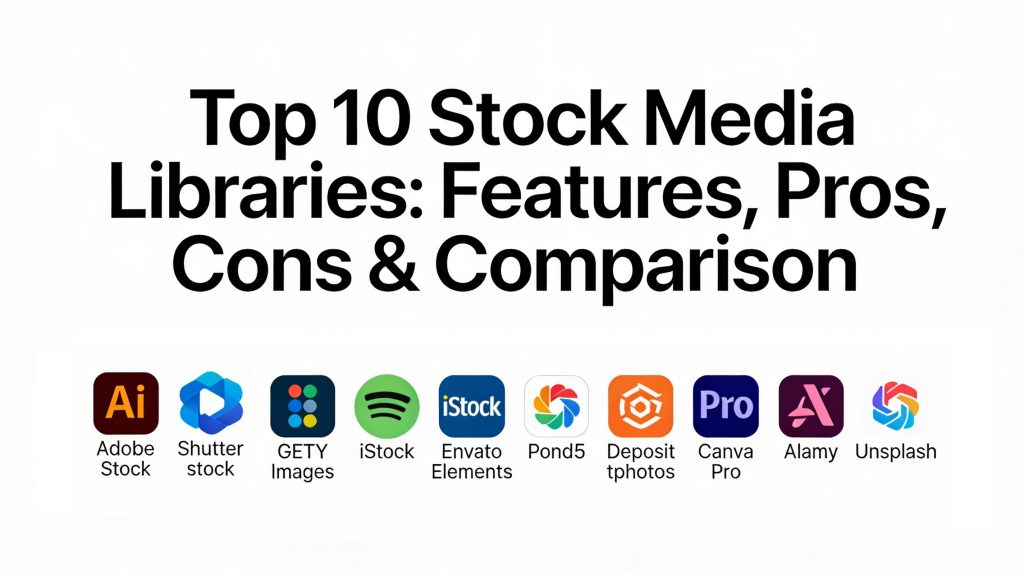
Introduction
Stock media libraries are centralized digital repositories that provide creators, marketers, and businesses with a vast collection of pre-produced assets including photos, videos, music tracks, and graphic templates. These platforms operate on a licensing model, where users purchase the right to use an asset in their projects—ranging from social media posts to global broadcast campaigns—without needing to hire a production crew for every individual visual need.
In the current landscape, the demand for high-quality, authentic-feeling content is at an all-time high. With the explosion of short-form video and the integration of AI-assisted design, having a reliable library of “raw” and “ready-to-use” media is no longer a luxury but a fundamental necessity for digital operations. These libraries have evolved from simple “photo banks” into comprehensive creative ecosystems that offer advanced AI search tools, integrated editing features, and robust legal protections for commercial use.
Real-World Use Cases
- Content Marketing: Sourcing high-resolution images and B-roll footage to fill out blog posts, newsletters, and whitepapers.
- Social Media Production: Accessing vertical video clips and trending audio tracks for rapid-response content on platforms like TikTok and Instagram.
- Corporate Presentations: Enhancing professional slide decks with consistent, high-quality icons, vectors, and background visuals.
- Broadcast & Film: Utilizing 4K and 8K cinematic footage and sound effects to supplement high-budget video productions.
- Web & App Design: Finding UI elements, textures, and hero images that align with modern design standards and brand aesthetics.
Evaluation Criteria for Buyers
- Library Depth and Variety: The total number of assets and the breadth of niches covered, including diverse human representation.
- Licensing Clarity: How easily the platform defines commercial vs. editorial rights and any restrictions on print or broadcast.
- Search and Discovery AI: The efficiency of natural language search, visual similarity filters, and automated tagging.
- Asset Quality: The technical standards for resolution, color depth, and the availability of professional formats like RAW or Log.
- Integration Ecosystem: Seamless connectivity with design software like Adobe Creative Cloud, Canva, or popular video editors.
- Pricing Structure: Evaluation of on-demand credits, monthly subscriptions, or unlimited download models for better ROI.
- Legal Indemnification: The level of financial and legal protection provided by the platform against copyright claims.
Best for: Creative agencies, in-house marketing teams, freelance designers, YouTubers, and enterprise brands needing consistent visual assets at scale.
Not ideal for: Brands seeking a 100% unique visual identity that cannot be replicated by others, or projects requiring highly specific, proprietary product shots.
Key Trends in Stock Media Libraries
- Authenticity Over Perfection: A move away from “too-perfect” corporate stock toward imagery that features real people, natural lighting, and candid moments.
- AI-Driven Generative Fill: Platforms are now allowing users to use AI to “extend” a stock photo or modify specific elements (like changing a shirt color) directly in the preview.
- Hyper-Specific Metadata: Improved AI tagging that understands not just the objects in a photo, but the underlying “vibe” or emotional tone.
- Cinematic Drone & POV Footage: Massive growth in high-quality aerials and first-person perspective clips driven by the demand for immersive social content.
- Rights-Safe AI Content: The introduction of libraries consisting entirely of AI-generated assets that are fully cleared for commercial legal safety.
- Vertical-First Libraries: Collections specifically curated and shot in vertical 9:16 aspect ratios to save time for social media editors.
- Sustainability & Diversity Tracking: Transparent reporting on the diversity of contributors and the carbon footprint of digital asset storage.
- Blockchain Licensing: The early use of distributed ledgers to track asset usage and ensure creators are paid accurately for every licensed use.
How We Selected These Tools
Our selection methodology for the top 10 stock media libraries focuses on market leadership and professional utility. We prioritized platforms that have demonstrated long-term reliability in licensing and legal safety, as this is the most critical factor for commercial projects. We evaluated the “freshness” of the libraries—specifically how often they update their collections to match current visual trends. The inclusion of both “hyperscale” libraries with hundreds of millions of assets and “boutique” or “unlimited” services ensures that we cover various budget levels. Finally, we considered the technical evolution of each platform, favoring those that have integrated modern AI tools to speed up the discovery process for busy creative professionals.
Top 10 Stock Media Libraries
1. Adobe Stock
Adobe Stock is a premium service that is uniquely integrated into the Adobe Creative Cloud ecosystem. It is the gold standard for professional designers who want to search, preview, and license high-quality assets without ever leaving their editing software.
Key Features
- Native Integration: Direct access within Photoshop, Illustrator, Premiere Pro, and InDesign for a seamless workflow.
- Premium Collections: Access to highly curated, exclusive imagery and cinematic 4K video clips.
- Visual Search: Powerful AI that allows users to drag and drop an image to find visually similar stock options.
- Creative Templates: A vast library of pre-made project files for social media, print, and web design.
- Standardized Licensing: Simple, unified license terms that are easy for legal teams to review.
Pros
- Incredible time savings for users already in the Adobe ecosystem.
- Consistent, high-end production quality across all asset categories.
Cons
- Higher price point compared to budget-focused or unlimited download sites.
- Best features are locked behind an existing Creative Cloud subscription.
Platforms / Deployment
Web / Windows / macOS — Cloud
Security & Compliance
Enterprise-grade security, SSO options, and GDPR compliance. Standard legal indemnification included.
Integrations & Ecosystem
Adobe Stock is built for the Creative Cloud. It allows for watermarked previews to be placed in designs, which automatically update to high-resolution versions once licensed.
Support & Community
Extensive official documentation, professional tutorials, and a massive community of professional designers.
2. Shutterstock
Shutterstock is perhaps the most recognized name in the industry, boasting one of the world’s largest collections of royalty-free assets. It is a volume-heavy platform that serves everyone from solo bloggers to massive global corporations.
Key Features
- Massive Library: Over 400 million images, videos, and music tracks with millions added weekly.
- Creative Flow Suite: Integrated editing tools that allow for basic crops and text overlays before downloading.
- Editorial Archive: A dedicated section for news, sports, and entertainment photography.
- AI Image Generator: An ethical AI tool that generates new images based on a text prompt while compensating original contributors.
- Predictive Search: Advanced filters for resolution, orientation, and even the “mood” of the media.
Pros
- If a concept exists, it is almost certainly available on Shutterstock.
- Highly flexible pricing including on-demand packs and monthly subscriptions.
Cons
- The sheer volume can lead to “generic” looking results if not filtered carefully.
- Licensing for very high-end broadcast use can become expensive.
Platforms / Deployment
Web / iOS / Android — Cloud
Security & Compliance
SSO, enterprise access controls, and GDPR alignment.
Integrations & Ecosystem
Offers an API for enterprise integration and plugins for popular tools like Microsoft PowerPoint and various CMS platforms.
Support & Community
Excellent customer support with dedicated account managers for enterprise clients and a large learning academy.
3. Getty Images
Getty Images is the world’s leading marketplace for professional and editorial photography. It is the go-to resource for premium, high-impact visuals and exclusive coverage of world events.
Key Features
- Exclusive Content: Access to “Prestige” collections that are not available on any other platform.
- Historical Archive: One of the world’s deepest collections of historical and archival imagery.
- Rights-Managed Licensing: Precise control over where and how an image is used for maximum exclusivity.
- Custom Content: Ability to commission Getty’s global network of photographers for bespoke brand shoots.
- Enterprise Media Manager: A robust tool for managing licensed assets across large organizations.
Pros
- The highest possible standard for editorial and high-end commercial visuals.
- Powerful legal backing and iron-clad rights management.
Cons
- Prohibitively expensive for small businesses or individual creators.
- The licensing process can be more complex than simple royalty-free sites.
Platforms / Deployment
Web — Cloud
Security & Compliance
Enterprise contractual compliance and GDPR-compliant data handling.
Integrations & Ecosystem
Strongest in the publishing and media industry with direct feeds into newsroom workflows.
Support & Community
White-glove professional support and dedicated account management for large-scale partners.
4. iStock
Owned by Getty Images, iStock is the mid-market solution for businesses that want professional-grade quality with the simplicity of royalty-free licensing. It is known for its “Signature” collection of exclusive, non-generic imagery.
Key Features
- Signature Collection: High-end assets that are exclusive to iStock and not found on other sites.
- Essential Collection: A massive, affordable library of standard stock for everyday needs.
- Flexible Credits: Use credits for any asset type—photos, videos, or illustrations.
- Boards: Simple tools for collaborating with teams and clients on asset selection.
- Advanced Search: Filters for number of people, ethnicity, and specific color palettes.
Pros
- Offers a “premium” feel at a much lower cost than Getty Images.
- Reliable legal protection and high contributor standards.
Cons
- The credit system can be more expensive for video content.
- Interface is solid but lacks some of the “slick” AI features of Adobe.
Platforms / Deployment
Web / iOS / Android — Cloud
Security & Compliance
GDPR compliant and standard commercial licensing protections.
Integrations & Ecosystem
Standard creative formats that work with all major design and video editing software.
Support & Community
Helpful documentation and a reliable customer support team.
5. Envato Elements
Envato Elements is the industry leader for “unlimited” downloads. It is a favorite among YouTubers and freelance designers because one monthly fee covers everything from photos to website templates.
Key Features
- Unlimited Downloads: No caps on the number of assets you can license in a month.
- All-in-One Library: Includes music, sound effects, video templates, 3D assets, and fonts.
- Simple License: One commercial license that covers all assets under a single project-based registration.
- Curated Sets: Groupings of assets that follow a specific theme or design trend.
- Integration with Placeit: Basic mockup tools are often bundled for quick design work.
Pros
- The best value for money for high-volume content creators.
- Incredible diversity of asset types beyond just photos.
Cons
- The photography library is not as deep as specialized sites like Shutterstock.
- Search can be “noisy,” requiring more time to find the perfect asset.
Platforms / Deployment
Web — Cloud
Security & Compliance
Standard platform security; compliance varies by specific use case.
Integrations & Ecosystem
Highly compatible with video editors like Premiere Pro and Final Cut via downloadable templates.
Support & Community
Active creator community and solid documentation for technical assets.
6. Pond5
Pond5 is the world’s largest video-first stock library. It is the primary choice for video editors and filmmakers who need niche clips, high-quality B-roll, and cinematic transitions.
Key Features
- Video Dominance: Specialized tools for searching by frame rate, resolution (up to 8K), and duration.
- Public Domain Project: A massive, free collection of historical media that has aged into the public domain.
- Music & SFX: A high-quality library of audio assets curated for video production.
- Contributor-Set Pricing: Allows for a wide range of prices from budget-friendly to high-end exclusive clips.
- AI Visual Search for Video: Upload a clip to find others with similar motion and composition.
Pros
- The most specialized and deep library for video-centric professionals.
- Flexible buying options including single-clip purchases without a subscription.
Cons
- The photography section is weaker compared to its video offerings.
- Pricing can be inconsistent since contributors set their own rates.
Platforms / Deployment
Web — Cloud
Security & Compliance
Standard licensing compliance; varies by asset type.
Integrations & Ecosystem
Standard video formats for all major non-linear editing (NLE) systems.
Support & Community
Very active contributor community and helpful technical support for production teams.
7. Depositphotos
Depositphotos is the preferred choice for small businesses and marketers looking for a balance of quality and affordability. It is known for its user-friendly interface and frequent high-value deals for small teams.
Key Features
- Large Image Bank: Over 250 million files including photos, vectors, and videos.
- Thematic Collections: Daily updates of curated visuals based on seasonal and industry trends.
- Reverse Image Search: Easily find the source or a high-res version of an existing image.
- Flexible Plans: On-demand downloads that never expire, which is ideal for occasional users.
- Background Remover: Integrated tool for quickly prepping images for web use.
Pros
- Extremely competitive pricing, often the best value for a “pro” library.
- Very intuitive and fast search experience.
Cons
- Library is not as exclusive; assets may appear on many other websites.
- Video collection is growing but still lags behind the major players.
Platforms / Deployment
Web / iOS / Android — Cloud
Security & Compliance
Standard platform security and GDPR alignment.
Integrations & Ecosystem
Plugs into workflows via standard downloads and shared team folders.
Support & Community
Good onboarding resources and responsive customer support.
8. Canva (Pro Content)
Canva has disrupted the market by bundling a massive stock library directly inside its design tool. For non-designers, it provides a “one-stop-shop” where you can find an image and build a graphic in the same window.
Key Features
- Integrated Library: Tens of millions of photos and videos included in the Pro subscription.
- Social-Ready Content: Visuals are curated to look good on modern social feeds.
- Elements & Icons: An unrivaled collection of illustrations and graphic elements for non-pros.
- Magic Studio: Use AI to transform or generate stock assets directly on your canvas.
- Brand Kits: Easily apply your brand colors and fonts to stock templates.
Pros
- The ultimate tool for ease of use and speed.
- No need to worry about downloading and re-uploading files.
Cons
- Not suitable for high-end professional editors who need RAW files or deep metadata.
- Licensing can be confusing if you try to use the assets outside of Canva.
Platforms / Deployment
Web / Windows / macOS / iOS / Android — Cloud
Security & Compliance
Standard security for a SaaS platform; GDPR compliant.
Integrations & Ecosystem
The ecosystem is the integration. It works with every social platform and many marketing tools.
Support & Community
Massive community of users with endless templates and design inspiration.
9. Alamy
Alamy is a massive, independent library known for its “no-nonsense” approach and its inclusion of niche, regional, and historical content that other platforms often miss.
Key Features
- Scale and Diversity: Over 300 million assets with a massive influx of non-Western content.
- Live News Feed: A constant stream of editorial images from around the world.
- Advanced Search Filters: Search by focal length, date taken, and specific camera models.
- No Subscription Barriers: Allows for easy one-off purchases without a long-term contract.
- 360-Degree Images: A specialized collection of panoramic and immersive 360-degree photography.
Pros
- Excellent for finding unique, non-generic imagery for specialized projects.
- Transparent pricing with no hidden monthly fees.
Cons
- The interface feels a bit dated compared to modern “slick” platforms.
- Video integration is not as deep or well-organized as the photo side.
Platforms / Deployment
Web — Cloud
Security & Compliance
GDPR-compliant and licensing-focused controls.
Integrations & Ecosystem
Standard download formats for publishing and web-based workflows.
Support & Community
Reliable professional support and clear documentation for contributors.
10. Unsplash (Pro & Free)
Unsplash started the “free-to-use” revolution and has since added a “Pro” tier. It is famous for its “aspirational” and minimalist aesthetic that has defined the look of the modern internet.
Key Features
- Curated Aesthetic: Every photo is hand-selected to ensure a high-end, artistic feel.
- Unsplash Pro: Exclusive content and increased legal protection for a small monthly fee.
- Massive Community: Over 300,000 photographers contributing their best work.
- Developer API: The most widely used API for integrating stock photos into other apps and websites.
- Visual Similarity Search: A highly accurate tool for finding images with the same composition.
Pros
- The absolute best “aesthetic” for modern blogs and tech startups.
- Very permissive license that makes it the easiest platform to get started with.
Cons
- Because it’s so popular, the best images are seen everywhere on the web.
- Lacks the deep editorial and technical niche content of Alamy or Getty.
Platforms / Deployment
Web / iOS / Android — Cloud
Security & Compliance
Basic GDPR alignment; licensing varies between Free and Pro tiers.
Integrations & Ecosystem
Integrated into hundreds of platforms including Trello, Notion, and Medium.
Support & Community
A vibrant, community-first platform with high engagement between creators.
Comparison Table (Top 10)
| Tool Name | Best For | Platform(s) Supported | Deployment | Standout Feature | Public Rating |
| 1. Adobe Stock | Creative Cloud Users | Web, Windows, macOS | Cloud | Native CC Sync | 4.7/5 |
| 2. Shutterstock | Corporate Volume | Web, iOS, Android | Cloud | 400M+ Asset Count | 4.6/5 |
| 3. Getty Images | High-end Editorial | Web | Cloud | Exclusive News/Sports | 4.8/5 |
| 4. iStock | Mid-market Quality | Web, iOS, Android | Cloud | Signature Collection | 4.5/5 |
| 5. Envato Elements | Unlimited Downloads | Web | Cloud | Music/Photos/Templates | 4.7/5 |
| 6. Pond5 | Video & B-Roll | Web | Cloud | 8K Video Search | 4.4/5 |
| 7. Depositphotos | SMB Budget | Web, iOS, Android | Cloud | Flexible Credits | 4.3/5 |
| 8. Canva (Pro) | Quick Social Design | Web, Mobile, Desktop | Cloud | All-in-one Editor | 4.8/5 |
| 9. Alamy | Niche & Regional | Web | Cloud | Cam/Lens Search | 4.2/5 |
| 10. Unsplash | Modern Aesthetics | Web, iOS, Android | Cloud | Permissive License | 4.6/5 |
Evaluation & Scoring of Stock Media Libraries
| Tool Name | Core (25%) | Ease (15%) | Integrations (15%) | Security (10%) | Perf (10%) | Support (10%) | Value (15%) | Total |
| 1. Adobe Stock | 10 | 9 | 10 | 9 | 9 | 9 | 6 | 8.9 |
| 2. Shutterstock | 10 | 8 | 9 | 9 | 9 | 9 | 7 | 8.7 |
| 3. Getty Images | 10 | 6 | 7 | 10 | 8 | 9 | 4 | 7.7 |
| 4. iStock | 9 | 8 | 8 | 9 | 8 | 8 | 8 | 8.3 |
| 5. Envato Elements | 8 | 7 | 8 | 6 | 8 | 7 | 10 | 7.9 |
| 6. Pond5 | 9 | 7 | 8 | 7 | 8 | 8 | 7 | 7.8 |
| 7. Depositphotos | 8 | 9 | 7 | 7 | 9 | 8 | 9 | 8.1 |
| 8. Canva (Pro) | 7 | 10 | 9 | 8 | 9 | 8 | 9 | 8.4 |
| 9. Alamy | 9 | 6 | 6 | 8 | 7 | 8 | 7 | 7.4 |
| 10. Unsplash | 7 | 10 | 8 | 6 | 9 | 8 | 10 | 8.2 |
The scoring model reflects professional utility. A high “Core” score indicates a deep, high-quality library with reliable licensing. “Integrations” favor tools that speed up the creative workflow. “Value” is weighted toward services that provide either high volume for low cost or flexible on-demand options.
Which Stock Media Library Tool Is Right for You?
Solo / Freelancer
If you are a solo creator or YouTuber, Envato Elements is often the most logical choice. The unlimited download model allows you to experiment with music, templates, and photos without worrying about a rising bill. For those who aren’t professional designers, the Canva Pro library provides the fastest way to create professional graphics.
SMB
Small businesses looking for a balance of quality and cost should look at iStock or Depositphotos. These platforms provide high-end legal protection and professional visuals that will help your brand stand out without the enterprise price tag of Getty.
Mid-Market
Organizations with a dedicated creative team will find the most value in Adobe Stock. The time saved by using integrated workflows within the Creative Cloud more than justifies the monthly cost. Shutterstock is also a strong contender for teams needing massive volume for various digital campaigns.
Enterprise
For global brands and large media organizations, Getty Images and Shutterstock Enterprise are the standards. They offer the necessary legal indemnification, enterprise-wide licensing rights, and dedicated account management required for high-stakes corporate operations.
Budget vs Premium
If the budget is tight, Unsplash and Depositphotos (during sales) provide the best professional-looking assets for the lowest cost. For those where visual exclusivity and high production value are the only metrics that matter, Getty Images and the Adobe Stock Premium collection are the winners.
Feature Depth vs Ease of Use
Pond5 and Alamy offer the most depth for power users who need specific technical search filters (like camera lens or video frame rate). Canva and Unsplash are designed for maximum ease of use, allowing anyone to find a great visual in seconds.
Integrations & Scalability
Adobe Stock scales best for design teams, while Shutterstock and Unsplash offer the most robust APIs for developers looking to integrate stock media directly into their own applications or websites.
Security & Compliance Needs
Enterprises with strict security and copyright requirements should stick with Adobe, Getty, or Shutterstock. These platforms provide clear audit trails, SSO integration, and significant financial guarantees against legal issues.
Frequently Asked Questions (FAQs)
1. What is the difference between royalty-free and rights-managed?
Royalty-free allows you to pay once and use the asset multiple times. Rights-managed is a more restrictive license where you pay based on specific usage (duration, location, etc.) often for exclusive rights.
2. Can I use stock media for my company logo?
Generally, no. Most stock licenses prohibit using their assets as part of a trademarked logo, as the library still owns the underlying copyright.
3. Is it legal to use “Editorial Use Only” photos for an ad?
No. Editorial images are for news or educational purposes. To use them in an ad, you would need to secure additional permissions from the people or property owners in the photo.
4. Does “free” stock media mean I don’t have to worry about copyright?
Not necessarily. While platforms like Unsplash have permissive licenses, they often don’t provide the legal indemnification that paid sites do, which can be a risk for large brands.
5. How do AI-generated images affect stock licensing?
Professional sites like Shutterstock ensure that AI-generated images are created using ethically sourced data and provide the same legal protections as traditional photos.
6. What is legal indemnification?
It is a guarantee from the stock site that if someone sues you for copyright infringement over a licensed asset, the site will cover your legal costs up to a certain amount.
7. Why is 4K video more expensive than HD?
4K contains much more data and higher production value, making it more valuable for broadcast and high-end digital screens.
8. Can I share my stock subscription with my whole team?
Most standard subscriptions are for a single user. For teams, you usually need an “Enterprise” or “Team” plan that allows for multiple seats and shared collections.
9. Do I have to credit the photographer every time?
For most royalty-free commercial licenses, attribution is not required but is appreciated. For editorial use, a photo credit is usually mandatory.
10. Can I still use the images if I cancel my subscription?
Yes, any asset you successfully licensed while your subscription was active can usually be used forever, though you cannot download new assets once the subscription ends.
Conclusion
The selection of a stock media library is a foundational decision that dictates the visual quality and legal safety of your brand’s digital presence. As we move through, the lines between professional photography and AI-assisted creation are blurring, making it more important than ever to choose a platform that prioritizes ethical sourcing and robust licensing. Whether you choose the high-end exclusivity of Getty, the seamless integration of Adobe, or the unlimited value of Envato, the “best” tool is the one that aligns with your specific creative workflow and business goals. By leveraging these vast repositories of human and digital creativity, teams can produce high-impact content that resonates with audiences while maintaining the pace required by the modern economy. I suggest running a “search test” on 2 or 3 of these platforms using a specific concept from your next project. See which library returns the most “authentic” results and check their licensing terms for your intended use case.

Best Cardiac Hospitals Near You
Discover top heart hospitals, cardiology centers & cardiac care services by city.
Advanced Heart Care • Trusted Hospitals • Expert Teams
View Best Hospitals