Introduction
Storage management tools help you provision, monitor, optimize, protect, and troubleshoot storage across on-prem, hybrid, and sometimes cloud environments. They sit between your storage infrastructure and the teams responsible for uptime, capacity, performance, and governance. A strong storage management tool makes day-to-day operations predictable by turning storage into something you can measure, automate, and control with policies instead of manual, risky changes.
Common real-world use cases include capacity planning before you run out of space, performance troubleshooting during peak business hours, provisioning volumes for new applications, managing snapshots and replication for continuity, detecting abnormal latency patterns before users complain, keeping storage firmware and configuration aligned, tracking cost drivers, and proving service health through reports. Buyers should evaluate visibility depth, alert quality, automation support, role-based access, audit logs, integration with virtualization and backup, multi-site scalability, performance analytics, storage lifecycle workflows, and how well the tool matches the storage platforms you actually run.
Best for: infrastructure teams managing SAN or NAS, virtualization admins, platform teams supporting business-critical workloads, MSPs handling multiple clients, and enterprises that need strong governance for storage changes.
Not ideal for: teams with minimal storage footprint, environments where storage is fully managed by a cloud provider with limited knobs, or small setups where basic monitoring is enough and dedicated storage management overhead adds little value.
Key Trends in Storage Management Tools
- Stronger predictive analytics to spot capacity and performance risks earlier
- More automation for provisioning, policy enforcement, and routine operations
- Wider multi-site visibility so teams can manage distributed storage estates
- Better integration with virtualization layers where most workloads run
- Increased focus on ransomware resilience signals around snapshots and immutability patterns
- Higher expectations for role separation, approvals, and change auditing
- More actionable dashboards that prioritize business impact over raw metrics
- Growing demand for unified management across different storage vendors
How We Selected These Tools (Methodology)
- Practical adoption across enterprise, mid-market, and operationally mature teams
- Strength of core management functions: provisioning, monitoring, alerts, reporting
- Depth of performance analytics and ability to shorten troubleshooting time
- Policy and automation capabilities that reduce manual error
- Governance controls: roles, audit trails, access boundaries, and reporting
- Integration fit with virtualization, backup, and common operational tooling
- Reliability signals based on mature operational design and ecosystem usage
- Value alignment for reducing downtime risk and improving storage efficiency
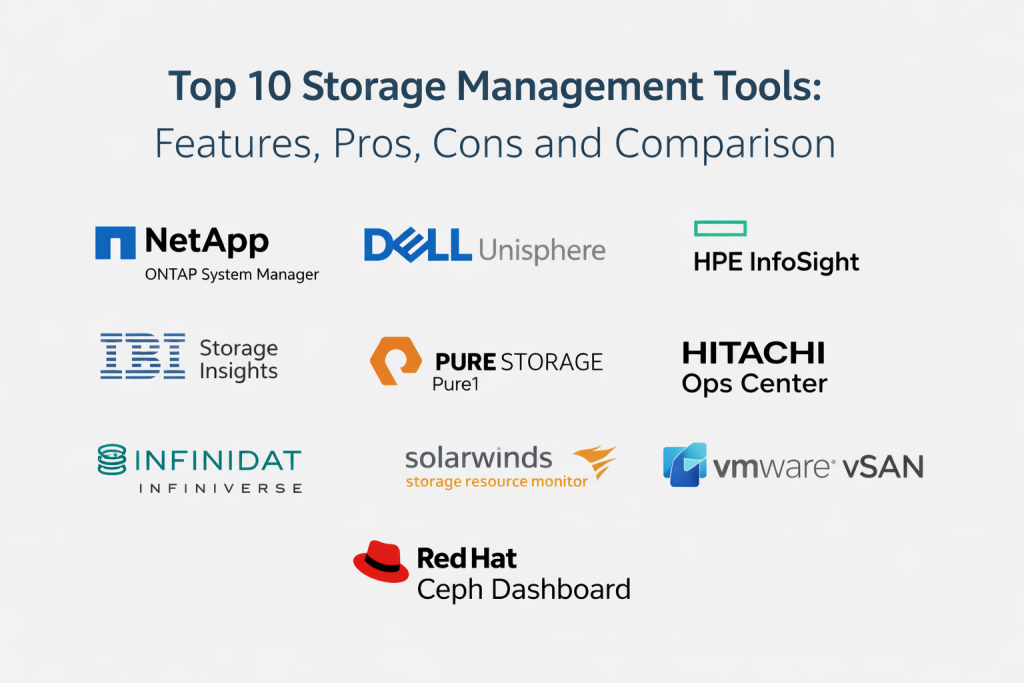
Top 10 Storage Management Tools
1 — NetApp ONTAP System Manager
NetApp ONTAP System Manager is designed to manage NetApp storage with a focus on day-to-day administration, policy control, and visibility. It is typically used where NetApp systems support critical applications and teams need consistent control for performance, capacity, and protection workflows.
Key Features
- Central administration for common storage operations
- Provisioning workflows for volumes and storage services
- Snapshot and protection management patterns (varies)
- Performance and capacity visibility for troubleshooting
- Policy-driven controls for storage configuration (varies)
Pros
- Strong fit for NetApp environments with standardized operations
- Helpful for reducing manual steps in routine storage tasks
Cons
- Best value depends on how much of your estate is NetApp
- Cross-vendor unification may require additional tooling
Platforms and Deployment
Platforms: Varies / N/A
Deployment: Varies / N/A
Security and Compliance
SSO, MFA, audit logs, RBAC: Varies / Not publicly stated
Certifications: Not publicly stated
Integrations and Ecosystem
Often used alongside virtualization, backup, and operational workflows where NetApp storage is a core dependency.
- Virtualization alignment: Varies / N/A
- Backup and protection tooling alignment: Varies / N/A
- Automation options: Varies / N/A
Support and Community
Common in enterprise environments with strong documentation. Support depth varies by plan and partner ecosystem.
2 — Dell Unisphere
Dell Unisphere is commonly used to manage Dell storage platforms, focusing on provisioning, monitoring, performance visibility, and operational workflows. It is typically chosen where Dell storage is central to virtualized and application environments.
Key Features
- Storage provisioning and configuration management
- Performance and capacity dashboards for operations
- Alerting and health monitoring for faster troubleshooting
- Policy workflows for protection and replication patterns (varies)
- Reporting for operational status and trends
Pros
- Practical day-to-day management for Dell storage estates
- Useful visibility for performance and capacity planning
Cons
- Best outcomes require consistent standards and naming conventions
- Cross-platform visibility may need separate SRM tooling
Platforms and Deployment
Platforms: Varies / N/A
Deployment: Varies / N/A
Security and Compliance
RBAC, audit, encryption options: Varies / Not publicly stated
Certifications: Not publicly stated
Integrations and Ecosystem
Typically fits into Dell-centric infrastructure operations and common virtualization patterns.
- Virtualization ecosystem integration: Varies / N/A
- Operational monitoring integration: Varies / N/A
- Automation and APIs: Varies / N/A
Support and Community
Strong enterprise usage footprint. Documentation is common and partner support is widely used.
3 — HPE InfoSight
HPE InfoSight is known for analytics-driven visibility and operational insights for supported HPE storage platforms. It is often valued for helping teams detect and reduce performance and capacity risks by highlighting patterns that are hard to see manually.
Key Features
- Analytics-driven health and performance visibility
- Proactive risk signals for capacity and performance issues
- Operational dashboards that prioritize likely root causes
- Trend reporting for planning and governance
- Integration patterns with supported HPE storage ecosystems (varies)
Pros
- Helpful for proactive troubleshooting and risk visibility
- Strong fit for HPE-centric environments
Cons
- Scope depends on supported HPE platforms and configuration
- Less useful if your storage estate is mostly non-HPE
Platforms and Deployment
Platforms: Varies / N/A
Deployment: Varies / N/A
Security and Compliance
Access controls and audit: Varies / Not publicly stated
Certifications: Not publicly stated
Integrations and Ecosystem
Often used to complement infrastructure operations with analytics-backed insights for storage behavior.
- Operational tooling alignment: Varies / N/A
- Virtualization visibility patterns: Varies / N/A
- Reporting and export options: Varies / N/A
Support and Community
Common in enterprise use. Outcomes improve when teams standardize incident response around the insights provided.
4 — IBM Storage Insights
IBM Storage Insights focuses on monitoring, reporting, and operational visibility for storage health, capacity, and performance. It is often chosen by teams that want centralized dashboards and reporting for storage operations across environments.
Key Features
- Central monitoring for storage health and utilization
- Capacity analytics and trend reporting for planning
- Performance visibility to support troubleshooting
- Alerting for operational exceptions and risk indicators
- Reporting for governance and operational review
Pros
- Useful for centralized visibility and reporting
- Strong fit for teams that value structured monitoring workflows
Cons
- Coverage depends on supported platforms and integrations
- Deep vendor-specific controls may still require native consoles
Platforms and Deployment
Platforms: Varies / N/A
Deployment: Varies / N/A
Security and Compliance
RBAC, audit trails, encryption: Varies / Not publicly stated
Certifications: Not publicly stated
Integrations and Ecosystem
Often used with infrastructure monitoring practices to reduce blind spots across storage estates.
- Monitoring and alert routing: Varies / N/A
- Export and reporting workflows: Varies / N/A
- Integration coverage: Varies / N/A
Support and Community
Enterprise-oriented support and documentation are typical. Best outcomes come from tuning alerts and thresholds.
5 — Pure Storage Pure1
Pure Storage Pure1 provides management and visibility for supported Pure Storage environments. It is often valued for operational simplicity, clear dashboards, and practical insights that help teams maintain performance and capacity confidence.
Key Features
- Central visibility for storage health and performance
- Capacity reporting and trend monitoring for planning
- Alerting and operational dashboards for faster action
- Policy and administrative workflows for supported platforms (varies)
- Reporting for operational review and governance
Pros
- Clean operational visibility for Pure Storage estates
- Useful for teams that want straightforward storage operations
Cons
- Primarily best for Pure Storage environments
- Cross-vendor management typically requires additional tools
Platforms and Deployment
Platforms: Varies / N/A
Deployment: Varies / N/A
Security and Compliance
SSO, RBAC, audit logs: Varies / Not publicly stated
Certifications: Not publicly stated
Integrations and Ecosystem
Often paired with virtualization and operations tooling to create a practical storage observability layer.
- Virtualization ecosystem alignment: Varies / N/A
- Monitoring workflow integration: Varies / N/A
- Automation options: Varies / N/A
Support and Community
Strong enterprise presence and documentation. Support quality depends on plan and service model.
6 — Hitachi Ops Center
Hitachi Ops Center is used to manage and automate operations for supported Hitachi storage systems. It is often adopted where teams want structured workflows for monitoring, provisioning, and operational governance.
Key Features
- Storage operations management for supported platforms
- Monitoring and alerting for health and performance signals
- Provisioning workflows and policy controls (varies)
- Reporting for capacity and operational trends
- Automation patterns to reduce manual steps (varies)
Pros
- Useful for standardizing Hitachi storage operations
- Can reduce operational friction in repeatable tasks
Cons
- Best fit depends on how much Hitachi storage you operate
- Cross-platform visibility may require separate SRM tooling
Platforms and Deployment
Platforms: Varies / N/A
Deployment: Varies / N/A
Security and Compliance
RBAC and audit: Varies / Not publicly stated
Certifications: Not publicly stated
Integrations and Ecosystem
Often integrated into enterprise operations where storage governance must be consistent and auditable.
- Operational monitoring alignment: Varies / N/A
- Automation integration: Varies / N/A
- Reporting workflows: Varies / N/A
Support and Community
Enterprise support and documentation are common. Implementation quality drives daily usability.
7 — Infinidat InfiniVerse
Infinidat InfiniVerse is designed to manage supported Infinidat storage systems with visibility into health, performance, and operations. It is often used where teams want clear operational dashboards and stable, predictable management workflows.
Key Features
- Central monitoring for storage health and operational status
- Performance visibility and capacity reporting
- Alerting to detect risk conditions earlier
- Administration workflows for supported storage features (varies)
- Reporting to support governance and planning
Pros
- Strong fit for Infinidat environments needing clear operations
- Useful dashboards for day-to-day monitoring
Cons
- Primarily relevant if Infinidat is part of your storage estate
- Multi-vendor control typically needs a broader SRM layer
Platforms and Deployment
Platforms: Varies / N/A
Deployment: Varies / N/A
Security and Compliance
Access controls and audit: Varies / Not publicly stated
Certifications: Not publicly stated
Integrations and Ecosystem
Often used alongside infrastructure operations tools to keep storage health visible and actionable.
- Monitoring workflow alignment: Varies / N/A
- Export and reporting: Varies / N/A
- Automation integration: Varies / N/A
Support and Community
Enterprise support is typical. Documentation and onboarding depend on plan and partner coverage.
8 — SolarWinds Storage Resource Monitor
SolarWinds Storage Resource Monitor focuses on cross-vendor storage monitoring, capacity tracking, and performance visibility. It is often chosen when teams want one dashboard to monitor multiple storage platforms and quickly detect issues.
Key Features
- Cross-vendor monitoring for storage health and performance
- Capacity tracking and forecasting for planning
- Alerting and dashboards for operational visibility
- Performance analytics to reduce troubleshooting time
- Reporting for operational and management review
Pros
- Useful when you manage multiple storage platforms
- Helpful for centralizing visibility instead of switching consoles
Cons
- Deep configuration actions still rely on vendor-native tools
- Alert tuning is necessary to avoid noise
Platforms and Deployment
Platforms: Varies / N/A
Deployment: Self-hosted / Hybrid (varies)
Security and Compliance
RBAC and audit visibility: Varies / Not publicly stated
Certifications: Not publicly stated
Integrations and Ecosystem
Often integrates into IT operations monitoring practices for unified alerting and reporting.
- Alert routing and ticketing alignment: Varies / N/A
- Infrastructure monitoring ecosystem: Varies / N/A
- Reporting exports: Varies / N/A
Support and Community
Large user base and community knowledge. Support depends on plan, and success improves with good alert design.
9 — VMware vSAN
VMware vSAN provides storage management inside a VMware virtualization environment by turning local disks into a shared, policy-driven datastore. It is often chosen where storage and compute teams want a unified operational model and policy-based control within virtualization.
Key Features
- Policy-based storage management within VMware environments
- Health and performance monitoring tied to cluster operations
- Capacity visibility and utilization reporting for planning
- Operational workflows integrated with virtualization administration
- Resilience options through storage policy controls (varies)
Pros
- Strong fit where VMware is the primary platform for workloads
- Reduces context switching between storage and virtualization operations
Cons
- Primarily relevant to VMware-centered environments
- Design and sizing choices strongly affect outcomes
Platforms and Deployment
Platforms: VMware environments
Deployment: Self-hosted
Security and Compliance
RBAC and audit: Varies / Not publicly stated
Certifications: Not publicly stated
Integrations and Ecosystem
Often integrated into VMware operations where storage behavior must match workload policies.
- Virtualization ecosystem alignment: Varies / N/A
- Monitoring and operations tools: Varies / N/A
- Automation patterns: Varies / N/A
Support and Community
Strong community and documentation footprint. Successful operations depend on good design and consistent policy discipline.
10 — Red Hat Ceph Dashboard
Red Hat Ceph Dashboard helps manage and monitor Ceph-based storage by providing visibility into cluster health, performance, and capacity. It is often used by teams running software-defined storage who need clear operations without relying only on command-line workflows.
Key Features
- Cluster health monitoring and operational status visibility
- Capacity and utilization reporting for planning
- Performance indicators to support troubleshooting
- Administrative visibility for common Ceph workflows (varies)
- Operational dashboards for day-to-day management
Pros
- Strong fit for teams running Ceph and software-defined storage
- Helps make cluster operations more approachable for mixed-skill teams
Cons
- Works best when Ceph is a primary storage platform
- Advanced operations still require strong Ceph expertise
Platforms and Deployment
Platforms: Linux (common)
Deployment: Self-hosted / Hybrid (varies)
Security and Compliance
Access controls and audit: Varies / Not publicly stated
Certifications: Not publicly stated
Integrations and Ecosystem
Often used in environments where automation and Linux tooling complement storage operations.
- Automation tooling alignment: Varies / N/A
- Monitoring exports: Varies / N/A
- Integration coverage: Varies / N/A
Support and Community
Strong open-source community presence. Enterprise support depends on the distribution and support plan.
Comparison Table
| Tool Name | Best For | Platform(s) Supported | Deployment | Standout Feature | Public Rating |
|---|---|---|---|---|---|
| NetApp ONTAP System Manager | Managing NetApp storage operations and policies | Varies / N/A | Varies / N/A | Native control for NetApp storage workflows | N/A |
| Dell Unisphere | Managing Dell storage provisioning and monitoring | Varies / N/A | Varies / N/A | Practical dashboards for performance and capacity | N/A |
| HPE InfoSight | Analytics-driven insights for supported HPE storage | Varies / N/A | Varies / N/A | Proactive risk signals and analytics visibility | N/A |
| IBM Storage Insights | Central monitoring and reporting for storage estates | Varies / N/A | Varies / N/A | Monitoring-focused visibility and reporting | N/A |
| Pure Storage Pure1 | Operational simplicity for supported Pure storage | Varies / N/A | Varies / N/A | Clear dashboards and streamlined operations | N/A |
| Hitachi Ops Center | Standardizing Hitachi storage operations and automation | Varies / N/A | Varies / N/A | Structured ops workflows for supported platforms | N/A |
| Infinidat InfiniVerse | Managing and monitoring Infinidat storage estates | Varies / N/A | Varies / N/A | Operational dashboards for health and performance | N/A |
| SolarWinds Storage Resource Monitor | Cross-vendor monitoring and capacity planning | Varies / N/A | Self-hosted / Hybrid (varies) | Unified visibility across storage vendors | N/A |
| VMware vSAN | Policy-driven storage inside VMware environments | VMware environments | Self-hosted | Storage policies integrated with virtualization | N/A |
| Red Hat Ceph Dashboard | Monitoring and operating Ceph storage clusters | Linux (common) | Self-hosted / Hybrid (varies) | Cluster health visibility for software-defined storage | N/A |
Evaluation and Scoring
Weights used:
- Core features – 25%
- Ease of use – 15%
- Integrations and ecosystem – 15%
- Security and compliance – 10%
- Performance and reliability – 10%
- Support and community – 10%
- Price and value – 15%
| Tool Name | Core (25%) | Ease (15%) | Integrations (15%) | Security (10%) | Performance (10%) | Support (10%) | Value (15%) | Weighted Total |
|---|---|---|---|---|---|---|---|---|
| NetApp ONTAP System Manager | 9 | 7 | 8 | 7 | 9 | 8 | 7 | 8.05 |
| Dell Unisphere | 8 | 7 | 7 | 7 | 8 | 7 | 7 | 7.45 |
| HPE InfoSight | 8 | 8 | 7 | 7 | 8 | 7 | 7 | 7.60 |
| IBM Storage Insights | 7 | 7 | 7 | 7 | 7 | 7 | 7 | 7.00 |
| Pure Storage Pure1 | 8 | 8 | 7 | 7 | 8 | 7 | 7 | 7.60 |
| Hitachi Ops Center | 8 | 6 | 7 | 7 | 8 | 7 | 6 | 7.05 |
| Infinidat InfiniVerse | 7 | 7 | 6 | 7 | 7 | 7 | 6 | 6.85 |
| SolarWinds Storage Resource Monitor | 8 | 7 | 8 | 7 | 8 | 8 | 7 | 7.65 |
| VMware vSAN | 8 | 7 | 8 | 7 | 8 | 8 | 6 | 7.40 |
| Red Hat Ceph Dashboard | 7 | 6 | 7 | 6 | 7 | 8 | 8 | 6.95 |
How to interpret these scores:
- Scores are comparative and meant to help shortlist, not to declare a universal winner.
- If you need deep platform control, Core matters more than Ease.
- If you run multiple storage vendors, Integrations and Ecosystem can outweigh small total differences.
- If your team is small, Ease and Value often decide whether the tool is used well.
- Always validate by testing alerts, dashboards, and a real troubleshooting scenario.
Which Storage Management Tool Is Right for You?
Solo or Freelancer
Most solo users do not need dedicated storage management tooling unless running a lab, a home server, or a small business stack. If you do, prioritize a tool that matches your platform and gives clear health signals without heavy tuning.
SMB
SMBs usually need simple visibility, basic capacity planning, and reliable alerting. If you run a single vendor storage platform, the vendor’s native console often provides enough control. If you run mixed platforms, a monitoring-focused tool can reduce dashboard switching.
Mid-Market
Mid-market teams benefit from stronger reporting, trend visibility, and proactive alerts. Cross-vendor monitoring becomes more valuable, especially when storage supports multiple business systems and outages quickly become expensive.
Enterprise
Enterprises should prioritize governance, role separation, auditing, multi-site visibility, and predictable operations under change. Vendor-native tools remain important for deep configuration control, while cross-vendor monitoring often becomes the “single pane” for operations and reporting.
Budget vs Premium
Budget-friendly choices work when your environment is simple and the platform is consistent. Premium tools become worth it when downtime costs are high, storage is complex, and teams need strong analytics and multi-site governance.
Feature Depth vs Ease of Use
Feature depth matters for complex estates and strict governance. Ease of use matters when storage is managed by a small team or shared across responsibilities. Pick the tool your team can operate consistently, not the tool with the longest checklist.
Integrations and Scalability
Choose based on where your workloads live. If most applications run on virtualization, ensure storage policies and monitoring align with that layer. If you operate multiple storage brands, prioritize unified monitoring, strong alert routing, and exportable reporting.
Security and Compliance Needs
If compliance is important, prioritize RBAC, audit trails, role separation, and controlled change workflows. Also ensure your tool supports evidence-grade reporting, because storage changes and access patterns matter during investigations.
Frequently Asked Questions
1. What is a storage management tool used for?
It helps you monitor, provision, optimize, and govern storage systems so you can keep capacity, performance, and availability under control.
2. Do I need both a vendor console and a cross-vendor monitoring tool?
Often yes in larger environments. Vendor consoles handle deep configuration, while cross-vendor tools provide unified dashboards, alerting, and reporting.
3. How do storage management tools help with performance issues?
They surface latency, throughput, and utilization patterns, then help correlate issues with volumes, hosts, or workload spikes to shorten troubleshooting time.
4. What should I check before choosing a tool?
Confirm platform coverage, alert quality, reporting, RBAC, audit trails, and how easily you can integrate it into your operations and ticketing workflows.
5. Are these tools only for SAN and NAS?
Many focus on SAN and NAS, but some also cover software-defined storage and virtualization-integrated storage depending on the platform.
6. What are common mistakes teams make with storage management?
No alert tuning, no naming standards, unclear ownership, ignoring trend reporting, and using dashboards without acting on the signals are common mistakes.
7. How can I avoid running out of storage unexpectedly?
Use capacity trend reports, define thresholds, set alerting for growth spikes, and review forecast reports on a fixed schedule.
8. How do these tools support governance and audits?
They can provide role-based access, change tracking, and operational reports that show what changed, when it changed, and who changed it.
9. Can storage management tools reduce costs?
Yes, by improving capacity planning, detecting over-provisioning, and preventing performance incidents that trigger unnecessary expansion or emergency purchases.
10. What should I include in a pilot evaluation?
Test onboarding, dashboard clarity, alert accuracy, a real performance troubleshooting scenario, capacity forecasting, role separation, and reporting exports.
Conclusion
Storage management becomes critical the moment your storage stops being “just disks” and starts being a shared foundation for business systems. The best tool depends on your storage platforms, how many sites you manage, how strict your governance needs are, and how quickly you must troubleshoot performance problems. Start by shortlisting two or three tools that match your platform reality, then run a pilot that tests monitoring depth, alert quality, capacity forecasting, RBAC, audit reporting, and at least one real troubleshooting drill. Choose the tool your team can operate consistently, because consistent visibility and disciplined governance are what prevent storage issues from turning into business downtime.

Best Cardiac Hospitals Near You
Discover top heart hospitals, cardiology centers & cardiac care services by city.
Advanced Heart Care • Trusted Hospitals • Expert Teams
View Best Hospitals