Introduction
Synthetic monitoring tools simulate user actions and system checks from specific locations on a schedule. Instead of waiting for real users to face issues, synthetic monitoring runs scripted tests that validate uptime, page load, APIs, and critical user journeys such as login, search, add-to-cart, and checkout. In simple terms, synthetic monitoring is like having a set of robots continuously using your application so you can detect failures and slowdowns before customers complain.
This category matters now because modern digital services depend on many moving parts: CDNs, third-party APIs, identity providers, microservices, and global networks. Even if your backend is healthy, a DNS issue, certificate failure, regional outage, or third-party degradation can break the user experience. Synthetic monitoring catches these issues early, provides clean evidence of where the failure happens, and supports faster incident response.
Common real-world use cases include uptime monitoring for websites, API availability checks, validating checkout flows, monitoring login and authentication paths, detecting latency by region, tracking SLA compliance, preventing broken deployments, and verifying third-party dependencies.
What buyers should evaluate:
- Support for API checks, browser checks, and multi-step journeys
- Script authoring options and ease of maintenance for test scripts
- Global monitoring locations and private location support
- Alerting quality, noise reduction, and escalation workflows
- Performance metrics such as load time, TTFB, and step timing
- Integration with APM, logs, and incident response workflows
- Reporting for SLAs and operational dashboards
- Reliability of scheduling and test execution consistency
- Security features like secret handling for credentials and tokens
- Cost predictability based on checks, locations, and frequency
Best for: SRE teams, DevOps teams, QA teams, digital operations teams, and product teams that need proactive detection of outages and performance regressions.
Not ideal for: apps with extremely dynamic UI where scripts break constantly, teams that do not have ownership to fix issues found, or internal tools where user impact is low and basic uptime checks are enough.
Key Trends in Synthetic Monitoring Tools
- More focus on monitoring user journeys, not just uptime
- Wider adoption of browser-based testing for real-world experience
- Better integration between synthetic results and APM traces
- More private location monitoring for internal apps and networks
- Stronger alert correlation to reduce noise and duplicate incidents
- Increased use of headless browsers for consistent test execution
- More API monitoring for microservices and external dependencies
- Improved reporting for SLAs and error budgets
- Better handling of secrets and credentials for secure scripted tests
- More emphasis on cost controls through check frequency and sampling
How We Selected These Tools
- Broad adoption and credibility for synthetic monitoring use cases
- Strong mix of browser checks, API checks, and journey monitoring
- Practical script authoring and maintenance experience
- Reliability of execution and useful diagnostics when tests fail
- Integration ecosystem with incident tools and observability platforms
- Fit across segments from small teams to large enterprises
- Governance readiness for multi-team and multi-environment usage
- Coverage of global locations and options for private monitoring
- Documentation quality and onboarding speed
- Long-term viability and active development direction
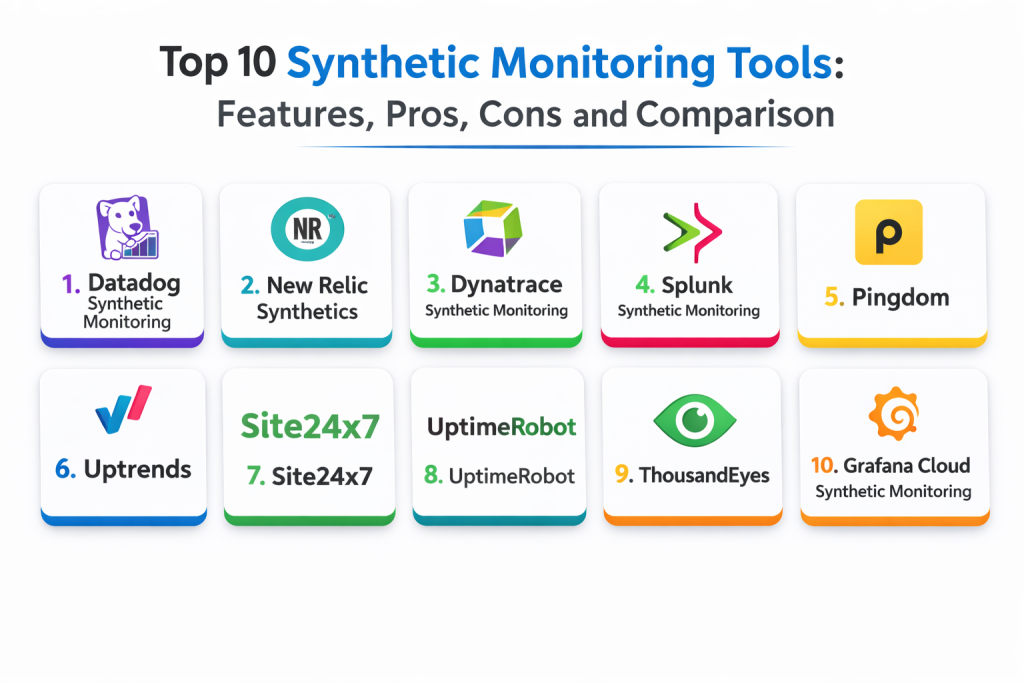
Top 10 Synthetic Monitoring Tools
Tool 1 — Datadog Synthetic Monitoring
Datadog Synthetic Monitoring supports API checks, browser checks, and multi-step user journey tests, with strong correlation into broader observability workflows when configured.
Key Features
- API tests and browser tests for uptime and performance
- Multi-step journeys for critical flows like login and checkout
- Global locations with scheduling and step timing breakdowns
- Screenshots and diagnostic artifacts through setup
- Alerting and escalation workflows via configuration
- Correlation with APM and logs when instrumented
- Private location support depending on deployment approach
Pros
- Strong correlation with APM and logs in the same platform
- Good diagnostics for failed steps and regressions
- Scales well across many services with governance
Cons
- Cost can grow with high frequency and many locations
- Script maintenance is required for UI changes
- Best outcomes need standards for naming and ownership
Platforms / Deployment
- Web
- Cloud
Security and Compliance
- Access control and auditing: Varies / Not publicly stated
- Compliance certifications: Not publicly stated
Integrations and Ecosystem
Datadog fits teams that want synthetic results connected to incidents and service ownership.
- Integrates with alert routing and on-call workflows via configuration
- Correlates with service dashboards when standardized
- Works with APM traces for deeper root cause analysis
- APIs for automation and templated rollout
- Supports common webhook and notification patterns
Support and Community
Documentation is strong. Support depth depends on plan and rollout scale.
Tool 2 — New Relic Synthetics
New Relic Synthetics provides scripted and simple monitors for uptime, browser journeys, and API checks, with analysis workflows that pair well with New Relic APM.
Key Features
- Browser monitoring and scripted journeys
- API checks and availability monitoring
- Alerting and incident workflows via configuration
- Step timing breakdowns and failure diagnostics
- Global monitoring locations depending on plan
- Correlation with application monitoring when configured
- Reporting and dashboards for operational visibility
Pros
- Strong dashboards and investigation workflows
- Good integration with APM for end-to-end visibility
- Flexible scripting options for complex journeys
Cons
- Script maintenance required for UI changes
- Cost predictability depends on monitor count and frequency
- Governance is needed to avoid duplicate monitors and alerts
Platforms / Deployment
- Web
- Cloud
Security and Compliance
- SSO, RBAC, audit visibility: Varies / Not publicly stated
- Compliance certifications: Not publicly stated
Integrations and Ecosystem
New Relic Synthetics fits teams that want synthetic monitoring tied to performance monitoring.
- Integrates with New Relic APM and dashboards
- Alert routing integrations via configuration
- APIs for automation and template-based rollout
- Works well with release markers and incident workflows
- Supports common notification and escalation patterns
Support and Community
Strong documentation and large community usage. Support depends on plan.
Tool 3 — Dynatrace Synthetic Monitoring
Dynatrace Synthetic Monitoring supports browser and HTTP monitors with enterprise-grade workflows, often used in environments that standardize on Dynatrace for observability and operations.
Key Features
- Browser monitors and multi-step user journey simulations
- HTTP checks for API and endpoint availability
- Global locations and private monitors through setup
- Diagnostics aligned to service and dependency visibility
- Alerting based on impact patterns via configuration
- Dashboards for SLA and operational reporting
- Enterprise governance support through platform design
Pros
- Strong fit for enterprise observability programs
- Useful diagnostics when paired with service mapping
- Good governance and standardization support
Cons
- Rollout can be heavy for smaller teams
- Script complexity increases maintenance effort
- Costs can rise with wide location coverage and frequency
Platforms / Deployment
- Web
- Cloud / Self-hosted / Hybrid
Security and Compliance
- Access control and auditing: Varies / Not publicly stated
- Compliance certifications: Not publicly stated
Integrations and Ecosystem
Dynatrace fits teams that want synthetic data tied to service dependency analysis.
- Integrates with service health dashboards and alert workflows
- Supports private locations for internal app validation
- APIs for automation and rollout governance
- Works well with standardized naming and ownership models
- Fits enterprise incident response processes
Support and Community
Strong vendor support and detailed documentation, especially for enterprise deployments.
Tool 4 — Splunk Synthetic Monitoring
Splunk Synthetic Monitoring focuses on browser-based monitoring and user journey testing, typically used by teams already invested in Splunk operational workflows.
Key Features
- Browser tests and multi-step journey monitoring
- Page timing breakdowns and performance diagnostics
- Alerting and incident workflows via configuration
- Dashboards aligned to service health views
- Supports global monitoring locations depending on plan
- Can integrate with tracing and logs through setup
- Useful reporting for uptime and reliability tracking
Pros
- Good browser monitoring and journey diagnostics
- Fits Splunk-centric operational workflows
- Useful dashboards for service teams
Cons
- Best correlation requires consistent instrumentation across stack
- Script maintenance required for UI changes
- Costs depend on run frequency and location coverage
Platforms / Deployment
- Web
- Cloud
Security and Compliance
- Access control and auditing: Varies / Not publicly stated
- Compliance certifications: Not publicly stated
Integrations and Ecosystem
Splunk Synthetic Monitoring fits teams that want synthetic checks tied to operations.
- Integrates with alert routing and incident workflows
- Can connect to service dashboards when standardized
- APIs for automation and management
- Works best with consistent service naming conventions
- Fits teams with shared operational ownership models
Support and Community
Vendor support is strong. Community knowledge is best for teams already using Splunk ecosystems.
Tool 5 — Pingdom
Pingdom is known for straightforward uptime monitoring and performance checks, helping teams detect downtime and latency issues quickly.
Key Features
- Uptime checks and response time monitoring
- Page performance checks and diagnostics
- Alerting via configurable notification channels
- Reporting for uptime history and SLA-style views
- Simple setup for quick time-to-value
- Multiple monitoring locations depending on plan
- Useful dashboards for website reliability tracking
Pros
- Easy to set up and operate
- Strong for basic uptime monitoring needs
- Clear reporting for uptime and response times
Cons
- Less depth for complex user journey scripting
- Advanced correlation with backend systems is limited
- Large-scale governance features are limited compared to enterprise platforms
Platforms / Deployment
- Web
- Cloud
Security and Compliance
- Not publicly stated
Integrations and Ecosystem
Pingdom fits teams that want simple website uptime and performance monitoring.
- Integrates with alert and notification workflows
- Supports reporting exports depending on setup
- Works well for websites and basic endpoints
- Can be paired with APM tools for deeper diagnostics
- Works best for simpler monitoring programs
Support and Community
Documentation is straightforward. Support depends on plan.
Tool 6 — Uptrends
Uptrends provides website and API monitoring with a strong focus on performance checks, multi-step transactions, and reporting.
Key Features
- Browser checks and multi-step transaction monitoring
- API monitoring for endpoints and services
- Global monitoring locations with timing breakdowns
- Alerting and escalation workflows via configuration
- Reporting for uptime and performance trends
- Screenshot and step diagnostics depending on setup
- Supports monitoring from private locations in some deployments
Pros
- Strong focus on performance monitoring and reporting
- Good transaction monitoring for key user flows
- Useful diagnostics for failed browser steps
Cons
- Script maintenance is required for changing UIs
- Cost depends on location count and check frequency
- Deep correlation with backend APM depends on other tooling
Platforms / Deployment
- Web
- Cloud
Security and Compliance
- Not publicly stated
Integrations and Ecosystem
Uptrends fits teams that want performance-focused synthetic monitoring with reporting.
- Integrates with alert notifications and workflows
- Supports API monitoring for service reliability
- Reporting supports SLA-style visibility
- Can be paired with backend monitoring tools for root cause analysis
- Best results with defined journeys and ownership
Support and Community
Support is generally helpful for monitoring setup. Documentation is clear for standard use cases.
Tool 7 — Site24x7
Site24x7 offers synthetic-style monitoring for websites, APIs, and transactions, often used by teams looking for broad monitoring coverage with a simple management experience.
Key Features
- Website uptime monitoring and response time tracking
- Transaction monitoring for multi-step user flows
- API monitoring for key endpoints
- Alerting and escalation workflows via configuration
- Reporting for uptime and performance trends
- Supports multiple monitoring locations depending on plan
- Useful dashboards for small to mid-size teams
Pros
- Broad monitoring coverage with simple setup
- Useful for website and API monitoring in one place
- Good reporting for uptime trends and incidents
Cons
- Deep enterprise governance features can be limited
- Script complexity increases maintenance effort
- Correlation to deeper APM workflows depends on other tooling
Platforms / Deployment
- Web
- Cloud
Security and Compliance
- Not publicly stated
Integrations and Ecosystem
Site24x7 fits teams that want simple synthetic coverage across websites and APIs.
- Integrates with notifications and on-call workflows
- Supports reporting for operational visibility
- Can complement APM tools for deeper investigations
- Works best for teams with clear monitor ownership
- Supports common alerting patterns through setup
Support and Community
Documentation is practical. Support depends on plan and deployment.
Tool 8 — UptimeRobot
UptimeRobot is a lightweight tool for monitoring uptime and basic response checks. It is often used for quick visibility into whether a website or endpoint is reachable.
Key Features
- Simple uptime monitors with configurable intervals
- Basic response time monitoring
- Alerting through common notification channels
- Status pages and public reporting options through setup
- Easy setup with minimal configuration
- Suitable for basic HTTP and ping monitoring
- Useful for small teams with simple needs
Pros
- Very easy to set up
- Good for basic uptime checks with low overhead
- Cost-effective for small monitoring programs
Cons
- Limited for complex browser journey monitoring
- Less diagnostic depth for troubleshooting performance issues
- Not built for deep enterprise monitoring workflows
Platforms / Deployment
- Web
- Cloud
Security and Compliance
- Not publicly stated
Integrations and Ecosystem
UptimeRobot fits teams that want basic uptime visibility with alerts.
- Integrates with common alert notification tools
- Supports status pages for communication workflows
- Works best for small-scale and basic endpoint monitoring
- Can be paired with APM or logging tools for investigations
- Simple management for minimal monitoring needs
Support and Community
Documentation is simple and clear. Support is adequate for standard monitoring needs.
Tool 9 — ThousandEyes
ThousandEyes focuses on network and digital experience monitoring, including synthetic-style tests that help teams find issues across networks, ISPs, DNS, and third-party dependencies.
Key Features
- Network path visibility and diagnostics across regions
- Synthetic tests for web and application availability
- DNS, BGP, and internet performance monitoring workflows
- Useful dashboards for third-party dependency analysis
- Alerting and incident workflows via configuration
- Helps prove where failures occur outside your infrastructure
- Strong for enterprise digital experience programs
Pros
- Excellent visibility into internet and network path issues
- Strong for third-party dependency troubleshooting
- Useful evidence for vendor escalation and outage analysis
Cons
- More specialized than general synthetic tools
- Can be expensive for small teams
- May not cover deep browser journey scripting as broadly as some platforms
Platforms / Deployment
- Web
- Cloud
Security and Compliance
- Not publicly stated
Integrations and Ecosystem
ThousandEyes fits teams that need deep network and dependency diagnostics.
- Integrates with incident workflows and alert routing
- Supports enterprise reporting for digital experience
- Works well for proving ISP or DNS issues
- Complements APM and log tools for full troubleshooting
- Best results with clear ownership and escalation processes
Support and Community
Strong enterprise vendor support. Documentation is detailed for network-focused features.
Tool 10 — Grafana Cloud Synthetic Monitoring
Grafana Cloud Synthetic Monitoring supports checks for endpoints and journeys, fitting teams that already use Grafana dashboards and want synthetic results integrated into the same visualization workflows.
Key Features
- Synthetic checks for uptime and endpoint availability
- Flexible integration into Grafana dashboards
- Alerting and routing workflows through setup
- Works with broader telemetry pipelines through configuration
- Suitable for platform teams building standardized monitoring views
- Supports multiple monitoring locations depending on setup
- Can be extended through APIs and automation patterns
Pros
- Strong fit for Grafana-based dashboard standardization
- Flexible integration and visualization approach
- Works well with platform-driven monitoring programs
Cons
- Depth depends on implementation and configuration choices
- Some teams prefer more guided workflows out of the box
- Scripted journey maintenance still applies
Platforms / Deployment
- Web
- Cloud
Security and Compliance
- Not publicly stated
Integrations and Ecosystem
Grafana Cloud Synthetic Monitoring fits teams standardizing observability dashboards.
- Integrates with Grafana alerting workflows
- Works with broader telemetry pipelines through setup
- APIs support automation and provisioning
- Can align with incident workflows by design
- Best results with consistent naming and ownership standards
Support and Community
Strong Grafana community. Support depends on plan.
Comparison Table
| Tool Name | Best For | Platform(s) Supported | Deployment | Standout Feature | Public Rating |
|---|---|---|---|---|---|
| Datadog Synthetic Monitoring | Full synthetic monitoring tied to observability | Web | Cloud | Strong correlation with APM and logs | N/A |
| New Relic Synthetics | Scripted browser and API monitoring | Web | Cloud | Strong dashboards tied to APM | N/A |
| Dynatrace Synthetic Monitoring | Enterprise journey monitoring | Web | Cloud, Self-hosted, Hybrid | Tied to service dependency visibility | N/A |
| Splunk Synthetic Monitoring | Browser monitoring for operational teams | Web | Cloud | Service-aligned dashboards | N/A |
| Pingdom | Simple uptime and performance checks | Web | Cloud | Easy setup and clear reporting | N/A |
| Uptrends | Performance-focused synthetic and transaction tests | Web | Cloud | Strong reporting and diagnostics | N/A |
| Site24x7 | Broad website and API monitoring | Web | Cloud | All-in-one monitoring coverage | N/A |
| UptimeRobot | Basic uptime monitoring | Web | Cloud | Lightweight and cost-effective | N/A |
| ThousandEyes | Network and dependency diagnostics | Web | Cloud | Deep internet path visibility | N/A |
| Grafana Cloud Synthetic Monitoring | Synthetic checks integrated with Grafana | Web | Cloud | Flexible dashboards and alerting | N/A |
Evaluation and Scoring of Synthetic Monitoring Tools
Scores use a 1–10 scale per criterion and a weighted total using these weights: Core features 25%, Ease of use 15%, Integrations and ecosystem 15%, Security and compliance 10%, Performance and reliability 10%, Support and community 10%, Price and value 15%. Scores are comparative estimates to guide shortlisting and should be validated with a pilot using your most critical journeys and endpoints.
| Tool Name | Core (25%) | Ease (15%) | Integrations (15%) | Security (10%) | Performance (10%) | Support (10%) | Value (15%) | Weighted Total |
|---|---|---|---|---|---|---|---|---|
| Datadog Synthetic Monitoring | 9 | 8 | 10 | 8 | 9 | 8 | 6 | 8.45 |
| New Relic Synthetics | 8 | 8 | 9 | 8 | 8 | 8 | 7 | 8.00 |
| Dynatrace Synthetic Monitoring | 9 | 6 | 9 | 8 | 9 | 7 | 5 | 7.45 |
| Splunk Synthetic Monitoring | 8 | 7 | 8 | 8 | 9 | 7 | 5 | 7.35 |
| Pingdom | 6 | 9 | 6 | 6 | 7 | 7 | 8 | 7.05 |
| Uptrends | 7 | 8 | 7 | 6 | 8 | 7 | 7 | 7.25 |
| Site24x7 | 7 | 8 | 7 | 6 | 7 | 7 | 8 | 7.20 |
| UptimeRobot | 5 | 9 | 5 | 5 | 6 | 7 | 9 | 6.55 |
| ThousandEyes | 8 | 6 | 8 | 7 | 9 | 7 | 4 | 7.05 |
| Grafana Cloud Synthetic Monitoring | 7 | 7 | 8 | 6 | 8 | 9 | 8 | 7.55 |
How to interpret the scores:
- Higher Core favors strong journey scripting, browser checks, and API coverage
- Higher Ease favors faster setup, simpler test authoring, and smoother daily use
- Higher Integrations favors better connection to incident workflows and observability platforms
- Security and compliance reflects governance readiness and safe handling of credentials
- Weighted Total helps shortlist, but a real pilot is the best proof of fit
Which Synthetic Monitoring Tool Is Right for You
Solo / Freelancer
If you need simple uptime visibility, UptimeRobot and Pingdom can be enough to detect basic outages and latency spikes. If you already use Grafana dashboards, Grafana Cloud Synthetic Monitoring can be a practical option. For cloud-first apps, starting with a limited set of API checks and one key journey often gives the best value.
SMB
SMBs usually want fast setup, strong alerting, and enough diagnostics to act quickly. Pingdom and Uptrends are useful for website and transaction monitoring with clear reporting. Datadog Synthetic Monitoring and New Relic Synthetics become strong when you need deeper correlation with backend performance and want fewer tools overall.
Mid-Market
Mid-market teams often need consistent monitoring across multiple apps and services. Datadog and New Relic are strong for standardized journey monitoring tied to application observability. Splunk Synthetic Monitoring fits teams already using Splunk for operations. Uptrends and Site24x7 can provide broad monitoring coverage with easier onboarding for multiple endpoints and journeys.
Enterprise
Enterprises need governance, private locations, and strong incident workflows. Dynatrace Synthetic Monitoring fits organizations that want synthetic checks aligned to enterprise service mapping and standardized operations. ThousandEyes is valuable when internet routing, DNS, ISP performance, and third-party dependencies drive outages. Datadog and New Relic can also scale well when platform teams enforce consistent naming, ownership, and monitor policies.
Budget vs Premium
Budget-friendly approaches start with basic uptime checks and a few high-value journeys. Premium tools provide deeper diagnostics, better correlation with APM, and more locations, but they require careful cost governance. Use sampling, limit journey runs, and focus on the most revenue-critical paths to keep spending predictable.
Feature Depth vs Ease of Use
If you want quick setup and straightforward reporting, Pingdom, UptimeRobot, and Site24x7 are easy to operate. If you want deeper workflows and correlation with APM, Datadog and New Relic provide stronger end-to-end visibility. If you need enterprise-level governance and service mapping alignment, Dynatrace is often a fit, but it requires stronger platform ownership.
Integrations and Scalability
Choose tools that connect synthetic results to incident workflows and service ownership. Datadog, New Relic, Dynatrace, and Splunk are strong for connecting results to broader observability. Grafana Cloud Synthetic Monitoring fits teams building standardized dashboards. ThousandEyes fits network-heavy investigations where the cause is outside your infrastructure.
Security and Compliance Needs
Synthetic tests often include credentials and tokens. Use secret storage and do not hardcode credentials in scripts. Restrict access to monitors and scripts, separate environments clearly, and implement least privilege. Define retention rules so test artifacts do not leak sensitive data. Always validate masking policies for screenshots, session steps, and failure diagnostics.
Frequently Asked Questions
- What is synthetic monitoring in simple terms?
It runs automated checks that simulate users or API calls to detect downtime and slow performance before real users are impacted. - How is synthetic monitoring different from RUM?
Synthetic runs scheduled tests from fixed locations. RUM measures what real users experience on real devices and real networks. - Do synthetic tests break when the UI changes?
Yes. Multi-step browser scripts need maintenance when UI elements or flows change, so ownership and review processes matter. - What are the most valuable synthetic checks to start with?
Start with uptime checks for critical endpoints and one or two key journeys like login and checkout. - How do private locations help?
Private locations let you run tests from inside your network, which is useful for internal apps, VPN access, and controlled environments. - How do I reduce alert noise from synthetic monitors?
Use retry logic, confirm failures from multiple locations, and alert only when user-impacting thresholds are met. - Can synthetic monitoring detect third-party failures?
Yes. It can identify DNS issues, CDN slowdowns, and external dependency failures by showing where the journey breaks. - How do I control synthetic monitoring costs?
Reduce frequency for low-risk checks, limit the number of locations, and run complex journeys only on the most critical flows. - Should synthetic monitoring connect to APM?
Yes when possible. Correlation helps prove whether the issue is in the frontend, the backend, or an external dependency. - What is a practical first step after selecting a tool?
Create a baseline set of monitors for critical endpoints, define alert thresholds, and run a pilot incident drill to validate workflows.
Conclusion
Synthetic monitoring tools help teams detect outages and performance regressions early by running scheduled tests that simulate real user journeys and API calls. The best choice depends on your architecture, budget, and how much correlation you need with APM and incident workflows. Datadog Synthetic Monitoring and New Relic Synthetics are strong choices for teams that want deeper diagnostics and tight integration with broader observability. Dynatrace Synthetic Monitoring fits enterprise programs that want governance and alignment with service dependency mapping. Splunk Synthetic Monitoring works well for organizations already invested in Splunk operational workflows. Pingdom, Uptrends, Site24x7, and UptimeRobot are useful for teams that want simpler setup and clear uptime reporting. ThousandEyes is valuable when failures often happen outside your infrastructure, such as ISP, DNS, or third-party network issues. Grafana Cloud Synthetic Monitoring fits teams standardizing dashboards in Grafana. A simple next step is to shortlist two tools, build monitors for your most critical journeys, validate alert quality, and then standardize ownership so monitors stay accurate and actionable as your product evolves.

Best Cardiac Hospitals Near You
Discover top heart hospitals, cardiology centers & cardiac care services by city.
Advanced Heart Care • Trusted Hospitals • Expert Teams
View Best Hospitals