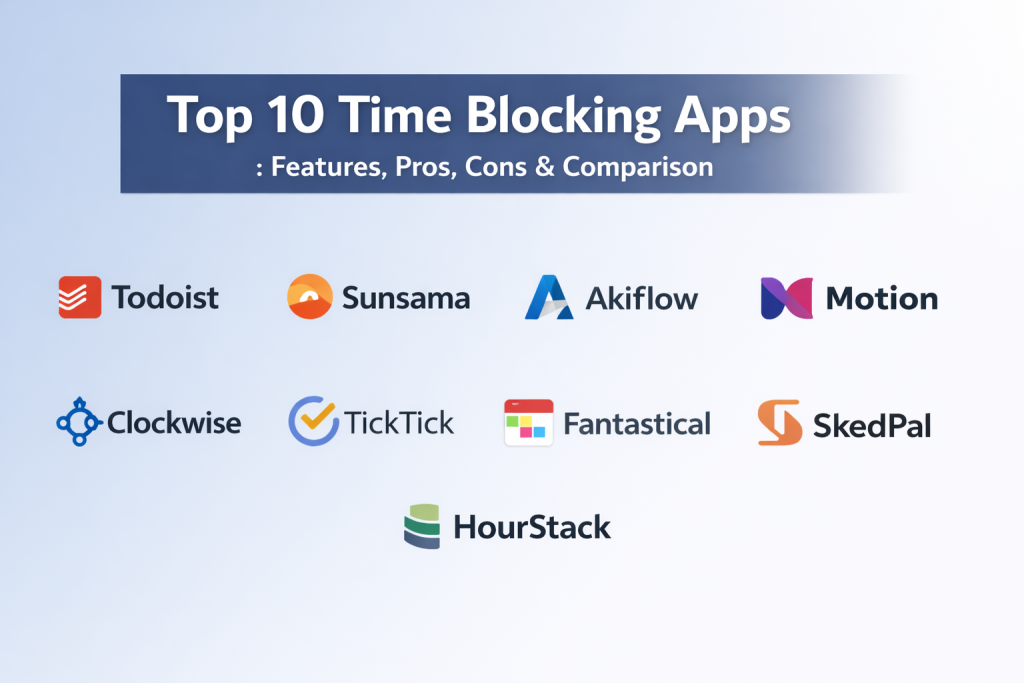
Introduction
Time blocking is a productivity technique where you divide your day into specific segments or “blocks” of time, each dedicated to a particular task or group of tasks. Instead of working from an open-ended to-do list, you assign every hour of your day a distinct purpose. Time blocking apps are digital tools designed to facilitate this by merging calendar functionality with task management, allowing users to visually map out their schedule and protect their most important work from interruptions.
In the current high-speed professional environment, time blocking has emerged as a vital strategy for deep work. It matters because it moves the focus from “being busy” to “being intentional.” By pre-allocating time for specific goals, professionals can reduce the cognitive load of deciding what to do next and minimize the impact of “context switching.” These apps provide the structure needed to ensure that high-priority projects receive the dedicated attention they require.
Real-World Use Cases
- Deep Work Sessions: Reserving multi-hour blocks for complex coding, writing, or strategic planning without the distraction of emails or meetings.
- Meeting Management: Visualizing available gaps in the day to prevent “fragmented schedules” where 30-minute breaks are too short for meaningful work.
- Personal & Professional Balance: Blocking time for exercise, family, or skill development to ensure personal wellbeing isn’t sacrificed for work tasks.
- Project Batching: Grouping similar small tasks, such as administrative work or email replies, into a single block to maintain flow.
- Academic Planning: Students organizing study sessions, lectures, and assignment deadlines into a cohesive daily visual map.
Evaluation Criteria for Buyers
- Calendar Integration: How easily the app syncs with existing tools like Google Calendar, Outlook, or iCloud.
- Task-to-Calendar Drag-and-Drop: The ability to pull a task directly onto a time slot to turn it into a scheduled block.
- Cross-Platform Availability: Support for mobile, desktop, and web to ensure the schedule is accessible anywhere.
- Automation Features: AI-driven scheduling that can automatically find the best time for a task based on your habits.
- Visual Clarity: A clean, intuitive interface that makes it easy to see the entire day or week at a glance.
- Analytics & Reporting: Insights into how much time was actually spent on certain categories versus what was planned.
- Collaboration Tools: The ability to share blocks or schedules with team members for better project alignment.
Best for: Professionals handling multiple projects, freelancers managing their own hours, and anyone looking to eliminate procrastination through structured scheduling.
Not ideal for: People whose jobs require constant, unpredictable reactive tasks (like emergency support) or those who prefer a completely fluid, unplanned daily flow.
Key Trends in Time Blocking Apps
- AI-Powered Adaptive Scheduling: Apps are increasingly using machine learning to suggest optimal time blocks based on when you are historically most productive.
- Focus Mode Integration: Many apps now sync with your computer or phone’s “Do Not Disturb” settings to automatically silence notifications during a blocked session.
- Biometric Feedback Integration: A shift toward apps that suggest breaks or “light” tasks based on physical signals of fatigue from wearable devices.
- Gamification of Time Blocks: The use of streaks and rewards to encourage users to stick to their planned schedule and complete their blocks.
- Hyper-Personalization: Tools that learn your energy levels throughout the day (chronotypes) and suggest deep work for your peak hours.
- Privacy-First Syncing: Enhanced security protocols to ensure that shared calendars only show “busy” status without revealing sensitive task details.
- Native Time Tracking: Moving away from separate tools by building timers directly into the calendar blocks for real-time accuracy.
- Hybrid Work Optimization: Specialized features for blocking “commute time” or “office days” to help manage the complexity of modern work-from-home schedules.
How We Selected These Tools
Our methodology for selecting the top ten time blocking apps involved a detailed assessment of the current productivity software market. We focused on tools that offer a clear visual connection between a to-do list and a calendar, as this is the core of the time blocking method. We prioritized apps with high reliability and cross-platform synchronization to ensure a seamless user experience. Our selection includes a mix of “manual” blockers for those who want total control and “AI-automated” platforms for users looking to reduce the effort of scheduling. We also looked for tools that provide strong security for professional data and a range of pricing models to suit solo users and large corporate teams alike.
Top 10 Time Blocking Software Tools
1. Todoist
Todoist is a world-renowned task manager that has evolved into a powerful time blocking tool through its deep calendar integrations. It is known for its simple, clean interface and its ability to turn a chaotic list into an organized daily plan using “Boards” and “Calendar” views.
Key Features
- Visual Calendar View: Allows users to see their tasks mapped out over a week or month.
- Natural Language Processing: Quickly add tasks with dates and times by typing phrases like “Work on report at 2pm.”
- Priority Levels: Assign color-coded priorities to ensure the most important tasks get the best time blocks.
- Two-Way Calendar Sync: Instant synchronization with Google Calendar and Outlook.
- Productivity Visualizations: Charts and graphs that track your daily and weekly task completion trends.
Pros
- Extremely fast and easy to use on both mobile and desktop.
- One of the most mature and stable apps in the productivity category.
Cons
- Advanced calendar features and reminders require a paid subscription.
- Not a native “calendar-first” app; it is primarily a task manager.
Platforms / Deployment
Web / Windows / macOS / iOS / Android — Cloud
Security & Compliance
SOC 2 Type II compliant; GDPR and CCPA data protection protocols in place.
Integrations & Ecosystem
Todoist features an massive ecosystem with hundreds of integrations, including Slack, Gmail, Zapier, and IFTTT.
Support & Community
Extensive help center, active community forums, and a wealth of professional productivity templates.
2. Sunsama
Sunsama is designed as a daily planner for professionals who want a more mindful approach to work. It pulls tasks from all your other tools into one place and helps you “drag-and-drop” them into a realistic daily schedule.
Key Features
- Unified Daily View: Combines your tasks, meetings, and emails into a single daily plan.
- Drag-and-Drop Scheduling: Easily move tasks from a list directly onto your calendar.
- Guided Daily Planning: A step-by-step morning routine to help you set realistic goals for the day.
- Focus Mode: A dedicated timer for each task block to keep you on track.
- Integration with Project Tools: Syncs directly with Jira, Trello, Asana, and Notion.
Pros
- Excellent for preventing “over-planning” by showing you exactly how many hours you have scheduled.
- The most beautiful and calming interface in the productivity market.
Cons
- One of the more expensive options with no permanent free tier.
- Primarily designed for individual use rather than complex team scheduling.
Platforms / Deployment
Web / Windows / macOS / iOS / Android — Cloud
Security & Compliance
Data encryption at rest and in transit; SOC 2 compliant infrastructure.
Integrations & Ecosystem
Deep integrations with GitHub, Trello, Asana, and Gmail to centralize all your work tasks.
Support & Community
Professional-grade support with a focus on high-performance coaching and productivity methods.
3. Akiflow
Akiflow is a high-speed productivity tool that acts as a command center. It focuses on reducing the time spent on “work about work” by allowing you to capture tasks from any source and block them in seconds.
Key Features
- Global Inbox: Capture tasks from emails, Slack messages, or browser tabs with a single shortcut.
- Time Blocking Command Center: A split-screen view showing your tasks on the left and calendar on the right.
- Smart Keyboard Shortcuts: Navigate the entire app and schedule your whole day without touching a mouse.
- Availability Sharing: Quickly share blocks of time when you are free for meetings.
- Time Zone Support: Native handling of multiple time zones for international professionals.
Pros
- Incredibly fast and responsive, built for power users.
- Simplifies the process of turning messages into actionable blocks.
Cons
- The learning curve for keyboard shortcuts can be steep for some.
- Subscription-based pricing may be high for casual users.
Platforms / Deployment
Web / Windows / macOS / iOS / Android — Cloud
Security & Compliance
Standard encryption and privacy controls; GDPR compliant.
Integrations & Ecosystem
Extensive integrations with Zoom, Google Meet, Slack, and most major project management tools.
Support & Community
Active user community and rapid development cycle with frequent feature updates.
4. Motion
Motion uses artificial intelligence to act as a personal assistant. It doesn’t just show your blocks; it automatically builds your schedule, moving tasks around as meetings are added or deadlines change.
Key Features
- AI Intelligent Calendar: Automatically schedules your tasks based on priority and deadlines.
- Meeting Assistant: Finds the best time for meetings and builds a booking page for you.
- Task Auto-Rescheduling: If you miss a block, Motion automatically moves the task to the next available window.
- Deep Work Protection: AI identifies and blocks off long stretches of time for complex work.
- Project Management Integration: View team projects and personal tasks in one intelligent view.
Pros
- Takes the “thinking” out of scheduling by doing the hard work for you.
- Best for people with highly dynamic schedules that change every hour.
Cons
- Some users may find the AI’s “control” over the schedule frustrating.
- Higher price point compared to manual time blocking tools.
Platforms / Deployment
Web / Windows / macOS / iOS / Android — Cloud
Security & Compliance
Enterprise-grade encryption; SOC 2 Type II compliant.
Integrations & Ecosystem
Direct sync with Google and Outlook calendars and most major task databases.
Support & Community
Strong corporate support and a growing user base in the executive and founder community.
5. Reclaim.ai
Reclaim is an AI-driven scheduling layer that sits on top of Google Calendar. It is specifically designed for teams, helping to balance internal meetings with the need for individual “focus time.”
Key Features
- Smart Focus Time: Automatically protects blocks for deep work while keeping your schedule flexible for meetings.
- Habit Tracking: Blocks time for recurring routines like “Lunch” or “Exercise” based on availability.
- Calendar Syncing: Syncs multiple calendars (personal and work) to prevent double-booking.
- Task Integration: Syncs with ClickUp, Linear, and Todoist to turn tasks into calendar events.
- Buffer Time: Automatically adds breaks between meetings to prevent burnout.
Pros
- Excellent for finding the “hidden” gaps in a busy corporate schedule.
- High level of automation for recurring personal habits.
Cons
- Currently only supports Google Calendar (Outlook support in development).
- The automated moving of blocks can be confusing for team members.
Platforms / Deployment
Web / Google Workspace Integration — Cloud
Security & Compliance
Google Cloud security standards; GDPR compliant.
Integrations & Ecosystem
Strongest integration with Google Workspace and Slack for status updates.
Support & Community
Vibrant community and detailed documentation focused on team productivity.
6. Clockwise
Clockwise is an intelligent calendar assistant designed specifically for teams. It focuses on creating “Focus Time” across an entire organization by moving meetings to more efficient slots.
Key Features
- Focus Time Optimization: Reorganizes the team’s calendar to create long blocks of uninterrupted time.
- Autopilot for Meetings: Automatically moves flexible meetings to the best possible time for everyone.
- Slack Sync: Updates your Slack status to “Focus Time” during scheduled blocks.
- Team Analytics: Provides data on how much deep work time your team is actually getting.
- Links for Scheduling: Built-in scheduling links that respect your Focus Time blocks.
Pros
- The best tool for optimizing productivity across a whole department or company.
- Reduces “calendar fragmentation” without requiring manual effort.
Cons
- Requires team-wide adoption to be truly effective.
- Limited customization for individual “manual” time blocking.
Platforms / Deployment
Web / Chrome Extension / iOS / Android — Cloud
Security & Compliance
SOC 2 Type II compliant; Privacy Shield certified.
Integrations & Ecosystem
Deeply integrated with Slack, Zoom, and Google Calendar.
Support & Community
Enterprise-level support and a focus on corporate wellness and efficiency.
7. TickTick
TickTick is a versatile all-in-one productivity app that combines tasks, calendars, and a Pomodoro timer. It is one of the most cost-effective tools for those who want manual control over their time blocks.
Key Features
- Integrated Calendar View: A robust view that allows for easy dragging of tasks into time slots.
- Pomodoro Timer: A built-in timer that links directly to your scheduled blocks.
- White Noise Backgrounds: Soundscapes to help you stay focused during your blocks.
- Habit Tracker: A separate section for tracking daily routines outside of your main tasks.
- Kanban Boards: For those who like to visualize project progress before blocking time.
Pros
- Excellent value for money with a very feature-rich free version.
- Includes a built-in timer, which most other calendar apps lack.
Cons
- The mobile app can feel slightly cluttered due to the number of features.
- Calendar sync is sometimes slower than dedicated enterprise tools.
Platforms / Deployment
Web / Windows / macOS / iOS / Android — Cloud
Security & Compliance
Standard data encryption; Privacy policy aligned with global standards.
Integrations & Ecosystem
Supports standard calendar subscriptions and basic IFTTT/Zapier connections.
Support & Community
Large global user base with many community-created guides and tips.
8. Fantastical
Fantastical is widely considered the best calendar app for the Apple ecosystem. It is known for its incredible design and natural language processing, making it a joy to use for manual time blocking.
Key Features
- Natural Language Entry: The most advanced text parsing for quickly creating blocks.
- Calendar Sets: Switch between different views (e.g., Work vs. Personal) with a single tap.
- Beautiful Design: A clean, aesthetic interface that makes scheduling less stressful.
- Integrated Tasks: Supports reminders and tasks from various sources directly in the calendar.
- Weather & Travel Time: Automatically adds travel time to blocks based on your location.
Pros
- The premier choice for macOS and iOS users who value design and speed.
- Outstanding handling of multiple calendar accounts.
Cons
- Limited functionality for Windows or Android users.
- High subscription cost for what is essentially a calendar overlay.
Platforms / Deployment
macOS / iOS / watchOS — Cloud
Security & Compliance
Uses Apple’s secure infrastructure; GDPR compliant.
Integrations & Ecosystem
Deep integration with Apple services and all major calendar providers.
Support & Community
Award-winning support and a dedicated following of design-focused professionals.
9. SkedPal
SkedPal is a sophisticated AI tool that specializes in “fuzzy logic” scheduling. You don’t give it a fixed time; you give it a “time frame” (e.g., “sometime this week”), and it finds the best block for you.
Key Features
- Intelligent Scheduling Engine: Takes into account your priorities, deadlines, and preferred work hours.
- Time Maps: Define when you prefer to do certain types of work (e.g., “Admin in the morning”).
- Buffer Management: Automatically leaves gaps between blocks to prevent fatigue.
- Project Outline Sync: Pulls tasks from major project management tools.
- Dynamic Rescheduling: Instantly updates your whole week when a new priority arises.
Pros
- Perfect for people with large backlogs of tasks who don’t know where to start.
- Offers more granular control over “preferences” than Motion.
Cons
- The interface can be complex and technical for new users.
- Requires a significant initial setup to “teach” the AI your habits.
Platforms / Deployment
Web / Windows / macOS / iOS / Android — Cloud
Security & Compliance
Standard encryption; Varies / N/A.
Integrations & Ecosystem
Integrates with Asana, Trello, and MS To-Do.
Support & Community
Small but highly dedicated community of productivity enthusiasts.
10. HourStack
HourStack is a time blocking tool that focuses on the transition between “planning” and “tracking.” It uses a simple grid system that is perfect for teams who need to account for every hour billed.
Key Features
- Visual Time Grid: A simple, spreadsheet-like view of your week’s blocks.
- Integrated Time Tracking: Start a timer on any block with a single click.
- Resource Management: See the schedules of your entire team to balance workloads.
- Reporting & Exports: Generate professional reports on where time was spent.
- Drag-and-Drop Tasks: Pull tasks from external tools directly into the grid.
Pros
- The best choice for agencies and freelancers who need to bill clients based on blocks.
- Simple, focused, and very easy for teams to adopt.
Cons
- Lacks the advanced AI automation found in tools like Motion or Reclaim.
- The interface is more functional than “beautiful.”
Platforms / Deployment
Web / iOS / Android — Cloud
Security & Compliance
SOC 2 compliant infrastructure; data encrypted at rest.
Integrations & Ecosystem
Strongest integration with Monday.com, Asana, and Slack.
Support & Community
Excellent customer support for business and enterprise accounts.
Comparison Table (Top 10)
| Tool Name | Best For | Platform(s) Supported | Deployment | Standout Feature | Public Rating |
| 1. Todoist | Simple Task-based | Windows, macOS, iOS, Android | Cloud | Natural Language | 4.7/5 |
| 2. Sunsama | Daily Planning | Web, macOS, iOS, Android | Cloud | Guided Routine | 4.8/5 |
| 3. Akiflow | Power Users | Windows, macOS, iOS, Android | Cloud | Global Inbox | 4.6/5 |
| 4. Motion | AI Automation | Web, macOS, iOS, Android | Cloud | Auto-Rescheduling | 4.4/5 |
| 5. Reclaim.ai | Habit & Focus | Google Calendar | Cloud | Focus Time Shield | 4.7/5 |
| 6. Clockwise | Corporate Teams | Web, iOS, Android | Cloud | Meeting Mover | 4.5/5 |
| 7. TickTick | All-in-one Value | Windows, macOS, iOS, Android | Cloud | Pomodoro Timer | 4.6/5 |
| 8. Fantastical | Apple Users | macOS, iOS, watchOS | Cloud | Design/UX | 4.8/5 |
| 9. SkedPal | Complex Planning | Windows, macOS, iOS, Android | Cloud | Time Maps | 4.3/5 |
| 10. HourStack | Agencies/Billing | Web, iOS, Android | Cloud | Grid Tracking | 4.4/5 |
Evaluation & Scoring of Time Blocking Apps
| Tool Name | Core (25%) | Ease (15%) | Integrations (15%) | Security (10%) | Perf (10%) | Support (10%) | Value (15%) | Total |
| Todoist | 8 | 10 | 10 | 9 | 9 | 9 | 10 | 9.0 |
| Sunsama | 9 | 9 | 9 | 8 | 9 | 9 | 5 | 8.2 |
| Akiflow | 9 | 7 | 10 | 8 | 10 | 8 | 6 | 8.2 |
| Motion | 10 | 6 | 8 | 9 | 9 | 8 | 6 | 8.0 |
| Reclaim | 9 | 8 | 8 | 8 | 9 | 8 | 7 | 8.1 |
| Clockwise | 8 | 8 | 9 | 9 | 9 | 9 | 7 | 8.3 |
| TickTick | 9 | 9 | 7 | 7 | 8 | 7 | 10 | 8.3 |
| Fantastical | 8 | 10 | 9 | 8 | 10 | 9 | 5 | 8.3 |
| SkedPal | 10 | 4 | 8 | 7 | 8 | 7 | 7 | 7.5 |
| HourStack | 8 | 8 | 9 | 8 | 9 | 9 | 7 | 8.2 |
Scoring is comparative based on professional productivity standards. A high score in “Core” reflects the app’s ability to fundamentally manage time blocking effectively. “Value” scores consider the feature set relative to the price, while “Ease” scores reflect how quickly a new user can master the interface.
Which Time Blocking App Tool Is Right for You?
Solo / Freelancer
For those working alone, TickTick or Todoist offer the best balance of power and price. If you find yourself struggling to stay focused throughout the day, the built-in Pomodoro timer in TickTick is a game-changer.
SMB
Small teams that need to stay in sync should look at Sunsama. It encourages a mindful approach to planning and allows team members to see what others are working on without the intrusiveness of micromanagement.
Mid-Market
Organizations with a high volume of meetings will benefit most from Reclaim.ai or Clockwise. These tools help preserve “Focus Time” automatically, which is often the first thing lost in a growing company.
Enterprise
At the enterprise level, Clockwise is the leader because it optimizes the schedule of the entire organization. It reduces the manual effort of scheduling and ensures that the company’s most expensive resources—the employees’ time—are used efficiently.
Budget vs Premium
If you want a professional tool for the lowest cost, TickTick is the clear winner. For those willing to pay a premium for AI-driven automation that saves hours of planning time, Motion or SkedPal are the top choices.
Feature Depth vs Ease of Use
Todoist and Fantastical are the easiest to use but require you to do the manual work of blocking. SkedPal and Motion offer immense depth but require time to “teach” the software your preferences.
Integrations & Scalability
Akiflow and Todoist scale best for people who use many different tools (Slack, Jira, Trello) because they centralize all tasks into one view. Clockwise is the most scalable for large teams.
Security & Compliance Needs
Professionals in regulated industries should prioritize Motion, Todoist, or Clockwise, as they have the most robust SOC 2 compliance and enterprise security features.
Frequently Asked Questions (FAQs)
1. What is the difference between a to-do list and time blocking?
A to-do list tells you what to do; time blocking tells you when you are going to do it. Time blocking forces you to face the reality of how much time you actually have.
2. How long should a time block be?
Deep work blocks should ideally be 60 to 90 minutes. Smaller tasks like email can be batched into 30-minute blocks.
3. What if I get interrupted during a block?
The best apps, like Motion or Reclaim, will automatically reschedule your day. If you use a manual tool, you should leave “buffer blocks” in your schedule to handle the unexpected.
4. Is it better to block my entire day or just my work hours?
Many successful professionals block their whole day, including exercise and sleep, to ensure they maintain a healthy balance and don’t over-commit.
5. Do these apps work with Outlook?
Yes, most major apps on this list (except for Reclaim currently) have full two-way sync with Microsoft Outlook.
6. Can I use time blocking for a team?
Absolutely. Tools like Clockwise and Reclaim are designed specifically to help teams protect each other’s focus time and find the best times for collaboration.
7. Is time blocking good for creative work?
Yes, it is essential. Creative work requires “flow,” which is easily broken by interruptions. Blocking out “maker time” is the best way to protect your creativity.
8. How do I start time blocking if I’m overwhelmed?
Start by blocking just two hours of “Deep Work” every morning. Once you feel comfortable with that, start adding blocks for other recurring tasks.
9. What is a “cold start” in productivity?
It’s the time it takes for your brain to focus on a new task. Time blocking reduces this by pre-deciding your focus, so you don’t waste mental energy choosing what to do.
10. Are these apps secure enough for corporate work?
Yes, the enterprise-grade tools on this list use high-level encryption and meet global standards like GDPR and SOC 2.
Conclusion
In an age of infinite distractions, time blocking is the ultimate superpower for the modern professional. By choosing the right tool—whether it’s a simple, manual planner like Todoist or an AI-powered assistant like Motion—you can transform your relationship with time. These apps do more than just manage your schedule; they protect your mental energy and ensure that your most important goals aren’t pushed aside by the “urgent but unimportant.” The most successful people aren’t those who work the most hours, but those who work the most intentional hours. I suggest selecting one manual tool (like Todoist) and one AI tool (like Reclaim) to test for one week each. Observe which method feels more natural to your workflow before committing to a full subscription.

Best Cardiac Hospitals Near You
Discover top heart hospitals, cardiology centers & cardiac care services by city.
Advanced Heart Care • Trusted Hospitals • Expert Teams
View Best Hospitals