Introduction
Timesheet management tools help teams collect, approve, correct, and report time entries in a structured and auditable way. In simple terms, time tracking answers “what time was spent,” while timesheet management adds control: timesheet periods, approval workflows, locking, policy rules, compliance reporting, and finance-ready exports. These tools reduce late submissions, improve accuracy, and help managers and payroll or finance teams trust the data.
This category matters because timesheets are often a pain point. People forget to submit, managers chase approvals, and finance teams spend hours cleaning data before payroll, billing, or cost reporting. A strong timesheet tool creates a repeatable process that works every week, scales across departments, and supports audits when needed.
Real-world use cases:
- Weekly timesheet submission with manager approvals and reminders
- Client billing preparation for services teams and agencies
- Internal cost tracking for projects, departments, and initiatives
- Payroll support and labor cost reporting (Varies / N/A)
- Compliance and audit readiness with locked periods and approvals
What buyers should evaluate before choosing:
- Timesheet workflow design (periods, submission rules, approvals, rejections)
- Locking and audit support (locking periods, change history concepts)
- Policy controls (required fields, billable rules, overtime concepts)
- Reporting and exports (payroll-ready, billing-ready, cost reporting)
- Integrations (projects, HR, payroll, accounting, identity)
- Mobile and offline usability (Varies / N/A)
- Reminders and automation (nudges, escalation, auto-fill concepts)
- Multi-entity support (multiple teams, cost centers, clients, regions)
- Permissions and governance (role-based access, sensitive data visibility)
- Adoption and ease of use (friction kills timesheet quality)
Best for: organizations that need consistent weekly submissions, approvals, payroll or billing readiness, and reliable reporting for cost and utilization.
Not ideal for: teams that do not require formal approvals or payroll or billing outputs, or very small teams where a simple timer tool is enough.
Key Trends in Timesheet Management Tools
- More automation for reminders, escalation, and late submission reduction
- Stronger approval workflows with rework and comment trails
- Increased focus on audit-friendly locking and change history concepts
- Better integration with project tools to reduce manual time tagging
- Higher demand for mobile-first timesheets for field and distributed teams
- More flexible policy rules for billable, non-billable, and cost centers
- Improved reporting for utilization and labor cost insights
- More support for multi-team and multi-department operations with role-based access
- Greater emphasis on transparency and employee-friendly experiences
- Increased consolidation with payroll, invoicing, and expense workflows
How We Selected These Tools
- Strong adoption for timesheets with approvals and reporting
- Practical weekly workflow support: submit, review, approve, lock
- Reporting and export readiness for finance and operations
- Integration readiness across common business and delivery stacks
- Balanced selection: simple teams, services teams, enterprise environments
- Emphasis on usability to ensure timesheet completion rates stay high
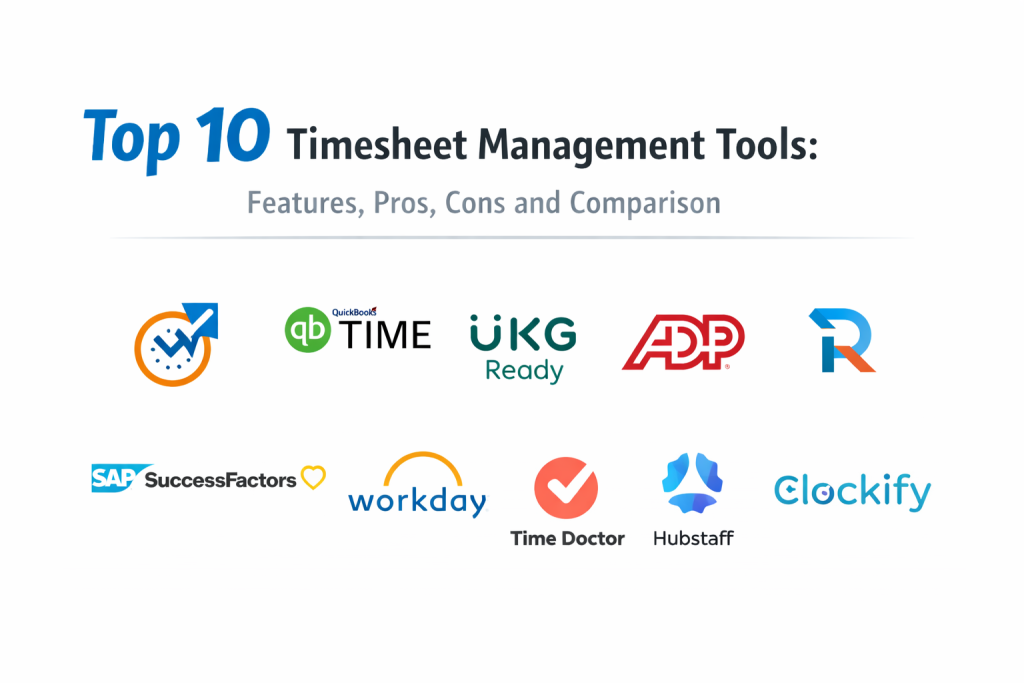
Top 10 Timesheet Management Tools
1 — QuickBooks Time
QuickBooks Time is widely used for timesheets that connect to payroll and job costing workflows. It fits teams that need manager approvals, reliable timesheet reporting, and payroll-friendly exports.
Key Features
- Timesheet submission and approvals concepts (Varies / N/A)
- Mobile time entry for field teams (Varies / N/A)
- Job and project time tracking for labor cost reporting (Varies / N/A)
- Manager visibility and oversight patterns (Varies / N/A)
- Policy rules for time entry requirements (Varies / N/A)
- Reporting exports for payroll and billing workflows (Varies / N/A)
- Useful when accounting workflows are central
Pros
- Strong fit for payroll and job costing-oriented workflows
- Good mobile support for distributed or field teams
Cons
- Best value depends on your accounting environment and processes
- Deep project execution workflows may require separate tools
Platforms / Deployment
- Web, iOS, Android (Varies / N/A)
- Cloud
Security and Compliance
Not publicly stated
Integrations and Ecosystem
Often used when timesheets must connect to accounting and payroll processes.
- Accounting workflow connections (Varies / N/A)
- Export and reporting pipelines depend on setup (Varies / N/A)
- APIs and connectors vary by plan (Varies / N/A)
Support and Community
Support depends on plan. Adoption improves when approval rules are clear and consistent.
2 — UKG Ready
UKG Ready is commonly used in HR and workforce environments where timesheets must connect to scheduling, payroll, and workforce policies. It fits organizations with structured attendance and labor reporting needs.
Key Features
- Timesheet workflows tied to workforce policies (Varies / N/A)
- Approval chains and manager oversight concepts (Varies / N/A)
- Scheduling and attendance-style reporting (Varies / N/A)
- Labor cost reporting and payroll alignment patterns (Varies / N/A)
- Role-based permissions for managers and HR teams (Varies / N/A)
- Compliance-friendly reporting concepts (Varies / N/A)
- Useful for organizations with workforce management needs
Pros
- Strong fit when timesheets are part of broader workforce operations
- Good policy control for labor and attendance processes
Cons
- May be heavier than needed for simple project-only timesheets
- Implementation effort can be significant depending on scope
Platforms / Deployment
- Web, iOS, Android (Varies / N/A)
- Cloud (Varies / N/A)
Security and Compliance
Not publicly stated
Integrations and Ecosystem
Often integrated with HR, payroll, and workforce operations systems.
- HR and payroll ecosystem alignment (Varies / N/A)
- Exports and reporting depend on configuration (Varies / N/A)
- Integrations vary by organization needs (Varies / N/A)
Support and Community
Enterprise support orientation. Success depends on policy configuration and rollout training.
3 — ADP Workforce Now
ADP Workforce Now is used in organizations where timesheets, payroll, and HR operations are tightly connected. It fits teams that want formal timesheet approvals and payroll-ready processing.
Key Features
- Timesheet submission and approval workflows (Varies / N/A)
- Payroll-aligned time reporting and export concepts (Varies / N/A)
- Policy rules for attendance and labor reporting (Varies / N/A)
- Manager dashboards and oversight patterns (Varies / N/A)
- Role-based access for HR and managers (Varies / N/A)
- Reporting for labor and cost tracking concepts (Varies / N/A)
- Useful when HR and payroll integration is the priority
Pros
- Strong alignment between timesheets and payroll workflows
- Useful for organizations that need structured HR-linked approvals
Cons
- May be heavier than needed for project billing-only teams
- Customization and reporting depth depend on configuration and plan
Platforms / Deployment
- Web, iOS, Android (Varies / N/A)
- Cloud (Varies / N/A)
Security and Compliance
Not publicly stated
Integrations and Ecosystem
Often selected when timesheet data must flow directly into payroll operations.
- HR and payroll ecosystem integrations (Varies / N/A)
- Exports and reporting pipelines vary by setup (Varies / N/A)
- Integrations depend on organizational requirements (Varies / N/A)
Support and Community
Enterprise support orientation. Adoption improves with clear timesheet policies and manager training.
4 — Replicon
Replicon is often used for enterprise timesheets, approvals, and labor reporting where compliance and audit readiness matter. It fits organizations that need structured time policies and strong reporting.
Key Features
- Timesheet workflows with approvals and policy controls (Varies / N/A)
- Time capture methods supporting different work patterns (Varies / N/A)
- Time-off and policy rule concepts (Varies / N/A)
- Project and cost reporting capabilities (Varies / N/A)
- Timesheet locking and audit trail concepts (Varies / N/A)
- Reporting dashboards for finance and operations (Varies / N/A)
- Useful for regulated environments and large teams
Pros
- Strong policy and governance support for enterprise timesheets
- Good reporting for labor cost and utilization signals
Cons
- Setup can require careful configuration and ownership
- May be more than needed for small teams
Platforms / Deployment
- Web, iOS, Android (Varies / N/A)
- Cloud (Varies / N/A)
Security and Compliance
Not publicly stated
Integrations and Ecosystem
Often integrated with HR and project systems for end-to-end labor reporting.
- Integrations vary by enterprise stack (Varies / N/A)
- APIs for reporting automation and analytics (Varies / N/A)
- Works best with standardized policies and cost center definitions
Support and Community
Support depends on plan and implementation approach. Success improves with governance and training.
5 — SAP SuccessFactors
SAP SuccessFactors is used in many large organizations where time and attendance concepts connect to HR processes. It fits environments that want timesheets aligned to workforce policies and enterprise HR reporting.
Key Features
- Workforce time management concepts (Varies / N/A)
- Approval workflows and manager oversight patterns (Varies / N/A)
- Policy controls for labor rules and attendance tracking (Varies / N/A)
- Reporting aligned with HR and workforce analytics (Varies / N/A)
- Role-based access for HR teams and managers (Varies / N/A)
- Integration potential with broader enterprise HR environments (Varies / N/A)
- Useful for large organizations with formal HR governance
Pros
- Strong fit when timesheets must align with HR governance
- Useful for large organizations with structured workforce policies
Cons
- Can be heavy for project billing-only use cases
- Implementation and configuration effort can be significant
Platforms / Deployment
- Web, iOS, Android (Varies / N/A)
- Cloud (Varies / N/A)
Security and Compliance
Not publicly stated
Integrations and Ecosystem
Typically fits organizations already invested in enterprise HR operations.
- HR ecosystem integrations vary by organization (Varies / N/A)
- Reporting and exports depend on configuration (Varies / N/A)
- Works best with standardized workforce policies and roles
Support and Community
Enterprise support orientation. Adoption improves with clear policy setup and training.
6 — Workday Time Tracking
Workday Time Tracking is used where time entry must connect to HR, payroll, and workforce operations. It fits organizations already using Workday and needing structured approvals and reporting.
Key Features
- Timesheet workflows tied to HR and payroll concepts (Varies / N/A)
- Approval chains and manager oversight patterns (Varies / N/A)
- Policy-based time entry rules and validations (Varies / N/A)
- Reporting for labor costs and workforce analytics (Varies / N/A)
- Role-based access for managers and HR teams (Varies / N/A)
- Mobile time entry support concepts (Varies / N/A)
- Useful for workforce operations with strict policy control
Pros
- Strong integration between time entry and HR workflows
- Useful for organizations needing consistent approvals and reporting
Cons
- Not intended as a lightweight project billing timesheet tool
- Configuration and rollout effort can be significant
Platforms / Deployment
- Web, iOS, Android (Varies / N/A)
- Cloud (Varies / N/A)
Security and Compliance
Not publicly stated
Integrations and Ecosystem
Often used as part of a broader HR and payroll ecosystem.
- Integrations depend on your Workday environment (Varies / N/A)
- Exports and reporting pipelines vary by configuration (Varies / N/A)
- Works best when workforce policies and roles are standardized
Support and Community
Enterprise support model. Success depends on policy configuration and training.
7 — Time Doctor
Time Doctor supports timesheets for distributed teams with operational visibility features. It fits organizations that want structured timesheet workflows plus activity-style reporting signals.
Key Features
- Timesheet creation with timer-based entry support (Varies / N/A)
- Manager review and approval concepts (Varies / N/A)
- Reports for productivity and time allocation signals (Varies / N/A)
- Project and task tagging for reporting consistency (Varies / N/A)
- Reminders and compliance nudges (Varies / N/A)
- Exports for payroll and billing workflows (Varies / N/A)
- Useful for remote operations with structured timesheet expectations
Pros
- Strong visibility for distributed teams and managers
- Helpful reminders and reporting for consistent timesheet completion
Cons
- Monitoring-style features may require strong transparency policies
- Some organizations may prefer simpler timesheet-only tools
Platforms / Deployment
- Web, Windows, macOS (Varies / N/A)
- Cloud
Security and Compliance
Not publicly stated
Integrations and Ecosystem
Often used with project tools and payroll workflows for practical operations reporting.
- Project tool integrations (Varies / N/A)
- Export and payroll workflows depend on setup (Varies / N/A)
- APIs and automation options vary by plan (Varies / N/A)
Support and Community
Support tiers vary. Adoption improves with clear policy communication and training.
8 — Hubstaff
Hubstaff is used for timesheets and team time tracking, often combined with scheduling and operational visibility features. It fits remote teams and field teams that need consistent submission and manager oversight.
Key Features
- Timesheets with timer-based and manual entry (Varies / N/A)
- Approvals and time locking concepts (Varies / N/A)
- Scheduling and shift planning patterns (Varies / N/A)
- Reports for projects, teams, and time allocation signals (Varies / N/A)
- Client and project billing workflows (Varies / N/A)
- Reminders to improve submission consistency (Varies / N/A)
- Useful for distributed workforce timesheet routines
Pros
- Useful when scheduling and timesheets must work together
- Good reporting for time allocation across projects
Cons
- Monitoring-style features may require careful policy setup
- Deep enterprise HR governance may require other platforms
Platforms / Deployment
- Web, Windows, macOS, iOS, Android (Varies / N/A)
- Cloud
Security and Compliance
Not publicly stated
Integrations and Ecosystem
Often connects to project management and payroll processes.
- Project tool integrations (Varies / N/A)
- Payroll and export workflows vary by setup (Varies / N/A)
- APIs for automation and reporting pipelines (Varies / N/A)
Support and Community
Support depends on plan. Best results come from clear rules and manager training.
9 — Clockify
Clockify supports timesheets, approvals concepts, and team reporting at scale. It fits teams that want flexible time entry and strong export options across many users and projects.
Key Features
- Timesheets with timer and manual entry options
- Project, client, and tag-based tracking for reporting consistency
- Approval concepts and time locking patterns (Varies / N/A)
- Reporting for utilization and time allocation signals (Varies / N/A)
- Export options for payroll and billing workflows (Varies / N/A)
- Permissions and organization-level structure (Varies / N/A)
- Useful for scaling timesheet routines without high overhead
Pros
- Flexible tracking methods and scalable reporting
- Good exports for common finance workflows
Cons
- Deep HR and payroll governance depends on your ecosystem
- Advanced invoicing features may require additional tooling
Platforms / Deployment
- Web, Windows, macOS, Linux, iOS, Android (Varies / N/A)
- Cloud
Security and Compliance
Not publicly stated
Integrations and Ecosystem
Often connects to project tools and productivity stacks for better timesheet completion.
- Integrations with project and task tools (Varies / N/A)
- APIs for reporting and automation (Varies / N/A)
- Browser and desktop extensions concepts (Varies / N/A)
Support and Community
Good documentation and onboarding. Support depends on plan.
10 — Zoho Projects
Zoho Projects provides timesheets inside a broader project management environment. It fits teams that want timesheet approval workflows tied directly to tasks and projects.
Key Features
- Timesheets connected to project tasks and milestones (Varies / N/A)
- Timesheet approvals concepts and reporting views (Varies / N/A)
- Billable and non-billable tracking patterns (Varies / N/A)
- Project reporting for time, cost signals, and utilization views (Varies / N/A)
- Team permissions and project visibility controls (Varies / N/A)
- Workflow consistency through templates and roles (Varies / N/A)
- Useful for teams wanting projects and timesheets together
Pros
- Strong when timesheets must match project tasks and owners
- Useful for teams already using Zoho business tools
Cons
- Standalone timesheet-only workflows may prefer simpler tools
- Deep enterprise HR governance may require dedicated workforce platforms
Platforms / Deployment
- Web, iOS, Android (Varies / N/A)
- Cloud
Security and Compliance
Not publicly stated
Integrations and Ecosystem
Often works best when used as part of a connected business tooling environment.
- Integrations depend on broader stack and plan (Varies / N/A)
- APIs and connectors vary by configuration (Varies / N/A)
- Best results come from consistent project templates and tagging
Support and Community
Support experience varies. Adoption improves when timesheet rules and approvals are standardized.
Comparison Table
| Tool Name | Best For | Platform(s) Supported | Deployment (Cloud/Self-hosted/Hybrid) | Standout Feature | Public Rating |
|---|---|---|---|---|---|
| QuickBooks Time | Payroll-friendly timesheets and job costing | Web, iOS, Android (Varies / N/A) | Cloud | Payroll and job costing alignment | N/A |
| UKG Ready | Workforce timesheets tied to labor policies | Web, iOS, Android (Varies / N/A) | Cloud (Varies / N/A) | Workforce policy and approvals | N/A |
| ADP Workforce Now | HR and payroll-aligned timesheet approvals | Web, iOS, Android (Varies / N/A) | Cloud (Varies / N/A) | Payroll-ready time workflows | N/A |
| Replicon | Enterprise timesheet governance and reporting | Web, iOS, Android (Varies / N/A) | Cloud (Varies / N/A) | Policy controls and audit concepts | N/A |
| SAP SuccessFactors | Enterprise HR-aligned time management | Web, iOS, Android (Varies / N/A) | Cloud (Varies / N/A) | HR governance and workforce reporting | N/A |
| Workday Time Tracking | Workday-centric timesheets with approvals | Web, iOS, Android (Varies / N/A) | Cloud (Varies / N/A) | HR and payroll integration alignment | N/A |
| Time Doctor | Timesheets for remote operations visibility | Web, Windows, macOS (Varies / N/A) | Cloud | Operational visibility and reminders | N/A |
| Hubstaff | Timesheets with scheduling and oversight | Web, Windows, macOS, iOS, Android (Varies / N/A) | Cloud | Timesheets plus scheduling concepts | N/A |
| Clockify | Scalable timesheets with flexible exports | Web, Windows, macOS, Linux, iOS, Android (Varies / N/A) | Cloud | Flexible tracking and reporting | N/A |
| Zoho Projects | Timesheets tied to project tasks | Web, iOS, Android (Varies / N/A) | Cloud | Timesheets connected to project execution | N/A |
Evaluation and Scoring of Timesheet Management Tools
Scoring model:
- Each criterion uses a 1–10 score for comparative shortlisting.
- Weighted Total is a directional estimate across this list, not a verified public rating.
- Use scoring to shortlist, then pilot with your real approval cycles and payroll or billing exports.
- Treat must-haves like payroll integration, audit locking, or strict policy validation as filters before scoring.
Weights:
- Core features – 25%
- Ease of use – 15%
- Integrations and ecosystem – 15%
- Security and compliance – 10%
- Performance and reliability – 10%
- Support and community – 10%
- Price / value – 15%
| Tool Name | Core (25%) | Ease (15%) | Integrations (15%) | Security (10%) | Performance (10%) | Support (10%) | Value (15%) | Weighted Total (0–10) |
|---|---|---|---|---|---|---|---|---|
| QuickBooks Time | 8 | 7 | 7 | 6 | 7 | 7 | 6 | 6.95 |
| UKG Ready | 8 | 6 | 7 | 7 | 7 | 7 | 5 | 6.70 |
| ADP Workforce Now | 8 | 6 | 7 | 7 | 7 | 7 | 5 | 6.70 |
| Replicon | 9 | 6 | 7 | 7 | 7 | 7 | 5 | 6.95 |
| SAP SuccessFactors | 8 | 5 | 7 | 7 | 7 | 7 | 5 | 6.55 |
| Workday Time Tracking | 8 | 5 | 7 | 7 | 7 | 7 | 5 | 6.55 |
| Time Doctor | 8 | 7 | 6 | 6 | 7 | 7 | 6 | 6.90 |
| Hubstaff | 8 | 7 | 6 | 6 | 7 | 7 | 6 | 6.90 |
| Clockify | 8 | 8 | 7 | 6 | 7 | 7 | 9 | 7.80 |
| Zoho Projects | 7 | 7 | 7 | 6 | 7 | 6 | 7 | 6.85 |
How to interpret these scores:
- Core rewards timesheet workflows, approvals, locking, reporting, and export readiness.
- Ease matters because timesheet compliance depends on daily usability.
- Integrations matter when time must flow into payroll, billing, or cost reporting.
- Value depends on scale, governance needs, and how much admin effort the tool requires.
Which Timesheet Management Tool Is Right for You?
Solo / Freelancer
Freelancers usually need timesheets mainly for client billing and reporting. Clockify and simple billing-friendly setups can work well if you keep categories minimal. If you want payroll-style approvals, you likely do not need that level of structure as a solo user. Focus on clean reports and consistent project naming.
SMB
SMBs often need weekly submission, manager approvals, and finance-ready exports. Clockify can be strong for flexible timesheets and good export value. QuickBooks Time is useful if payroll and accounting workflows are central. Zoho Projects can work when timesheets must stay tied to project tasks and execution ownership.
Mid-Market
Mid-market organizations usually require stronger policy control and more consistent reporting. Replicon can fit when enterprise-style timesheet governance is needed. Hubstaff and Time Doctor can fit when you want operational visibility for distributed teams, but the organization must define privacy policies and transparent expectations. UKG Ready and ADP Workforce Now become relevant when timesheets are part of broader workforce operations.
Enterprise
Enterprises typically need strict policies, audit-friendly controls, and HR or payroll alignment. Workday Time Tracking and SAP SuccessFactors fit best when your organization already runs those HR ecosystems and wants consistent policy enforcement. Replicon can fit when timesheet governance must be strong but HR systems alone are not enough. The key is standard definitions for cost centers, billable rules, and approval chains.
Budget vs Premium
- Budget-first teams should prioritize adoption and simple workflows.
- Premium platforms are justified when payroll accuracy, compliance, and audit readiness reduce real business risk.
- A tool that is easy to use often delivers better compliance than a complex system that users avoid.
Feature Depth vs Ease of Use
- If timesheet compliance is low, choose a simpler tool with strong reminders and easy submission.
- If audits and policy control are critical, prioritize locking, approvals, and reporting exports.
- The goal is not perfect tracking, but consistent and trusted data.
Integrations and Scalability
Timesheet processes work best when time categories match the rest of the business system: projects, cost centers, clients, and departments. Validate integrations with project tools and payroll systems so exports do not require manual cleanup. For scalability, test how easy it is to add departments, define policy rules, and keep permission boundaries clean.
Security and Compliance Needs
Security features vary by plan and platform. Focus on role-based access, approval history concepts, and locked periods to protect data integrity. For workforce tools, ensure sensitive employee data access is limited to appropriate roles and documented policies exist for data retention and privacy.
Frequently Asked Questions
1.What is the difference between time tracking and timesheet management?
Time tracking captures time entries. Timesheet management controls the process: submission periods, approvals, locking, policies, and finance-ready reporting.
2.How often should timesheets be submitted?
Weekly is common because it balances accuracy and effort. Some teams use daily reminders to reduce end-of-week memory gaps.
3.Do we need manager approvals for timesheets?
Approvals improve accuracy and accountability, especially for payroll and billing. Small teams may skip approvals if trust and consistency are strong.
4.What is timesheet locking and why does it matter?
Locking prevents changes after approval or payroll processing. It protects data integrity and supports audit-friendly reporting.
5.How do we increase timesheet compliance?
Keep categories simple, use reminders, set clear due dates, and make approvals fast. Complexity reduces adoption and accuracy.
6.Should timesheets be linked to tasks or only projects?
Projects are often enough. Task-level timesheets can help for detailed billing, but it increases overhead and reduces compliance if too detailed.
7.How do we handle overtime rules in timesheets?
Use policy rules where supported, and ensure managers review exceptions. If uncertain, align timesheet categories and approval rules with HR policies.
8.Can timesheet tools support cost center reporting?
Many can through project and category structures. The key is consistent naming and required fields so reporting is reliable.
9.What is the best approach for billable vs non-billable time?
Define clear categories, train users, and review reports regularly. Inconsistent tagging is the most common cause of billing disputes.
10.How do we migrate timesheet data from one tool to another?
Export historical data, map categories and users carefully, run both systems in parallel briefly, and confirm payroll or billing reports match before switching.
Conclusion
Timesheet management tools succeed when they create a predictable weekly rhythm: people submit on time, managers approve quickly, and finance gets clean data without manual cleanup. The best tool depends on whether your primary need is payroll alignment, project billing, workforce policy control, or audit-ready governance. Some teams thrive with flexible tools that maximize adoption and make submission easy. Others need stricter policy enforcement, approval chains, and locked periods to protect data integrity. A practical next step is to shortlist two or three tools, run a pilot using your real approval cycle, and validate exports for payroll or billing. Check how reminders reduce late submissions, how easy corrections are handled, and whether reporting matches your cost center and client needs. Once the process runs smoothly, standardize templates and scale across departments.

Best Cardiac Hospitals Near You
Discover top heart hospitals, cardiology centers & cardiac care services by city.
Advanced Heart Care • Trusted Hospitals • Expert Teams
View Best Hospitals